






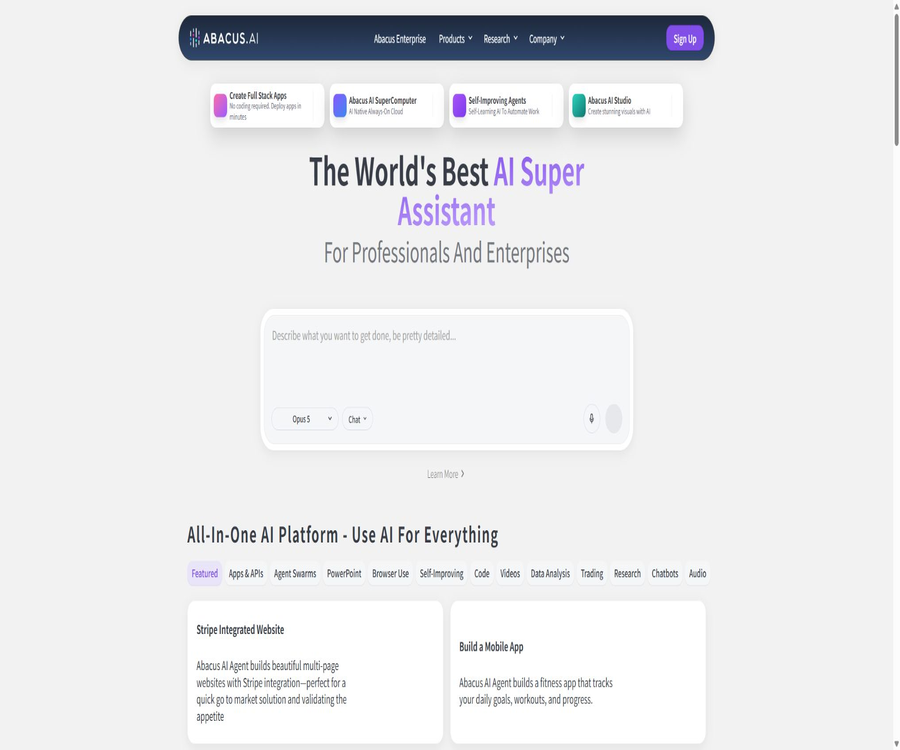
What is Abacus.AI?
Abacus.AI is an artificial intelligence platform company that serves individuals, teams, and large enterprises. Its products include the ChatLLM multi-model assistant and Abacus AI Agent, as well as capabilities in data science, predictive machine learning, feature platforms, and model deployment and monitoring.
Regular users can access various language, image, and video models through a unified interface, while enterprises can integrate their internal data to create agents, implement query answering systems, develop prediction models, and build production-grade AI applications.
Main products
| Products | Main positioning | Suitable for users |
|---|---|---|
| ChatLLM | Multi-model AI assistant and team workspace | Individuals, professionals, and teams |
| Abacus AI Agent | Complete research, documentation, presentations, applications, and automation tasks | Users who require multi-step execution |
| Abacus AI Studio | Images, videos, and complex AI creation workflows | Creators, marketing, and product teams |
| Abacus AI Desktop | Desktop assistant, CoWork, coding tools, and browser extensions | Knowledge workers and developers |
| SuperComputer | Always available cloud computing, proxies, interfaces, and databases | Pro users and technical team |
| RouteLLM | Unified model interface and intelligent routing | Developers and enterprise applications |
| Enterprise AI Platform | Data, ML, LLMOps, and production deployment | Large enterprises and data science teams |
ChatLLM
ChatLLM is a one-stop multi-model AI assistant; the official platform offers more than 100 models for handling text, images, and videos. Users can perform tasks such as asking questions, searching, analyzing files, writing, programming, as well as generating images and videos, all within the same workspace.
- Access to various mainstream closed-source and open-source language models.
- Switch between different models and compare the results.
- Upload PDF, Word, PowerPoint, images, and tables for analysis.
- Use online searches and in-depth research to obtain more up-to-date information.
- Create images, short videos, presentations, and documents.
- Use Projects to organize conversations, files, and long-term tasks.
- Access via mobile apps and voice mode.
- Standardize account, point, and data settings across the team.
Multi-model access and RouteLLM
Abacus.AI aggregates multiple models into ChatLLM and provides a unified RouteLLM interface. RouteLLM can select the most appropriate model based on prompts, and it also handles caching as well as providing fallback options in case of provider failures.
- A single interface allows access to different model providers.
- Select a model for writing, coding, reasoning, or multimodal tasks.
- Let intelligent routing reduce the burden of having users manually determine the model.
- Switch to another available path when the provider is unavailable.
- Use hint caching to reduce redundancy costs and latency.
- Production systems still require fixed testing models and rollback behaviors.
- The list of models and version changes occur frequently; the information displayed in the current console should be taken as the authoritative source.
Abacus AI Agent
Abacus AI Agent is a general-purpose, multi-step intelligent agent; it was formerly known as DeepAgent. It combines multiple models, browsers, and tools to complete tasks, and can generate research materials, documents, presentations, websites, applications, and automated workflows.
- Conduct online research and prepare structured reports.
- Create presentations, documents, and data analysis results.
- Build and host websites or applications based on textual requirements.
- Use a browser to navigate multiple websites and online services.
- Connect to accounts such as Gmail, Google Workspace, Jira, etc.
- Automate the execution of repetitive tasks through tasks and triggers.
- Generate multimedia assets such as images and short videos.
- Deploy the completed application and share it with others.
Explanation of the DeepAgent name
Many old articles and pages still use the name DeepAgent; the official pages nowadays are more often referred to as Abacus AI Agent. The directory content can retain DeepAgent as a historical alias, but the functions and prices should be based on the current billing information for AI Agent and ChatLLM.
| Name | Relationships | Suggested wording |
|---|---|---|
| DeepAgent | Early product names or historical designations | For informational purposes regarding the old name, the old prices are not applied separately. |
| Abacus AI Agent | Current name of the general intelligent agent | As the main title of the text |
| ChatLLM | Multi-model assistant with agent entry point | Distinguish between everyday conversations and complex tasks by using AI Agents. |
| AI Studio | Media and complex creative workflows | Based on the current points and package restrictions. |
Application and website generation
- Describe full-stack web applications using natural language.
- Generate the interface, business logic, and data storage.
- Preview, fix, and continue iterating on the platform.
- Deploy it to a shareable address for others to use.
- Build mobile apps or app prototypes.
- Access to third-party services and enterprise data.
- Code generated by AI still requires security, licensing, and performance reviews.
Abacus AI Studio
AI Studio is used for creating more complex images, videos, and multi-step media content. Basic imposes limits on the number of sessions and on the amount of credits that can be used per session, while Pro allows for more flexible use as long as there are sufficient credits in the account.
- Use various models to create and edit images.
- Create short videos from scripts, scenes, and media assets.
- Create explanatory or marketing content suitable for short-video platforms.
- Combine vision, sound, lip movements, and the scene.
- Choose among multiple generation models.
- High-quality images and videos require more points than ordinary text.
Documents and data analysis
- PDF, Word, and presentation files for summaries and Q&A.
- Analyze CSV and Excel files to generate charts.
- Combine multiple documents and extract structured fields.
- Generate reports and presentations based on the uploaded files.
- Use a code environment to perform calculations and data processing.
- Important figures and citations must be checked against the original document.
Abacus AI Desktop and CoWork
Abacus AI Desktop brings the capabilities of agents to local work environments, including desktop assistants, CoWork features, code editing and command-line tools, browser extensions, and environment monitoring. Specific functions will be added as new versions of the desktop application are released.
- Invoke ChatLLM and AI Agent on the desktop.
- Let CoWork handle complex tasks that involve multiple files or different applications.
- Use coded agents and the command line to assist with development.
- Conduct web research and perform operations through browser extensions.
- Connecting to the local working context enhances task continuity.
- Check the privacy settings before enabling screen, file, or listening capabilities.
SuperComputer
SuperComputer is a persistent cloud computing environment available to Pro users, which allows them to create, deploy, and host agents, interfaces, servers, and databases as instructed. It charges points based on the amount of time it is in use, while proxy or command-line tasks are billed separately.
- Run persistent agents and long-term background services.
- Deploy interfaces, websites, databases, and open-source software.
- Use built-in models or platform models.
- It shuts down automatically when there are no tasks to reduce points.
- Currently, the official rule is that 1 point is deducted for every 5 minutes of operation.
- Additional attention is needed for network, storage, key, and service security.
Smart tasks and triggers
- Generate research, reports, or content according to a schedule.
- Start tasks when the data or external services change.
- Have the Agent monitor the information and send a notification when the conditions are met.
- Connect emails, collaboration, and business tools to execute workflows.
- Important external actions should require manual approval.
- Long-term tasks will continuously consume points and the quota for third-party services.
Enterprise AI and machine learning platforms
Abacus.AI’s enterprise platform covers end-to-end data science, traditional machine learning, generative AI, and MLOps. It enables the connection to corporate data sources, the creation of features, model training, the deployment of predictions, and the monitoring of performance in production.
- Dataset connection, versioning, and regular refreshing.
- Feature engineering, feature sets, and online feature services.
- Automatic model training, comparison, and interpretation.
- Online prediction, batch prediction, and model deployment.
- Model performance, drift, data quality, and alerts.
- Document search, enterprise messaging, and agent applications.
- Custom models, code, and enterprise workflows.
- The Python SDK and APIs are used for automation and integration.
Enterprise machine learning use cases
- Demand, sales volume, and time series forecasting.
- Customer churn, conversion, and risk scoring.
- Personalized recommendations and the next best action.
- Anomaly detection, fraud, and operational risks.
- Classification, regression, and structured data prediction.
- Natural language processing, sentiment, and text classification.
- Enterprise knowledge Q&A and intelligent document processing.
- Custom generative AI and agent workflows.
Feature platform
- Connects cloud storage, databases, data warehouses, and business applications.
- Define feature transformations using SQL or Python.
- Organize features into reusable Feature Groups.
- Create immutable feature versions for training and auditing.
- Refresh data and features as scheduled.
- The same definition is reused for online prediction and batch prediction.
- Reduce the risk of inconsistencies between training and production characteristics.
Enterprise integration
- Connection between cloud storage and data warehouses.
- Data systems such as Snowflake, BigQuery, Redshift, etc.
- Business applications such as Salesforce and Marketo.
- Slack, Teams, Confluence, and Google Drive.
- GitHub, Jira, and development collaboration tools.
- Connection to MCP and other agent tools.
- The actual available connectors are subject to the current enterprise console.
Which users are it suitable for
- Individuals and teams who wish to use multiple models within a single subscription.
- Knowledge workers who need research, documentation, presentations, and media creation.
- Operators who wish to use general-purpose agents to carry out multi-step tasks.
- Entrepreneurs who need guidance to create and host applications.
- Developers who need unified model interfaces and intelligent routing.
- A data team responsible for building predictive models, feature platforms, and MLOps solutions.
- Large organizations that wish to implement enterprise chat, RAG, and custom agents.
Typical use cases
- Compare the responses of various models to the same problem.
- Upload files and generate summaries, tables, and presentations.
- Have the AI Agent conduct in-depth research and prepare a report.
- Build websites, internal tools, or data applications using prompts.
- Generate images, videos, and marketing materials from scripts.
- Deploy always-online proxies, interfaces, and databases.
- Use RouteLLM for unified model access to products.
- Train and deploy prediction, recommendation, and anomaly detection models.
ChatLLM Usage Guide
- Register an account and choose Basic or Pro based on your actual needs.
- Create a project to place related conversations and files in the same workspace.
- Select a model or use intelligent routing, and specify the target, background, and output format.
- Upload the documents, images, or tables that need to be analyzed.
- Use multiple models for cross-checking on important tasks.
- Check the points consumed to prevent high-cost models or media tasks from exceeding the budget.
- Manual review of the final facts, code, and external content is conducted.
AI Agent Task Tutorial
- Break down complex goals into clear deliverables, scope, and acceptance criteria.
- Connect only to the emails, cloud storage, browsers, or other accounts that are necessary for the task.
- First, have the Agent develop a plan and specify the tools that will be used.
- Manual approval is required for settings related to payment, sending, deletion, and public release.
- During execution, check the source, stage outputs, and integral consumption.
- After completion, test the application, code, data, and links.
- Revoke unnecessary connections and permissions, and save the results for reuse.
ChatLLM price
As of this verification, ChatLLM Basic costs $10 per user per month; Pro costs an additional $10 on top of the Basic price, resulting in a total cost of $20 per month. The official offer currently provides a discount of $7 for the first month, and during this promotional period, the points awarded are reduced accordingly based on the amount paid.
| Package | Monthly fee | Monthly points | AI Agent | AI Studio | SuperComputer |
|---|---|---|---|---|---|
| Basic | $ | Usually 20,000 | 3 tasks with finite complexity | Up to 3 sessions, with a maximum of 2500 points per session | Not included |
| Pro | A total of 20 dollars per user. | 30,000 | With points available, there is no limit on the number of tasks and the capabilities are greater. | There are no limits on points for multi-session or single-session play, but the total number of points is restricted. | Includes |
| First-month promotion | The page currently shows $7. | About 14,000 | Go to the Promotions and Accounts page | Go to the account page | Usually, an upgrade to Pro is required. |
Integration and usage volume
- Basic usually provides 20,000 points per month.
- An additional 10,000 points are granted for Pro, bringing the total to 30,000 points.
- Simple text messages consume less data, while those that involve complex reasoning or attachments use more data.
- AI Agents, images, videos, and AI Studio require more points.
- Running a SuperComputer consumes 1 point every 5 minutes.
- Agents or CLI tasks in SuperComputer are charged separately.
- The so-called Agent, regardless of the number of tasks it can handle, still requires a valid balance in the account.
- Model and integration rules change frequently; you should check the real-time billing page.
Corporate prices
The Abacus.AI enterprise platform typically charges based on use cases, contracts, and the scale of deployment. On the official AWS Marketplace, Enterprise ChatLLM Tier 1 costs $5,000 per month; each individual enterprise use case costs $10,000 per month, while up to 15 use cases can be handled for $100,000 per month. Prices may vary through other purchasing channels.
| Corporate projects | Marketplace reference price | Explanation |
|---|---|---|
| Enterprise ChatLLM Tier 1 | $ | Enterprise-grade ChatLLM solution; specific users and benefits are detailed in the contract. |
| Single Use Case | $ | Enable an enterprise AI or ML use case |
| All 15 Use Cases | 100,000 dollars per month | A maximum of 15 use cases can be enabled. |
| Customized corporate contracts | Contact sales | Related to data, models, deployment, support, and compliance requirements. |
Product advantages
- Multiple language, image, and video models are gathered in a single workspace.
- ChatLLM, general-purpose Agents, Media Studio, and desktop tools offer broad coverage.
- AI Agents can extend from research to application development and automation.
- Pro offers a persistent cloud computing environment in which agents and services can be deployed.
- RouteLLM provides a unified model interface as well as routing and failure recovery capabilities.
- The enterprise platform covers generative AI, traditional ML, features, and MLOps.
- The official provider offers a Python SDK as well as various open-source research projects.
Usage restrictions and precautions
- The points-based system makes it more difficult to predict the actual monthly availability compared to a fixed, unlimited subscription.
- The points associated with the promotional price in the first month are lower than those of the standard Basic plan.
- The unlimited Agent tasks in Pro are still subject to the total account score limit.
- Multiple models and features are updated rapidly, so the models and quotas mentioned in older articles can easily become outdated.
- Agents can operate browsers and external accounts, and erroneous actions may have real-world consequences.
- Applications, code, and research reports generated may still contain security issues and factual errors.
- Enterprise platforms offer a wide range of functions, but their implementation, data governance, and procurement costs are high.
- The integration of multiple models on a platform increases the complexity of suppliers, terms, and data pathways.
Data and Security
The authorities state that they will not use customer data to train their own models or any other models, and they highlight their compliance with SOC 2 Type II and HIPAA standards. The platform encrypts the data, but users still need to control access to connections, chat histories, files, as well as permissions related to external tools.
- Administrators should set rules for retaining and deleting chats.
- Provide only the accounts and files necessary for the Agent to carry out its tasks.
- Do not include unnecessary keys and sensitive data in the prompts.
- Manual confirmation is required for browser actions, payments, emails, and publishing actions.
- Companies should verify the data retention policies of the model providers they choose.
- Desktop monitoring, as well as permissions for browsers and local files, should be enabled with caution.
- To produce ML, it is necessary to monitor deviations, drift, data quality, and abnormal access.
GitHub and the open-source status
Abacus.AI has an official GitHub organization, and it makes available public repositories for projects such as the Python SDK, long-context research tools, ForecastPFN, Smaug, XAI-Bench, and desktop agent applications. ChatLLM, AI Agents, AI Studio, and the full enterprise platform are not open-source products as a whole.
| Project | Status | License or instructions |
|---|---|---|
| Abacus.AI platform | Closed-source SaaS | ChatLLM, Agent, Studio, and the enterprise platform are operated by the official team. |
| api-python | Open source | The official Python client for the MIT license |
| Long-Context | Public research | Contains context expansion code, evaluation results, and some model information |
| ForecastPFN | Public projects | Time series are related to research on prediction. |
| XAI-Bench | Public projects | Explainable AI Feature Attribution Benchmark |
| deepagent-releases | Publicly available warehouse | The release and updates of the desktop assistant do not imply that the complete source code for the cloud platform is available. |
Basic information
| field | Content |
|---|---|
| Tool name | Abacus.AI |
| Main products | ChatLLM, Abacus AI Agent, AI Studio, Desktop, and Enterprise Platform |
| Tool type | Multi-model assistants, general-purpose agents, AI applications, and MLOps platforms |
| Individual price | Basic costs $10 per month, while Pro costs $20 per month in total. |
| Corporate prices | Custom quotes are available; the Marketplace provides some reference criteria. |
| Whether an interface is provided | Provides interfaces for RouteLLM and enterprise platforms. |
| Official SDK | The Python SDK is licensed under the MIT license. |
| Is it open source? | The commercial platform is not open-source; the company provides several SDKs and research projects publicly. |
Recommendation score
4.6 / 5. Abacus.AI offers a low-cost entry-level subscription that includes multiple models, general-purpose agents, media generation tools, and application development capabilities, while also providing a full-fledged enterprise ML platform; however, the billing system is complex and features change frequently, so users need to closely monitor their usage and review the operations carried out by the agents as well as the results produced.
Frequently Asked Questions
What does Abacus.AI do mainly?
It offers multi-model AI assistants, general-purpose agents, media and application generation, as well as enterprise-level predictive machine learning and MLOps capabilities.
How much is ChatLLM?
Basic costs $10 per user per month, while Pro costs an additional $10 on top of Basic, for a total of $20 per month.
Is DeepAgent the same as Abacus AI Agent?
DeepAgent was the earlier name; currently, Abacus AI Agent is the name used by the official team. Old documents should be updated to reflect the current products and pricing.
How many Agent tasks are included in Basic?
According to the official information, Basic includes 3 tasks with limited complexity, while Pro does not impose any limit on the number of tasks when points are available.
Is Pro really unlimited?
It’s not completely unlimited; Agent and AI Studio remove some of the limits on the number of uses, but these services are still subject to the account’s 30,000 monthly points as well as the usage limits for individual tasks.
Can applications be created and hosted?
Yes, AI Agents can be used to create, deploy, and share full-stack or mobile applications through prompts.
How is SuperComputer priced?
It is available to Pro users; currently, 1 point is deducted for every 5 minutes of operation, while internal agents and command-line tasks are charged separately.
Is a unified model interface provided?
RouteLLM is provided, enabling access to and routing of multiple models, as well as supporting caching and failover.
Will the data be used for training?
Officials state that they will not use customer data to train their own models or any other models; companies should still check the specific terms related to the models and the services connected to them.
Is Abacus.AI open source?
The commercial platform is not open-source, but the official Python SDK, long-context research, and several other projects have their source code made available publicly.
Tools similar to Abacus.AI



 Guigong Network Security Registration No. 45132202000164