






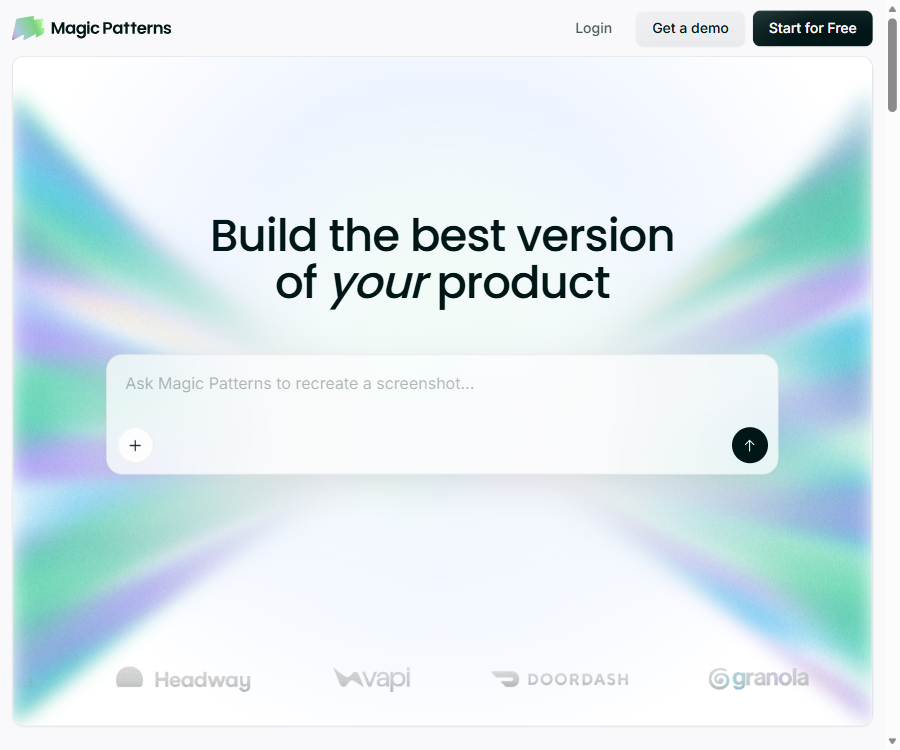
Magic Patterns
Convert prompts, product requirements, or ideas into high-fidelity, interactive interface prototypes quickly.
Tags:AI design toolsWhat are Magic Patterns?
Magic Patterns is an AI-based UI design tool designed for product managers, designers, and front-end developers. Users can quickly create web interfaces and interactive prototypes using textual descriptions, screenshots, or existing components.
It adopts a code-first design approach; the results generated can be further visually edited, shared, exported, or integrated into the development process. The focus of this product is not to produce a static visual representation, but rather to assist teams in moving from product ideas to interface designs that can be discussed, tested, and implemented.
The main functions of Magic Patterns
- Text generation interface: Creates pages, components, and interactive prototypes based on product specifications.
- Screenshot and image input: Upload a reference interface so that the AI can identify its layout and generate an editable version.
- Visual selection editing: After selecting a specific element, make local modifications using natural language.
- Inspired solution: Generate multiple distinctly different design approaches for the same interface.
- Version history: Keeps records of creation and edits, allowing restoration to an earlier version.
- Design system: Import brand colors, fonts, component libraries, and presets to maintain consistency across the interface.
- Figma and Storybook: Import assets from existing designs or component libraries.
- Team workspace: Supports real-time collaboration, member invitation, comments, and centralized billing.
- Code and GitHub: Download the front-end code, or synchronize the design with the code repository.
- MCP and API: Allow tools such as Cursor, Claude, and Codex to read or create Magic Patterns designs.
How to use Magic Patterns
Generate product prototypes from requirements
- Create a new design and specify the product type, target users, core tasks, and the pages that need to be generated.
- Add preferences for brand colors, fonts, layout, as well as requirements for mobile or desktop use.
- Generate the homepage or a key process first, to avoid requesting too many pages at once.
- Use the selection mode to modify specific components, and employ the inspiration feature to compare various options.
- Complete the interactive states and error pages, then share them with the team to gather feedback.
- After the plan is confirmed, export the code, synchronize it to GitHub, or pass it on to development tools for further implementation.
Use MCP to connect to AI programming tools
- Confirm that the current workspace is subscribed to a paid plan, and create the design that needs to be used.
- Complete the authorization in the AI tool that supports connectors, or create an API Key.
- Configure Magic Patterns MCP according to the client’s requirements, starting with read-only mode as a priority.
- Have the programming tool read the specified design and components, and then have it adapt to the project’s existing coding standards.
- Check the generated code, dependencies, and responsive behavior, and only after verification should it be incorporated into the production project.
Prices and packages for Magic Patterns
Magic Patterns is available through workspaces and paid subscriptions; AI-generated content consumes monthly Credits. Manual operations such as editing, exporting, and sharing, which do not involve AI, generally do not consume Credits.
| Plan | Monthly price | Annual payment conversion | Monthly Credits | Main positioning |
|---|---|---|---|---|
| Free | $ | 0 dollars | 250 | Lightweight experience and personal exploration |
| Starter | $ | 17 dollars per seat per month | 1,000 | Individuals and teams with up to 10 paid seats |
| Business | 100 dollars per seat per month | $ | 5,000 | Teams that need faster models, SSO, and permission management |
| Enterprise | Customization | Customization | Customization | Organizations that require SCIM, auditing, sharing quotas, and dedicated support |
Plans starting with Starter include a design system, watermark-free content, GitHub synchronization, MCP, and centralized billing. The Business plan adds faster model processing, self-service SSO, role-based permissions, and usage reports; the Enterprise plan further provides shared quota pools and enterprise governance features.
How Credits are consumed
- Only the operations generated by directly invoking AI consume Credits, with the cost varying depending on the complexity of the task and the model used.
- Making small, localized modifications usually uses less resources than creating a large, multi-page prototype at once.
- After each generation, it is possible to view the actual consumption, the number of tool calls, the number of rows modified, and the model used.
- Both the monthly and annual plans have their credit limits updated according to their respective billing cycles.
- The payment plan allows for additional usage to be added on a pay-as-you-go basis, with budget controls in place to limit extra expenses.
GitHub and the open-source status
The Magic Patterns online design platform is not an open-source product. Its GitHub repository makes available the Catalog, Agent Plugins, and some tool projects, but these repositories do not contain the complete source code of the platform.
Which users are it suitable for
- Product managers who need to quickly convert requirement documents into interface drafts.
- UI/UX designers who need to explore layout, components, and visual direction.
- Developers who wish to obtain front-end code such as React quickly from a prototype.
- Teams that already have a design system and wish to ensure that AI adheres to the brand guidelines.
- Teams that need to establish a collaborative framework among Design, Cursor, Claude, and Codex.
Product advantages
- The generated results can be further edited and interacted with; they are not just static images.
- It supports design systems, Figma, Storybook, and GitHub workflows.
- Selective editing and version history facilitate small-scale iterations.
- MCP can be connected to mainstream AI programming tools, creating a closed loop from design to code.
- The enterprise solution offers SSO, SCIM, auditing, and permission governance capabilities.
Usage restrictions and precautions
- The AI-generated interface still needs to be checked for accessibility, responsive layout, and accurate reflection of the actual business status.
- The exported code usually needs to be adapted to existing component libraries, the data layer, and engineering standards.
- Complex generation consumes more Credits, and the cost cannot be predicted accurately before execution.
- MCP and API keys should be stored securely, with read-only permissions assigned as needed.
- The free workspace comes with limitations regarding usage quotas, watermarks, and certain advanced features.
Frequently Asked Questions
Can Magic Patterns be used for free?
Yes. The Free plan provides 250 Credits per month, which is suitable for trying out the basic processes of creation and editing.
Can Magic Patterns export code?
Yes. Users can download the code or synchronize it to GitHub, but engineering adaptation and quality checks are still required before it is used in production.
Is the MCP function free?
No. The current MCP, API Key, and related integration features require a paid workspace.
Tools similar to Magic Patterns



 Guigong Network Security Registration No. 45132202000164