






Instant Design
A domestic online UI design platform that supports AI-generated content and multi-person collaboration.
Tags:AI design toolsWhat is instant design?
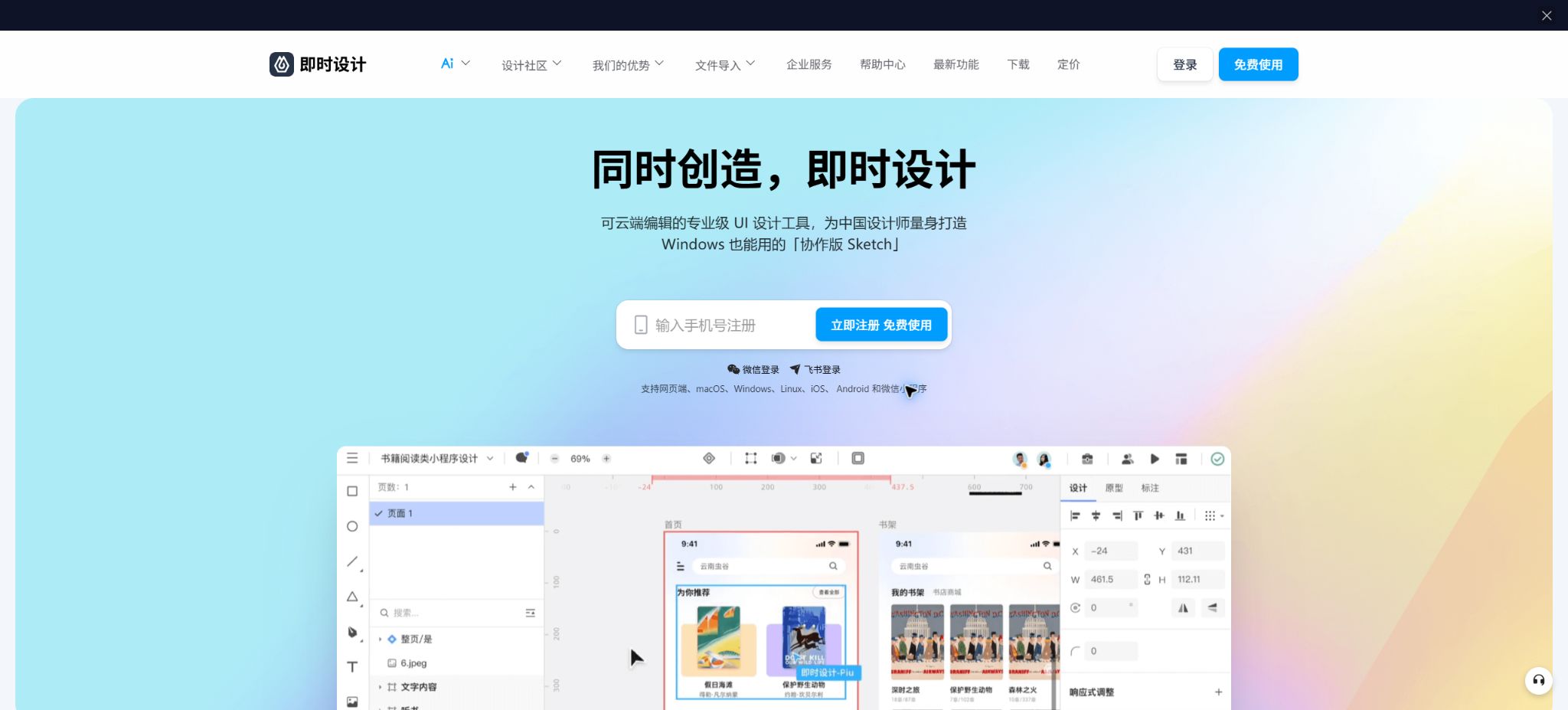
Instant Design is a domestic cloud-based collaborative design tool designed for product managers, UI designers, and front-end developers. It brings together interface design, interaction prototypes, team reviews, resource management, and development delivery within a single online workspace.
Users can use it directly through a browser, or they can install clients for Windows, macOS, and Linux to preview and comment on content on mobile devices. Its operation method is similar to that of Figma and Sketch; Chinese interface, a domestic network environment, and localized output are its main features.
Core functions of instant design
Professional UI and vector design
The canvas supports various common UI design features such as drawing boards, vector paths, Boolean operations, text, images, styles, automatic layout, components, and variants. Design drafts are saved in the cloud and recorded automatically; however, it is still necessary to export offline copies of important projects on a regular basis.
Interactive prototype
The prototype pattern allows for the addition of page connections, click and hover events, page navigation, intelligent animations, and demonstration workflows. Prototypes are useful for verifying interaction and communication requirements, but they cannot replace tests for the performance, accessibility, and handling of abnormal situations in actual applications.
Real-time collaboration for multiple users
Multiple designers can work together on editing files, while product and R&D personnel can view the latest versions, add comments, and track feedback. The team can also share components, styles, and resource libraries, thereby reducing the need for repetitive work and the transfer of different versions.
R&D model and design delivery
Developers can view the dimensions, spacing, colors, font styles, and code related to styling in the development mode, and export the resulting images in bulk for different platforms. Automatic annotations and code snippets serve only as a reference for implementation; the final code still needs to be written in accordance with component libraries, responsive design principles, and engineering standards.
Component systems and design specifications
Components, variants, shared design libraries, and styles can be used to standardize colors, fonts, spacing, and interaction states. After modifying the main component, it is necessary to check its impact to avoid unintended overwrites on numerous pages.
Resource Plaza and Plugin Ecosystem
Resource Square offers works, component libraries, icons, illustrations, templates, and design guidelines; plugins enable the expansion of functions related to data entry, charts, tables, image processing, and delivery. Before using resources from the community, it is necessary to check the author’s licensing terms, the scope for commercial use, and the update status of those resources.
Real-time AI design capabilities
Instant Design has introduced features such as editable text-based UI generation, AI-driven drawing, intelligent object extraction, conversion of bitmaps to vectors, and content filling. The access points, quotas, and scope of use for these AI functions may change; it is necessary to refer to the details available in the current account dashboard.
AI-generated content can serve as a starting point for ideas, but it does not guarantee brand consistency, usability, or development feasibility. Before final delivery, it is necessary to check the grid layout, fonts, status, responsiveness, accessibility, and copyright of the materials used.
Comparison of design, prototyping, and development patterns
| Pattern | Primary users | Main tasks | Typical output |
|---|---|---|---|
| Design | UI and visual designers | Create interfaces, build components, and define design specifications | High-fidelity pages and reusable assets |
| prototype | Product manager and interaction designer | Add processes, events, transitions, and presentations | Interactive prototype available for clicking |
| R&D | Front-end and client developers | View annotations, copy styles, and export cropped images | Development parameters and image resources |
Instant design versions and prices
An official statement from 2026 confirmed that individual designers and small to medium-sized teams can still use the free version. Large teams, organizations with strict data compliance requirements, and companies that need customized functions should consider the enterprise version or private deployment options.
| Version | Reference price | Suitable for users | Main differences |
|---|---|---|---|
| Free version for individuals and small teams | Free | Individual designers, product teams, and small R&D teams | Online design, prototyping, collaboration, delivery, and resource usage |
| Enterprise services | Consultation and quotation | Large design teams and organizations | Business management, service support, and more comprehensive organizational capabilities |
| Private deployment | Consultation and quotation | Companies that place emphasis on data control and customization | Custom deployment options, feature expansion, and enterprise data governance |
Some AI elements, materials, plugins, or enterprise capabilities may be subject to separate rules; it is not possible to assume that all services are free of charge indefinitely just because the core functions are free. Before making a purchase, it is necessary to obtain from the supplier a written list of the functions available, the number of users allowed, the storage capacity, the duration of service, the associated taxes, as well as information on how to export data when leaving the service.
Supports platform comparison
| Platform | Usage method | Suitable scenarios |
|---|---|---|
| Web | The browser uses it directly. | Quick access, cross-system collaboration, and review |
| Windows | Desktop client | The long-term design of desktop environments such as Windows 11 |
| macOS | Clients with Intel or Apple chips | Designer desktop workflow |
| Linux | Supports Debian, Ubuntu, and CentOS. | R&D team and Linux desktop |
| iOS and Android | Mobile apps | Preview, review, comment, and collaborative editing on the go |
| WeChat Mini Program | Use within WeChat | Easy viewing and sharing of scenarios |
The specific system requirements for clients and mobile devices may change with each version update. It is necessary to check the information provided on the official website before downloading, and teams should not rely solely on one type of device to store their projects.
File import and export
Instant Design allows for the import of files from workflows such as Figma, Sketch, Adobe XD, and Axure; it also enables the export of files in Sketch format as well as offline files. Different tools handle fonts, components, variables, masks, and prototype events in varying ways, so it is necessary to review each page after the migration.
| Migration direction | Uses | Conduct a focused inspection. |
|---|---|---|
| Import Figma files | Migrate .fig design assets | Automatic layout, component variants, fonts, and effects |
| Importing and exporting Sketch files | Exchange design drafts with the Sketch team | Symbols, shared styles, plugin data, and fonts |
| Import from Adobe XD | Migrate old XD projects | Component status, prototype events, and masks |
| Import from Axure | Continue working on the product prototype. | Dynamic panels, variables, interaction logic, and annotations |
| Exporting cutouts and styles | Delivery of development | Magnification, format, naming, platform units, and compression |
| Offline files | Backup and archiving | Is it possible to re-import, along with the version and file integrity? |
Instant UI Design Project Tutorial
Step 1: Create a team and a project
Create teams and folders based on products, business lines, or customers, and define permissions for administrators, editors, and viewers in advance. Do not grant all members the highest level of access to manage accounts and resources.
Step 2: Establish the design foundation
Create page dimensions, grids, colors, fonts, spacing, and corner-radius styles, then develop components such as buttons, input fields, navigation elements, and pop-ups. The components should be given clear names that reflect their state, in order to avoid having a large number of duplicate assets later on.
Step 3: Create pages and prototypes
Use automatic layout and components to build pages, providing states for loading, empty data, errors, disabled conditions, as well as different screen sizes. Switch to prototype mode to connect with the main workflow, and add annotations for key interactions.
Step 4: Invite reviewers
Only share the pages that require review; comments should be directed to specific layers and the processing status should be indicated. Files containing customer information should have restricted public access and download permissions.
Step 5: Deliver the development
Developers read parameters and view mockups in the development mode, while designers provide guidelines for components, information on interaction states, and details regarding responsiveness. Before deployment, a visual review is carried out jointly by designers, product specialists, and developers.
Tutorial for importing Figma files
- Save a local copy that can be imported in Figma, while keeping a backup of the original project.
- On the instant design workspace, select Import, upload the file, and wait for the parsing to be completed.
- Check the number of pages, font replacement, images, automatic layout, and component variants.
- Compare the original document page by page, paying special attention to masks, shadows, blurring, and text wrapping.
- Re-release the shared component library and invite team members to continue editing it.
Data security and private deployment
Automatic cloud-based saving and history tracking can reduce the risk of mistakes, but they cannot replace a team’s own backup system. Important projects should have their files exported periodically in offline format, and the recovery processes as well as the revocation of permissions for departing members should be tested.
Private deployment is suitable for organizations that have specific requirements regarding data location, network isolation, account management, and custom functionality. When making a purchase, it is necessary to verify the deployment boundaries, methods of upgrading, backup procedures, audit functions, disaster recovery measures, SLAs, and the process for transferring data after the contract ends.
GitHub and the open-source status
The instant design platform itself is not open-source software; the developers do not provide a public GitHub repository from which one can deploy a complete editor. Projects on GitHub that contain the names “instant design” or “jsdesign-mcp” are likely to be community-developed tools, and should not be considered official products.
Community MCP tools can read the structure of design files, their styles, and the content of pages, and then pass this information to external AI coding assistants. Before installation, it is necessary to check the author’s statements, licenses, network addresses, token permissions, and the source code; sensitive projects should not be connected to plugins that have not been reviewed by an organization.
Instant Design usage tutorial
Create reusable professional workflows
- Create scripts, shot lists, brand assets, and a list of elements that are prohibited from use;
- Save unified parameters for professional UI and vector design, interactive prototypes, and real-time collaborative work among multiple users.
- First, use representative shots to test the model and the quota;
- Transfer the failed shots to manual editing or regenerate them;
- Uniformize subtitles, volume, colors, and end credits;
- Record the version and reviewer before publishing in batches;
Which users are it suitable for
- Individual designers who need online Chinese UI design tools;
- A product development team that works together to create requirements, prototypes, visual designs, and the final deliverables;
- Domestic teams that are migrating assets from Figma, Sketch, XD, or Axure;
- Remote team members who need to move reviews, comments, and engage in real-time collaboration;
- Large organizations that require private deployment and customized features.
Frequently Asked Questions
Is Instant Design free?
According to the official statements for 2026, individual designers and small to medium-sized teams can use the free version. For enterprise-level management, private deployment, and certain additional services, it is necessary to seek separate consultation.
Can instant design be imported into Figma?
Importing local Figma files is supported, but there may be differences in automatic layout, components, fonts, and visual effects. After the migration, it is necessary to compare each page individually and recheck the shared library.
Which systems are supported by instant design?
It supports various access methods such as the Web, Windows, macOS, Linux, iOS, Android, and WeChat Mini Programs. Full editing is more suitable for browsers or desktop clients, while mobile devices are primarily used for previewing and reviewing content.
Is there a private deployment option for Instant Design?
There is an option for enterprise privatization; deployment and functional services can be selected according to the organization’s needs. Prices, the number of users, maintenance requirements, and data-related terms must be confirmed with the official sales team.
Is Instant Design open source?
The platform itself is not open source. The community plugins and MCP projects that can be found are not equivalent to the official code of Immediate Design; they should be reviewed separately before use.
Tools similar to instant design



 Guigong Network Security Registration No. 45132202000164