






Tripo AI
An AI platform that enables the rapid creation of usable 3D models via text or images
Tags:AI design toolsWhat is Tripo AI?
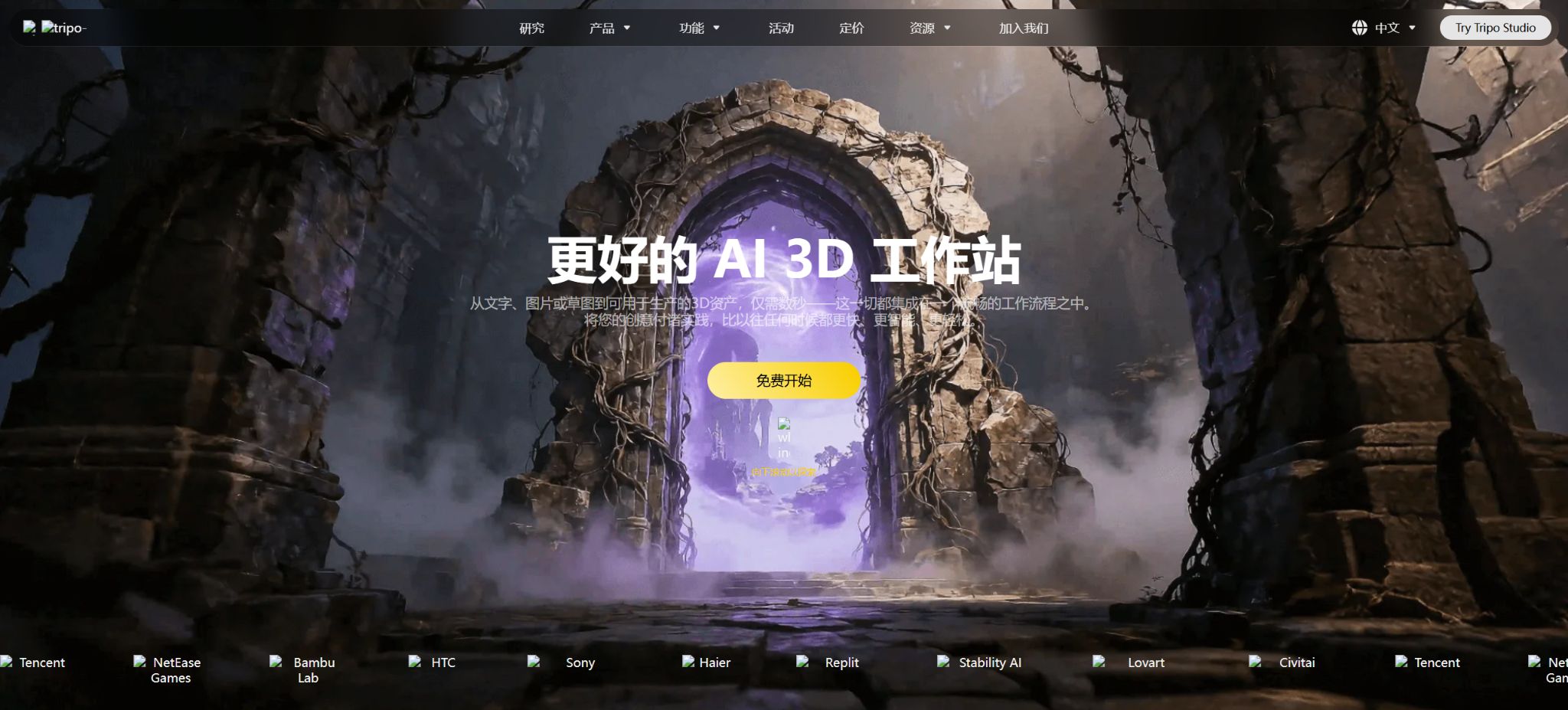
Tripo AI is an AI-based platform for creating 3D models, designed for use in gaming, art, 3D printing, e-commerce, and design prototyping. Users can enter text or upload single images or multiple-view images to generate 3D assets with grids and textures; they can also proceed with tasks such as reducing the number of polygons, separating components, enhancing textures, binding skeletons, adding animation, and converting formats.
Tripo Studio is aimed at web creators and offers a visual workspace as well as subscription plans; Tripo API is intended for developers, with billing based on tasks using pre-paid credits.
The resulting output can serve as a starting point for modeling, but the topology, UVs, proportions, backside details, and animation weights may still require manual adjustment using software such as Blender, Maya, 3ds Max, etc.
Core functions of Tripo AI
Generating 3D models from text
By entering information on the object’s appearance, material, style, color, and purpose, the system will generate the geometry and texture. The text-based approach is suitable for concept exploration and for creating quick prototypes when no reference images are available.
The description should focus on a single subject, have a clear perspective and structure, and avoid including too many conflicting details at once.
Convert image to 3D
After uploading a clear image of the subject from the front, the model will infer the invisible areas and reconstruct the grid. It is best to use an image with a simple background, minimal obstructions, even lighting, and a complete subject.
A single image does not contain accurate information about the back side; therefore, the hidden areas are determined by AI speculation, and such data is not suitable to be used as results of precise scanning or engineering measurements.
Multi-view generation
The multi-view mode allows the use of angles such as front, left, back, and right, which helps to improve geometric consistency. The different images must represent the same object, with similar scales and materials; otherwise, the model may exhibit duplicate components or misaligned textures.
This feature is usually part of paid packages or advanced API tasks.
Textures and PBR
Tripo can generate textures of different qualities, such as Standard, Detailed, and Extreme, and it outputs baked textures as well as PBR orientation assets. Texts or images can also be used to regenerate textures and provide style references.
High-quality textures require additional processing; they do not automatically resolve UV seams or ensure physical accuracy of the materials.
Smart Mesh and low-polygon models
Smart Mesh, Low Poly, and vertex count control can reduce the complexity of models, making them easier to use in game engines, web pages, and mobile applications. Automatic face reduction may result in the loss of contours, holes, and edges on hard surfaces; it is therefore necessary to check the number of triangular faces, normals, LOD levels, and rendering performance on the target platform.
Component generation and mesh segmentation
Options such as Generate in Parts, Segmentation, and Part Completion allow objects to be broken down into editable components or to have the segmented parts completed; these functions are suitable for product structures, props, and modular assets. The boundaries of the automatically created components may not correspond to the actual mechanical structure, and professionals must recreate and verify them for manufacturing purposes.
Bone binding and animation
Role models can first undergo a Rig Check, followed by automatic binding and action retargeting. The API allows for the configuration of multiple animations at once.
Automatic skeletons are suitable for previewing and creating prototypes; complex costumes, fingers, faces, and non-standard creatures usually require adjustments to the skeletons, weights, and animation sequences.
Export in multiple formats
The platform can convert and export common 3D formats for further processing in Blender, Unity, Unreal Engine, Godot, and 3D printing processes. Converting to basic formats may incur different fees compared to advanced topological transformations or control of the number of faces.
After importing the target software, it is necessary to check the units, axis direction, material, skeleton, and texture paths.
The Blender and ComfyUI ecosystems
The official ecosystem provides Blender extensions and ComfyUI nodes, which facilitate the use of Tripo within existing workflows. Plugins are merely client-side tools; the actual generation of content may still rely on cloud APIs and credits.
Before installation, verify the official repository, version, and permissions; the API Key should not be shared or included in the project files.
Comparison of prices for Tripo Studio packages
The following is the annual subscription price as verified on the official pricing page; the monthly subscription cost is usually higher.
The limits and benefits may vary; prior to making a payment, it is necessary to refer to the settlement page, as well as the taxes and the region in question.
| Package | Annualized price | Monthly points | Main differences |
|---|---|---|---|
| Free | $ | 200, about 8 models | 1 Concurrent, Standard Queue, Common Model, Short-term History, and Limited Downloads |
| Pro | $ | 3,000, approximately 120 models | 10 concurrent tasks, multiple views, segmentation, batch processing, private models, commercial use, and unlimited downloads |
| Max | $ | 25,000, approximately 1,000 models | 100 concurrent connections, dedicated processing, unlimited retries, permanent history, and priority access |
| Team | $ | 45,000, approximately 1,800 models | 200 concurrent users, shared workspace, assets, centralized billing, and team management |
“The approximate number of models” is estimated based on the basic generation requirements; enabling high-definition textures, styles, quad faces, segmentation, and post-processing will result in additional cost in terms of points, so the actual number of models may be significantly lower.
Free generates results as public models under the CC BY 4.0 license; for commercial projects, a paid option that provides private models and commercial rights should be chosen, with proof of subscription kept.
Comparison of Tripo API credit pricing
| API tasks | Regular model integration | P1 latest model integration | Explanation |
|---|---|---|---|
| Text to 3D without texture | 10 | 30 | Basic grid, without textures or PBR. |
| Text to 3D standard texture | 20 | 40 | Includes standard texture and PBR direction output |
| Convert images to 3D without textures | 20 | 40 | Reconstructing the basic model from a single image |
| Convert image to 3D standard texture | 30 | 50 | Contains standard texture |
| Convert multiple views to 3D standard texture | 30 | 50 | Use multi-angle images |
| Bind skeleton | 25 | By task | Rig Check is free; 10 points are awarded for each animation redirection. |
Advanced processing grants additional points.
| Functions | Extra points | Uses |
|---|---|---|
| Low Poly | 10 | Generate a low-polygon version |
| Generate in Parts | 20 | Generate separable components |
| Quad Topology | 5 | Treatment of the four-sided surface direction |
| Style | 5 | Specify the generation style |
| Standard texture | 10 | Standard resolution texture |
| Detailed texture | 20 | High-resolution textures |
| Extreme texture | 30 | Highest-grade texture |
| Model segmentation | 40 | Split grid components |
| Component completion | 50 | Complete the geometry after splitting |
The API uses prepaid credits. The available credits are frozen at the time a task is created, and they are deducted once the task is completed successfully; in case of failure or if the deadline passes, they are usually refunded.
Purchased points do not expire, but the company does not offer refunds.
The rules for Studio subscription points and API wallets may differ, so they cannot be assumed to be the same.
Tripo AI Tutorial: Converting Images to 3D
- Prepare images:Choose a front-facing or slightly angled image with a complete subject, a clean background, even lighting, and no obstructions.
- Uploaded and generated:Select Image to 3D, crop the main part of the image, and set the model version, texture quality, and whether to divide it into separate parts.
- Check preview:Rotate to view the back, bottom, thin layers, holes, contours, and texture seams.
- Regenerate or Refine:Replace the reference image when there is a large deviation in the results; use the appropriate post-processing only when it is necessary to improve the topology or texture.
- Optimize the grid:Select low polygons, quadrilateral faces, number of faces, and component segmentation based on the intended use.
- Bound animation:The character first has its posture and limb integrity checked, before Rigging and Retargeting are performed.
- Export test:Download the format suitable for the target software, and check the units, normals, materials, and bones in Blender or the engine.
Tripo API Integration Guide
- Create a separate API Key and top up a small amount of credits; the key is stored only on the server side.
- Use the upload interface to obtain secure file objects; do not rely on temporary links for an extended period.
- Submit the text_to_model, image_to_model, or multiview_to_model task and save the task_id.
- Poll the task status or use the supported callback methods to set timeouts, rate limiting, and checks for refunds in case of failures.
- After the task is completed, download the model to your own object storage, and then use it for texture processing, editing, rigging, or format conversion.
- New projects will use API V3 directly; existing V2 versions must be migrated before service discontinuation in November 2026.
The differences between Tripo AI and TripoSR
Tripo AI consists of a commercial cloud-based Studio and API; TripoSR is a research project developed by VAST and Stability AI for fast 3D reconstruction from single images. Its code and pre-trained models are available under the MIT license, allowing for local execution.
TripoSR is not the full version of Tripo Studio, and it does not include all of the texture, editing, animation, and queue capabilities available in the commercial platform.
Which users are it suitable for
- Independent developers who can quickly create game items, scene placeholders, and prototypes;
- E-commerce professionals and designers who need to create a preliminary 3D version of a product based on its image;
- Creators who design animated characters, low-polygon assets, and 3D-printed prototypes;
- Developers and studios that wish to convert images into 3D models and integrate them into their applications;
- 3D users familiar with Blender or game engines, who are able to continue refining models.
Advantages and precautions
- The advantage of TripoAI is its fast ability to generate textured models from images or text; it also provides functions for creating topology, components, skeletons, animations, and for exporting files, making it suitable for rapid iteration of assets.
- The results generated cannot replace precise CAD, photogrammetry, or professional character modeling.
- The back side of a single image is the result of inference; geometrically, it may have broken edges, be suspended in space, or not be closed.
- Before 3D printing, it is necessary to check the shape, thickness, and dimensions of the object;
- When uploading characters, brand products, or copyrighted characters, authorization must be obtained and the content and commercial terms must be complied with.
Frequently Asked Questions
Is Tripo AI free?
There is a free option available; it offers 200 credits per month, which is sufficient to generate around 8 basic models. However, the capabilities in terms of concurrency, storage, downloading, privacy, and commercial use are limited.
Can the Tripo AI generation model be used for commercial purposes?
The Pro, Max, and Team versions explicitly include private models as well as options for commercial use; the free versions are governed by the public and CC BY 4.0 licensing rules.
It is still necessary to ensure that the input materials and the generated content do not violate any copyright laws.
Does Tripo AI support animation?
It supports automatic bone binding, Rig Check, and action redirection, but complex characters usually require professional software to adjust weights and animations.
How is the Tripo AI API priced?
Points can be purchased in advance and are deducted for tasks related to creation, textures, components, rigging, and conversion. The purchased points remain valid indefinitely, but no refunds are provided.
Is Tripo AI open source?
The commercial Studio and API are not open-source platforms. The related TripoSR research project is licensed under the MIT license, but it offers a different range of functions.
Tools similar to Tripo AI



 Guigong Network Security Registration No. 45132202000164