






Kaedim
A platform that converts sketches, photos, and creative briefs into production-ready 3D assets
Tags:AI design toolsWhat is Kaedim?
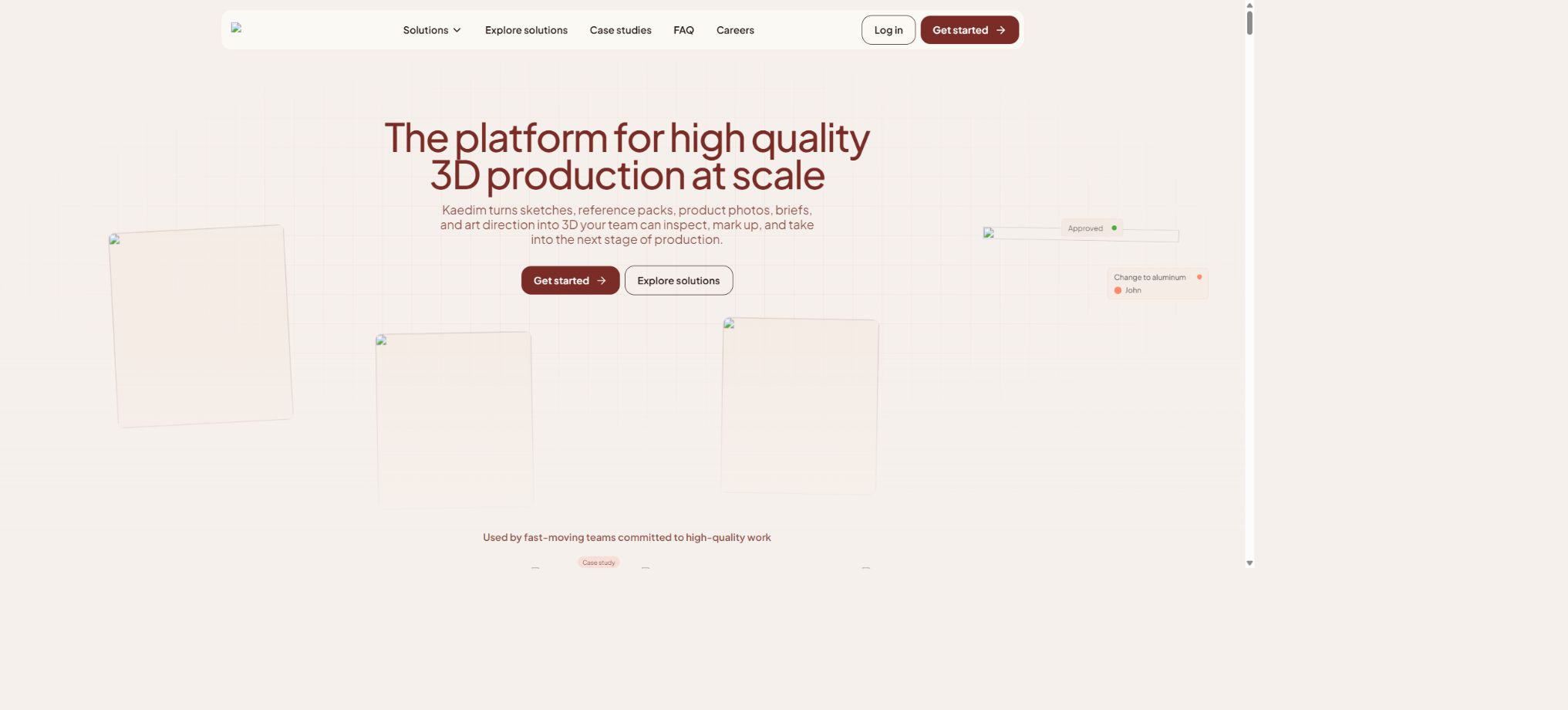
Kaedim is an AI asset creation platform designed for game studios, brands, and large-scale 3D content teams. It combines machine learning-based 2D to 3D reconstruction with the oversight of in-house 3D artists, thereby transforming sketches, concept art, product photos, reference materials, or production briefs into 3D assets ready for use in further production processes.
At present, Kaedim is not a one-click, free 3D generation tool intended for individuals; rather, it offers outsourcing and production collaboration services focused on businesses. The company emphasizes providing clients with dedicated engineering and artistic supervisors, custom art guidance, technical specifications, as well as project milestones and workflow integration, with the goal of accelerating bulk 3D production while ensuring consistency in the resulting assets.
Image to 3D conversion workflow
Users can upload up to 10 images for a single asset. The platform first performs preprocessing, then converts the 2D images into 3D models to create geometric shapes; after that, an in-house art team reviews these models and makes any necessary adjustments before delivering them.
Once completed, the customer can rotate, zoom, and view the wireframe and materials in the 3D viewer, and can make further adjustments or proceed to the next stage of production.
The input image should have a complete main structure, clear outlines, reasonable perspective, and as little obstruction as possible. Viewing from multiple angles can help reduce uncertainties regarding the back and side aspects, but it does not guarantee CAD-level accuracy or engineering precision.
AI collaborating with human artists
Kaedim is not a fully automated system. The officials have made it clear that the results obtained through reconstruction still require verification, editing, and refinement by internal artists.
Manual processing is used both to ensure the quality of the output and to generate feedback data for improving subsequent models.
This approach is usually slower than pure automatic generation, but it is more suitable for professional projects that require quadrilateral faces, a clean topology, separated meshes, and a consistent artistic style. The provider claims that its service is about 10 times faster than traditional art outsourcing; the actual delivery time depends on the number of assets, their complexity, and the stage of the production process.
Prototype asset
The Prototype phase is ideal for quickly transforming conceptual drawings into 3D models that can be reviewed, for use in discussions regarding composition, proportions, shape, and design. Clients can first confirm the general direction of the project before deciding whether to proceed with a full Game-ready development process.
The prototype is not equivalent to the final game assets. Areas where characters change shape, extreme contours, thin structures, complex mechanical connections, and high-precision surfaces may require further manual topological adjustment and detailed sculpting.
Game-ready complete pipeline
The Game-ready process covers high-detail geometry, geometry optimization, UV unwrapping, texturing, binding, and LOD. It transforms simple images into meshes, resulting in assets that are more suitable for use in game engines; clients can review these assets at various stages and provide feedback for modifications.
According to the official guidelines, assets are typically designed using four-sided faces, closed grids, and separate grid structures; during the geometry optimization phase, the maximum number of polygons allowed is 300,000. In actual game development, the number of faces must still be determined based on the target platform, camera distance, and rendering budget.
High modulus and optimized topology
During the high-detail phase, the shape and surface details are preserved; in the optimization phase, a version with fewer polygons is created, which is more suitable for real-time use, and a clean topology is established for UVs, textures, and binding. These two phases should be used in conjunction with baking, as it is not sufficient to rely solely on the appearance of the model in the web previewer.
UV unwrapping and PBR textures
In the UV stage, the model’s surface is unfolded into a 2D texture space. During the texturing stage, channels such as Albedo or Diffuse, Normal, Specular or Glossiness, Roughness or Metalness, and Emissive can be generated, and the high-detail normal information is baked into the optimized model.
The official options include Stylised PBR, Hand-painted, and Photorealistic styles; it is also possible to use the customer’s own material library or to create custom styles. After integrating these styles into the engine, it is necessary to check the tangent space, normal direction, color space, alpha channel, and texture resolution.
Role binding
During the rigging phase, a skeletal hierarchy is created for characters or animated entities and their meshes are bound; it is also possible to use custom internal rigging templates. A combination of automated and manual binding methods can help speed up the initial process, but complex costumes, facial expressions, non-humanoid characters, and special mechanical structures still require testing of their deformation during actual animation.
LOD level details
The LOD feature allows for the creation of multiple versions with a lower number of polygons, enabling the engine to switch between these versions based on the distance from the camera, thereby reducing the load on the GPU and CPU. Different LOD versions can be included in the same file when downloading.
The team also needs to set the switching distance, collision objects, material batches, and platform quality levels.
Product tiers and price comparison
| Service level | Price method | Delivered content | Suitable scenarios |
|---|---|---|---|
| Prototype | There is no single public uniform price; Credits are consumed based on the customized plan. | Generate and clean up 3D geometry from reference images for rapid review and iteration | Concept validation, design review, and preliminary prototypes |
| Game-ready | Quotation based on project scope and production phase | High modulus, optimized geometry, UVs, textures, binding, and LOD | Assets that need to be used in games or real-time applications |
| Enterprise | Contact the authorities for a customized quote. | Dedicated team, customized style, 24/7 support, API, batch processing, and workflow integration | Studios, brands, and large-scale 3D production |
| Personal free version or public trial | Not available at the moment. | There are no free credits, standard public subscriptions, or trials available. | Individual users need to wait for the standard package to be made available again or choose other tools. |
Kaedim has temporarily discontinued its existing personal packages; current quotes are based on factors such as the number of assets, complexity, stage of development, delivery deadline, desired customization level, and integration requirements. The monthly fees, model-point values, or trial information mentioned in older articles may no longer be valid, and should not be used as a basis for making purchases today.
Credits and bills
Custom enterprise solutions come with a certain amount of Credits, and the amount required varies depending on the quality level and the processing stage. The account’s Billing page shows the usage for the current period, the payment methods, the renewal date, as well as options to cancel the service.
After cancellation, it is usually possible to continue using the existing quota until the end of the current subscription period.
Asset evaluation and version branching
The 3D Viewer allows for previewing dimensions, wireframes, shading, and materials, and it enables users to drag and drop different versions for comparison. Branching facilitates teams in exploring various modification options for the same asset, thus preventing overwriting of approved versions.
External reviewers can view a specific stage by sharing the link.
Modifications and quality control
Customers can submit feedback at various stages, and business services offer unlimited opportunities for making revisions. The actual scope, response times, and limits regarding rework should be specified in the contract.
Clear markings, reference images, and acceptance criteria yield more consistent results than simply stating that something is “more similar to the original image”.
Custom style
Enterprise clients can use existing assets, artistic guidelines, and material libraries to create Custom Styles, thereby making new models more in line with the project’s original visual style. When preparing the data, it is necessary to standardize proportions, topology, naming, texture channels, and licensing, while also retaining a set of samples for manual verification.
Batch asset and team management
Assets can be grouped using tags, status, creator, and custom styles. Studio administrators can save these groups for the entire team, as well as manage members and the scope of production.
For batch projects, the quality should first be calibrated using representative assets before scaling up production.
Plugin integration with workflows
Kaedim offers plugins and integrations for Maya, Blender, Unity, and Unreal Engine, and it is also possible to customize connection methods for internal corporate tools. The purpose of these plugins is to reduce the steps involved in downloading, importing, and transferring versions; however, after importation, it is still necessary to check the units, axes, material paths, skeletons, and engine settings.
API capabilities
Enterprise can use APIs to convert images into 3D formats and to integrate asset creation capabilities into games, applications, or UGC platforms. These APIs are not free services available to all anonymous users; the ways in which they can be accessed, the level of concurrency allowed, the credits required, content moderation procedures, as well as storage and service levels are all determined by the enterprise-specific solutions.
When making generation available to end users, it is necessary to limit file size, content type, concurrency levels, and budget, and to establish processes for retrying failed attempts, manual review, and asset licensing.
Comparison of export formats
| Format | Suitable uses | Precautions |
|---|---|---|
| FBX | Game engines, DCC, bones and animation | Check axis alignment, units, and bone compatibility. |
| OBJ and MTL | Static grids and extensive software exchange | Textures, materials, and models are usually stored in separate files. |
| GLB | Websites, AR, and single-file delivery | The material is easy to carry, but its compatibility with additional components needs to be checked. |
| GLTF | Open real-time 3D workflow | It is possible to reference external textures and binary files. |
| USD | Large-scale scenes and professional production pipelines | Different software provides varying degrees of support for USD features. |
| OBJ Pre-modifiers | Retain the geometric orientation before applying the modifier. | Suitable for further editing; it is not necessarily the final version. |
Kaedim usage tutorial
Complete a basic task.
- Clarify the purpose of the image, its dimensions, style, and requirements regarding commercial licensing.
- Upload the original images for which you have permission to use, or enter clear instructions;
- Select the image-to-3D workflow to first generate low-cost candidates;
- AI is used in collaboration with human artists to refine the composition, main elements, and details;
- Zoom in to examine faces, hands, text, edges, logos, and artifacts;
- Export after confirming the color, resolution, and licensing, while retaining the original image;
Create reusable professional workflows
- Create a list of brand colors, fonts, layout elements, and elements that are prohibited.
- Test the image-to-3D workflow, the collaboration between AI and human artists, and prototype assets separately;
- Use the same set of representative samples to compare quality, speed, and cost;
- Complex edges, text, and images of key products should be handed over for manual refinement.
- Standardize naming, dimensions, and review status;
- Batch processing and release are carried out after random inspections;
Input restrictions
- The Prototype algorithm has limitations when it comes to categories such as real people, trees, and animals; these categories need to be evaluated using the Game-ready pipeline.
- Lens distortion, occlusion, reflection, transparent materials, and very fine structures can also affect reconstruction;
- Entering a maximum of 10 images does not mean that all of them must be used; low-quality or contradictory references will instead reduce consistency.
Asset rights and confidentiality
According to the official FAQ, the models created by users under a subscription plan belong to those users, provided that the input materials themselves have legitimate rights. For corporate projects, it is still necessary to specify in the contract the terms regarding training and use, access rights, retention period, deletion, derived data, and confidentiality provisions.
The official website states that input and output data are encrypted both during transmission and when stored statically; it is possible to delete such data upon request, and records of these deletions are provided. For sensitive brand assets, it is necessary to further verify the ISO scope, access roles, and project isolation.
GitHub and the open-source status
The Kaedim core reconstruction model, the web platform, the artist workflow, and the enterprise API are not open-source products. A search on GitHub in real time did not reveal any complete official core repository that could be identified through the official website; therefore, third-party projects or plugins with the same name cannot be considered as the source code for this platform.
Which users is it suitable for?
- Studios that need to produce game items, characters, and environmental assets in bulk;
- Enterprise teams that wish to shorten the traditional 3D outsourcing cycle;
- Long-term projects that require a unified artistic style and technical standards;
- A team responsible for creating CGI for products, 3D content for e-commerce, and visual materials to showcase brands;
- A pipeline that integrates with Maya, Blender, Unity, or Unreal is required;
- Platforms that aim to offer 3D UGC capabilities through APIs.
Main advantages
- Combine AI reconstruction with internal 3D artist quality control;
- Up to 10 reference images can be supported, making it suitable for multi-stage reviews;
- Covers high-detail modeling, optimization, UV mapping, texturing, rigging, and LOD;
- Professional delivery options for quadrilateral faces, as well as closed and separated grids;
- Supports major 3D formats, as well as integration with DCC and game engines;
- A customized style and corporate workflow can be established based on the customer’s existing assets.
Restrictions and Precautions
- Currently, there are no free quotas, public personal plans, or instant trials; the cost must be determined through a project quote.
- The service involves manual steps and is not a fully real-time, one-click generation process;
- The delivery timeline and quality of complex assets depend on reference documents, feedback, and the scope of the contract;
- To generate assets, it is still necessary to conduct tests on performance, materials, collisions, binding, and animation in the target engine.
- Kaedim is not a CAD reverse engineering tool, nor can it determine the exact dimensions of invisible structures from a single image.
Frequently Asked Questions
Is Kaedim free?
Currently, there are no free credits, free trials, or public individual subscriptions available; instead, custom enterprise solutions are offered.
Can Kaedim convert several images into 3D?
A single model can accept up to 10 reference images; the platform uses AI-based reconstruction along with adjustments by its in-house artists to create the final assets.
Can Kaedim’s output be used directly in games?
The Game-ready process offers optimizations for topology, UVs, textures, binding, and LOD, but the final product still needs to be approved by the target engine in accordance with the project specifications.
Does Kaedim provide an API?
Enterprise APIs are provided to enable integration with games, applications, and UGC platforms; pricing is based on usage and requires a customized quote.
Is Kaedim open source?
The core platform is not open-source, and no complete reconstructed models or server-side code have been made available by the official team.
Tools similar to Kaedim



 Guigong Network Security Registration No. 45132202000164