






MakerPost AI
An online design platform that integrates templates, layout tools, and AI-generated content capabilities.
Tags:AI design toolsWhat is MakerPost AI?
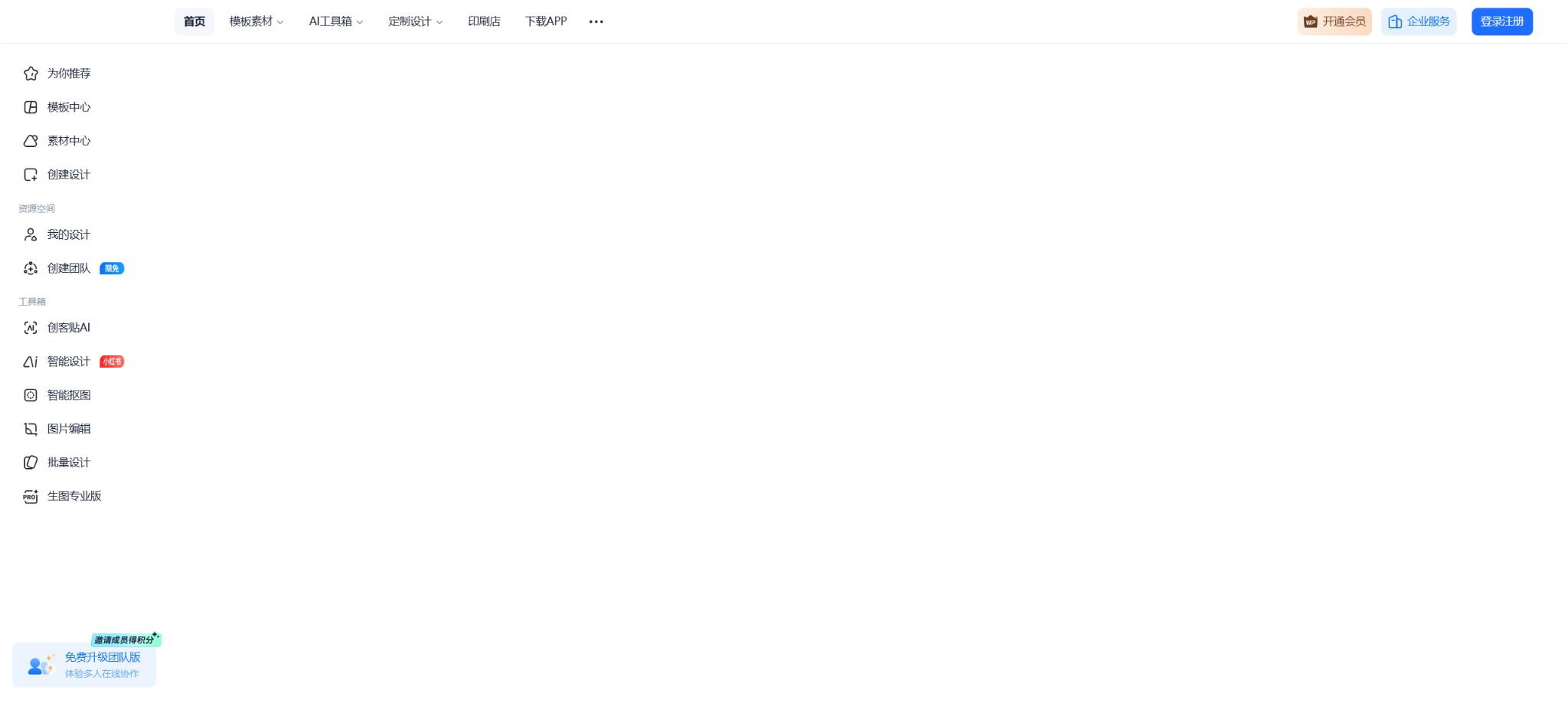
MakerPost AI is a one-stop online visual design platform operated by Beijing Yiyuan Ku Technology Co., Ltd. It relies on templates and a drag-and-drop editor, and covers various types of content such as posters, images for new media, materials for e-commerce, PPTs, resumes, videos, H5 pages, printed materials, and corporate brand content. It also incorporates AI-powered design features, text-to-image generation, image-to-image generation, AI-generated copy, product images, image cropping, image removal, and image quality enhancement.
It is suitable for those in operations, marketing, administration, teaching, business, and team roles who lack experience with professional design software. MakerPost AI is not a standalone large-model product; rather, it integrates generative AI into templates, assets, formatting options, brand elements, and collaboration processes, using AI to speed up the initial drafting process, after which adjustments can be made in a visual editor.
Core design capabilities
1. Template-based graphic design
Users can choose from templates such as posters, the main image for official accounts, images used on Xiaohongshu, product images for e-commerce sites, invitation letters, menus, business cards, brochures, billboards, certificates, and social media formats. After replacing the text, images, colors, and elements, the content can be exported. The editor supports functions such as selection by clicking, dragging, working with layers, alignment, combination of elements, adjustment of transparency, and customization of the canvas.
Templates can quickly handle basic formatting, but many people use them. For formal marketing materials, it is necessary to adjust the brand colors, fonts, images, text, and the hierarchy of information, in order to avoid visual homogenization that results from making only changes to the text.
2. AI-powered intelligent design
Intelligent design generates complete visual layouts based on the text requirements, automatically combining layout elements, text, and graphics; it is ideal for quickly creating posters for events, marketing visuals, and content for social media. The resulting designs can be further edited, as the AI-generated output isn’t considered a final, unmodifiable product.
The generated results may contain spelling errors, missing information, chaotic formatting, and issues that do not comply with brand guidelines. Dates, prices, contact details, QR codes, and advertising wording must be verified manually.
3. Text-to-image and image-to-image
MakerPost AI enables the creation of images based on prompts; it is also possible to upload reference images to achieve changes in style and content. The resulting images can be used as backgrounds for posters, illustrations, concept art, and social media posts. These images can be integrated into the design canvas alongside fonts, logos, icons, and other elements.
The reference images and prompts must be legal; it is not allowed to imitate protected characters, use real people’s portraits without permission, or create trademarks that are subject to copyright infringement. The copyright status of content generated by AI is lower than that of materials for which the platform has granted explicit licensing, and companies should conduct a separate assessment before using such content.
4. AI copywriting
AI-generated copy can help create titles, highlights for promotions, social media posts, product descriptions, and content structures, which can then be used in design work. It is suitable for producing drafts and various versions of text, but it should not be used to publish information related to medicine, finance, education, or the efficacy of products without proper review.
5. AI product images
The AI product image workstation allows users to upload product photos and choose between recommended, custom, random, or color-based scenarios to create background images suitable for e-commerce and advertising. Users can also set the materials, canvas size, and the final output, thereby reducing the time required for traditional studio shooting and manual compositing.
The background generated can alter the edges, material, color, shadows, and proportions of the product. Before listing it for sale online, it is necessary to check it against the actual product; AI-generated effects must not be used to create fake accessories, capacities, or product specifications.
6. Image cropping, removal, and enhancement
The platform offers various useful tools such as intelligent object removal for portraits or products, background removal, image cleanup, removal of distracting elements, image enhancement, size adjustment, and image stitching. Personal free accounts have a limited number of operations for object removal, while premium and team versions provide more such capabilities or offer limited-time free access.
Watermark removal tools can only be used on materials for which the user has rights. Image cropping may fail when dealing with hair, transparent elements, reflections, and complex edges; important designs should be enlarged and their edges refined.
PPT, videos, and H5
MakerPost offers features such as online editing and presentation of PPTs, video animation editing, and H5 content. Users can use presentation templates to create courses, work reports, and marketing plans, and they can export files in common formats such as images, PDFs, or presentation-related documents.
Video editing is suitable for short promotional videos, animated posters, and social media content.
In complex PPTs, templates, plugins, special fonts, charts, and animations may not be fully compatible across different software programs. After exporting, it is necessary to test the fonts, videos, proportions, and playback quality on the actual device used for presentations.
Templates, materials, and fonts
The official website currently promotes 1 million original templates, 100 million copyrighted assets, and over 1,200 commercial-use fonts, covering more than 200 different design scenarios. Previous pages showed larger numbers of templates and assets, so the figures listed should be based on those on the current website, and it should be understood that these numbers are subject to change.
Materials are available either for free or at a fee. The terms of service specify that free materials are intended solely for learning and communication purposes, and their use for commercial purposes is not allowed.
For commercial use, it is necessary to be a member, purchase the materials separately, or obtain the appropriate authorization.
Brand logos, portraits of individuals, national flags and emblems, as well as third-party trademarks that appear in the template, may also be subject to additional restrictions.
Team collaboration and brand management
The collaborative version supports real-time editing by multiple users, adding annotations and comments, sharing team templates and assets, as well as managing team folders and brand assets. Teams can standardize logos, fonts, color codes, and common templates, thereby reducing inconsistencies in the brand image that may arise from individual designs by different team members.
The enterprise flagship version offers additional features such as account and storage customization, content approval, sensitive word detection, multi-brand management, data analysis, integration with WeCom or custom systems, as well as dedicated support. It is suitable for organizations with multiple departments and subsidiaries, as well as those with high requirements regarding content compliance.
Batch design and file import/export
Batch templating allows tables or structured data to be inserted into the same template, enabling rapid creation of store posters, product images, certificates, and business cards. The enterprise version supports converting files such as PSD and AI into reusable online templates; the level of fidelity achieved depends on the structure of the files.
The most common export formats are PNG, JPG, and PDF; some members can download PSD files from the web interface, while PSD downloads are not available on mobile devices at the moment.
Print tasks can also make use of CMYK or print export options, but it is still necessary to check for bleed, color, resolution, and fonts.
AI Stickers and Usage Quotas
| Package or version | Prices, quotas, and core benefits |
|---|---|
| VIP | As of August 2026, the mobile in-app purchases available on the AppStore in China include: an automatic-renewal individual monthly plan at 29 or 39 yuan, a standard individual monthly plan at 30 yuan, an individual membership for one month at 38 yuan, a three-month plan at 68 yuan, a premium individual version for one year at 139 yuan, a yearly VIP package at 58 yuan, as well as seasonal packages for various promotions. |
| Free version | The MakerPost membership versions and prices include a free version, a personal membership plan, a multi-user collaboration plan, and an enterprise flagship plan. The free version is suitable for basic editing and uses limited resources; it offers a free tier with limited AI capabilities, but features such as high-resolution content without watermarks, member-exclusive materials, more storage space, PSD file downloads, and additional AI tools require payment. |
| Team Edition | Personal free accounts have a limited number of image cropping sessions, while premium and team versions usually offer more such sessions or free access for a set period of time. |
The MakerPost AI generation service uses “Stickers” as the unit for measuring certain AI functions, and additional fees may be required for their use. According to the current pricing page, free accounts come with 10 stickers; individual members receive around 220 stickers per month; the collaborative version offers approximately 450 stickers per user per month; the flagship version allows for customized options.
The specific consumption varies depending on the AI functions and generation specifications.
Being a member does not mean unlimited access to all AI functions. Generative images, product photos, and other advanced features may still require payment; it is necessary to check the fee-related information on the function pages before using them.
Member version and price
MakerPost offers a free version, a personal membership plan, a multi-user collaboration version, and an enterprise flagship version. The free version is suitable for basic editing and limited amounts of content;
The personal version offers high-definition content without watermarks, member-specific template materials, more storage space, and additional AI usage rights; the collaborative version provides a team workspace, sharing capabilities, brand management tools, as well as greater resources.
The flagship version is quoted on a customized basis, taking into account corporate accounts, storage, authorization, approval processes, and integration needs.
The price page on the official website currently highlights a comparison of various benefits; the actual amount to be paid via the Web needs to be checked on the purchase page. As of August 2026, some of the in-app purchases available on the App Store in China include: an automatic-renewal monthly plan costing 29 or 39 yuan, a standard monthly plan at 30 yuan, a one-month individual membership at 38 yuan, a three-month membership at 68 yuan, an annual premium individual membership at 139 yuan, a yearly VIP package at 58 yuan, as well as various quarterly packages for different offers.
Due to differences in channels, activities, and benefits, the lowest in-app purchase price cannot be considered as the current price for all members on the official website.
Commercial licensing boundaries
Once they become valid members or purchase paid content separately, users gain the right to use it in accordance with the specific licensing terms; however, the copyright to such content remains with MakerPost or the original rights holder. The common licensing options listed on the member page include use in new media, e-commerce, online advertising, online videos, a limited number of printouts for offline use, publishing, business proposals, and office purposes.
The standard license explicitly excludes or restricts the use of large outdoor advertisements, the resale of templates and software, product packaging, trademark or logo registration, AI model training, as well as operations in sensitive industries. If such use is required for clients, sub-brands, in the medical, financial, educational sectors, or for large-scale outdoor advertising campaigns, it is necessary to acquire additional licensing options or industry-specific extensions.
The price page also specifies that the guarantees of \"commercial use for genuine content\" and \"permanent licensing of works\" do not apply to AI-generated content. There are separate rules governing the licensing of copyrighted materials on the platform and the results produced by AI; these two sets of rules should not be confused with each other.
Open platform and enterprise integration
MakerPost offers an open platform and APIs for enterprises to integrate intelligent design, template, and content creation capabilities into their systems. The public pricing page does not specify a fixed price per API; rather, quotes are provided on a case-by-case basis, taking into account factors such as the number of API calls, account type, licensing for materials used, and the scope of deployment.
Supported platforms
- Web browser version;
- For iPhone and iPad, iOS or iPadOS 12.0 or later is required;
- Android apps;
- Entry points for mini-programs such as WeChat;
- Open platforms and system integration for enterprises.
Company and open-source status
MakerPost is operated by Beijing Yiyuan Ku Technology Co., Ltd. It is a platform for commercial SaaS solutions, mobile applications, and copyrighted content; it does not disclose the complete source code for its editing tools, AI services, or material management systems, and therefore is not an open-source design tool.
MakerPost AI Usage Guide
Complete a basic task.
- Clarify the purpose of the image, its dimensions, style, and requirements regarding commercial licensing.
- Upload the original images for which you have usage rights to MakerPost AI, or enter clear instructions;
- Select the core design capabilities and generate low-cost candidates first;
- Use PPT, videos, and H5 to adjust the composition, main elements, and details;
- Zoom in to examine faces, hands, text, edges, logos, and artifacts;
- Export after confirming the color, resolution, and licensing, while retaining the original image;
Create reusable professional workflows
- Create a list of brand colors, fonts, layout elements, and elements that are prohibited.
- Test the core design capabilities, as well as PPTs, videos and H5 formats, along with templates, materials and fonts, separately.
- Use the same set of representative samples to compare quality, speed, and cost;
- Complex edges, text, and images of key products should be handed over for manual refinement.
- Standardize naming, dimensions, and review status;
- Batch processing and release are carried out after random inspections;
Which users is it suitable for?
- Staff responsible for creating daily posters, covers, and social media images;
- Businesses that need e-commerce product images and bulk template designs;
- Office users who create PPTs, resumes, course materials, and administrative documents;
- A marketing team that standardizes brand templates and collaboration processes;
- Large organizations that require content approval, asset management, and enterprise integration;
- Individuals without any design skills who hope to create a draft quickly using templates and AI.
Product advantages
- It covers a wide range of scenarios including graphics, PPTs, videos, H5 content, and printed materials;
- There is a rich selection of template materials, and the editor is easy to use;
- AI-powered design tools, product images, copywriting, and image editing tools are integrated into the canvas;
- Supports multi-user collaboration, as well as approval of brand assets and content;
- Offers hierarchical copyright licensing and enterprise-level authorization extensions;
- Available for use on the Web, apps, and mini-programs across multiple platforms.
Restrictions and Precautions
- The fact that templates and materials are \"commercially usable\" depends on the membership status, type of material, entity granting the license, and intended use.
- Trademarks, packaging, resale, AI training, and sensitive industries are generally not included in ordinary licenses.
- AI-generated results may contain spelling errors, fabricated details about products, and potential copyright violations; moreover, the platform’s commitment to providing permanent licensing for its copyrighted materials does not apply in such cases.
- Before publication, it must undergo manual review and be marked as AI-generated as required;
- Team content should be exported and backed up regularly;
- Online platforms may update templates, materials, prices, and features; important brand source files should not be stored solely in the cloud.
Frequently Asked Questions
Is MakerPost AI free?
There is a free version with a limited amount of AI functionality, but high-resolution content without watermarks, member-exclusive materials, more storage space, PSD downloads, and additional AI stickers require payment.
What can be created with Maker Post?
It can be used to create posters, social media images, e-commerce graphics, PPTs, resumes, videos, H5 pages, business cards, flyers, and a variety of printed materials.
Can all member materials be used for commercial purposes?
It can only be used within the scope of the corresponding license. Standard licenses generally do not cover trademark registration, product packaging, resale of templates, AI training, and certain sensitive industries.
Does MakerPost support team collaboration?
The Collaborative and Premium versions support real-time editing, commenting, sharing of template materials, as well as brand management and approval processes; the Personal version is not equivalent to team authorization.
Can AI functions be used indefinitely?
No. Some functions require AI stickers; members are granted a certain amount of these stickers on a monthly basis, and any additional usage will need to be purchased separately.
Is MakerPost AI open source?
It is not open source. It is a commercial platform for online design and copyrighted content, offering enterprise APIs as well as customized integration options.
Tools similar to MakerPost AI



 Guigong Network Security Registration No. 45132202000164