






Tuiyou AI
An AI-driven creation, 3D asset, and design community developed by Alibaba’s design team
Tags:AI design toolsWhat is Duiyou AI?
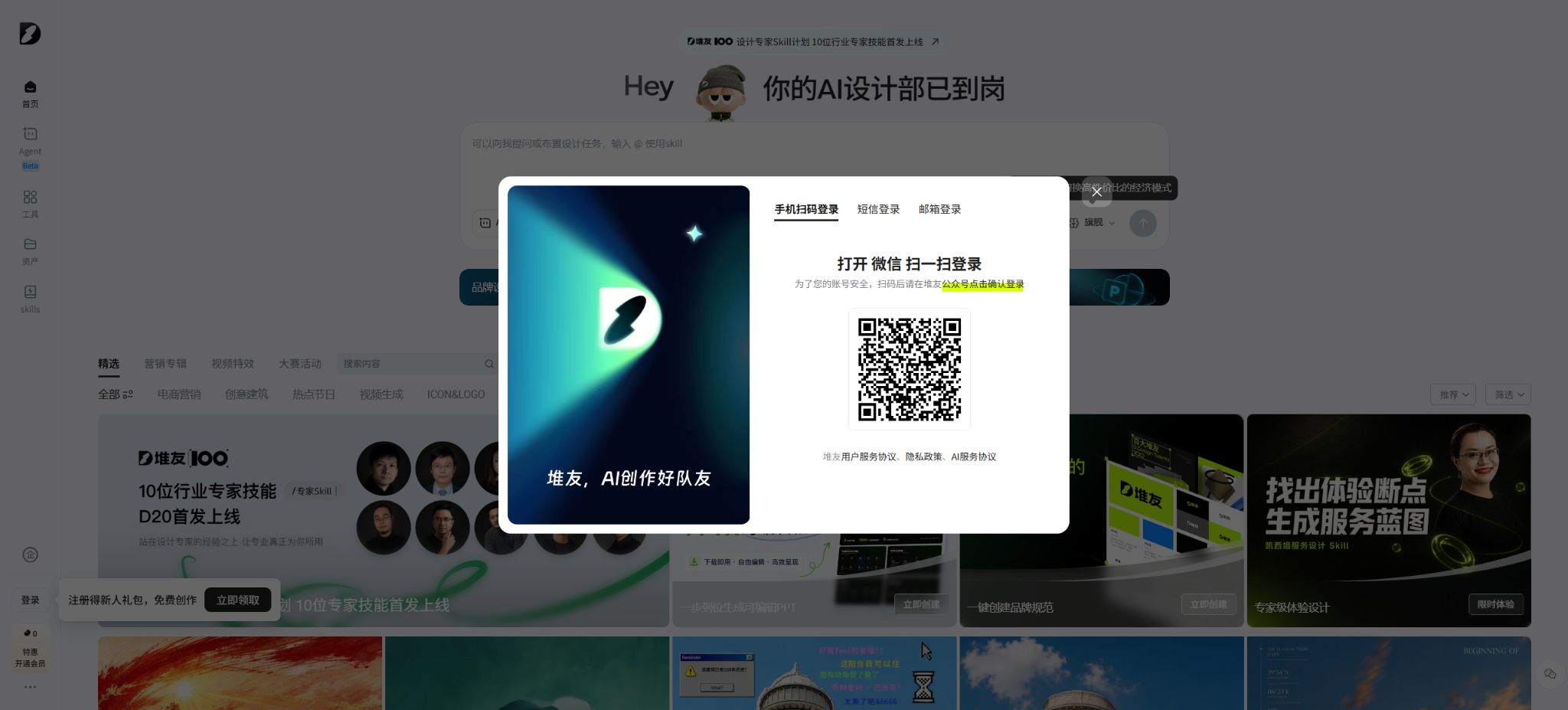
Tuiyou is a one-stop AI design platform created by Alibaba Design for designers, e-commerce managers, and content creators. It initially featured a design community, 3D assets, and online design tools; later it added the “AI Reactor” feature, and now it has evolved into a comprehensive creative workspace that includes design agents, skills for creating images and videos, a versatile drawing canvas, asset management tools, and e-commerce utilities.
What sets Duiyou apart is that it doesn’t merely provide a text-to-image input field; instead, it brings together functions such as creative generation, image editing, e-commerce handling, material reuse, a community for artworks, model sharing, competition events, and enterprise services under one platform. The new version of the creation page now features Duiyou Agent Beta, which allows users to assign design tasks directly or to invoke different skills using the “@” symbol.
Classic image generation, old AI reactors, and various standalone tools are still available, but the page gradually guides users to switch to the new version of the workspace.
Core functions
1. Peer-designed Agent
The new version of the Agent is designed for complete design tasks, not just individual images. Users can describe the purpose, theme, visual style, platform dimensions, and text content in natural language, and then select or invoke the appropriate Skills to carry out the creation process.
The official page currently allows switching between agents and tools, offers model selection, and provides an economical mode suitable for simple tasks.
Agent is more suitable for tasks that involve multiple steps, such as “creating a visual design for a new product launch on an e-commerce platform,” “generating marketing materials,” and “designing business posters.” The final results still require the user to check the text, product structure, brand guidelines, and platform specifications; moreover, the functions available in the beta phase as well as the rules related to rewards may change frequently.
2. Wan 2.6 Image Generation
The current creation page shows Wan 2.6, and offers options for intelligent generation, classic image creation, simple mode, and professional mode. Users can enter a description of the image, negative constraints, and reference images, and choose from aspect ratios such as 16:9, 3:2, 1:1, 2:3, and 9:16.
In professional mode, it is also possible to adjust the sampling method, sampling steps, text intensity, redrawing extent, face restoration, and the number of images.
The common resolution settings for classic image generation are 1152×1152, with 5 beans per image, and 1536×1536, with 10 beans per image; an additional 5 beans are added for face restoration. When generating multiple images at once, the total number of beans used is calculated based on the actual number of images, and the total cost for that session will be displayed on the button on the page.
Models, sizes, and promotional prices may vary; the information displayed before generating a purchase order should be taken as the reference.
3. AI video generation
The video tool supports video generation from images, text, and reference videos. For video generation from images, it is possible to upload the first and last frames, while reference videos can be used to determine the character appearance and voice tone.
The current page displays options for durations of 5 seconds, 10 seconds, and 15 seconds, as well as the 1080p resolution option, sound effects, and multi-camera functionality.
There are significant differences in the cost per bean depending on the mode, duration, clarity, and model; the examples shown on the page range from 40 beans to 250 beans per video, and a particular price should not be considered as the uniform charging rate for all videos.
When generating videos, issues such as character drifting, abnormal hand movements, objects passing through each other, logical errors in the camera angles, and distorted text can still occur. For official advertisements or product videos, it is advisable to first test them with a shorter duration, before deciding whether to add higher resolution, sound effects, or multiple camera angles, in order to minimize the costs associated with trial and error.
4. All-in-one canvas and image editing
The All-in-One Canvas can start with a blank size, or images can be uploaded for use in the design. Currently, JPG, JPEG, PNG, and WebP formats are supported; the size of the uploaded images should match that of the page.
The public page indicates that the file size must be under 10MB, with the longest side being less than 3000 pixels.
The canvas is suitable for organizing the generated results and for carrying out further tasks such as fine-tuning details, adding text, enlarging images in high resolution, freely expanding the image, and other editing operations.
The canvas solves part of the problem of having to use another software for making modifications after creation, but complex layouts, precise vectors, print colors, and complete layer delivery still require professional design software. Before downloading, it is necessary to check the actual resolution, transparent background, fonts, and export format.
5. E-commerce AI Toolkit
- AI product images:After uploading the product image, choose a preset scene template or create a custom scene; the AI will identify the product and select an appropriate background, and it is possible to adjust the size of the image as well as the degree of variation. Typically, the standard option generates 4 images using 20 stacks of beans, while some VIP or premium options allow for 40 stacks of beans to be used.
- Deer Class Marketing Chart:Product promotional images can be created using various style and marketing template options, and the text on these images can be edited. On this page, 2 images are generated from 10 piles of beans; in some modes, 20 piles of beans are used to generate images.
- AI try-on:Upload images of upper garments and other clothing items, select the model, the category of the clothing, and the pose, and generate professional-style photos of the model. The current page shows 20 beans per upload.
- AI model videos:Upload clothing images and select a model video template; you can add a logo at the end of the video to create a video showing the clothing on a model.
- Model skin replacement:Adjust the model’s skin tone to suit e-commerce displays in different regions. When using such adjustments, avoid stereotypical representations and pay attention to the details of the characters and clothing.
- Image translation:It supports batch uploading of images, and allows selection between the default engine and AI large models for translating the text in those images into the target language; the current interface indicates that different engines may require 5 or 20 beans as input.
- Stubborn Rabbit Image Editing:Extract the main element of the product and create a transparent background; for a single image, 5 rows of beans are commonly used, while batch processing requires corresponding permissions.
- One-click removal:Remove text, icons, defects, or watermarks that can be removed; on this page, 5 or 10 piles of beans are displayed per image.
- High-definition zoom:Options of 4x, 9x, and 16x are available; the regular prices are currently 5, 10, and 20 piles of beans per card, respectively. Member discounts may be displayed on the page.
- Creative integration:It covers sketch rendering, white model rendering, blended rendering, and product rendering; it is possible to choose a result that is similar to the original image or one with arbitrary adjustments. Currently, 2 images are generated from 10 sets of data, and high-resolution restoration is a feature available only to VIP users.
- AI artistic text and Pyuoyou camera:They are used respectively for poster font effects and photographic visuals, and are suitable for social media, event materials, and light creative projects.
6. 3D assets and online rendering
Tuiyou offers a searchable 3D asset library as well as online editing tools. Users can filter assets by type and style, adjust background colors, exposure, and perspective, and then render or download them.
The official tutorial states clearly that the 3D assets on the platform can be used for commercial purposes free of charge, but it is still necessary to verify each individual asset’s page details, format, download permissions, and any additional instructions; models uploaded by community users cannot be assumed to have the same licensing terms as the official 3D assets.
Downloading 3D assets can also consume beans. Online rendering is suitable for quickly creating icons, decorations, and e-commerce visuals, but it does not provide complete 3D modeling files.
Whether it is possible to download the model source files, materials, and in different formats depends on the details page of that material.
7. Models, inspiration libraries, and community
The Classic AI Reactor offers underlying models, community models, enhancement effects, and excellent examples. Users can browse various works, prompts, and models and create similar results with just one click; they can also publish their own generated content.
The permissions for community models are set by the model’s creator: some allow the sale of the generated images, while others explicitly prohibit direct sales or require contacting the creator to obtain commercial permission.
Therefore, the fact that it is stated that the “Tuiyou Platform can be used for commercial design” does not mean that every community model on the platform can be used for commercial purposes without any restrictions. For official projects, it is necessary to view the details of the model and check the licensing indications such as “the generated images can be sold” or “they cannot be sold”, while also keeping track of the authorization and creation records.
8. Design competitions, educational version, enterprise version, and API
Tuiyou runs brand design competitions, offers creative incentives, and organizes community activities on a long-term basis; it provides a platform for designers to showcase their work and to take part in various contests. The site also offers educational versions, enterprise versions, as well as API access.
Business clients can inquire about bulk production, team usage, and service access; the public page does not display the prices for all companies and APIs, and personal VIP status or bean balances cannot be used as a substitute for API call quotas.
How to obtain and use bean stacks?
Stack Beans are virtual credits available on the Duiyou platform; they are used for AI-generated content, certain image processing tasks, and the download of 3D assets. Users can obtain them through welcome packages, task centers, events, or purchases.
Earlier official tutorials distinguished between beans valid for that day and those valid for a longer period: the beans obtained from daily tasks usually expire on the same day, while those from basic tasks remain valid for an extended time, and the quota for that day is deducted first; however, the amount of beans given as gifts and their validity period are determined by the operational rules, so it is necessary to refer to the account’s task center for such information.
Different functions are not billed in a unified manner; before generation, the button will display the estimated cost based on the model, resolution, number of images, duration, and any additional features.
Common examples that can be verified on the current public page are as follows:
- Classic image format for 1152 resolution: 5 piles of beans per image; for 1536 resolution: 10 piles of beans per image.
- Face restoration: 5 extra tokens per image in addition to those required for basic image generation;
- AI product images: 20 piles of beans per 4 images, and in some advanced modes, 40 piles of beans per 4 images;
- Deer Class marketing chart: 10 piles of beans per 2 cards; in some modes, 20 piles of beans per 2 cards.
- AI try-on: 20 beans per attempt;
- Image translation: Sort beans into groups of 5 or 20, as is common with engines;
- Image masking: 5 piles of beans per image; One-click removal: 5 or 10 piles of beans per image;
- High-definition zoom: 4x, 9x, 16x – 5, 10, 20 beans per sheet respectively;
- Creative combination: commonly 10 piles of beans per 2 cards, with some options offering 20 piles of beans per 2 cards;
- Message from the AI assistant: The page indicates that the economic mode and the high-capacity mode can consume 1 or 5 piles of beans respectively;
- Video: Depending on the model, duration, resolution, sound effects, and differences in camera angles, the page examples show anywhere from 40 to 250 piles of beans.
These are the prices displayed on the page at the time of this verification; they are not permanent fixed rates. The platform may adjust the pricing models, member discounts, promotions, and the amount of points deducted, and the actual charge will be based on the information shown on the button before a task is submitted.
For handling cases of failed generation – such as whether to return the beans, canceling tasks from the queue, or conducting audits for violations – it is also necessary to check the task records and real-time rules.
How much is a VIP membership?
Tuiyou offers VIP memberships; with such memberships, users can take advantage of discounts on certain tools, access more templates, enjoy high-resolution image repairs, and use batch processing functions. However, the public website does not display accurately, without a login, the full details regarding monthly/annual fees, the number of free credits available, and all other benefits. To avoid referencing expired promotions, this entry does not specify fixed membership costs that have not been confirmed on the official payment page.
Before making a purchase, you should check the actual price, whether automatic renewal is enabled, the number of points available, the expiration rules, the permissions for the models, and the scope of use for the enterprise in the member center after logging in.
If you only do occasional image editing, create product images, or experiment with image generation, you can start by using the newcomer package and task-based points system; if you need to produce large quantities of e-commerce materials on a daily basis, you should calculate the cost as \"points per image/operation × expected volume of output × number of retries\", and then compare it with the VIP and enterprise plans.
Videos and high-resolution images generally require more tokens to generate compared to basic image creation.
Commercial use and copyright
The official website of Tuiyou labels 3D assets as free for commercial use, and the e-commerce tools are designed for actual marketing purposes; however, different types of content require separate verification of their licensing status.
- The official 3D assets are subject to the specific details of those assets as well as the intellectual property statements.
- The community model follows the licensing terms set by the model creator on the details page; some of these terms prohibit the sale of the generated images or require additional commercial licenses.
- The products, characters, logos, fonts, and reference images uploaded must be owned by the user or for which legitimate permission exists;
- The watermark removal feature can only be used on images for which one owns the rights; it cannot be employed to remove copyright markings belonging to others.
- Entries for the competition must also comply with separate submission rules, originality requirements, and licensing terms for winning entries.
AI-generated results may resemble existing works, brand visuals, or character designs. Before launching an advertisement, it is necessary to verify the authenticity of the products, check font licenses, trademarks, portrait rights, and meet the requirements of the platform, while also keeping records of any manual modifications made.
Cross-border e-commerce also requires consideration of advertising practices in the target market, consumer protection measures, and rules regarding AI-generated content.
Is it open source?
Tuiyou website, Design Agent, AI Reactor, All-in-One Canvas, E-commerce Toolkit, and the 3D asset platform are not open-source software; the developers do not provide the complete source code of these platforms or the model weights needed for local deployment. Alibaba has released many open-source projects on GitHub, but this does not mean that Tuiyou can be classified as open-source.
Agent frameworks such as Spring AI and Alibaba are also not the source code of HeapFriend products.
Whether CKPT or LoRA models in a community can be downloaded, retrained, or used for commercial purposes depends on the settings set by the respective model creators as well as the license of the underlying model. Being able to access a model online does not mean that one has obtained the model files, nor does it grant the right to distribute them further.
Supported platforms
The Heap platform is primarily designed for use via web browsers; it offers tools such as Agent, the All-in-One Canvas, AI toolkits, 3D assets, and a community for use in computer browsers. Some basic operations can be carried out through mobile browsers, but features like the advanced canvas, batch uploading, and asset management are better suited for use on desktop computers.
The Education version, Enterprise version, and API represent separate service entrances, with permissions that differ from those of individual accounts.
StackFriend AI Usage Guide
Complete a basic task.
- Clarify the purpose of the image, its dimensions, style, and requirements regarding commercial licensing.
- Upload the original images for which you have usage rights to HeapFriend AI, or provide clear instructions;
- Select AI product images to generate low-cost candidates first;
- Use the Lubaan marketing template to adjust the composition, main elements, and details;
- Zoom in to examine faces, hands, text, edges, logos, and artifacts;
- Export after confirming the color, resolution, and licensing, while retaining the original image;
Create reusable professional workflows
- Create a list of brand colors, fonts, layout elements, and elements that are prohibited.
- Test the AI product images, LUBAN marketing images, and AI try-on features separately;
- Use the same set of representative samples to compare quality, speed, and cost;
- Complex edges, text, and images of key products should be handed over for manual refinement.
- Standardize naming, dimensions, and review status;
- Batch processing and release are carried out after random inspections;
Which users are it suitable for
- E-commerce businesses that need product images, model photos in clothing, marketing posters, and translation of images for cross-border use;
- Staff responsible for creating social media covers, event visuals, and short video content;
- Creators who wish to experience SD and Wan image and video generation online without the need for local installation;
- Designers who need to perform everyday tasks such as image cropping, removal of elements, enlargement, scaling, and adding artistic text;
- Visual designers looking for 3D decorative materials, online rendering tools, and creative references;
- Community users who wish to publish their works, share models, participate in competitions, and receive incentives for their creative efforts;
- Enterprises and educational institutions that require bulk production by a team or API integration.
Usage restrictions and precautions
- Tuiyou offers a large number of tools, and for the same function there may be old access methods, new versions, as well as VIP versions; the interface display and the amount of beans required can vary.
- Before generating, make sure to check the page you are on, the model selected, the resolution, the quantity, and the total number of tokens to be deducted.
- Do not plan long-term production based on the “daily free usage limit” specified in old tutorials;
- Product image tools may change the shape of the product, the text on labels, its capacity, accessories, and material;
- AI try-on may change the structure and texture of clothing as well as the model’s body;
- Image translation may miss small text;
- The video may show inconsistencies between the actions and the identity.
- Before commercial release, it is necessary to compare each item with the actual product and the original text.
- Content uploaded by users is processed in the cloud. For unscheduled products, customer materials, child photos, and internal brand files, it is necessary to first verify the relevant authorization and privacy requirements.
- Before using it on a large scale, enterprises should consult regarding data storage, deletion, account permissions, and API protocols; sensitive tasks should not be handled using personal shared accounts.
Frequently Asked Questions
Is Tuiyou AI free?
Registration is free, and users can gain access to the bean system through welcome packages, tasks, or events; however, creating images, videos, using certain tools, and downloading 3D content requires the use of beans. Frequent use, VIP features, and enterprise services come at a cost.
What models are currently supported by PyTorch?
The new version of the page currently displays Wan 2.6, while still offering the underlying models used for generating images in the traditional style, as well as the options for community CKPT and LoRA. The models are activated or deactivated dynamically, and it is necessary to refer to the list on the creation page for details.
Can Puiyou generate AI videos?
Yes, it supports video generation from text, from images, and using reference videos; it also offers options such as 5 seconds, 10 seconds, 15 seconds, 1080p resolution, sound effects, and multiple cameras. The actual available options depend on the model and account used.
Can the 3D materials from Puiyou be used for commercial purposes?
The official tutorials indicate that 3D assets can be used for commercial purposes free of charge, but it is still necessary to check the specific details of each asset. Community models and user-created works come with their own licensing terms, so the general rules applicable to 3D assets cannot be applied to them.
Can all the images created by PiXiu be used for commercial purposes?
Not necessarily. The details of the community model indicate clearly whether the sale of generated images is allowed; in some cases, it is necessary to contact the author to obtain commercial authorization.
It is also necessary to verify the rights related to the input materials, characters, trademarks, and fonts.
Is Tuiyou AI open source?
It is not open source. Alibaba’s other GitHub projects are not equivalent to the source code of the Tuipai platform, and the online community model does not mean that the platform itself can be deployed in a private environment.
Tools similar to HeapFriend AI



 Guigong Network Security Registration No. 45132202000164