






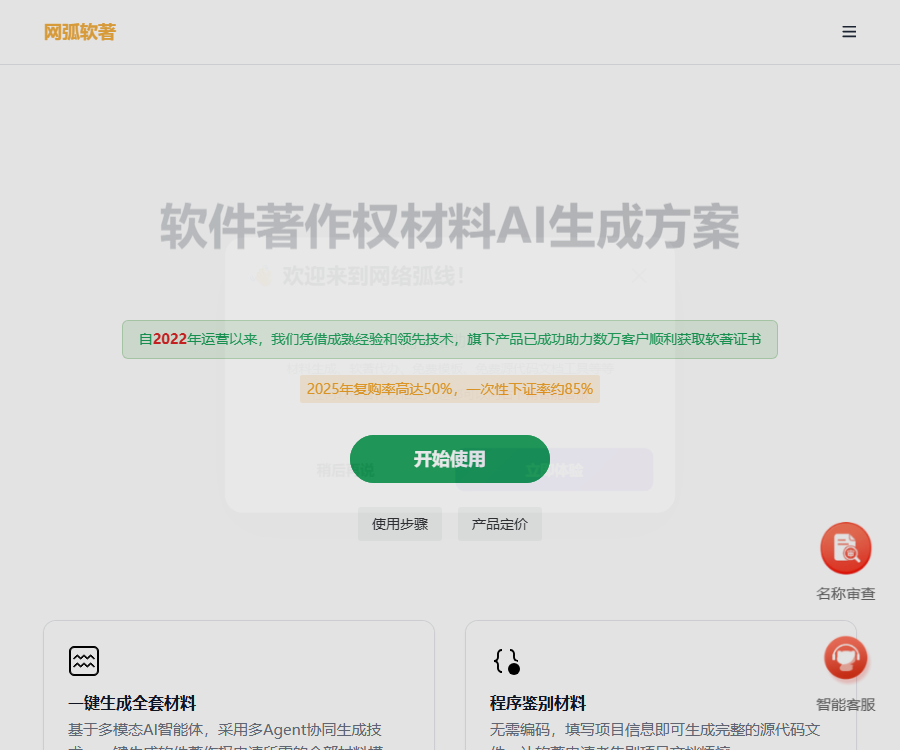
Net Arc Soft AI
It addresses the issues encountered in the process of applying for software copyrights, such as complicated document preparation, long processing times, and a lack of professionalism. It enables the creation of the necessary documentation for three main types of applications: websites, apps, and WeChat mini-programs. It represents an AI-driven solution that offers both efficiency and reliability in the field of software copyright applications.
Tags:AI document toolsWhat is NetArc Soft AI?
NetArc Soft IP AI is a platform designed by Changsha NetArc Technology to provide assistance with software copyright-related documentation.
It offers AI-driven content generation, offline code documentation organization, manual editing, task delegation, and OpenAPI services.
Difference between products and services
| Services | Existing code is required. | Main delivery | Responsibility boundaries |
|---|---|---|---|
| Free offline tools | It is necessary. | 30 pages of code in a Word document, before and after | Users shall declare on their own. |
| AI-generated solutions | It’s not required. | Projects and complete set of material templates | The template needs to be verified by the user. |
| Manual modification | Based on the specifics of each project | Manually optimized materials and instructions | No guarantee of issuance. |
| Software copyright agency services | Subject to the service agreement. | Application process agency | Subject to the commitments stated in the contract. |
| OpenAPI | The information is provided by the caller. | Batch generate materials | Developers are responsible for integration and compliance. |
AI-generated content for materials
The paid generation service creates templates for software copyright documentation based on the project name and functional details.
- Program identification materials: the first 30 pages and the last 30 pages of the source code document.
- Document identification material: Approximately 15 to 40 pages of instructions.
- Application information: A form containing the basic details required for submitting an application.
- Project files: Generated based on the selected type of desktop, website, APP, or mini-program.
- The complete source code for desktop application types is provided only to specific large customers.
The official website clearly states that the content generated is based on templates, and it should be modified and verified item by item in conjunction with the actual software.
Supported software types
- Desktop applications: Designed for Windows or other desktop operating environments.
- Website system: It includes pages, business modules, and backend logic.
- Mobile APP: Organize content around the mobile interface and functions.
- WeChat Mini Programs: Adapted to mini program pages and common file structures.
- Other items: It is necessary to first confirm whether it is possible to accurately describe the actual functions of the software.
Free offline code documentation tool
Users who already have the code for a real project can download an offline tool to organize the source code documents in a standard format.
- It supports Windows and macOS, can operate offline, and there is no need to upload any code.
- It can recognize projects in Python, Java, C++, Vue, React, and C#.
- It automatically filters out dependency directories and build outputs, and extracts the first 30 and last 30 pages of code.
- Export as a Word document, saved to the desktop by default.
- Text encoding only supports GBK and UTF-8; if garbled characters appear, the encoding must be converted first.
Tutorials for using free tools
- Download the offline version of Windows or macOS from the computer system.
- Prepare the actual project source code and keep a complete backup separately.
- Enter the software name and version number.
- Select the folder where the project’s source code is located.
- Enter the file extensions that need to be scanned; separate multiple extensions with commas.
- Click Generate and wait for the program to organize the code pages.
- Open the Word document and check the header, page numbers, corrupted characters, and the continuity of the code.
- Submit additional genuine application documents as required by the registration process.
Tutorial for using AI-generated solutions
- Verify that the software for which an application is submitted was indeed developed by the applicant or the entity applying, and that they hold the rights to it.
- Purchase a generation activation code for a project.
- Select the type: desktop, website, app, or WeChat mini-program.
- Enter the actual software name, version, purpose, and functional modules.
- Submit the generation task and wait for the project package and material templates.
- After downloading, check whether the code, interface, functions, and instructions are consistent.
- Remove fake features and add actual screenshots, process details, and technical information.
- Submit as required by the registration authority, and respond to each item in the correction notice.
Comparison of service prices
The following are the details published on the official pricing page as of August 30, 2026.
| Services | Price | Main content | Is a guarantee for the subsequent certificate provided? |
|---|---|---|---|
| Offline code documentation tool | Free | There are existing code generators for identifying materials. | No |
| AI full set of material generation | 40 yuan per project | Projects, code documentation, manuals, and application form templates | No |
| Handling of ordinary license applications | Starting at 198 yuan per project | Manual registration process | According to the service contract |
| Regular runnable application | 255 yuan per project | Tasks related to running projects | According to the service contract |
| Manually modified materials | 200 yuan per session | Modify project materials and instructions | No, it includes 3 corrections. |
For bulk discounts, expedited services, invoices, and corporate payments, please contact customer service for confirmation.
Prices, ranges, delivery times, and refund conditions may change; the final details are subject to the purchase page, the contract, and any current agreements.
Activation codes and correction rules
- One activation code can be used to create only one project.
- Multiple projects require separate purchase of activation codes.
- If generation fails, you can fill in the details again; in case of consecutive failures, please contact customer service for assistance.
- AI-generated projects can be corrected freely up to 3 times on their own.
- Subsequent corrections and the scope of manual services are subject to the page details and the agreement.
Agency and delivery time
The official pricing page clearly separates AI-generated services from those handled by human staff, ensuring that they are not considered the same type of service.
- AI-generated solutions lack human review; users are responsible for determining the relevant materials and submission rules on their own.
- The agency’s website states that a regular application takes approximately 35 to 45 working days to be processed.
- The actual cycle is affected by the verification carried out by the registration authority, any required corrections, and the volume of work.
- The so-called “guaranteed pass” shall be governed by a written contract, refund terms, and exclusions.
- No third party can replace the registration authority in making the final decision.
Refund rules
- A refund can be requested if the activation code generated has not been used.
- Refunds are generally not available once a activation code has been used.
- If the generated quality does not meet the desired standard, you can submit the backend logs for further processing.
- No refund is usually given after manual modifications are completed.
- When a manually modified project receives a “recommendation to withdraw” message, the page indicates that 50% of the amount will be refunded in accordance with the agreement.
The eligibility for a refund and the amount thereof shall be determined based on the order status, the service agreement, and the written confirmation provided by customer service.
OpenAPI
WebArc offers RESTful interfaces for generating software-related materials, designed for integration into websites, apps, and mini-programs.
- The interface verifies identity and the number of generations using an activation code.
- One activation code can be used to generate data once successfully; failed attempts are not counted.
- It allows for the submission of project descriptions and the creation of materials in formats such as Web pages.
- The generated results can be packaged and sent to the specified email address.
- The caller must protect the activation code, email address, and information related to the applicant.
As of the time of verification, no independent official open-source SDK was found; developers must integrate it manually following the API documentation.
Open-source status
- The NetArc AI platform and the complete generation system are not open-source.
- The free offline tool provides an executable program, but the official website does not make the UI source code available.
- GitHub hosts repositories for generating relevant code documentation, which are licensed under the Apache-2.0 license.
- The warehouse clearly states that the UI is not open-source, and the official ownership details have not been fully established.
The relevant repositories can only serve as a reference for code organization tools; they do not prove that the NetArc AI generation platform is an open-source product.
Notes on authenticity and compliance
- Registration can only be applied for software that has been actually developed and whose rights are clearly defined.
- It is not allowed to submit fictional features, assembled source code, or materials that do not correspond to the actual software.
- AI-generated materials should be regarded as drafts and cannot be submitted directly without verification.
- Registration of software copyright does not equate to technical quality, patentability, or administrative certification.
- When legal judgments are involved, it is necessary to consult qualified intellectual property professionals.
Frequently Asked Questions
What can the NetArc soft AI mainly generate?
It can generate project and program identification materials, operation manuals, and application information templates.
Is there existing source code that can be used for free?
Yes, a free offline tool can organize existing project code into a Word document consisting of 30 pages each for the beginning and the end.
How much does it cost to generate a full set of AI materials?
On August 30, 2026, the official price was 40 yuan per project, with each activation code being usable only once.
Can the generated materials be submitted directly?
It is not recommended; the official website clearly classifies it as a template, and it must be manually reviewed and modified based on the actual software.
Is a certificate generated within the solution package?
No, AI-generated solutions do not include human support; any commitments regarding agency services are subject to a separate contract.
Does NetArc Software provide APIs?
A RESTful API for generating materials is provided to verify the number of generations using an activation code; no official SDK is available.
Is NetArc SoftAI an open-source project?
The platform is not open source; the relevant GitHub tool repositories do not represent the complete source code of the product.
Tools similar to NetArc’s AI software




 Guigong Network Security Registration No. 45132202000164