






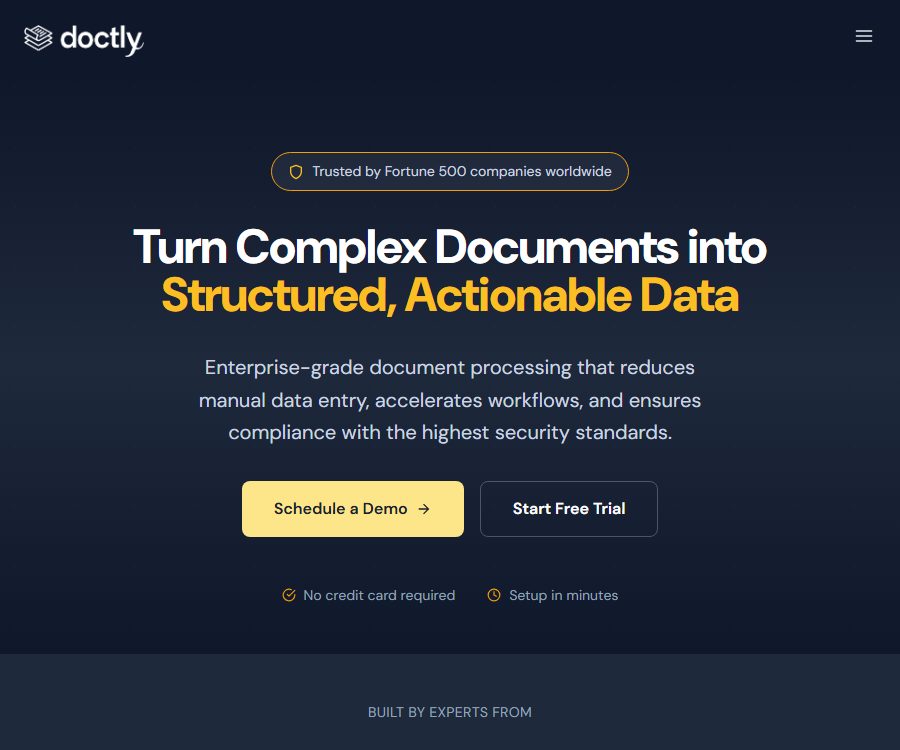
Doctly AI
Doctly AI – makes AI-driven document processing more efficient and simpler.
Tags:AI document toolsWhat is Doctly AI?
Doctly AI is a platform designed for enterprises, offering document parsing, structured data extraction, and document Q&A capabilities. It accepts PDF, Office files, and images through a web console and APIs, and then outputs data in Markdown, JSON, CSV, or XML format.
The main function of this product is to convert complex layouts, tables, forms, charts, as well as handwritten and scanned documents into data that can be processed by machines. It is suitable for industries with high volumes of documentation, such as finance, insurance, healthcare, law, government, logistics, and construction.
Overview of main functions
| Functions | Enter | Output | Suitable for tasks |
|---|---|---|---|
| Document conversion | PDF, DOCX, and images | Cleaned Markdown | RAG, search, and content migration |
| Structured extraction | Invoices, contracts, forms, and reports | JSON, CSV, or XML | Data entry and system synchronization |
| Custom Extractor | Field definitions and business documentation | Data of a specified structure | Batch extraction of industry fields |
| Sets and Q&A | Multiple index documents and questions | Answers and page-level references | Database searching and research |
| Document chat | Collections, sessions, and messages | One-time or streaming response | Interactive queries within the application |
| Asynchronous processing | Files, parameters, and callbacks | Status, download results, and Webhook | Production-grade batch workflow |
Supported files and content
The file formats listed on the website include PDF, DOCX, PNG, JPG, TIFF, and XLSX. The platform also supports processing of scanned images, photos, complex layouts, tables, forms, handwritten text, charts, and illustrations.
- PDF: Contracts, financial reports, insurance policies, medical records, reports, and construction documents.
- DOCX: Office documents, manuals, and template-based reports.
- Images: scans, phone photos, receipts, and handwritten forms.
- XLSX: Tabular business data; the actual parsing boundaries need to be tested using samples.
- Complex pages: multiple columns, nested tables, headers and footers, as well as a combination of text and images.
The error message from the API indicates that the maximum size for a single file uploaded is 100MB. Files that are too large, documents protected by passwords, low-resolution scans, pages that have been rotated, as well as complex formulas should be tested before being integrated officially.
Convert document to Markdown
The conversion interface transforms PDF, DOCX files, and images into clean Markdown format, making it easier to integrate them into search systems, knowledge bases, RAG platforms, or content management systems. The processing is asynchronous; after uploading, the files go through stages such as queuing, processing, and completion.
- Create an account and generate a dedicated API key.
- Submit the file and select the appropriate accuracy or parsing parameters.
- Save the document identifier, poll for status, or set up a callback upon completion.
- Download Markdown or structured results.
- Check the page numbers, titles, tables, annotations, and any missing content.
- The confirmed results are written into the business system, and the original files that are no longer needed are deleted.
A successful conversion does not mean that the layout semantics are fully preserved. Merged cells, captions, multi-page tables, and handwritten characters require manual verification in particular.
Structured data extraction
The extractor is used to pull out specified fields from documents while maintaining the relationships between those fields. Teams can define the desired structure for invoices, claims, contracts, medical records, logistics documents, or construction files.
- Specify the field name, type, whether it is required, and allowed null values.
- Set formatting rules for dates, amounts, currencies, and numbers.
- Retain page numbers, excerpts from the original text, or confidence levels for review.
- Design array structures for multiple tables, multiple entities, and duplicate items.
- The pages with verification failures and model rejections are sent to the manual queue.
The terms specify that the output may be incorrect, incomplete, or contain errors. For financial recording, medical treatment, and legal submissions, manual review and verification in accordance with business rules are necessary.
Collection of Q&A and document chat
Developers can create Collections, upload files for indexing, and then pose questions via one-time queries or session-based conversations. Replies include page references that help the requester return to the corresponding document section for verification.
- Split the collection by customer, case, project, or permission boundaries.
- Set the version and update time for the index file.
- The question specifies the time, entity, document, and required fields.
- It displays the reference page and allows users to open the original text for review.
- Delete outdated information to prevent older versions from being used in responses.
Collection-based Q&A is suitable for retrieval and reading assistance, but it should not replace formal review. Page-level references only indicate that the system has linked to a particular page; they do not guarantee that the answers provide an accurate understanding of that page.
API integration
The Doctly API uses Bearer tokens for authentication, and its responses are in JSON format. Its main interfaces cover documents, Extractors, Collections, files, one-time queries, as well as chat sessions and message history.
| Interface group | Main operations | Typical uses |
|---|---|---|
| Documents | Upload, List, Details, Download, Delete | Document conversion pipeline |
| Extractors | List, Run, Update, and Delete | Field extraction template management |
| Collections | Creation, updating, deletion, and file management | Document database |
| Query | Single query for a collection | Stateless Q&A |
| Chat | Sessions, messages, streaming responses, and deletion | Continuous conversation interface |
| Webhook | Notification of completion of processing | Asynchronous business orchestration |
If the delivery of a Webhook fails, up to 3 attempts can be made, with a 5-second interval between each attempt. The receiver should still verify the signature or trusted conditions, ensure idempotency, and check the status proactively in case the notification is lost.
Errors and speed limits
- If a file is larger than 100MB, an error indicating excessive load will be returned.
- A missing or invalid key will result in an unauthorized error.
- If the verification fails, detailed field-level error information will be provided.
- Exceeding the package’s speed limit will result in a too many requests error.
- The client should use exponential backoff and not retry immediately indefinitely.
- Save the request ID to facilitate troubleshooting with the support team.
Python SDK
Doctly provides a Python client that can be installed using pip; it handles PDF uploading, asynchronous polling, and the retrieval of results in Markdown format. The SDK offers accuracy options for LITE and ULTRA, and it includes an DoctlyError exception type.
This SDK is licensed under the MIT license and welcomes contributions, but its functionality may be inferior to that of a complete API. The new Extractor, Collection, and Chat interfaces should be guided by the current development documentation.
Page measurement and usage calculation
| Input type | Measurement method | Precautions |
|---|---|---|
| Each actual page counts as 1 page. | Blank pages or the cover page may also be counted as part of the processing. | |
| Image | Each image file counts as 1 page. | Multiple images are charged separately. |
| DOCX | 1 page is counted for every 3,000 characters | Different languages and hidden text can affect the character count. |
| Professional excess | $ | Charging continues after reaching 25,000 pages. |
The platform will send a notification when the usage reaches 80% of the limit, and it is possible to set up automatic increases in usage. In a production environment, separate internal budgets, limits for individual tasks, and alerts for an excessive number of errors should be established.
Prices and packages
| Package or version | Price | Billing cycle | Core benefits or quota | Suitable for users |
|---|---|---|---|---|
| Flexible | $ | Pay-as-you-go, no monthly commitment required | All formats, Markdown/JSON/CSV, API, 1 seat, 99% SLA | Experimental and fluctuating amounts |
| Professional | $ | Monthly payment; discounted annual payment available | 25,000 pages per month; $0.02 per page for any excess pages; 5 seats; custom extractors; Webhook; ZDR option | Continuous batch processing team |
| Enterprise | Custom quote | According to usage and contractual agreements | Custom page volume, dedicated infrastructure, SSO, self-hosting, 99.9%+ SLA | Large and regulated organizations |
All packages offer a trial period without the need for a credit card, and Enterprise allows for concept validation using actual documents. The annual payment option indicates a 10% discount, but it is necessary to contact sales to determine the exact amount of the contract.
The unit price per page for Flexible appears to be low, but it does not include a monthly prepaid quota. The actual cost also takes into account attempts to retry failed operations, repeated processing, very large documents, manual verification, and storage integration.
Upgrades, downgrades, and refunds
The package can be upgraded or downgraded at any time; upgrading grants immediate access to new features, while downgrading takes effect starting from the next billing cycle. The subscription fee is paid in advance and settled on a periodic basis, and under the terms, refunds are generally not provided unless required by law.
The platform can notify users of price increases at least 30 days in advance. Once cancellation occurs, API access is stopped immediately, and any remaining data in the account is deleted permanently within a maximum period of 30 days.
Data retention and zero retention
| Package | Default or optional policies | Explanation |
|---|---|---|
| Flexible | Up to 30 days | Used for logging and debugging; can be deleted manually. |
| Professional | Optional ZDR | The price list indicates a 24-hour deletion window. |
| Enterprise | Optional ZDR or fully customized | Can be combined with a private cloud or deployed locally |
The statement “Documents are never stored” on the home page summarizes the policy of no data retention; the pages dedicated to privacy and plans clarify that the retention strategy varies depending on the plan. For sensitive data, the written terms in account configurations, DPA agreements, BAA agreements, or corporate contracts shall prevail.
Security, Privacy, and Compliance
The platform states that it uses TLS version 1.2 or higher to secure data transmission, AES-256 to protect static data, and it has undergone SOC 2 Type II audits. All plans guarantee that the input and output data will not be used for training or fine-tuning Doctly’s third-party foundation models.
- AI processors include OpenAI, Google, Anthropic, and other providers of zero-training protocols.
- Payments are processed by Stripe, and the platform retains only limited information such as the last four digits of the card number, the expiration date, and the billing address.
- Professional and Enterprise plans can apply for DPA and HIPAA BAA.
- Uploading protected health information is prohibited until a valid BAA has been signed.
- Personal data may be processed across borders; in certain regions, it is necessary to get prior confirmation in accordance with local requirements.
- Users may request access, correction, deletion, restriction, transfer, or withdrawal of consent.
- All users can delete documents via the API or the console.
HIPAA Ready, the availability of a BAA, and having a signed BAA are distinct statuses. Healthcare organizations must first complete the required packages, contracts, permissions, auditing, and retention configurations before uploading protected data.
Data ownership, copyright, and restrictions
Users retain the right to input documents; the right to extract and structure the output is assigned to them. Doctly retains ownership of the intellectual property related to its platform, APIs, code, and underlying technologies.
- Data sets for training neural networks and machine learning models must not be created using services or outputs.
- It is not allowed to develop competitive products or reverse engineering platforms.
- The rate and quota specified in the package must not be exceeded.
- The user is responsible for ensuring that the document being uploaded has the necessary permissions.
- The output must be manually verified and cannot be regarded as medical, legal, or financial advice.
Platform, deployment, and open-source status
| Project | Current status | Explanation |
|---|---|---|
| Web console | Already provided | Account, file, and configuration management |
| REST API | Already provided | Documents, extraction, collections, and chatting |
| Webhook | Already provided | Professional and corresponding enterprise solutions |
| Python SDK | Open source | MIT license, focused on converting PDF to Markdown |
| Doctly SaaS platform | Closed source | The open source nature of the SDK does not mean that the source code of the platform is also available. |
| Private cloud or on-premises deployment | Enterprise is optional | The commercial deployment approach is not the same as open source. |
| Native mobile or desktop apps | Not confirmed yet | Currently, APIs and web pages are the main methods. |
Typical use cases
- Finance: Extract amounts and items from invoices, statements, and financial reports.
- Insurance: Handling policies, claim documents, and attachments.
- Healthcare: Structured medical records and forms under an effective BAA and in compliance with relevant regulations.
- Law: Extract contract terms, parties, dates, and obligations.
- Logistics: Reading bills of lading, packing lists, receipts, and shipping documents.
- Construction: Organize the drawing specifications, inspection reports, and project forms.
- Knowledge system: Convert documents to Markdown and create a collection of questions and answers with page-level citations.
Advantages and capabilities boundaries
Main advantages
- It also provides conversion, structured extraction, and set-based question answering.
- It supports complex layouts, tables, scanned documents, and handwritten content.
- The API offers comprehensive coverage, supporting asynchronous status and Webhooks.
- All packages come with a written guarantee that they will not be used for model training.
- SOC 2, BAA, ZDR, SSO, and private deployment options are available.
- The Python SDK is licensed under the permissive MIT license.
Main limitations
- AI outputs may still be incorrect, incomplete, or contain hallucinations.
- Professional plans have a higher starting price; users with low usage levels should carefully compare the cost per unit of use.
- The statements regarding “no data retention” on the home page and the privacy page should be understood in context with the package options.
- Medical data requires a BAA to be signed first; one cannot rely solely on the HIPAA labeling.
- The open-source SDK covers only some use cases; the entire platform remains closed source.
- The accuracy and cost of complex documents must be verified using real samples.
Frequently Asked Questions
What types of files can Doctly AI process?
The public page lists PDF, DOCX, PNG, JPG, TIFF, and XLSX formats, with a focus on scanned documents, photos, tables, forms, charts, and handwritten content.
What formats can be output?
Common outputs include Markdown, JSON, CSV, and XML. Structured fields are defined by the Extractor.
Is there a monthly fee for Flexible?
There is no monthly commitment; the cost is $0.02 per page. Attention must still be paid to repeated processing, retry attempts in case of failures, and any additional procedural costs.
How many pages are there in the Professional version?
Each month includes 25,000 pages; any excess pages are charged at $0.02 per page. The definition of a page varies depending on whether it is in PDF, image, or DOCX format.
Will the document be used to train the model?
The platform guarantees to all customers and plan holders that it will not use input or output data for training, fine-tuning, or improving its own or third-party base models.
Does Doctly have zero data retention?
It cannot be generalized. Flexible allows data to be retained for up to 30 days, while Professional and Enterprise versions offer the ZDR option; the actual policy depends on the configuration and the contract terms.
Can it handle medical data?
Protected health information can only be uploaded if you are on a Professional or Enterprise plan and have signed a valid BAA.
Are there public APIs?
Yes, it covers documents, Extractors, Collections, queries, and chat. All requests use an API key and are subject to rate limits set by the plan.
Is the Python SDK open source?
Yes, the official Python SDK is licensed under the MIT license. The Doctly cloud platform itself remains a closed-source commercial service.
Can it be deployed in my own environment?
Enterprise offers options for its own infrastructure, private cloud, or on-premises deployment; for details regarding the architecture, maintenance responsibilities, and prices, please contact sales.
Does the output require manual inspection?
It is necessary. The terms specify that large models may produce errors, incomplete information, or hallucinations; therefore, manual verification is essential for critical operations.
Summary
Doctly AI is suitable for teams that need to integrate complex documents into automated processes in a reliable manner, and that require structured data extraction, API access, compliance measures, as well as options for deployment. Before going live, it is necessary to test the accuracy and the cost per page using real samples, and to incorporate elements such as manual review, data retention, and key management into the design.
Tools similar to Doctly AI




 Guigong Network Security Registration No. 45132202000164