






Ask The Doc
Ask The Doc – makes AI-driven document processing more efficient and simpler.
Tags:AI document toolsWhat is AskTheDoc?
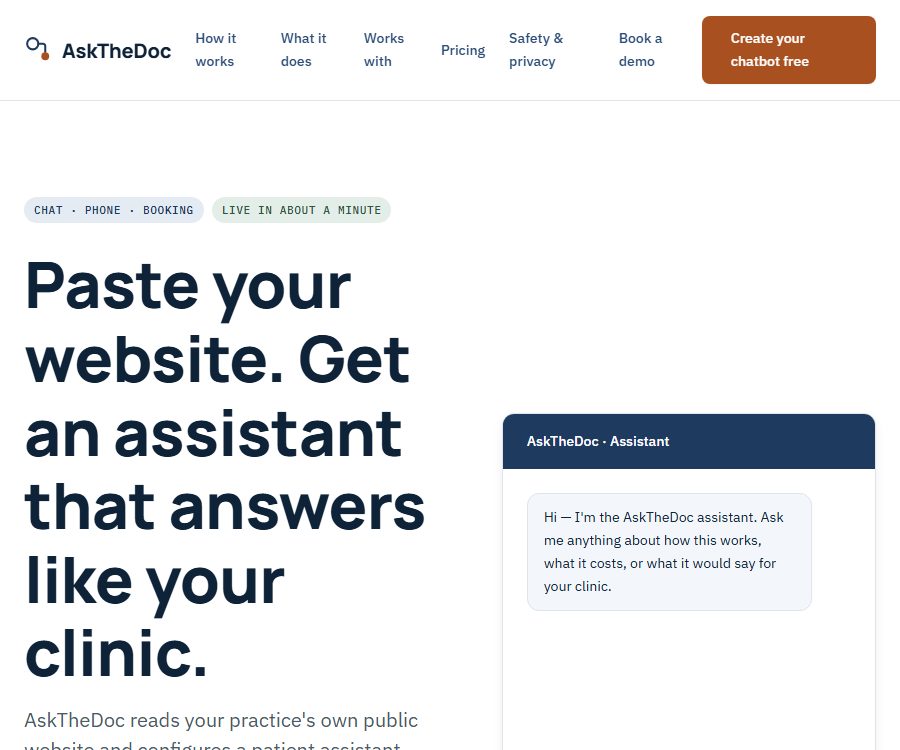
AskTheDoc is a patient consultation tool designed for clinics. Once a clinic uploads its public website, the system extracts information regarding the services offered, operating hours, and policies, and generates configurable settings for web chats and phone responses that can be reviewed.
The focus of this product is to handle repeated inquiries, identify urgent statements, and guide patients to the appropriate next steps. It does not provide diagnoses, nor does it interpret test results; it also cannot replace doctors or emergency medical services.
The main functions of AskTheDoc
Assistant for creating clinic websites
The system extracts existing information from the clinic’s public website, so there is no need for the team to create a complete knowledge base first. The clinic can review and modify each response, as well as set required questions and rules for handing over cases to human staff.
Website chat assistant
Web chat can answer common questions such as business hours, scope of services, insurance options, booking policies, and preparations for consultations. A summary is generated for each conversation, which helps staff determine whether it is necessary to get in touch again.
Phone answering assistant
The phone assistant can answer calls when the staff are unavailable, record messages, and handle urgent requests in accordance with established rules. After a call ends, the clinic can view a summary of it, but clinical issues still need to be assessed by qualified professionals.
Integration with booking software
AskTheDoc can be integrated with a clinic’s existing booking system, with the service provider handling the necessary settings. The compatible systems listed on the official website include Jane, ChiroTouch, ChiroFusion, WebPT, Athenahealth, Zanda, Noterro, Genesis, Nookal, and OptiMantra.
Different reservation systems offer varying levels of integration and automation through their APIs. Before connecting to such a system, it is necessary to determine whether it is possible to create reservations directly, whether only redirection is provided, or if manual confirmation is required.
Emergency screening and manual handover
The clinic can define which messages indicate the need to seek medical attention immediately, call emergency services, or contact staff. This capability relates to standardized screening and information routing; it is not related to medical triage, diagnosis, or treatment recommendations.
Conversation history and team visibility
The clinic team can view how the assistant responds as well as a summary of each interaction. When inaccurate wording is detected, it is necessary to promptly modify the pages that are made public, the responses provided, or the relevant rules.
Which organizations are suitable for AskTheDoc?
- Clinics that aim to reduce business hours, fees, insurance requirements, and the need for repeated inquiries regarding the range of services offered.
- Small medical teams that still need to answer calls and record patients’ needs after work.
- The existing booking system is currently in use, and organizations that wish to improve the connection between consultations and bookings are interested in using it.
- Clinics with multiple staff members that need to standardize the responses given to patients and keep records of communication summaries.
- Outpatient teams willing to continuously review responses and establish a process for manual intervention.
AskTheDoc Integration Tutorial
- Prepare an accurate official website for the clinic, checking the address, hours of operation, services offered, and policies in place.
- On the configuration page, paste the website address so that the system can retrieve the public content and create an initial assistant.
- Check each answer individually, and remove any excessive promises, outdated information, as well as wording that could be used for diagnosis.
- Set the questions that must be asked, as well as the rules for referring emergencies, complaints, and complex issues.
- Use fictional questions to test business hours, insurance, appointments, symptom description, and unknown issues.
- Make sure to answer unknown information with a clear “I don’t know,” rather than filling in the gaps based on common sense.
- After enabling the service, add a line of embedded code to the clinic’s website and test the mobile experience.
- When phone or appointment integration is required, confirm the number, process, permissions, and additional costs with the service provider.
- After going live, regularly check the conversation summaries and continuously adjust the website and assistant settings based on the actual issues encountered.
Issues recommended to be tested before going live
- Could the business hours during holidays be misused as regular hours?
- Are the insurance, refund, and cancellation policies in line with the current system?
- Whether to upgrade the severity level correctly when high-risk symptoms such as chest pain and difficulty breathing occur.
- When the website does not have an answer, does the assistant stop attempting to guess and hand it over to a human?
- Are call and chat summaries available only to authorized team members?
Product advantages
- Start with configuration on public websites to lower the barrier to manually addressing common issues.
- Clinics can review and modify the responses, rather than relying entirely on the model’s automatic generation.
- Web chat, phone calls, and appointments provide multiple ways for patients to seek consultation.
- It supports emergency expression rules and manual handover, offering a more precise positioning than regular chatbots.
- The pricing is broken down by clinic and volume of use, with the main costs listed on the official website.
- Compatible with a variety of common clinic management and scheduling systems.
Usage restrictions and medical safety
- AskTheDoc is not a medical device; it does not diagnose diseases, interpret test results, or make clinical decisions.
- In case of an emergency, the patient should not wait for a response from the robot; instead, they should contact the local emergency services directly.
- The quality of the assistants depends on the content of the clinic’s website; outdated or vague pages may lead to incorrect responses.
- Emergency screening rules cannot cover all forms of expression, so human supervision remains necessary.
- The level of integration for scheduling varies depending on the software; not all systems support full automatic scheduling by default.
- Clinics must assess on their own the medical, privacy, data storage, and local regulatory requirements.
AskTheDoc prices
The prices listed below are those published on the official website as of August 26, 2026. Services may involve taxes, fees, specific phone numbers, an appointment system, or other requirements; the final amount will be determined according to what is specified on the clinic’s confirmation and billing page.
| Project | Price | Included content |
|---|---|---|
| Initial configuration | Free | Paste websites, use a generation assistant, review and modify answers; no credit card required |
| Website chat assistant | $ | Web consultation, rule configuration, and conversation summary |
| Phone assistant | $ | Answering calls, recording messages, emergency routing, and call summaries |
| Reservation software integration | A setup fee of $200, plus $50 per month. | It integrates with existing booking workflows; the degree of integration varies depending on the system. |
Free configuration does not mean free long-term use. Once website chat, phone, or booking integration is activated, fees will have to be paid for those services.
Data, Privacy, and Compliance
The official website states that during the configuration phase, the content from the clinic’s public website is used; patient contact details and health information are handled separately and are available only to the clinic staff. The contact form provided for demonstrations also specifies that patient information should not be entered.
However, the official website also states that the formal compliance requirements continue to evolve as the product matures. Therefore, this product should not be presented as having obtained HIPAA or other medical compliance certifications; before entering into a contract, clinics need to obtain information regarding data processing, storage locations, retention periods, access controls, and incident response procedures.
Suggestions for using privacy settings
- Do not submit patient identification and medical record information in regular presentations or contact forms.
- Confirm how long chat records, call recordings, transcriptions, and summaries are stored respectively.
- Restrict employees’ access rights and establish procedures for handling departures and account anomalies.
- Require the supplier to explain how third-party models, telephone services, and hosting services handle data.
- Indicate the identity of the automated assistant, its purpose, and the contact information for a human operator in a location visible to the patient.
Is AskTheDoc open source?
As of the date of verification, no official public source code repository for the backend of AskTheDoc’s full service or assistant was found. It should be considered a commercial, closed-source service; the code embedded in websites or the ability to integrate scheduling features does not indicate that the product is open source.
Frequently Asked Questions
Is AskTheDoc an online consultation platform?
No. It is an assistant for consulting and communicating with patients in clinics; it is used to provide answers to publicly available information, answer calls, and arrange appointments, but it does not offer medical diagnoses or treatments.
How does AskTheDoc create clinic assistants?
The clinic posts its own public website; the system reads the services, hours of operation, and policies to generate an initial response. The team then needs to review each item individually and set up rules for forwarding requests.
Can AskTheDoc be used for free?
The initial setup is free and does not require a credit card, but to enable website chat, a phone assistant, or booking integration, it is necessary to purchase a package from the official website.
How much does it cost to chat on the AskTheDoc website?
The official website indicates that the cost per clinic per month is $100 as of August 26, 2026. Taxes and specific terms of implementation shall be determined in accordance with the settlement agreement or contract.
Is AskTheDoc compliant with HIPAA?
The official website does not claim to have obtained formal compliance certification, stating that the relevant requirements are still being addressed. Clinics should not assume that they meet HIPAA standards; an independent review must be carried out before entering into any agreement.
Can AskTheDoc handle medical emergencies?
It can identify certain urgent expressions in accordance with clinic rules and prompt an escalation, but it is not an emergency service or a clinical triage system. Patients in urgent situations should contact the local emergency services directly.
Tools similar to Ask The Doc




 Guigong Network Security Registration No. 45132202000164