






Doclime
Doclime – makes AI-driven document processing more efficient and simpler.
Tags:AI document toolsWhat is Doclime?
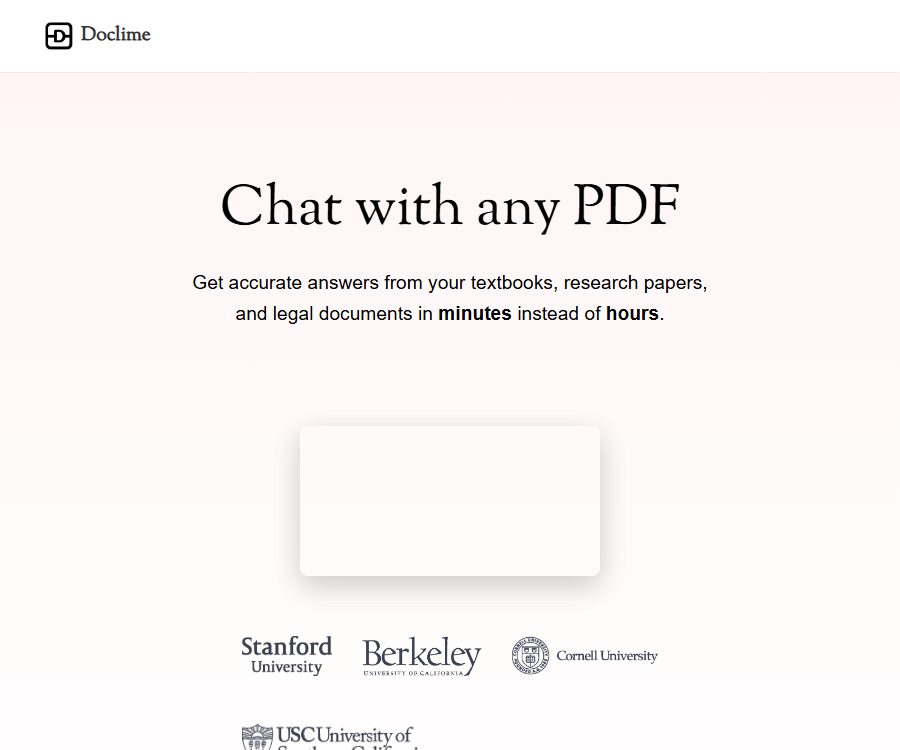
Doclime is an online AI tool focused on PDF reading and answering questions related to documents. Users can upload files, pose questions in natural language, and receive answers that take into account the content of the documents as well as the specific locations where relevant information can be found.
It is not just a chat box; it also includes a PDF viewer, note editing tools, a file tree, a split-screen workspace, context-based search, and visual query functions. This product is ideal for those who need to frequently consult papers, textbooks, contracts, reports, and technical manuals.
A one-sentence summary
Doclime is an AI document reading assistant that supports multi-PDF handling, OCR for scanned documents, citation-based responses, and note organization.
Main functions
AI document Q&A
After a user uploads a PDF, they can ask for information on key points of various chapters, explanations of concepts, details regarding obligations outlined in certain clauses, or data presented in the report. The responses are based on the content of the document selected, and citations from within the document are provided to facilitate verification by referring back to the original text.
Multiple PDF contexts
Doclime allows multiple PDF files to be included as context within a single research project. It is suitable for use with numerous papers, different versions of contracts, or a set of project-related documents; however, the conclusions drawn from across these documents still need to have their sources checked individually.
PDF viewing and navigation
The built-in viewer offers search, zooming, and page navigation functions, while keeping the original text visible during reading. Compared to tools that require files to be uploaded separately before the chat results can be viewed, this design facilitates better understanding of the context.
Scanned document OCR
The official website confirms that it supports scanned PDF files, and uses OCR to convert the text in images into machine-readable text. The quality of text recognition is affected by factors such as clarity, tilt, tables, handwritten content, and complex layouts.
AI visual questioning
Users can extract specific sections from a document and ask questions regarding those extracts; this approach is suitable for analyzing charts, formulas, or particular areas of the text. Visual models may misinterpret coordinates, legends, and small-print numbers, so it is important to compare the key data with that on the original page.
Notes and version history
The platform offers a rich-text note editor that supports real-time saving as well as version history. Users can read content while simultaneously taking notes on summaries, questions, and conclusions, thereby reducing the need to switch between different applications.
Split-screen reading workspace
PDFs, notes, and chats can be opened simultaneously in a split-screen layout, allowing multiple documents to be viewed side by side. This layout is suitable for tasks that require maintaining context, such as citation verification, paper comparison, and contract review.
File organization and context search
Files are managed in a hierarchical tree structure, with a distinction between uploaded materials and notes. Contextual search enables the inclusion of specific files in conversations, thereby reducing the likelihood of irrelevant information interfering with the responses.
Multi-model support
The official website states that conversations can make use of cutting-edge models provided by companies such as OpenAI and Anthropic, but it does not disclose a complete list of these models, the rules for switching between them, or the limits associated with each option. The specific models that are available depend on the selector available after logging in.
Which users are it suitable for
- Student: Extract key sections from the textbook, explain concepts, and organize review questions.
- Researchers: Read papers, compare research methods, and identify the sources of citations.
- Teacher: Generate outlines, questions, and notes for teaching preparation from course materials.
- Lawyers and legal specialists: Consult on contract terms, obligations, deadlines, and definitions.
- Consultants and financial professionals: Retrieve information from research reports, financial statements, and industry materials.
- Product and Technology Team: Analyzes specifications, manuals, requirement documents, and project materials.
- Regular users: To quickly understand longer PDFs and scanned documents.
Free and Pro plans
As of August 24, 2026, the official help center confirmed that it is possible to create an account, stating that full functionality requires upgrading to the Pro version. The official website does not display information such as the amount paid for the subscription, the number of files that can be uploaded, the number of pages, the number of queries made, or the limits related to models.
| Plan | Official public price | Verifiable information | Further confirmation is required. |
|---|---|---|---|
| Free account | It can be registered, with an amount of 0. | After completing email verification, you can access the platform and upload your first document. | Number of documents, pages, messages, as well as OCR and model quotas |
| Pro | Not yet made public | Subscribing through the account upgrade page allows you to cancel the monthly subscription on the billing page. | Current amount, taxes and fees, currency, functional limits, and renewal terms |
| Team or company | Not yet made public | The official website emphasizes enterprise-level security, but does not disclose options for standalone teams. | Seats, permissions, contracts, support, and data processing terms |
During this verification process, the official upgrade subdomain returned a Cloudflare error, preventing the review of the payment page. Different amounts were shown in third-party directories, but these cannot replace the official pricing; it is necessary to check the final price, currency, taxes, quota, and auto-renewal terms on the account upgrade page before making a purchase.
Subscribe and Cancel
- Payments are processed by Stripe, and the help center states that Doclime’s servers do not store credit card information.
- Pro can be activated through the upgrade option in the account or on the Billing page.
- The official help center states that a monthly subscription can be canceled at any time.
- The cancellation option is located on the Billing page, as a button for unsubscribing.
- The public help page does not specify the duration for which benefits remain valid after cancellation, the deadline for refunds, or the rules for proportional refunds.
- The links to refunds and terms of service located at the footer of the official website do not point to any valid page addresses at the moment.
Doclime Usage Guide
- Register an account and complete email verification by using the link in the email.
- To access the document library, first upload a PDF that you have permission to use and that does not contain any unnecessary sensitive information.
- Wait for text parsing and OCR processing to be completed, then check whether the title, page numbers, and text content are searchable.
- Open the document in the viewer and start with a specific question that can be answered using the original text.
- Check the citations in the answers, go back to the corresponding pages to verify the original sentences, tables, and context.
- When it is necessary to combine multiple documents, add the relevant PDFs to the same conversation context.
- Use split-screen to display the original text, chat messages, and notes simultaneously, and record the conclusions that have been verified.
- After completing the research, delete any sensitive files that are no longer needed, and check the status of your account and subscriptions.
Question-asking skills
- Scope of limitation: Specify the chapter, page number, contract clause, or documents to be compared.
- Basis for the requirement: The answer should indicate, for each point, the location of the reference, and distinguish between the original text and inferences.
- Task breakdown: First, extract the facts; then compare the differences; and finally, generate a summary.
- Formatting: The conclusions, evidence, page numbers, and uncertain aspects are required to be listed in a table.
- Verify the numbers: Financial figures, dates, proportions, and units must be checked on the original page.
- Handling conflicts: When multiple documents contain discrepancies, it is necessary to present them separately, rather than forcing a merge.
- Control the context: Include only files related to the current issue, in order to reduce irrelevant distractions.
Typical use cases
Reading of papers and textbooks
One can ask about the research questions, methods, sample, main conclusions, and limitations, and then compare the answers with the reference pages. It is useful as a supplementary reading tool, but it should not replace academic citations, the process of systematic reviews, or a thorough understanding of the original paper.
Contracts and legal documents
It is possible to identify clauses related to payment, termination, confidentiality, responsibilities, and deadlines, and to create a checklist. AI may miss cross-references, exceptional conditions, and legal contexts; therefore, formal legal advice still requires review by a professional.
Financial reports and industry reports
It is possible to extract key indicators, changes in business operations, and descriptions of risks; multiple periodic reports can also be analyzed. Tables, notes, consolidated figures, and currency conversions may lead to errors, and investment decisions should not be made based on them directly.
Technical documentation and project materials
The team can ask questions regarding the standards, manuals, and requirement documents, and record the answers in notes. Before going live, it is necessary to confirm the version of the documents, their effective dates, and the permissions associated with them, in order to avoid relying on outdated versions.
Data privacy and security
The official website states that the service operates on AWS infrastructure, and data is encrypted both during transmission and when stored statically; uploaded documents remain private by default. These are the details provided by the manufacturer, and they do not automatically equate to holding any specific industry certifications.
During this verification, the privacy policy, refund policy, and terms of service located at the bottom of the official website led to blank placeholders, making it impossible to view the full text of these legal documents. Companies or those working in sensitive contexts should request the current policies, data processing agreements, and security certifications before making a purchase.
Check before uploading
- Confirm that you have the rights to upload, process, and share this document.
- Remove unnecessary information such as ID numbers, account details, health data, unpublished contracts, and trade secrets.
- Confirm the data storage location, retention period, and backup and complete deletion mechanisms.
- Ask the model provider whether they accept the document content and whether the data is used for training.
- Verify employee access, sub-processors, event notification, and log audit rules.
- When using the team, verify the access rights to files, notes, conversations, and exports.
Product advantages
- Document Q&A with citations, facilitating verification by returning to the PDF.
- It supports OCR processing for scanning PDFs, enabling the use of a wider range of historical documents.
- Multiple PDF contexts are suitable for horizontal comparison and comprehensive research.
- The viewer, chat, and notes can be used side by side in the same workspace.
- A hierarchical file tree facilitates the management of materials and research notes.
- It supports visual queries based on screenshots of documents.
- It is possible to take advantage of the capabilities of various model providers such as OpenAI and Anthropic.
Usage restrictions and precautions
- The official party does not disclose the current Pro price or the detailed amount limits; it is necessary to check the settlement page before making a purchase.
- An error from Cloudflare was encountered during the verification for upgrading the subdomain; service availability must be tested separately.
- The legal policies section on the official website currently contains no valid content; it is not suitable for handling highly sensitive data before the relevant contracts are in place.
- OCR may misidentify scanned documents, tables, formulas, seals, and handwritten text.
- Even though answers include citations, they may still overlook certain constraints or misinterpret the context.
- Multi-document Q&A can lead to confusion regarding file versions, dates, and similar names.
- The official website does not disclose API access, mobile app capabilities, or offline deployment options.
- The list of models and the available quotas are not made public; the information displayed on the actual page after logging in should be taken as reference.
- Medical, legal, financial, and academic conclusions must be reviewed by persons with the appropriate expertise.
Platform, API, and open-source status
| Project | Verification results |
|---|---|
| Web version | Support |
| Desktop client | No official client has been found yet. |
| Mobile apps | No official app has been found yet. |
| Browser extensions | No official extensions have been found yet. |
| Public API | Not yet made public |
| Official GitHub | No findings yet. |
| Is it open source? | No, no open-source license or product source code was found. |
Among the search results, there are PDF chat tools with similar names as well as open-source tools such as Docling; however, there is no evidence indicating that they belong to Doclime. The use of OpenAI, Anthropic, or OCR technologies does not mean that the Doclime product itself is open source.
Basic information
| Project | Content |
|---|---|
| Tool name | Doclime |
| Tool type | AI document Q&A and PDF reading assistant |
| Main inputs | PDF and scanned PDF |
| Core competencies | Quote Q&A, multi-PDF chat, OCR, visual questions, notes, and split screen |
| Main platforms | Web |
| Account requirements | Registration and email verification are required. |
| Price pattern | Free accounts and Pro subscriptions; the prices have not been disclosed yet. |
| Payment processing | Stripe |
| Whether API is provided | Not yet made public |
| Is it open source? | No |
| Recommendation score | 4.0 points |
Frequently Asked Questions
Is Doclime free?
It is possible to register for free and verify one’s email address; the help center also guides new users on how to upload their first document. The specific number of pages, questions, and model slots available with a free account are not disclosed, and full functionality can only be obtained by upgrading to the Pro version.
Does Doclime support scanned PDFs?
It is supported; the official website clearly states that OCR will be used to convert the scanned content into readable text. However, low-resolution images, complex tables, and handwritten pages may still not be recognized accurately.
Will the answer include citations?
Yes, document Q&A will include citations from the uploaded materials. These citations can help with verification, but they do not guarantee that the answers accurately reflect the content of the original text.
Can multiple PDFs be queried at the same time?
Yes, the official website lists multi-PDF chatting as one of its core features. It is recommended to include only files that are relevant to the question, and to indicate in the answers the name, version, and date of each document.
How much is Pro?
As of August 24, 2026, the official website does not provide any verifiable figures regarding the amounts involved, and the upgraded subdomains are not yet accessible. Third-party prices cannot be used as a basis for determination; the figures shown on the settlement page once it is restored should be taken as the authoritative source.
Is Doclime an open-source tool?
No, no official source code repository or open-source license has been found yet. GitHub projects with similar names cannot be considered as the official code for Doclime.
Is an API provided?
The official website and help center do not provide documentation on the developer APIs or SDKs. If programmatic integration is required, it is necessary to first check with the authorities to see if there are any undisclosed enterprise interfaces available.
Summary
Doclime brings together PDF reading, query answering, OCR, note-taking, and multi-document research in a single workspace, making it suitable for users who need to quickly locate and verify information within long documents. The main risks associated with this option are the lack of transparency regarding official prices and usage limits, issues with domain upgrades, and incomplete legal and policy information; therefore, it is necessary to conduct thorough verification before proceeding with payment or uploading sensitive data.
Tools similar to Doclime




 Guigong Network Security Registration No. 45132202000164