






Inscribe
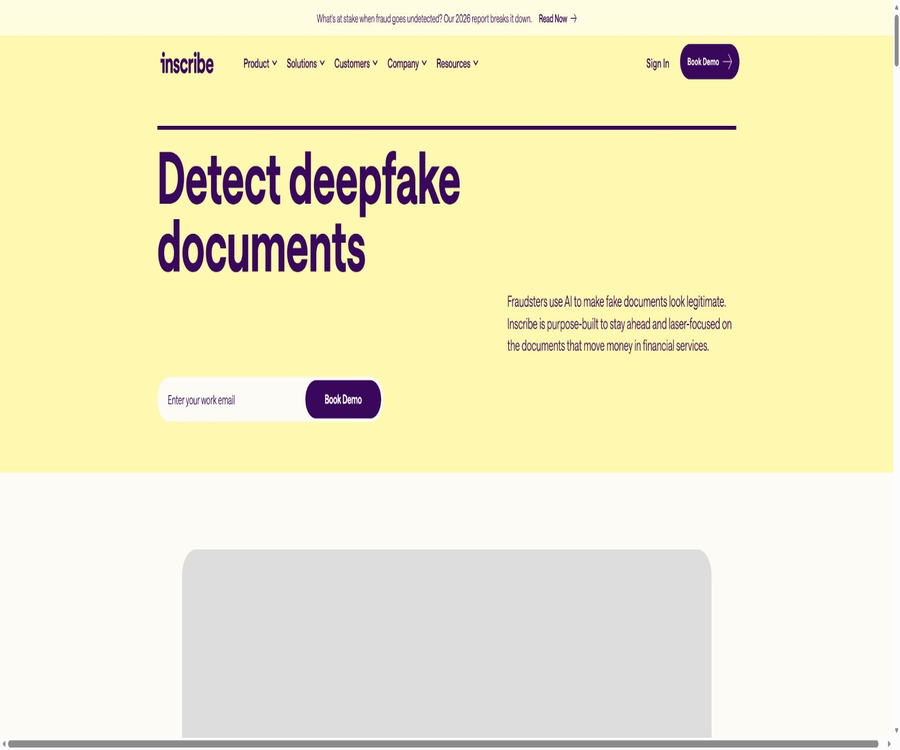
Inscribe: an intelligent tool focused on AI-driven documents
Tags:AI document toolsWhat is Inscribe?
Inscribe is a proxy-based document fraud detection platform designed specifically for financial service institutions, provided by InscribeAI. It analyzes the financial and identity documents submitted by applicants, identifying any alterations, fakes, reused documents, or content generated by AI before loan approvals, account openings, KYC/KYB processes, and account verifications take place.
The platform integrates multiple layers of detection, document processing, verification of public data, customer-level reasoning, and risk workflows. It is not a general-purpose OCR tool, nor can it replace the final credit decisions, compliance assessments, or manual investigations carried out by financial institutions.
A one-sentence summary
Inscribe analyzes financial documents through a combined approach that utilizes forensic techniques, network analysis, semantic analysis, pixel analysis, and proxy AI, and it provides risk levels, evidence, and structured data to risk management personnel or business systems.
Product positioning
Modern forged documents can appear very similar to genuine ones visually; it is easy to miss hidden modifications when examining them manually or using fixed formatting rules. Inscribe focuses on documents that influence financial decisions, and it strives to provide interpretable risk indicators while minimizing noise.
| Positioning dimension | The capabilities of Inscribe | Business value | Jobs that cannot be replaced |
|---|---|---|---|
| Document fraud | Detecting altered, forged, reused, and AI-generated files | Prevent high-risk materials from proceeding before approval. | Final determination and handling of fraud |
| Document processing | Classify, analyze, and extract transactions and key fields. | Reduce duplicate data entry and manual verification | Manual interpretation of complex abnormal files |
| Customer-level reasoning | Link multiple documents and risk signals within the same application. | Detection of contradictions across files and collaborative fraud | Comprehensive customer due diligence |
| Workflow decision-making | Configure risk rules, severity levels, and blocklists. | Ensure that the testing complies with the institution’s SOPs. | Credit policies and regulatory responsibilities |
| System integration | Web applications, REST APIs, Webhooks, and partner connections | Embed the results into the existing application process | Internal system governance of the organization |
Main functions
Multi-layer document fraud detection
Each document is subject to multiple testing methods simultaneously, rather than just one model being used. The evidence from all these methods is combined to produce a clear risk level and corresponding explanation, which helps analysts to prioritize those applications that are truly suspicious.
Document classification
The system is able to identify bank statements, pay slips, tax forms, bills, invoices, and other types of documents in order to determine the appropriate processing steps and conduct fraud checks. A hybrid pipeline that combines traditional machine learning techniques, large language models, and vision-language models is also used to improve the classification of non-English materials and unknown document types.
Field and transaction parsing
The platform can extract structured data such as names, addresses, dates, balances, incomes, and individual transactions. The results of this parsing can be used for detecting fraud, as well as for analyzing cash flows, expenses, incomes, loans, and credit risks.
Customer-level risk analysis
Inscribe not only examines individual files, but also establishes connections between various documents related to a single customer or application. The system can detect discrepancies in numbers, reuse of identities, repeated use of templates, and unusual transaction patterns.
Inscribe Assistant
Assistant is a proxy-based AI assistant integrated into web applications; it can answer questions such as why certain files have been marked, whether different documents contain contradictions, and whether there is any gambling or crypto-related activity. Its responses are based on the files available in the workspace, customer information, and fraud indicators, but they still require review by analysts.
Customized trading insights
The risk management team can define custom signals for each institution based on transaction category, merchant, payment method, amount, time range, and balance changes. Before these rules are put into use, they can be tested on historical applications in order to determine the scale at which they trigger and to adjust the relevant thresholds.
Configurable decision engine
The Decision Engine enables adjustments to the severity levels of detectors, the decision-making logic, blocklists, transaction insights, and document insights. The goal of such configurations is to align with the risk preferences of the organization, rather than letting a generic model make decisions regarding all applications.
Collect document collection
Collect is used to request and gather documents from applicants; the collection process can be initiated by the platform or integrated into enterprise applications. The system can return information such as classification, file type, language, and parsed fields during the upload process, which helps to identify problematic materials as early as possible.
Six types of detection methods
| Detection method | Analysis content | Abnormalities that can be detected | Precautions |
|---|---|---|---|
| Evidence collection and testing | Font, metadata, and file history | Editing traces, inconsistent formatting, and abnormalities in the generation chain | The absence of metadata does not equate to fraud. |
| Cyber intelligence | Compare templates and patterns across a large number of actual applications | Repetitive layouts, file reuse, and coordinated attacks | Similar patterns need to be considered in the context of the business. |
| Semantic detection | Text, amounts, dates, and contextual relationships | Contradictory narratives, inconsistent calculations, and unreasonable transactions | Abnormal business operations can also be a normal situation. |
| Perception detection | Editing at the pixel level and visual differences | Minor modifications that are not easily visible to the naked eye | Compression and scanning quality affect the signal. |
| Custom insights | Organizational rules, thresholds, and special behaviors | Risk indicators that comply with internal SOPs | Rules need to be continuously backtested and managed. |
| Public data | External information such as identity, company, and address | Entity risks outside the documents | Coverage and licensing vary by region. |
Supported files and workflows
Inscribe focuses on handling documents used to verify identity, income, assets, the legitimacy of a business, and its financial health. The actual scope of support, the countries covered, the available languages, as well as the modules that can be purchased must all be confirmed individually before implementation.
| Business workflow | Common files | Key risks | Typical users |
|---|---|---|---|
| Loan underwriting | Bank statements, pay stubs, tax forms, financial statements, and credit card bills | Inflating revenues, falsifying assets, and altering transactions | Banks, lending institutions, and fintech companies |
| Opening an account | Driver’s license, social security card, business registration documents, bills, and tax-related materials | False identities, fake companies, and inconsistent addresses | Banks and credit cooperatives |
| KYC and KYB | Identity documents, corporate documents, tax forms, and banking materials | Non-existent entities, identity reuse, and document forgery | Compliance and Operations Team |
| Bank account verification | Bank statements, bills, and paystubs | Account number modification and proof of fake accounts | Payment, lending, and funds management teams |
| Other high-risk audits | Invoices, leases, benefit statements, and investment reports | Falsified relationships, abnormal amounts, and duplicate templates | Risk and Investigation Team |
Document analysis process
- Receive applications and documents in loan systems, CRM, case management systems, Collect, or web applications.
- Create a customer object for the applicant, and assign the relevant documents to the same customer or case.
- After uploading the file, run the classification, parsing, fraud detection, as well as the verification and research modules that were purchased.
- Link the documents, transactions, and entity signals within the same application to carry out customer-level reasoning.
- Returns the risk level, detection details, key evidence, and structured fields.
- Allow low-risk materials to continue their processing in accordance with the organization’s rules, while sending high-risk cases to a manual processing queue.
- Analysts use the Assistant, original documents, and external materials to review and document the final decision.
- The confirmation results are fed back into the institutional rules, thresholds, and subsequent model governance processes.
Risk team review process
- First, verify that the file type, number of pages, applicant, and business scenario are correct.
- Read the natural-language description of the signals with the highest severity, and locate the corresponding pages and fields.
- Compare the name, address, income, balance, date, and transaction logic of the same customer.
- Check whether network reuse, public data, and custom blocklists provide independent evidence.
- Ask specific questions of the Assistant, but do not consider the answers as final facts.
- Based on the organization’s SOP, decisions are made to approve automatically, request additional documents, conduct a further investigation, or reject it.
- Retain versions of the reasons, evidence, and rules related to manual processing to meet audit and appeal requirements.
- Regularly analyze false positives, false negatives, and group differences, then adjust the rules and severity levels.
What can Inscribe Assistant do?
- Explain why a document or customer has been marked as high-risk;
- There are many figures in bank statements, pay slips, and tax forms;
- Identify inconsistencies in identity, income, balance, and dates across files;
- Search for gambling, crypto assets, or activities of specific merchants;
- Perform calculations and verify transactions as well as the summary figures;
- Search for recent similar submissions and potential patterns of collusive fraud;
- It helps analysts quickly understand the context of complex applications.
The output generated by AI may be inaccurate, incomplete, or similar to that produced by other customers; the platform does not guarantee uniqueness. Financial institutions should use this Assistant as a tool to assist in investigations, while retaining evidence that can be reviewed and relying on human decision-making.
Custom rules and backtesting
Each institution has its own definitions of risks, unusual transactions, and acceptable materials. Inscribe allows internal policies to be converted into configurable signals, and it enables an assessment of the number of individuals and cases that could be affected by these rules, based on past applications.
| Configuration items | Adjustable content | Use value | Governance requirements |
|---|---|---|---|
| Detect severity | The impact of different detectors on the results | Reduce meaningless noise. | Record the reasons for the modification and the approver. |
| Decision logic | Signal combinations and conditions for approval, review, or rejection | Align with the institution’s risk appetite | Prevent automatic rejection of a single weak signal |
| Interception list | Suspicious entities, accounts, or known patterns | Prevent repeated attacks | Set up expiration and appeal mechanisms |
| Trading Insights | Rules for merchants, categories, amounts, time, and balances | Special inspection for automatic actuators | Backtesting of group effects and false positives |
| Document Insights | Material integrity and special abnormal conditions | Compliance with document review SOP | Updates as products and fraud tactics evolve |
| Acceptance criteria | Low-risk conditions that allow the automatic process to continue | Increase the speed of normal applications | Retain sampling quality inspection |
API and Webhook integration
Inscribe offers a REST API for resource management, with interfaces organized around customers, documents, accounts, transactions, collection sessions, and risk insights. Requests utilize standard authentication and HTTP status codes, while responses are returned in JSON format.
| Integration capability | Primary uses | Key notes |
|---|---|---|
| Customer interface | Create, query, update, and delete customer objects | Deleting a customer will permanently remove the associated files. |
| Document interface | Upload, query, update, and delete files | After uploading, it enters the fraud, parsing, and optional verification queues. |
| Result interface | Read documents and customer-level processing results | Some fields are unavailable until the processing is complete. |
| Collect interface | Create collection sessions and document requests | Suitable for automated parts replacement and submission by applicants |
| Cash flow and risk interface | View income, expenses, loans, balances, and risk insights. | The available content depends on the service purchased. |
| Webhook | Receive documents, customers, and collection status in real time | Scenarios with high throughput take precedence over frequent polling. |
| Open banking data | Submit account and transaction data in a specific format | Some of the old Plaid interfaces have been discontinued. |
Document upload restrictions
Document uploads support PDF, JPG, PNG, and certain binary file types; the maximum size for a single file is 50 MB, with PDF files limited to 350 pages. It is necessary to verify the file type, size, encryption status, and absence of malicious content before uploading.
Webhook security
Each Webhook has its own unique key, and the platform uses HMAC-SHA256 to generate a signature for the request body. The receiving end must verify this signature, distinguish between test events, reject requests that rely on redirection, and limit the inclusion of sensitive data in the logs.
Partner integration
The platform can be integrated with loan initiation systems, orchestration and decision-making platforms, data services, and cloud infrastructure. Alloy, Taktile, and Oscilar are shown explicitly at present; other systems can be connected via APIs or custom interfaces.
| Connection method | Suitable situations | Implementation features | Confirmation is needed. |
|---|---|---|---|
| Web applications | Analysts directly review documents and cases. | It starts up quickly; the Assistant and queue can be used. | User permissions, auditing, and task allocation |
| Alloy | Account opening and decision orchestration are already available. | Fraud detection can be integrated into existing processes. | Available fields and business contracts |
| Taktile | Use decision flow management for underwriting or account opening. | Real-time invocation and routing based on signals | Timeout, retry, and rule assignment |
| Oscilar | It is necessary to combine the document signals with other data. | The risk results are fed into the decision rules. | Mapping, versioning, and rollback logic |
| REST API | Custom systems for application submission, loan processing, or case management | High control capability required; engineering implementation is needed. | Authentication, rate limiting, Webhooks, and error handling |
| Collect | Safety patches and embedded uploading are required. | Improve the experience for applicants when uploading files. | Brand configuration, consent, and data retention |
Which institutions are suitable?
- Banks that review large amounts of bank statements, pay slips, and tax returns;
- Credit cooperatives that wish to reduce the need for manual review of documents;
- Lending institutions that need to complete digital underwriting within a few seconds;
- Fintech companies that integrate KYC, KYB, and account opening processes into online workflows;
- A team that is required to verify the details of bank accounts before making loans or transfers;
- It is hoped to have a risk control department dedicated to setting up transaction-specific and document-related risk signals;
- Companies that already have a loan system or a decision orchestration platform and need API integration.
In what situations is it not very suitable?
- Individual users who only need to convert ordinary PDF files into text;
- Teams looking for free, public OCR tools or offline desktop recognition software;
- Businesses that intend to process large quantities of personal financial documents without any regulatory basis;
- Institutions that hope for AI to make final loan decisions that cannot be appealed;
- Purchasers who need to download the core model and run it entirely offline on their own devices;
- It is not possible to create small projects that include manual review, audit records, and rule-based governance.
Product advantages
- Focus on high-risk financial documents such as bank statements, pay slips, and tax forms;
- Multiple layers of detection – evidence collection, networking, semantics, pixels, and public data – complement each other;
- Agent-based reasoning can connect multiple documents within an application;
- Risk levels and natural language explanations reduce the time analysts spend piecing together evidence;
- Rules, severity levels, blocklists, and insights can be configured per organization;
- Supports Web applications, APIs, Webhooks, Collect, and partner integrations;
- Classification, analysis, verification, cash flow, and fraud signals can all be used on the same platform;
- Historical backtesting helps to observe the impact of custom signals before going live.
Usage restrictions
- AI and detection results cannot guarantee accuracy, completeness, or uniqueness;
- An abnormal file does not necessarily mean fraud; it is necessary to consider the background of the application.
- Low-quality scanning, compression, language, and file formats can affect certain signals;
- The level of support for national data, document data, and public data may vary depending on the scenario.
- Improper configuration of custom rules may lead to false positives or unfair outcomes.
- API throughput, modules, retention period, and technical support are subject to the terms of the contract and the package agreement.
- The results shown in customer cases cannot be guaranteed to be replicated in other organizations;
- A platform cannot replace credit policies, regulatory compliance, and human accountability.
Price and purchase methods
Inscribe does not disclose any standard monthly or annual fees, nor a price per document; a demonstration must be scheduled first, and the costs are determined through negotiation based on the specific order. Fees, the modules available, the volume of processing, the number of users, as well as the scope of support and implementation are all determined according to the details of the order.
| Package or version | Price | Billing cycle | Core benefits or quota | Suitable for users |
|---|---|---|---|---|
| Product demonstration and fraud auditing | Fees not disclosed | Reservation | Product demonstration and assessment of potential document fraud | Organizations that are currently in the process of selecting a technology |
| Web application deployment | Custom quote | Subject to the order. | Analyst interface, multi-layer detection, and purchased features | Teams that require manual review of workstations |
| API integration with partners | Custom quote | Based on orders and usage amounts. | API, Webhook, or connection to existing platforms | Automated underwriting and account opening processes |
| Collect and expand insights | Custom quote | Subject to the order. | File collection, cash flow, verification, or other modules | Organizations that need an end-to-end file processing workflow |
| Beta service | A free assessment can be arranged upon invitation. | Temporary trial use | No production support is guaranteed; fees may be imposed or service might be discontinued in the future. | Functional assessment of existing customers |
The public terms do not guarantee a free version of the product; the free trial or audit options available on the demonstration page do not equate to a permanently free account. When placing an order, it is necessary to specify the minimum usage level, any extra costs, implementation fees, renewal terms, data migration procedures, and support services in case of termination.
Service Level and Support
The standard terms specify a monthly availability target of 99.9%; the specific exclusions, remedies, and service levels should be checked in the contract attachments. Basic support is usually provided via email on business days in the United States, and companies can negotiate higher levels of support as part of their order.
| Matters | Public terms | Purchasing suggestions |
|---|---|---|
| Availability | Monthly 99.9% target | Confirm maintenance, external failures, and calculation methods |
| Technical support | The basic plan provides email support on weekdays. | Specify severity levels, response times, and escalation channels. |
| Beta feature | Provided as is, with no guarantee of production support. | Do not use it directly in critical decision-making processes. |
| Scope of functions | Subject to the order and service descriptions. | List modules, documents, and regions one by one. |
| Interface capacity | Public documents do not provide a consistent throughput guarantee. | Agreed throttling, peak values, batch processing, and retrying |
| Status notification | Provide a service status page | Integrate fault notifications into the internal duty process. |
Data, privacy, and AI outputs
Both the input provided by the customer and the AI output generated by the platform are considered customer data and belong to the customer. The customer is responsible for ensuring the accuracy, legality, and legitimacy of such input, and must not use the AI output in making high-risk decisions without first reviewing it.
| Data matters | Handling principles | Points for organizations to note |
|---|---|---|
| Input file | For customer data processing | Confirm the basis for notifying, consenting to, and processing the applicant’s request |
| AI output | It is classified as customer data and owned by the customer. | No guarantee of accuracy, completeness, uniqueness, or freedom from infringement. |
| Third-party foundation models | Do not use AI-generated content to train or improve third-party base models. | It is still necessary to verify the model supplier and the data processing attachments. |
| Data after termination | The clause provides a 60-day period for retrieval, after which it is deleted in accordance with the rules. | Export cases, evidence, and audit records in advance |
| Training and analysis data | Some training and aggregation analysis data may be retained in accordance with the terms. | Verify the de-identification methods and exit options at the time of procurement. |
| Web Search input | Not stored by Inscribe | It may be processed by external search services in accordance with their policies. |
| Sub-processor | The list can be viewed in the Trust Center. | Establish procedures for change notification and review of cross-border data transfers |
Human oversight in high-risk decisions
The platform explicitly does not guarantee that the AI-generated output will be accurate or complete, nor does it assume any responsibility for the decisions made based on such output. Organizations should implement mechanisms for manual review, recording of reasons, the possibility to file appeals, and regular fairness assessments.
Security and compliance capabilities
Inscribe’s Trust Center lists SOC 2 Type II and ISO 27001:2022, and provides materials related to security assessments. The product also highlights role-based access control, audit logs, data encryption, and support for enterprise security reviews.
| Security projects | Current status | Implementation suggestions |
|---|---|---|
| SOC 2 Type II | Already included in the Trust Center | Request the current audit scope and exceptions. |
| ISO 27001:2022 | Already included in the Trust Center | Confirm the certification entity, location, and validity period. |
| Role permissions | Support | Classify analysts, administrators, and developers based on the minimum level of permissions required. |
| Audit logs | Support | Determine the retention period, export method, and alerts. |
| Data encryption | Support | Verify transmission, static encryption, and key responsibilities |
| Webhook signature | HMAC-SHA256 | The signature must be verified and the independent key must be protected. |
| Corporate review | Provides a trust center and dedicated support. | Complete the review of supplier risk and penetration testing materials |
API, GitHub, and open-source status
Inscribe provides public API documentation as well as a verified GitHub organization, but its commercial platforms, detection models, and production services are not open source. The public repositories in this organization contain mainly tools, forked projects, and marketing materials; they cannot be considered to be the core product code.
| Technical projects | Current status | Explanation |
|---|---|---|
| REST API | Public documents | Covers customer, document, transaction, insight, Collect, and open banking data |
| Webhook | Support | Real-time push of documents, customers, and collection serta approval status |
| Official SDK | Not confirmed | Public documents mainly consist of REST endpoints and example requests. |
| Postman Collection | Available | Facilitates the viewing and testing of public API endpoints. |
| Official GitHub | It exists. | Includes public tools, forks, and resource repositories |
| Open source of core products | No | Models, network intelligence, and SaaS platforms represent proprietary services. |
| Private deployment | Unpublished standard solution | When data residency or localization requirements apply, business approval is required. |
Evaluation and deployment recommendations
- A test set is created using genuine, yet compliantly anonymized samples from this organization;
- Calculate the true positive rate, false positive rate, missed cases rate, and manual review rate separately;
- The results are categorized by document type, country, language, and scanning quality;
- Tests were conducted separately for AI-generated content, template reuse, and traditional manipulation;
- Compare the conclusions of the model with those of experienced analysts and the final survey results;
- In low-risk processes, implement a phased rollout while maintaining a fallback option.
- Verify Webhook signatures, handle retries, repeated events, and failures;
- Record the rule version, manual overrides, and appeal results;
- Continuously monitor changes in fraud tactics and group fairness.
Basic information
| Project | Content |
|---|---|
| Tool name | Inscribe |
| Development company | InscribeAI company |
| Tool type | Proxy-based document fraud detection and intelligent financial risk management |
| Key customers | Banks, credit unions, lending institutions, and fintech companies |
| Core file | Bank statements, pay stubs, tax forms, invoices, bills, and identification documents |
| Deployment method | Web applications, REST APIs, Webhooks, Collect, and partner integrations |
| Public price | No, custom quote required. |
| API | Yes |
| Official GitHub | Yes |
| Open source of core products | No |
| Security qualifications | SOC 2 Type II, ISO 27001:2022 |
Frequently Asked Questions
Is Inscribe an OCR tool?
It includes classification, parsing, and field extraction, but its main focus is on the detection of fraud in financial documents as well as on providing intelligent risk assessment. Ordinary text recognition is not its primary use case.
Is it possible to detect AI-generated files?
It is capable of identifying financial documents that have been generated by AI, altered, or forged, by combining evidence collection, semantic analysis, pixel analysis, and network signals. However, each individual result still needs to be reviewed in accordance with the organization’s SOPs.
Which files are supported?
The key documents include bank statements, pay slips, tax forms, financial statements, credit card bills, invoices, receipts, and identification papers. The specific countries, languages, and template formats required need to be determined through demonstration and testing.
Does Inscribe offer an API?
Public REST APIs and Webhook documentation are provided; these allow for file uploading, customer management, result retrieval, and integration with internal workflows. For high-volume production use, it is necessary to confirm the contract capacity and available technical support.
What is the price?
There are no publicly available standard pricing rates; organizations need to schedule a demonstration in order to receive a quote, with the cost determined based on modules used, volume of usage, as well as deployment and support requirements. A demonstration or free audit does not imply a permanently free subscription.
Can AI automatically reject loan applications?
Technically, it is possible to feed risk signals into the decision-making process, but institutions should not convert the opaque outputs of AI into final decisions without any human oversight. The responsibilities related to credit granting, notifications, appeals, and ensuring fairness remain with the financial institutions.
Will the data be used to train third-party large models?
The standard terms state that customer-owned AI content will not be used to train or improve third-party base models. The organization should still review the order, the attachments related to data processing, the definition of the training data, and the arrangements regarding sub-processors.
Is Inscribe open-source?
The core platform and models are not open source. Although there is an official GitHub organization as well as several public repositories, those projects do not contain the complete code needed to develop fraud detection systems.
Summary
Inscribe combines financial document forensics, semantic understanding, network pattern analysis, pixel detection, and proxy reasoning to create an explainable fraud detection workflow. It is suitable for financial institutions that need to process large volumes of high-risk documents quickly during underwriting, account opening, and account verification processes.
When making purchasing decisions, one should not focus solely on the number of tests demonstrated; it is also necessary to verify the rates of false positives and false negatives in the samples used by the organization, as well as the API capacity, rule management, data policies, and human oversight. Only by designing the models, processes, and audit mechanisms together can automation be expanded in a safe manner.
Tools similar to Inscribe




 Guigong Network Security Registration No. 45132202000164