






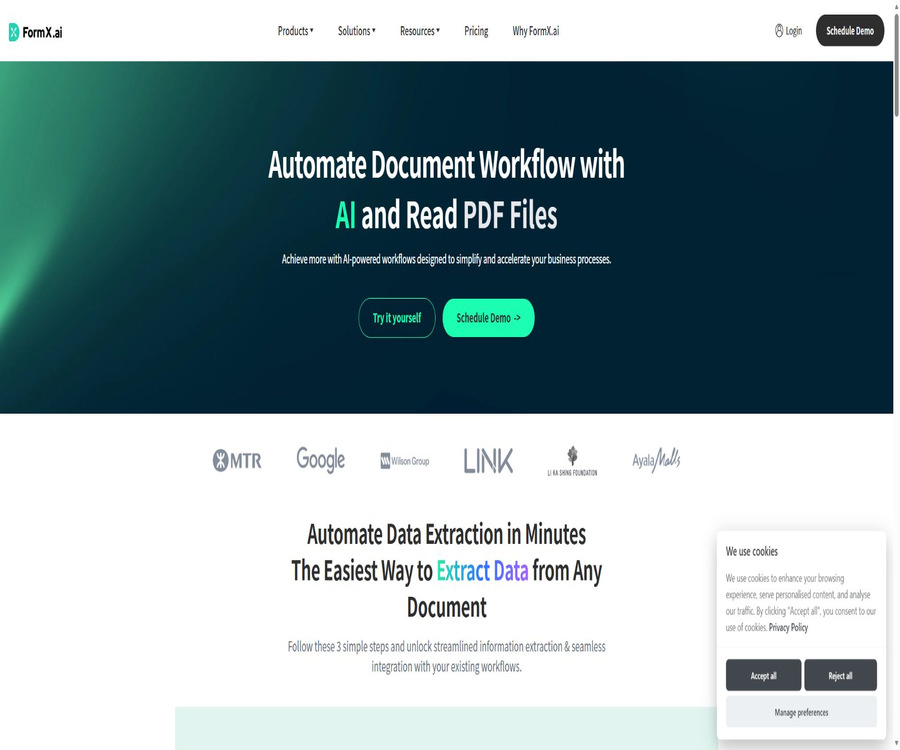
FormX.ai
FormX.ai: an intelligent tool specialized in AI-driven document processing.
Tags:AI document toolsA one-sentence summary
FormX.ai is an intelligent document processing platform that uses pre-trained or custom extractors to identify invoices, receipts, bank statements, IDs, contracts, and other business documents, delivering them in structured JSON format for use by financial, operational, or development systems.
Tool Introduction
FormX is operated by SkyMakers Digital Limited; its services include document uploading, image quality inspection, classification, field extraction, table recognition, correction feedback, as well as API and mobile scanning components. Its goal is not merely to convert images into text, but to create data pipelines that can be integrated into production processes.
Users can choose pre-trained extractors, or they can upload samples and define the required fields to train custom configurations suitable for specific layouts or merchants. The platform also allows users to select between visual model and large language model approaches, and it uses business rules and samples to reduce unstable outputs.
Main functions
Pre-trained document extractor
The platform offers pre-training capabilities for common documents such as invoices, receipts, and identification cards, making it suitable for tasks with relatively standard fields. Users do not need to label a large number of samples from scratch, but they should still verify the coverage of different languages, formats, and types of identification documents.
Custom extractor
Users can upload representative samples, define fields such as invoice numbers, dates, amounts, suppliers, or custom fields of their own, and make ongoing adjustments based on feedback. Custom configurations are suitable for files with fixed layouts, special meanings for certain fields, or those where the standard model is prone to confusion.
Document classification and splitting
Split & Classify can identify the types of documents within mixed batches and split multiple files into units ready for further processing. It is suitable for email attachments, scanned documents, and PDFs that contain several sheets of paper; however, it is necessary to create manual queues for abnormal pages and documents of unknown types.
Advanced table extraction
Advanced table extraction is designed for invoice details, bank statements, and other tabular data; it generates lists of items rather than only identifying the header fields. Cross-page headers, merged cells, handwritten corrections, and low-quality scans can still affect the results.
Field validation and Accuracy Center
The Accuracy Center is used for batch managing datasets, checking results, and providing the model with correct values. Production data can help the extractor gradually adapt to real documents, but the feedback process must involve permissions controls, data anonymization, and verification.
AI Code Mapping
AI Code Mapping allows the identified text to be mapped to internal codes, categories, or standard values within an enterprise, thereby reducing the need for manual comparison later on. When there are changes in the business master data, it is necessary to update the mapping rules accordingly, while also retaining those cases that cannot be resolved through manual review.
Fraud and AI image detection
The list of starter and enterprise features includes Fraud & AI Images Detection, which can serve as risk indicators in processes related to reimbursements, claims, or identity verification. It should not be used as a final decision regarding fraud; critical decisions need to be based on original documents, business records, and manual investigations.
Image quality inspection
The mobile scanning and AI Scan functions allow for the detection of issues such as blurriness, poor lighting, incorrect cropping, or problems with the document’s edges before the file is uploaded, thereby reducing the number of low-quality inputs. However, a good quality level does not guarantee that the data is accurate; it is still necessary to set confidence thresholds for key fields related to amounts and identities.
Combination of visual models and large language models
FormX allows switching between or combining visual and large language models based on document type, latency, and accuracy requirements, with an emphasis on using constraints to reduce hallucinations. The specific underlying models, regional availability, and costs may vary depending on the project configuration.
Large PDF processing
In 2026, new upload interfaces and workspace processes for large files were added; these allow the processing of documents up to 500 MB in size or with 1,000 pages. The traditional interface for extracting individual images still has a limit of 10 MB per request, and these two types of interfaces cannot share the same limitations.
Documents that can be processed
| Document category | Representative files | Common fields | Use cases |
|---|---|---|---|
| Financial documents | Invoices, receipts, tax documents | Number, date, supplier, tax amount, total amount | Accounts payable, reimbursement, and auditing |
| Banks and accounting | Bank statements, annual reports | Account, transaction date, summary, debit and credit amounts | Reconciliation, cash flow, and bookkeeping |
| Identity and Qualifications | ID card, passport, license, certificate | Name, number, expiration date, issuing authority | Account opening, onboarding, and compliance verification |
| Procurement and Logistics | Purchase orders, delivery notes, shipping documents | Order number, material, quantity, address, status | Inventory, fulfillment, and supply chain |
| Human Resources | Resume, application form, employment contract, salary records | People, experience, positions, dates, amounts | Recruitment, onboarding, and record management |
| Law and Business | Contracts, non-disclosure agreements, business licenses | Subject, terms, deadline, obligations, and numbering | Contract registration and expiration reminders |
| Customer service | Warranty requests, support tickets, service agreements | Customers, products, issues, and processing status | Claim and service automation |
Complete workflow
- Select sample documents that can cover the actual layout, language, quality, and various anomalies.
- Select a pre-trained extractor in the workspace, or create a custom extractor and define the fields.
- Upload the sample, and indicate the correct values, the table structure, and the content that should be ignored.
- Use the test set to evaluate field-level accuracy; do not rely solely on a small number of successful samples.
- Configure classification, splitting, verification, code mapping, confidence thresholds, and manual review.
- Files are accessed through the workspace or API, and structured JSON is sent to the business system.
- Continuously record error cases and feedback, and monitor layout drift, latency, costs, and exception rates.
Tutorial on creating custom extractors
- Register an account and create a project; select the processing location of the United States, Taiwan, or Singapore in accordance with compliance requirements.
- Create a new extractor for a specific business document, in order to avoid putting files with too large differences under the same configuration.
- Define the field name, data type, whether it is required, and the acceptable format.
- Upload representative samples and determine the scope within which the platform stores these training files.
- Correct each field and table individually, addressing issues such as blurriness, rotation, missing values, pages spanning multiple sheets, and variations in layout among different suppliers.
- Calculate the accuracy, recall, and false positive rate for each field using an independent test set.
- Once the business threshold is reached, the configuration is deployed, while rollback and manual review options are retained.
API Integration Tutorial
- Create an extractor in the Web workspace, and obtain the extractor identifier and access token from the dashboard.
- Choose between synchronous mode, asynchronous mode, or the upload interface for large files, based on the file size and duration.
- Submit the request using a file or the address of a controlled file, and specify the correct extractor identifier.
- Synchronous requests read the results directly; asynchronous requests save a task identifier and poll for the status of the results.
- Parse the fields, tables, confidence levels, and error messages in JSON, and then map them to the business data model.
- Add timeout, idempotency, backoff retry, quota handling, log masking, and a failure queue.
- Before going live, measure the accuracy, latency, throughput, and cost per page of the actual files.
Tutorials for processing large PDF files
- First, confirm the number of pages in the document, its file size, whether it is encrypted, and whether the document contains multiple types of content.
- For files up to 500MB or 1,000 pages in size, use the large-file upload process; do not apply the 10MB single-image request format.
- Enable classification and splitting to assign mixed documents to the appropriate extractors.
- Use asynchronous tasks to prevent long requests from timing out, and save task identifiers to resume queries.
- Check for missing pages, incorrect order, duplicate pages, tables spanning multiple pages, and failed pages on a page-by-page and document-by-document basis.
- After confirming that the results have been saved to your own system, delete the workspace files in accordance with the data policies.
File, size, and interface restrictions
| Entrance or item | Public restrictions or recommendations | Suitable situations | Precautions |
|---|---|---|---|
| Traditional request body upload | A single image file can be up to 10MB in size. | Single-page image or small PDF | If the limit is exceeded, another method of uploading should be used. |
| Enter the file address | The document states that there is no such limit on file size. | Controlled object storage is already available. | Link permissions and expiration dates must be under control. |
| Large file upload process | Up to 500MB, 1,000 pages | Long-form reports and batch PDF scanning | It is a new entry that will be added in 2026. |
| Image size | The single side shall not exceed 10,000 pixels. | High-resolution photos and scans | The total number of pixels must be less than 75M. |
| Recommended resolution | Unilateral: 1,000 to 2,000 pixels or at least 100 DPI | Regular bills and forms | The text must be legible. |
| Common formats | JPEG, PNG, PDF | Images and documents | The complete list of formats is subject to the workspace settings. |
| Asynchronous mode | Retrieve the results after the task returns. | Requires more time or is for batch processing | After the results are obtained, the files are deleted according to the rules. |
Which users are it suitable for
- Finance and Accounting Team: Batch entry of invoices, receipts, bank statements, and tax documents.
- Retail and operations team: Handles purchase orders, inventory records, delivery notes, and store invoices.
- Logistics companies: Extract key fields from shipping documents, address verification details, and delivery paperwork.
- Human Resources Department: Organizes resumes, application forms, pay records, and identification documents.
- Legal and Compliance Team: Create a structured index of contracts, licenses, and expiration dates.
- Software developers: Integrate document recognition via APIs into CRM, ERP, or custom workflows.
- Mobile app team: Embed document scanning in Android, iOS, or Flutter apps.
Typical use cases
- Convert supplier invoices received via email or the upload portal into accounts payable data.
- Transaction details are extracted from the bank statements, after which the reconciliation and classification processes begin.
- Identify reimbursement receipts and control risks through fraud indicators, amount rules, and manual review.
- In the mobile account opening or onboarding application, guide users to take photos of their identification documents and check the quality of those images.
- Split long PDFs into different document types, and extract fields and tables separately.
- Connect cloud storage, email, workbenches, and other business systems using Zapier or n8n.
- Use internal code mappings to standardize supplier, account, product, or store names.
Product advantages
- It also provides pre-trained models, custom extractors, and continuous feedback, not limited to general OCR text.
- It covers a comprehensive pipeline, from quality inspection and classification to structured JSON as well as code mapping.
- The pay-as-you-go plan has no minimum commitment requirement, making it suitable for testing first with actual samples.
- The Starter version includes 3,000 pages, 20 Smart Learning examples, and advanced features.
- It supports synchronous and asynchronous processing as well as large file paths, and can handle single-page images and long PDF files.
- It offers processing regions in the United States, Taiwan, and Singapore, and supports discussions regarding enterprise private clouds.
- It features APIs as well as mobile scanning components for Android, iOS, and Flutter.
- The platform claims to be compliant with ISO 27001 and SOC 2 Type II standards.
Usage restrictions and precautions
- The accuracy of recognition depends on the quality of the document, its layout, field definitions, and the language used; marketing metrics should not be regarded as guarantees.
- According to the official examples, high-quality images can have more than 90% for typical fields, but this is not a uniform SLA.
- The standard pay-as-you-go plan does not include advanced features; options such as categorization, tables, and code mapping require the Starter or Enterprise plan.
- The pricing page uses both per-page and per-call pricing; the billing unit for large, multi-page files must be confirmed in writing first.
- The size limits for traditional interfaces differ from those of large file upload portals; it is necessary to choose the correct path during integration.
- Synchronized files are not saved permanently, while asynchronous files are stored in an encrypted temporary format; the main document and training samples are kept for storage.
- The option to choose a processing region does not mean that all sub-processors and model invocations must be located in the same area.
- The service must not be used directly for automatic decision-making that could pose risks to lives, the environment, or critical infrastructure.
- Beta, free trials, previews, and non-production key environments are not covered by the paid SLA.
- The API output should undergo manual review and business verification, especially for fields related to amounts, identities, and contracts.
Prices and packages
| Plan | Price | Billing cycle | Limits and benefits | Suitable for users |
|---|---|---|---|---|
| Free trial | The first 100 pages are free. | One-time trial | Used for workspaces or API trials; the page is accessible up to 100 times under its alternative name. | Concept validation and sample testing |
| Pay-as-you-go | Starting at $0.30 per page | Pay-as-you-go | No minimum commitment required; advanced features not included. | Low-frequency or one-time processing |
| Starter | $ | Monthly payment | 3,000 pages per month; $0.10 per page for any excess pages. 20 Smart Learning samples and advanced features are included. | Small businesses and stable processes |
| Enterprise | Custom quote | Contractual agreement | All features of Starter, custom SLAs, account managers, deployment support, and private cloud | High throughput, compliance, and complex deployment |
The price was verified on August 22, 2026, and the listed amount does not include taxes. The fees for the service can be adjusted by giving 30 days’ notice in advance; subscriptions are automatically renewed by default, and cancellation takes effect at the end of the current period. Refunds are generally not provided for already paid periods.
Comparison of package features
| Ability | Pay-as-you-go | Starter | Enterprise |
|---|---|---|---|
| First 100 pages for trial use | Support | You can try it out first. | It can be verified through demonstrations or contracts. |
| Minimum commitment | None | $ | In accordance with the contract |
| Number of pages included | Process according to actual conditions | 3,000 pages/month | Customization |
| Excess unit price | Starting at $0.30 per page | $ | Customization |
| Advanced tables, splitting, and categorization | Not included | Includes | Includes |
| AI Code Mapping and Fraud Detection | Not included | Includes | Includes |
| Accuracy Center | Not included | Includes | Includes |
| Support | Regular resources | Community forum | Account manager and online support |
| SLA | No customization commitments | Paid General SLA | Customizable |
| Private cloud | Not available | Not listed | Negotiable |
Throughput, latency, and accuracy
| Indicators | Public reference | Nature of the commitment | Usage suggestions |
|---|---|---|---|
| Normal business throughput | At least 180 times per minute when no product details are available. | The pricing FAQs serve as a reference for business plans; there is no SLA. | Use real concurrent load testing. |
| Throughput including product details | At least 30 times per minute | No SLA commitments | Evaluate form and row item complexity |
| Delay in processing receipts | Usually 4 to 8 seconds, excluding upload time | Non-SLA | Measure file size and regional network performance |
| General field accuracy | Customers should refer to at least around 70% of it. | Non-uniform guarantee | Measured by field and sample set |
| Common fields in high-quality images | Dates, times, and amounts can exceed 90%. | Customer feedback reference | It cannot be extended to all fields. |
| Paid monthly availability | 99.95% | Universal SLA | There are many exclusions, and points must be requested actively. |
The accuracy rate must be defined based on business fields, document channels, and the cost of errors. The overall average value can hide low accuracy levels in key fields such as invoice numbers, amounts, or ID numbers; therefore, thresholds should be set separately along with mechanisms for manual review.
SLA and Service Points
The general SLA for paid plans guarantees 99.95% availability per month; maintenance activities are usually notified in advance of 48 hours, and the total time spent on such maintenance per year does not exceed 12 hours. If these targets are not met, the customer must submit a request, and the service credit equivalent to 10% of the monthly fee will be provided.
| Project | Rules | Restrictions |
|---|---|---|
| Monthly availability | 99.95% | Does not include planned maintenance and troubleshooting events. |
| Planned maintenance notice | 48 hours in advance | The planned maintenance time per year is no more than 12 hours. |
| Compensation for failing to meet standards | Service points equal to 10% of the monthly fee | Non-cash; the customer must submit an application. |
| Trial and Beta | No SLA applies | Free versions, previews, and early access are all excluded. |
| Non-production keys | No SLA applies | Exclusion of sandbox or non-production environments |
| Corporate commitments | Customizable | It is necessary to enter the quote or contract details. |
API and structured output
The extraction interface is authenticated using access tokens, and the extraction configuration is selected based on the extractor identifier. The successful results are returned in JSON format, making them suitable for integration with ERP systems, CRM systems, databases, approval systems, or automation platforms.
For time-consuming tasks, asynchronous mode can be enabled: the system first returns a task identifier, after which the client can retrieve the results. In production environments, it is necessary to handle issues such as quotas, task expiration, duplicate submissions, partial failures, and changes in result versions.
Mobile SDK
| Components | Platform | Minimum requirements or status | Primary uses |
|---|---|---|---|
| Native FormX SDK | Android and iOS | There are public references and examples available. | Document detection, photography, and mobile scanning |
| Flutter SDK | Android | SDK 26 and above | The native camera view in cross-platform applications |
| Flutter SDK | iOS | iOS 14 and above | Calling iOS scanning capabilities from Flutter |
| Flutter Desktop and Web | macOS, Windows, Linux, Web | Not supported at the moment. | It cannot be assumed that mobile packages can be used directly on these platforms. |
| AI Scan sample application | Android | Public demo application | Experience ticket photography, recognition, and result sharing |
The mobile SDK is designed to improve the experience related to camera framing, document detection, and data collection; however, the actual extraction of data still relies on the FormX service and project configurations. When requesting camera permissions, it is necessary to provide a clear explanation of the purpose for using the camera, and access tokens should not be hardcoded into the client application.
Integration method
| Method | Suitable scenarios | Output or connection | Precautions |
|---|---|---|---|
| Web workspace | Sales team allocation and testing | Visualization results and dataset | The main document and training samples may be saved. |
| Synchronization API | Single-page and low-latency workflows | Return JSON immediately | Restricted by the request time and 10MB request body size. |
| Asynchronous API | Long tasks and batch processing | Task identifier plus result query | It is necessary to handle task expiration and retries. |
| Large file upload API | Up to 500MB, 1,000 pages | Structured output for multi-page documents | The page-based pricing rules need to be confirmed. |
| Mobile SDK | Mobile data collection and quality inspection | Photos or scan results | Android, iOS, and Flutter have different levels of support. |
| Zapier and n8n | Low-code workflows | Linking file channels with business applications | Credentials, retries, and sensitive data need to be managed. |
Privacy, file storage, and training
| Data type | Save rules | Training or use | User measures |
|---|---|---|---|
| Synchronize API to extract files | Do not proceed to permanent storage. | Used to complete this extraction. | Sensitive fields and logs should still be controlled. |
| Asynchronous API files | It is encrypted and temporarily stored; the result is retrieved or deleted once the task expires. | Used to complete asynchronous tasks | Retrieve the results in a timely manner and check the expiration time. |
| Main document of the workspace | It will be saved. | Used for user configuration and services | Define the deletion process and retention period. |
| Custom model training samples | It will be saved. | Custom models for customer requests | Desensitize and restrict team permissions |
| Account and team information | Retained before account deletion | Logging in, billing, support, and operations | Shared content will be handled separately when the account is deleted. |
| Use activities and metadata | Retain for the necessary period. | Product improvement, analysis, and security | Requirements for enterprise logs and retention guidelines |
| Training of generative models | In principle, it is not used for training other customers. | Exceptions apply only with written consent, for the provision of services to clients, or as required by law. | Confirm exceptions and anonymization in DPA |
Data can be stored and processed in the United States, Taiwan, or Singapore; the platform also makes use of services provided by sub-processors for cloud hosting, AI inference, payment processing, monitoring, and analysis. Before selecting a location for storing the data, it is necessary to check the DPA terms, the location of the sub-processors, and the mechanisms for cross-border data transfer.
- Include synchronization, asynchronous processing, the main workspace document, and training samples in the data classification separately.
- Only upload the pages and fields required to complete the task; apply masking whenever possible.
- Use the minimum permissions required for the team, and regularly remove former members as well as expired access tokens.
- The original files and the final data are stored within its own system; FormX is not responsible for performing backups or archiving.
- Sign a DPA for personal data, and verify sub-processors, regions, encryption, and deletion certifications.
- Do not use the service for medical, life-safety, or critical infrastructure decisions that do not require human review.
Safety and compliance
FormX claims to be compliant with ISO 27001 and SOC 2 Type II standards, and it offers standard SLAs to its paid customers. When making purchases, companies should request reports covering the relevant period, summaries of penetration tests, information on business continuity measures, as well as terms regarding notification in the event of security incidents.
The terms define the customer as the controller of personal data, while FormX is regarded as the processor; they also refer to the DPA and the list of sub-processors. Certificates cannot replace access controls, data minimization measures, and manual approvals in specific projects.
APIs, GitHub, and open source status
FormX provides public API documentation, references for Android and iOS SDKs, as well as Flutter wrappers. The Flutter SDK repository under the Oursky organization is licensed under the MIT license and supports Android SDK version 26 and later, as well as iOS 14 and later; there are also repositories containing documentation for the native SDKs and archived older help documents.
The availability of public SDKs and documentation does not mean that the FormX recognition platform is open-source. OCR, model routing, custom training, Accuracy Center, cloud-based data extraction, and the enterprise workspace remain closed-source services; to use the SDKs, it is still necessary to connect to the commercial platform.
| Project | Public status | License or instructions |
|---|---|---|
| FormX Cloud Platform | Closed source | Commercial hosting services |
| Extract API | Public documents | An account, access token, and payment quota are required. |
| Native mobile SDK | Public warehouses and references | The warehouse does not show the overall platform license in the public summary. |
| Flutter SDK | Open-source code | MIT License |
| Old help documentation | Public but archived | Read-only from April 18, 2024 onward |
| Custom models and workspaces | Closed source | It cannot be deployed offline on its own. |
Basic information
| Project | Content |
|---|---|
| Tool name | FormX.ai |
| Operating entity | SkyMakers Digital Limited |
| Place of registration | England and Wales in the UK |
| Tool type | Intelligent document processing, OCR, and structured data extraction |
| Core input | Images, PDFs, scans, and documents taken with mobile devices |
| Core output | JSON composed of fields, tables, and metadata |
| Price pattern | 100 pages for trial use, pricing per page, monthly subscription, and enterprise quotes |
| Is registration required? | Account is required for configuration, APIs, and paid usage. |
| Chinese support | The processing capacity must be determined through actual testing of the document; management and documentation are primarily in English. |
| Processing area | United States, Taiwan, Singapore |
| Main platforms | Web workspace, API, Android, iOS, and Flutter |
| Public API | Provide |
| Official SDK | Android, iOS, and Flutter |
| Is the product open source? | Not open source |
| Open-source part | The Flutter SDK is licensed under the MIT license. |
| Minimum age | 18 years old |
| Price verification date | August 22, 2026 |
Recommendation score
Recommendation score: 4.3 / 5. FormX.ai offers a fairly complete workflow that covers document quality, classification, extraction of fields and tables, as well as feedback mechanisms, APIs, and mobile data collection; its pricing and details regarding data processing are also more specific than those of many other OCR services.
The main drawback is that Starter charges based on the number of extracts, and complex operations may require multiple configurations; there are significant differences in handling large files compared to ordinary interfaces, and it is also necessary to clarify the billing method, whether it is per page or per call. Key fields still need to be verified through actual samples, manual review, and the SLA provisions outlined in the contract.
Frequently Asked Questions
What does FormX.ai do?
It extracts fields and tables from invoices, receipts, transaction records, documents, contracts, and other files, and delivers them in a structured JSON format to workflows or business systems.
Is FormX.ai just an OCR tool?
No. OCR is merely the foundation for text recognition; FormX also offers document classification, splitting, custom fields, tables, code mapping, feedback, and business integration.
Is FormX.ai free?
The first 100 pages are available for free trial; the pricing model also means that the first 100 calls for data retrieval are free. As for how to calculate the cost for multiple pages of a document, this should be determined before starting the batch processing.
How much does it cost for pay-as-you-go usage?
The pay-as-you-go plan starts at $0.30 per page; there is no minimum commitment required, but advanced features are not included. Prices may change, and taxes and the actual bill will be based on the final settlement.
What is included in the Starter?
The Starter plan costs $299 per extractor per month, covering 3,000 pages; beyond that, the cost is $0.10 per page. It includes 20 Smart Learning samples, an Accuracy Center, feature segmentation, code mapping, and advanced tables.
What size of PDFs are supported?
The new large-file upload process supports files up to 500MB in size and 1,000 pages. The traditional upload method is still limited to 10MB; it’s not appropriate to apply the same limit to all upload methods.
Which file formats are supported?
The public documentation lists common formats such as JPEG, PNG, and PDF. Other formats, encrypted PDFs, and special encodings should be tested in practice within a project.
What is the format of the extracted results?
It returns fields, tables, and related information primarily in JSON format, making it easy to insert them into databases, ERP systems, CRM systems, or automated workflows.
Will the file be saved?
Files extracted synchronously are not stored permanently; asynchronous files are temporarily encrypted and saved, and are deleted once the results are retrieved or after the task expires. The main documents of the workspace as well as custom training samples are preserved.
Will the documents be used to train public models?
The terms state that customer content will not be used to train generative models intended for other customers or third parties, unless the customer gives prior written consent, it is necessary for providing and improving services to that customer, or it is required by law.
Where are the data processed?
When creating a project, you can choose between the United States, Taiwan, or Singapore as the region; GCP and Azure are used for the infrastructure. It is still necessary to check the cross-border pathways for AI inference and other processing services.
What is the accuracy rate of recognition?
There is no consistent and accurate accuracy rate that applies to all documents. According to official sources, the accuracy for ordinary fields is around 70% or more, while for dates, times, and amounts in high-quality receipts it can exceed 90%; however, these are not guaranteed values.
How long does it take to process a receipt?
The typical public retrieval time is between 4 and 8 seconds; this does not include the time required for uploading, nor is it part of the SLA. File size, network conditions, as well as the complexity of the extractor and the table itself, all affect the latency.
Are APIs provided?
Available. Developers use access tokens and extractors to submit documents, and can choose between synchronous, asynchronous, or large-file processing methods.
Is it possible to integrate mobile applications?
It supports Android, iOS, and Flutter SDK, and allows for the integration of camera views, document detection, and shooting functions. Flutter does not currently support web or desktop platforms.
Is FormX.ai open source?
The platform itself is not open source. The Flutter SDK is licensed under the MIT license; some of the SDKs and documentation repositories are available publicly, but cloud-based recognition, training, and the workspace remain commercial services.
Is there an availability SLA?
The standard SLA for paid plans is 99.95% per month; if this target is not met, service credits equal to 10% of the monthly fee can be requested. Trial, Beta, preview, and non-production environments are not covered by this guarantee.
Is it suitable for medical or life-safety decisions?
It is not suitable for use in high-risk automated decision-making processes that could lead to death, injury, or failures in critical infrastructure. For such scenarios, a separate written agreement must be established through prior consultation.
Summary
FormX.ai is suitable for teams that wish to convert invoices, documents, contracts, and long PDF files into structured business data; it is particularly useful for projects that require custom fields, tables, mobile scanning, and API integration. A trial version based on usage allows users to establish a baseline for accuracy and costs using actual documents first.
Before going live, it is necessary to specify the file limits and billing units for each entry point, to distinguish between the methods of storing synchronous and asynchronous data, as well as main documents and training samples. Additionally, key field thresholds, requirements for manual review, processing areas, sub-processors, throughput levels, and SLAs should all be included in the implementation plan or contract.
Tools similar to FormX.ai




 Guigong Network Security Registration No. 45132202000164