






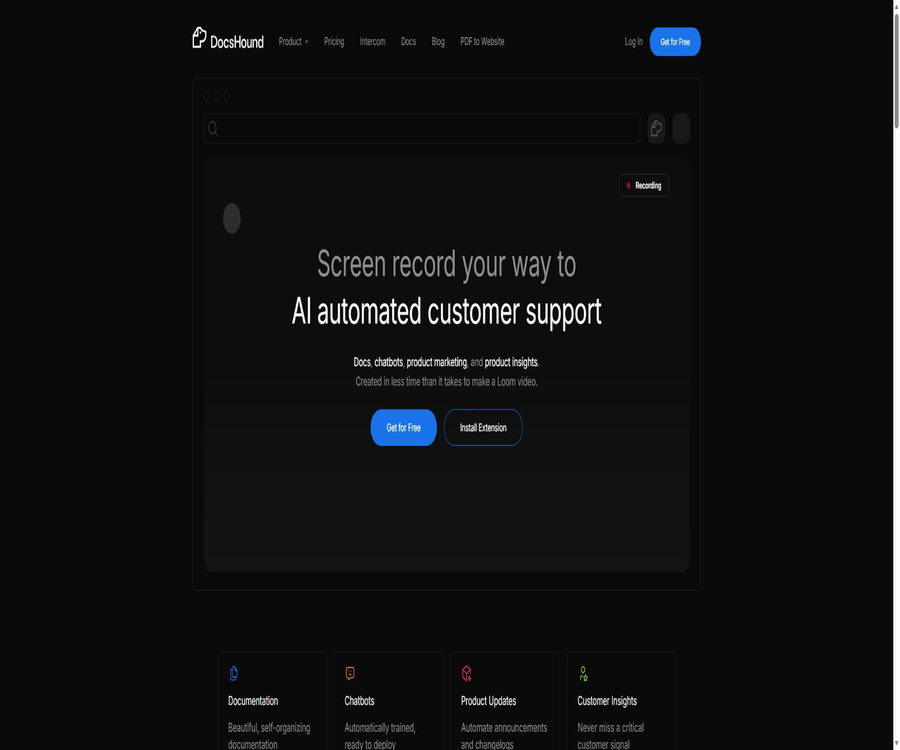
DocsHound | Demo to Docs AI Platform
DocsHound | A demo of the Docs AI Platform, an intelligent tool focused on AI-driven document processing
Tags:AI document toolsA one-sentence summary
DocsHound is an AI platform for \"converting demonstrations into documents\": users record a sequence of actions on a web page, and the system extracts the key steps, creates annotated screenshots and structured texts; the content thus generated can continuously supply knowledge to chatbots.
Tool Introduction
DocsHound is operated by the American company DocsHound, Inc., and it serves teams that need to maintain product documentation, help centers, and customer self-service resources quickly. It integrates content collection, AI-assisted drafting, visual editing, publishing, chatbots, and user insights within a single workspace.
It is not an ordinary tool for converting screen recordings into text. Its visual learning process identifies the elements of a web interface as well as the interactive points; it automatically selects screenshots, adds highlights, and organizes the steps to be followed. After that, a editor reviews the content before it is published.
Core working method
| Phase | User input | System processing | Final product |
|---|---|---|---|
| Collection | Screen demonstrations, screenshots, audio, outlines, or old documents | Identify operations, interfaces, and semantics | Editable content draft |
| Organize | Product terminology and brand requirements | Generate titles, steps, screenshots, and instructions | Structured operation guide |
| Edit | Manual modification and component selection | Assist with polishing, reorganizing, and saving versions | Branded knowledge base articles |
| Publish | Domain name, theme, and access settings | Create a document site and synchronize the content. | Public or protected help centers |
| Activate | Published knowledge and chat records | Train Q&A assistants and extract signals | Customer service robots and insight reports |
Main functions
Demonstrate automatic document conversion
After recording the operations on a product using a Chrome extension, DocsHound captures the key interactions and generates step-by-step instructions. The extension understands the structure of web pages directly, which makes it more suitable for documenting software workflows in a browser, rather than trying to determine where to click based solely on what is visible in the video.
Automatic screenshotting and interface highlighting
The system automatically captures images at key points of operation and adds visual annotations to the relevant controls. Editors do not need to crop each image individually or draw frames by hand, but they should still check the highlighted areas and any sensitive information before publishing.
Multiple content creation options
- Record product demonstrations and convert the actual operations into step-by-step documentation.
- Upload an existing screenshot, and the AI will generate an article along with an explanation.
- Import old documents to convert their existing content into a maintainable structure.
- Use voice narration to have the system organize the process and wording.
- Enter an outline for expansion, or start editing manually from a blank article.
Visual Block Editor
The editor uses a block-based structure similar to that of Notion, and it supports headings, lists, tables, tooltips, code blocks, images, videos, and embedded content. Teams can drag and drop components to reorganize them, and they can use AI to generate content, refine it, or change the way it is presented.
Branded release
The platform offers real-time previews, options for setting colors and fonts, as well as the ability to configure logos and site icons; it can also generate title structures optimized for search engines. Paid plans provide additional features such as the ability to use a custom domain name, remove brand identifiers, and define custom subpaths.
Document version and restoration
The document supports version history and restoration, making it suitable for tracking changes in product features. After a product update, the affected processes can be demonstrated again, and the relevant sections can be revised while keeping all other content intact.
Automated training of chatbots
With each release, the latest documents are synchronized with the team’s AI assistant, enabling the robot to answer questions based on the current knowledge, provide contextual assistance, and trigger human intervention when necessary. The avatar, name, and welcome message can be customized according to the brand.
Customer service, in-app, and sales robots
Robots can not only be placed in help centers but also used for guidance within products and for answering questions related to sales on official websites. Different solutions offer varying types, numbers, and deployment capabilities of robots; it is therefore necessary to check these details based on the specific channel being used.
Feedback workflows and user insights
The platform can convert chat history into various signals such as content gaps, user behavior, feature requests, and error reports. The premium package offers analysis panels and regular insight reports to help teams decide which documents should be updated first.
Content export
DocsHound allows for the export of content in Markdown format as well as in plain text, which facilitates backup, migration, or the integration of that knowledge into other internal systems. However, export does not constitute a complete migration; themes, robot configurations, and analysis data may need to be processed separately.
Which users are it suitable for
- SaaS product team: Use live demonstrations to quickly create feature descriptions and post-release update documents.
- Customer Success and Support Team: Create a self-service help center to reduce repetitive tickets and identify knowledge gaps.
- Product Marketing Team: Transform the operational procedures into tutorials, announcements, change logs, and sales support materials.
- Internal operations team: Turns cross-departmental processes, training steps, and standard operating procedures into searchable knowledge.
- Early startup teams: Established the first product knowledge base fairly quickly, in the absence of full-time technical writers.
Situations that are not very suitable
- A team dedicated solely to developer documentation, providing references for code interfaces, automatically generating function signatures, or OpenAPI pages.
- Organizations with extremely high sensitivity that require all data to be processed entirely offline and that can only have their systems deployed on their own servers.
- Document objects are primarily found in desktop software, native mobile applications, or interfaces that cannot be accessed via browser extensions.
- For individuals who only need to record a screen or take simple screenshots once, and who do not require the ability to publish knowledge bases or use chatbots.
- Teams that cannot accept the possibility of customer content being used for AI model optimization.
Usage tutorial
Generate the first document from the product demonstration.
- Register a workspace and create a Guide, first deciding whether the content is intended for external customers or internal members.
- Install a Chrome extension and choose to record tabs, windows, or the entire screen.
- Perform the operations as if you were demonstrating them to a colleague, and add voice explanations to provide additional context about the task.
- Wait for the system to generate the title, steps, screenshots, and highlights, then check each action in the editor.
- Remove sensitive content such as accounts, keys, and customer data, and standardize terminology, tone, and brand style.
- Preview the desktop and mobile versions to check the links, permissions, and robot responses before publishing.
Create articles using screenshots or outlines.
- In the option for creating new content, choose between screenshot, importing a document, audio narration, or outline mode.
- Upload the materials and specify the target audience, prerequisites, purpose of the operation, and desired outcomes.
- Enable AI-assisted drafting, allowing the system to generate the chapter structure and step-by-step instructions first.
- Add information on exceptional situations, permission differences, version differences, and access to manual support.
- After fact-checking and language polishing, the article is assigned to the appropriate Guide and published.
Deploy and optimize chatbots
- First, release a set of comprehensive documents that cover common issues, so as to prevent the robot from providing answers based on fragmented drafts.
- Configure the robot’s name, avatar, initial message, as well as the use cases for support, within the application, or for sales purposes.
- Test the answers using real customer questions to check whether expired procedures are referenced or constraints are overlooked.
- Define an escalation path for complex issues, and connect it to the ticketing or analysis tools supported by the current plan.
- Regularly check the chat history, any missing content, and insight reports; after making corrections to the document, republish it for synchronization.
Price comparison and package comparison
DocsHound offers a free version, team subscriptions, and enterprise quote options. The table below shows the monthly pricing displayed on the public pricing page; fees, trial terms, additional services, and the currency used for billing are specified on the account purchase page.
| Package | Public price | Number of Guides | Edit members | Key capabilities |
|---|---|---|---|---|
| Basic | $ | 1 | 3 people | Demonstrate document conversion, public document sites, AI-powered robots, automatic branding, and content export. |
| Starter | $ | Up to 2 | 10 people | Custom domain names, in-app sales bots, brand enhancement, ticket integration, analysis panels |
| Growth | $ | Up to 5 | 20 people | Remove brand, manual import assistance, product update page, weekly insights, end-user authentication, custom subpaths |
| Enterprise | Custom quote | Customization | No restrictions | Complete migration, dedicated customer success support, custom roles, SAML single sign-on, availability agreements, and security audits |
What can you do with the free version?
Basic is suitable for individual projects and functional testing; it allows you to create a guide, publish public documents instantly, and make use of basic AI-powered bots. It does not offer custom domain names, and its capabilities in terms of brand control, collaboration scale, and analysis are relatively limited.
Notes on trials and subscriptions
The Starter and Growth pages provide access to a trial version, but the public pages do not clearly indicate the number of days available for the trial, whether payment is required, or any information regarding automatic renewal. Before starting the trial, it is necessary to check the duration, cancellation options, and rules related to excess usage on the billing page.
Differences in versions and capabilities
| Ability | Basic | Starter | Growth | Enterprise |
|---|---|---|---|---|
| Custom domain name | Not supported | Support | Support | Support |
| Robot types | Support for robots | Add in-app and sales robots | Advanced AI capabilities | Customization |
| Insight Report | Foundation | Monthly | Weekly | Customization |
| End-user authentication | Not supported | Not supported | Support | Supported and customizable |
| Single sign-on | Check Google or Microsoft capabilities per page. | Check by page | Check by page | Add SAML and custom providers |
| Brand logo | Retain | Enhanced control | Removable | Removable and customizable |
| Security and Service Agreement | Standard | Standard | Advanced | Customizable review and availability agreements |
Integration, API, and open-source status
The public pricing page lists integrations such as Intercom, PostHog, Google Analytics, and CookieYes, while HubSpot, Zendesk, Slack, and SMS capabilities are marked as upcoming. The available packages and configuration options for each integration depend on the actual interface of the workspace.
| Project | Current status | Explanation |
|---|---|---|
| Public API | It has not been officially opened yet. | The pricing page clearly indicates that the feature is upcoming and should not be presented as an existing feature. |
| Official SDK | No public SDK was found. | There is not enough public evidence to support direct installation or invocation. |
| Official GitHub project | No official open-source repository for the product was found. | It cannot be used as evidence to conclude that the platform’s source code is open. |
| Open-source product | No | DocsHound is a hosted commercial software service. |
| Content export | Support | Markdown and plain text can be exported, but this does not mean that access to the platform’s source code is available. |
Support for platforms and input/output.
| Type | Supported content | Instructions for use |
|---|---|---|
| Web platform | Workspace, Editor, Publishing & Analysis | Main management entry point |
| Chrome extensions | Record web page operations and voice explanations | It is particularly suitable for demonstrating browser products. |
| Enter | Screen demonstrations, screenshots, audio, outlines, old documents | The AI structured process can be accessed through different entry points. |
| Document components | Titles, lists, tables, pop-ups, code, images, videos, embeds | Adjust through the block editor |
| Output | Document site, help articles, chatbot, insights, Markdown, plain text | It can be published as well as exported. |
Product advantages
- Convert regular product demonstrations into maintainable documents, reducing the need for screenshots, annotations, and rewrites.
- Documents, robots, and insights share the same knowledge base; once updates are released, the context of questions and answers is synchronized.
- It supports various ways of creating drafts and block editing, allowing for both automatic generation and room for manual refinement.
- It covers domain names, brands, search structures, access control, and analysis, making it suitable for creating a formal help center.
- Chat records can reveal knowledge gaps, errors, and functional requirements in reverse, thus creating a closed loop for document maintenance.
Usage restrictions and precautions
- The steps, screenshots, and product terminology generated by AI may contain errors; they must be reviewed by someone familiar with the product before being published.
- Browser recording may capture customer data, account information, or the internal interface; sensitive data should be removed before starting the recording.
- Basic supports only one guide and does not allow the use of custom domain names; its cost is significantly higher than that of simple screen recording tools for large teams.
- Tools such as API, HubSpot, Zendesk, Slack, and SMS are still marked as upcoming on the public page, and cannot be purchased with their current features available.
- The terms state that the service is hosted in the United States, and legal and security assessments must be carried out prior to any use of cross-border or regulated data.
- The platform was not designed for compliance with industry standards such as HIPAA, FISMA, or GLBA; therefore, organizations involved should not upload regulated information directly to it.
- Services and prices may change, and there is no guarantee of uninterrupted service; important documents should be exported regularly and backed up separately.
Privacy and content rights
The privacy policy states that the platform processes data related to accounts, payments, devices, logs, usage patterns, location, and cookies; payments are handled by third-party payment services. The website also makes use of behavior analysis, heat maps, and session replay technologies. Before implementation, it is necessary to assess the relevant requirements regarding notification and consent.
The user retains ownership of the content they upload, but the current terms permit DocsHound to use the guides, manuals, and frequently asked questions created or uploaded by customers for the improvement of its AI models, granting a non-exclusive, royalty-free, perpetual license for this purpose. Sensitive or contractually restricted materials must first undergo internal approval, and the company must confirm the arrangements regarding data processing and storage.
Purchase recommendations
| Demand | It is recommended to choose | Reasons for the judgment |
|---|---|---|
| Individual trial or single public guide | Basic | No monthly fee; it enables verification, creation, publishing, and basic robot functionality. |
| Small products and support team | Starter | Custom domain names, collaboration, analytics, and multi-channel bots are required. |
| Support for multiple products or large-scale clients | Growth | More guides, certifications, weekly reports, brand removal, and manual migration are needed. |
| Strict access controls, single sign-on, and legal review | Enterprise | Custom roles, SAML, service agreements, and security assessments are required. |
| Only API or privatization is required. | Suspend procurement | The public API is not yet available, nor are there any public plans for privatization. |
Basic information
| Project | Content |
|---|---|
| Tool name | DocsHound |
| Operating entity | DocsHound, Inc. |
| Tool type | AI document generation, knowledge bases, AI customer service, and product insights |
| Price pattern | Free version, monthly subscription, custom enterprise quotes |
| Is registration required? | Creating, editing, and publishing content requires an account. |
| Is Chinese supported? | It is possible to create and edit content in Chinese; the interface and supporting materials are primarily in English. |
| Whether API is provided | The publicly available pricing page is marked as upcoming. |
| Is it open source? | The product is not open-source; no official SDK or repository containing the product’s source code has been found. |
| Main platforms | Web platforms and Chrome extensions |
Frequently Asked Questions
Is DocsHound free?
There is a free Basic plan that includes a guide, a documentation site, the ability to convert demonstrations into documents, basic AI-powered chatbots, and content export functions. Custom domain names, additional guides, and advanced analysis features require payment.
Can it generate screenshots automatically?
Yes. When recording web page interactions, the system automatically takes screenshots at key moments and adds highlights, but manual verification is still required for cropping, annotations, and privacy-related details.
Can I publish using my own domain name?
Yes, that’s possible, but custom domain names are available starting with the Starter plan. The Growth plan offers more advanced deployment controls, such as custom subpaths and end-user authentication.
How do chatbots update their knowledge?
Robots operate based on the documents that have been published, and their context is updated with each new publication. The team should review the articles before publishing them, in order to prevent incorrect drafts from being sent to users.
Does DocsHound provide an API?
The current public pricing page still lists API access as something that will be launched soon, so it cannot be considered to be officially available yet. Teams that need system integration should first confirm the launch date and commercial terms with the authorities.
Is it an open-source tool?
No. DocsHound is a hosted commercial platform, and no official repository showing that its code is open source has been found; the ability to export content does not equate to the platform being open source.
Will the uploaded content be used for training?
The current terms stipulate that the guides, manuals, and frequently asked questions created or uploaded by customers can be used for the training and optimization of AI models. Companies should determine what can be uploaded, taking into account data classification, confidentiality obligations, and contractual requirements.
Summary
The key advantage of DocsHound is that it transforms those who are capable of demonstrating a product into efficient contributors to documentation, enabling such documentation to serve as a resource for help centers, chatbots, and product insights. For browser-based SaaS applications and teams that work in fast iteration cycles, it represents a more comprehensive knowledge management platform than simple screen recording.
When making a purchase, it is important to check the number of guides, the editors involved, the custom domain names, robot deployment options, authentication mechanisms, and the frequency at which insights are provided. If the business relies on APIs, private infrastructure, or strict data isolation, it is necessary to obtain clear confirmation regarding the product and the terms of the contract before making the purchase.
A tool similar to DocsHound | Demo to Docs AI Platform




 Guigong Network Security Registration No. 45132202000164