






Baidu Wenku AI
A domestic AI office assistant that combines document creation, intelligent reading, and PPT generation.
Tags:AI document toolsWhat is Baidu Wenku AI?
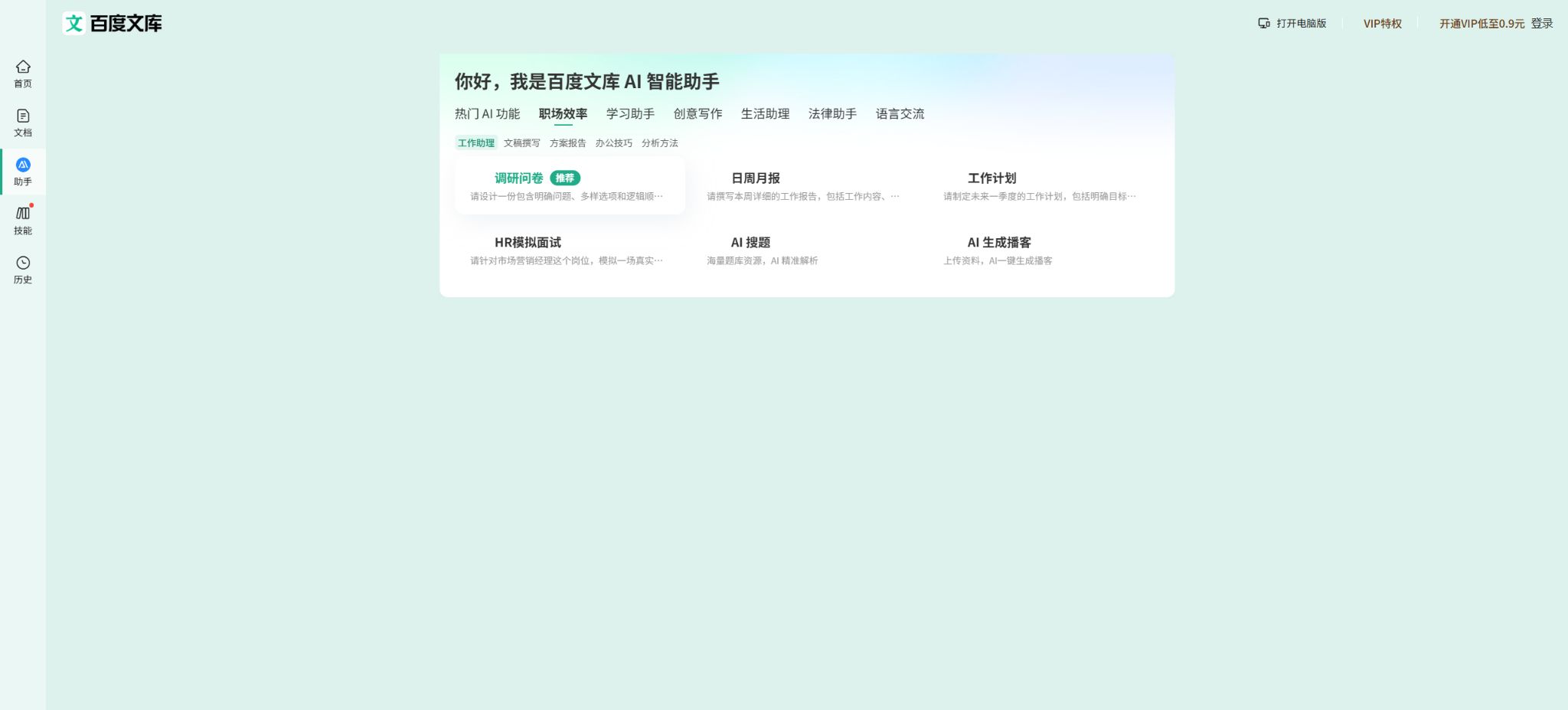
Baidu Wenku AI is a one-stop tool for content retrieval and creation provided by Baidu Wenku, combining document search, AI-powered Q&A, content generation, online editing, and document management in a single platform. Users can not only search for materials in the database but also create new content based on specific topics, existing documents, or uploaded files.
Its focus is not on simple chat-based Q&A, but rather on providing documents, presentations, posters, mind maps, and research reports related to work and learning. It allows for integration between the web version, mobile version, and personal database, making it suitable for users who need to consult materials while working on finished products.
Main functions of Baidu Wenku AI
- AI All-in-One Questioning:Search for information using natural language, ask follow-up questions, and organize answers or create text based on the requirements.
- AI-generated PPTs:Enter a topic, upload reference documents, or select a template to generate an outline, page text, images, and layout.
- AI writing:Generate reports, plans, summaries, notices, speeches, learning materials, and other structured documents.
- Document Summary and Q&A:Extract the key points of long texts, and pose questions, identify information, and explain concepts based on the content of the documents.
- Smart editing:Perform continuation, expansion, rewriting, polishing, formatting, as well as search and replacement in documents.
- Multiple document reference:Combine library materials or multiple uploaded files to provide context for PPTs, reports, and articles.
- Poster and image creation:Create poster copy and visual concepts based on the theme, and continue to edit the text and images.
- Mind map:Organize topics or documents into a hierarchical structure, which is suitable for learning and review, meeting summaries, and breakdown of plans.
- Database management:Save viewed, bookmarked, downloaded, and uploaded content, and use folders to organize your profile.
- Document tools:It offers conversion to formats such as Word, PDF, and PPT, as well as functions for merging, splitting, compressing, OCR processing, and setting the print orientation.
- Content resources:Search for office templates, teaching materials, past exam questions, contract templates, professional reports, and other documents.
- Voice and mobile tools:The mobile version also offers additional features such as voice transcription, photo-to-text conversion, word lookup via scanning, and translation.
Comparison of AI creation tools
| Tools | Suitable for input | Main output | Typical scenarios |
|---|---|---|---|
| AI All-in-One Questioner | Questions, keywords, information needs | Answers, information, and results of creative work | Quickly search for information and complete the first draft. |
| AI-generated PPTs | Topics, documents, templates | Outline and full presentation | Reports, courses, roadshows, and summaries |
| AI writing | Topic, requirements, references | Structured Word-oriented documents | Plans, summaries, official documents, and articles |
| Document summary Q&A | Library documents or uploaded files | Summary, Key Points, and Answers to Questions | Reading reports, papers, and lengthy documents |
| Posters and images | Theme, copywriting, reference images | Posters and visual content | Event promotion and social media materials |
| Mind map | Theme or long article | Hierarchical knowledge structure | Review, planning, and meeting organization |
Baidu Wenku membership and prices
Baidu Wenku operates on a free-of-charge basis, offering both individual member accounts and institutional resource libraries; the number of AI queries allowed, download privileges, and access rights to documents may vary. Promotional rates, prices for new users, auto-renewal fees, and different payment options are subject to frequent changes, so it is necessary to check the details of the current account plan and the total amount due before making a purchase.
| Version | Price method | Suitable for | It is necessary to confirm this carefully. |
|---|---|---|---|
| Free users | Free | Occasionally search for, read about, and try out AI. | Limits on the number of AI operations, previewing, copying, downloading, and exporting |
| Library VIP | Monthly card, continuous monthly subscription, or long-term plan | Frequent searching for information, downloading, and using document tools | Scope and number of downloadable documents, AI privileges, and renewal price |
| iOS Continuous Monthly Subscription | The official help page indicates a cost of 30 yuan per month for verification. | Individual users who subscribe through Apple | Turn off automatic renewal at least 24 hours in advance; the actual amount is subject to the Apple subscriptions page. |
| Rights related to AI-generated content | It may be available depending on the member, event, or individual quota. | Frequently create PPTs, Word documents, and visual content. | The number of times each task is performed, the number of pages, as well as the rules regarding export and commercial use |
| Repository of institutional or corporate resources | For annual subscription based on the number of users, contact us for a quote. | Schools, libraries, enterprises and institutions | Number of accounts, scope of resources, concurrency, services, and procurement contracts |
Being a member does not mean unlimited access to all the content on the site or to all AI functions; some documents may require separate permissions, and certain creation tasks might be subject to limits on the number of times they can be performed or on the amount produced. Before purchasing a long-term plan, it is advisable to first use a short-term option to test the most common processes for downloading, generating, and exporting content.
What is the difference between Library members and those with AI privileges?
| Type of equity | The main problems to be solved | Common restrictions |
|---|---|---|
| Document resource rights and interests | Reading, copying, downloading, or saving the content of the library | Different document types may result in different numbers of downloads. |
| Rights related to AI-generated content | Create PPTs, Word documents, posters, mind maps, and other content | Limits may be set based on the number of times, pages, tasks, or activities. |
| Document tool benefits | Format conversion, OCR, merging, splitting, and compression | The file size, number of pages, number of copies, and format may be restricted. |
| Database and synchronization | Upload, save, categorize, and access materials on multiple devices | Storage space, file types, and the size of individual files may be limited. |
| Institutional Resource Repository | Provide document resources uniformly for all organization members. | Managed based on the number of authorized users, scope of access, and contract duration. |
Tutorial for creating PPTs with AI
- Specify the purpose:First, clarify the audience for the report, the duration of the presentation, the number of pages, the tone to be used, and the desired outcomes.
- Select input:You can enter the topic directly, or upload reports, lecture notes, or existing PPTs as references.
- Generate outline:First, check the order of sections, the arguments presented, and any gaps in information; do not create the final page yet.
- Select template:Choose the layout, style, and color scheme based on business, educational, presentation, or event scenarios.
- Generate page:Have the system combine the title, text, orientation of charts, and accompanying images, and check each page individually.
- Manual editing:Compress long passages of text, replace inaccurate data, and standardize terminology, fonts, and visual hierarchy.
- Playback demonstration:Preview the animation and image clarity, page aspect ratio, and file compatibility before downloading.
Document Summary and Q&A Tutorial
- Select the library materials you have permission to use, or upload local files to your personal database.
- First, have the AI list the document’s topics, sections, and key conclusions to confirm that it has indeed read the entire content.
- It is required to mark the key numbers, figures, dates, definitions, and the locations in the original text to facilitate manual verification.
- Ask questions about complex materials chapter by chapter; do not include multiple unrelated questions in the same instruction.
- Enable AI to distinguish between facts in the original text, the author’s opinions, and the model’s predictions, thereby reducing the risk of mistaking assumptions for facts.
- Organize the confirmed content into summaries, mind maps, outlines, or new documents, and then carry out final editing.
Tutorial for using AI for writing
- Select document type:Determine whether it is in the form of a plan, summary, notification, report, speech draft, or another format.
- Additional background:Provide the audience, objectives, factual material, tone, length, and key points that must be included.
- First, create an outline:Check whether the structure corresponds to the actual business processes, and then generate the text section by section.
- Reason for inclusion:Replace the generalized content generated by the model with one’s own data, systems, and examples.
- In-text editing:Use expansion, abbreviation, rewriting, and polishing to work on specific parts, rather than rewriting the entire text over and over again.
- Fact verification:Check each item carefully: names, dates, numbers, regulations, quotes, and references.
- Export final version:Standardize the headings, numbering, tables, and page format, then save it in the desired file type.
Which users are suitable for Baidu Wenku AI?
- Workplace users:Prepare weekly reports, summaries, plans, policies, meeting materials, and presentation PPTs.
- Teacher:Search for lesson plans, teaching materials, and questions, and organize the syllabus and presentation slides.
- Student:Organizing course materials, creating mind maps, reading long texts, and preparing for presentations.
- Content creator:Complete the collection of materials for the topic selection, the outline of the article, social media content, and visual materials.
- Administration and Human Resources Team:Handle notifications, recruitment, training, systems, and common office templates.
- Schools and enterprises:Uniform access rights to materials are assigned to members through the institutional resource repository.
Product advantages
- Put large-scale document resources and AI-powered creation under the same interface to reduce the need to switch between tools.
- It supports various starting points for creation, such as themes, library documents, and files uploaded by users;
- The output formats include documents, PPTs, posters, images, and mind maps;
- It allows for further online editing, format conversion, export, and data management after it has been created;
- Data can be synchronized across web versions, apps, and mini-programs, making it suitable for use on different devices.
- Taking into account both individual and organizational procurement scenarios, organizations can activate resource libraries based on the number of users.
Usage restrictions and precautions
- AI may fabricate facts, references, data, or sources; important information must be verified against the original source.
- The content of the library is provided by various authors and institutions, and there are differences in quality, timeliness, and licensing terms.
- Member benefits vary depending on the document type, channel, number of downloads, and ongoing promotions; unlimited downloads across the entire site cannot be assumed as a default setting.
- AI-generated PPTs may have too much text, inappropriate images, distorted data, and repetitive layouts;
- In fields such as law, medicine, finance, and academia, AI-generated results cannot be used as the final authority.
- Before uploading organizational files, check to ensure they do not contain personal information, trade secrets, or restricted data.
- Automatic renewal needs to be managed through the payment channel; uninstalling the app does not automatically cancel the subscription.
Copyright, Privacy, and Content Publication
Before uploading documents, images, templates, and other materials, users must have the appropriate rights or authorization to do so. Publishing content publicly differs from uploading it to a personal database; when dealing with organizational documents, personal information, and confidential data, it is preferable to use private storage and to comply with the organization’s rules and procedures.
- Do not upload pirated textbooks, paid reports, other people’s papers, or unauthorized commercial templates;
- When citing content from a library, it is necessary to verify the author, the original source, and the permitted ways of use;
- Check AI-generated content for facts, copyright issues, biases, and sensitive information;
- When using personal photos, brand logos, and images from third parties, separate authorization must be obtained;
- In the event of discovering infringing documents, the platform’s reporting mechanism or the process for the rights holders to claim ownership should be used to deal with it;
- Do not use third-party download scripts to bypass membership restrictions, or to copy or download content that is restricted.
Baidu Wenku AI Open Source and API Documentation
Baidu Wenku’s AI platform and its core generation models are not open-source products; the official website does not offer ordinary developers any guarantees regarding the availability of consistent and stable library content or AI creation APIs. The library downloaders, scraping scripts, and so-called interfaces available on GitHub are mostly third-party projects, and cannot be considered part of Baidu’s official capabilities.
The official team behind Baidu Netdisk released the AI PPT personal version of Baidu Wenku, a tool designed to support the relevant skill ecosystem; however, this does not mean that the entire Baidu Wenku platform is open source. Before deploying it, developers need to examine separately the code of this Skill, its license terms, login procedures, permissions, and any service dependencies.
Frequently Asked Questions
Is Baidu Wenku AI free?
It is possible to view and try out certain materials and AI functions for free, but the number of times content can be generated, as well as options for downloading, copying, exporting, and using document tools, may be limited. Frequent use usually requires a membership or corresponding privileges.
Can Baidu Wenku AI generate PPTs?
PPTs can be created from topics, library materials, uploaded documents, or templates, after which the outline, page content, images, and layout can be further adjusted. Before presenting formally, it is still necessary to manually verify the facts and the design.
How much does it cost to be a member of Baidu Wenku?
The package price can vary depending on new customer promotions, monthly subscription plans, the purchase channel, and account privileges. The official iOS renewal assistance page indicates a price of 30 yuan per month, but the actual amount to be paid for purchases and renewals should be based on the pricing shown on the current settlement page.
Can members download unlimitedly after activation?
It cannot be generalized; different document types may have varying rules regarding downloading, copying, and saving. Before making a payment, it is necessary to check the number of times and the range of resources specified in the package.
Can AI-generated content from Baidu Wenku be used for commercial purposes?
It is necessary to consider the current service agreement, the rights related to the materials used, and the specific context in which they are to be published. Being a paid member does not automatically grant permission to use the original texts from the database, templates, character images, or third-party materials for commercial purposes.
Does Baidu Wenku AI have an official API?
At present, the public product page does not offer universal library content or AI creation APIs for ordinary developers. Third-party scraping or downloading scripts are not official interfaces, and they may also violate access and copyright rules.
Tools similar to Baidu Wenku AI




 Guigong Network Security Registration No. 45132202000164