






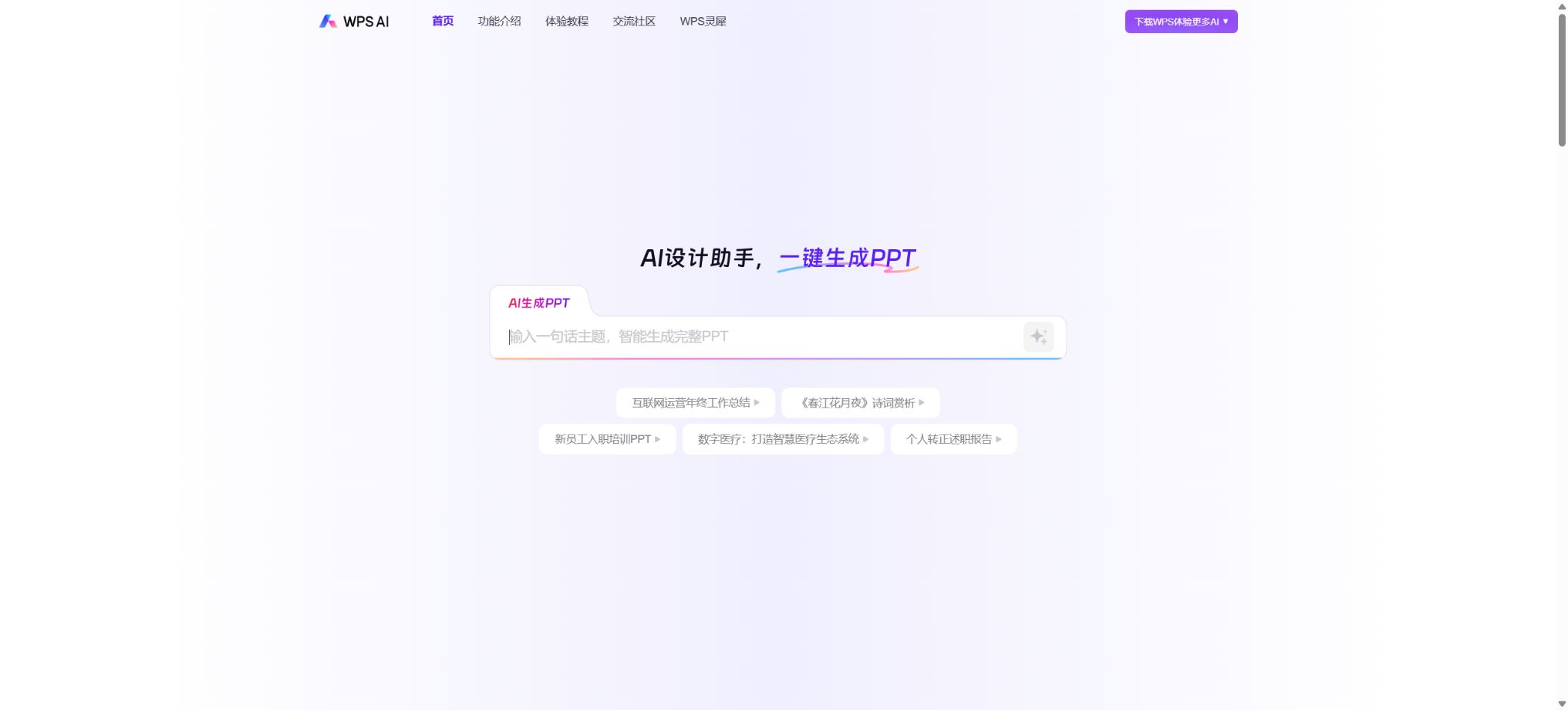
WPS AI
A domestic AI office assistant that is fully integrated into text, tables, presentations, and PDF documents.
Tags:AI document toolsWhat is WPS AI?
WPS AI is an AI-powered office assistant developed by Kingsoft Office and deeply integrated into WPS Office. It is not a separate chat application that needs to be installed; rather, it appears directly within WPS Text, Presentation, Spreadsheet, PDF, and Smart Document tools, enabling users to carry out tasks such as writing, reading, designing, and data analysis while editing their current files.
Individual users can try out the new version of WPS Office, while companies can benefit from WPS 365 for tasks such as organizational collaboration, knowledge management, security control, and enterprise-level AI capabilities.
As of this verification, WPS AI categorizes its functions into four types: AI writing assistant, AI reading assistant, AI design assistant, and AI data assistant. The new version of the dialogue interface also supports multiple rounds of conversation, awareness of the current document, writing suggestions, and document review.
The previous description, which only mentioned “creating articles and PPTs,” is no longer sufficient to reflect the current capabilities in terms of tables, PDFs, formatting, collaboration, and corporate knowledge.
AI writing assistant
- AI-assisted writing:It recommends the next sentence in real time based on what has been written earlier; the recommended text is displayed in light color. Users can accept it by pressing Tab, or they can switch to alternative suggestions. It is suitable for writing reports, plans, and long texts continuously.
- Help me write:Enter a topic to generate an outline, paragraphs, or a full text; you can also use prompt optimization and inspiration templates to create weekly reports, official documents, contract descriptions, marketing copy, and more.
- Help me revise it:It allows for refining, expanding, abbreviating, correcting errors, and changing the style of the selected text; it also enables switching between formal, casual, colloquial, party-related, or classical styles of expression.
- Document review:Check for logical, structural, and wording issues, and ask multiple questions related to the current document in order to reduce the need for copying and pasting responses.
Text generated by AI may still contain factual errors, outdated information, or inappropriate expressions. Contracts, official documents, financial statements, medical records, and public announcements must be reviewed by professionals; smooth language does not necessarily mean that the content is accurate.
AI reading and PDF Q&A
The reading assistant can generate full-text summaries, identify key points, and answer questions based on documents in WPS Word, PDFs, and smart documents. The answers to questions include references to the exact locations in the original text, allowing users to go back and verify those details; it is suitable for reading reports, papers, regulations, contracts, and meeting materials.
The word-marking function allows for the explanation, translation, and annotation of terms or sentences, taking the context into account to determine their meaning.
Citing specific locations enhances verifiability, but errors in scanning images, complex tables, as well as the absence of headers, footers, and context can still affect the accuracy of the responses. Important conclusions should be checked by referring back to the original page.
Before uploading information that contains personal data, trade secrets, or confidential materials, it is also necessary to verify the account settings, cloud storage options, and organizational security policies.
AI-powered PPT creation and design assistant
In WPS Presentation, users can enter a theme, paste an outline, or upload a document; the AI will then generate the structure, content, and entire set of slides. Users can further edit the details of each slide, expand on the key points, and change the template. It is ideal for quickly creating preliminary drafts for reports, lectures, plans, and presentations.
AI formatting can also be used to organize the structure of papers, contracts, official documents, administrative notices, and various other documents; it also supports matching styles based on example texts.
The final PPT version still requires checking the data, hierarchy, template copyrights, image licensing, and page density. AI can shorten the time needed to go from a blank document to a preliminary draft, but brand guidelines, the narrative structure, and the pacing of the presentation usually still need to be adjusted manually.
AI tables and data analysis
- AI for writing formulas:Describe computing requirements in natural language to automatically generate formulas; it can also explain the meaning of multi-level nested functions and parameters.
- AI conditional formatting:For example, enter “Highlight the cells with sales amounts over 100,000”, and the AI will carry out the corresponding operations on the table.
- Data verification:It helps to identify missing values, outliers, duplicates, and formatting issues.
- Dialogic analysis:Ask questions related to sales, operational, or survey data to generate summaries, insights, predictions, and charts.
Table AI can lower the barriers associated with formulas, but it cannot replace data governance. Before using it, it is necessary to determine the meaning of the fields, their units, dates, filtering criteria, and the statistical methods to be applied.
After the formula is developed, it must be tested through sampling, and the predicted results should not be used directly in financial or operational decisions.
On what platform is it used?
WPS AI is provided alongside WPS Office; it is available for Windows and macOS, and offers certain functions through WPS’s web interface, mobile apps, as well as HarmonyOS. Most of the writing, reading, PPT, and formula-related functions are the same on Windows and macOS, but there are differences in some features related to presentations, conditional formatting, and data analysis across these different systems.
If the entry point cannot be found, first update the WPS version and log in to your account, then check the AI tab located in the upper right corner of the text, presentation, spreadsheet, or PDF file.
Common file formats include DOC/DOCX, PPT/PPTX, XLS/XLSX, PDF, and intelligent document formats. The AI functions operate directly on the current document, reducing the need for format conversion; however, complex macros, external data sources, special fonts, and older formats can still affect the results.
Personal version and WPS 365 Enterprise version
The personal version is suitable for writing and reading personal documents, as well as for handling PPTs and tables. WPS 365, on the other hand, is a one-stop office platform designed for organizations; it consists of WPS Office, WPS AI Enterprise Edition, and collaboration tools, and covers cloud documents, intelligent documents, messaging, email, to-do lists, calendars, meetings, address books, and a management dashboard.
Companies can standardize accounts, permissions, and applications, and integrate with systems such as OA, CRM, and ERP through open interfaces.
Enterprise AI is not only focused on generating content; it also addresses issues such as the retrieval of organizational knowledge, user permissions, data security, auditing, and collaboration. WPS 365 offers an experimental version, a business collaboration version, a premium business version, and a flagship business version. The prices vary depending on the number of users, the features included, the AI capabilities, and the deployment requirements, so it is necessary to consult the official sources for accurate pricing information.
Individual membership and AI pricing
| Package or version | Prices, quotas, and core benefits |
|---|---|
| Personal version | The personal version and the WPS365 enterprise personal version are suitable for writing and reading documents, as well as for working with PPTs and spreadsheets. |
| Enterprise Edition | The personal version is suitable for individual use in writing and reading documents, as well as for handling PPTs and spreadsheets. WPS365, on the other hand, is a one-stop office platform designed for organizations; it consists of WPSOffice, the enterprise version of WPSAI, and various collaboration tools, and covers cloud documents, intelligent documents, messaging, email, to-do lists, calendars, meetings, address books, and a management interface. The enterprise version offers account management, permission controls, API access, and organizational-level management functions. |
The basic capabilities of WPS AI usually offer a certain number of free uses per day or a limit on the amount of text that can be generated. Once this limit is exceeded, it may be necessary to subscribe to an appropriate WPS membership level or purchase an AI service package.
The number of AI uses varies depending on whether it is a desktop version, a web version, a mobile version, as well as the membership level; therefore, it is necessary to check on the membership benefits page before making a purchase to determine whether the desired functions are included. Ordinary members, template members, and those with AI benefits should not be considered as part of the same package.
As a verifiable reference for base prices, the current price of the individual membership version of Kingsoft Document is89 yuan per person per yearIt offers 100GB of cloud storage space as well as additional benefits related to cloud documents; however, this does not equate to a single annual fee for all WPS AI functions.
The official WPS membership website also shows information regarding WPS Premium members, Super Members, student discounts, and corporate purchases; different account types will display corresponding promotional prices.
AI features, quotas, and renewal prices are subject to the settlement page.
WPS 365 Open Platform
Enterprise developers can create custom applications for WPS 365, making use of the server-side OpenAPI, client-side JSAPI, and event callbacks. The available business areas include address books, messages and conversations, cloud documents, workbenches, and Office clients; these capabilities enable account synchronization, single sign-on, department management, message sending, deployment of internal applications, and expansion of office components.
The focus of the open platform is on the integration of office systems, rather than providing an interface through which general large models can be sold to individual developers in the form of tokens. When accessing corporate data, minimal permissions should be granted, application keys must be protected, callbacks need to be verified, and matters such as employee departures, document permissions, and audit logs must be taken into account.
Is it open source?
WPS AI, WPS Office, and WPS 365 are commercial software; their complete source code is not made available to the public, and they should be labeled as non-open source in relevant catalogs. Kingsoft Office offers an open platform, SDKs, APIs, and development documentation, allowing third parties to integrate WPS’s functions, but the provision of APIs does not mean that the underlying models or the office suite itself are open source.
WPS AI Usage Guide
Complete a basic task.
- Identify the audience, purpose, tone, length, and the facts that must be included;
- Enter the topic and the verified reference materials in WPS AI;
- Use an AI writing assistant to create an outline, and then rely on AI reading and PDF Q&A to draft the text in sections.
- Replace generic content with your own data, examples, and terminology;
- Verify facts, citations, keywords, repetitions, and brand tone;
- It is published only after manual editing, plagiarism checking, and approval have been completed.
Create reusable professional workflows
- Create a brand term list, prohibited expressions, and approved sample texts;
- Organize AI writing assistants, AI reading and PDF Q&A tools, as well as AI-powered PPT creation and design assistants into fixed workflows.
- Designate responsible persons for research, the first draft, editing, and fact-checking respectively;
- Randomly check whether the model fabricates numbers, sources, or examples;
- Compare readability, conversion rates, search performance, and rework time;
- The templates and rules are continuously updated based on actual outcomes;
Which users are it suitable for
- Office and administrative staff: Draft weekly reports, plans, official documents, notices, and meeting materials.
- Students and teachers: summarize materials, explain terms, create course PPTs, and organize papers.
- Data and operations staff: Write formulas, clean data, and create analyses and charts.
- Sales and consulting team: Reading reports, preparing client materials, and delivering presentations.
- Enterprise organization: Unified management for office operations, collaboration, knowledge, accounts, and AI security.
- Developers and IT teams: Integrate WPS 365 with OA, CRM, ERP, and internal portals.
Advantages
- AI is integrated directly into text, presentations, tables, and PDFs, reducing the need to switch between tools.
- It covers writing, reading, design, and data analysis as well, not just chat and Q&A.
- It is compatible with common Office and PDF formats, and supports cloud documents as well as multi-user collaboration.
- Personal products, together with the enterprise version of WPS 365, form a complete office solution.
- The Enterprise version offers account management, permission controls, API access, and organizational-level administration capabilities.
Restrictions and Precautions
- AI outputs may contain hallucinations, formula errors, misinterpretations of references, and formatting that does not conform to standards.
- The text of documents should be checked against the original version, formulas in tables should be verified on a sample basis, and the sources and copyrights of data and images in PPTs must be examined.
- Confidential documents, identification papers, customer lists, and unpublished financial data should not be handled in personal accounts without the organization’s permission.
- The capabilities vary depending on the system, version, and membership level, and the authorities also adjust the free quota, available models, and pricing methods.
- Before making a purchase, it is advisable to try the product on regular devices first, and to determine which package includes the AI functions, cloud storage, templates, PDF features, and collaboration tools.
Frequently Asked Questions
Where can I open WPS AI?
Update to and log in to the new version of WPS Office, open a document of type text, presentation, spreadsheet, or PDF, and look for the WPS AI tab at the top or upper right corner; in text documents, you can also invoke the dialog by pressing Ctrl twice in succession.
Is WPS AI free?
The basic features usually come with a daily usage limit; exceeding this limit may require a membership or an AI benefits package. The limits vary depending on the platform and account, as indicated on the current membership page.
Can WPS AI create PPTs?
You can enter a topic, paste an outline, or upload a document to create a complete set of PPTs, after which you can continue to adjust the outline, the content of each page, and the template.
Can WPS AI analyze Excel sheets?
In WPS Spreadsheets and Smart Sheets, it is possible to write formulas using natural language, explain them, apply conditional formatting, verify data, and create analyses and charts.
Is WPS AI open source?
It is not open-source. The vendor provides the WPS 365 open platform, as well as APIs and SDKs for integration, but WPS AI and the full WPS Office product remain commercial software.
Tools similar to WPS AI




 Guigong Network Security Registration No. 45132202000164