






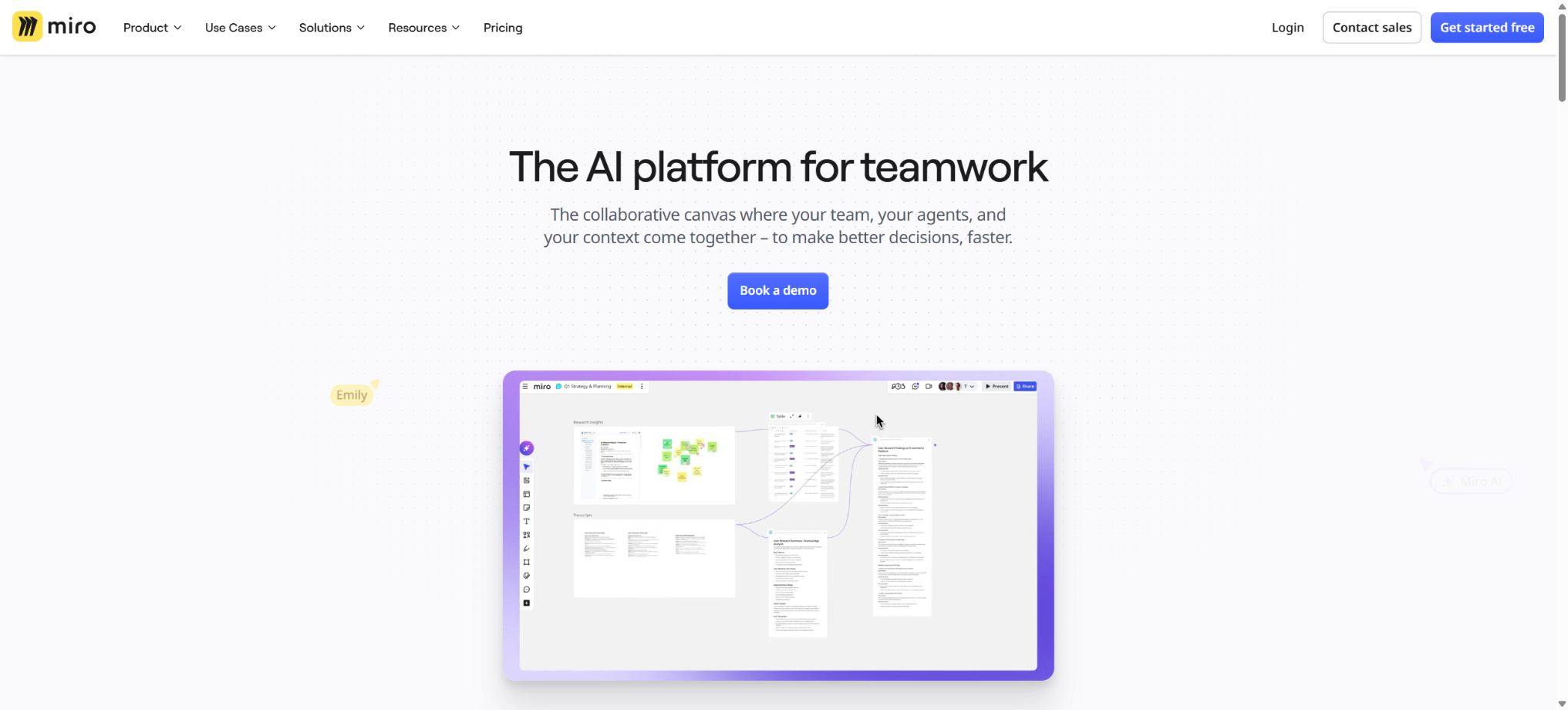
Miro AI
Create, organize, and execute visual AI workflows in a collaborative whiteboard.
Tags:AI mind mapWhat is Miro AI?
Miro AI is an artificial intelligence tool integrated into Miro’s visual collaboration platform. Teams can place interviews, notes, research materials, and meeting discussions on an infinite canvas, after which the AI can perform tasks such as clustering, summarization, content generation, creating charts, documents, slides, and interactive prototypes.
More advanced AI Workflows are composed of Sidekicks and Flows: Sidekick acts as a collaborative partner that understands the context of the canvas, enabling continuous dialogue and adjustments to the results; Flows, on the other hand, connects the elements on the canvas into repeatable multi-step processes, which are used to generate user profiles, journey maps, plans, documents, or product prototypes from raw data.
Core functions
- Note clustering and insights:Organize a large number of notes by keywords, topics, or emotions, identify patterns, summarize discussions, and pinpoint action items.
- Multiple format generation:Create notes, Docs, Tables, Slides, mind maps, flowcharts, and other diagrams from prompts or selected content.
- Sidekicks:Within the same session, the canvas and historical context can be understood, allowing one to switch between formats such as documents, charts, slides, and prototypes in order to continue iterating.
- Flows:Connect multiple AI processing steps into a visual workflow, for example by clustering research data to generate profiles, journey maps, and priority reports.
- Interactive Prototypes:Generate website or application interfaces from text, notes, and reference materials, and create clickable interactive flows to validate product concepts.
- Images and visual content:It enables the creation of images, the modification of content, and the conversion of text into graphical representations; it is suitable for brainstorming and creating initial drafts.
- Miro MCP:AI tools that support MCP are allowed to access authorized Miro content and functions, with different plans specifying daily limits on the number of calls that can be made.
- Collaboration and integration:Advance work by combining comments, voting, timing, Talktrack, video calls, as well as integrations with tools such as Jira, Asana, and Azure DevOps.
Price and AI points
| Package or version | Prices, quotas, and core benefits |
|---|---|
| Free | $ |
| Starter | The annual fee is 8 dollars per member per month, while the monthly fee is around 10 dollars; there are no limits on the number of whiteboards or projects available. Each member receives 25 AI points per month and 500 MCP calls per day. |
| Business | The annual fee is 20 dollars per member per month, while the monthly fee is around 25 dollars; each member receives 50 AI points per month and 2,000 MCP calls per day, and has access to AI Workflows, Agents, interaction prototypes, unlimited workspaces, as well as visitor and SSO features. |
| Enterprise | Quotations are provided starting from 30 members; the AI points begin at 2,500 per month, with 10,000 MCP calls per day. Regional hosting, centralized management, AI control, SCIM, and enterprise support are also available. |
Most basic AI actions cost 1 point each, but generating an image usually requires 3 points; Sidekick prompts cost around 2 points, and Prototype costs 5 points for each screen generated. Slides and multi-screen prototypes have their costs calculated based on the number of items involved.
A fee is charged each time it is regenerated; the amount is not refunded even if the result is canceled or not used.
The consumption of some Sidekick and Flow services is also affected by the complexity of the requests, the context, and the models used. If a higher amount is required, an additional AI Credit subscription can be purchased.
Miro AI Usage Guide
Complete a basic task.
- Specify the presentation topic, objectives, duration, and number of pages;
- Import reliable data into Miro AI and remove any irrelevant or sensitive information;
- Use Note clustering and Insight Generator to create an outline instead of finalizing it directly;
- Generate selection templates, illustrations, and visual hierarchies in multiple formats;
- Check each page for numbers, citations, charts, font sizes, and layout;
- Perform a full-screen preview before exporting in the desired format;
Create reusable professional workflows
- Create brand templates, title hierarchies, and a library of common pages;
- Fix the order of note clustering and insight generation, multi-format output, and Sidekick creation;
- Specify one key point per page and control the text density;
- Assign the review of facts, visuals, and presentation logic to respective responsible persons;
- Test fonts, animations, and proportions on different devices;
- Save the source files, versions, and records of final approval;
Which users are it suitable for
- Product and design teams that conduct user research, brainstorming sessions, and workshops
- A collaborative team for quickly converting meeting discussions into flowcharts, documents, and tasks
- Product managers and prototype designers who need to verify the interaction process before development.
- A consulting and innovation team aimed at establishing repeatable research and planning processes
Data, permissions, and open-source status
Miro AI handles the content of the canvas selected by the user, as well as the prompts and the results generated. The AI interaction data from the free version may be used, in accordance with the official policies, to improve the functions; the enterprise version offers more detailed controls related to the AI provider, prompt management, attribution logging, and overall management.
Whiteboards that contain customer research, personnel information, and trade secrets should have restrictions on external sharing, as well as limits on access for visitors, applications, and MCPs; moreover, the data areas and contracts involved need to be reviewed.
The Miro platform, AI Workflows, and core models are not open-source software. GitHub provides a Web SDK, examples of REST APIs, application templates, and development tools for creating Miro applications; however, it does not include a full whiteboard service or an AI backend.
The MCP connection is also just an authorized way of making calls; it does not equate to private deployment.
Advantages and limitations
- The advantage of MiroAI is that the AI-generated content remains within a canvas that can be moved, edited, and shared, making it suitable for transforming spontaneous ideas into structured outcomes.
- The limitation is that clustering and summarization may oversimplify minority opinions, and charts, prototypes, and research insights might also fail to take constraints into account.
- The team should keep the original notes, mark the content generated by AI, and have the research supervisor verify the samples and evidence;
- Points are deducted based on the results generated, and multi-screen prototypes as well as repeated iterations result in a rapid consumption of points.
- First, clarify the requirements using ordinary notes or Docs, and then create a small number of key screens;
- When real products are involved, it is still necessary to improve accessibility, security, and state logic using professional design tools and coding environments.
Frequently Asked Questions
Is Miro AI free?
Free offers a limited AI experience along with 3 editable whiteboards; for continued use, more whiteboards, and fixed credits, a Starter or higher plan is required.
How many points are deducted per AI prototype?
Usually, 5 points are awarded for each screen generated; generating a new screen or adding more screens will result in further charges.
Does Miro AI support Chinese?
It is possible to generate, summarize, and cluster content in Chinese, but professional terms in Chinese, research findings, and chart labels still need to be manually reviewed.
Tools similar to Miro AI


 Guigong Network Security Registration No. 45132202000164