






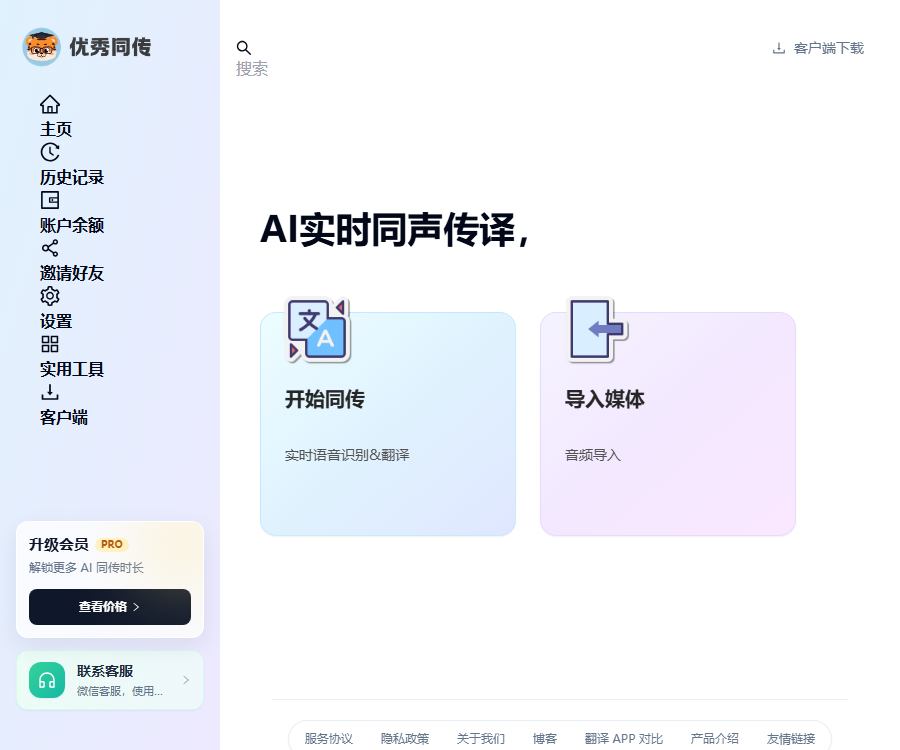
Excellent simultaneous interpretation
Real-time translation and simultaneous interpretation tools based on cutting-edge AI technology
Tags:AI audio toolsWhat is an excellent simultaneous interpreter?
Excellent Simultaneous Translation is a mobile application for simultaneous translation that combines speech recognition, real-time transcription, and machine translation.
It is suitable for travel, studying abroad, conferences, and cross-border communication, but it cannot replace professional human interpreters in formal settings.
Main functions
- Real-time speech recognition during speaking.
- Display the original text and translation simultaneously.
- It supports face-to-face conversations between two parties.
- Translating while speaking reduces waiting time.
- Provides large-font display of the translation.
- Covers a variety of common and lesser-used languages.
- Save and review past simultaneous interpretation records.
- Copy the text to a memo or messaging app.
- Used for meeting transcription and content review.
- Supported on iPhone and iPad.
Supported languages
The official app description lists a variety of common translation directions, including those for lesser-known languages; the actual available combinations are determined by the language list within the app.
| Examples of language direction | Common scenarios | Precautions |
|---|---|---|
| Chinese and English | Business, travel, and study | Professional abbreviations need to be confirmed again. |
| Chinese and Japanese | Traveling, shopping, and socializing | Pay attention to polite expressions and context. |
| Chinese and Korean | Traveling and daily communication | Names of people and places need to be verified. |
| Chinese and Thai | Asking for directions, hotels, and dining | A noisy environment near the microphone |
| Chinese and Arabic | Cross-border communication | Regional expressions may vary. |
| Chinese and Russian | Travel and business | Prepare proper nouns in advance. |
| Other minor languages | Temporary travel communication | It is subject to the current support available. |
Real-time speech transcription
The application converts the audio captured by the microphone into text, and then sends the resulting transcription to the translation process.
- Select the input language and the target language.
- Allow the app to use microphone permissions.
- Start speaking in a relatively quiet place.
- Speak at a natural pace and form complete sentences.
- Observe the transcription of the original text on the screen.
- Pause when a wrong word is detected and rephrase it.
- Verify the key names, numbers, and dates.
Real-time translation
Real-time translation generates the text in the target language after speech transcription; it is suitable for quick comprehension rather than providing legally accurate translations.
- Express one clear idea at a time.
- Avoid having multiple transitions in long sentences.
- Do not allow multiple people to speak at the same time.
- Spelling notes can be provided for names and brand names.
- The amount, time, and address are confirmed again.
- Prepare a bilingual glossary of technical terms.
- The key conclusions were reiterated and confirmed by both parties.
Face-to-face conversation translation
The face-to-face mode is suitable for the two parties to take turns speaking, with large-print translations provided so that the other party can read them directly.
- Select the language to be used by both parties.
- Place the device between the two parties.
- Let the first user finish saying a sentence.
- Wait for the original text and translation to appear stably.
- Face the screen toward the other person to confirm the content.
- Switch to the other party to continue speaking.
- Double-check the numbers and requirements.
- Remove the unnecessary records after it’s over.
Travel translation
Travel scenarios can be used for information on airports, hotels, restaurants, shopping, transportation, and attractions.
| Scene | Suggested expression | Risk warnings |
|---|---|---|
| airport | Indicate the flight, date, and destination. | The boarding information is subject to the official screens. |
| Hotel | Confirm name, room type, and check-in time. | Check the written documents for fees and deposits. |
| Restaurant | Describe the dishes, quantities, and any allergy information. | A formal card is required in case of severe allergies. |
| Shopping | Ask about size, color, and return policies. | The payment amount must be verified manually. |
| Asking for directions | Indicate the location and view the map. | Don’t rely solely on oral translation. |
| Emergency situation | Use the official support channels. | The application is not for consular or emergency services. |
Studying abroad and in the classroom
Students can use real-time transcription to help them understand lectures and discussions, but they must obtain permission from the school and the speaker before recording or transcribing anything.
- Sit in a position near the speaker.
- Enter the course-specific terms in advance.
- Also save the course materials provided by the teacher.
- Consider the transcription as supplementary notes.
- Check the key definitions and assignment requirements after class.
- Do not turn on the recording function in classrooms where it is prohibited.
- Academic citations cannot come from machine-transcribed text.
Meetings and cross-border business
This application can assist with small meetings, communication during exhibitions, and temporary reception, but for formal negotiations, qualified interpreters should still be employed.
- Confirm before the meeting whether participants agree to having their speeches transcribed.
- Select the language direction for the meeting.
- Prepare company, product, and industry terminology.
- Test the network, microphone, and device battery level.
- Participants are asked to take turns speaking clearly.
- Real-time markings require manual confirmation for the content.
- After the meeting, verify the amounts, commitments, and timeline.
- Delete or archive records and control access.
History record
Historical simultaneous translation records facilitate the review of conversations and the organization of key points from meetings, but they also increase the risk that the audio text will be viewed by others.
- Add a clear date and topic to the record.
- Important content should be saved separately in a controlled document.
- Do not use machine translations as contracts directly.
- Delete personal sensitive information before sharing.
- Enable screen lock when leaving the device.
- Remove unnecessary records manually as soon as possible.
- Check the cloud and local data before uninstalling.
Comprehensive tutorial for using excellent simultaneous interpretation software
- Download and install it from the official app store.
- Open the app and complete the necessary login.
- Allow microphone and voice-related permissions.
- Select the input language and the target language.
- Conduct a one-minute test in a quiet environment.
- Check whether the original text was recognized accurately.
- Click Start and speak using short sentences.
- Have the other person read or listen to the translation.
- The two sides take turns in the conversation.
- Reconfirm the name, numbers, and address.
- Check the historical simultaneous translation records after it’s over.
- Copy the text that needs to be retained.
- Delete the content that should no longer be retained.
- Choose a suitable package when the quota is insufficient.
Network and device requirements
The official FAQ states that real-time recognition and translation generally require an internet connection; therefore, it is necessary to have a functional data network available before traveling abroad.
| Project | Requirements | Suggestions |
|---|---|---|
| iPhone | iOS 13.4 or higher | Keep the system and applications up to date. |
| iPad | iPadOS 13.4 or higher | Suitable for large-text display in meetings |
| Mac with Apple chip | macOS 11.0 or higher | Not validated for macOS. |
| Internet | It usually requires an internet connection. | Prepare local data services before traveling. |
| Microphone | Authorization is required. | Far from wind noise and speakers |
| Battery level | Continuous use results in power consumption. | Chang Meeting is preparing charging equipment. |
Price and version comparison
High-quality simultaneous interpretation services can be downloaded for free, with in-app purchases available; the amount in RMB is not displayed consistently on the pages available in China.
| Version | Public price | Visible credit limit | Suitable for users |
|---|---|---|---|
| Free download and installation | Free | The experience benefits are subject to the application. | First test |
| Basic version | Subject to the app’s rules. | 16 hours per month | Low-frequency travel and learning |
| Standard version | Subject to the app’s rules. | 30 hours per month | Attend classes or meetings frequently |
| Professional Edition Monthly | Subject to the app’s rules. | Unlimited quota per month | High-frequency individual users |
| Professional Edition Annual | Subject to the app’s rules. | Unlimited quota for the whole year | Long-term, high-frequency use |
“The unlimited quota” may still be subject to constraints related to fair use, concurrency, as well as network and application rules; it is advisable to read the subscription details before making a purchase.
It is necessary to confirm before making a purchase.
- Whether the package is automatically renewed.
- Is the quota refreshed on a natural month basis or per subscription cycle?
- Can unused hours be carried over?
- Are there any reasonable limits on the use of an unlimited credit limit?
- Whether the supported language directions meet the requirements.
- Whether record storage and export functions are included.
- When does the charging start for the free trial?
- Through which channel are refunds processed?
Translation accuracy
In real-time speech translation, recognition must take place first followed by translation; any error at either stage can affect the final outcome.
| Factors affecting it | Frequently Asked Questions | Improvement methods |
|---|---|---|
| Environmental noise | Missing words and incorrect words | Get closer to the microphone and reduce background noise. |
| Accent and speech pace | Incorrect punctuation. | Slow down and speak complete short sentences. |
| Overlapping speeches | Mixing different speakers | It is required to take turns speaking. |
| Technical terms | Identified as a common word | Prepare a bilingual glossary before the meeting |
| Numbers and units | Decimal and order-of-magnitude errors | Written repeated confirmation |
| Network fluctuations | Delay or interruption of tasks | Switch to a stable network |
In what situations cannot AI-based simultaneous translation be used alone?
- Contract signing and important business negotiations.
- Communication regarding medical diagnoses, surgeries, and medications.
- Legal advice, court hearings, and testimony recording.
- Immigration, visas, and official government procedures.
- Urgent requests for help related to personal safety.
- Highly confidential internal meetings.
- It is necessary to ensure the precise execution of professional tasks, word for word.
In the scenarios mentioned above, qualified interpreters and official channels should be used; AI can only serve as a tool to assist in understanding.
Privacy and recording permissions
Real-time simultaneous interpretation deals with microphone audio, transcribed text, and translated output; consent from the participants in the conversation must be obtained before its use.
- It was made clear before the meeting started that transcription was in progress.
- Do not secretly record others’ conversations.
- In cases involving trade secrets, review the terms of service first.
- Use secure written channels for sensitive information whenever possible.
- The history record includes the necessary access protections.
- Anonymize the text before sharing it.
- Manually remove unnecessary records after use.
API and open-source status
To date, no API’s, SDK’s, developer consoles, or verifiable official GitHub repositories for high-quality simultaneous translation have been found.
| Project | Open status | Explanation |
|---|---|---|
| Excellent simultaneous interpretation app | Not open source | Commercial mobile apps |
| Public API | Not yet made public | The key application page was not found. |
| Official SDK | Not yet made public | No integration documentation was found. |
| Official GitHub | Not confirmed yet | No verifiable repository found. |
| Enterprise integration | Not confirmed yet | It is necessary to consult the authorities. |
Which users are it suitable for
- Tourists who need temporary communication while traveling.
- International students taking foreign language courses.
- Sales staff who attend international trade shows.
- Business professionals engaged in cross-border communication.
- Learners practicing foreign language listening and speaking.
- Teams that need translation assistance for small meetings.
- Ordinary users who travel abroad with their families.
Product advantages
- Speech transcription and translation are completed simultaneously.
- Operation in face-to-face mode is straightforward.
- It supports a variety of common and lesser-used languages.
- Bilingual texts are convenient for review and copying.
- Covers travel, learning, and business scenarios.
- It works on both iPhone and iPad.
Usage restrictions
- A stable network is usually required.
- Noise and overlapping speech reduce accuracy.
- Professional terms and numbers are prone to errors.
- Professional interpretation cannot be replaced in formal occasions.
- The price of the package in RMB must be confirmed within the app.
- Voice processing involves privacy and recording permissions.
- Public APIs and open-source code have not been confirmed yet.
Frequently Asked Questions
What can an excellent simultaneous interpreter do?
It can convert spoken words into text in real time and translate them into the target language; it supports face-to-face conversations, enlarged text display, a history of conversations, and multiple language options.
Can top-notch simultaneous interpreters be used for free?
The app can be downloaded for free; the duration of the free trial and the features available are as specified on the app’s current page. For continuous or frequent use, in-app purchases are required.
How much does an excellent simultaneous interpreter earn?
It offers options of 16 hours per month, 30 hours per month, as well as unlimited usage on a monthly or annual basis; the amount in RMB must be confirmed on the purchase page within the app in the Chinese market.
Does an excellent simultaneous interpreter need to be connected to the internet?
A network connection is usually required for real-time speech recognition and translation; therefore, it is necessary to arrange a stable data connection or a local internet solution before traveling abroad.
Which languages are supported by excellent simultaneous interpretation services?
The official list includes English, Japanese, Korean, Thai, Arabic, Russian, as well as various other languages; the specific options are indicated in the list within the application.
Can an excellent simultaneous interpreter replace a human interpreter?
No, in situations such as medical care, legal matters, contracts, and important negotiations, qualified interpreters should be used; AI translation tools can only assist with understanding.
Do high-quality simultaneous interpreters provide APIs or open-source code?
To date, no public API, official SDK, or verifiable GitHub repository has been found; excellent simultaneous interpretation tools should be considered as proprietary commercial applications.
Tools similar to those used for excellent simultaneous translation




 Guigong Network Security Registration No. 45132202000164