






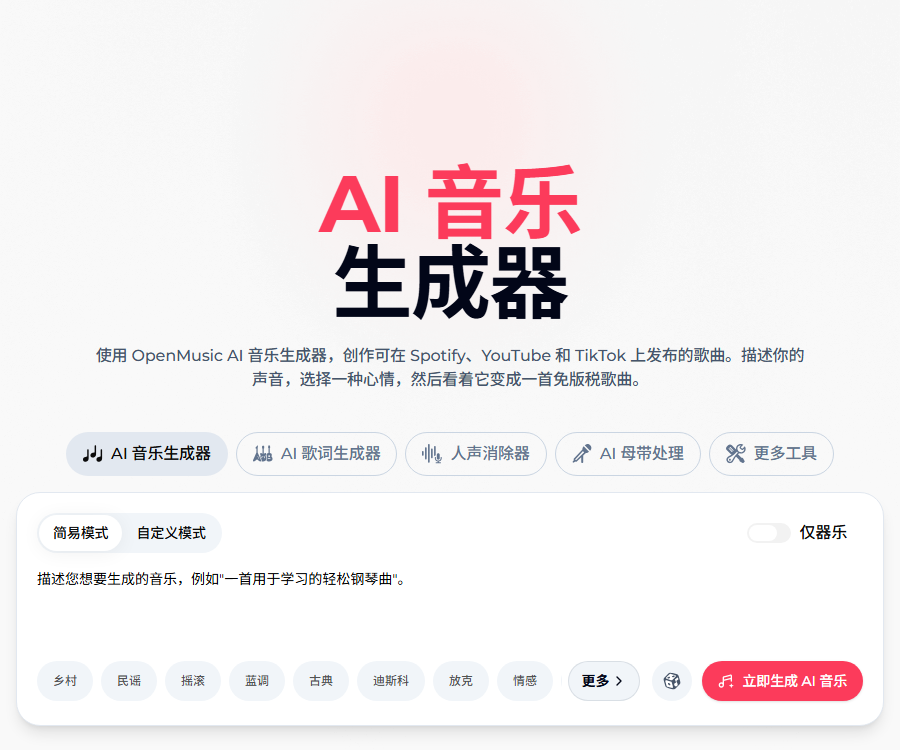
OpenMusic AI music generator
It is possible to create original music of studio quality in just 60 seconds; all the tracks generated are 100% royalty-free and can be used for commercial purposes in any context.
Tags:AI audio toolsWhat is OpenMusic AI?
OpenMusic AI is an online AI platform for music generation, editing, and production.
Users can convert prompts or their own lyrics into songs and instrumental music, and then proceed with track separation, mastering, video processing, and export.
Main functions
- Create a complete song based on the textual description.
- Convert custom lyrics into music with vocals.
- Generate pure music or songs lasting up to about 8 minutes.
- Modify specified lyrics, melodies, or audio segments.
- Perform AI-based cover singing and voice style conversion.
- Remove the human voice and separate the different audio tracks.
- Analyze the song’s key and BPM.
- Convert audio to MIDI.
- Complete AI mastering and audio quality optimization.
- Create music videos for covers, lyrics, or stories.
Two music generation modes
| Pattern | Enter | Suitable scenarios |
|---|---|---|
| Prompt pattern | Genre, mood, instruments, and vocals | Quickly create songs and background music |
| Custom lyric mode | Lyrics, style, and singing requirements | Turn original lyrics into a song. |
| Pure instrumental mode | Purpose, speed, and atmosphere | Music for videos, podcasts, and games |
Generation usually takes 1 to 2 minutes, and the actual speed is affected by the model, queue, length, and network.
High-quality prompts
The official documentation recommends specifying all six types of elements in the prompt in order to reduce the randomness of the model.
| Elements | Example |
|---|---|
| genre | Independent pop, jazz, or film scores |
| Musical instruments | Acoustic guitar, piano, string instruments and drums |
| Human voice | Warm female voice, male voice, or no singing |
| Speed | Around 120 BPM, or a slow, lyrical tempo. |
| Emotions | Pleasure, nostalgia, tension, or restraint |
| Production | Clean and modern, with a sense of authenticity or a vintage mix |
It should also specify the purpose, the desired duration, and the structure of the sections, such as the intro, verses, chorus, bridge, and outro.
OpenMusic AI Usage Guide
- Register an account to view your current points, plans, and renewal status.
- Choose from prompt mode, custom lyrics, or pure instrumental mode.
- Indicate the genre, instruments, vocals, tempo, mood, and production.
- Only original or authorized lyrics and reference audio may be used.
- Set the desired duration, structure, and usage scenario.
- After it is generated, listen to the melody, vocals, pronunciation, and arrangement.
- Use local editing to modify lyrics or musical segments.
- Perform voice removal, track separation, or mastering as needed.
- Create music videos and check subtitle synchronization.
- Check the payment cycle and license at the time the work is created.
- Download audio, license PDFs, and payment records.
- Conduct similarity and third-party rights checks before publication.
AI music editing
The editor allows users to upload tracks, select specific segments, and then replace the lyrics, adjust the melody, or optimize the sound.
| Steps | Operation | Key points for verification |
|---|---|---|
| Upload | Import supported audio files | Format, duration, and material licensing |
| Select | Mark the segments that need to be modified. | Start and end points, as well as connections with what comes before and after |
| Description | Explain changes in lyrics, melody, or timbre. | Are the instructions specific? |
| Generate | Create a new local result | Phase, rhythm, and vocal consistency |
| Export | Save the satisfactory version | Loudness, format, and licensing |
Local AI modifications may affect adjacent paragraphs; important items should retain their original audio along with each edited version.
Creation tools
| Tools | Uses | Suitable for users |
|---|---|---|
| Voice removal | Separate the vocals from the accompaniment | Cover songs, karaoke, and mixing |
| Track separation | Separate vocal or instrumental tracks | Producers and music learners |
| AI mastering | Adjust volume and overall sound level | Quick processing before release |
| Convert audio to MIDI | Extract editable note information | Arrangement and remastering |
| Key/BPM | Identify key and tempo | Mixing, DJing, and composition |
| AI cover singing | Changing singing and vocal styles | Creative experiments |
| Music video | Generate lyrics or story visuals | Posting on social media |
Voice conversion relates to rights related to sound and personality; it is not allowed to imitate real artists or ordinary individuals without authorization.
Free version
| Project | Current publicly disclosed equity | Precautions |
|---|---|---|
| Integration | 30 points per year | The quota is very small, suitable for testing. |
| Music generation | 15 times per year | 2 points are awarded for each occurrence. |
| Model | Basic music generator | Advanced capabilities require payment. |
| Lyrics and video | The page columns are available. | The actual deduction amount is determined by the button. |
| Download | The descriptions on different pages are inconsistent. | Follow the account download button as a guide. |
| Commercial license | The pricing FAQ states that annual payment is the only option that includes it. | Free works should not be used for commercial purposes directly. |
Annual price and version
The prices listed below were verified as of August 31, 2026; the charges are calculated on an annual basis, with the equivalent monthly average price also shown.
| Plan | Average monthly price | Annual total amount | Annual points | Number of theoretical generations |
|---|---|---|---|---|
| Starter | 10.49 dollars | 125.92 dollars | 2400 | 1200 times |
| Hobby | $ | 251.92 dollars | 6000 | 3000 times |
| Professional | 34.99 dollars | 419.92 dollars | 14400 | 7200 times |
| Studio | 90.99 dollars | 1091.92 dollars | 40800 | 20,400 times |
There are slight decimal differences between the annual total amount, which is obtained by multiplying the average monthly price per page by 12, and the figures shown officially in the table above; the official values are therefore presented as they are.
Fees, exchange rates, promotions, and the final amount to be paid are indicated on the settlement page; it is necessary to confirm whether a monthly or annual payment plan is being chosen before subscribing.
Comparison of package benefits
| Equity | Starter | Hobby | Professional | Studio |
|---|---|---|---|---|
| Professional music generation | Support | Support | Support | Support |
| Lyrics and music video | Support | Support | Support | Support |
| Business license | Annual payment includes | Annual payment includes | Annual payment includes | Annual payment includes |
| Editing tools and AI singing replication | Support | Support | Support | Support |
| Number of downloads | 1000 times | No restrictions | No restrictions | No restrictions |
| Support | Emails throughout the day | Emails throughout the day | Emails throughout the day |
Points rules
- Creating a song currently costs 2 points.
- The cost of other tools is displayed next to the generate button.
- The points are refreshed on each renewal date.
- Unused points will be reset and not carried over.
- It is not currently possible to purchase additional points separately.
- When the quota is insufficient during a cycle, an upgrade to a better plan is required.
Commercial license
The pricing FAQ clearly states that commercial rights are included only in the annual payment plan, not in the monthly payment plan.
| Status at generation | Conservative permission judgment | Suggestions |
|---|---|---|
| Free version | Not considered directly commercializable. | Download the license PDF after upgrading to an annual plan |
| Monthly version | The pricing FAQ states that no commercial rights are available. | For business projects, switch to an annual payment plan first. |
| Annual version | Includes commercial rights | Save licenses and orders for each track individually |
| Old works from the free trial period | Upon upgrading to an annual payment plan, licenses can be obtained retrospectively. | It depends on whether the account provides PDFs. |
The product page and the terms of service state that all generated music can be used for commercial purposes, but there are clear inconsistencies between these official pages.
For commercial use, stricter pricing FAQ rules should be applied, and it is necessary to confirm that the license PDF covers the specific songs and ways of use.
Copyright and release checks
- Only upload lyrics and audio that you have created yourself or for which you have permission.
- Do not request the copying of protected songs or voices of identifiable artists.
- Check the similarity of melodies, lyrics, samples, and covers.
- Save the prompt, creation date, plan, and license file.
- Check the AI rules on Spotify, YouTube, and content platforms.
- The “royalty-free” nature of a platform does not necessarily mean that copyright is obtained.
- A professional copyright review can be carried out prior to commercial release.
Renewal, cancellation, and refunds
| Project | Current official statement | Precautions |
|---|---|---|
| Renewal | Monthly or annual automatic renewal | Check the date of the next deduction. |
| Cancel | It can be canceled at any time from the account. | It will take effect after the current cycle ends. |
| Price FAQ Refunds | A full refund is available if the amount is within 3 days and less than 20 points. | Submit the application in a timely manner. |
| Refunds under the Terms of Service | It is usually not refunded; in case of a malfunction or repeated deductions, you can seek assistance within 7 days. | There is a conflict with the price FAQ. |
Eligibility for a refund is determined in accordance with the terms of the order at the time of purchase and as confirmed in writing by customer service, and usage records as well as application details must be kept.
Privacy and data
- The platform may collect names, email addresses, and billing information.
- It records usage data such as devices, IP addresses, visits, and prompts.
- Payments are processed by third-party services such as Stripe and PayPal.
- Uploading audio may contain sounds and information that is subject to copyright restrictions.
- For confidential projects, the rules regarding storage, deletion, and training should be verified first.
- Unnecessary historical works and account data should be removed promptly.
API and open-source status
| Project | Current verification result |
|---|---|
| Public API | No official developer documentation was found. |
| Official SDK | Not yet made public |
| Official GitHub | No verifiable official organizations or warehouses were found. |
| Product source code | It is not publicly available, so it cannot be considered open source. |
Usage restrictions
- The generation of melodies, vocals, and lyrics can be unstable.
- The platform’s descriptions of the studio quality are marketing statements.
- The split tracks, MIDI signals, and master output require professional listening.
- AI-based cover versions may violate rights related to voices or musical works.
- Inconsistent authorization pages increase the risks associated with commercial releases.
- Cloud-based history records cannot replace local backups.
Frequently Asked Questions
Can OpenMusic AI be used for free?
Yes, the free version offers 30 credits per year, which theoretically allows for 15 music creations.
How many points are required to create a song?
Generating a song currently costs 2 points; the number of points indicated next to each button applies to other editing or production tools.
Can the music generated by OpenMusic AI be used for commercial purposes?
The pricing FAQ specifies that only the annual subscription plan includes commercial rights; a PDF license for the respective song must be downloaded before using it for commercial purposes.
Does the monthly plan include a commercial license?
It is not included; the official pricing FAQ clearly distinguishes between monthly and annual payment options, and other general statements on the page should not take precedence.
Can unused points be carried over?
No, the points are updated on the renewal date, and any unused portion is reset to zero.
Does OpenMusic AI offer refunds?
The price FAQ states that a full refund is available within 3 days if fewer than 20 points are used, but the terms of service state something different.
Does OpenMusic AI provide APIs or open-source code?
As of the verification date, no official public APIs, SDKs, or verifiable open-source product repositories were found.
Tools similar to the OpenMusic AI music generation engine




 Guigong Network Security Registration No. 45132202000164