






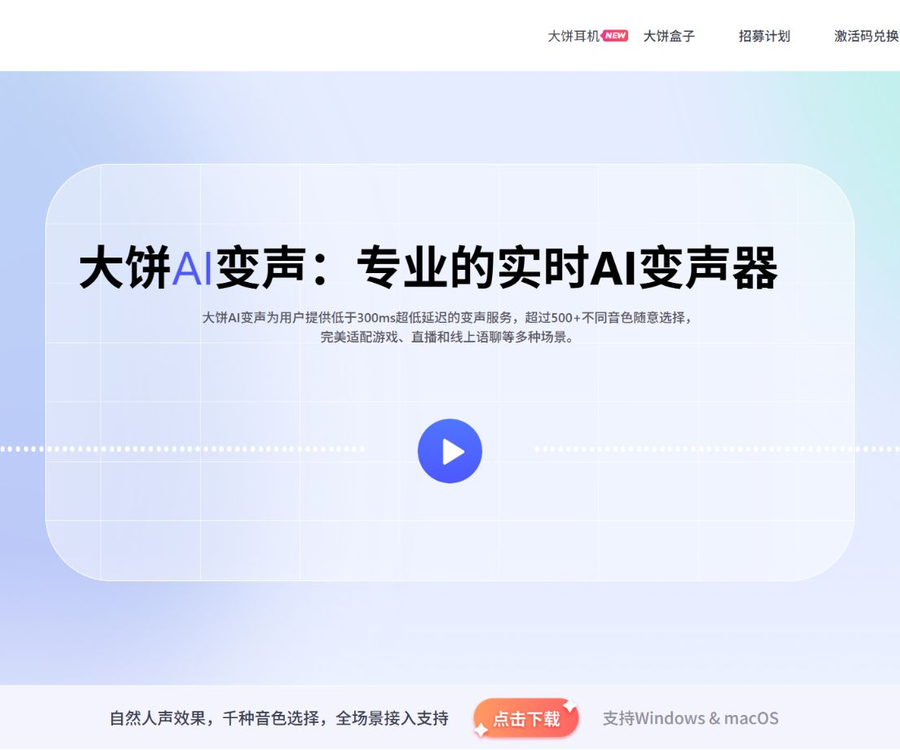
Dabing AI voice change
Free professional AI voice-changing software for real-time voice transformation with just one click.
Tags:AI audio toolsWhat is Big Pancake AI voice transformation?
Da Bing AI Voice Change is a real-time AI voice conversion software developed by Shanghai Grid Interactive Information Technology Co., Ltd.
It converts the user’s voice in real time into preset sound tones, and is primarily used in games, live streaming, and online voice chats.
Main functions
- Convert microphone audio into other timbres in real time.
- More than 500 pre-made sound colors are available.
- In Pro mode, parameters such as pitch and tone can be adjusted.
- Connect to games and voice applications via a virtual microphone.
- It offers an online service for changing the voice in short audio clips.
- Extended to timbre conversion and text-to-speech.
- Provides real-time voice transformation SDKs for enterprises.
- Mobile voice-changing boxes and voice-changing headphones are available.
Real-time AI voice transformation
The software uses deep learning models to preserve the speaking rhythm and emotion, while altering the timbral characteristics of the voice.
- The official claimed latency is below 300 milliseconds.
- Suitable for real-time scenarios that require continuous dialogue.
- The network, microphone, and computer load can affect the experience.
- Excessive environmental noise can reduce the quality of conversion.
- A local test should be conducted before the official live broadcast.
Timbre library and Pro mode
The sound library includes voices of different ages, personalities, and character styles; some of these voices are made available for free on a periodic basis.
- First, listen to how well the tone matches your own voice.
- The Pro mode allows for further adjustment of pitch and tone.
- Excessively high parameters can lead to distortion and a mechanical feel.
- The same timbre produces different effects when spoken by different speakers.
- Check the usage and licensing scope of the timbre before purchasing.
Performance and resource usage
Officials state that the client does not rely on a GPU, and it utilizes approximately 5% of the CPU resources on average.
| Plan | Sound method | Resource requirements | Difficulty of learning |
|---|---|---|---|
| Traditional voice changers | Tuning and equalization | Usually lower | Lower |
| Local RVC | Real-time inference with custom models | It usually relies on GPUs. | Higher |
| Dabing AI voice change | Pre-made AI tone conversion | Officials say a GPU is not required. | It can be used right after installation. |
The actual usage depends on the device, version, audio parameters, and the games or streaming software that are running simultaneously.
Supported platforms
The official website lists versions for Windows, Mac, iOS, and Android, and offers various mobile hardware options.
- The computer version is suitable for games, live streaming, and voice clients.
- Mobile features shall be based on the version available in the respective app store.
- The pancake-shaped box enables real-time voice transformation for mobile phones.
- A voice-changing headset integrates a headphone, a microphone, and a voice changer.
- The methods for setting up virtual audio may vary depending on the system.
Which applications are supported?
As long as the application allows the selection of a microphone input device, it is usually possible to use a virtual voice-changing microphone.
- Multiplayer games and in-game voice chat.
- Live streaming and streaming software.
- Voice chat rooms and social applications.
- Online meetings and voice calls.
- Virtual hosts and role-playing.
Tutorial for using Da Bing AI for voice transformation
- Download the client for the corresponding system from official sources.
- Complete the installation and grant the necessary permissions for audio devices.
- A wired or low-latency microphone with a stable connection.
- Select the actual input device in the client.
- Select the headphones as the monitoring output device.
- Listen to different timbres and adjust the input volume.
- Enter Pro mode as needed to fine-tune the parameters.
- Open the target game, streaming, or voice chat application.
- Switch the input device to the Big Pie virtual microphone.
- Record a call or conduct a test call with a friend.
- Confirm that there is no echo, popping sound, or significant delay.
- When in formal use, retain the original fast switching scheme for the audio.
Tone, price, and version
Big Pie AI’s voice-changing feature offers both free, rotatable vocal tones and paid, permanent vocal tones.
| Project | Equity | Public price status |
|---|---|---|
| Free sound colors | Some selected sounds are refreshed weekly. | Free trial |
| Permanent timbre skin | You own the specified timbre permanently after purchase. | Real-time pricing based on the client |
| Pro adjustment | Depth parameters such as pitch and tone | Refer to the client benefits page. |
| Enterprise SDK | Integration for mobile devices and high-concurrency services | Contact for a business quote |
| Vocal transformation hardware | Box or headphone device | The purchase page shall prevail. |
As of August 30, 2026, the official website does not display a fixed price for the unified package, and it is not recommended to use the old prices provided by third parties.
How to make a choice before purchasing
- First, use the weekly free tone test to check for latency and sound quality.
- Verify that common applications can recognize the virtual microphone.
- Listen to how the target timbre sounds when used with one’s own voice.
- Check whether permanent ownership includes rights to subsequent versions.
- Confirm the scope of tone licensing before commercial use.
- The final amount is subject to the client’s settlement page.
Microphones and privacy
According to the official privacy policy, the microphone is off by default; audio is captured only when the user activates it or starts recording.
The official statement says that the voice feature is used for audio conversion, and that user’s voice commands are not retained on a voluntary basis.
- Enable the microphone permission only when it is needed.
- Avoid revealing accounts and passwords during the voice change process.
- The recording should not contain private conversations between customers or colleagues.
- Before using a corporate meeting, the consent of the participants must be obtained.
- After disabling the software, check whether the virtual microphone is still selected.
Voice cloning and licensing
Voice carries attributes related to identity recognition and personal rights; it should not be copied at will just because of the availability of relevant technology.
- Use only your own voice or a voice for which you have explicit permission.
- One must not pretend to be a friend or family member, customer service representative, streamer, or public figure.
- Voice-changing technology must not be used for fraud or harassment.
- Do not record or distribute others’ conversations without their consent.
- When publishing synthetic content, the platform’s identification rules must be followed.
- The voice of a minor must be authorized by a guardian.
Live streaming and commercial use
- Check whether the timbre is permitted for live streaming and commercial content.
- Character voices may be subject to copyright or performance rights.
- Do not imply the endorsement of real people or brands.
- Authorization credentials should be kept for ads, courses, and paid content.
- Platform rules may restrict misleading synthetic voices.
- Original or custom sound colors should be used for controversial scenarios.
Common fault troubleshooting
The target application cannot hear the voice modification.
- Confirm that the Da Bing client has voice distortion enabled.
- Switch the target application’s input to the virtual microphone.
- Reopen the app to refresh the list of audio devices.
Echoes or repeated sounds occur.
- Use headphones to prevent sound from the speakers from feeding back.
- Only one microphone monitoring channel is retained.
- Turn off duplicate listening in the live streaming software.
Sound delay or stuttering
- Disable background programs that are using CPU and network resources.
- Use a stable network and wired audio devices.
- Reduce unnecessary sampling and processing loads.
SDK and developer capabilities
The official website accepts inquiries regarding SDKs and services for high daily user traffic, and these can be used in games, social platforms, live streaming, and virtual avatar applications.
Public GitHub repositories provide Android and iOS demonstrations of the Agora plugin, but the core resources need to be obtained separately.
- Integration requires a Twilio application ID and room credentials.
- Authorization documents for the large-scale model, as well as sound color and model files, are also required.
- The demo shows initialization, setting the timbre, and stopping the voice change.
- For production use, separate authorization and technical support must be obtained.
Open-source status
A publicly available Voice Network demo does not equate to the open-sourcing of the client application, the core engine, or the AI models.
- The source code for the core voice conversion algorithm is not available publicly.
- Timbre and model resources require authorization to obtain.
- The Demo repository does not specify an open-source license.
- The example code should not be regarded as a complete privatization solution.
Which users are it suitable for
- Players who need voiceovers for game characters.
- Hosts who wish to enhance interaction during live broadcasts.
- Content creators who engage in voice role-playing.
- Social users who need a variety of pre-made sound colors.
- Teams that develop voice chat, virtual avatar, and gaming applications.
- Ordinary users who do not want to configure local GPU models.
Product advantages
- There is a large variety of pre-made timbres available.
- The threshold for performing real-time voice changes is low.
- The official specification states that a GPU is not required.
- Supports fine-tuning of Pro parameters.
- It covers desktop, mobile, and hardware solutions.
- Provides an SDK integration pathway for enterprises.
Usage restrictions and precautions
- Below 300 milliseconds is the official specification, but it is not guaranteed in all environments.
- Different timbres produce varying effects on different acoustic sources.
- The unified public package price has not been determined yet.
- Some timbres need to be purchased separately.
- Virtual microphone settings vary depending on the application.
- It is prohibited to imitate or pretend to be someone else without authorization.
- The availability of a public demo does not mean that the core product is open-source.
Frequently Asked Questions
What can the Big Cake AI voice-changing tool do?
It can convert microphone audio in real time into preset sound tones, for use in games, live streaming, voice chats, and virtual avatars.
Is the voice-changing feature of Dabing AI free?
The software offers free sound colors that are updated weekly; other sound colors can be purchased separately at a client-specific price and retained permanently.
Does Dabing AI’s voice-changing feature require a graphics card?
Officials state that the client does not use a GPU and consumes approximately 5% of the CPU’s processing power on average, but its actual performance depends on the device’s environment.
How can gaming or streaming software detect voice changes?
In the sound settings of the target application, switch the input device to the Big Pie virtual microphone.
Which systems does Da Bing AI voice transformation support?
The official website lists versions for Windows, Mac, iOS, and Android; the specific features depend on the current version of each platform.
Is it possible to change one’s voice by using someone else’s voice?
It may only be used with explicit authorization; it is not permitted to impersonate others, engage in fraud, or violate their vocal rights and personal dignity.
Is the Da Bing AI voice-changing tool an open-source project?
The core client, engine, and models are not open source; the public repositories merely contain SDK demonstrations and cannot be regarded as the complete source code of the product.
Tools similar to Dabing AI for voice modification




 Guigong Network Security Registration No. 45132202000164