






Broadcasting notes
Boji is an intelligent tool for creating shownotes, designed specifically for podcast creators. By leveraging AI technology, it helps creators generate high-quality shownotes quickly, thereby improving productivity and streamlining content management. It supports export in various formats, making podcast creation easier.
Tags:AI audio toolsWhat is a broadcast reporter?
Boji is an AI-powered audio and video editing as well as content distribution platform designed for podcast creators.
It integrates transcription, text editing, shownotes, key quotes, opening sequences, video conversion, and review into a single process.
Main functions of broadcasting recording
- Automatically transcribe audio and video content.
- Delete the corresponding audio and video segments in the same way as modifying text.
- Quickly address pauses, stutters, and repetitions.
- Audio noise reduction, voice optimization, and volume normalization.
- Generates Shownotes, chapters, and time points.
- Extract key quotes from podcasts and create sharing cards.
- Create articles, encyclopedias, and content plans.
- Create podcast clip videos and highlight clips with key quotes.
- Output host reviews and operational materials.
How text clipping works
The reporter first converts audio or video into text with time markers, after which users can adjust the media by editing the text.
When a sentence from the transcribed text is deleted, the corresponding audio or video segment is modified accordingly.
- Quickly identify slips of the tongue, repetitions, and unnecessary pauses.
- Modify the subtitles directly and then export again.
- Content that was deleted by mistake can be restored promptly.
- Single-track editing supports the insertion of pauses.
- Automatic fade-ins and fade-outs help to connect the segments.
- The speech speed alert is used to identify areas where the rhythm is unstable.
Automatic transcription may mishear names, brands, and terms; it is necessary to proofread the key text before editing.
Breathing sensation editing
The breathing effect editing focuses on preserving natural pauses, breathing patterns, and emotions, rather than mechanically removing all gaps.
This approach is more suitable for podcasts focused on interviews, storytelling, and personal expression.
- Remove obvious misstatements and meaningless repetitions.
- Retain the natural pauses that convey emotions.
- Avoid cutting sentences too much or speaking too fast.
- Fix the issue of too abrupt transitions by inserting pauses.
- Finally, listen to it once in its entirety through headphones.
Audio noise reduction and voice optimization
Multi-track merging, combined with noise reduction, voice enhancement, and volume standardization, can improve the listening quality of recordings from different sources.
The quality of the processing is affected by the original recording, background noise, reverb, the distance from the microphone, and cross-talk between multiple speakers.
- First, save the original unprocessed audio track.
- Check the noise and speaker volume track by track.
- Avoid sound distortion caused by excessive noise reduction.
- Check that the volume levels of music, vocals, and the opening sequence are balanced.
- Listen to it using a smartphone, headphones, and speakers respectively.
Shownotes generation
After uploading a program, the user can select a template and enable podcast memory to generate a program description with just one click.
Shownotes can include a summary of the topic, chapters, key points, timelines, and additional content.
- Select a template that matches an interview, monologue, or roundtable.
- Check the guest’s name, organization, and title of the work.
- Check whether the time points of the chapters are in the correct positions.
- Remove the views that were added to the model but not mentioned in the program.
- Adjust the length and format according to different podcast platforms.
- Add a link for manual confirmation and copyright information.
What is podcast memory?
Podcast memory is used to store the long-term background of shows or creators, so that subsequent content can be produced in line with the style of the established series.
It can reduce repeated explanations, but incorrect memories may still appear across multiple sections of content.
- Enter the program’s positioning, target audience, and common expressions.
- Record the titles for the regular host and guests.
- Identify the sensitive or false content that should not be generated.
- Regularly update the sections on content, sponsors, and platform information.
- When an error is detected, correct it or remove the memory promptly.
Quotations and sharing cards
Broadcast reporters can extract memorable quotes from programs and create visual content suitable for sharing on social media platforms.
Aleptic quotes must not alter the speaker’s original meaning by being taken out of context; it is necessary to listen to the original audio before posting them.
- Retain the speaker and the full context.
- Check that the text matches the actual recording.
- Avoid choosing options that involve privacy or unauthorized content.
- Adjust the cards and subtitles according to the platform size.
- Have the guest confirm any expressions that are sensitive or may lead to misunderstandings.
Podcast Intro Creator
The title creator allows you to gather the memorable quotes from the clips, and to add local audio, video segments, and background music.
The editor supports previewing, undoing, redoing, and exporting in M4A or MP3 format.
- Choose short, impactful phrases that can represent the theme of this issue.
- Control the length of the opening sequence to prevent overcrowding the program content.
- Balance the volume of the vocals and background music.
- Confirm that the music has a license for use in podcasts.
- Check whether the transition from the opening sequence to the main content is smooth.
Turning podcasts into videos
The editor can convert podcast content into segmented videos; any changes made to the text are reflected in the corresponding video segments as well.
The editing interface allows for adjusting the text area and the video preview area, as well as hiding the material area.
- Choose segments with complete information and a clear structure.
- Proofread subtitles, names, and technical terms.
- Check the image cropping and the safe area of the platform.
- Add authorized images, music, and fonts.
- Export horizontal or vertical version of the promotional materials separately.
Host’s review
The host review template is used to analyze the rhythm of the program, the tone used, the narrative approach, and the habits of expression.
Review suggestions are suitable for helping with improvements; a single model judgment should not be considered as an assessment of ability.
- Check whether the questions are clear and follow a logical sequence.
- Count the locations of interruptions, repetitions, and filler words.
- Observe the rhythm of the beginning, transitions, and ending.
- Compare the changes in speaking speed across different programs.
- Transform the suggestions into actionable goals for the next phase.
Broadcasting tutorial
- Register an account and create a new podcast project.
- Confirm that the participants in the recording agree to its recording and processing.
- Upload audio, video, or a link to an identifiable podcast.
- Select a generation template that matches the format of the program.
- Enable and check podcast memory as needed.
- Wait for the transcription to be completed, then verify the names, terms, and time points.
- Remove mistakes and redundant sections by editing the text.
- Perform noise reduction, as well as adjustments to the voice level and volume.
- Generate shownotes, key quotes, and distribution materials.
- Create intro videos or podcast clip videos.
- Listen to the full version and check the subtitles and copyright.
- Export, archive, and publish in accordance with the platform’s requirements.
Upload format and file restrictions
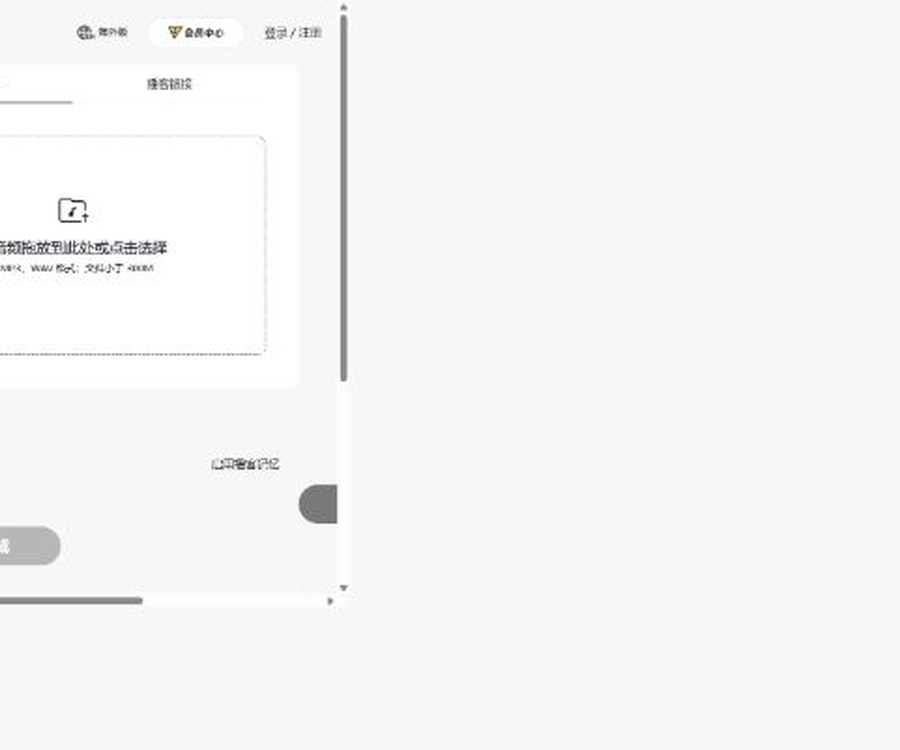
The basic generation page currently supports MP3 and WAV formats; each file must be less than 300MB in size.
The home page also shows the capabilities for audio and video editing; the specific video formats and restrictions are indicated in real time on the upload page.
- Keep the original local recording before uploading.
- For longer programs, it is advisable to first check the stability of the network.
- Files that are damaged, encrypted, or have abnormal encoding may fail.
- For multi-person recordings, individual audio tracks are preserved as a priority.
- Save a lossless master version before the official release.
Member packages and prices
As of August 30, 2026, the official member interface offers three subscription tiers – Lite, Plus, and Pro – for both monthly and annual billing.
| Plan | Monthly subscription | Annual subscription | Monthly points | Monthly transcription |
|---|---|---|---|---|
| Lite – Lightweight version | 29 yuan | 228 yuan | 150 points | 30 hours |
| Plus Advanced Version | 49 yuan | 408 yuan | 300 points | 50 hours |
| Pro Professional Edition | 99 yuan | 912 yuan | 700 points | 100 hours |
Prices and benefits may change; the information on the member page and the final payment page should be taken as the reference before making a purchase.
What are the differences between the three membership levels?
- Lite uses standard speech recognition models and standard AI models.
- Plus has been upgraded to high-precision recognition, while the AI model remains in its standard version.
- Pro utilizes advanced AI models with high-precision recognition and a stronger understanding of context.
- All three tiers include features such as text editing, Shownotes, and famous quotes.
- All three tiers include podcast video conversion, multi-track merging, and a title creator.
- Higher tiers mainly increase the transcription duration, points, and model capabilities.
How are points and transcription time consumed?
When uploading and converting audio videos, the number of minutes required for transcription is deducted based on the length of the media; generating content consumes points.
For regular outputs such as shownotes, famous quotes, plans, and articles, about 30 points are awarded per hour of text generated.
- Approximately 15 points for a 30-minute program is just a standard reference.
- The actual consumption is influenced by the size of the generated content and the page prompts.
- Integration points and transcription duration are two separate types of quotas.
- Insufficient points cannot be automatically used to offset the transcription time.
- Points cannot be used for automatic redemption either if the transcription duration is insufficient.
Validity period of the quota
| Limit type | Source | Validity period |
|---|---|---|
| Subscription points | Members are granted it on a monthly basis. | Valid for the current month; it resets once the payment period ends. |
| Subscription transcription duration | Members are granted it on a monthly basis. | Valid for the current month; it resets once the payment period ends. |
| Prepaid points | Buy point packs separately | Valid for a long time |
| Reward points | Registration, Invitations, and Events | Valid for a long time |
| Reward for transcription duration | Registration, tasks, and activities | Valid for a long time |
When making deductions, the time-limited subscription credits are usually used first, followed by the permanently valid reward credits.
Points packages and duration top-up packages
The platform offers prepaid credit options of 100, 500, 1000, and 5000 points; the exact amounts are shown on the top-up page.
There are no additional transcription time packs available at the moment; once the time allowance for the current month is used up, it is necessary to upgrade the plan or wait until the next billing period.
- The credit is added to the account immediately after a successful top-up.
- Stored value points remain valid for an extended period and are not discounted.
- Points are virtual goods; no refund is provided after top-up.
- The current billing rules indicate that WeChat Pay is the primary payment method supported.
- The member center allows you to view your balance and each transaction record.
Renewal, cancellation, and refunds
- Disabling automatic renewal only stops the deduction for the next period.
- The equity for the current cycle can be used until its expiration.
- No refund is provided for current fees based on the remaining days or duration.
- Points and transcription duration cannot be withdrawn or refunded.
- Applications can be submitted for an investigation in case of repeated charges or obviously abnormal deductions.
- Regarding payment issues, it is recommended to contact the platform within 30 days.
Privacy and recording permissions
The original audio of a podcast may contain sound features, contact information, unpublished opinions, and personal data of third parties.
Users must ensure that they have the necessary permissions to record, upload, edit, and distribute publicly.
- Inform the guest about the purpose, platform, and scope of distribution before recording.
- Remove the ID number, address, and unauthorized contact information.
- When dealing with undisclosed projects, confirm the confidentiality obligations first.
- Do not upload meetings or private recordings that you do not have permission to handle.
- Have participants confirm the key segments before releasing sensitive content.
- Projects that are no longer needed should be deleted promptly, with a local backup retained.
What information does the platform collect?
The privacy policy lists information such as phone numbers, details of third-party accounts, as well as text, images, audio, and video content created by users.
It may also handle device information, IP addresses, network logs, and software operation logs.
- Permission for the camera, microphone, and storage is required to be granted by the user.
- Account information is retained throughout the period of using the service.
- The published content will remain intact until the account is actively deleted or cancelled.
- Log information is retained for at least six months in accordance with the policies.
- Personal information is, in principle, stored within China.
- Users can access, correct, delete, and cancel their accounts.
Copyright and Content Responsibility
The terms of service state that the copyright of the content created by users through broadcasting services belongs to those users.
Users must still ensure that the audio, music, images, fonts, and materials they upload do not infringe on third-party rights.
- Background music requires permission for use in podcasts and short videos.
- The opinions of the guests must not be taken out of context or misrepresented.
- The AI-generated summary and time points must be verified manually.
- When citing a work, the author’s name and the source of the information must be included.
- Sponsorships, advertisements, and synthetic content must be labeled in accordance with the rules.
API and open-source status
The privacy policy mentions the possibility of SDKs and APIs, but no public developer documentation for self-registration was found.
The broadcasting system makes use of open-source components such as ffmpeg-wasm, Next.js, React, and Zustand.
The use of open-source components does not mean that the entire product is open source; as of now, no official repository containing the complete source code has been found.
Which users are it suitable for
- An independent podcast host and a small production team.
- Editor of interviews, monologues, and panel shows.
- Content managers who need to quickly organize the Shownotes.
- Creators who wish to produce podcast videos and share cards.
- Teams that need to manage multiple episodes of program assets in a unified manner.
- A host who wishes to review the speaking pace, rhythm, and delivery.
Product advantages
- Integrated transcription, editing, and distribution of audio and video content.
- Text clipping reduces the barriers to working with traditional timelines.
- Supports shownotes, famous quotes, articles, and videos.
- The editing philosophy of preserving natural breathing and emotions is clear.
- The rules regarding membership tiers, points, and duration are made public.
- Project, historical, and operational materials can be managed centrally.
Usage restrictions and precautions
- Transcription can be affected by accent, noise, and technical terms.
- Shownotes and famous quotes may misrepresent the original context.
- Subscription points and duration are reset at the end of the billing period.
- There are no additional transcription duration top-up packages available at the moment.
- Virtual points and current memberships generally do not qualify for a refund.
- Audio, music, and guest voices require legitimate authorization.
- Public APIs and the complete source code of the product are not yet available.
Frequently Asked Questions
What can a broadcast reporter mainly do?
It can transcribe and edit audio and video, and generate shownotes, key quotes, intros, videos, and review materials.
What upload formats is broadcasting support capable of handling?
The basic generation page explicitly supports MP3 and WAV files with a size of less than 300 MB; the video formats are determined by the real-time upload page.
How much does it cost to become a broadcasting member?
As of August 30, 2026, the monthly subscription fees are 29, 49, and 99 yuan, while the annual subscription fees are 228, 408, and 912 yuan.
Can I purchase a refill pack after my member transcription quota is used up?
There are no additional time packages available at the moment; you need to upgrade your plan or wait until the next billing period for new options to become available.
Do the points earned from broadcasting expire?
Subscription points are reset at the end of the month, while prepaid points and reward points remain valid for an extended period; the exact details are indicated in the member center.
Is it necessary to get the guest’s consent to upload the interview recording?
It is necessary to ensure that there are permissions for recording, cloud-based processing, editing, and public dissemination, while also protecting the privacy of the guests.
Is Broadcaster an open-source tool that provides an API?
The complete product is not open-source; although it uses open-source components and the API format is mentioned in the policies, no public development documentation is available.
Tools similar to broadcast recording devices




 Guigong Network Security Registration No. 45132202000164