






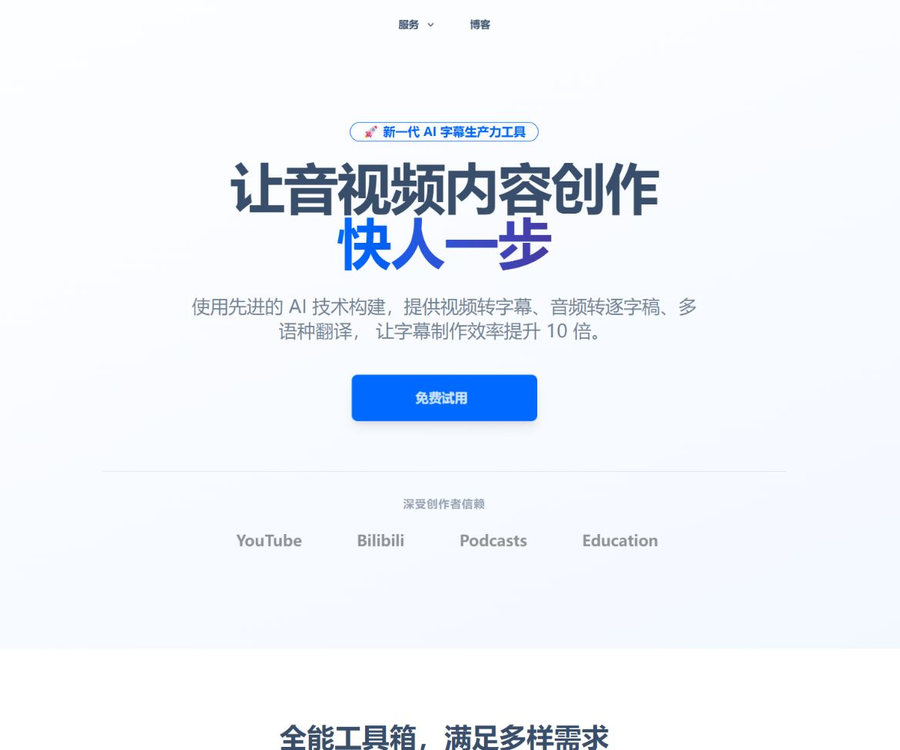
33. What are subtitles?
33 Subtitles is an AI-powered tool for content creators, offering subtitle generation, speech-to-text conversion, and subtitle translation services.
It is operated by Guangzhou Budai Information Technology Co., Ltd., and it offers both online services and desktop clients.
What can subtitles with 33 characters do?
Video to subtitles
After the user uploads audio and video, the system can identify the speech, automatically divide it into sentences, and generate subtitles with a timeline.
The online editor allows for proofreading text and adjusting timing; once completed, it is possible to export or convert it into a video.
Convert audio to transcript
Meetings, interviews, courses, and podcast recordings can be converted into editable documents.
The online feature also allows for distinguishing between different speakers, but names and the boundaries between speakers still need to be checked manually.
AI subtitle translation
The platform can translate subtitles based on the context, and create bilingual content suitable for distribution across different languages.
The client integrates large language models as well as translation services from companies such as Microsoft and Baidu, allowing users to choose the appropriate option for each project.
Converting podcast and video links into text transcripts
The web version allows for the extraction of podcast or video transcripts via links; official examples include platforms such as Xiao Zhou Yu, Bilibili, and REDnote.
The ability to parse links is affected by platform rules, content permissions, and page changes.
Subtitle editing and styling
The client provides a timeline, audio waveform, find and replace, undo, and history.
Users can also set the font, font size, color, and position, and preview how the subtitles will appear.
AI summaries and text editing
Long-form videos can have content summaries generated, which facilitate quick identification of the main topics and key paragraphs.
For voiceovers and podcasts, it is possible to select the sections to be kept from the text, after which software is used to cut and assemble them.
What are the differences between the online version and the client version?
- The online version requires no installation and is suitable for temporary transcription, link resolution, and quick subtitle generation.
- Cloud-based recognition, translation, and video compression typically consume the computing resources of the platform.
- The client allows users to install recognition models on their own devices, and most of the local functions can be used free of charge.
- In local mode, media is not uploaded, making it more suitable for ordinary materials where high privacy standards are required.
- The client offers more comprehensive functions for waveforms, timelines, styles, and text editing.
- Versions for Windows and macOS are available for download; a Linux client has not yet been confirmed.
How local recognition works
The client is optimized based on the open-source Whisper speech transcription model, and integrates the Whisper.cpp and FasterWhisper engines.
According to the official documentation, the local mode supports more than 50 languages, and once the model is installed it does not consume any processing power from the platform.
- Devices with Apple chips can be used to test Whisper.cpp on a priority basis.
- Computers equipped with NVIDIA graphics cards can be used to test GPU acceleration.
- FasterWhisper usually places more emphasis on the timeline effect.
- Larger models are generally more accurate, but they also require more space and computing resources.
- When there is no suitable GPU, local recognition may be slower.
- The model’s output may still contain meaningless sentences, missing words, and timeline discrepancies.
The fact that the Whisper model is open source does not mean that the 33 subtitles product is also open source; the licensing and deployment scopes of the two should not be confused.
Which languages and formats are supported?
The official website states that online recognition and translation are available in over 90 languages, while local recognition within the client application supports more than 50 languages.
Common scenarios include Chinese, English, Cantonese, Japanese, Korean, French, German, and Spanish.
- The official tutorial confirms that SRT subtitles can be exported.
- The client also supports exporting ASS and TXT files.
- Subtitles can be used as a file or directly embedded in a video.
- Batch tasks and batch exports are suitable for processing similar types of materials.
- The effects vary depending on the language, accent, and noise environment.
Who are the users suitable for subtitle 33?
- Creators who produce subtitles for short videos, courses, and interviews.
- Teams that need to organize meeting transcripts, podcast transcripts, and audio recordings.
- Content creation teams that produce subtitles in Chinese, English, or multiple languages for content intended for international release.
- Individual users who wish to transcribe large amounts of material for free on their own devices.
- Subtitles editors who need waveform and timeline alignment.
- Editors who wish to cut narration and podcasts according to the script.
- It is necessary to protect local users who process unpublished audio and video content.
33 Subtitle Usage Tutorial
- Choose between the online version and the client based on material privacy, computer performance, and the amount of work to be done.
- When using the client, first install a local recognition model that is compatible with the device.
- Import audio and video files, or paste a link from a supported platform on the web page.
- Select the original language, the recognition engine, and the desired subtitle type.
- Submit the recognition task and wait for the text and timeline to be generated.
- Check each segment for names, numbers, terms, punctuation, and the speaker.
- When bilingual subtitles are needed, select platform translation or configure a personal key.
- Check the tone of the translation, the length of the subtitles, and consistency with the context.
- Use waveforms and the timeline to correct advancement, delay, and overlap.
- Adjust the font, color, position, and number of characters per line.
- Export as SRT, ASS, or TXT, or embed subtitles on the client side.
- Play the final version to check the image cropping, synchronization, and readability.
Free quota and billing method
As of August 30, 2026, the official website states that 5,000 units of free computing power are provided on a monthly basis.
Most local features can be used freely and without any limits, while cloud tasks consume computing power based on their type.
- Cloud recognition, cloud translation, and online video compression require computing power.
- Pay-as-you-go recharging is more suitable for users who occasionally handle a small number of tasks.
- The purchased computing power is valid for one year, and the company states that refunds are not currently available.
- The membership is suitable for users who have a large volume of tasks to handle and require advanced benefits.
- The invitation campaign currently offers both parties 7 days of membership access as well as 5,000 units of computing power.
The member section on the official website shows two payment options: monthly and annual. The annual option is indicated with a 25% discount, but the actual amount is not displayed on the anonymous page.
The top-up options, membership prices, benefits, and promotions may change; the information displayed on the settlement page after logging in shall prevail.
Why isn’t there a price list here?
The official website does not display the amounts of the various packages nor their full benefits, making it impossible to conduct a reliable comparison between different packages.
The prices listed in older tutorials or third-party websites may no longer be valid, and therefore are not presented as current pricing.
How to use a built-in API key
The client allows users to enter their own translation service keys or large language model keys.
The authorities have currently listed OpenAI and Zhipu explicitly, and they also provide specifications for translation services offered by Baidu, Tencent, Microsoft, DeepL, and others.
- Translating a personal key does not consume the cloud translation computing power associated with 33 subtitles.
- Model or translation service providers may charge additional fees.
- The key should be stored on a personal device and must not be included in subtitles or made public.
- The key should be revoked and replaced immediately in the event of departure, device sharing, or leakage.
- The data processing rules for third-party services need to be checked separately.
This involves the client connecting to third-party interfaces; it does not mean that 33 Subtitles provides a public developer API.
Privacy and data processing
Officials state that local recognition does not upload videos or audio, which helps to reduce the risk of media data leaving the device.
Cloud-based recognition extracts the audio and uploads it to the server; once the task is completed, the resources on the server are deleted.
- Sensitive materials should preferably be identified locally.
- Remove irrelevant identities and privacy details before submitting to the cloud.
- Do not upload recordings of meetings or interviews that do not have the necessary authorization.
- Check the name, contact information, and internal details before sharing subtitles.
- Once the task is completed, online projects and files can be deleted at will.
The update date indicated in the website’s privacy policy is January 15, 2023, and it states that device information, browsing, and clicking logs may be collected.
This policy also covers advertising and the processing of data by partners; teams that prioritize compliance should read the entire terms again before using it.
Accuracy and manual proofreading
The official website uses the claim that the accuracy rate is as high as 99%, but this does not mean that all materials achieve such a level of accuracy.
The official tutorial also acknowledges that inaccuracies in the timeline, phantom sentences, and other errors may occur.
- Background noise, multiple people talking at once, and strong accents can reduce accuracy.
- Brand names, names of people, numbers, and technical terms are prone to being misidentified.
- Translation by large models may merge subtitle lines or alter the original meaning.
- Automatic speaker identification may misidentify consecutive speeches.
- The final video should be played in its entirety before compression.
- Public, educational, and commercial content must undergo manual final review.
Product advantages
- The web version and the desktop client are designed to handle different task scales.
- Local Whisper recognition can reduce transcription costs significantly.
- It supports the entire process of transcription, translation, editing, styling, and compression.
- The waveform and timeline tools facilitate precise adjustment.
- Access to personal translation tools and large-model keys is allowed.
- It supports batch tasks and video/audio editing by text.
- Local processing can reduce the upload of sensitive media.
Usage restrictions and precautions
- The official anonymous page does not disclose the current prices of the packages.
- Cloud services require varying amounts of computing power.
- Local models require storage space for download and a certain level of computer performance.
- Automatic subtitles and translation cannot replace manual proofreading.
- Link extraction may fail due to the rules of third-party platforms.
- Personal API keys incur third-party fees and privacy responsibilities.
- The privacy policy was updated some time ago, so it should be reviewed again before use.
- No public product API or official complete source code was found.
Platform, API, and open-source status
33 subtitles are currently available for the web version, the Windows 64-bit client, and the macOS client.
No public developer API or official complete source code repository for this product has been found; therefore it cannot be marked as open source or suitable for private deployment.
The client uses the open-source Whisper model; this only indicates the origin of the recognition component, and it is not possible to determine the license for the entire software.
Frequently Asked Questions
What is the main purpose of subtitles?
It can convert videos and audio into subtitles or transcripts, and it can also handle translation, editing, style adjustments, and video compression.
Can subtitles in 33 characters be used for free?
Yes, 5,000 units of computing power are available for free each month, and most of the local functions of the client can also be used freely without any limits.
How much does it cost to be a member with subtitles?
The official website currently shows monthly and annual payment options, but the anonymous page does not reveal the actual amounts; it is necessary to refer to the payment settlement page after logging in.
33 Will subtitles be uploaded to my videos?
Local recognition does not upload media; cloud-based recognition uploads the extracted audio and deletes the relevant resources once the task is completed.
33: What subtitle formats are supported?
The official tutorial confirms that export in SRT, ASS, and TXT formats is supported, and it is also possible to embed subtitles directly into the video.
Can I use my own OpenAI key?
Yes, the client supports interfaces such as OpenAI and Zhipu; translating with a personal key does not consume the computing resources required for generating 33 subtitles.
Does 33 Subtitles be an open-source software with an API?
No, currently no public product API or official complete source code has been found; integrating the open-source Whisper does not mean that the product itself is open source.
A tool similar to the 33 subtitles tool




 Guigong Network Security Registration No. 45132202000164