






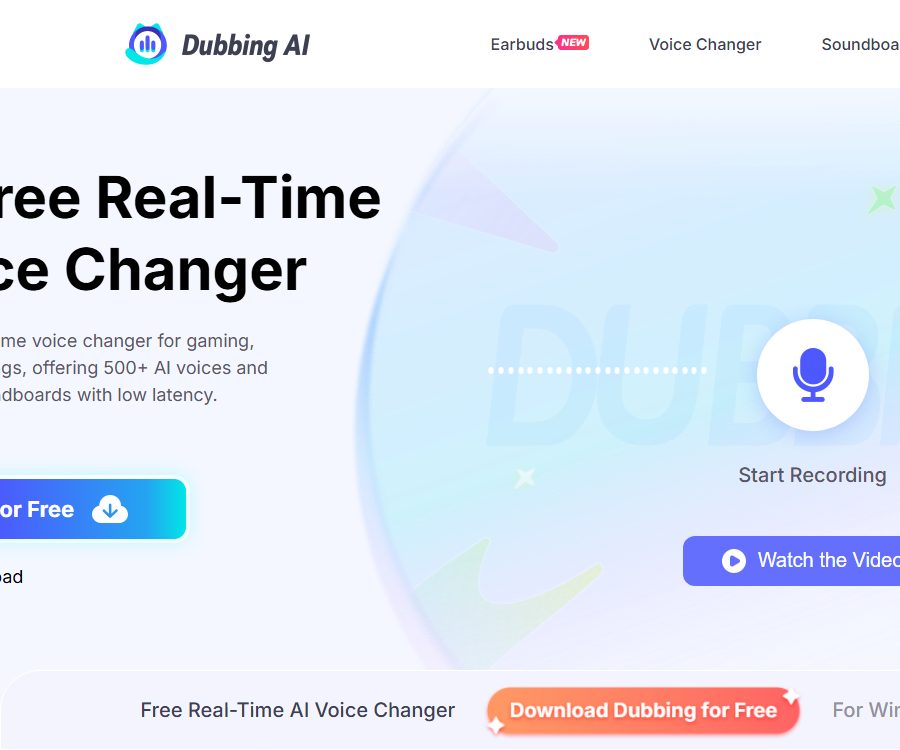
Dubbing AI- AI Voice Changer For Gamers and Streamers
Dubbing AI – an AI voice changer for gamers and streamers, that makes AI-based audio processing more efficient and simpler.
Tags:AI audio toolsWhat is Dubbing AI?
Dubbing AI is a real-time AI voice changer operated by HALO INTERACTIVE PTE. LTD.; it is used for game audio, live streaming, online meetings, role-playing, and audio production. It converts the sound captured by the microphone into another voice tone in real time, and then sends that sound through a virtual microphone to Discord, OBS, Zoom, or games.
The product includes desktop and mobile applications, sound libraries, sound effect packs, sound cloning tools, and enterprise SDKs; it also sells specialized hardware that can be connected to smartphones and game consoles. It is not a traditional dubbing platform that translates entire films and series into other languages.
Main functions
| Functions | Enter | Output | Suitable for tasks |
|---|---|---|---|
| Real-time AI voice transformation | Immediate voice through the microphone | Real-time audio of the target person, character, or style | Game voice, live streaming, and online chatting |
| Virtual microphone | The audio stream after voice conversion | System input devices available for use by other applications | Access to Discord, OBS, Zoom, and games |
| Sound library | Users can choose to listen to a preview. | Over 500 sounds that are continuously updated | Role-playing, programs, and creative tests |
| Emotional expression | Sounds such as speaking, shouting, whispering, singing, etc. | Target timbre that changes with expression | Live performances and interactive narratives |
| Sound effect panel | Pre-set or user-uploaded audio clips | Sound effects that can be triggered during live broadcasts and chats | Glottal stops, reaction sounds, and program packaging |
| Community Voices | Sound effects submitted by users | Community sound effects that can be shared and discovered | Work together to maintain the sound effect library |
| Voice cloning and customization | Available voice samples and requirements | Customized voices for individuals or businesses | Integration of virtual characters, brands, and products |
| SDK Integration | Audio streams, keys, and application code | Real-time voice transformation integrated with third-party products | Game, social audio, and live streaming platforms |
How does real-time voice transformation work?
The desktop client selects the microphone chosen by the user, performs audio conversion on the local device, and then sends the resulting audio to the Dubbing Virtual Device. Any application that can select a microphone as an input source can use this virtual device as its audio input.
- Users can preview sounds and add frequently used ones to their favorites.
- The Hear Myself listening feature allows users to hear the result of their voice transformation before making a formal connection.
- It is possible to switch the audio during a live broadcast or conversation, without the need to restart the target application.
- It supports over 40 languages, some dialects, and various expressions of emotion.
- The website currently lists over 500 different sounds, and its catalog is constantly being expanded or updated.
- The list of sounds can change, and a sound that has been used or purchased may be removed.
Latency is influenced by system performance, the sound card, drivers, buffers, headphones, and the application in use. The home page indicates a latency of less than 300 milliseconds, and lower values are shown on other pages; therefore, no single figure can be considered a fixed guarantee across all platforms.
Windows and Mac setup tutorials
- Verify that the device meets the requirements for Windows 10 or later, or macOS 10.13 or later.
- Download the appropriate system client from the product download page, complete the installation, and register an account.
- Select a real microphone as the input device during the first startup.
- Open Voicebox, listen to the different voices, and select the one you want to use.
- Turn on the Voice Changer switch to confirm that the real-time processing option is enabled.
- Put on the headphones, then turn on Hear Myself to check the volume, noise, pitch, and latency.
- Go to the audio settings in Discord, OBS, Zoom, Steam, or the game.
- Change the input device to Dubbing Virtual Device, instead of a physical microphone.
- Conduct short calls or local recording tests to avoid distortion, echoes, and fluctuations in volume.
- Save frequently used sounds, shortcut operations, and a backup option using the original microphone before starting the official live broadcast.
When using speakers, the sound played may re-enter the microphone and create echoes; therefore, the product recommends using headphones. If sound is not audible in other applications, it is necessary to check the system’s microphone permissions, the input source, virtual devices, the sampling rate, and the input settings of the respective application.
OBS and settings for live streaming software
- First, verify that voice transformation and local monitoring work properly in Dubbing AI.
- Create or edit the microphone audio input in the live streaming software.
- Select Dubbing Virtual Device and turn off the track that captures the audio from the actual microphone repeatedly.
- When adding noise gates, compressors, and limiters, avoid excessive processing that could damage the model inputs.
- Record a test video that includes normal speech, soft voices, and loud voices.
- Check whether live monitoring, audience audio tracks, and local monitoring result in a double echo.
Sound libraries, free sounds, and unlocking options
According to the main website, free users can use at least 10 different sound effects per day; the hardware page states that the free tier includes 8 built-in sound effects. Other pages describe various combinations of sound effects that can be used on a daily or weekly basis. The number of free sound effects available varies depending on the platform, events, and version – it should be checked in the sound library after logging in.
- Free users can try out different sounds and unlock certain content by completing tasks or using D-Coin.
- Standard and Premium offer a larger sound library and additional benefits.
- Some sounds can be unlocked permanently on a per-sound basis; the specific price is indicated depending on the sound and the channel.
- Permanent Premium is an account license; it does not mean that each sound will remain in the directory forever.
- Phones, desktops, and hardware can synchronize their favorites and presets using the same account.
- Before making a payment, it is necessary to determine whether the desired sound is part of a subscription, available as a separate purchase, or offered as part of a time-limited promotion.
Sound effect boards and community content
The sound effect panel is used to play pre-set sound effects in real time during games, live broadcasts, or chats; it also allows users to upload their own audio clips. The community sound feature enables the sharing of sound effects created by users, making it easier for other users to discover and use them.
The content uploaded may be linked to an account and could be made public after review. Do not upload music for which no rights to distribution exist, movie or TV dialogue, personal recordings, or material containing private information; also, do not assume that visibility within the community implies unlimited commercial use rights.
Voice cloning and customization
The product provides a function for voice cloning; companies or those seeking custom solutions can get in touch with the support team. Users must submit only their own voice recordings, or recordings for which they have explicit permission from the speaker.
- Record the scope of consent, channels, duration, and methods for withdrawing consent from the sound provider.
- It is forbidden to use cloned voices to impersonate others, carry out fraud, harass, or mislead the public.
- Names of celebrities, anime, and game characters can involve sound personalities, trademarks, and copyright for works.
- The fact that a platform offers a certain sound palette does not mean that the user automatically receives permission to use it in advertisements, games, or for commercial purposes.
- Commercial projects must obtain separate authorization, and samples, models, and release records must be retained.
- When releasing synthetic voices, comply with the local rules regarding AI content labeling and personality rights.
Platform and system requirements
| Platform | Minimum requirements or methods | Primary uses | Precautions |
|---|---|---|---|
| Windows | Windows 10 and later | Complete desktop voice transformation and virtual microphone | No GPU is required, but performance still depends on the CPU and the audio connection. |
| macOS | macOS 10.13 and above | Real-time voice transformation on the desktop | Permission for the microphone and audio devices must be granted. |
| iPhone | iOS 15 and above | Mobile voice transformation, voice sharing, and subscription management | Some real-time applications may use USB-C headphones or hardware. |
| Android | Android 8 and above | Mobile voice transformation, games, and hardware control | Device limitations, Bluetooth headphones, and app constraints can affect the experience. |
| Web tools | Modern browsers | Online voice transformation, recording, and audio processing | Its functions are different from those of a desktop virtual microphone. |
| Game console | Dubbing Box or compatible hardware | Voice chat for Switch, Xbox, PS5 | Not all hosts can be supported directly by desktop software alone. |
| VR and AR | It depends on the device and application. | Immersive character voices | Specific compatibility must be verified based on the device. |
Supported apps and games
Dubbing AI creates virtual microphones at the system level, which makes it suitable for most programs that allow users to choose their input device. Examples include Discord, Twitch, WhatsApp, Zoom, OBS, Steam, and various online games.
- Live streaming: OBS, Twitch, YouTube, Kick, and Streamlabs-based workflows.
- Chat: Discord, Zoom, Skype, TeamSpeak, and other meeting applications.
- Games: League of Legends, Valorant, Fortnite, Roblox, DOTA 2, and multiplayer shooting games.
- Creation: podcasts, audio content, virtual hosts, character performances, and short videos.
- Community: Use the sound effect panel to trigger squeals, reaction sounds, and program effects.
\"Support\" generally means that the target program is able to select a virtual microphone; however, this does not imply that every game, anti-cheat system, console, or mobile application has been certified. A full rehearsal on the same device and audio setup should be carried out before the actual event.
Software membership price
| Package or version | Price | Billing cycle | Core benefits or quota | Suitable for users |
|---|---|---|---|---|
| Free | $ | Long term | Rotating or built-in free sounds, basic sound effect packs, and task unlocking | Experiences and occasional entertainment |
| Standard | 8 dollars or 48 dollars | Monthly or annually | Expand the sound library, sound effect packs, and member benefits | Regular games and live streaming |
| Premium | 14 dollars or 84 dollars | Monthly or annually | A more comprehensive sound library, higher quality, and additional sounds | High-frequency streamers and creators |
| Permanent Premium | Page example: 98 dollars | One-time use | Permanent account licensing and subsequent feature updates – the catalog can still change. | Long-term individual users |
| Enterprise SDK | Custom quote | Contractual agreement | Cross-platform real-time voice conversion integration and key authentication | Games, social networking, and live streaming products |
The amounts of $8, $14, $48, and $84 are based on the current instructions for the iPhone app, while $98 corresponds to the current price of the product. The settlement methods, the app stores available in different countries, as well as any discounts or taxes may vary; it is necessary to refer to the account and payment pages for accurate information.
Subscriptions are renewed automatically; for the iPhone channel, cancellation must be requested at least 24 hours before the end of the current period. The cancellation deadline, payment methods, and price for permanent licenses may vary on other platforms, so it is advisable to save the order details and license information before making a purchase.
Refund rules
The terms of service state that for plans Standard, Premium, and Permanent Premium, a refund is available within 7 natural days after purchase. However, the specific refund policy specifies that no refunds are given for monthly subscriptions, while unused annual subscriptions can be refunded within 7 days. In cases of incorrect charges or account fraud, it is necessary to contact support within 7 days after purchase, and no partial refunds will be provided.
The two versions of the page have different scopes of application, and third-party app stores also enforce their own policies. Users should check the rules of the respective platforms before making a purchase, and when a refund is required, they must provide their payment details, order information, account number, and email address as soon as possible.
Optional hardware and prices
| Products | Current price | Billing cycle | Core benefits or quota | Suitable for users |
|---|---|---|---|---|
| Dubbing Earbuds | 49 dollars | One-time use | USB-C wired headphones, built-in microphone, real-time voice transformation for mobile devices | Users of smartphones, tablets, and handheld devices |
| Dubbing Box | 129 dollars | One-time use | Connect to your own headphones; compatible with smartphones, game consoles, and PCs | Host players and existing headphone users |
| Free software tier | $ | Long term | It can be used on Windows and Mac without the need to purchase hardware. | Desktop users |
Both hardware models come with a one-year warranty; the shipping cost is calculated at the time of payment, and the regions where they are available are being expanded gradually. The listed prices, promotional prices, as well as the list of supported and compatible devices may change, so it is necessary to check the device’s interfaces and headphone requirements before making a purchase.
Hardware is not a mandatory requirement for desktop clients. Whether hardware is needed for mobile devices depends on the phone’s interfaces, the applications to be used, the method of communication, and the real-time routing capabilities desired.
SDK integration with enterprises
Dubbing AI offers a commercial, real-time voice conversion SDK for use in games, chat applications, live streaming services, and social media products. The platforms supported at present are Windows, Android, and iOS; authentication is carried out using Access Key and Secret Key.
- Explain to the business team the requirements regarding the platform, concurrency, language, voice, and commercial releases.
- Apply for demos, development documentation, testing keys, and custom quotes.
- Select the SDK for the target platform and install it in an isolated test application.
- Configure the Access Key and Secret Key, and avoid storing them in public code repositories.
- It includes an audio acquisition module, real-time processing, effect selection options, and an output pipeline.
- Test the sampling rate, buffering, echo cancellation, noise reduction, performance in case of network loss, and performance on low-end devices.
- Verify sound content permissions, user consent, data processing, and regional compliance.
- Implement key rotation, quotas, abuse detection, and failover before going live.
The SDK page provides access to documentation, but the public website does not offer a standardized price list; custom quotes are required. It is a commercial development package, and it should not be confused with individual desktop subscriptions or free audio services.
API, GitHub, and open-source status
| Project | Current status | Explanation |
|---|---|---|
| Real-time conversion SDK | Already provided | Windows, Android, iOS: authentication using access keys |
| Development documentation | An entry point has been provided. | The specific access conditions and full scope must be confirmed as part of the integration process. |
| Network API | Some pages mention it | The complete list of endpoints available to all developers, as well as the public pricing, have not been confirmed. |
| Official GitHub | Not confirmed yet | No product code repository with a clear identity was found. |
| Product source code | Not disclosed | The client and SDK are proprietary software. |
| Open-source license | Not yet made public | Downloading or obtaining the SDK does not mean that it is allowed to modify it and redistribute it. |
Privacy and data storage
The product page states that real-time voice conversion takes place locally on the user’s device; the original real-time audio is not uploaded to any external server for voice modification. This description applies only to the real-time conversion process, and it cannot be inferred from it that no data is collected regarding accounts, payments, analytics, community uploads, or cloud-based functions.
- The privacy policy may cover names, email addresses, phone numbers, addresses, devices, logs, and transaction records.
- User-generated content is linked to the account or email address it was submitted from, and content that is made public may be visible to others after being reviewed.
- Third-party services include Google Analytics, Stripe, and Discord.
- The service can process the necessary data for operations, analysis, product improvement, and marketing.
- Account information may be retained during the account’s existence, and legal, accounting, and reporting requirements can extend this period of retention.
- After the account is deleted, personal information is usually removed within 90 days, except for public copies and legal exceptions.
- Users may request access to, correction of, restriction on, deletion of, or a portable copy of the data; the applicable rights vary depending on the region.
Developers on the iPhone App Store claim that no data is collected, while Google Play indicates that apps may collect location, personal, and financial information, and it offers a possibility to request deletion of such data. The details provided can vary depending on the platform, version, and features; therefore, it is necessary to check the actual permissions of the app before using sensitive identity or voice data.
Sound copyright and commercial usage restrictions
The voices provided by Dubbing AI, as well as the content available on other platforms, are licensed for use rather than being sold. The general terms permit personal, non-commercial use; exceptions are allowed for content creators to generate revenue through social networks and social media, in accordance with these terms.
- Paid members do not automatically obtain commercial licenses for celebrities, actors, characters, music, or game assets.
- Do not use voices to impersonate real people, carry out fraud, or create misleading endorsements.
- For advertising, game distribution, film and television content, customer projects, and commercial use, the rights must be verified separately.
- The fact that a community sound effect is available for playback or download does not mean it can be resold or relicensed.
- The audio may be removed from the directory, and users cannot request that it be retained permanently based on that.
- The audio content of the platform shall not be rented out, resold, broadcast, relicensed, or transferred.
- The commercial rights related to the enterprise SDK are governed by separate contracts and cannot be inferred from those of individual members.
Suitable for users and scenarios
- Gamers: Change voice tone in real time during voice-based team play and role-playing.
- Live streamer: Switches between different voice voices and sound effects for various segments of the program.
- Virtual host: Creates repeatable vocal performances for virtual avatars.
- Podcast and audio creators: One person plays multiple roles and drafts conversations.
- Short-video creators: Produce entertainment voiceovers and content to generate income on social media.
- Online communities: Allow voice interactions with the consent of members.
- Development team: Integrate real-time voice conversion into games, chat, or live streaming applications.
Advantages and limitations
Main advantages
- System-level virtual microphones can be connected to a wide range of gaming, streaming, and meeting software.
- Local real-time conversion reduces the need to upload the original session audio with a voice change applied.
- Windows and Mac do not require a dedicated GPU, making them suitable for use on ordinary desktop devices.
- Over 500 different sounds, sound effects, and emotional expressions cover a wide range of entertainment scenarios.
- Provides iOS, Android, optional hardware, and cross-platform enterprise SDKs.
- Free sound rotation reduces the cost of the initial test.
Main limitations
- The values for latency, CPU usage, and the number of free sounds vary across different pages.
- A complete sound library, sound cloning, and advanced features are available only to members or through custom services.
- There are risks related to personality rights, copyright, trademarks, and misrepresentation associated with character voices and celebrity voices.
- There are differences between the refund page and the scope of application of the terms of service; extra caution is required when it comes to monthly subscriptions.
- Local real-time voice transformation does not mean that accounts, transactions, and community content are not stored in the cloud.
- The source code of the product is not made available publicly, and the scope of the network APIs as well as the prices of the SDKs need to be confirmed further.
Summary
Dubbing AI is suitable for users who wish to switch voices in real time using virtual microphones in games, live broadcasts, and chats, and who need desktop, mobile, audio interface, or SDK solutions. Before starting to pay, it is necessary to test the latency and compatibility, as well as to check the audio licensing terms, automatic renewal options, refund procedures, information regarding platform data, and the scope of commercial use.
Frequently Asked Questions
Is Dubbing AI free?
A portion of the preset or built-in sounds can be used for free, but the number varies across different pages and platforms. The full sound library and advanced features require a subscription, separate unlocking, or a permanent license.
Do Windows computers need a dedicated graphics card?
It is not necessary; the minimum requirement at present is Windows 10 or higher, and it is clearly stated that a GPU is not required. Actual latency and sound quality still depend on the CPU, drivers, microphone, and buffering settings.
How to use voice modulation in Discord?
First, enable the Voice Changer in Dubbing AI, and then change Discord’s input device to the Dubbing Virtual Device. It is recommended to wear headphones and conduct tests for echo and volume first.
Is it compatible with mobile phones?
It is compatible with iOS 15 and later, as well as Android 8 and later, and there are versions available in the respective app stores. For some mobile games, calls, and other applications, it may be necessary to use compatible headphones or specialized hardware.
How much are Standard and Premium?
The current instructions for the iPhone app state that the Standard version costs $8 per month or $48 per year, while the Premium version costs $14 per month or $84 per year. The actual price may vary depending on the region, taxes, and the place of purchase.
Can I request a refund?
You need to get in touch within 7 days of purchase, but the dedicated refund page states that monthly subscriptions are not refundable; only unused annual subscriptions can be refunded within the specified time frame. Third-party stores also have their own rules.
Is real-time voice uploaded to the server?
The product description states that real-time conversion is carried out on the device itself, without the original real-time audio being uploaded in a modified form. Account management, payment processing, analysis functions, community uploads, and cloud-based voice services may still process other types of data.
Can celebrity or anime voices be used in commercial ads?
Membership alone is not sufficient for this purpose. The platform’s content is licensed for personal, non-commercial use only; commercial advertising as well as the use of character voices require permission from the respective rights holders.
Does Dubbing AI have an SDK?
Yes, the commercial real-time voice conversion SDK is available for Windows, Android, and iOS, and it uses access keys for authentication. The price needs to be determined by contacting the team.
Is Dubbing AI open source?
No product source code, official GitHub repository, or open-source license was found. The fact that the client and commercial SDKs can be downloaded does not mean that users can view, modify, or redistribute the source code.
Tools similar to Dubbing AI – an AI voice changer for gamers and streamers




 Guigong Network Security Registration No. 45132202000164