






Concert Creator
Concert Creator – makes AI-based audio work more efficiently and easily
Tags:AI audio toolsWhat is Concert Creator?
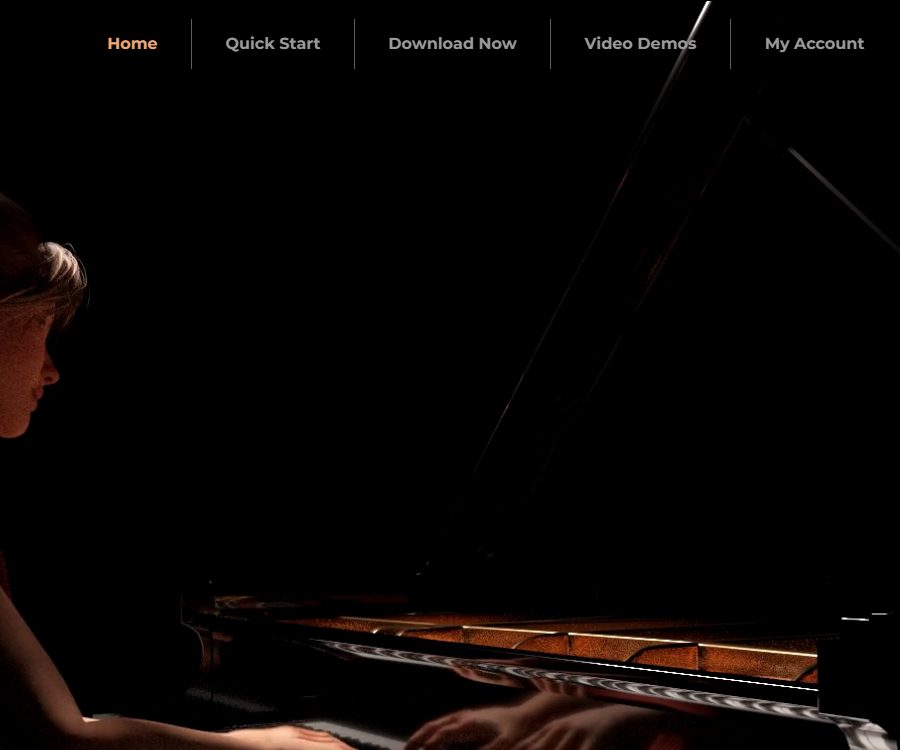
Concert Creator was an AI-based piano animation tool that is no longer in use; it could analyze audio files of piano solos or MIDI files and generate 3D videos of virtual pianists performing, as well as visual aids for music instruction. It integrated functions such as note recognition, assignment of notes to the left and right hands, animation of finger movements, visualization of the piano keyboard, and video rendering all within a single desktop application.
The official shutdown page clearly states that no new users will be accepted any longer, and access to the servers will be closed for all users starting from June 3, 2022. The home page and quick guide are still accessible, but the fact that these pages remain available does not mean that the application, accounts, cloud services, or download options are still functional.
Current operating status
| Project | Current status | Explanation |
|---|---|---|
| New user registration | Stopped | The authorities have clearly stated that they will no longer accept new users. |
| Server processing | Closed | Access has been suspended since June 3, 2022. |
| Software download | Unavailable | The download page only displays the shutdown notice. |
| Paid plans | Not available for purchase | There is no current price or settlement option available. |
| Refund | Historical processing | When service was suspended, notifications were sent to paid users; the current entry point and deadline are not publicly available. |
| Help content | Partial retention | The home page and quick guide can still be used to learn about historical features. |
The home page still displays the text “Apply for access,” but there is no process available for creating an account; the official notice of service suspension should be taken as the authoritative source of information. Any third-party download packages, shared accounts, or cracked versions do not constitute valid methods for restoring access to the service.
Main functions of history
Audio and MIDI to performance animation conversion
- The user imports piano solo audio or MIDI files; the server analyzes the notes and generates animations showing the corresponding movements of both hands, fingers, and keys.
- In MIDI, if the left and right hands are placed in separate tracks, the system will retain this arrangement; when there are no separate tracks, the AI attempts to divide them.
- The old guidelines stated that it took about 10 seconds to import a regular song, but this time frame was based on data from previous operating environments and cannot reflect the current services.
- The input should be primarily a piano solo; audio that includes vocals, drums, string instruments, or complex mixtures may lead to errors in determining the notes, dynamics, and which hand is playing.
Fingering and performance editing
- Users can select individual notes, change the hand and finger responsible for playing them, and also disable notes that have been identified incorrectly.
- After making the adjustments, it is necessary to resend the data to the AI in order to generate the animation; the old guidelines stated that each refresh takes approximately 15 seconds, and the changes are saved in the cloud.
- Keyboard shortcuts allow switching between left and right hand techniques, moving to adjacent notes, and starting/stopping notes; they are suitable for making corrections to the results of automatic analysis on a segment by segment basis.
- The system generates visual suggestions for performance, but these do not necessarily correspond to the hand position, range of motion, speed, or teaching style appropriate for each performer.
Camera, stage, and profile picture
- The top-down and first-person views feature piano roll displays and LED lighting, which allow different colors to be used to distinguish the notes for the left and right hands.
- Other 3D views show the piano, the virtual performer, and the stage scene; it is possible to change the style of the piano, as well as the lighting and camera settings.
- The product offered various avatar options, as well as the ability to customize and import avatars, in order to make the virtual performers more similar to the creators’ appearance.
- It allows for adjusting the color of the keys, as well as the scaling of scroll bars and visual effects; it is suitable for tutorials, performance demonstrations, and videos on music channels.
Video export, RTX, and VR
- During rendering, it is possible to select the output resolution and frame rate, after which the application generates the final video.
- The RTX version requires a Windows computer along with a compatible NVIDIA RTX graphics card; it uses ray tracing to improve the visual quality without altering the animation itself.
- Real-time path tracking previews may contain noise, and high-quality videos require pre-rendering; older guides indicated that processing a single track could take several hours.
- The VR mode was available for Windows and compatible headsets, allowing viewing from around the performer or from a seated perspective, with six degrees of freedom for movement.
Input, processing, and output
| Phase | Enter or set | Historical output | Main limitations |
|---|---|---|---|
| Song introduction | Piano solo audio or MIDI | Notes, left and right hands, and playing animations | Complex mixtures are not suitable as input. |
| Performance editing | Hands, fingers, strength, and notes for starting and stopping | Regenerated hand movements | Server computation is required; it is no longer available. |
| Visual design | Camera, color, piano, lighting, and profile picture | 3D stage or teaching view | Some effects depend on the specific perspective. |
| Video rendering | Resolution, frame rate, and image quality | Performance video | High-quality images may take longer to generate. |
| RTX rendering | Compatible with graphics cards and Windows | Ray tracing visuals | The real-time preview is noisy and requires high hardware specifications. |
| VR viewing | Compatible with headsets and Windows computers | Immersive six-degree-of-freedom performance | Depends on an external VR runtime environment |
Historical usage process
- Add songs to the old desktop application, and make sure the files are piano solo audio or well-structured MIDI files.
- Wait for the server to analyze the notes, the left and right hands, as well as the initial finger placement, and then play the animation to check for incorrect notes and hand movements.
- Choose a top-down view, first-person perspective, or a 3D stage view, and adjust the colors of the curtains and hands, as well as the piano and lighting.
- Select each problematic note one by one, adjust which finger is responsible for playing it as well as whether the left or right hand should be used, or disable those incorrect notes; afterwards, refresh the animation.
- When a virtual performer is needed, select or customize an avatar, and check whether the hands are properly modeled and whether their movement range appears natural.
- Select the resolution and frame rate for rendering videos; RTX users need to allow more time for rendering, while VR users must first connect a compatible device.
This process requires official servers to carry out audio analysis and recalculate animations; it is not possible to continue using it based solely on the web guides that remain. Even if an old installer is found, the shutdown of the servers will render login, cloud storage, AI refresh, and rendering functions unavailable.
History is suitable for users and scenarios.
- Piano content creator: Converts recordings into performance videos featuring virtual hands, keys, and a scroll bar.
- Piano teacher: Creates demonstration clips using a top-down view, different colors for the left and right hands, and animations showing the finger positions.
- Musicians who prefer not to appear in person: they present their recordings of performances using avatars and 3D stages.
- Enthusiasts of 3D and VR: View the automatically generated virtual piano performances from different angles.
- MIDI arrangement users: Check the assignment of left and right hands and quickly generate a visual draft of the performance.
These scenarios describe only the uses of the product prior to its discontinuation. Users who currently need similar capabilities should look for MIDI visualization tools, virtual performers, and piano teaching tools that are still under maintenance, can run locally, or have a clear status regarding their availability.
Advantages and capabilities boundaries
- Historical products can automatically generate finger movement animations from audio or MIDI, which is a closer match to the workflow of music creators than creating keyframes manually.
- From automatic recognition to manual adjustment of finger placement, and then to camera and stage rendering, a complete workflow is established that enables the creation of both instructional views and performance footage.
- Errors can occur in converting audio to notes, separating the left and right hands, and determining the fingering; fast passages, pedals, chords, and poorly recorded audio especially require manual correction.
- Three-dimensional hand movements are merely the result of an algorithm; they cannot replace a teacher’s judgment, nor should they be used as professional guidance for avoiding injuries.
- RTX and VR enhance the viewing experience, but they increase the requirements regarding graphics cards, drivers, headsets, and rendering time.
- The most crucial constraint is that the service is no longer active; past advantages cannot be transformed into current deliverable capabilities.
Current prices and refund status
Concert Creator currently does not offer any purchasable packages, free tiers, or trials. The previous information regarding free additional features is in conflict with the official decision to discontinue this service, and therefore can no longer be used as accurate pricing data.
The suspension notice only states that paid users have received instructions on how to get a refund; it does not reveal the amount, deadline, method, or the overall outcome of the process. When encountering issues with old bills, one can try to contact the support email address that is still available, while also preparing payment proof – though there is no guarantee that a solution will still be possible.
Platform, API, and open-source status
| Project | Historical support | Current judgment |
|---|---|---|
| Windows desktop applications | Regular version and RTX version | The server is shut down, so official downloads are not available. |
| NVIDIA RTX | Ray tracing visuals | It’s just a historical hardware mode. |
| VR | Compatible with headsets and 6-degree-of-freedom viewing. | Dependent on disabled applications |
| macOS | Not confirmed yet | The RTX and VR guides specify that Windows is the primary platform. |
| Mobile apps | Not confirmed yet | The official mobile version has not been confirmed. |
| Public API or SDK | Not yet made public | No developer API documentation was found. |
| Official GitHub | Not confirmed yet | A warehouse with the same name does not prove that it is official. |
| Open-source license | Not disclosed | It is not possible to determine that the product or model is open source. |
Privacy, copyright, and security considerations
- The old guidelines mentioned that edited data was saved in the cloud, but there is currently no effective privacy policy outlining how accounts, audio files, MIDI data, profile pictures, videos, and history records are stored or deleted.
- The server is now shut down, so users cannot log in normally to export data or delete their accounts; old users need to keep records that facilitate communication and handle refunds.
- Uploading or publishing music recordings, MIDI files, avatars, and stage-related materials requires the appropriate rights; AI-generated animations do not remove the restrictions associated with songs, recordings, or images.
- The authorities have not made public the current terms regarding commercial licensing, model licenses, or rights to produce videos; therefore, it should not be assumed that these features can be used for commercial purposes based on previous descriptions.
- Do not download old installation packages from unknown sources or enter the original account password; software that is no longer in use may contain unpatched vulnerabilities or have been altered by third parties.
Frequently Asked Questions
Is Concert Creator still available?
It cannot be used following the normal official procedures. The server was shut down on June 3, 2022, and new user registrations as well as official downloads have been discontinued.
Why can we still find feature descriptions and quick guides on the official website?
These are static pages that remain after service suspension, intended solely for understanding past functionalities. The fact that these pages are accessible does not mean that the accounts, AI processing systems, cloud storage services, or rendering servers are still in operation.
What inputs does Concert Creator support?
Historically, support has been available for piano solo audio as well as MIDI; MIDI, which consists of two tracks for the left and right hands, allows for the specification of which hand is responsible for which notes. Other instruments, vocals, or complex mixes do not constitute reliable input sources.
Does Concert Creator have a free version or paid plans?
Currently, there are no plans available for purchase or trial. The shutdown notice mentioned that refund information was sent to paid users at that time, but there are no current prices or refund procedures specified.
Is it an open-source tool or does it provide an API?
There is no confirmation regarding an official source code repository, open-source licenses, public APIs, or SDKs. Projects with the same name available online cannot be considered as the official code for Concert Creator.
Is it still possible to generate it offline using the old installation package?
Core analysis, animation refreshing, and cloud saving rely on servers that are no longer in use; as a result, older clients are usually unable to carry out the original workflow. Installers obtained from unknown sources can also pose security and account-related risks.
Tools similar to Concert Creator




 Guigong Network Security Registration No. 45132202000164