






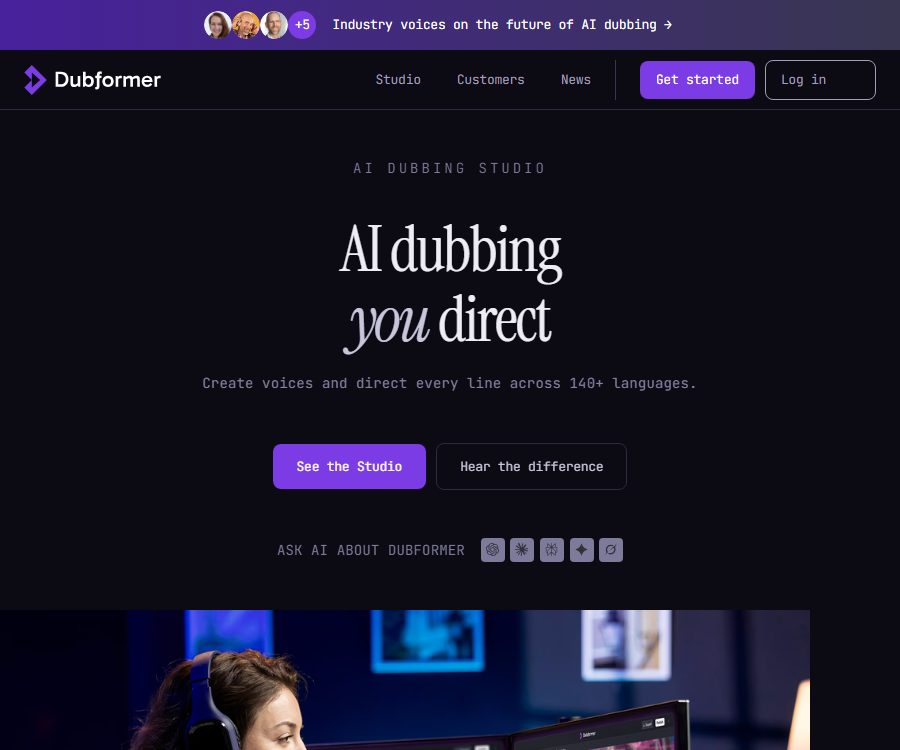
AI Dubbing You Direct
AI Dubbing You Direct – makes AI audio processing more efficient and simpler.
Tags:AI audio toolsWhat is Dubformer?
Dubformer is an AI-based voice-over production platform designed for the film, media, and localization industries; its official website promotes the slogan “AI Dubbing You Direct”. It emphasizes professional team oversight and review at each step of the process, rather than delivering a completed result automatically once the video is uploaded.
The platform can transcribe audio material, identify speakers, translate dialogue, match voices, generate multiple performances, and produce versions in various languages. The official website indicates that it supports over 140 languages and more than 1,000 different voice styles.
Main functions
1. Automatic transcription and speaker recognition
After uploading a video and selecting the target language, the system will transcribe the original audio, identify different speakers, and create a cue sheet with time codes. Before final generation, it is possible to check the segmentation as well as the consistency of characters and materials.
2. Multilingual video dubbing
Dubformer supports over 140 languages, allowing multiple language versions to be developed within the same project. Each language can have its own characters, voices, proofreading status, and delivery files.
3. Character voice matching
The team can select a sound for each character from over 1,000 different timbres; the system also suggests candidates similar to the original character and provides ratings for them. Restricted timbres can be separated using folders and project permissions.
4. Emotion Transfer
Emotion Transfer is used to transfer the emotions and rhythm of the original performance to the target language, rather than merely reading out the translated text. It helps to preserve the pauses, emphases, and emotional changes in dialogue in films and videos.
5. Sentence-by-sentence dubbing guidance
The editor can choose an emotion such as anger, happiness, whispering, sadness, or surprise for each phrase, and can also enter custom performance instructions. The system will generate several versions, which the team can listen to before selecting the most suitable one.
6. Pronunciation, rhythm, and stability control
The platform allows for adjusting the pronunciation, delivery, duration, and degree of vocal variation sentence by sentence. The stability slider enables a balance to be found between consistency in the character’s performance and greater variability in its expression.
7. Team collaboration and approval
Editors, reviewers, and managers can leave comments, conduct reviews, and sign off within the same workflow. Role permissions, project permissions, and language settings enable multiple versions to be developed simultaneously.
8. Broadcast-grade export
Studio can export language-specific tracks at 44.1kHz, the final mixed version including the original music and effects, M&E tracks, as well as MP4 files with embedded subtitles. The official website also lists subtitle file formats such as VTT, SRT, TTML, XLSX, and CSV.
9. API interface
The official documentation provides a self-service video dubbing Platform API as well as a professional text-to-speech API. Development teams can use these interfaces to implement processes for automatic uploading, dubbing, status checking, and retrieving results.
Which users are it suitable for
- Local companies that produce television series, documentaries, animations, and online programs.
- Media and streaming teams that need to launch multiple language channels on a bulk basis.
- Film and television production teams that need to preserve the characters’ emotions and acting details.
- Enterprises that require multiple people for review, access control, and traceable processes.
- Developers who wish to integrate video dubbing or text-to-speech functionality through APIs.
Product versions and prices
As of August 24, 2026, the official website has disclosed the fixed price for Studio Pilot; however, no unified pricing is available for the official Studio service, the Self-Service Dubbing API, and the TTS API. The comparisons below include only those details that can be verified on the official page. The final costs, taxes, and renewal terms are subject to those specified on the signing or payment page.
| Products | Public price | Applicable recipients | Main content |
|---|---|---|---|
| Studio Pilot | 400 dollars/week | Team for evaluating professional workflows | 120 credits, an additional $3 per credit, unlimited seats, guided setup, 6-dimensional quality rating for each segment |
| Professional Studio | Contact sales | Localization and film production companies | Complex project management, professional editing, multi-person review, permissions, and broadcast-grade delivery |
| Self-Service Dubbing API | Check after registration | Developers who need automatic video voiceovers | Submit videos via API, set processing parameters, and retrieve results. |
| Professional TTS API | Contact sales or the console for confirmation. | Product teams that need multilingual speech synthesis | Generate professional voices based on language and region codes. |
The official website does not provide any information on its public pages regarding how many minutes one credit is equivalent to, nor does it specify anything about languages, roles, or the number of times content can be generated. It is necessary to calculate the actual cost of a project using the rules outlined in the Pilot agreement or those available in the control panel before making a purchase.
It should be confirmed before purchasing.
- The exact way in which 120 credits are used, and whether fees are charged for failed tasks.
- Are translation, transcription, emotion generation, regeneration, and export charged separately?
- The official plan, minimum usage amount, and renewal options after the two-week pilot period.
- The impact of the source language, target language, video duration, and audio channels on the cost.
- Are exclusive timbres, voice cloning, and lip-sync charged separately?
- Service level, concurrency, delivery time, and support scope.
Dubformer Usage Guide
- Prepare video materials, scripts, and music effects that include rights for dubbing and translation.
- Upload the source video, and select the source language as well as one or more target languages.
- Check the automatically identified speaker, timecode, and script segmentation.
- Correct the transcribed text, and have a native speaker review the translation in the target language.
- Choose a library sound color or an authorized exclusive sound color for each character.
- Set the emotion, pronunciation, rhythm, duration, and stability for each sentence.
- Listen to multiple takes and choose the version that fits the character and the scene.
- Quality checks are carried out by language reviewers, sound directors, and project managers.
- Generate the final language version and export the audio track, mix, video, and subtitles.
- Check loudness, synchronization, pronunciation, and subtitle timing in the actual playback environment.
Ways to improve the quality of voiceovers
- First, correct the transcription of the source language to prevent errors from being passed on to the translation and dubbing.
- Create a unified pronunciation guide for names, brands, place names, and technical terms.
- Native speakers of the target language check the semantics, colloquial usage, and cultural appropriateness.
- When selecting voices for characters, age perception, timbre, speaking pace, and range of emotions are all taken into consideration.
- First, handle the key emotional passages, and then generate the ordinary dialogue in bulk.
- Break long sentences into phrases that match the rhythm of breathing and the visual flow.
- Listen to the final mix on a phone, a TV, headphones, and speakers respectively.
Product advantages
- It covers over 140 languages and offers more than 1,000 sound colors.
- It supports control over emotion, pronunciation, rhythm, and stability on a sentence-by-sentence basis.
- Each phrase can generate multiple takes for manual selection.
- Retain the process of human editing, native speaker review, and final signing.
- It supports multi-language parallel projects and fine-grained permission control.
- It can output audio tracks, the final mix, M&E elements, video, and various subtitle formats.
- It also offers professional studios, video dubbing APIs, and TTS APIs.
Usage restrictions and precautions
- Over 140 languages do not mean that every language, accent, and quality of voice is exactly the same.
- Automatic transcription, translation, speaker recognition, and time alignment can all be error-prone.
- Emotional transfer cannot replace the director of native-language dubbing and cultural proofreading.
- The official website does not disclose the exact prices for the Studio and API services.
- Voice cloning requires explicit and verifiable authorization from the speaker.
- The content uploaded must not be illegal, infringe on rights, or violate the rights of third parties.
- Before official broadcast, language, audio, synchronization, and compliance checks still need to be completed.
Data security and privacy
The official website states that customer data is not used for training AI, and AES-256 encryption is employed for transmitting and storing this data in a static format. Studio also offers role-based permissions, project access control, Google or Microsoft single sign-on, as well as audio isolation.
The official data processing agreement considers the customer to be the data controller, while Dubformer is regarded as the processor; it specifies requirements regarding requests under GDPR, notifications to subcontractors, and notification of data breaches within 72 hours. The website also states that compliance with SOC 2 Type II standards is maintained, and businesses should request the latest audit certificates and a list of subcontractors when making purchases.
- Only authorized sounds, portraits, videos, and subtitles should be uploaded.
- Assign only the minimum necessary permissions to project members.
- Confirm the data region, cross-border transmission, and retention period.
- After the project is terminated, export the content promptly and initiate its deletion.
- Stricter approval processes are applied to content related to politics, healthcare, news, and minors.
Content rights and ownership of the output
The official terms state that customers retain the right to upload content; the generated audio versions become the property of the customers, though they are still subject to the licensing restrictions applied to the original content. The platform owns the rights to its systems, software, models, and documentation.
This means that purchasing a service does not automatically grant rights to use the videos, scripts, music, actors’ voices, or translations. Users should keep records of the content licenses, dubbing permissions, sound usage approvals, and the regions in which the content is available.
API Instructions
The official development documentation classifies the interfaces into the Self-Service Video Dubbing Platform API, the professional Dubformer Studio, and the TTS API. API users need to register an account and consult the interface documentation to find out the available languages and region codes.
- Choose between dubbing the entire video or using a separate TTS interface, depending on your needs.
- Confirm the language, file size, duration, and output limits in the test account.
- Store the key on the server, without writing it to the web page or the client side.
- Task queue addition, timeout, retry on failure, and cost limits.
- Establish processes for sound authorization, content review, and output verification.
- Verify concurrency, latency, data deletion, and service level before going live.
Open-source status
No official open-source repositories or source code licenses for the Dubformer main platform, its models, or Studio have been found. It should be classified as a proprietary commercial service; the provision of APIs does not imply that the core models or product code are made available openly.
The generic dubbing projects available on GitHub, or the content with the same name as Dubformer, do not have any verifiable official connection to the product in question; therefore they cannot be used as a basis for the official source code or for private deployment.
Frequently Asked Questions
How many languages does Dubformer support?
The official website indicates that it supports more than 140 languages; the specific languages, regions, and features available should be checked in the project or API options.
How much is Studio Pilot?
As of August 24, 2026, Pilot costs $400 for a period of two weeks; it includes 120 credits and unlimited sessions, with an additional charge of $3 per credit.
Is it possible to control emotions sentence by sentence?
Yes. Users can choose predefined emotions or enter custom prompts, and then select from various generated versions.
What files can be exported?
The platform allows for the export of audio tracks, the final mixed version of the audio, M&E data, and MP4 files with subtitles; it also supports the export of subtitles in VTT, SRT, TTML, XLSX, and CSV formats.
Will customer content be used for training?
The official website states clearly that customer data will not be used for training AI, and it specifies that the data is encrypted both during transmission and when stored in a static format.
Is Dubformer open source?
No. At present, no official open-source code or license for the main product has been found, but the platform offers commercial APIs.
Summary
Dubformer is suitable for professional dubbing teams that place emphasis on the quality of performance, multiple rounds of review, and broadcast-ready outputs. Its advantages include sentence-by-sentence guidance, assistance with conveying emotions, support for multi-language projects, and a variety of export options. Before making a purchase, it is important to verify the credit calculation, the official quote for the service, sound licensing details, data processing procedures, and the actual quality of the voice output.
Tools similar to AI Dubbing You Direct




 Guigong Network Security Registration No. 45132202000164