






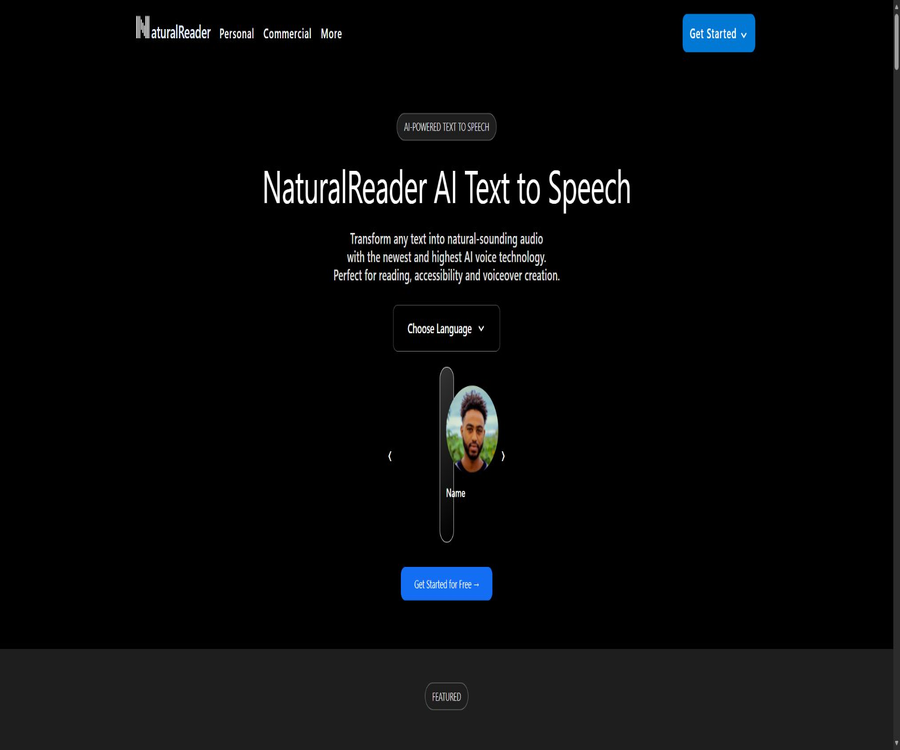
NaturalReader
NaturalReader, a smart tool focused on AI-powered audio.
Tags:AI audio toolsWhat is NaturalReader?
NaturalReader is a text-to-speech product operated by Canadian company NaturalSoft Ltd.; it is used for personal reading, educational purposes, and commercial voice-over applications.
The personal version is designed to read documents, web pages, and images aloud for users, while the commercial version, AI Voice Generator, converts scripts into audio content that can be published or redistributed; the account privileges, functions, and permissions of these two versions cannot be mixed together.
Main features of the personal version
Reading of documents, web pages, and scanned files
- You can upload files such as PDF, Word, PowerPoint, TXT, RTF, ODT, and EPUB files without DRM; you can also enter or paste text directly.
- The web page extraction feature allows ordinary articles to be added to the database and read aloud; however, dynamic pages, login pages, or pages with complex interactions may not be extracted completely.
- Subscribers can use OCR to process scanned PDF, PNG, and JPEG files; up to 50 pages of a scanned PDF can be converted at a time, and multi-page files can be processed in batches.
- Mobile camera scanning is suitable for paper books, handouts, and notes; blurry images, low contrast, complex layouts, or messy handwriting can reduce the accuracy of recognition and the correctness of the reading order.
Reading assistance and audio export
- Text is highlighted in real time during reading, and it is possible to adjust the voice, speech speed, display format, and subtitles; the pronunciation editor is used to correct names, abbreviations, and technical terms.
- The annotation feature allows you to mark up documents and add notes; however, the exported PDF with highlights does not include the annotation text.
- The AI Smart Filter can ignore page numbers, tables, charts, and other distracting elements, but complex layouts still require manual review of the filtered results.
- The paid individual plan supports MP3 conversion; a maximum of 50,000 characters can be pasted at one time, and the generated files are retained in the audio database for 30 days.
ReadAI learning feature
- ReadAI can generate podcasts, summaries, quizzes, Q&A sessions, or conversational responses from uploaded documents; it cannot be used with text that is manually pasted in.
- Podcast and Recap can process the entire document or selected sections, with a maximum of 500 pages per session; Podcast allows for up to two speakers.
- These generated contents are intended for personal, private use; adding them to summaries, quizzes, or podcasts does not grant the right to publish them publicly.
- AI-generated results may omit context or contain factual errors; learners should still return to the original text to verify quotes, numbers, and key conclusions.
Sound and language
- Free Voices come from devices, systems, or browsers; the available options vary depending on the platform. Lite, Plus, and Pro are different tiers of AI voices.
- Plus offers voice options in Chinese, English, Japanese, Korean, Arabic, and many other languages and accents; not all the languages listed may be supported.
- Pro uses higher-quality multilingual voices and supports Reading Styles, but its range of languages is currently narrower than that of Plus.
- The Plus and Pro individual plans allow for the cloning of up to two of one’s own voices; to upload someone else’s voice, valid authorization is required.
Commercial version of AI Voice Generator
- By entering scripts in a browser, selecting sounds, and editing them paragraph by paragraph, it is possible to create voiceovers for ads, videos, podcasts, courses, training materials, presentations, and games.
- Currently, it integrates voice models such as Gemini, OpenAI, Azure, and ElevenLabs; these different models vary in terms of language support, tone control, and the cost per character processed.
- Prompt Control allows you to adjust the tone, rhythm, style, and accent using prompts; some models also support Voice Design and in-sentence tags, with the available features depending on the model chosen.
- Up to four AI cloned voices can be created, using a pronunciation editor and a script assistant; the results can be exported in 44.1 kHz MP3 or WAV format.
- The audio generated through commercial subscriptions can be used in commercial, public, and redistribution contexts, but the user must still possess the necessary rights to the scripts, music, voice recordings, and other materials.
Usage tutorial
Individual reading process
- Register an account and log in via the website, iOS, Android, or a browser extension; the same account allows for synchronizing data across different devices.
- You can upload documents, photos, or scanned PDFs; you can also paste text or add regular web pages. E-books with DRM cannot be imported.
- If the system detects text in the image, select the OCR page range for conversion; thereafter, check whether the column order, headings, and footer content have been recognized correctly.
- Select the appropriate voice and accent for the language, adjust the speaking speed, apply filters, set pronunciation options, and configure subtitles and highlighting before starting to read.
- For listening offline, use a paid MP3 converter and download the files before the quota is reset or the audio expires.
Commercial voice-over process
- First, test the audio and features using a free business account; free users can listen to up to 10,000 characters per day, but they cannot download the audio.
- Create a new project, paste your own scripts or those that are licensed, divide the text into sections based on the scenario, and then select the model, language, and voice.
- Use tips, pronunciation dictionaries, speech speed, and the tags supported by the model to control the way something is expressed; re-converting after making changes will consume more points.
- Listen to each text segment to check proper nouns, language switching, pauses, and tone, then export it as MP3 or WAV.
- Save the authorization records before publishing, and verify that the voice of the characters, the script, and the background materials are permitted for use on the target platform, by the target customers, and in the respective regions.
Prices and packages
| Package or version | Price | Billing cycle | Core benefits or quota | Suitable for users |
|---|---|---|---|---|
| Personal free version | Free | Available for a long time | The Free Voices provided by the device can be used, as well as some AI voices and ReadAI – but only on a limited basis; paid OCR and MP3 export options are not included. | First, experience personal reading aloud and device synchronization. |
| Personal Lite | $ | Prepay monthly or annually | With Lite, there are no limits on the amount of text that can be read aloud; 1 million Lite MP3 characters per month are available, along with features such as OCR, annotations, pronunciation editing, Smart Filter, and ReadAI. | Individuals who need scanned text for reading as well as basic export options. |
| Personal Plus | $ | Prepay monthly or annually | 500,000 Plus accounts share read-aloud characters every day, and 1 million accounts share MP3 characters per month; up to two different voices can be cloned. | Learners who need more exposure to languages and natural sounds |
| Individual Pro | $ | Prepay monthly or annually | 500,000 characters for reading are shared daily among Plus and Pro users; 1 million characters in MP3 format are shared monthly among Plus, Clone, and Pro users, including various reading styles. | People who value high-quality sound and expression styles |
| Business Starter | $ | Single user, prepaid on a monthly or annual basis | 500,000 points per month: commercial audio license, four cloned voices, script assistant, MP3 and WAV formats | Individual creators with low to moderate voice volume |
| Commercial Creator | $ | Single user, prepaid on a monthly or annual basis | 2 million points per month; the range of features is the same as that of other business packages, but the amount provided is higher. | Creators who continuously produce videos, courses, or podcasts |
| Business Team | $ | At least two users | 2 million shared points per user per month, so 4 million for two users; team sharing quota | Teams that require collaboration among multiple people and unified authorization |
| EDU organization | Plus EDU: starting at $299 per year for up to 5 people; Lite EDU: starting at $599 per year for 50 people. | Prepayment on an annual basis | Administrator functions, optional shared database, and personal reading features; site license required for at least 2,000 users, starting at $3,300 per year. | Schools, libraries, and educational institutions |
Credit limits and settlement considerations
- All individual payment plans include a website, mobile apps, and Chrome extensions, but not the business version; business subscriptions also do not include a personal reading app.
- Business credits are deducted on a per-character basis; services such as Gemini, OpenAI, and Azure typically charge 1 credit per character, while ElevenLabs Turbo and HD may charge 10 and 20 credits respectively.
- Chinese, Japanese, and Korean characters are counted as two each, while spaces, punctuation, symbols, and tags are also taken into account.
- Commercial additional points are available only for valid subscriptions; the 4 million points listed currently correspond to $99, with additional points being added at the same rate. Unused additional points do not expire, but they cannot be used in the absence of a valid subscription.
- Some help pages still display information related to old plans or old quota limits; in-store purchases may also be affected by region, taxes, and platform fees, so it is necessary to refer to the settlement page after logging in.
The difference between personal licenses and commercial licenses
| Comparison items | Personal version and EDU | Business version |
|---|---|---|
| Primary uses | Private reading, learning, and personal listening without further distribution | Create voiceovers that can be made public, used internally, or distributed to customers. |
| Publish to video or social media platforms | It is not allowed, even when using the Plus, Pro, or EDU paid plans. | Audio generated from paid subscriptions can be released under a license. |
| Distribution in classrooms and through internal training | As soon as it is played for others or shared, it is no longer for personal use. | A commercial license is required. |
| Input method | Documents, web pages, images, scans, and pasted text | It focuses on script and project editing; no reading assistance for individual users is provided. |
| Output | MP3s for reading aloud and personal listening | MP3 and WAV with commercial licenses |
The audio generated under a personal subscription is intended for the individual’s own private use only; placing it in non-commercial videos, classroom presentations, internal training materials, or sending it to clients constitutes sharing or redistribution.
A commercial license covers the use of generated audio, but it does not automatically resolve issues related to the rights to upload scripts, clone sounds, music, or trademarks.
Platform, interfaces, and open-source status
- The personal version is available on web browsers, iOS, and Android, and comes with a Chrome extension; this extension can also be used in Edge.
- What is referred to as installation on the desktop version involves creating separate windows and shortcuts within the browser; it is not equivalent to traditional offline desktop software, as its operations still rely on online services.
- The commercial version is currently a browser-based application; at this time, there is no confirmation regarding whether APIs, SDKs, rate limits, or official pricing for access will be made available to ordinary developers.
- The source code repository or open-source license for the products released by NaturalSoft have not been confirmed; the use of the name NaturalReader or of private interfaces in third-party projects does not imply that those products are open source or have received commercial licensing.
Privacy, security, and data retention
- The service handles account information, file uploads, web pages, OCR content, scripts, prompts, translations, summaries, quizzes, audio files, annotations, and voice samples for authorization.
- The current privacy policy clearly states that customer content or the results generated therefrom are not used to train NaturalSoft or any third-party AI models; only the necessary information is transmitted to voice or AI service providers when the selected functions are provided.
- By default, personal documents and business projects are stored for a maximum of two years, while unregistered uploads are retained for up to 36 hours; audio files can be downloaded and kept for 360 days. Users can delete the content they have uploaded at any time.
- Once an account is deleted, the login information is removed from the system immediately, while data related to other accounts is usually deleted within 24 hours; encrypted backups can be retained for 360 days, with exceptions in the case of tax, anti-fraud, and legal records.
- The main production systems are located on AWS in the United States, and data may also be processed in Canada as well as in the countries where the service providers are based. Transmission is carried out using TLS 1.2 or a higher version, while static data is encrypted using AES-256 or by the cloud service providers.
- Multi-factor authentication for end users is not available at the moment; users should use strong, unique passwords and protect their associated email, Google, or Apple accounts.
- The product is not intended for use with highly sensitive or specially regulated data; protected health information, payment card data, government identifiers, or biometric databases must not be submitted without written consent.
- In some regions, voice samples may be considered sensitive information related to biometric identification, personality, or the right to privacy; therefore, it is necessary to obtain verifiable permission in order to clone someone else’s voice.
Refunds and renewals
- For the monthly payment plan for personal websites, a full refund can be requested within 3 days after purchase or renewal, while for the annual payment plan the deadline is 7 days; no refund will be given based on the proportion of unused time once this deadline has passed.
- Refunds for purchases from Apple and Google Play are handled by their respective stores, and the requirements and procedures may vary.
- Commercial subscriptions are, in principle, non-refundable, and no proportional refund for the remaining period is provided; exceptions are decided at the discretion of NaturalSoft.
- Automatic renewal of the subscription is enabled; once canceled, it will remain valid until the end of the current billing period, and users should complete the cancellation before the next deduction occurs.
Summary
The personal version of NaturalReader is suitable for converting learning materials, scanned documents, and web pages into audio files that can be listened to; the commercial version is intended for content creators and teams who need explicit permission for redistribution.
Before making a choice, it is most important to first determine whether the audio will be heard by others; after that, consider factors such as sound quality, character or point consumption, platform pricing, and the level of data sensitivity.
Tools similar to NaturalReader




 Guigong Network Security Registration No. 45132202000164