






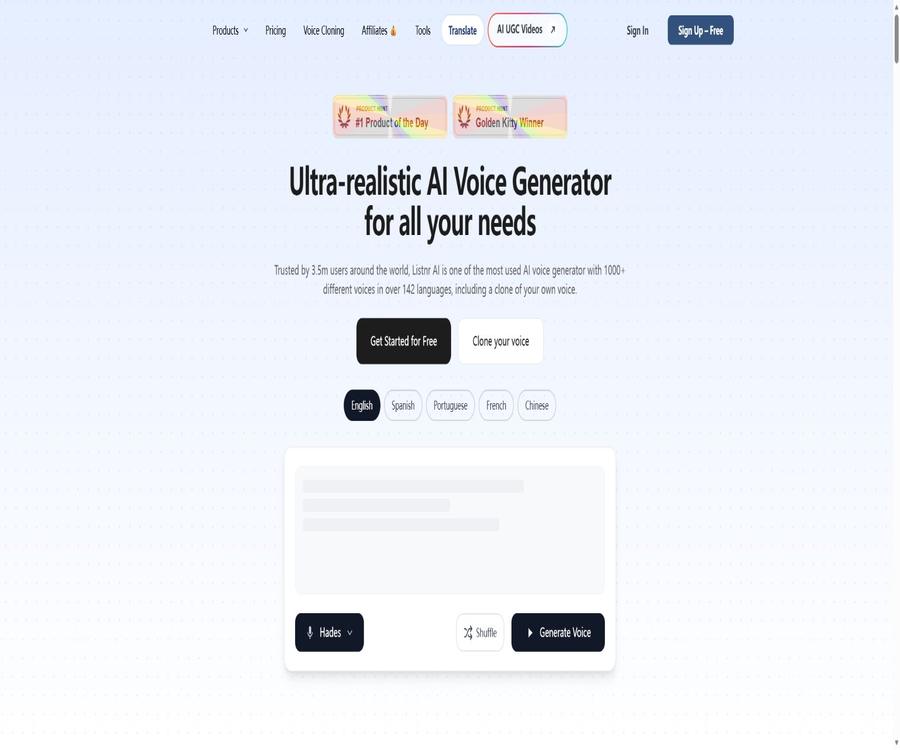
Listnr 2.0
Listnr 2.0: an intelligent tool focused on AI-powered audio.
Tags:AI audio toolsWhat is Listnr 2.0?
Listnr 2.0 is an AI voice generation platform operated by Listnr Software Private Limited, which is primarily used to convert text, articles, or PDF content into synthetic speech.
It offers voice cloning, multi-speaker processing, podcast hosting, video dubbing, and developer APIs, making it suitable for users who need to generate narration in bulk or integrate voice capabilities into their products.
Main functions
Text-to-speech and precise control
- After entering or pasting text, select the language, accent, and voice tone to generate a preview of the audio, which can then be exported as MP3 or WAV file.
- Adjust the speech rate, pitch, stress, pauses, and emotional tone; SSML tags can also be used to handle more detailed aspects of rhythm and pronunciation.
- Create a custom pronunciation list to save the way in which brand names, names of people, or technical terms are pronounced, making it easy to reuse them in subsequent projects.
- The official claim is that there are over 1,000 available timbres, covering more than 142 languages and accents; the actual range of options may vary depending on the package and account used.
Multiple speakers, cloning, and content creation
- In the same audio engineering process, different timbres can be assigned to various segments in order to create interviews, dialogue-based podcasts, instructional conversations, or voiceovers for game characters.
- For voice cloning, it is necessary to upload voice samples in order to create a personal voice tone that can be used for subsequent synthesis; only the voices of speakers for whom explicit permission has been obtained can be processed.
- The platform allows the use of text and narration in video production, and it also enables the creation, hosting, and distribution of podcasts; it is suitable for integrating script preparation and publishing into a single workflow.
- For audiobooks, courses, explanatory videos, and ad narrations, it is possible to preview each paragraph first and then create the entire project, thereby reducing waste resulting from errors in pronunciation or rhythm.
Input, output, and platform
| Type | Supported content | Common uses | Precautions |
|---|---|---|---|
| Text and SSML | Manual entry, pasting of texts, with markers for pauses and emphasis | Dubbing, courses, audiobooks | Different timbres may provide varying support for SSML attributes. |
| Articles and PDFs | URL of the article or URL of the PDF file | Audio conversion of articles, text reading aloud | APIs require accessible resources and consume account credits. |
| Speech samples | Recordings of authorized speakers | Cloned timbres, brand voices | Voice is considered sensitive biometric data, and verifiable consent must be obtained. |
| Audio and video | Synthetic voice, transcription, translation, or dubbing projects | Podcasts, subtitles, multilingual localization | The generation time, storage capacity, and number of videos are limited by the package plan. |
At present, the web version is the one that can be used; there is no official iOS, Android, or Chrome Store page associated with this AI product yet, and it is necessary to verify the identity of the developer before downloading an app with the same name.
Usage tutorial
- Create an account and access the voice editor; first, select a voice tone based on the language of the content, the target audience, and the intended use.
- Paste or import the document and segment it based on semantics; assign different speakers to each segment in the dialogue.
- Set the speech rate, pauses, stress, and pronunciation rules; first preview a single paragraph to verify the way names and terms are pronounced.
- Generate a complete audio file, check the pronunciation, mood, and volume consistency, and then export it as MP3 or WAV depending on subsequent editing needs.
- When using it for public release or commercial projects, it is necessary to verify once again the commercial rights associated with the package used, the licensing of the materials, and any disclosure requirements regarding the synthesized content.
Suitable for users and scenarios
- Video creators: Generate voiceovers in bulk for short videos, tutorials, product demonstrations, and explanatory content.
- Podcast and publishing team: Creates multi-person conversations, audio articles, or audiobooks, making use of hosting and distribution capabilities.
- Education and corporate training teams: Convert course materials into multilingual audio to facilitate accessible learning or cross-regional courses.
- Developers and product teams: Use APIs to generate speech, retrieve available voices, query asynchronous tasks, or obtain word-by-word timestamps.
Price packages
| Package or version | Price | Billing cycle | Core benefits or quota | Suitable for users |
|---|---|---|---|---|
| Individual | $190 | Annual payment | 20,000 points per month, approximately 2 hours of voice time, 50GB of storage, and 50 videos per month | Individual creators |
| Solo | $390 | Annual payment | 50,000 points per month, approximately 5 hours of voice time, 100 GB of storage, and 150 videos per month | Creators or small teams |
| Agency | $990 | Annual payment | 250,000 points per month, approximately 25 hours of voice time, 250GB of storage, and 250 videos per month | Small and medium-sized enterprises and agency teams |
All three annual plans include all available sound colors, unlimited exports, unlimited audio embedding, and commercial usage rights; however, there are clear limits on the duration of audio clips, the number of points, storage space, and the quantity of videos that can be used.
Registration can be started for free, but the exact amount of free usage available is not publicly specified at the moment; if monthly payment, pay-per-use based on points, or regional billing options are available, the details shall be as indicated on the actual billing page.
Refunds and cancellations
- Unsubscribing will only prevent charges from being made in the next cycle; it does not automatically refund any amounts that have already been paid.
- For users who are not from the EU, the UK, or India, a full refund can be requested within 7 days of the first purchase, provided that the total amount of content used does not exceed 1000 words or 5 minutes of audio; this decision is made on a case-by-case basis.
- Lifetime plans are, in principle, non-refundable; users in the EU, the UK, and India are also subject to local consumer regulations.
API and open-source status
- Generate API keys in the account backend, and store them securely on the server only; do not include them in the frontend or in publicly available code.
- When invoking the text-to-speech interface, provide the voice tone identifier, SSML text, as well as optional parameters such as style, speech speed, format, and sample rate.
- For long-length content, asynchronous tasks can be used: save the identifier of the returned task, and then query the processing status as well as the final audio output.
- When subtitle alignment is required, word-by-word timestamps can be requested; it is also possible to view a list of voice tones, or use a streaming speech interface for cloning voices.
The developer documentation and request examples are available in the team’s code repository, but no software license is specified there; therefore, it should not be considered an open-source SDK that can be reused freely.
The Listnr platform, its underlying models, and service code constitute proprietary software; the publicly available API documentation and examples do not mean that the product itself is open source.
Privacy, Copyright, and Security
- Accounts, devices, usage logs, payment tokens, as well as uploaded text, audio, video, and sound samples are processed according to the needs of the service; the original audio is retained for 30 days by default before being deleted or anonymized.
- The platform states that it does not sell or rent personal data, and it offers the rights or options to access, correct, delete, export such data, as well as to withdraw from the training process.
- Regarding training purposes, the safety guidelines state that data is not to be used for training; however, the terms allow voice data to be used for model training outside of conversations once explicit consent is given, and an option to opt out is provided.
- Users retain the right to input their content; the platform transfers to them the rights to the generated results within the limits permitted by law, but it does not guarantee that the output will be unique or that it will not infringe on the rights of third parties.
- Cloning someone’s voice without consent is prohibited, as are any activities that involve infringement of rights, fraud, hate, harassment, misleading deepfake technology, and content that could cause significant harm.
Advantages and usage limitations
Main advantages
- Within an editing environment, multilingual voice tones, multi-person conversations, pronunciation dictionaries, podcast hosting, and APIs are available, enabling a range of processes from drafting to delivery.
- It supports audio preview, export in MP3 and WAV formats, asynchronous tasks, and word-by-word timestamps; it can be used both for creating content directly and for automated production.
Use boundaries
- The naturalness of the timbre, as well as the pronunciation and emotional impact, vary depending on the language, timbre, script, and parameters; manual listening is still required before professional release.
- Synthesized speech may be similar to existing voices or the outputs of other users; business users must verify the text, personality rights, trademarks, audio materials, and the rules regarding distribution channels on their own.
- The annual subscription plan still has limits on points per month, on the amount of voice time available, as well as on the quantity of storage space and videos that can be used; in addition, the API may experience rate limiting or insufficient quota.
- In cases related to amounts, limits, payment terms, refunds, or data settings, the actual settlement page, the account dashboard, and the latest terms shall prevail.
Summary
Listnr 2.0 is suitable for individuals and teams who want to integrate multilingual voice generation, voice cloning, podcasts, and APIs into the same content creation process.
Before selecting a package, you should first test the voice tone in your own language using relevant scripts, and check the monthly quota, commercial benefits, voice licensing options, as well as the settings related to data training.
Tools similar to Listnr 2.0




 Guigong Network Security Registration No. 45132202000164