






inBuild
inBuild, an intelligent tool focused on AI-powered audio.
Tags:AI audio toolsA one-sentence summary
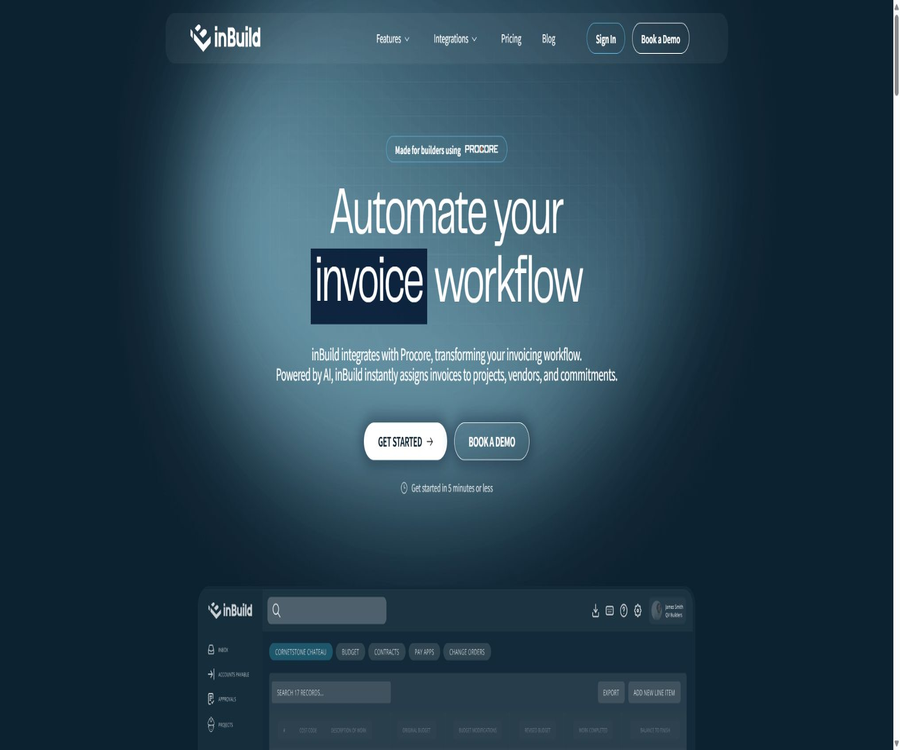
inBuild is an AI-powered platform for accounts payable and financial workflows, designed for construction companies. It integrates tasks such as invoice and receipt collection, data extraction, project cost coding, approval processes, duplicate checks, as well as synchronization with Procore and QuickBooks into a single workflow.
What is inBuild?
inBuild is not a complete project management and accounting system that can replace Procore or QuickBooks; rather, it acts as an automated layer that connects the various documents to the company’s internal systems and to the final accounting processes. It serves primarily general contractors, specialty contractors, property developers, as well as their financial, project, and on-site teams.
The product is based on Procore’s financial data; it can be connected to QuickBooks Online or QuickBooks Desktop, and it receives documents from Outlook, web pages, and mobile apps. AI is responsible for extracting and making recommendations, but humans are still needed to verify amounts, suppliers, projects, contractual obligations, and cost codes.
Main functions
Unified accounts payable inbox
Invoices and receipts from email attachments, web uploads, mobile device photos, and other connected channels can all be gathered in the same inbox. Finance staff can filter them by supplier, uploader, date, and amount, and view the submission time, project details, and processing status.
AI-based extraction of invoices and receipts
AI can extract information such as suppliers, total amounts, document dates, billing dates, and individual line items from invoices and receipts. The results generated on mobile devices can be modified field by field, and the system does not force users to accept the automatically identified values.
Recommendations for project and cost coding
The platform can recommend suppliers, projects, categories, project elements, commitment contracts, WBS values, and cost codes. For data that cannot be determined or does not match the company’s mapping, users need to select and correct it manually.
Procore synchronizes invoices with costs
After review and approval are completed, the documents can be synchronized back to Procore to update the budget and project finances. The platform supports the mapping of direct costs, promised invoices, budget codes, suppliers, projects, and related financial entities.
QuickBooks Online and Desktop
inBuild enables the synchronization of approved Procore invoices to QuickBooks, as well as tracking of bill payments and related mappings. Online and Desktop cannot both be used as the current accounting integration method at the same time, but Desktop can connect to multiple company files.
Outlook automatic receipt collection
After connecting to Outlook, email attachments are automatically transferred to inBuild where they are processed in the background, eliminating the need to download them first and then upload them again. One account can be linked to multiple email accounts, allowing for monitoring of whether the documents have been synchronized and processed.
Custom approval workflow
Administrators can create multiple levels of approval chains, assigning approvers based on amount ranges, specific individuals, or Procore project roles. For each level, it is possible to specify that either one person or all people must give their approval; it is also possible to decide whether disputes should be referred back to the previous level or started over from the beginning.
Direct costs and contract cost processes
The platform covers both direct costs such as receipts and miscellaneous expenses, as well as contractual costs such as invoices from subcontractors. Different types of documents can have separate permissions, approval processes, and submission targets.
Commitment Contracts and Change Orders
Once the corresponding function is enabled, authorized users can create Procore commitment contracts and commitment change orders from uploaded files, as well as review the SOV line items that have been extracted. This capability should be configured separately from the permissions related to invoice processing.
Duplicate document detection
The system uses perceptual hashing to compare the visual content of document pages, and it displays warnings for files that may be duplicates. Detection is available for email attachments, web page uploads, and Procore synchronization; however, the warnings serve only as a reminder and do not prevent users from continuing to submit the files.
Credit card and receipt tracking
Companies can connect their existing corporate credit cards and debit cards via Plaid in order to monitor transactions. Once staff members take photos of receipts using mobile apps, they can match those documents to the corresponding transactions, which are then synced to Procore and QuickBooks.
Financial Insights
The platform updates information related to budgets, contracts, and change orders as invoices are processed, and it offers AI-powered financial analysis capabilities. Actual management should still be based on the approved documents and the accounting system; automated insights cannot replace financial verification.
Mobile receipts and approvals
The inBuild Pro mobile app allows for taking photos on-site, uploading multiple images and PDF files at once, reviewing the results obtained by AI, adding budget codes and submitting them for approval. Users can also view and approve invoices from their mobile devices, thereby reducing the time waiting for project staff to return to the office to handle documents.
Invoice processing workflow
- Connect to Procore and verify that the financial management and invoicing modules meet the integration requirements.
- Connect Outlook to QuickBooks Online or QuickBooks Desktop as needed.
- Have the supplier send the invoice to the connected email address, or upload it from the web and mobile platforms.
- Wait for the AI to extract the supplier, date, amount, line items, and other fields.
- Check the system’s recommended items, suppliers, contractual commitments, WBS, and cost codes.
- Correct the erroneous fields and verify that the total amount of the row items matches that of the original document.
- Enter the configured multi-level approval process based on amount and role.
- After approval, it is submitted to Procore and synchronized to QuickBooks by module.
- Verify the budget, direct costs, invoices, and payment status, and handle failed or duplicate records.
Mobile receipt processing workflow
- Install inBuild Pro on iOS or Android and log in to your corporate account.
- Take a clear and complete receipt photo, or select multiple images or a PDF from your album or files.
- Wait for AI extraction to be completed for each receipt separately.
- Check the supplier, total amount, date, and line items, and manually correct any identified errors.
- Select projects and suppliers; sub-contract invoices can also be linked to commitment contracts.
- Add budget codes to the direct cost line items and verify the amounts.
- Submit the documents for team approval and continue to track them via the web interface.
Input, processing, and output
| Stage | Confirmed content | Usage notes |
|---|---|---|
| Email entry | Outlook email attachments | Only connect the necessary email addresses for accounts payable. |
| Web input | Drag and drop or select the invoice file | The current help documentation specifies that a single file may not exceed 1000 MB in size. |
| Mobile input | Common images and PDFs can be selected in bulk. | Each receipt is processed separately and assigned a code. |
| AI extraction | Supplier, amount, date, and line items | All fields should be reviewed before submission. |
| AI recommendations | Projects, suppliers, accounts, commitment contracts, WBS, and cost codes | When it cannot be determined, manual selection is required. |
| Approval output | Approval, disputes, and multi-level audit records | Incorrect role configuration may lead to implicit approval. |
| Procore output | Invoices, direct costs, and related financial updates | Depends on Procore modules and permissions. |
| QuickBooks output | Invoices, payments, and mapped accounting records | Choose between Online and Desktop to enable it. |
Integration with Procore, QuickBooks, and Outlook
| System | Primary uses | Key conditions or boundaries |
|---|---|---|
| Procore | Synchronization of projects, suppliers, budgets, WBS, commitment contracts, invoices, and direct costs | A valid inBuild account, as well as the Procore Financial Management and Invoicing modules, are required. |
| QuickBooks Online | Invoices, payments, and mapping of accounts and items | Charged on a per-independent module basis, and supports configuration for multiple accounting entities. |
| QuickBooks Desktop | Synchronization of bills and finances for local company documents | The price needs to be confirmed through demonstration; it is possible to connect to multiple company files. |
| Outlook | Automatically receive and process email attachments | Multiple email accounts can be connected, and the necessary access permissions must be granted. |
| Plaid | Link company credit card to transactions | Used for receipt matching; it is necessary to assess the permissions related to bank and transaction data. |
| Mobile apps | Take photos on-site, upload them, encode them, and get approval. | An existing corporate account and the corresponding module are required. |
Approval and permission control
| Controls | Configurable content | It is necessary to pay attention. |
|---|---|---|
| Global approval switch | Enable or disable invoice approval | Rules that have been configured will not be executed once it is turned off. |
| General rules | Applicable to all invoices | Each company can have at most one; it can be disabled but not deleted. |
| Amount rules | Trigger by intervals with and without a lower limit. | The intervals cannot overlap; they can be combined with general rules. |
| Approval hierarchy | Multi-layer sequential execution | The next layer is only started after the previous one is completed. |
| Requirements within the layer | Approval by any one person or by all persons | It should be designed based on risk and amount. |
| Reviewer | Specific individuals or Procore project roles | Project tasks may be skipped when there is no one assigned to them. |
| Dispute resolution | Go back to the previous level or restart from the first level. | The reason for the dispute must be specified. |
| Reminder | Time and time zone for daily email review | It is necessary to avoid sending too many notifications or missing critical time zones. |
| Management permissions | Procore Company Admin management rules | Ordinary members can only view it. |
If none of the role reviewers can resolve the issue, the system may approve the document implicitly and allow it to be submitted. Companies must regularly check the Procore project roles and any yellow warnings; they should not assume that just because rules have been set in place, each document will necessarily require manual approval.
How does repeated testing work?
- The system compares the visual fingerprints of each page in the documents, rather than merely looking at the file names and metadata.
- The new document will be compared with the documents already submitted, under processing, and archived in the company’s inbox.
- Invoices with the same template but different amounts or dates may also be misreported.
- Duplicate markers are informational; they are not deleted automatically nor do they prevent submission.
- Once duplication is confirmed, it can be archived, and the archiving action can be reversed.
- Before suppressing the warning, verify the invoice number, date, amount, and supplier.
- Error overrides may result in duplicate payments in Procore or QuickBooks.
Price and modules
The price information was verified on August 23, 2026; the actual amounts, taxes, exchange rates, and discounts may vary, and the final figures will be those displayed on the settlement page.
inBuild charges based on the combination of functional modules, offering both annual and monthly payment options. All solutions are available for a 14-day trial period; there is no additional charge for the number of account users. However, when the scale of operations exceeds the specified threshold, it is necessary to schedule a demonstration and obtain a quote.
| module | Public scope of application | Annual equivalent monthly price | Monthly price | Approximate savings per year | Key capabilities |
|---|---|---|---|---|---|
| Invoice Automation | Annual construction value: 0 to 10 million US dollars | $ | $ | $ | AI-based invoice processing, with invoices being synchronized with direct costs |
| Receipt Tracking | 0 to 10 employee cards | $ | $ | $ | AI-based receipt processing, real-time synchronization of direct costs, and mobile applications |
| QuickBooks Syncing | QuickBooks Online | $ | $ | $ | Sync from Procore to QuickBooks, including indirect costs and payments |
| Standard Support | Fixed support module | 75 dollars per month | 100 dollars per month | $ | 30-minute online meetings and email support per session |
| Premier Support | Advanced Support Module | $ | $ | $ | Includes standard support, unlimited simultaneous meetings, real-time chat, and a dedicated representative |
Situations where a separate quote is required
| Demand | Public price status | It should be confirmed at the time of purchase. |
|---|---|---|
| The annual construction value exceeds 10 million US dollars. | Invoice Automation requires a quote demonstration. | Volume of transactions, number of projects, extent of automation, and implementation |
| More than 10 employee cards | Receipt Tracking requires a quote demonstration. | Number of cards, Plaid connections, and number of receipts |
| QuickBooks Desktop | A quote needs to be presented. | Number of company documents, connector deployment, and support |
| Module combination | Combination discounts are available. | Specific discounts, contract duration, and minimum commitment level |
| Special customization | Quotation based on the scope of implementation | Data mapping, training, migration, and time to go live |
The annual payment page shows the monthly price after conversion; in practice, payments are usually made on an annual basis. The prices listed do not include any applicable taxes and fees. For special orders, corporate quotes, and discounts for combined modules, the details specified in the order document shall apply.
Trial, cancellation, and refunds
| Project | Current rules | Precautions |
|---|---|---|
| Trial | All accounts for 14 days | True data mapping and synchronization verification should be completed during the trial period. |
| Billing | Monthly and annual payments are supported. | The annual discount varies depending on the module. |
| Monthly payment cancellation | No charges will be applied after this cycle. | The fees paid for the current month are non-refundable. |
| Annual subscription cancellation | The unused portion can be refunded on a daily pro rata basis. | The annual payment discount will be deducted, and the cost for the period already used may be recalculated based on the standard monthly rate. |
| Data export | After termination, a written request can grant a 90-day export window. | Accounts terminated due to violations require a separate application. |
| After 90 days | The platform can delete customer data. | Except in cases governed by legal reservation requirements. |
Which companies are suitable?
- General contractors that are already using Procore’s financial management and invoicing modules.
- Construction companies that handle a large number of project invoices, subcontractor payments, and on-site receipts on a monthly basis.
- Financial teams that need to link Procore project costs with QuickBooks accounts.
- Developers who manage multiple projects, suppliers, contracted obligations, and cost codes at the same time.
- Enterprises that need to establish an approval chain based on amount, department, and project role.
- Teams whose staff often lose paper receipts or delay submitting expenses.
- Organizations that have multiple QuickBooks entities or multiple Desktop company files.
- Companies that wish to reduce repetitive data entry while maintaining manual financial control.
Situations that are not very suitable
- Companies that do not use Procore and have no plans to establish a Procore-based financial process.
- It is only for individual micro-users who need to scan a few receipts or keep simple accounts.
- Teams that wish to purchase it once for permanent use.
- Organizations that require the complete shutdown of AI processing or prohibit third-party AI service providers from accessing data.
- Companies and individuals located in the European Economic Area, the United Kingdom, or Switzerland.
- Development teams that need ready-made public APIs, self-hosted solutions, or offline deployment options.
- Companies that are unable to arrange for financial staff to review the data extracted by AI and the cost codes.
- Teams whose budget is not sufficient to cover the costs of multiple modules and various support services.
Main advantages
- It is specifically designed for accounts payable in the construction industry and Procore objects.
- Centralized receipt collection that covers emails, web pages, mobile devices, and Procore synchronization.
- AI not only extracts text, but also assists with project, supplier, and cost mapping.
- Integrate invoices, direct costs, commitment contracts, and change order processes.
- Approval can involve multiple layers of rules based on amount, personnel, and project roles.
- QuickBooks synchronization reduces the need for repetitive data entry between the project management system and the accounting system.
- The mobile version is suitable for project managers to submit receipts and handle approvals on-site.
- All accounts allow an unlimited number of users, which facilitates increased participation across different departments.
- The modular pricing allows for the purchase of only the capabilities that are needed at the moment.
Usage restrictions and risks
- AI-based recognition, mapping, and financial insights can be inaccurate; therefore, transactions cannot be recorded without further review.
- The system is based on Procore and is not a standalone, general-purpose accounts payable solution.
- When multiple modules are used together, the monthly cost is significantly higher than the single public starting price.
- High construction costs, a large number of employee cards, and QuickBooks Desktop require a quote.
- Perceptual hashing may misidentify documents with similar layouts but different content as duplicates.
- Implicit approval may occur when there is no assigned role, and approval governance requires ongoing maintenance.
- QuickBooks Online and Desktop cannot both be enabled as the current integration type at the same time.
- Connecting email accounts, accounting systems, and bank card transactions expands the scope of data access.
- The fact that mobile apps can be installed for free does not mean that the enterprise platform can be used freely as well.
- The publicly available SOC 2 reports, SSO solutions, and options for regional data hosting have not been confirmed.
Privacy and AI data processing
AI and machine learning are part of inBuild’s core services, and it is not possible to disable them while maintaining the full functionality of the product. Customer data is used for structuring and extracting documents, classifying and routing them, understanding account preferences, as well as conducting financial analyses.
| Data or rules | Current instructions | Measures that companies should take |
|---|---|---|
| Customer data ownership | Customers have project, supplier, financial, and document data. | Ensure the right to upload personal and commercial information of third parties. |
| Third-party AI | It can be used by a service provider to carry out the services. | When making a purchase, inquire about the specific supplier, region, and retention period. |
| Model training | Without the customer’s written consent, processors are not authorized to train generic or basic models. | Include restrictions in the order and data protocols. |
| Cross-client isolation | The data shall not be used in a way that reveals the secrets of other clients. | Permission and member configuration still need to be tested. |
| Data sales | Customer data or personal information is not sold. | Check the policies of each connected platform. |
| Trust area | The service is hosted in the United States. | Conduct legal and contractual assessments before cross-border use. |
| Active accounts | Retain customer data during the account period | Set up internal processes for retention, deletion, and export. |
| After termination | It can usually be deleted after 90 days have passed. | Submit a written request within the specified period and verify the export. |
| Summary statistics | Once de-identified, it can be stored for a long time and remains the property of the platform. | Verify that the summary scope is in line with the company’s policies. |
Regional and age restrictions
The service is not available for individuals and businesses in the European Economic Area, the United Kingdom, or Switzerland; users in these regions should not use it. It is intended for professional business users, and it is not suitable for children under 13 years of age.
Safety and procurement inspections
- Grant only the permissions necessary for business operations to Outlook, Procore, QuickBooks, and Plaid.
- Use separate accounts for members, and regularly review those who have left the organization as well as project roles.
- First, verify the supplier, WBS, tax codes, accounts, and payment mappings in the test project.
- Set additional amount rules and require approval from all personnel for invoices with high amounts.
- Monitor implicit approvals, repeated warnings, and failed synchronizations, without relying on default settings.
- Before making a purchase, request a list of sub-processors, security documents, incident notification procedures, and backup instructions.
- Determine whether the enterprise requires DPA, SSO, audit export, and data residency commitments.
- Complete data export before cancellation, and retain the reconciliation records between Procore and QuickBooks.
- If you do not wish the platform to use your customer name or logo publicly, you should submit a written request to refuse this.
Platforms and applications
| Platform | Support status | Primary uses |
|---|---|---|
| Web | Support | Configure integration, process invoices, and manage workflows. |
| iPhone and iPad | Supports inBuild Pro | Photo upload, receipt coding, and approval – iOS or iPadOS 15.1 or later is required. |
| Android | Supports inBuild Pro | On-site shooting, document submission, and mobile approval |
| Procore | Core integration | Projects, budgets, commitment contracts, invoices, and direct costs |
| QuickBooks Online | Paid module | Invoices, payments, and accounting mappings |
| QuickBooks Desktop | Demo quote | Synchronization of local company documents |
| Outlook | Support | Email attachments are automatically added to the inbox. |
| Plaid | Receipt Tracking module | Company cards and transaction connections |
API, GitHub, and open-source status
- No public API documentation for customer developers has been identified.
- No official SDK, Webhook directory, or command-line tools were found.
- The connections to Procore, QuickBooks, Outlook, and Plaid are part of the built-in integrations of the product.
- An official GitHub organization matching the product name has been identified, but there are no public repositories at the moment.
- There are no public sources for the platform code, model weights, or self-hosted deployment packages.
- The terms of service prohibit reverse engineering, bypassing restrictions, and creating competitive products.
- The inBuild platform should be considered a proprietary commercial cloud service, rather than an open-source project.
Basic information
| Project | Content |
|---|---|
| Tool name | inBuild |
| Operating entity | inBuild, Inc. |
| Product type | Automation of accounts payable and financial workflows in the construction industry using AI |
| Core system | Procore |
| Accounting integration | QuickBooks Online and QuickBooks Desktop |
| Payment collection channels | Outlook, web, mobile, and Procore |
| Mobile apps | inBuild Pro is compatible with iOS, iPadOS, and Android. |
| Free method | 14-day trial |
| Public starting price | Invoice Automation: annual subscription equals 299 dollars per month. |
| Number of users | There is no limit on the number of users in the account. |
| Trust area | United States |
| Applicable in Europe | Not available for the European Economic Area, the UK, and Switzerland. |
| Public API | Not confirmed |
| Open-source status | Not open source |
Frequently Asked Questions
Will inBuild replace Procore or QuickBooks?
No. It is a workflow layer that connects document collection, AI-based coding, approval processes, Procore project finance functions, and QuickBooks accounting records.
Can it be used for free?
The platform offers a 14-day trial period, but it is not a product available for free on a permanent basis. The mobile app can be downloaded for free; however, to use it fully, an enterprise account and the corresponding modules are required.
Do you need Procore?
The current product is built around Procore; for invoice integration, the Procore Financial Management and Invoicing modules are required. Companies that do not use Procore should first determine whether this product fits their workflow.
Will AI submit invoices automatically?
AI is responsible for extracting and making recommendations, but the fields can be modified manually, and documents can also be synchronized after going through multiple approval levels. Companies should not treat automatic recommendations as finalized accounting facts.
Is QuickBooks Desktop supported?
It is supported, and it is possible to connect to multiple Desktop company files; however, the price requires a demonstration prior to confirmation. Online and Desktop cannot both be used as the current accounting integration method within the same company.
Is it possible to connect multiple QuickBooks entities?
It supports mapping to multiple QuickBooks environments and projects; Desktop allows the addition of multiple company files. The exact number of entities, the methods of connection, and the pricing for the modules need to be determined before deployment.
How many users can it support?
According to the public pricing details, any account can have an unlimited number of users added, with no additional charges for those users. The cost of the modules is determined primarily based on the functions offered and the scale of the business.
Will repeated detections automatically block payments?
No. It displays warnings based on visual similarity, but users can still override those warnings and submit the form; therefore, it is necessary to verify the invoice number, date, amount, and supplier for each entry.
Will the data be used to train general AI models?
According to the current policies, third-party AI systems are not allowed to process commercial customer data for the purpose of training general or basic models, without the customer’s prior written consent. AI processing is an integral part of the core services, and it cannot be completely disabled.
Can data be exported after cancellation?
Generally, an application for export can be submitted in writing within 90 days after termination or cancellation. After this period, the platform may delete the customer data; therefore, companies should not wait until the last day to start the migration process.
How can I get a refund for monthly and annual payments?
If the monthly payment option is canceled, the fee for the current period will not be refunded. With the annual payment option, a refund can be calculated on a daily basis for the unused time, but the annual discount will be deducted, and the cost of the period that has already been used may be recalculated at the standard monthly rate.
Are API or open-source versions available?
No public APIs, SDKs, Webhooks, public code repositories, or self-hosted versions have been identified. Existing external connections are primarily established through the built-in integrations of the product.
Summary
inBuild is suitable for construction companies that already use Procore as the core tool for project finance and wish to reduce the manual tasks associated with invoices, receipts, cost coding, approvals, and synchronization with QuickBooks. Its unique features include specialized financial objects for construction projects, approval processes based on project roles, integration directly with contract costing procedures, and the ability to process payments on-site.
When making a purchase, one should not focus only on the initial price of $299 per module; it is also necessary to take into account the costs associated with receipts, QuickBooks, and additional modules, as well as the pricing for situations where the scale of business exceeds certain limits. Before going live, it is essential to verify the accuracy of the AI, the mechanism for implicit approval of tasks, data mapping, third-party AI processing, hosting in the United States, and the ability to export data within 90 days after cancellation.
Tools similar to inBuild




 Guigong Network Security Registration No. 45132202000164