






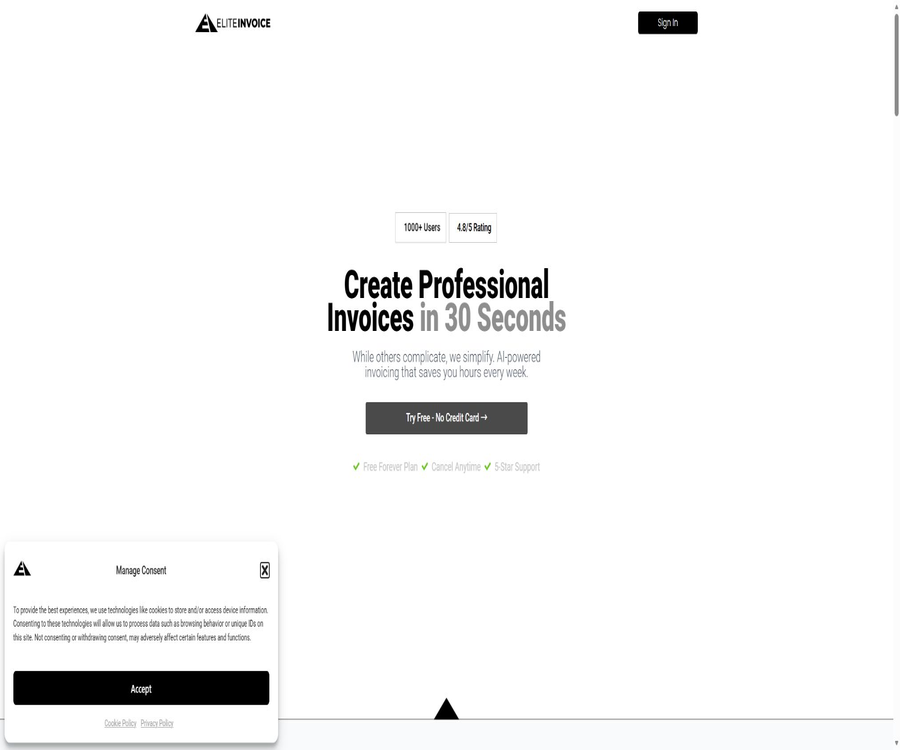
eliteinvoice
eliteinvoice: an intelligent tool focused on AI-powered audio.
Tags:AI audio toolsA one-sentence summary
EliteInvoice is a web-based invoicing tool designed for freelancers and small businesses; it enables the conversion of natural language descriptions into structured invoices, and it also allows for brand customization, calculation of taxes and totals, email delivery, tracking of payment status, as well as basic financial analysis.
Tool Introduction
EliteInvoice is operated by EliteCoders Trading, and its goal is to reduce the costs associated with creating and managing customer invoices for small businesses. Users can generate a sample invoice without logging in, or they can register an account to store customer information, send official invoices, and use reporting functions.
The AI contained in the product is used primarily to understand natural-language inputs such as project details, labor hours, unit prices, and additional fees, thereby generating editable draft invoices. It is not a substitute for accountants, tax advisors, or the official electronic invoice submission systems required by various countries; manual verification is still necessary before the invoices are sent officially.
Main functions
Natural language invoice generation
Users can describe the customer, duration of service, unit price, and other costs in a single sentence; the system will then break down this information into individual invoice lines and calculate the amounts. Natural language processing may misinterpret numbers, currencies, or the classification of various items, so it is necessary to check each item individually.
Manual creation and editing
In addition to using AI for input, users can also fill in the details of the seller, customer, date, project, quantity, unit price, taxes, terms, and remarks via a standard form. After the AI generates the content, an editing interface is available to complete the required fields and payment information.
Automated calculation of taxes and total amount
The system can calculate the subtotal, taxes, and total amount based on the entered quantity, price, and tax rate, thereby reducing the need for manual calculations. It is still up to the issuer of the invoice to decide whether to apply taxes, whether to display the total including taxes, and what rounding rules to use.
Professional templates and brand customization
EliteInvoice provides invoice templates and allows users to upload their company’s logo as well as choose brand colors. These templates help to achieve a consistent visual style, but they do not guarantee compliance with the requirements for invoices in a particular country, region, or industry.
Multiple currencies and languages
The official website lists support for multiple currencies, various languages, international tax handling, and currency conversion – features that are useful for generating invoices for customers in different regions. However, the specific languages available, the sources for exchange rates, the frequency of updates, and the countries covered by tax regulations are not detailed on the public page.
Email sending and tracking of deliveries
Once the invoice is prepared, it can be shared via email, allowing one to track whether the customer has viewed it and made a payment. The arrival of the email, the indication that it has been viewed, and the status of the payment may be affected by the recipient’s system, privacy settings, and manual updates.
Customer management
All public packages specify that they support an unlimited number of clients, making them suitable for issuing invoices to multiple clients repeatedly. The limitations of these packages lie mainly in the number of invoices that can be created per month, as well as in the level of reporting and the priority level of support provided.
Payment and financial analysis
The product overview lists real-time payment tracking, revenue forecasting, customer payment analysis, and custom reports. The free version and the Starter edition include only basic reports, while the Professional and Premium editions offer advanced reports.
The workflow from description to invoice
- First, prepare the seller’s name, address, tax information, customer details, currency, payment terms, and payment methods.
- Describe each service or product in plain language, along with the quantity, unit, unit price, and any additional fees.
- Have EliteInvoice generate a draft, and check the item names and amounts identified by the AI.
- Add fields for invoice number, issue date, expiration date, tax rate, discount, remarks, and legally required information.
- Upload the logo and select the brand colors; check that the address, tables, and footer in the template are complete.
- Preview the total amount, currency, taxes, payment details, and customer email to ensure there are no rounding errors or duplicate entries.
- It is delivered to the customer via email or using the sharing methods provided by the platform.
- Track the status of payments on the dashboard, and update the records promptly after receipt of payment while saving the accounting documents.
Usage tutorial
No registration is required to generate sample invoices.
- Go to the quick generation section of EliteInvoice and use a test description that does not contain any actual sensitive information.
- State the customer, service, hours worked, unit price, and one-time fee in complete sentences.
- After generating the sample, verify each item by checking the quantity multiplied by the unit price, any additional fees, and the total amount.
- Observe how the system breaks down text, and then adjust the units, currencies, and boundaries of the items in the description.
- When it is necessary to save, send, or manage the data over a long period, register a formal account and recheck the information.
Create a formal invoice
- Register an account and complete the company details, default currency, address, logo, and payment terms.
- For new customers, confirm the company name, contact person, email address, billing address, and tax identification.
- Choose between AI-generated or manually created, and enter the actual project details and amount.
- Enter the applicable tax rate based on the location of the exchange and the type of business; do not rely blindly on the system’s recommendations.
- Set a unique invoice number, the date of issue, and a clear deadline for payment.
- Check the bank or other payment details to avoid sending old account information to customers.
- Preview the entire invoice and have another person review large or cross-border bills.
- After sending, record the delivery time and update the status based on the actual receipt situation.
Manage the monthly invoicing limit
- Estimate the number of invoices that need to be issued in normal months and during peak business periods.
- Check with official support to determine whether drafts, tests, and reissued invoices count toward the quota.
- The free version provides only 1 card per month; if more are needed, it’s advisable to compare the cost of an upgrade with that of alternative tools first.
- Before choosing the annual payment option, verify the data access rules after a refund, downgrade, quota reset, or cancellation.
- Export or back up key invoices and customer information on a monthly basis to avoid relying solely on online accounts.
Input and output
| Type | Representative content | System processing | Output or result |
|---|---|---|---|
| Natural language description | Customers, hours worked, unit price, and costs | Extract items and calculate amounts. | Editable invoice draft |
| Company information | Name, address, logo, and brand colors | Fill in the template and standardize the style. | Branded invoices |
| Customer information | Contact person, email address, and billing address | Save and use for sending | Customer invoices and historical records |
| Transaction details | Products, services, quantity, unit price, and discounts | Calculate subtotals and grand totals | Detailed list and amount payable |
| Tax settings | Tax rates and tax fields | Perform calculations and display results | Tax amount and total amount including tax |
| Payment information | Maturity date, terms, and payment methods | Shown along with the invoice and tracked accordingly | Payment status and basis for reminders |
| Business records | Sent, viewed, and paid data | Summary and analysis | Basic or advanced reports |
Comparison of package features
| Project | Free | Starter | Professional | Premium |
|---|---|---|---|---|
| Monthly price | $ | 4.99 dollars | 9.99 dollars | 19.99 dollars |
| Number of invoices per month | 1 piece | 3 pieces | 10 pieces | 50 pieces |
| Number of customers | No restrictions | No restrictions | No restrictions | No restrictions |
| Report | Foundation | Foundation | Advanced | Advanced |
| Priority support | Not included | Not included | Not included | Includes |
| Suitable for users | Try it out occasionally | Low-frequency order takers | Freelancers who can issue invoices consistently | Small teams or high-frequency operations |
The public page states that cancellation is possible at any time, and a 20% discount is offered for annual payment plans. The page does not list in detail the amount due for annual payments, the conditions for refunds, taxes, or regional differences; the final details shall be as indicated on the account settlement page.
Prices and packages
As of August 22, 2026, EliteInvoice offers four monthly subscription plans: Free, Starter, Professional, and Premium. The main differences between these plans lie in the number of invoices generated per month, the level of reporting provided, and the priority support available for the Premium plan.
| Package | Monthly price | Billing cycle | Main limit | Suitable for users |
|---|---|---|---|---|
| Free | $ | Refresh monthly | 1 invoice per month, unlimited number of customers, basic report | Experience AI-generated or extremely infrequent invoicing. |
| Starter | 4.99 dollars | Monthly payment | 3 invoices per month, unlimited number of customers, basic reports | Part-time workers and a small number of long-term clients |
| Professional | 9.99 dollars | Monthly payment | 10 invoices per month, unlimited number of customers, advanced reports | Conventional freelancing and micro-businesses |
| Premium | 19.99 dollars | Monthly payment | 50 invoices per month, unlimited number of clients, advanced reports, priority support | Small businesses with a high volume of invoices issued |
| Annual payment plan | 20% discount on the monthly rate | Settled on an annual basis | Annual usage rights for the corresponding package | Users who confirm long-term use and agree to the annual payment plan |
The official website states that the free plan does not require a credit card and can be used for an extended period, with only one invoice issued per month. The public pages do not provide information regarding additional purchases, the carryover of unused credits, refunds, or the duration for which access remains valid after a downgrade; these details should be checked on the payment page before subscribing.
How to choose a package
- Calculate the actual number of invoices issued over the past three months, and set aside a buffer for peak periods and resumptions of activity.
- If you just want to experience natural language generation, start with the sample versions that require no registration and the Free plan.
- 2 to 3 Starter evaluations per month, to avoid paying for advanced reports that are not needed.
- Compare Professional and Premium only when income, customer payments, or custom reports are needed.
- When there are more than 10 items and priority support is required, Premium better reflects the product’s intended positioning.
- Before making the annual payment, verify that the tax-related fields, currency, email delivery, and data export meet the required standards.
Which users are it suitable for
- Freelancers: Quickly convert working hours, unit prices, and additional fees such as hosting costs into invoices for clients.
- Independent consultant: Retain clients and monitor the payment status of various professional services.
- Designers and developers: Describe project milestones, hourly rates, and one-time fees in natural language.
- Contractor: Generates invoices with the brand’s details and payment terms for different clients.
- Micro-enterprises: Managing a small number of invoices without installing a full accounting system.
- Cross-border service providers: They need draft invoices in multiple currencies and languages, but are able to verify tax rules on their own.
- Start-up teams: They need basic invoicing, customer, and reporting functions, with no more than 50 invoices per month.
Typical use cases
- Write down the development hours, unit price, and server costs for this month in natural language at once to generate a draft.
- Copy the business information for regular customers, and then update the current services and expiration dates.
- Generate professional invoices with a logo for design, consulting, maintenance, or content creation projects.
- Issue standard commercial invoices in various currencies to overseas clients.
- After sending the invoice, check whether the customer has viewed it and follow up on the unpaid items.
- Use reports to monitor revenue and customer payment performance.
- First, test the process using the free plan, and then upgrade based on the number of invoices generated per month.
Product advantages
- The natural language interface reduces the need to enter labor hours, unit prices, and additional fees column by column.
- Samples can be generated without registration, making it suitable for initially testing the AI’s parsing capabilities.
- The public pricing for the four tiers is straightforward; users can choose based on the number of invoices per month.
- All packages specify that there is no limit on the number of customers, thereby preventing the customer count from becoming a major constraint.
- Customizing logos and colors helps maintain consistency in a small business’s brand.
- Sending, viewing, payment status, and reporting cover the basic management tasks after invoicing.
- The free version does not require a credit card, thus lowering the barriers to trying it out.
- A 20% discount is applied to annual subscriptions, allowing regular users to reduce the nominal cost of their subscription.
Usage restrictions and precautions
- Free allows the creation of only 1 invoice per month, and Starter allows 3 invoices per month; as the business grows, it is easy to reach these limits.
- AI may misinterpret working hours, unit prices, currencies, tax rates, or one-time fees.
- The official website does not specify which countries’ legal e-invoice and tax filing systems are supported.
- Multilingualism and international taxation are provided only as general overviews; a complete list of regions and relevant regulations is not offered.
- When currency conversion is used on official invoices, it is necessary to verify the exchange rate source, the date, and the terms stipulated in the contract.
- Checking tracking information may be affected by the privacy features of email clients, so it cannot be considered conclusive proof of delivery.
- The public page only mentions in general the integration of accounting and customer relationship management, without listing any specific, verified product names.
- No public APIs, developer SDKs, or automation documentation were found; therefore, it is not feasible to assume that batch invoicing can be carried out programmatically.
- Financial data and customer information are sensitive; therefore, strong passwords should be used and account sharing should be restricted.
- The terms permit the service to be modified or discontinued; critical invoices should be exported or archived separately.
Tax and compliance boundaries
EliteInvoice is capable of generating commercial invoices, but there is no evidence indicating that it meets the requirements related to the legal exchange of electronic invoices, tax filings, digital signatures, or long-term archiving in all regions. Users must verify these requirements on their own, taking into account their location of registration, the location of their clients, and the type of transaction involved.
| Inspection items | EliteInvoice can provide assistance. | The user remains responsible. |
|---|---|---|
| Invoice details | Organize items, quantities, unit prices, and totals | Verify the legitimacy of the transaction and retain evidence. |
| Taxes and fees | Calculate and display according to settings | Select the correct tax rate, exemption reasons, and rounding rules. |
| Invoice number | Record in the template | Ensure that the numbers are unique, sequential, and comply with local requirements. |
| Cross-border currencies | Multiple currencies and conversion directions are available. | Determine the contract currency, exchange rate date, and tax conversion. |
| Customer information | Save and enter the invoice details. | Verify the legal name, address, and tax identification. |
| Electronic invoice | The complete list of compliance requirements is not publicly available. | Verify the format, signature, transmission network, and submission requirements. |
| Accounting archiving | Online saving and reporting | Store and back up separately for the prescribed period as required by law. |
Check before sending officially
- Verify the legal names, addresses, and tax identification numbers of the seller and the customer.
- Check the invoice number, issue date, delivery date, and payment due date.
- Check each item for quantity, unit, unit price, discount, tax rate, and subtotal.
- Verify that the currency, exchange rate date, and rounding method are in accordance with the contract.
- Check whether the receiving account belongs to the company and has not been replaced by an old template.
- Verify that the invoice includes the instructions, terms, and reasons for exemption required by local regulations.
- Send it in a format that the customer accepts, and save the final version in a separate location.
Privacy and data security
EliteInvoice collects account information, usage data, invoice details, and information required for payment processing; it uses this data to provide AI-driven invoices, account management, support services, financial insights, and opportunities for service improvement. Invoices may contain customer identity details, addresses, amounts, tax identification numbers, and banking information, and such data should be treated as financially sensitive information.
The privacy policy states that user data is not sold; however, necessary information may be disclosed to payment processors and analysis services providers, and sharing may be required by law. The policy allows users to access, export, modify, or delete their account details, and it outlines the rules regarding what data is retained after an account is closed.
| Data or mechanism | Public explanation | Usage suggestions |
|---|---|---|
| Active account data | Retained during the account’s active period | Regularly export key invoices and customer records. |
| Close account basic information | Retained for 90 days after shutdown | Confirm the scope and completion time before deletion. |
| Financial records | It must be retained for 2 years as required by law. | Compare with the local statutory retention periods respectively. |
| Anonymized analysis data | It may be used further to improve services. | Ask about anonymization methods and opt-out options |
| Payment data | Used by the payment processing workflow | Confirm the processor, region, and division of responsibilities |
| Cookie | Includes necessary, analytical, functional, and marketing categories | Reject unnecessary tracking as needed. |
| Data sales | The policy states that it will not be sold. | It is still necessary to pay attention to the information provided by service providers and any changes in policies. |
- Do not include in the AI description any identification documents, full card numbers, or customer confidential information that is not related to invoicing.
- Use a strong, unique password for the account, and do not share personal login credentials with employees.
- Immediately revoke access and check for unusual activities in the event of resignation, completion of an outsourcing contract, or loss of equipment.
- The downloaded invoices and customer export files should also be encrypted and stored, with a specified retention period.
- Privacy policies use general terms such as end-to-end encryption; companies should request information regarding the actual scope and current security measures in place.
- The Cookie page lists the purposes for analysis and marketing; users who are concerned about tracking should manage their consent settings.
Platform support and integration
| Platform or capability | Support status | Explanation |
|---|---|---|
| Web page version | Support | Create, customize, send, track, and manage invoices |
| Login-free sample generation | Support | Used for quick testing of natural language to invoice conversion |
| Windows | Through a browser | No independent desktop client was detected. |
| macOS | Through a browser | No independent desktop client was detected. |
| Linux | Through a browser | No independent desktop client was detected. |
| iOS apps | Not verified. | No official mobile app page was found. |
| Android apps | Not verified. | No official mobile app page was found. |
| Integration of accounting and customer management | Mentioned briefly on the official website | The specific list of supported devices and the instructions for connection are not disclosed. |
| Public API | No findings were detected. | No developer API documentation or console was found. |
APIs, GitHub, and open source status
As of the verification date, the EliteInvoice website does not provide any public API documentation, SDKs, a developer platform, or an official GitHub repository. Any electronic invoice projects with similar names that appear in search results are developed by third parties and cannot be considered as part of EliteInvoice’s source code.
| Project | Current conclusion | Explanation |
|---|---|---|
| Public API | Not provided | The official website does not display information regarding certifications, endpoints, limits, or interface prices. |
| Official SDK | Not provided | No installable software development packages were found. |
| Automated connection | Details not disclosed | Only a brief mention is made of the integration of accounting and customer management tools. |
| Official GitHub | Not verified. | No public organizations or warehouses maintained by EliteInvoice were detected. |
| Product source code | Not open | Online services are for commercial, closed-source products. |
| Is private deployment supported? | Not disclosed | There are no instructions for local deployment or self-hosting. |
Basic information
| field | Content |
|---|---|
| Tool name | EliteInvoice |
| Operator | EliteCoders Trading |
| Tool type | AI-powered invoice generation, online invoicing, and payment tracking |
| Primary users | Freelancers, contractors, and small businesses |
| Core input | Natural language, customer information, project details, and tax settings |
| Core output | Brand invoices, delivery records, payment status, and financial reports |
| Price pattern | Free version, monthly subscription, and 20% discounted annual subscription |
| Minimum public price | Free costs $0 per month, with a limit of 1 invoice. |
| Highest available package | Premium costs $19.99 per month, with a limit of 50 invoices. |
| Registration requirements | Sample generation does not require registration, but account is needed for saving and managing them. |
| Credit card requirements | The free version indicates that no credit card is required. |
| Public API | Not verified. |
| Official SDK | Not verified. |
| Official GitHub | Not verified. |
| Is it open source? | No |
| Main platforms | Web browser |
Recommendation score
The recommendation score is 4.0 out of 5. EliteInvoice integrates natural language generation, templates, customer management, sending functions, viewing options, and payment tracking into a straightforward web-based process; its pricing is easy to understand, making it suitable for small businesses that generate fewer invoices.
The main drawback is that the amount available under the low-cost packages is very limited; moreover, the aspects related to mobile applications, public APIs, specific integration methods, and legal electronic invoices are not clear. Companies that engage in cross-border operations, require strict tax compliance, or need batch automation should first determine the format, tax rates, interfaces, and archiving capabilities.
Frequently Asked Questions
What is EliteInvoice?
It is an online AI tool for managing invoices and bills; it can generate draft invoices from natural language, and then allow for further editing, customization with a brand identity, sending, payment tracking, and generation of reports.
Is EliteInvoice free?
There is a Free plan that costs $0 per month and includes 1 invoice, unlimited numbers of customers, as well as basic reports. The free version specifies that no credit card is required, but the credit limit is very low.
Is it possible to use it without registration?
It is possible to generate a sample invoice on the website without logging in. An account should be created when it is necessary to save customer information, send official invoices, track payments, and carry out ongoing management.
How does AI generate invoices?
The user describes the client, working hours, unit price, and costs in natural language; the system then converts this information into structured data using language processing techniques. Once generated, it is necessary to verify the numbers, tax rates, currency, and other required fields.
Is brand customization supported?
It allows for the uploading of logos and the selection of brand colors, as well as the provision of professional templates. Users still need to check the layout on different screens, as well as when the content is printed or exported.
Is multi-currency and multi-language support available?
The official website specifies support for multiple currencies and languages, and mentions currency conversion as well as international taxation. A complete list of the specific languages, exchange rates, and regional rules is not available; testing should be carried out before actual use.
What are the differences between the four package options?
Free, Starter, Professional, and Premium offer 1, 3, 10, and 50 invoices per month respectively. The first two tiers provide basic reports, while the latter two offer advanced reports; only Premium includes priority support.
How much is it per year?
The official website states that a 20% discount is available for annual payment, but it does not specify the total annual cost for each package on the public page. Taxes, refunds, and the final price are determined according to the settlement page.
Is it possible to generate official electronic invoices?
Publicly available information does not provide details regarding the countries covered, the structured format of electronic invoices, direct connections to tax platforms, or a list of digital signatures. It is capable of generating standard commercial invoices, but its compliance with legal requirements must be verified separately.
Is an API provided?
No public APIs, authentication documents, call quotas, or developer pricing have been identified. Companies that need bulk invoicing or system integration should first contact the official authorities for confirmation.
Is EliteInvoice open source?
It is not open source. No official GitHub repository or source code license has been found; the other e-invoice code projects that were identified are unrelated to this service.
Can customer data be deleted?
The privacy policy allows for requests to access, export, modify data, and delete accounts. The basic information related to a closed account is retained for 90 days, while certain financial records are kept for 2 years. The actual scope of what is deleted should be confirmed with the authorities.
Can it serve as a substitute for full accounting software?
It is suitable for simple invoicing and payment tracking, but its available functions do not cover general ledger management, bank reconciliation, payroll processing, tax filing, or comprehensive auditing. Complex businesses still need professional accounting systems.
Summary
The core value of EliteInvoice is to enable small businesses to create invoices quickly using natural language, and to handle tasks such as branding, sending the invoices, and tracking payments all within the same webpage. The free version is suitable for testing purposes, but actual users should choose a plan based on their actual monthly volume of invoices generated.
Before use, it is essential to verify the tax fields, currency options, email delivery capabilities, export functions, and data retention settings; rather than sending the AI-generated results directly. If the business requires legal electronic invoices, batch interfaces, mobile applications, or complex accounting functions, those capabilities should be confirmed first before subscribing.
Tools similar to eliteinvoice




 Guigong Network Security Registration No. 45132202000164