






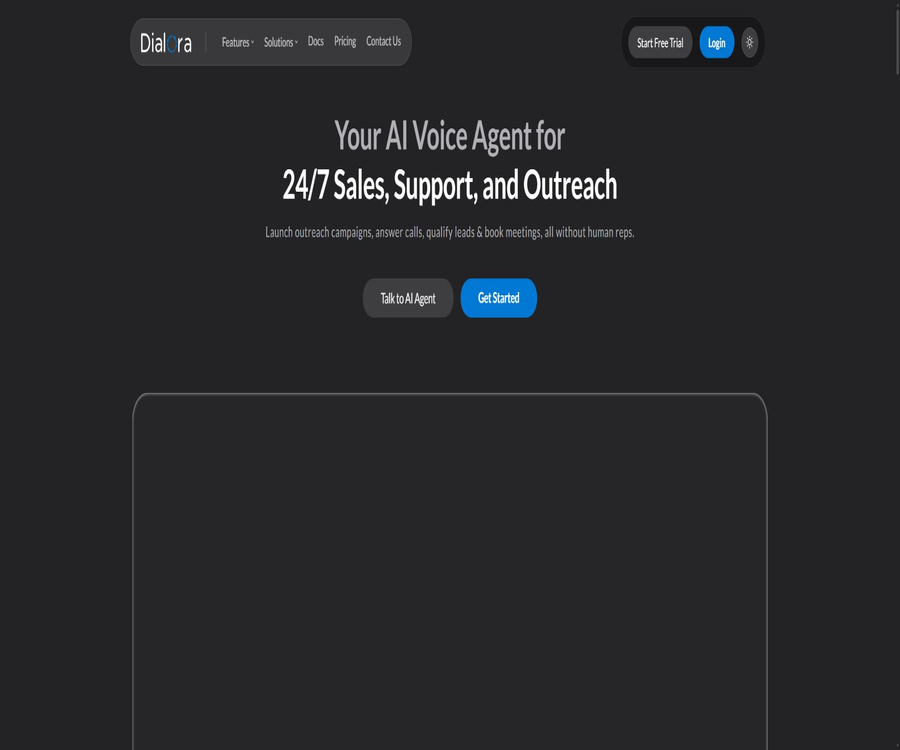
Dialora.ai
Dialora.ai: an intelligent tool specialized in AI-based audio processing.
Tags:AI audio toolsA one-sentence summary
Dialora.ai is a cloud-based AI voice agent platform that can automatically answer incoming calls, carry out sales or service outreach calls, filter leads, schedule appointments, and synchronize the results of these calls with business systems.
Tool Introduction
Dialora is designed for teams involved in sales, customer support, recruitment, scheduling, and sending bulk notifications. Users can start with templates or blank agents, import websites, documents, and business-related knowledge, and then configure settings related to voice, language, targets, fields, as well as external tools.
The platform highlights 24/7 availability for answering calls, batch calling, call transcription, and result analysis; however, the telephone lines must be obtained and configured by the user through a third-party supplier. The number of minutes included in the package, any additional charges, and the costs associated with the phone service provider must all be calculated separately.
Core product components
| module | Main function | Typical input | Main output |
|---|---|---|---|
| Incoming Voice Agent | Answering inquiries, filtering, and routing | Incoming calls, knowledge base, and business rules | Answer, field, appointment, or transfer |
| Outbound Voice Agent | Carry out sales, follow-ups, and reminders | Contacts, event scripts, and dialing windows | Call results, lead scoring, and follow-up |
| Knowledge base | Provides enterprise-specific context | Websites, documents, and frequently asked questions | Voice responses based on data |
| Call analysis | Review each call. | Recording, transcription, and call metadata | Summary, emotions, fields, and status |
| Integration and tools | Connect calendar and CRM | Contact information, available times, and process data | Booking, updates, and automated actions |
| Developer capabilities | Integrate voice capabilities into the system | Interface requests or MCP tool calls | Calls, history, and management results |
Main functions
Answering incoming calls
The inbound agent can handle common questions throughout the day, collect customer information, identify their intentions, and arrange the next steps. Companies should specify the identity of the robot, the scope of responses it is allowed to give, and the conditions under which it should be transferred to a human agent.
Outbound calls for sales and service
The outbound calling feature can be used for lead screening, sales development, customer follow-ups, appointment reminders, and recruitment communications. It is possible to set specific time windows for making calls, and the results can be saved in systems such as HubSpot, Salesforce, or HighLevel.
Batch call campaign
Users can import contacts and initiate outbound calls in bulk; a dedicated page on the official website highlights the system’s high concurrency capacity. The very high figures shown there are meant to emphasize the system’s capacity, and they do not correspond to the concurrency level or number of lines available to each subscriber by default.
Knowledge base training
The agent is able to access websites, files, and corporate knowledge bases in order to provide consistent responses to questions regarding products, services, and processes. The so-called training process involves setting up the search materials and instructions; it does not mean that the user has to retrain the agent or work with underlying models.
Sound, language, and dialogue style
During the creation process, it is possible to adjust the language, voice, tone, greeting phrases, and objectives of the dialogue. Before the official release, tests should be conducted using real accents, noise, interruptions, silences, and rejection scenarios in order to assess the naturalness and accuracy of the recognition.
Call forwarding
The current help documentation indicates that cold routing or blind routing is supported; in other words, the robot transfers the call to a predefined number and then exits the call. Only one target number can be configured at a time, and it is not assumed that consultative routing or multi-level queues are available.
Reservation schedule
Agents can check available times and create appointments using Google Calendar, Cal.com, or TidyCal. Once a calendar is connected, it is necessary to restrict access to specific calendars, define working hours, set time zones, specify buffer times, and control the ability to cancel appointments.
Transcription, recording, and summarization
Each call generates a history record, a transcribed text, and a summary. Whether recording is enabled depends on the settings and local laws. In cases involving regions where both parties must give consent, clear notification must be provided and permission obtained before recording.
Emotions and structured fields
The platform can analyze the emotional tone of a conversation and extract information such as names, requirements, budget, intentions, or custom fields, which can then be used for filtering and follow-up. Emotional assessments and automatic scoring may be inaccurate; therefore they should not be used alone to make decisions regarding credit, employment, or other matters with significant consequences.
Tutorial on Creating AI Voice Agents
Step 1: Define task boundaries
- Choose between incoming or outgoing calls, and make sure that the agent is responsible for only one main goal at a time.
- Specify the target customers, the materials that may be used, the criteria for success, and the topics that are prohibited.
- Identify the fields that need to be collected, as well as the information for which consent is required before it can be processed.
- Set the times when the call should end, when it should be transferred to a human operator, and the standard phrases to use in cases when a response is not possible.
- Prepare a small number of real but anonymized test cases that cover both normal and abnormal conversations.
Step 2: Create and configure
- Start with a blank Agent or industry template, and fill in the name, company, and call target.
- Upload documents or connect to website content, and remove expired prices and conflicting policies.
- Select the language, voice, and tone, and modify the greeting messages and procedures generated by the system.
- Connect to third-party phone numbers and assign the appropriate lines for incoming or outgoing calls.
- Connect to calendars, CRM, or automation tools as needed, and grant only the minimum required permissions.
- Define the result fields that need to be captured, and then conduct multiple rounds of testing in the preview environment.
Step 3: Testing and deployment
- Test the scenarios of silence, noise, accent, interruption, silence, rejection, and complaint separately.
- Verify that knowledge-based responses, time scheduling, field extraction, routing, and CRM updates are correct.
- Check whether the recording notifications, consent for outbound calls, call times, and the list of rejected numbers comply with the rules.
- It is first made available to a small number of contacts, in order to monitor the call connection rate, completion rate, number of complaints, and the need for manual intervention.
- Adjust the prompts, knowledge, and processes based on the transcription results and reasons for failure, then gradually expand the scale of the activity.
Batch outbound calling workflow
- Organize the list of numbers for which legal contact permission has been obtained, removing those with requests to stop receiving messages, numbers that were declined, and duplicate numbers.
- Group them by region, time zone, language, and business purpose; do not put all contacts in the same activity.
- Set an appropriate calling window, initial message, goal, and maximum number of retries for each group.
- Import contacts and map necessary fields such as names, companies, and channels to avoid uploading irrelevant data.
- Run the entire process using an internal number first, to verify call display, recording, forwarding, and result synchronization.
- After launching in small batches, monitor complaints, failures, excess usage in minutes, and operator restrictions, before deciding whether to expand the scale.
Appointment and transfer settings
| Ability | Currently supported | Configuration priorities | Known restrictions |
|---|---|---|---|
| Appointments via Google Calendar | Support | Calendar, time zone, working hours, and permissions | User authorization is required to read and modify events. |
| Reservation via Cal.com | Support | Event type, team, and available time | It is necessary to check the account plan and connection status. |
| TidyCal appointment | Through custom tools | Events, fields, and confirmation methods | The configuration complexity is higher than that of built-in connections. |
| Phone transfer | Support | Target number and trigger conditions | Cold dialing, one number at a time |
| Complex routing | Not specified | Skill groups, queues, and failure fallback | It cannot be assumed that full call center capabilities are available. |
Which users are it suitable for
- Sales team: Automatically contacts authorized leads, confirms their needs, and schedules demonstrations.
- Customer support team: Answers common questions throughout the day and forwards complex calls to employees.
- Clinics and service providers: They handle appointments, reminders, and basic consultations, but they do not replace professional judgment.
- Recruitment team: Contacts candidates, conducts preliminary checks, and schedules interviews.
- Real estate team: Responds to inquiries about properties, selects interested candidates, and schedules property viewings.
- Agent: Configures white-label voice solutions for clients after obtaining Agency approval.
- Operations team: Handles reminder notifications for deadlines, follow-up inquiries regarding satisfaction, and confirmation of information.
- Development team: Integrates calls and call history into existing products through APIs.
Typical use cases
- After potential customers submit their information on the website, an Agent calls them back promptly to assess their interest.
- When customers call to inquire about business hours, order processes, or the range of services offered, the robot responds first.
- Send batch reminders to participants before the event, and collect confirmation or rescheduling responses.
- After a outbound call is not answered, retry according to the rules, and record the status as connected or rejected in CRM.
- Schedule appointments for customers based on real-time gaps in the calendar, and then send confirmations along with follow-up reminders.
- Identify high-intent customers during calls and transfer them cold to the designated sales number.
- After the call ends, a summary, emotional assessment, and structured fields are generated, which trigger follow-up tasks.
- The agent creates separate agents, numbers, knowledge bases, and reports for different clients.
Product advantages
- It covers both inbound and outbound calls, making it suitable for the entire process from reception to proactive outreach.
- You can start with a template or a blank Agent, thereby reducing the barriers to initial configuration.
- It supports website and document knowledge, enabling script customization based on corporate information.
- Appointments, CRM, and automated connections enable the conversion of conversation outcomes into subsequent actions.
- Call records include transcriptions, summaries, emotions, and structured fields, which facilitate review.
- The package details specify the number of minutes included and the price per additional minute, making it easier to estimate the costs compared to a system based on individual quotations.
- It offers REST API and MCP preview capabilities, allowing developers to integrate it into their business systems.
- The Agency package offers a white-label option, suitable for service providers that meet the required authorization criteria.
Usage restrictions and precautions
- The platform does not provide phone numbers directly; users must obtain them from third-party services such as Twilio and set up the lines accordingly.
- The costs associated with phone providers are not included in the Dialora package; they need to be budgeted separately along with the costs per minute and any additional charges.
- Routing is currently done via cold routing or blind routing, and only one target number can be sent to at a time.
- The homepage and the refund policy specify different official durations for the free trial: 7 days and 3 days, respectively.
- The high-concurrency promotion on the batch call page does not equate to the concurrency capacity of the default plan, nor to the capacity of the lines or service providers.
- AI may mishear names, numbers, dates, and technical terms; it is necessary to repeat and confirm the key fields.
- Emotional and cue ratings are probabilistic assessments, and should not be used as the sole basis for making highly significant decisions.
- Automatic outbound calls, recording, and caller ID are subject to national, state, and industry regulations.
- Failures in third-party CRM systems, calendars, numbers, and models can affect the entire process.
- Businesses with a high degree of dependency should have mechanisms for manual intervention, fallback in case of failure, as well as auditing and suspension features.
Prices and packages
The prices listed below are taken from Dialora’s official product comparison details, updated in October 2025; the verification date is August 22, 2026. The public pricing page does not currently display all the relevant information in a complete format, so it is necessary to refer to the details on the account billing page regarding currency, taxes, minutes, and benefits before making a purchase.
| Package | Monthly fee | Includes minutes | Excess unit price | Main positioning |
|---|---|---|---|---|
| Starter | $ | 200 minutes | The official information does not list it. | Small-scale testing and basic voice agents |
| Pro | $ | 400 minutes | $ | A sales or support team available for continuous use |
| Growth | $ | 600 minutes | $ | Growth team and higher call volume |
| Agency | $ | 1,000 minutes | $ | Agent, white-label, and customer management |
The official description mentions a 7-day free trial, while the refund policy states that all plans offer a 3-day free trial. Due to this discrepancy between the two official statements, it is necessary to note the deadline indicated on the payment page at the time of registration, and to cancel the service in advance if it is no longer needed.
Trial, cancellation, and refunds
| Project | Key points of official policy | Users should pay attention. |
|---|---|---|
| Free trial | The home page and official content require 7 days, while the refund policy requires 3 days. | The countdown on the checkout page and the confirmation email shall be taken as the reference. |
| Trial period ended | Fees will be charged to the registered payment method if it is not canceled. | Record the deadline immediately after starting the trial. |
| Monthly subscription | Refunds are generally not provided after the billing cycle begins. | Cancellation mainly prevents charging in the next cycle. |
| Annual subscription | A full refund can be requested within 14 days of the first purchase. | No refund is usually provided once the deadline has passed. |
| Partial cycles | No proportional refund is provided. | After cancellation, it is generally used until the end of the current cycle. |
| Excess fees | No refund for excess call charges | Set usage alerts and check for abnormal calls. |
| Phone charges | Third-party suppliers charge separately. | It must be cancelled separately in the number provider’s account. |
Platforms, Integration, and Dependencies
| Category | Currently verifiable projects | Purpose or description |
|---|---|---|
| Use the platform | Web cloud console | Create Agents, Activities, Numbers, and Call Analysis |
| Phone number | Third parties such as Twilio | Purchase, configure, and bear the costs of the lines |
| Calendar | Google Calendar, Cal.com, TidyCal | Check for available slots and create appointments |
| CRM | HubSpot, Salesforce, HighLevel, Pipedrive | Read contacts and write back the call results. |
| Automation | Make, Zapier, n8n | Trigger cross-application workflows |
| Speech and transcription | Deepgram, ElevenLabs, and others | Supports recognition and speech generation processes. |
| Model services | OpenAI, Groq, Sarvam AI, and others | Dialogue understanding and generation rely on... |
| Developer | REST API, MCP preview | Calls, recording, and account management |
| Native mobile apps | Not verified. | It is primarily used through the browser’s console. |
Privacy and data processing
The privacy policy states that the platform processes names, email addresses, phone numbers, billing information, call logs, usage data, as well as recordings made when this feature is enabled. When connected to Google Calendar or HighLevel, it may also read and modify calendar events, contact information, and opportunity-related data.
- The platform states that it does not sell personal information, but it uses services such as Twilio to carry out its operations.
- Whether recording is enabled should be in line with the purpose of the call, relevant regulations, and local consent rules.
- Google Calendar permissions may include reading, creating, updating, and deleting events.
- HighLevel connections can read calendars, contacts, and opportunities, as well as create or update records.
- The data may be processed in the United States or other countries; it is necessary to assess the applicable rules before using it across borders.
- The privacy policy outlines the rights to access, rectify, and delete information under regulations such as GDPR and CCPA.
- Companies should limit the fields available for uploading, regularly delete old recordings, and check the retention settings set by third parties.
- For sensitive industries, it is necessary to first sign the appropriate data agreements and confirm the list of sub-processors.
Safety and compliance
The official website highlights corporate capabilities such as transmission encryption and static encryption, regular penetration testing, single sign-on, role-based permissions, audit logs, and data residency. The specific features available may depend on the package or contract; therefore, it is necessary to request evidence of the console functions as well as a written description of the scope when making a purchase.
- Unsolicited marketing calls, spam calls, or illegal automated voice messages must not be sent.
- When required by law, prior explicit consent must be obtained and retained before making outbound calls.
- It is forbidden to fake the caller ID, impersonate others, or use agents to carry out fraud.
- Before recording, all participants who need to be informed should be notified in accordance with the regulations of the applicable region.
- A blocklist, unsubscribe options, local call times, and maximum retry limits should be implemented.
- Reselling via agents or using under a white-label arrangement requires an Agency plan or explicit written permission.
- The platform’s statements regarding GDPR compliance and the availability of a DPA do not mean that customers are automatically in compliance.
- In the absence of sufficient evidence, marketing claims should not be expanded to refer to general SOC 2 or HIPAA certifications.
API and MCP
The official development documentation provides REST APIs, and the MCP server is labeled as Preview. MCP can be used to initiate outbound calls, retrieve historical data and transcripts, as well as manage certain user, plan, and subscription details; however, the features available in preview mode may change at any time.
| Development capability | Current status | Suitable uses | Key constraints |
|---|---|---|---|
| REST API | Official development portal | Production integration and business automation | It is necessary to verify authentication, quotas, and error handling. |
| MCP server | Preview | The AI assistant invokes the Dialora tool. | Tools and inputs may vary. |
| MCP Outbound Call | Support | Start a call from a compatible client. | Agreement and permission control must be implemented. |
| History and Transcription | Support | Query call results and content | Contains personal and recording data |
| Account management | Partial support | User, plan, and subscription operations | Tools with high privileges should be strictly isolated. |
| MCP rate | One tool call every 15 seconds | Low-frequency testing and auxiliary operations | Not suitable for high-throughput production tasks |
| Official SDK | Not verified. | No language packs available for confirmation at the moment. | Do not write third-party packages as official ones. |
Suggested steps for integrating with a business system
- Create dedicated credentials in the testing workspace; do not share the administrator account.
- Only the necessary permissions for calling, reading, or managing are granted, and key rotation is implemented.
- First, use a test number to validate the parameters; in case of failure, retry, handle idempotency, and manage timeouts.
- Apply data masking, access control, and retention policies to the transcription, recording, and contact fields.
- For high-frequency production scenarios, REST APIs are preferred, as they do not rely on the preview version of MCP.
- Monitor call costs, failure rates, and abnormal activities, with the option to disable everything with one click.
GitHub and open source
No official GitHub repository, SDK repository, platform source code, or open model weights related to the Dialora.ai product were found this time. The terms reserve ownership of the platform and intellectual property rights, and the product should be classified as a closed-source cloud service.
The provision of APIs or MCPs does not mean that the platform is open source. Before using third-party code with the same name, unofficial clients, or community integrations, it is necessary to separately assess the risks related to the maintainers, permissions, licenses, and keys.
Basic information
| Project | Information |
|---|---|
| Tool name | Dialora.ai |
| Tool type | AI voice agents, inbound customer service, and automated outbound calling platforms |
| Core functions | Incoming call handling, batch outbound calls, scheduling, forwarding, transcription and analysis |
| Primary users | Sales, customer service, recruitment, service agencies, and distributors |
| Use the platform | Web cloud console |
| Price pattern | Free trial, monthly plans, minute quotas, and overage pricing |
| Public starting price | The starter plan costs $49 per month. |
| Phone number | It must be obtained separately from a third-party supplier. |
| API | Provides REST API |
| MCP | Preview version servers are available. |
| Official SDK | Not verified. |
| Official GitHub | Not verified. |
| Is it open source? | No |
Recommendation score
The recommendation score is 4.0 out of 5. Dialora covers inbound calls, outbound calls, knowledge services, scheduling, CRM, and call analysis; its packages also specify the cost per minute as well as the price for any additional usage, making it suitable for teams that need to test AI-based phone processes quickly.
The deductions are mainly due to conflicts related to the trial period as specified by the rules, the costs associated with third-party numbers, limitations on call forwarding capabilities, and the need to clarify the relationship between bulk concurrent promotional activities and the actual benefits offered by the package. Businesses that carry out such activities frequently or are subject to regulatory oversight should first conduct small-scale tests and compliance reviews.
Frequently Asked Questions
What is Dialora.ai?
It is an AI voice Agent platform that can automatically answer incoming calls, make outbound calls, respond to corporate inquiries, filter leads, schedule appointments, and organize the results of calls.
Is Dialora.ai free?
It offers a limited-time free trial; it is not a permanently free product. The official website mentions two possible trial durations: 7 days or 3 days, but the information provided on the registration and payment page as well as in the confirmation email should take precedence.
How much is the lowest package?
According to the official information available at present, the Starter plan costs $49 per month and includes 200 minutes of usage. The currency used, any taxes, current benefits, and whether there are any discounts for annual payments should be confirmed again on the purchase page.
Is the phone number included in the package?
Not included. According to the terms, Dialora does not provide phone numbers directly; users must obtain them from third parties such as Twilio and configure them themselves, bearing the associated costs for the lines.
Is it possible to make batch outbound calls?
It is possible to create batch campaigns and import contacts. The level of concurrent processing capacity is influenced by various factors such as the Dialora plan, the number provider, regional regulations, and contract terms; it cannot be estimated solely based on marketing figures.
Is it possible to transfer calls to a live person?
It supports cold routing or blind routing to a preset number. The documentation does not cover consultative routing, multi-target queuing, or comprehensive call center routing.
Can reservations be made automatically?
It can be connected to Google Calendar and Cal.com, and TidyCal can be used through custom tools. Before going live, it is necessary to test time zones, conflicts, as well as the rules for making changes and cancellations.
Will the call be recorded?
The platform can store recordings and transcripts, but whether this functionality is enabled depends on the settings. Companies must provide notifications, obtain consent in accordance with applicable laws, and establish rules regarding access and retention periods.
Does Dialora provide an API?
REST APIs are provided, along with MCP servers in Preview status. For high-frequency production integrations, it is recommended to use the official APIs, and it is necessary to verify the call quotas and permissions.
Is Dialora open source?
It is not open source. No official source code or SDK repository was found this time; the APIs and MCPs represent access capabilities, but they do not constitute the source code of the open platform.
Is it suitable for medical or financial calls?
An assessment can only be carried out after the supplier contracts, data agreements, access controls, recording rules, and industry requirements have all been verified. Security promotions on the official website cannot replace actual certification and legal reviews.
Summary
Dialora.ai integrates AI-powered voice conversations, bulk calling, scheduling, CRM updates, and call analysis into a single cloud-based platform, making it suitable for testing phone-based processes with low risk and well-defined scope.
Before making a purchase, it is essential to check the deadline for the trial period, the charges for additional minutes used, the costs associated with third-party numbers, the number of simultaneous connections, the methods of call forwarding, and data compliance requirements. All outbound calls, appointments, and CRM entries that have a real impact on customers should be under manual supervision.
Tools similar to Dialora.ai




 Guigong Network Security Registration No. 45132202000164