






Billie
Billie: an intelligent tool focused on AI-powered audio.
Tags:AI audio toolsA one-sentence summary
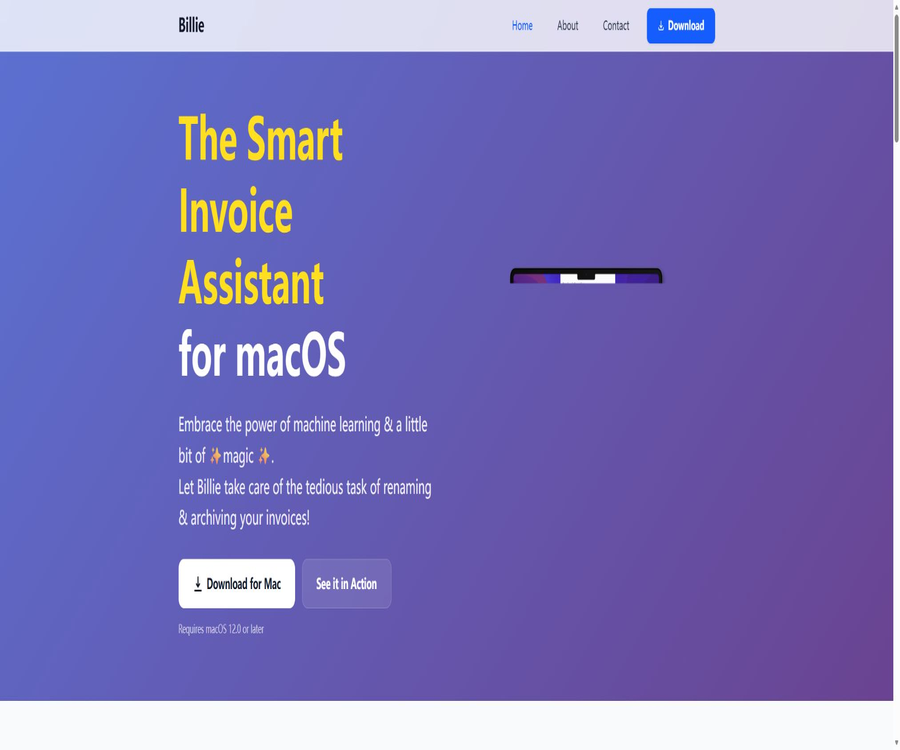
Billie is a smart invoice archiving application developed specifically for macOS; it can identify the companies and dates mentioned in invoices, rename files in a custom format, and automatically move, categorize, or send them via email.
Tool Introduction
Developed by Frederik Jacques, Billie is designed for Mac users who frequently collect invoices from download directories, email attachments, and supplier websites. It combines identification, verification, naming, archiving, and forwarding into a single local desktop workflow.
The product’s official website uses machine learning for the extraction of information from invoices, but it is not an accounting system; it does not handle tasks such as tax filing, payments, verifying the authenticity of invoices, or ensuring compliance with tax regulations. Users still need to check the amounts, dates, suppliers, and storage locations before applying the relevant rules.
Main functions
Dynamic Ticket
Dynamic Ticket is a quick access tool that remains available at all times but tries not to interfere with work; users can bring up this tool using a button and then drag in the invoices. It is used to shorten the time taken from receiving a file to starting its processing.
Drag and drop and ways to open
- Drag PDFs or images directly into Dynamic Ticket.
- In Finder, hand it over to Billie for processing via the Open With option.
- Use the macOS Services menu to initiate the invoice process.
- Drag and drop email attachments from Microsoft Outlook.
- Keep the original file before processing, so it can be restored in case errors occur.
Intelligent information extraction
Billie analyzes the invoice and tries to extract the company name and date, then generates a file name based on the user’s settings. The official source does not provide a complete list of the countries, languages, invoice formats, and fields that are supported; Chinese invoices should be tested first.
Custom file name
Users can drag tokens such as dates and suppliers to create their own file name formats. A unified naming convention facilitates searching, sorting, backing up, and handing files over to accountants; however, it is still necessary to check for illegal characters and duplicate files after the names are generated.
Destination Groups
Destination Groups allow multiple actions to be saved together as a single group, to be executed sequentially once the invoice has been verified. A typical combination involves moving the file to a specified directory and sending it to the accountant via email at the same time.
Automatic folder structure
Billie allows for the creation of an archival structure based on months, fiscal quarters, and years. Users can choose levels such as year plus quarter or year plus month, and decide whether to create intermediate folders.
Supplier records
The application keeps track of the companies whose invoices have been processed successfully, allowing users to see their regular suppliers. The list of suppliers cannot replace accounting entries, contract management, or the official supplier master data.
Dark mode and native interface
Billie is designed specifically for macOS and supports dark mode; its interaction mechanism follows the conventions of Mac’s drag-and-drop functionality, Finder, and service menus. It currently does not have versions for Windows, iOS, or Android.
Supported inputs and actions
| Category | Supported content | Uses | It needs to be verified. |
|---|---|---|---|
| Input file | PDF and images | Process the download or scanning of invoices | Format, clarity, and direction |
| Identification field | Company name and date | Generate archive file name | Multiple dates and supplier notation |
| File actions | Move to the specified folder | Automatic archiving | Paths, permissions, and duplicate files |
| Email actions | Send to the specified email address | Hand it over to the accountant or finance department. | Recipient and attachment content |
| Directory structure | Month, quarter, and year | Unified financial records | Start date of the fiscal year |
| Status marker | Paid status and Finder color label | Quickly distinguish payment statuses | It cannot replace bank reconciliation. |
First-time setup tutorial
- Install Billie from the Mac App Store, and make sure your system is running macOS 12.0 or a newer version.
- Prepare a few test invoices that have had their sensitive information removed; do not start using actual financial records.
- Set the file name token, order, separator, and date format.
- Create a test archive directory and grant Billie the necessary file access permissions.
- Create a Destination Group that performs only movement actions.
- Process the samples and verify the supplier, date, file name, and target location.
- Once stability is confirmed, increase email sending and the official archiving path.
Tutorial for processing individual invoices
- Find the invoices that need to be processed in the download directory, Finder, or email.
- Drag the file to Dynamic Ticket, or use the open option to access Billie.
- Wait for the application to identify the supplier and the invoice date.
- Compare with the original to correct identification errors and check the generated file name.
- Confirm the target Destination Group and all actions within it.
- Performs moving, archiving, and optional email sending.
- Verify that the files can be opened in the target folder, and record the payment status if necessary.
Quarterly Archiving Tutorial
- Establish the rules for naming fiscal years and quarters.
- Create annual and quarterly goal catalogs, and assign consistent file names.
- Organize the PDFs and images to be processed in chronological order.
- Identify and verify each document’s date to prevent archiving across quarters.
- Duplicate invoices, credit notices, and cancelled documents are marked separately.
- After completion, conduct random checks on the documents by supplier, month, and amount.
- Include the archive directories in the encryption backup and accounting delivery processes.
Email forwarding tutorial
- Define the recipient address, subject format, and submission frequency in conjunction with accounting or finance.
- Add email actions to the Destination Group.
- First, use your own test email to verify the subject, body, and attachments.
- It is confirmed that personal invoices will not be sent to corporate accounts, and vice versa.
- Check the recipient, file name, and invoice details before each execution.
- Keep a copy of the email or a record of delivery after sending.
- Upon discovering an accidental shipment, the recipient is notified immediately and data event processing is initiated.
Suggestions for file name design
- A fixed order of year, month, date, supplier, and invoice number is used.
- Use a hyphen or an underscore as a consistent separator.
- Avoid characters such as colons and slashes that are not suitable for file names.
- Do not use only the supplier’s name to avoid duplicate documents from the same company.
- Standardize supplier aliases, such as the full company name and brand name.
- Set clear prefixes for credits, refunds, and canceled documents.
- Test with different languages and long company names before applying it in bulk.
Destination Group design
| Workflow | Action combination | Suitable scenarios | Risk control |
|---|---|---|---|
| Personal reimbursement | Rename and move to the month directory | Reimbursement for freelancers and employees | Verify annual and personal information |
| Accounting delivery | Rename, move, and send by email | Submit it to the accountant on a regular basis | Test the recipient and attachments |
| Multi-company management | Choose different directories according to your own company. | Operating multiple entities | Prevent cross-company archiving |
| Quarterly taxes | Create catalogs and archive them on a quarterly basis. | Preparation for quarterly reporting | Confirm the financial quarter rules |
| Only review | Generate a name without moving or sending it. | Trial operation of new rules | Execute after manual confirmation. |
Which users are it suitable for
- Freelancer: Organizing software, travel expenses, and supplier invoices.
- Self-employed individuals: Prepare accounting documents on a monthly or quarterly basis.
- Mac Small Business: Standardizes the naming of financial documents received by the team.
- Consultants and agencies: Expenses are filed by company or client.
- Accounting collaboration users: The processed data is automatically sent to the designated accountant.
- Powerful Finder users: Keep the invoice process in the local file system.
- For those who need multi-company archiving: set separate paths for different entities.
Typical use cases
- Clean up the PDF invoices with confusing names in the download folder.
- Organize the email attachments directly into the quarterly financial directory.
- Rename uniformly by supplier and date.
- Archive it at the same time and forward it to the accountant.
- Folders are created automatically on a monthly, quarterly, or annual basis.
- Add Finder color tags to paid invoices.
- Process invoices separately for each of your companies.
Product advantages
- It is built around the Mac file system and drag-and-drop operations.
- Combine recognition, renaming, moving, and sending into a single process.
- Destination Groups are suitable for reusing repetitive actions.
- File name tokens enable the establishment of unified archiving standards.
- Automatic month, quarter, and year directories reduce the need for manual folder creation.
- The basic download is free, allowing you to test it in its actual format first.
- The privacy policy states that invoices are primarily processed on the local device.
- Supports dark mode while preserving the native Mac interface.
Usage restrictions and precautions
- Only macOS 12.0 or later is supported.
- The current applications and documents are mainly in English.
- The official website does not list all the countries, languages, and invoice formats that are supported.
- Information extraction may result in the wrong selection of the order date, payment deadline, or tax deadline.
- Automatic email sending poses risks of incorrect recipients and leakage of sensitive data.
- The application is not a complete accounting, payment, or tax filing system.
- Supplier records are not equivalent to official master data or contract files.
- The privacy policy states that processing is primarily done locally, but account, invoice, and technical data may still be collected.
- The differences between Pro and Premium benefits are not fully listed on the public page.
- The numbers of users and ratings cited on the official website are promotional information; when making a choice, one should rely on their own tests.
Prices and memberships
Billie is available for free download from the Mac App Store, with in-app purchases offered. The following are the reference prices for the United States as of August 20, 2026; actual amounts may vary depending on the country, taxes, and exchange rates.
| Plan | Price | Billing cycle | Public equity | Purchase recommendations |
|---|---|---|---|---|
| Basic download | Free | Long term | Install and experience the basic invoice process. | First, test with desensitized samples. |
| Billie Pro | 3.99 dollars | 1 month | The public page does not list all the differences. | Applying in-core functions |
| Billie Pro | 39.99 dollars | 1 year | The public page does not list all the differences. | Pay in advance for verification before long-term use. |
| Billie Premium | 9.99 dollars | 1 month | The public page does not list all the differences. | Verify whether the required automation is included. |
| Billie Premium | 79.99 dollars | 1 year | The public page does not list all the differences. | Confirm renewal and cancellation rules |
It is necessary to confirm before making a purchase.
- How many invoices can the free version handle?
- Which actions and quantities are unlocked by Pro and Premium respectively?
- Are there any limits on the number of Destination Groups?
- To which category do email sending, supplier records, and multi-company functions belong?
- Whether the subscription is automatically renewed and the deadline of the trial period.
- How are the data and rules retained after upgrading, downgrading, or cancellation?
- The refund is handled either by Apple or by the developer.
Version and system requirements
| Project | Current information | Explanation |
|---|---|---|
| Platform | Only Mac | No Windows or mobile apps available |
| Minimum system requirements | macOS 12.0 | Check the system version before installation. |
| Current version | 1.4.7 | Updated in March 2025 |
| Application size | About 40.5MB | The usage after downloading may change. |
| Interface language | English | Unpublished Chinese localization |
| Download channels | Mac App Store | Signed and distributed by Apple |
Privacy and data processing
The privacy policy states that invoice data is primarily processed on the user’s Mac, but it also lists the account information, corporate and tax-related data, invoices and financial documents that are processed, device information, IP addresses, logs, as well as analysis of crashes and usage that may be collected. \"Primarily local\" does not mean that all data never leaves the device.
- The policy stipulates that communication should use TLS 1.3 encryption.
- Personal information is retained only for as long as it is necessary to provide services or as required by law.
- Users can request access, correction, deletion, and data transfer.
- The website uses cookies, while the Mac app itself does not use cookies.
- The app may collect anonymous usage analytics, and it is possible to disable this feature in the settings.
- After connecting to cloud storage or accounting services, the third-party policies also apply.
- Data from users outside the United States may be transmitted to the U.S. for processing.
- The service is not available for children under 13.
Machine learning and transparency in training
The privacy policy states that the information collected can be used to improve machine learning algorithms and functions, but it does not specify whether the actual text of invoices will be included in the training set, nor how such data will be identified or for how long it will be retained. Before processing sensitive financial documents, it is necessary to consult the developers regarding the boundaries related to training, telemetry, and cloud processing.
- Verify whether the invoice image and the extracted text have left the local device.
- Ask whether the data is used for model training, evaluation, or manual debugging.
- Check whether the log contains the supplier, amount, and file path.
- Confirm what data will be included in the logs attached to support tickets.
- Enterprise users should request a data processing agreement and a list of sub-processors.
- Avoid handling sensitive invoices related to medical matters, customers, or employees until confirmation is available.
Security of financial documents
- Enable disk encryption and appropriate file permissions for the invoice archiving directory.
- Use the masked copy to test identification and the Destination Group.
- Only grant Billie the access to the folders and email functions she needs.
- Enable manual confirmation and recipient verification before sending emails.
- The official archive should be included in at least two encrypted backups.
- Regularly clean up the download directory, error copies, and debugging logs.
- Revoke third-party connections promptly in the event of device loss or account compromise.
Error prevention checklist
- Verify the legal name and brand name of the supplier.
- Distinguish between the invoice date, expiration date, payment date, and order date.
- Verify the currency, tax amount, total amount, and invoice number.
- Check whether the file pertains to the correct company and fiscal year.
- Prevent existing files with the same name in the target path from being overwritten.
- Check the address and attachments before performing the email action.
- After archiving, reopen the file to confirm that it is not damaged.
- Do not rely solely on color labels to determine whether payment has been made.
Platform support
| Platform | Support status | Explanation |
|---|---|---|
| macOS | Support | macOS 12.0 or a later version is required. |
| Windows | Not supported | There are no official Windows apps. |
| iPhone and iPad | Not supported | Mac apps cannot be installed on mobile devices. |
| Web applications | Not supported | The official website only provides introductions and contact information. |
| Finder | Support | Collaboration is possible through opening methods, services, and color labels. |
| Microsoft Outlook | Supports dragging and dropping attachments | The method of sending emails still needs to be tested. |
API, GitHub, and open-source status
Billie does not provide public APIs, SDKs, or a developer console, nor are there any links from its official website or App Store to its official GitHub repository. The application is distributed through the Mac App Store, and the core identification and automation codes are not made available under an open-source license.
The billings, music tracks, or chat items with the same name available on the Internet have no connection to Billie Smart Invoice Archiver. The open-source status of such directories should be marked as \"no\"; it cannot be assumed that an open-source model exists just because machine learning is being used.
Basic information
| field | Content |
|---|---|
| Tool name | Billie, smart invoice archiver |
| Developer | Frederik Jacques |
| Tool type | Smart invoice renaming and archiving in macOS |
| Main inputs | PDF and image invoices |
| Core action | Identify, rename, move, create folders, and send emails |
| Price pattern | Free download available, along with Pro and Premium subscriptions |
| Minimum system requirements | macOS 12.0 |
| Chinese interface | Not disclosed; currently in English. |
| API | None |
| Official SDK | None |
| Is it open source? | No |
| Main platforms | Mac |
Recommendation score
The comprehensive recommendation score is 4.0 out of 5. Billie combines file dragging and dropping, Finder directories, and automated email functions quite effectively; it is suitable for freelancers and small businesses that have a moderate number of invoices and are willing to perform manual checks.
The main shortcomings are that it is only compatible with Macs, the range of supported languages and invoice types is limited, the benefits offered in the Pro and Premium versions are not clear enough, and the privacy policy does not adequately explain the relationship between machine learning improvements and invoice data.
Frequently Asked Questions
What is Billie? What tool is it?
It is a smart invoice archiving application for Mac that can identify companies and dates, and then rename, move files, or send them via email according to specific rules.
Is Billie free?
The app can be downloaded for free, but full functionality may require a Pro or Premium subscription within the app.
Which files are supported?
The official version description and the store information indicate that PDF and image files are supported.
Can it be sent automatically to the accountant?
Mail actions can be added to the Destination Group, but it is necessary to verify them using a test email on the first use.
Can it be organized by quarter?
Yes, Billie allows for the creation of catalogs on a monthly, fiscal quarter, and annual basis.
Are Chinese invoices supported?
The official website does not provide a complete list of supported languages; the application interface is in English, and Chinese invoice recognition requires testing using masked sample data first.
Are all the data stored locally?
The privacy policy states that processing takes place mainly on the Mac device itself, but invoices, account information, as well as technical and analytical data may still be collected; it cannot therefore be considered a completely offline system.
Is it compatible with Windows?
It is not supported; Billie is available only for macOS 12.0 or later versions.
What is the difference between Pro and Premium?
The differences in benefits are not fully listed on the official website and store pages; it is necessary to check each one on the in-app purchase page.
Are APIs provided?
It is not available; there are no public APIs, SDKs, or programmable access methods.
Is Billie open source?
It is not open source, and no official GitHub repository with source code has been found.
Can it replace accounting software?
No, it is primarily used for organizing files; it is not responsible for accounting, payments, tax filing, or auditing.
Tools similar to Billie




 Guigong Network Security Registration No. 45132202000164