






Podcastle
A podcast platform that combines recording, transcription, editing, and AI-powered voice functionality.
Tags:AI audio toolsWhat is Podcastle?
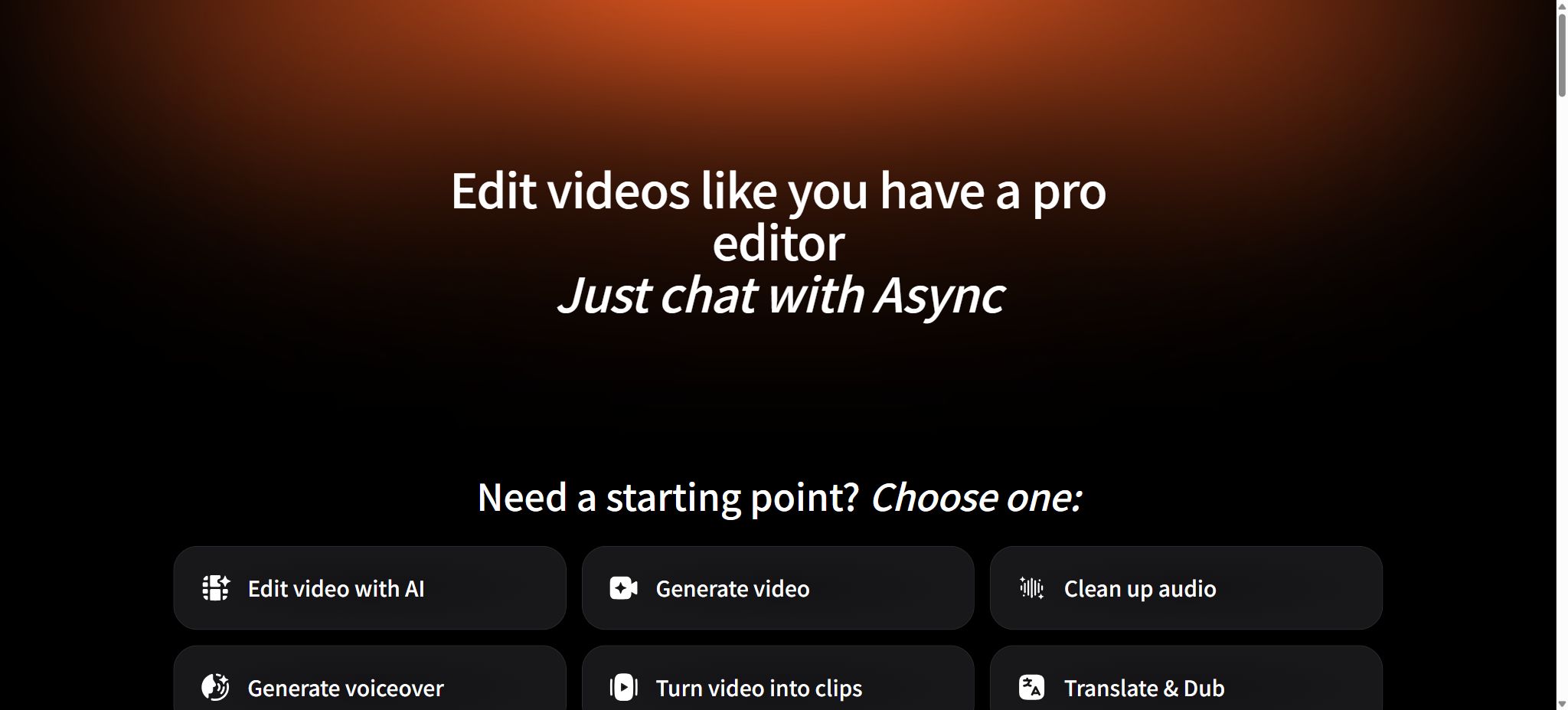
Podcastle is an online platform for podcasters and content creators, offering recording, editing, and AI-based production tools; it is already in use. Async Creator The brand continues to operate. The original Podcastle website, help center, and terms of service are being gradually transferred to Async;
When existing users search for Podcastle to log in, check prices, or view tutorials, and come across the Async page, this is part of a normal brand upgrade and not another unrelated product.
Async Creator brings together remote audio and video recording, multi-track editing, automatic transcription, AI-based noise reduction, text-to-speech conversion, voice cloning, short video editing, subtitles, translation with voiceover, and team collaboration in one workspace. It is suitable for use throughout the entire process of recording interviews and producing finished programs, as well as for breaking down long-form content into short videos suitable for sharing on social media.
Core features of Podcastle / Async Creator
Remote audio and video recording
Users can create a recording studio and invite guests to join via a link; up to 10 remote participants are supported. The platform uses a multi-track recording approach, providing separate tracks for the host and the guests, allowing volume adjustment, cutting, or enhancement of each track later on.
Network quality still affects real-time communication; therefore, for important interviews it is necessary to test the microphone, camera, and browser permissions in advance.
Multi-track audio and video editing
The editor supports common functions such as splitting, cropping, arranging, fading in and out, as well as the use of music and sound effects. In text mode, it is possible to locate specific content using transcripts; when text is deleted, the corresponding audio is removed as well, making it suitable for rough editing of interviews and podcasts.
The video feature set includes subtitles, image reconstruction, clip creation, background processing, and export in common aspect ratios.
Magic Dust and audio enhancement
Magic Dust is used to improve the clarity of vocal sounds and to balance recordings; Noise Reduction, Silence Removal, and Auto Leveling handle background noise, long pauses, and volume differences respectively. AI-enhanced features can save time during the initial cleanup process, but severe reverb, clipping, or cross-talk between multiple voices cannot be completely corrected. The best results are still achieved in a quiet environment with the microphone at the appropriate distance.
Transcription, subtitles, and AI videos
The platform can convert audio and video into text and subtitles, and it uses AI Clips to extract short clips from longer content. AI Reframe allows the adjustment of the image format for vertical displays or different social media aspect ratios; AI Subtitles generates subtitles, while the thumbnail tool helps to create covers quickly.
Various types of generation consume AI credits, with the required amount depending on the function, duration, complexity, and output resolution.
AI voice and sound cloning
AI Voices can convert scripts into narration, and it can also add audio to different segments in audio or video editors. The official documentation lists English, Spanish, Italian, French, and German as the languages supported by Studio AI Voice.
Voice cloning allows users to record short samples or upload audio in order to create their own digital voices and generate narration from text; explicit permission is required to use a voice that does not belong to the user.
AI translation with synchronized voice and lip movements
Teams and Business are designed for teams that need to communicate in multiple languages; they offer AI dubbing and lip sync features that allow videos to be translated and voiced along with synchronized mouth movements. Teams can also make use of brand kits, Producer Mode, workspace management, and subtitle translation, making them suitable for the continuous creation of marketing materials, courses, and corporate content.
Async Voice API
The developer platform offers real-time text-to-speech APIs. Async Flash 1.0 focuses on low latency and is designed for conversational AI and voice agents, while Async Pro 1.0 emphasizes greater expressiveness and higher quality in content generation.
The official listed starting rate is $0.5 per hour, including 10 minutes of free usage; the pay-as-you-go option offers a wide range of audio options as well as voice cloning services.
Creator web subscriptions and API developer accounts should be accounted for separately.
Podcastle / Async Creator prices and packages
Async Creator offers both monthly and annual billing options; the annual plan can save around 40% in cost. A 7-day free trial is available only for the annual plan, and once the trial period ends, the full annual subscription fee will be charged automatically.
The following are the dollar prices and core limits currently listed in the official help center.
| Package | Monthly / Annual average per month | AI points and recording | Key capabilities |
|---|---|---|---|
| Free | 0 dollars | 150 AI points for life; 1 hour of remote recording for life | Basic video and audio editing, limited export and storage options – suitable for testing purposes |
| Essentials | 19.99 / 11.99 USD | 450 points per month; 2 hours of audio and video recording; 2 hours of TTS | 20GB storage, Magic Dust, noise reduction, silent deletion |
| Pro | 39.99 / 23.99 US dollars | 1,200 points per month; 20 hours of audio and video recording; 10 hours of TTS | 120GB of storage, advanced AI video editing, up to 4K resolution |
| Teams | 84.99 / 49.99 US dollars | 3,000 points per month; 50 hours of recording; 40 hours of TTS | Collaboration for 2 to 5 people, 1TB of storage, voiceovers and lip synchronization, brand kits, Producer Mode |
| Business | Contact sales | Customized points, recording, and storage | Advanced security compliance, SOC 2, dedicated deployment, and priority support |
The details regarding recording, exporting, and storage shown on the pricing page may change depending on the version of the workspace; it is necessary to refer to the account settlement page when making a purchase. AI credits are not calculated on a fixed \"per minute\" basis: AI Clips, video reconstruction, subtitles, translation with voiceover, lip synchronization, and thumbnails require different amounts of credits depending on the complexity of the task, its duration, and resolution. It is advisable to check the instructions displayed on the interface before generating content.
Trial, refund, and renewal rules
- The annual subscription includes a 7-day free trial, after which the annual fee is charged automatically; if you do not intend to continue using it, you should cancel before the end of the trial period.
- The authorities will send a reminder about 48 hours before the trial deduction takes place, but it is still recommended that users keep track of the expiration date themselves.
- No refund is generally provided after the trial period ends and the deduction is made.
- For a first subscription purchased directly without using a trial period, it is possible to request a refund by contacting support within the 7-day period specified by the official guidelines; however, a proportional refund is not available for partial use.
- Prices, promotions, and trial policies may change, and purchases from app stores are subject to the rules of those stores.
Podcastle usage guide
- Create a project:Log in to Async Creator, choose remote recording, upload materials, or create a new audio/video project.
- Pre-recording checks:For desktop use, it is recommended to employ the latest version of Chrome, and make sure that the permissions for the microphone, camera, headphones, and network are enabled.
- Guests invited:Send the recording studio link; conduct a short test before starting the recording and remind the guest to avoid echoes from the speakers.
- Organizing materials:Cut out unwanted content in a multi-track timeline, or locate and delete segments by transcribing the text.
- AI enhancement applied:Use Magic Dust, noise reduction, silent deletion, and automatic volume as needed, and listen to each segment individually to avoid excessive processing.
- Creating derivative content:Generate subtitles, short videos, vertical format conversions, AI narration, or multilingual voiceovers, and pay attention to the score indications.
- Export Review:Select the audio or video quality, check sound synchronization, subtitles, names, and the safe area of the image before downloading.
Podcastle (now Async) Usage Guide
Create reusable professional workflows
- A test set is created using real noise, accents, and multi-person segments;
- Compare the differences in remote audio and video recording, multi-track audio and video editing, as well as Magic Dust and audio enhancement techniques.
- Retain the original recordings and the unmodified transcripts;
- Arrange for a manual hearing before releasing it to the public;
- Statistically analyze processing time, error rate, and quota consumption;
- Regularly update the glossary, sound licensing, and deletion policies;
Which users are it suitable for
- Individual creators who record interviews, podcasts, and video podcasts;
- Media teams that need to automatically break long videos into short social media clips;
- The team responsible for creating courses, webinars, product demonstrations, and training materials;
- Users who wish to reduce the number of post-production steps by using AI for noise reduction, subtitles, voiceovers, and voice cloning;
- Organizations that need collaborative workspaces, brand guidelines, multilingual localization, and enterprise security.
Advantages and precautions
- The main advantage of this platform is its one-stop functionality: recording, transcription, editing, audio enhancement, captioning, creating short videos, and publishing content can all be done within the same project.
- For non-professional video editing users, text editing and AI-based cleanup are easier to use than traditional complex timelines.
- It cannot replace all professional post-production software;
- Complex color grading, special effects, sophisticated mixing, and plugin-based workflows may still require Premiere, FinalCut, DaVinciResolve, or professional audio tools.
- AI-generated subtitles, short videos, and translations may also misinterpret the context;
- Manual review is required when it comes to brand statements, technical terms, and official releases in multiple languages.
- Once the important recording is completed, the original tracks should be downloaded promptly and backed up separately;
Frequently Asked Questions
Why did Podcastle become Async?
Podcastle Inc. is currently operating under the Async brand; its terms of service describe the product as an AI-powered platform for collaborative video and audio creation, enhancement, and editing. The original accounts and some old links will be gradually transferred to Async Creator.
Is Podcastle free?
There is a free plan that includes 150 AI credits for life as well as a limited amount of time for remote recording – 1 hour – making it suitable for testing basic recording and editing functions. For ongoing content creation, payment is required.
Is automatic deduction applied for the annual trial version?
Yes. After the 7-day trial period ends, the full annual fee will be charged automatically; if you do not want to continue using it, you must cancel before the trial ends.
Is voice cloning supported?
It allows for the creation of personal digital voices and the generation of voiceovers. Only sound samples for which legal rights exist may be uploaded, and any use intended to deceive or mislead others is prohibited.
Does Podcastle have an API?
The brand now offers the Async Voice API, designed for use in scenarios such as low-latency TTS, voice agents, and content playback. This API is a separate product from the Creator package, usage quotas, and billing systems.
Is Podcastle an open-source tool?
The Creator platform, the AI editing capabilities, and the voice models are not open-source projects. As of the time of verification, no official open-source GitHub repository representing a complete product was found, and it is not possible to deploy all of its services on one’s own.
Tools similar to Podcastle




 Guigong Network Security Registration No. 45132202000164