






Kits AI
AI tools for voice conversion, cloning, and creation tailored for musicians
Tags:AI audio toolsWhat is Kits AI?
Kits AI is an AI-powered vocal studio designed for singers, music producers, songwriters, and audio creators. It can transform existing dry vocals into different timbres, train custom vocal models, generate singing segments from text, and it also offers tools for harmonies, choirs, voice separation, restoration, stem separation, and master processing.
The platform emphasizes that the voices in its official Voice Library have been authorized by the artists and have undergone commercial licensing procedures, making them suitable for use in creating demos, jingles, advertisements, videos, and officially released content. However, users must verify for themselves whether it is permissible to create their own models, upload their own songs, or use third-party soundtracks.
AI Voice Changer – Song voice conversion
Voice Changer converts the singing or voice uploaded by the user into the desired AI voice, while striving to preserve the original melody, rhythm, pronunciation, and emotion. Users can adjust the pitch, range, timbre, and various advanced settings to make the output more in line with the target voice.
The cleaner the input, the better the conversion quality is usually. Reverb, background music leakage, overlapping harmonies, distortion, and excessive compression will all be learned by the model or amplified as a result.
Authorize the AI singer voice library
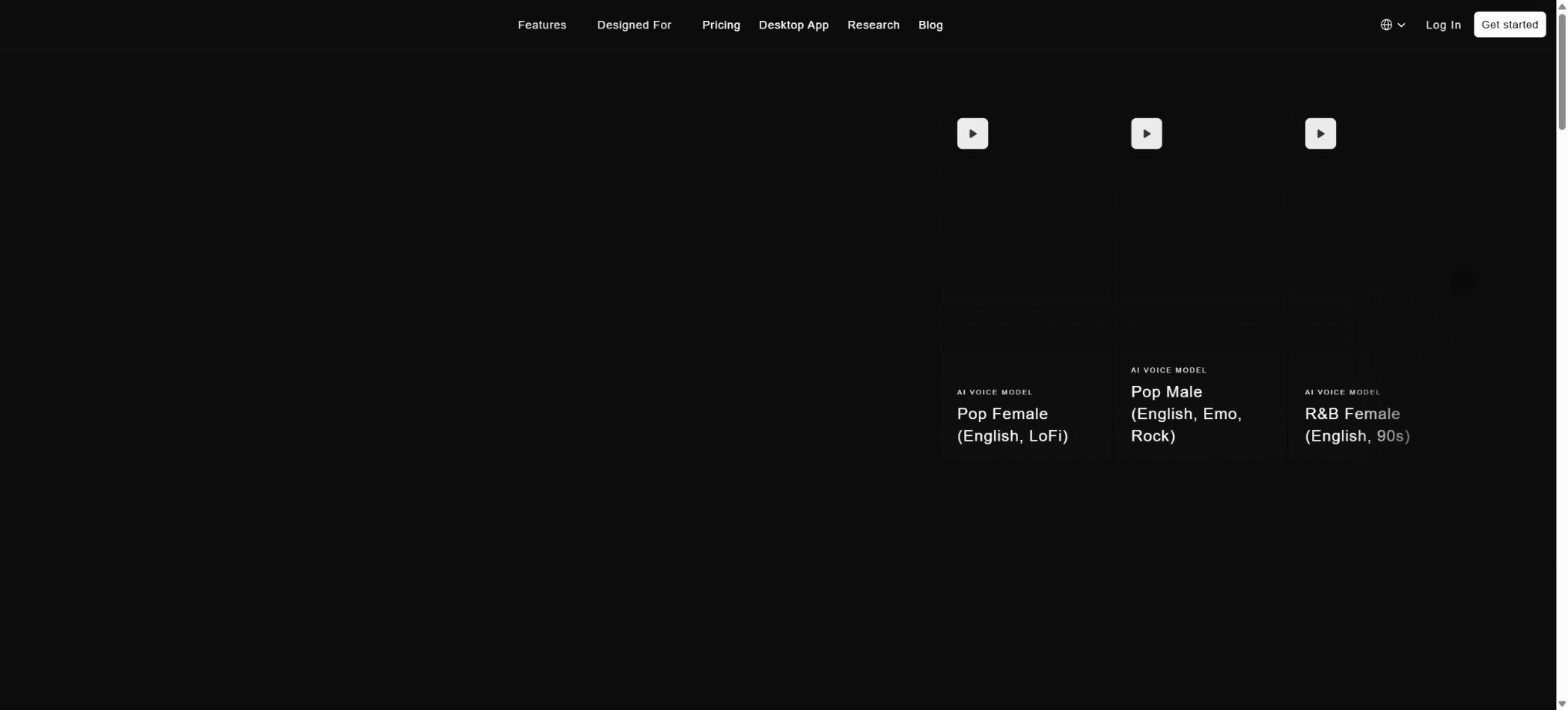
Kits offers sound libraries covering styles such as Pop, Rap, electronic, and Broadway, which can be filtered by gender, range, and type. According to the official information, the Voice Changers available in these libraries are licensed and can be used in commercial projects without any royalties.
“Royalty-free” does not mean that users own the sound models or can impersonate specific artists. It is necessary to comply with the requirements outlined on each Voice page, as well as the platform’s terms of service, and to avoid any misleading practices.
Instant Voice Cloning – immediate cloning
Instant Cloning is used to create custom sounds that can be tested quickly, making it suitable for demos and exploratory purposes. It is available in versions Starter and higher; the training time is short, but its performance in terms of range, detail, and stability of unusual pronunciations is usually inferior to that of the Professional model.
Professional Voice Cloning
Professional Voice Cloning is designed for creating high-fidelity, customized vocal sounds. The developers recommend uploading audio files that are 10 to 60 minutes long, contain no effects, are monophonic, and consist of one note at a time; such files should cover the common ranges of pitch, as well as various vowels, consonants, and dynamics.
Producer and Professional offer this option. The training set should be free of reverb, harmonies, accompaniments, and excessive volume adjustments; faulty material can permanently affect the quality of the model.
Voice training authorization
Users must have the rights to all training data; it is not allowed to clone someone else’s voice without consent. When creating models for singers or clients, a written contract should be used to specify ownership of the model, the scope of the project, deadlines, compensation, as well as procedures for withdrawing or deleting the model.
Voice Designer and Voice Blender
Voice Designer allows for the creation of new sound styles by utilizing timbral characteristics, while Voice Blender is used to mix different sound features together. They are suitable for generating sound styles that do not directly imitate any specific real person, and they can also be saved as custom Voice Slots.
For mixed outputs, it is still necessary to listen to the entire frequency range to avoid gaps in the bass, harmonic, and high-frequency areas.
Convert text into music
The Voice Generator converts the entered lyrics into sung phrases, which are suitable for use in creating toplines, demos, samples, and melodic ideas. Once the user selects a voice and enters the lyrics, a unique vocal version is generated.
Converting text into music does not guarantee complex melodies, rhythms, or a complete song structure. For professional production, it is necessary to use a DAW to segment the music, tune it, align elements, and mix them together.
Text to Speech
Models starting with Starter and above offer text-to-speech functionality, allowing for the use of custom or built-in voice recordings to deliver narration. The naturalness of these voice models in normal speech can vary; for podcasts and commercial narrations, it is necessary to test the speech speed, pauses, and pronunciation first.
Harmony Generator and Choir
The Harmony Generator creates multi-voice harmonies from the lead vocalist, while the Choir tool is used for more dense layers of vocals. Users can select intervals, sounds, and combination patterns to quickly generate background vocals.
Automatic harmonization may conflict with chords, modes, or melodies. After exporting, it is necessary to check the pitch of each voice, the progression of those voices, as well as any harmonics and phase issues.
Vocal Remover and Stem Splitter
Vocal Remover can separate the vocals from the accompaniment in a mix, while Stem Splitter further divides the different musical instruments. It is useful for creating practice tracks, Remix materials, and for cleaning up training data.
The separation results may include reverb, drum sounds, or spectral gaps. Stem files created from someone else’s recordings are still subject to the copyright restrictions of the original recordings and the corresponding works.
Vocal Repair – Voice restoration
Vocal Repair is used to improve damaged, noisy, distorted, or incomplete vocal recordings, thereby making subsequent conversion and mixing processes more stable. It attempts to infer missing information, but it cannot restore genuine details that were not present in the original recording.
Mastering
The Mastering tool allows for adjustments to loudness, frequency, and balance in the mixing process, making it suitable for quick previews or demos. For a final release, it is necessary to check values such as LUFS, True Peak, dynamics, stereo quality, encoding, as well as the specifications specific to each platform.
Package and price comparison
| Package | Monthly price | Convert and download | Voice and functions |
|---|---|---|---|
| Free | $ | 15 minutes for conversion; 0 minutes for downloading | 1 Voice direction; Voice Designer/Blender; generative vocals; tools for separation and restoration available; no cloning included |
| Starter | 10 dollars per month | No limits on conversions; 15 minutes of downloading per month | 2 Voice Slots; Instant and Professional Voice Cloning options; advanced settings; Choir and comprehensive tools |
| Producer | 30 dollars per month | No restrictions on conversions; 60 minutes of downloading per month | Unlimited Voice Slots; high-fidelity professional cloning; includes all the features of Starter |
| Professional | $ | There are no limits on conversions or on the number of minutes for downloading, but fair use rules apply. | Unlimited Voice Slots; comprehensive set of tools; designed for professional producers and organizations |
The official website indicates that an annual subscription can result in savings of up to 47%; this is the price applicable to new users. Existing subscribers may retain the original price and benefits associated with their subscriptions, so the names such as Converter, Creator, Composer, as well as the amount of $11.99 mentioned in older blogs do not reflect the current offers for new users.
Difference between conversion minutes and download minutes
Free trials are limited by the number of conversion minutes; all paid subscriptions offer no such time limit, and the actual billing criterion is the number of minutes spent downloading – time is only counted when the audio is downloaded from the platform.
Unlimited conversion and unlimited downloading are still subject to the principle of fair use; they should not be interpreted as allowing unlimited concurrent usage, automated abuse, or the resale of services.
Download minute carry-over
The minutes available for download are refreshed on a monthly basis, and any unused minutes can be carried over to the next month; this is a key difference between Kits and many other platforms that do not allow credit carryover. The account page should display the minutes available for the current month as well as the amount that can be carried over, with the specific maximum limits determined by the subscription terms.
What are Voice Slots?
Voice Slots refers to the number of custom voices that can be stored in an account, including those created through Voice Cloning, as well as models made using Designer and Blender. On the Free plan, there is a difference in the display between \"1 Voice direction\" and \"0 Voice Slots\", but the official FAQ states that users on the Free plan can have one custom voice slot.
It is based on the actual account status.
Sound after unsubscribing
The post-payment feature can be used until the end of the current cycle. Custom sounds are not deleted immediately, but they are frozen and cannot be used;
It can be restored after re-subscribing.
If you wish to permanently delete the training data, you must submit a separate deletion request.
Desktop applications and web platforms
Kits offers options for Web Studio and desktop applications, and can be used in browsers or on computers. When working with large files, it is advisable to save both the original audio file and the exported version; do not rely on the platform’s history feature as the only source of backup.
Suggestions for audio input
- Use a dry sound, no accompaniment, and as little room reverb as possible;
- Keep it monophonic; do not include the lead vocalist and the harmonies in the same training file.
- Avoid clipping, distortion, excessive noise reduction, and extreme Auto-Tune;
- Covers the target range, dynamics, and common pronunciations;
- Before conversion, verify the song’s key and the comfortable vocal range for the target voice;
- After exporting, check for toothy sounds, phase, and pitch in the full accompaniment.
Voice Earn: Turning voice into income
Creators can develop Voice Models and generate income through Kits Earn, allowing other users to use them within the scope of the granted licenses. Before getting involved, it is necessary to clarify the terms regarding revenue sharing, withdrawal rights, exclusivity, the uses of the models, and authentication procedures.
Commercial use and copyright
The sounds available in the official Library are based on licensed material and marked as suitable for commercial use; they can be employed in music releases, advertisements, and customer projects. Melodies, lyrics, recordings, and custom sounds uploaded by users must also have legitimate licensing rights.
Generative vocals may be subject to local regulations regarding personality rights, voice rights, and synthetic media; authorization and production records must be kept when they are released officially.
Data privacy
Audio training data constitutes highly sensitive personal information. Before training customers or employees, it is necessary to verify access to the files, the visibility of the models, the purpose of the training, data retention and deletion procedures, as well as security measures; unauthorized demos or leaked works must not be uploaded.
APIs and developer capabilities
The official website states that it is possible to develop applications using the Kits audio model, but the pricing information available currently is aimed at those with Studio subscriptions. Details regarding API access, the cost per call, concurrency limits, and commercial resale are subject to information provided through the developer portal or direct communication with the company; it is not possible to calculate API costs based on the number of minutes of download time.
GitHub and the open-source status
Kits AI’s voice conversion, cloning, generation models, and Web Studio are not open-source products. A search on GitHub in real time did not reveal any official complete SDKs or repositories containing the core models as indicated on the official website.
The Kits UI with the same name, as well as third-party projects, have no connection to this audio platform.
Kits AI Usage Guide
Complete a basic task.
- Identify the audience, platform, format, duration, and the information that needs to be conveyed;
- Prepare scripts, shots, or reference materials that can be used in Kits AI;
- Select AI Voice Changer for voice conversion and create a low-cost preview;
- Use the licensed AI singer voice library to adjust the visuals, rhythm, subtitles, and audio;
- Check each frame for characters, text, logos, lip movements, and factual accuracy;
- Export in the desired format after confirming the licensing for music, portraits, and materials;
Create reusable professional workflows
- Create scripts, shot lists, brand assets, and a list of elements that are prohibited from use;
- Unified parameters are established for song conversion using AI Voice Changer, for accessing AI singer voice libraries, and for instant voice cloning.
- First, use representative shots to test the model and the quota;
- Transfer the failed shots to manual editing or regenerate them;
- Uniformize subtitles, volume, colors, and end credits;
- Record the version and reviewer before publishing in batches;
Which users is it suitable for?
- Music producers who replace the singer’s vocal timbre for demos;
- Singers and creators who train their own voice models;
- Teams that need permission to use AI-generated vocals in commercial works;
- A songwriter who can quickly create harmonies, choruses, and toplines;
- Audio editing that requires voice separation, restoration, and stem extraction;
- Artists who wish to have their voices authorized and to receive a share of the profits.
Main advantages
- Designed specifically around singing and music production;
- The official voice library emphasizes authorized data and commercial licenses;
- It also offers immediate and professional high-fidelity cloning;
- It covers conversion, generation, harmony, separation, restoration, and mastering;
- The paid plan allows unlimited conversions and is charged based on the number of minutes of downloading;
- Unused download minutes can be carried over.
Restrictions and Precautions
- The quality of the output depends heavily on the dry sound, range, and training data;
- Separation and conversion can result in a metallic sound, hissing noises, pitch shifts, and leakage of accompanying sounds; further processing in a DAW is still required for a final release.
- Voice cloning poses identity and copyright risks, and authorization is required;
- Unlimited use is subject to fair use principles, and the API terms cannot be considered equivalent to a Studio subscription.
Frequently Asked Questions
Is Kits AI free?
There is a free plan that offers a 15-minute conversion trial along with basic tools; however, no downloadable minutes are provided, and Instant or Professional Cloning options are not available.
How much is the Kits AI Starter?
Currently, new users pay $10 per month, which includes unlimited conversions, 2 Voice Slots, and 15 minutes of download time per month.
Will the downloaded minutes be carried over?
Yes, the unused download minutes can be carried over to the balance of the following month.
Can official AI voices be used for commercial purposes?
The official Voice Library is marked as authorized for use in commercial projects without the need to pay royalties, but it is still necessary to comply with the specific terms related to the voices and the platform.
How much material is needed to train high-quality voices?
Professional Voice Cloning suggests a duration of 10 to 60 minutes; the result is a monophonic, dry audio signal with no effects applied.
Is Kits AI open source?
It is not open-source; no complete audio models, training code, or server-side source code have been made publicly available by the developers.
Tools similar to Kits AI




 Guigong Network Security Registration No. 45132202000164