






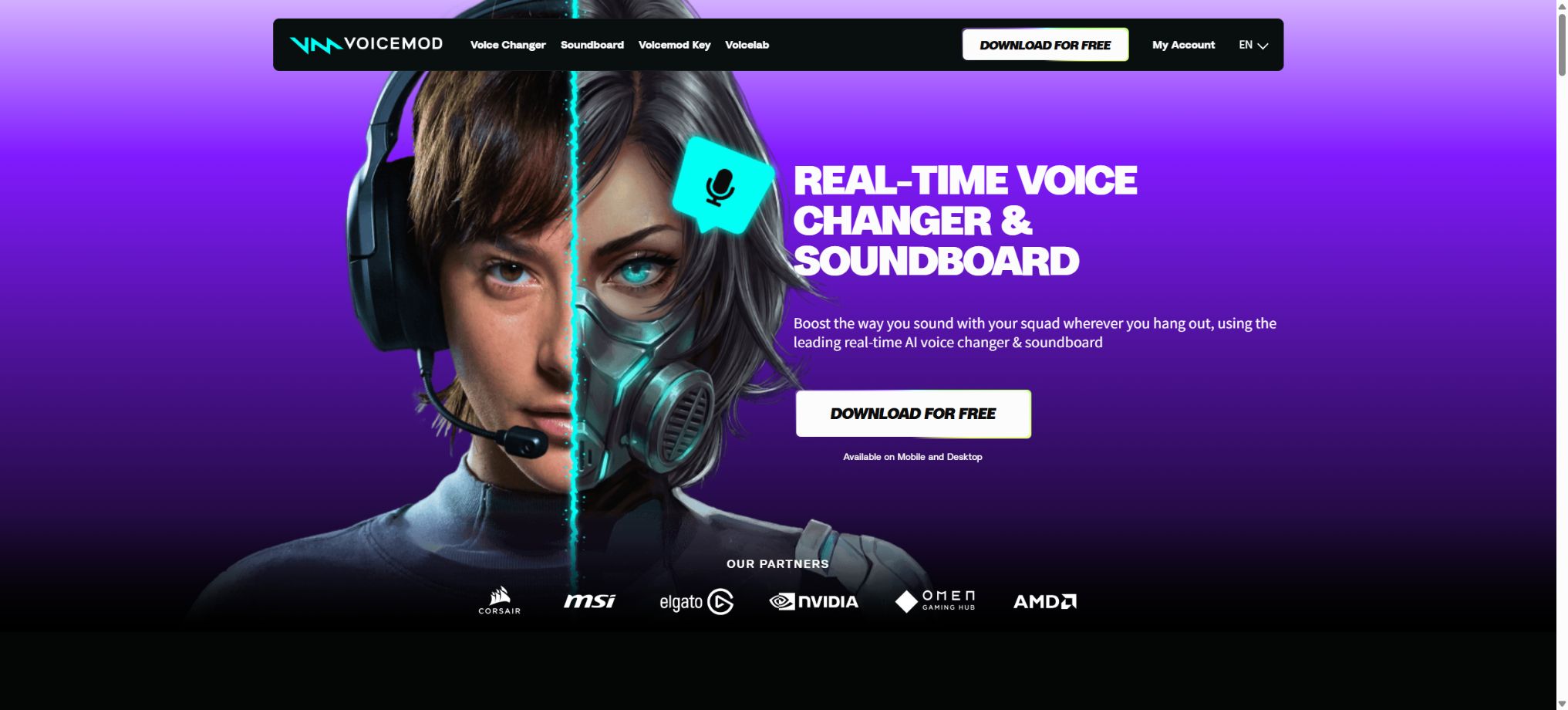
Voicemod
Provides tools for real-time voice transformation, sound boards, and the creation of custom sounds.
Tags:AI audio toolsWhat is Voicemod?
Voicemod is a platform for real-time voice modification and Soundboard effects, designed primarily for use in gaming communications, live streaming, virtual hosting, group chats, and content creation. It creates a Voicemod Virtual Microphone on the computer, which processes the sound from the actual microphone and sends it to Discord, OBS, games, conferencing tools, and recording software.
Unlike voice synthesis tools that perform offline conversion after a file is uploaded, Voicemod focuses on real-time use with low latency. Users can switch between different characters, robots, broadcast voices, monster voices, and AI voices while speaking, and they can also use shortcut keys to play sound effects, background noises, or clips they have recorded themselves.
Real-time voice transformation
The desktop version offers over 200 sounds created by the Voicemod team, including character-specific tones, robot voices, demonic sounds, broadcast-style audio, anime-inspired tones, spatial effects, and emotional sounds. For each preset, it is possible to adjust the pitch, bass levels, high frequencies, sense of space, and background effects; the available options vary depending on the sound.
The software must remain running, and the input device in the target application should be set to the Voicemod virtual microphone. Headphones should continue to use the real sound card or headphone output; the virtual microphone should not be mistakenly set as the speaker output.
AI Voices
AI Voices employs machine learning and data from professional voice actors to achieve a more natural, real-time transformation of voice tones. The current documentation lists over 25 different AI voices, which can be combined with ambient sounds and character effects.
Officially, it is stated that the AI voice data was created with the assistance of actors who specialize in English, which is why English generally yields the best results; Chinese and other languages can also be used, but certain phonemes, tones, and pronunciations may be unstable.
AI voices also require newer processors that support AVX2.
VoiceLab custom sounds
VoiceLab is a custom sound generator exclusive to PRO, capable of applying over ten different effects such as Pitch, Reverb, Delay, Vocoder, Robotifier, and Distortion. It allows users to create new sounds from scratch or to further modify existing sounds.
The new version of VoiceLab also allows the AI to create combinations based on textual descriptions. Once completed, it is possible to give it a name, add images, save it to a sound board, and publish it in the community.
It primarily alters real-time sound effects; it is not the same as training a voice clone model that can permanently imitate a specific person’s voice.
Soundboard sound board
Soundboard allows users to place sound effects, musical clips, voices, and preset sounds in clickable panels, which can then be played in real time through a virtual microphone to other people in calls or games. The platform offers more than 15 themed soundboard sets, and the community also has a large number of users who upload their own content.
Free users can create 1 Soundboard at the moment, with no fixed limit on the number of slots available; PRO users can create multiple Soundboards to manage them separately by game, live broadcast, or character.
The inclusion of sound effects does not imply permission for public playback or commercial streaming; it is necessary to check the copyright status before using films, music, or recordings created by others.
Keyboard shortcuts and peripheral control
Users can assign Keybinds for sound switching, effect playback, voice change functions, and other actions, without having to return to the game in order to use Voicemod. The platform can also be used in conjunction with streaming tools such as Elgato Stream Deck, Loupedeck, and OBS.
Keyboard shortcuts should avoid overlapping with those already in use by the game, the operating system, and streaming software. Before starting a live broadcast, it is necessary to test the keys, volume levels, routing settings, and latency, in order to prevent excessive sound levels or to avoid feedback of audio signals back into the microphone.
Instant Replay – Immediate replay functionality
Instant Replay allows you to review audio clips of up to about 30 seconds from recent times; you can add the interesting moments you missed to a soundboard or use them in content creation. It is suitable for game highlights, live reaction videos, and impromptu audio recordings.
Replays may include other participants or sensitive conversations; consent must be obtained before saving and sharing them, and private calls should not be treated as public material.
Community Voices and Tuna
Voicemod Community and Tuna offer voice clips, sound effects, and sound packs published by both the developers and users. Users can search for these elements within the app and add them; the official website states that the community is continuously adding new sound files at a rapid pace.
The quality, volume, descriptions, and rights status of community content vary. Download numbers or popular tags do not equate to official endorsement;
For commercial live broadcasts and advertising, it is preferable to use materials for which clear licensing has been obtained.
Price and version comparison
| Package or version | Prices, quotas, and core benefits |
|---|---|
| Free version | The Voicemod desktop application can be downloaded and installed for free. The free version offers real-time voice transformation, a limited set of voices that may change over time, basic AI features, one Soundboard with unlimited slots, basic shortcut keys, and access to community content. The list of free voices changes with updates and promotions, and no particular character is available permanently for free. Users who want permanent access to the full set of voices, the ability to customize VoiceLab, and multiple Soundboards need the PRO version. |
| Price of Voicemod PRO | The official help center requires users to select a plan within the application and proceed to the local payment page; no fixed global prices are announced. Available plans may include monthly, annual, or one-time lifetime options, with the specific combinations and prices varying depending on the country, taxes, sales channel, device, and any promotions in effect. The official site also offers the possibility of exchanging for a Lifetime PRO account through channels such as Razer Gold, but the price is determined by the local currency at the time of purchase and by any applicable promotions. Third-party listings often show significant differences in monthly, annual, or lifetime fees, and these should not be considered as the uniform prices listed on the official website. The purchase page will indicate whether auto-renewal is enabled, as well as the payment cycle and taxes involved. A lifetime plan requires a one-time payment; it can still be used until its expiration date even after the subscription is canceled. Sound Packs, Voice Packs, and VMKey hardware may incur additional charges. |
Free version
The Voicemod desktop application can be downloaded and installed for free. It offers real-time voice transformation, a limited set of voices that may change over time, some AI-related features, one Soundboard with an unlimited number of slots, basic shortcut keys, and the ability to browse community content.
The list of free sounds changes over time as updates and new features are introduced, so no particular character can be considered free forever. Users who want to have access to the entire sound library on a permanent basis, as well as the ability to customize VoiceLab and use various sound packs, need the PRO version.
PRO function
Voicemod PRO unlocks all official voices and AI Voices, multiple Soundboards, custom voices from VoiceLab, additional personalized controls, synchronization across mobile devices, and regular updates. Certain IP or creator-specific Voice Packs available in the store may need to be purchased separately; they are not necessarily included in the PRO version.
A PRO account is usually meant to be used on one computer at a time, but it can be transferred to another device and reactivated there. When the same account is used on both a desktop and a mobile device, the corresponding PRO benefits can be synchronized.
Price of Voicemod PRO
The official help center requires users to select a plan within the application and go to the local payment page; no fixed global price is stated. The available plans may include monthly, annual, and one-time lifetime options, and the specific combinations and prices vary depending on the country, taxes, distribution channel, device, and any promotions in effect.
The authorities have also offered the option to exchange for a Lifetime PRO account through channels such as Razer Gold, but the price depends on the local currency at the time of purchase as well as on the specific promotion in effect. The monthly, annual, or lifetime fees listed on third-party websites vary greatly; these should not be considered as the uniform prices stated on the official website.
The purchase page will show whether automatic renewal is enabled, as well as the payment cycle and taxes. Lifetime requires a one-time payment;
It can still be used until its current expiration date even after cancellation of the subscription.
The Sound Pack, Voice Pack, and VMKey hardware may incur additional fees.
Purchase, Renewal, and Cancellation
On the desktop version, payments can be made through Xsolla or Paddle, with support for bank cards, PayPal, Amazon Pay, Apple Pay, Google Pay, paysafecard, as well as other payment methods available in certain regions; mobile subscriptions are managed via the App Store or Google Play.
For desktop subscriptions, automatic renewal can be turned off on the Voicemod account page; for mobile subscriptions, it must be canceled in the respective app store. Uninstalling the app or deleting the shortcut does not automatically stop the charging.
Changing the existing payment method may require contacting the settlement service provider.
Refund instructions
Eligibility for a refund depends on the purchase channel, time of purchase, usage history, and local consumer regulations. Payment processing for methods such as Razer Gold exchanges may be handled by the original seller.
Different rules may also apply to the Coupons, Voice Packs, and digital content that have already been used.
Before making a purchase, it is necessary to confirm the name of the plan, whether it involves renewal, device compatibility, and the requirements for AI voice hardware; also, keep the order confirmation email. Do not acquire shared accounts or licenses of unknown origin from unauthorized second-hand platforms.
Windows compatibility and hardware requirements
The Windows desktop version is compatible with Windows 10 build 1607 or later, as well as Windows 11; it only supports 64-bit x64 systems and does not support 32-bit systems nor x64 environments based on ARM, ARM64, or ARM emulation. The minimum recommended specifications are a quad-core processor running at 2 GHz along with 8 GB of memory, while an eight-core processor running at 3 GHz and 16 GB or more of memory is recommended.
AI Voices requires a CPU that supports AVX2, which generally means processors from 2013 or newer. Running games, Discord, and OBS simultaneously places a significant load on the system; it is therefore necessary to conduct stress tests before starting live broadcasts.
macOS support
The current system requirements specify macOS Ventura 13 or a later version, and it supports Intel Macs as well as Apple Silicon devices that meet these criteria. Older statements referring to Monterey 12 or earlier can still be found in the official documentation; it is necessary to rely on the results provided by the latest version of the installer before proceeding with installation.
macOS requires permission to access the microphone and virtual audio devices. The compatibility of certain Keybind, Soundboard, and applications may differ from that on Windows; it should not be assumed that the functions work exactly the same on both platforms.
Audio devices and proper settings
Users should select the real microphone as the input source in Voicemod and headphones as the output source, while in Discord or games they should use the virtual microphone provided by Voicemod as the input source. The developers recommend using headphones, as speakers will transmit the processed sound back to the microphone, resulting in echoes and feedback.
USB, XLR, built-in, and Bluetooth devices can all be used, but Bluetooth tends to present issues with setup, latency, and call quality. Whenever possible, it is better to use wired headphones and a stable sound card, making sure that the input level does not reach the red clipping zone.
Which software can it be used with?
Any Windows or macOS application that allows selection of a microphone as the input source can generally be used with Voicemod, including Discord, OBS, Streamlabs, Zoom, Teams, Twitch workflows, as well as many gaming voice applications. Some games only use the system’s default microphone, so it is necessary to set Voicemod as the system’s default input source.
Anti-cheat measures, exclusive audio access, browser permissions, and device management policies can prevent virtual devices from functioning. If problems arise, first verify that the application has access to the Voicemod microphone, and then check the sampling rate, exclusive mode, firewall settings, and permissions.
What is a mobile app?
The Voicemod Soundboard for iOS and Android allows users to browse and play sound effects independently; it can also function as a controller for use on a computer, enabling phones to trigger the sounds and soundboards available in Voicemod on the desktop. Once PRO synchronization is achieved, the corresponding mobile content can be unlocked.
Mobile apps are not the same as installing virtual desktop microphones directly in all mobile games. Real-time routing on mobile devices is limited by the operating system.
The host requires VMKey hardware for use.
VMKey host voice change
The Voicemod Key is a hardware bridge that connects a smartphone, a headset with a microphone, and a gaming console. The audio is processed in real time within the smartphone’s Voicemod app, and then transmitted via the VMKey through a 3.5mm connection to the chat functions on PlayStation, Xbox, or Nintendo Switch 2.
The official website currently provides usage guides for PS4, PS5, Xbox Series X|S, Nintendo Switch 2, as well as Meta Quest 2/3. A smartphone should have iOS 16 or Android 8.1 at minimum, as well as an internet connection and a Voicemod application that is running continuously.
VMKey is not a feature of free software; separate hardware must be purchased.
Platforms not supported
Linux, ChromeOS, Chromebooks, and browser extensions are still part of an experimental roadmap; a desktop version has not yet been released. Do not rely on tests conducted on social media or promises made in previous announcements to determine the release date.
APIs, SDKs, and GitHub
Voicemod does not provide ordinary users with a universal cloud API or SDK that allows access to the entire sound library in any application. Certain integrations with hardware and games may be available through business channels; in such cases, it is necessary to contact the official team directly.
The examples made available by the official GitHub organization, as well as projects like VMGram, do not include the Voicemod core voice modification engine, AI models, or the source code for desktop applications. The unofficial control scripts available on the Internet also cannot be considered stable or supported APIs.
Open-source status
The core desktop and mobile applications of Voicemod, as well as its virtual audio processing capabilities, AI Voices, VoiceLab engine, and model weights, are not open source; it is a proprietary commercial software. The fact that the source code is made available in some official repositories does not change the overall nature of this product.
Privacy, Consent, and Safe Use
Voice distortion cannot be used to impersonate real people, bypass identity verification, carry out fraud, harass others, or record audio without consent. Live broadcasts and group chats must comply with the platform’s rules, and it should be indicated when the voice has been altered, in order to prevent misguiding others.
Community voices, Instant Replay, and custom materials may contain other people’s voices or copyrighted content. Minors’ calls, meetings, and private conversations should be handled with proper consent and stored carefully.
Voicemod usage guide
Complete a basic task.
- Verify recordings, audio, music, and participant authorization;
- Upload or enter clear audio into Voicemod;
- Select settings such as language, speaker, and real-time voice transformation;
- Use AI Voices to generate transcripts, voiceovers, or cleaned-up versions;
- Check each segment for names, numbers, pauses, volume, and mood;
- Before exporting, verify the format, loudness, copyright, and privacy requirements;
Create reusable professional workflows
- A test set is created using real noise, accents, and multi-person segments;
- Compare the differences in processing between real-time voice transformation, AI Voices, and custom voices created with VoiceLab.
- Retain the original recordings and the unmodified transcripts;
- Arrange for a manual hearing before releasing it to the public;
- Statistically analyze processing time, error rate, and quota consumption;
- Regularly update the glossary, sound licensing, and deletion policies;
Which users is it suitable for?
- Players who need to change their voice in real time on Discord and in game voice chats;
- Streamers who use OBS, Streamlabs, and control panels;
- VTubers and content creators who design multiple sets of voices for virtual characters;
- Live streaming teams that need quick sound effects, pitch-shifting tools, and instant playback;
- Console players who use VMKey to change their voice in chats on PlayStation, Xbox, or Switch 2.
Product advantages
- It is compatible with a large number of voice and live streaming applications via virtual microphones;
- Over 200 official voices and an ever-growing amount of community content;
- Centralized management of AI Voices, VoiceLab, Soundboard, and shortcut keys;
- There are desktop versions available for both Windows and macOS;
- A smartphone can be used as a remote control for a soundboard;
- VMKey extends real-time voice transformation to host platforms.
Restrictions and Precautions
- AIVoices requires modern processors that support AVX2; it is not compatible with Windows ARM, Linux, or ChromeOS.
- MacOS and Windows do not have identical functions; mobile apps are primarily used as sound panels and controllers, while a VMKey must be purchased separately for the host device.
- The PRO price and available subscription periods are displayed dynamically; some IP packages are sold separately.
- The real-time quality is affected by the microphone, noise, CPU, routing, and network; the AI voice in Chinese may not be as stable as that in English.
Frequently Asked Questions
Is Voicemod free?
There is a free version available, which offers a limited set of sounds that rotate over time, real-time voice transformation, and 1 unlimited Soundboard slot. A full sound library, multiple soundboards, and VoiceLab require the PRO version.
How much is Voicemod PRO?
The official party displays the prices on the in-app billing page based on region, channel, and event; monthly, annual, or lifetime payment options may be available. There is no fixed amount applicable worldwide – the prices shown on the current billing page should be followed.
Does Voicemod support Chinese?
The interface and standard effects can be used for Chinese, but the official AI voices are primarily based on data from English-speaking actors; the conversion of tones and phonemes in Chinese requires actual testing.
Can a smartphone be used to change the voice in games in real time?
The mobile app mainly provides a Soundboard and computer remote control. Real-time voice transformation on the host device requires a VMKey;
Whether ordinary mobile games can support voice distortion is restricted by the iOS and Android operating systems.
Does Voicemod have an API?
There are no complete voice-changing cloud APIs or general SDKs available for ordinary developers; any integration efforts must be carried out through the official business channels.
Is Voicemod open source?
It is not open source; the few projects available on the official GitHub do not include the core voice-changing engine, AI models, or weights.
Tools similar to Voicemod




 Guigong Network Security Registration No. 45132202000164