






LALAL.AI
Platforms that use AI to separate the vocal track, the accompaniment, and various instrument tracks.
Tags:AI audio toolsWhat is LALAL.AI?
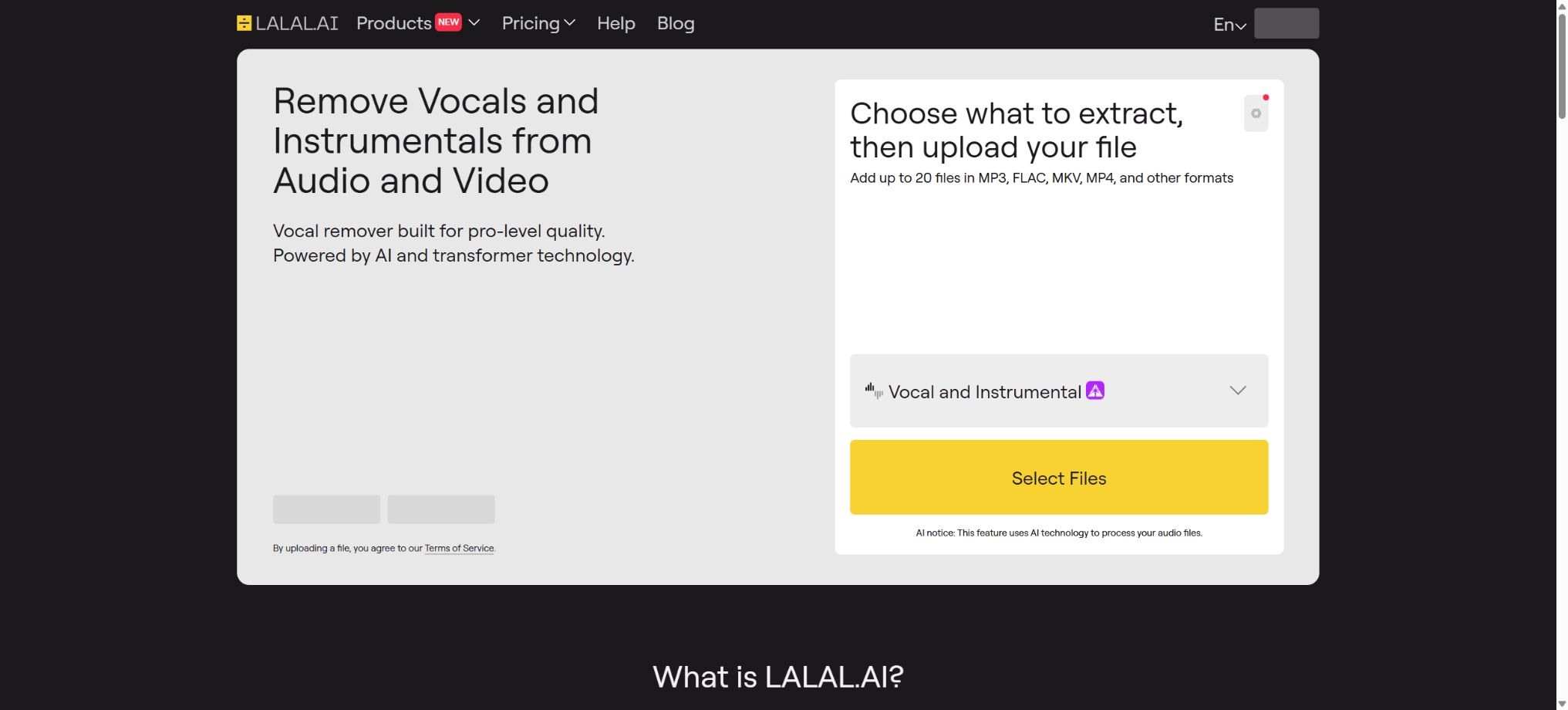
LALAL.AI is a platform based on neural networks for separating music and voice elements; it can break down mixed audio or video into vocals, accompaniment, and various instrumental stems. It offers tools such as Voice Cleaner, echo and reverb removal, separation of lead vocals from harmonies, Voice Changer, and Voice Cloner, and is available for use on web browsers, desktops, mobile devices, as VST plugins, and through developer APIs.
It is suitable for creating accompaniments, mixing, sampling, practice tracks, cleaning up dialogue, and reediting content. AI track separation does not result in an original recording; when multiple sounds overlap at the same frequency and time, the output may still suffer from interference, phase issues, a metallic sound, and high-frequency losses.
Vocal Remover: separates vocals from the accompaniment.
Vocal Remover can separate a song into two tracks: the vocal part and the accompaniment, which can be used for karaoke, practice of singing along, remixing, extracting dialogue, and analytical purposes. Users can first listen to a preview before deciding whether to process the file and download the final result.
When there is significant reverb, multiple singers are involved in the chorus, the distortion of the guitar is high, and the frequency range of the vocals is close to that of other sounds, vocal elements may remain in the background music; moreover, cymbals or synthesizers might be added to solo vocals. For projects intended for release, it is necessary to test various network and processing settings.
Separation of 10 types of Stems
The 10 types of separation available in the cloud currently include: Vocal and Instrumental, Drums, Bass, Electric Guitar, Acoustic Guitar, Piano, Synthesizer, Voice and Noise, String Instruments, and Wind Instruments.
Users can switch targets for the same uploaded file without having to re-upload it each time.
These options usually provide two sets of results: one for the target Stem and another for the remaining elements; they do not correspond to a complete set of 10 tracks being generated at once. The calculation for the current minute is also multiplied by the number of separation types selected, so the processing time increases when multiple Stem types are chosen simultaneously.
Andromeda neural network
Andromeda is the next-generation Audio Transformer network that LALAL.AI currently relies on heavily; it serves as the default option in tasks related to vocals and instruments, as well as voice and noise, and has also been extended to handle drums and bass. According to the developers, its training dataset is about four times larger than that of Perseus, and it enables processing to be completed about 40% faster, with an improvement of around 10% in SDR quality.
These are the official test results, and they do not indicate that every song sees the same degree of improvement. The platform still provides networks such as Perseus and Orion for comparing certain tasks.
Users should test with their own difficult materials, rather than making choices solely based on the age of the model.
Voice Cleaner – Voice cleanup tool
Voice Cleaner is used to separate voice from noise in recordings; it helps reduce background music, microphone hums, plosive sounds, environmental noise, and other distractions. It is suitable for podcasts, interviews, online courses, meetings, as well as dialogue in films and videos.
When noise overlaps heavily with speech, or when the recording has been clipped, the cleanup results may be distorted. Voice Cleaner is not designed for real-time noise reduction in meetings, nor can it restore speech information that was not captured by the microphone.
Echo and Reverb Remover
The De-Echo and Reverb tools allow voices, songs, or video dialogues with a heavy room echo to become less echoey, making it easier to remix them or improve their clarity. The Stem Splitter also provides settings for Vocal Reverb Control and De-Echo.
Reverb can be an integral part of a musical piece; removing it entirely will change the atmosphere, the echoes, and the timbre of the sound. It is recommended to first try different levels of reverb and to keep the original file available for A/B comparison.
Separate the lead vocals from the backing vocals.
The Lead/Back Splitter allows for further separation of the lead vocals from the harmonies; it is useful for creating practice tracks, reorganizing vocal layers, and analyzing arrangements. The official desktop and cloud-based workflows can generate the lead vocals, harmonies, and all the other related elements.
Harmonies, unison singing, overlapping audio signals, and a large number of effects reduce the accuracy of identification. The results obtained cannot determine the identity of a particular singer, nor do they grant automatic rights to use that vocal performance.
Voice Changer and Voice Cloner
Voice Changer can modify the sound in music, recordings, and videos; the cost is calculated based on the length of the output generated. Voice Cloner enables users to create their own voice profiles using their own recordings, so as to obtain a consistent synthesized voice.
It is only possible to clone one’s own voice or voices for which explicit permission has been granted. It is not allowed to use the voices of celebrities, employees, customers, or ordinary people to carry out impersonation, fraud, deception, or unauthorized commercial endorsements.
Synthetic speech should also be indicated for sensitive scenarios.
Input and output formats
The audio formats supported on the desktop version include MP3, OGG, WAV, FLAC, AIFF, AAC, and M4A; video formats include AVI, MP4, MKV, MOV, and M4V. On the cloud side, audio files can be exported in MP3, WAV, FLAC, OGG, AAC, or AIFF format, or the original format can be retained by default.
The compression artifacts present in lossy source files are further amplified by the separation model. For important music production, lossless sources should be used, and after downloading it is necessary to check the sample rate, bit depth, loudness, synchronization, and the length of the file’s beginning and end.
Starter free plan
Starter is available permanently for free; it offers 10 minutes of use in Relaxed Queue mode per month, a maximum file size of 200MB, and a free preview of the results. However, it does not allow downloading the full results nor does it support batch processing. It is suitable for assessing the quality of short segments of challenging material, rather than for completing full-scale projects.
The Starter version does not have a Fast Queue. The Relaxed Queue operates based on the available capacity of the server, and the waiting time varies depending on the load.
The specific details regarding the free minutes, as well as their status of being used or available, are shown in the account profile.
Price and version comparison
| Package or version | Prices, quotas, and core benefits |
|---|---|
| Lite subscription price | The annual cost for Lite is $90, which amounts to $7.5 per month. The current plan includes unlimited access to the Relaxed Queue, 90 minutes of use of the Fast Queue per month, a maximum file size of 2GB, the ability to download complete results, and support for batch processing; account limits can be shared across web, desktop, and mobile devices. Lite does not include VST plugins, local Lyra processing, or API access. Users who need to process tasks infrequently and do not need immediate results can rely on the unlimited Relaxed Queue; once the minutes allocated for the Fast Queue are used up, the system automatically switches to the Relaxed Queue, maintaining the same quality but with a different priority in terms of speed. |
| Pro subscription price | The annual price for the Pro version is 180 dollars, which amounts to 15 dollars per month. This plan includes unlimited access to the Relaxed Queue, 250 minutes of use of the Fast Queue per month, 2GB of storage space for files, the ability to download results, batch processing capabilities, early access to new features, as well as VST plugins, API access, and local processing via the Lyra desktop application. The Pro version is suitable for producers, developers, and users who value offline processing. The official website may display different pricing amounts on a monthly basis; the prices shown there are based on the annual rate. Taxes, currency options, and any promotions are subject to the details provided on the payment page. |
Lite subscription price
The annual cost for Lite is $90, which equals $7.5 per month. The current plan includes unlimited access to the Relaxed Queue, 90 minutes of use of the Fast Queue per month, a maximum file size of 2GB, the ability to download complete results, and support for batch processing; account credits can be shared across web, desktop, and mobile devices.
Lite does not include VST plugins, local Lyra processing, or APIs. Users who need low latency but are not in a hurry can rely on the Infinite Relaxed Queue;
Once the Fast mode’s time limit is reached, the system automatically switches to the Relaxed Queue; the quality remains the same, but the speed priority differs.
Pro subscription price
The annual Pro subscription costs $180, which is equivalent to $15 per month. It includes unlimited access to the Relaxed Queue, 250 minutes of use of the Fast Queue per month, 2GB of storage space for files, the ability to download results, batch processing capabilities, early access to new features, as well as VST plugins, API access, and local processing via the Lyra desktop application.
Pro is suitable for producers, developers, and users who value offline processing. The official website may display different amounts on a monthly basis, while the pricing in the catalog is based on the current annual subscription rate.
Fees, currency, and promotions are subject to the settlement page.
Fast and Relaxed Queue
Both queues use the same separation quality. At the start of each billing month, paid tasks first consume Fast minutes;
Once the Fast quota is used up, the user automatically moves to the Relaxed Queue with no time limit; users cannot switch manually between the two.
Unused Fast minutes are not carried over and are reset in the next cycle. Once this option is disabled, paid features and the remaining balance can still be used until the end of the current cycle; after that, the account returns to the Starter plan, the unused Fast minutes become invalid, and unlimited access to the Relaxed Queue is no longer available.
Subscriptions cannot be refunded based on the remaining period.
How is time in minutes calculated?
For standard processing, the deduction is based on the length of the file. For Vocal Remover and Stem Splitter, the calculation is done as \"length of the file multiplied by the number of separation types selected\"; for example, a 10-minute song with 3 stem separation types will be counted as 30 minutes.
The Voice Changer service charges based on the length of the output generated.
Therefore, the Fast time is not simply equal to the total duration of the songs that can be uploaded. Before starting a batch processing of multiple stems, it is necessary to first determine the number of target tracks; if needed, use a preview to check the network connection and settings.
Top-Up additional minutes
It is possible to purchase one-time Fast Queue top-up packages without changing the subscription: Master – 750 minutes for $50, Premium – 3000 minutes for $190, Enterprise – 5000 minutes for $300. The number of additional minutes, the features available, and the validity period are specified on the purchase page.
Old materials often described LALAL.AI as Lite, Plus, and Pro – one-time permanent minute packages – but this no longer reflects the pricing shown on the current official website. The current options are Starter, Lite, and Pro subscriptions, with Top-Up allowing for the acquisition of additional Fast minutes.
Desktop application
LALAL.AI Desktop is compatible with Windows 10/11, macOS 10.15 or later versions, and Ubuntu 22.04 or later versions. The cloud mode functions are similar to those in the web version; it allows for selecting up to 20 audio or video files at once, and users can specify the output directory locally.
Desktop applications can be downloaded for free, but a paid account is required for a complete download. Cloud processing requires an internet connection and consumes shared minutes;
The account can be logged in to from multiple devices.
Lyra local offline track separation
Pro users can use the Lyra local model on their desktops; the materials do not need to be uploaded to a server, allowing for offline processing. No Fast or Relaxed minutes are deducted, and only occasional internet connections are required to verify the subscription. Up to 3 computers can have Lyra activated at the same time.
The local Lyra version currently supports 7 categories: Vocals, Instrumental, Drums, Bass, Piano, Acoustic Guitar, and Electric Guitar. This is fewer than the 10 categories available in the cloud version, and it also lacks all the settings specific to the cloud version. The hardware can make use of GPUs or NPUs for acceleration, with the actual speed depending on the device used.
VST plugin
The VST Plugin is part of the Pro package; it allows for local stem extraction directly within compatible DAWs, and is suitable for use in production environments such as Logic, Ableton Live, FL Studio, Cubase, and Reaper. This plugin utilizes the Lyra offline model, so no audio needs to be uploaded, and it does not consume any processing time.
The plugin format, DAW compatibility, operating system, and the number of authorized devices are subject to the information provided on the download page and in the EULA. Offline models are better suited for rapid iteration, while the more complex results can be compared with those generated by Andromeda in the cloud.
Mobile apps
Official apps are available for iPhone, iPad, and Android; it is possible to upload songs and videos, with previewing and downloading handled separately. Subscriptions can be shared across minutes, as well as via web and desktop versions, rather than being provided separately for each platform.
Mobile devices are suitable for quick extraction and listening; managing large files, performing batch processing, and carrying out professional post-processing tasks are generally better done on desktop computers. When purchasing through app stores, the prices and subscription management options may differ from those on the web site.
API
LALAL.AI offers Public API v1, which allows users to upload files to obtain a source ID, submit tasks for file separation, check the status of those tasks, retrieve the results, and delete the original files as well as the Stem versions from the server. This API provides functions such as handling multiple Stem versions, using Voice Cleaner, Voice Changer, and Voice Cloning tools; access to these advanced features is available through the Pro plan.
API authentication is carried out using license tokens. In a production environment, these tokens should be stored on the server, which is responsible for handling token expiration, asynchronous polling, concurrency, retry attempts in case of failures, deletion requests, and user copyright information.
For high-volume or embedded products, please contact the enterprise solutions team.
GitHub and the open-source status
The official operator, OmniSale GmbH, has made available on GitHub examples of the LALAL.AI API as well as OpenAPI-related resources to assist developers in performing tasks such as uploading data, separating it, cleaning it, and querying it. These examples do not represent an open-source version of the core model.
The training codes and complete weights for Andromeda, Perseus, Orion, and Lyra are not made public; LALAL.AI is essentially a proprietary commercial service. Similar open-source projects such as Demucs have no official connection to LALAL.AI.
Copyright and commercial use
Separation techniques do not grant users any copyright over the original song, vocals, accompaniment, or samples. For covers, remixes, film and television soundtracks, advertisements, training data, and commercial releases, permission for the recording, lyrics, music composition, performance, and samples is still required.
Even a few seconds of extracted audio can constitute protected material. For unreleased master recordings and confidential projects, Pro’s Lyra local processing is the preferred option, along with compliance with the product terms and organizational security requirements.
LALAL.AI Usage Guide
Complete a basic task.
- Register on LALAL.AI and create an API Key intended solely for the testing environment;
- Select a model based on input type, context, quality, speed, and price;
- First, invoke Vocal Remover to separate the vocals from the accompaniment in order to complete the minimal request, and then check the returned structure;
- Use the 10 types of Stem to separate and test the streaming output, parameters, and abnormal response;
- Record Tokens, number of calls, latency, error rate, and cost per call;
- Move the key to the server-side key manager before integrating it into the actual application;
Create reusable professional workflows
- Different keys and quotas are used for development, testing, and production environments;
- A representative evaluation set was created using Vocal Remover for separating vocals from accompaniment, 10 different types of stem separation, and the Andromeda neural network.
- Set timeout, concurrency, retry, throttling, and budget limits;
- Perform checks on the output regarding facts, security, format, and sensitive information;
- Monitor changes in model version, price, latency, and failure rate;
- Prepare plans for downgrading the model, implementing circuit breaking, and taking manual control;
Which users is it suitable for?
- Musicians who create Karaoke backing tracks, remixes, and samples;
- Learners who extract practice tracks for drums, bass, guitar, piano, etc.;
- Content team responsible for editing transcripts, podcast recordings, and course recordings;
- Producers who need to separate the lead vocals from the harmonies, remove reverb, and conduct multi-model comparisons;
- Professional users who establish workflows using VSTs, local offline models, or APIs.
Product advantages
- The cloud offers 10 types of Stem options as well as various neural networks;
- It covers music track separation, voice noise reduction, reverb removal, and separation of vocal layers;
- It supports the Web, the three major desktop operating systems, as well as iOS and Android.
- Pro offers Lyra offline processing and VST without any time deduction;
- The paid plan offers unlimited Relaxed Queue;
- There are official APIs, documentation, and official GitHub examples.
Restrictions and Precautions
- The free Starter version does not allow downloading complete results;
- Fast minutes are not carried over, and additional Stem charges are calculated by multiplying the file length by the number of types.
- The waiting time for RelaxedQueue is not fixed;
- AI separation can still result in noise, phase, and timbre losses;
- The local Lyra is available only for Pro users, and its Stem and settings are fewer compared to those in the cloud version;
- The core model is not open-source, and using the separated results does not automatically grant copyright or commercial licensing rights.
Frequently Asked Questions
Is LALAL.AI free?
The Starter version is available permanently and free of charge; it provides 10 minutes of use in the Relaxed Queue per month, allowing for uploading and previewing content, but full downloads are not possible. To download content in its complete form, one needs the Lite or Pro version.
How much is LALAL.AI?
The Lite plan costs $90 per year, which is equivalent to $7.50 per month; the Pro plan costs $180 per year, or $15 per month.
There are also 750, 3000, and 5000 Fast Minute Top-Ups.
Can it be divided into 10 complete tracks at once?
The platform supports the separation of 10 types of targets, but usually it outputs the content based on the selected Stem along with the other elements; moreover, each type of separation increases the time required, and it isn’t possible to generate all 10 tracks at once.
Can it be used offline?
Yes. Pro users can use the Lyra local model in desktop applications or VSTs; no audio is uploaded and no minutes are deducted, although fewer stems are available locally compared to those available in the cloud.
Does LALAL.AI have an API?
Yes. Pro offers a Public API v1, along with official documentation, OpenAPI specifications, and examples on GitHub.
Is LALAL.AI open source?
It is not open source. The developers only make available API examples and other integration resources; the core models such as Andromeda and Lyra, along with their weights, are not made public.
Tools similar to LALAL.AI




 Guigong Network Security Registration No. 45132202000164