






Cleanvoice
Post-production tool for automatically removing repetitions, pauses, and noise from podcasts
Tags:AI audio toolsWhat is Cleanvoice AI?
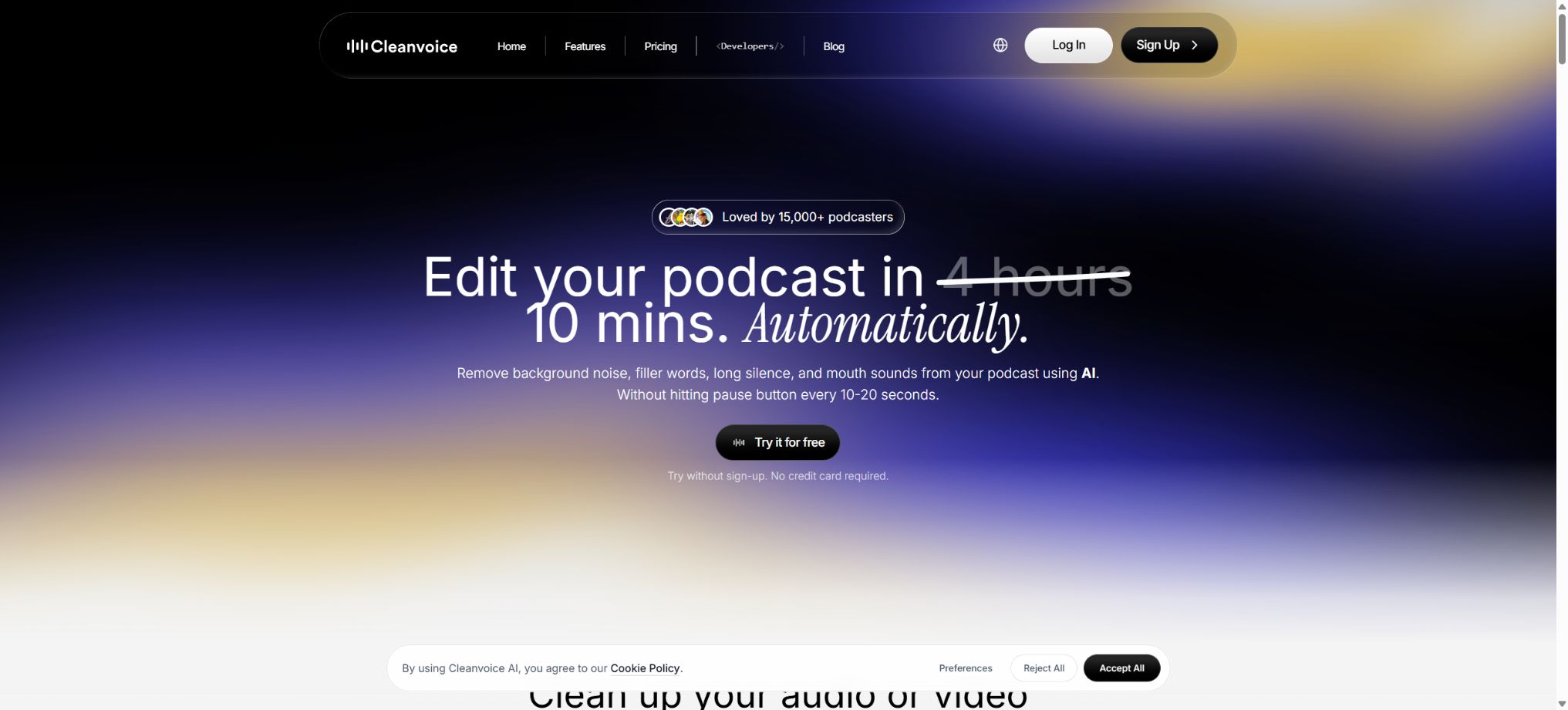
Cleanvoice AI is an AI-based post-processing platform designed for podcasts, interviews, audiobooks, courses, voiceovers, and video programs. After users upload audio or video files, the platform automatically identifies and removes repetitions in speech, long periods of silence, mouth noises, noticeable breathing sounds, stutters, and background noise. It also performs volume normalization, voice enhancement, transcription, and content summarization.
Its feature is that it combines repetitive audio segments into predefined patterns, eliminating the need for users to search for waveforms frame by frame. Cleanvoice is better suited for dialogue-based content; it is not a full-fledged digital audio workstation.
When precise music mixing, sound effect design, plugin automation, or mastering is required, the resulting output should still be imported into professional software for further review.
Automatically remove filler words.
The Filler Words Remover is used to identify words such as “um”, “ah”, “uh” and other filler words in different languages, and to remove the corresponding audio segments. It helps to reduce hesitations in speeches and interviews, and is suitable for use in host recordings, educational content, and business materials.
Not all repetitions should be removed. Certain words serve to convey tone, rhythm, or emotion; removing them all mechanically can make the dialogue sound rushed and can create abrupt transitions between words.
It is recommended to keep the original files and listen to the typical speaking speed of each speaker.
Long silence and pause cleanup
Silence Remover reduces excessive gaps and periods of silence, eliminating the segments of no content that result from waiting, thinking, or switching devices. For long podcasts, it significantly shortens the time needed to manually locate these pauses.
The rhythm of normal breathing, laughter, and the time for reflection during teaching do not necessarily constitute unnecessary silence. Interviews and narrative programs should use a more conservative setting.
If you want to output a video, you also need to check whether the scene transitions are smooth.
Handling of saliva sounds, breathing, and stuttering
The platform can detect the opening and closing of lips, lip smacking, clicking sounds, noticeable breathing, as well as certain repeated syllables, and it attempts to silence or remove these elements. It is suitable for dealing with oral noises generated by close-range microphones, as well as the minor noise patterns that often appear in audiobooks and narrations.
These sounds often overlap with consonants, word endings, and emotional breathing. Excessive processing can obscure plosive sounds or make sentences sound unnatural.
Before official release, the statistical lists and key editing points should be checked; automatic cleanup should not be regarded as a one-click master version that eliminates the need for listening.
Background noise removal
The Background Noise Remover is used to reduce noise from fans, air conditioners, computers, as well as the general ambient noise in a room. Users can activate noise reduction alone, or they can combine it with elements such as verbal repetitions and saliva sounds to create their own custom processing templates.
When traffic noises, music, crowds, and other voices overlap with the target voice, the algorithm may result in a submerged sound effect or residual noise. Severe clipping and recordings taken from long distances cannot be fully restored through noise reduction; therefore, it is necessary to control the environment, the distance of the microphone, and the input level during the recording process.
Audio Enhancer and Studio Sound
Audio Enhancer improves the clarity of dialogue, while Studio Sound is used to make ordinary recordings sound more like those recorded in a studio. Loudness normalization ensures that the volume level of different speakers and segments is consistent, and it allows developers to set the desired LUFS value through the API.
Podcasts often use around -16 LUFS as a reference for stereo audio, but different platforms, mono programs, and customer specifications may vary. Standardization deals only with overall loudness; it does not eliminate all instantaneous peaks, frequency conflicts, or dynamic issues.
Editing of audio and video podcasts
Cleanvoice can process audio and video directly. In video mode, it removes the dialogue while preserving the media content, making it suitable for interview videos, online courses, meeting recordings, and short videos.
Materials can be imported from local devices, file addresses, recordings, or screen recordings.
Removing words, phrases, and pauses will simultaneously affect the timeline. This can result in jumps between scenes in the video, misaligned subtitles, or inconsistent lip movements; therefore it is necessary to watch the entire video after exporting it, rather than just listening to the audio track.
Multi-track project and timeline export
The platform supports a multi-track workflow for podcasts. The tracks for the host and guests can be uploaded and processed separately; current pricing information indicates that no additional fee is charged for multi-track files, but the authorities have warned that this rule could change in the future.
Timeline Export allows the automatically identified editing decisions to be taken to a compatible editing environment for further adjustments. Multi-track materials should have the same starting point, sample rate, and clearly labeled tracks; the original unprocessed tracks should also be retained before uploading.
Transcription, summary, and chapters
Cleanvoice can provide complete transcriptions, as well as timing information at the paragraph and word levels; it can also generate program titles, summaries, chapters, key learning points, and program descriptions. It is suitable for creating show notes, lesson notes, and for content retrieval.
Automatic transcription can be affected by accent, proper nouns, multiple speakers speaking at the same time, and noise; summaries may also overlook certain conditions or present opinions as facts.
Names, data, advertising statements, medical and legal content, and direct quotes must be verified manually.
Generation of social content
The API, together with the current content workflow, can also be used to generate newsletters, social media posts, and content for professional networking platforms, thereby helping to break down a single program into various promotional materials. The output should be regarded as a draft; before it is published, the brand’s tone, the facts presented, the length of the text, and the rules of the respective platform need to be adjusted.
Supported formats
The audio formats listed in the official Python SDK include WAV, MP3, OGG, FLAC, M4A, AIFF, and AAC, while the video formats are MP4, MOV, WebM, AVI, and MKV. When exporting, you can choose automatic matching, MP3, WAV, FLAC, or M4A as the format to use.
The fact that a file can be read in a particular format does not mean that all coding schemes, variable frame rates, and damaged files can be processed properly. Failed uploads do not result in any deduction from the available quota.
In the event of an error, it is possible to convert the file to standard WAV or MP4 first, and then check whether it can be played fully on the local device.
Free trial
Cleanvoice offers a free trial without the need for a credit card, allowing users to upload short samples in order to compare the results before and after processing. The official pricing page does not describe this free trial as a permanent, fixed-free package, nor does it guarantee a constant number of trial minutes in the available public information.
Therefore, the catalog identifies the price types as free trial, pay-as-you-go, subscription, and enterprise customization. Users who need to create content on a continuous basis should choose a pricing option based on the actual amount of footage they use each month.
Price and version comparison
| Package or version | Prices, quotas, and core benefits |
|---|---|
| Pay-as-you-go price | Pay as You Go is suitable for one-time projects and infrequent use. The current prices in USD are as follows: 5 hours for $11, which is approximately $2.20 per hour; 10 hours for $20, or about $2 per hour; 30 hours for $45, roughly $1.50 per hour. The credits available under this plan are valid for 2 years from the date of purchase. All packages include features such as catchphrases, noise reduction, silence mode, video playback, removal of saliva and breathing sounds, Studio Sound, timeline export, transcription, and summaries; there is no need to upgrade to get additional features. |
| Monthly subscription price | The monthly subscription is suitable for programs that are updated on a weekly basis or at regular intervals. The current prices in US dollars are as follows: 11 dollars for 10 hours, which is approximately 1.10 dollars per hour; 30 dollars for 30 hours, or about 1 dollar per hour; 90 dollars for 100 hours, around 0.90 dollars per hour. On the official website, it is also possible to choose an annual payment plan, with the actual discount amount determined on the settlement page. Any unused subscription credits can be carried over during the duration of the subscription, up to three times the amount allowed under the monthly plan. For example, with a 10-hour/month plan, up to 30 hours of credits from previous months can be carried over, allowing the user to continue using those credits along with any new credits allocated for that month. |
| Credits billing rules | Charging is based on the duration of the media uploaded; the minimum unit for billing is 1 minute, with amounts being rounded up to the next whole minute. For example, 10 minutes and 20 seconds will be charged as 11 minutes. No fee is charged in case of an upload failure; if both a subscription and pay-as-you-go credits are available, the subscription credits are used first, and only then are the pay-as-you-go credits utilized. Once the subscription is canceled, any unused subscription credits can only be used until the end of the current billing cycle, while the pay-as-you-go credits remain valid for 2 years from the date of purchase. The prices listed do not include VAT; sales tax or value-added tax may vary depending on the location. |
Pay-as-you-go price
Pay as You Go is suitable for one-time projects and infrequent use. The current public prices in US dollars are as follows: 5 hours cost $11, which is approximately $2.20 per hour; 10 hours cost $20, which is about $2 per hour.
30 hours for $45, which is about $1.50 per hour.
The pay-as-you-go Credits are valid for 2 years from the date of purchase. All available plans include catchphrases, noise, silence, video, saliva and breathing noise removal, Studio Sound, timeline export, transcription, and summaries; there is no need to upgrade for individual features.
Monthly subscription price
The monthly subscription is suitable for programs that are updated on a weekly basis or at regular intervals. The current prices in US dollars are as follows: 11 dollars for 10 hours, which is approximately 1.10 dollars per hour; 30 dollars for 30 hours, which is about 1 dollar per hour.
100 hours for $90, which is approximately $0.90 per hour. The official website also offers an annual payment option; the actual discount will be indicated on the settlement page.
The unused quota for a subscription can be carried over during the duration of that subscription, up to three times the amount allocated for the monthly plan. For example, in a plan of 10 hours per month, up to 30 hours accumulated from previous months can be carried over, allowing the user to continue using that extra time along with the quota allocated for the current month.
Credits billing rules
Charging is based on the duration of the media input; the minimum billing unit is 1 minute, with amounts being rounded up to the next whole minute. For example, 10 minutes and 20 seconds will be charged as 11 minutes.
No fee is charged in case of an upload failure; if both a subscription and pay-as-you-go credits are available, the system uses the credits from the subscription first, and falls back to the pay-as-you-go credits when those run out.
After canceling the subscription, the unused subscription quota can only be used until the end of the current billing cycle; the pay-as-you-go quota remains valid for 2 years from the date of purchase.
The listed price does not include VAT; sales tax or value-added tax may vary depending on the location.
Enterprise and high-volume plans
Organizations that handle more than 200 hours of work per month, require customized API endpoints, need priority support or special billing terms can apply for the Custom Plan. For batch workflows involving thousands of hours per month, it is necessary to discuss separately the discounts, concurrency limits, file retention policies, service guarantees, and data-related terms.
The authorities also offer programs for eligible startups, allowing them to request up to 100 hours of processing time; the eligibility criteria and availability of these programs are indicated on the application page.
API
Cleanvoice offers a formal API that allows users to submit local files or media URLs using API keys, select cleaning parameters, monitor the progress of tasks, and download the results. The standard package is suitable for both web applications and APIs; customers with high usage volumes can request customized endpoints.
The API allows for control over fillers, long silences, mouth sounds, breath, stutters, noise removal, studio sound, normalization, target LUFS, transcription, summary, social content, and export formats.
In a production environment, the API Key should be stored on the server, and handling of uploads, task polling, timeouts, duplicate submissions, and expired download links is necessary.
Python and JavaScript SDKs
The official Python SDK can be installed using the cleanvoice-sdk package; it supports synchronous and asynchronous processing, batch handling, use of local files and in-memory audio, automatic polling, and result downloading. Python 3.8 or a higher version is required. The official JavaScript SDK is compatible with Node.js and TypeScript, and can be installed via the corresponding npm packages.
The official GitHub site also provides n8n community nodes, which make it possible to monitor the completion of tasks within automation workflows and to integrate storage, publishing, and notification services. The fact that SDKs and nodes are made available publicly does not mean that Cleanvoice’s core AI models are open source.
Open-source status
The Cleanvoice platform, voice processing models, training code, and model weights are not made available under an open-source license; they are offered as cloud services. The official Python SDK is licensed under the MIT license, while the JavaScript SDK and the integration code used to access commercial APIs require examination of the respective repository licenses and API terms.
Projects with similar names on GitHub, such as CleanVoice, ClearVoice, or audio enhancement tools, may have no connection to the Cleanvoice AI company and should not be considered as their offline versions.
File saving and privacy
According to the current pricing FAQ, the original and edited files are stored for 7 days before being permanently removed. Users should still download the results themselves and keep local backups; they cannot rely on the Cleanvoice task page as a long-term cloud storage solution.
When handling customer interviews, employee meetings, medical, legal matters, and unreleased business content, it is necessary to ensure that the participants give their consent, to know the location where data will be transmitted, to comply with organizational regulations, and to address requirements regarding data deletion. API workflows should also restrict public download addresses as well as sensitive information contained in logs.
Cleanvoice AI Usage Guide
Complete a basic task.
- Verify recordings, audio, music, and participant authorization;
- Upload or enter clear audio into Cleanvoice AI;
- Select settings such as language, speaker, and automatic removal of filler words;
- Use long silence and pauses to refine transcription, dubbing, or cleanup results;
- Check each segment for names, numbers, pauses, volume, and mood;
- Before exporting, verify the format, loudness, copyright, and privacy requirements;
Create reusable professional workflows
- A test set is created using real noise, accents, and multi-person segments;
- Compare the differences in how automatic removal of filler words, long silences and pauses are handled, as compared to the way saliva sounds, breathing and stuttering are processed.
- Retain the original recordings and the unmodified transcripts;
- Arrange for a manual hearing before releasing it to the public;
- Statistically analyze processing time, error rate, and quota consumption;
- Regularly update the glossary, sound licensing, and deletion policies;
Which users is it suitable for?
- A podcast team that regularly produces interview and dialogue programs;
- Creators who clean up audiobooks, narrations, online courses, and meeting recordings;
- Editors who need to reduce verbal repetitions, pauses, and oral noises on a bulk basis;
- Managers who wish to have automated generation of transcripts, chapters, summaries, and promotional text;
- Developers who create audio and video processing workflows using APIs, Python, JavaScript, or n8n.
Product advantages
- Combine various dialogue cleanup tasks within the same process;
- All public packages come with full functionality, and they are primarily differentiated by processing time.
- It also supports pay-as-you-go packages, subscriptions, and enterprise customization;
- The subscription quota can be carried over, and the pay-as-you-go quota is valid for 2 years;
- Supports audio, video, multi-track, timeline, and various export formats;
- Official APIs as well as Python and JavaScript SDKs are provided.
Restrictions and Precautions
- It automatically removes particles that might unintentionally affect the tone, as well as breath sounds, consonants, and natural pauses; moreover, the video may experience jumps in editing.
- The platform charges based on the total input time, rounded up, and not on the reduced duration at the end.
- The unused subscription quota is not retained for an extended period after cancellation.
- Cloud-based results are stored for only 7 days, and the core models cannot be deployed locally;
- Transcriptions, summaries, and social media posts may contain errors; official programs still require manual listening, fact-checking, volume verification, and copyright confirmation.
Frequently Asked Questions
Is Cleanvoice AI free?
A free trial without the need for a credit card is available, but the official website does not describe it as a permanently free plan. To continue using it, it is necessary to purchase credits on a usage-based basis, or opt for a monthly or annual subscription.
How much does Cleanvoice AI cost?
The pay-as-you-go package starts at $11 for 5 hours, while the monthly subscription begins at $11 for 10 hours.
A 30-hour subscription costs $30, while a 100-hour subscription costs $90; these are the public prices in US dollars, excluding VAT.
Will the unused credit expire?
The quota purchased on a pay-as-you-go basis is valid for 2 years. When a subscription is ongoing, the amount that can be carried over amounts to up to three times the monthly subscription quota.
After cancellation, it can only be used until the end of the current billing cycle.
Does it support Chinese filler words?
The product highlights the ability to detect multilingual spoken phrases; however, its actual accuracy depends on Mandarin, dialects, accents, and the quality of the recording. For formal Chinese projects, it is advisable to first use short samples for testing and to listen to them manually.
Does Cleanvoice have an API?
Yes. The official provider offers API documentation, Python SDK, JavaScript SDK, and n8n nodes; both web packages and APIs require Credits based on the amount of processing time used.
Is Cleanvoice open source?
The core platform and AI models are not open source; the official Python SDK is licensed under the MIT license, and this SDK is intended solely for invoking cloud services.
Tools similar to Cleanvoice




 Guigong Network Security Registration No. 45132202000164