






Stable Audio
A generative audio platform for music and sound effect creation
Tags:AI audio toolsWhat is Stable Audio?
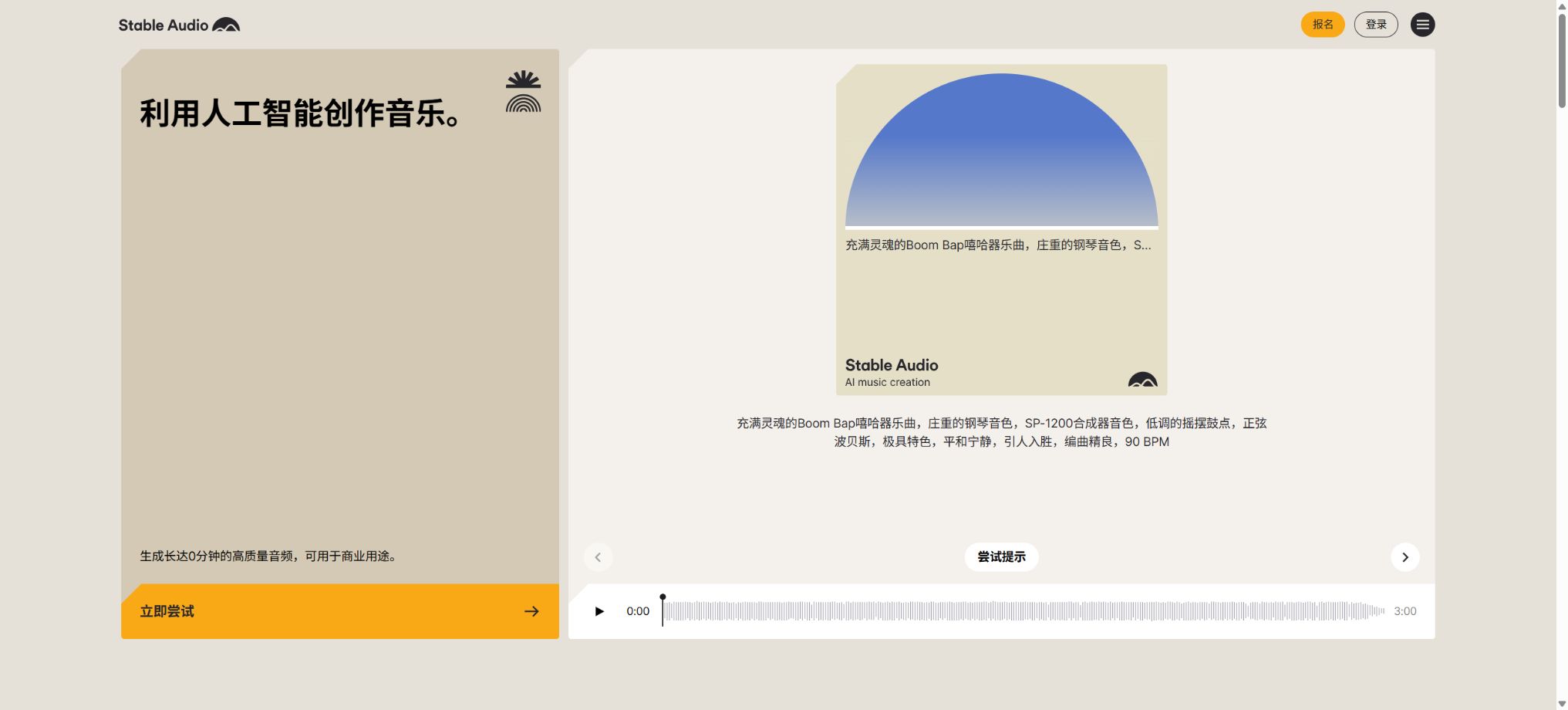
Stable Audio is an AI-based platform for generating music and sound effects, launched by Stability AI. It allows users to create song segments, background music, ambient sounds, sound effects, and various production materials based on textual descriptions; it also enables the uploading or recording of one’s own audio files. Users can change the style, continue a melody, or modify specific parts of the audio using natural language commands.
To date, Stable Audio has evolved from its initial 90-second model to the Stable Audio 3 series. Version 3.0 supports full-length music tracks of up to about 6 minutes in length; it is available in several sizes – Small, Small SFX, Medium, and Large – and offers options such as a web application, a Stability AI API, open weights, collaboration platforms, and enterprise-hosted solutions.
Stable Audio 3.0
Stable Audio 3.0 is the latest version of this model family; its training data comes from both fully licensed sources and Creative Commons materials. It focuses on improving long-term structural coherence, melodic continuity, adherence to prompts, and generation speed. This model can create complete compositions with a beginning, a development section, and an ending, rather than just isolated loops.
3.0 Large is designed for enterprise-level audio production and the highest quality; Medium supports full songs of up to approximately 6 minutes and 20 seconds and offers open weights.
Small and Small SFX are optimized for devices with limited computing power, as well as edge and consumer devices.
Stable Audio 2.5
Stable Audio 2.5 remains an important production model in web applications and APIs; it can generate stereo audio at 44.1kHz for durations of up to 3 minutes, and it supports text-to-audio conversion as well as Audio Inpainting. Training it using ARC helps to improve the structure of music, its tempo, and adherence to given instructions.
The authorities claim that under certain GPU conditions, it is possible to generate 3 minutes of audio in less than 2 seconds, but the end-to-end processing time is still affected by factors such as queueing, uploading, the network connection, and hardware; therefore, this should not be regarded as a fixed SLA for all accounts.
Text to music
Users can specify the genre, mood, instruments, BPM, production style, usage scenario, and structure in their instructions; examples include film soundtracks, game boss battles, advertising music, drum loops, or atmospheric sounds. The model will generate stereo audio based on the desired duration.
It is recommended to use words that describe the sound, rather than simply saying “turn it into some kind of music”. Specific instruments, timbres, rhythms, settings, eras, and emotions are usually more precise than abstract instructions.
Generating sound effects and creating materials
Stable Audio is not only used for creating music, but it’s also suitable for generating drum beats, synths, ambient sounds, footstep noises, mechanical sounds, impact effects, transitions, and movie sound effects. Small SFX is designed specifically for generating sound effects on devices.
When a seamless loop is required, it is necessary to specify the loop pattern and rhythm in the instructions; after exporting, the phase, volume, and noise levels at the beginning and end of the sequence should be checked. AI-generated content may still contain unexpected voices or unnecessary musical elements.
Audio-to-Audio
Audio-to-Audio uses uploaded, recorded audio or existing Stable Audio works as references for structure and timbre, and then generates a new version by combining it with text. Users can adjust Input Audio Strength and Prompt Strength to choose between preserving the original audio and making significant changes to it.
It is recommended to start with an API strength of around 0.8: the higher the value, the more the output tends to deviate from the input; a lower value preserves more of the original structure.
The actual optimal value requires iteration based on the materials and guidelines.
Human humming and recorded audio input
Users can record humming, whistling, musical instruments, or natural sounds as input to generate accompaniments, different instrument versions, or stylistic variations. It is suitable for developing quick musical ideas into something that can be heard.
Voice input is still part of an experimental workflow, and variations in pitch, rhythm, and vocal characteristics may occur. Permission must be obtained for recording human voices, and Bluetooth devices can introduce delays when recording via a browser.
Audio Inpainting and Extension
Audio Inpainting allows users to specify a particular point in an audio file and use the surrounding context to regenerate or extend the remaining parts of the audio. It can be used to rewrite segments, complete endings, fix transitions, and adjust the structure of the audio.
Generation is not a lossless editing process; the new segments may alter the rhythm, harmony, and mixing. For official works, the original file should be retained, and a full listen of the area before and after the redrawing should be conducted.
Input audio copyright detection
Users can only upload audio files for which they possess the necessary rights. The platform uses content recognition systems to examine the uploaded files, and any materials that appear to be protected by someone else’s copyright are rejected and deleted.
Even if the request is rejected, the time duration of the file will still be deducted from the upload quota for that month. Do not use commercial songs to test style conversion, and do not assume that just because a file can be uploaded it means permission has been granted.
Will the uploaded content be used for training?
According to the official FAQ, the audio files uploaded by users are not included in the training data for Stable Audio; they are used only during the specific interaction. However, the output generated as a result of that interaction can be utilized to improve the model, either in the present or in the future.
For music, brand voices, and materials subject to confidentiality agreements that have not been made available to customers, it is necessary to check the latest terms. Training is not allowed either if output is required; this must be confirmed through a corporate contract.
Free trial version
With the Free plan, 10 tracks can be created using Stable Audio 2.5 per month; a Personal License is provided, and it can only be used for personal and non-commercial projects. The free quota is refreshed on the 1st of each month, and any unused creation slots are not carried over.
The current user guide provides two different specifications regarding the upload limit: 6 minutes in one document and 2 minutes in the FAQ; moreover, each upload is truncated to 30 seconds. The actual limit indicated in the account should be taken as the standard, and the free version should not be used for actual commercial purposes.
Price and version comparison
| Package or version | Prices, quotas, and core benefits |
|---|---|
| Pro price | Pro currently costs $11.99 per month and is intended for individual creators who need a commercial license. It provides a Creator License and enhances the capabilities for generating content and uploading audio; according to the current FAQ, 30 minutes of audio can be uploaded each month, with each uploaded file allowing up to 6 minutes of content. The price page does not always display the exact number of generations that can be performed, and the limit of 500 tracks may change depending on the costs associated with the models. It is advisable to refer to the information displayed on the payment page regarding the number of track generations that are available at the time of purchase. |
| Studio price | Studio currently costs $29.99 per month and is intended for individuals who need to create content on a frequent basis; it uses a Creator License. The monthly limit for audio uploads is 60 minutes, with each individual upload being limited to 6 minutes. Studio increases the capacity for generation and uploading, but it does not automatically grant licenses to large organizations, nor does it provide legal protection or the option for local deployment. |
| Max price | The current price of Max is $89.99 per month; it is designed for individual creators who use the web-based application extensively. The monthly allowance for audio uploads is 90 minutes, with each upload limited to 6 minutes at most. Those who need more storage capacity should contact support. Max remains different from Enterprise – organizations with larger teams, end-user products, model self-hosting needs, or higher annual revenues should purchase the Enterprise version. |
| Stability AI API pricing | The developer platform charges based on Credits, with 1 Credit equaling 0.01 US dollar; new accounts receive 25 free Credits. For Stable Audio 2.5, 20 Credits are generated for each successful generation, which is approximately 0.20 US dollar; Stable Audio 3.0 generates 26 Credits per successful generation, amounting to about 0.26 US dollar, while no charge is applied in case of failure. The API pricing does not determine whether a full commercial license is required. Developers must also comply with the API terms, Community License, or Enterprise License, and they need to take into account the costs associated with storage, transmission, retries, and post-processing. |
Pro price
Pro currently costs $11.99 per month and is intended for individual creators who need a commercial license. It provides a Creator License as well as enhanced capabilities for generating content and uploading audio files.
According to the current FAQ, 30 minutes of video can be uploaded per month, with each uploaded file being limited to 6 minutes in length.
The price page does not consistently display the current number of generations generated in the captured text; the limit of 500 generations over the past period may change depending on the costs associated with the model. It is necessary to refer to the information shown in real time on the settlement page before making a purchase.
Studio price
The Studio plan currently costs $29.99 per month and is intended for individuals who need to create content more frequently; it uses a Creator License. The monthly limit for audio uploads is 60 minutes, with each individual upload being limited to 6 minutes at most.
Studio increases the capacity for generation and uploading, but it does not automatically grant licenses, legal protection, or the option for local deployment to large organizations.
Max price
The current price of Max is $89.99 per month; it is the plan designed for individual creators who use the web application heavily. The monthly allowance for audio uploads is 90 minutes, with each individual upload limited to 6 minutes.
If more capacity is needed, please contact support.
Max remains different from Enterprise. Organizations with larger team sizes, end-user products, model self-hosting, and higher annual revenues should purchase under the enterprise terms.
Enterprise license
Enterprise offers customized quotes; it allows for the deployment of models on one’s own infrastructure, and provides corporate-level services such as custom training, implementation support, ongoing assistance, and legal coverage. The pricing page indicates that companies with an annual revenue of over 1 million US dollars and those wishing to deploy solutions on their own infrastructure should get in touch with the team.
Companies should specify in the contract the model version, hardware, concurrency levels, updates, data training, trademark-related aspects, the SLA guarantees, output rights, and the scope of compensation.
Personal, Creator, and Enterprise licenses
Personal allows use for non-commercial projects; Creator permits individuals to use the generated audio in commercial projects and for music releases.
Enterprise is suitable for medium to large organizations, large-scale products, applications, games, movies and television content, advertising, and scenarios with a high MAU.
The license is determined by the account level at the time of generation. According to the FAQ, for audio files created using the Pro plan or higher, the existing license remains valid even if the subscription is canceled later.
Upgrading or downgrading does not automatically change the license of previous works.
Cancellation and refund
Subscriptions are managed through Stripe, and it is possible to upgrade, downgrade, or cancel them at any time. An upgrade takes effect immediately, and the cost is calculated based on the remaining period.
Cancellation will immediately downgrade the plan to Free, and any unused credit for the current month will be lost.
Refunds are at the discretion of the platform; they are usually granted within 48 hours after a deduction, in cases where the usage amount is less than 2% of the monthly limit, or in special situations such as unauthorized payments. Users with automatic renewal should cancel their subscription before the billing date.
Stability AI API pricing
The developer platform charges based on Credits, with 1 Credit equaling 0.01 US dollar; new accounts receive 25 free Credits. For each successful generation using Stable Audio 2.5, 20 Credits are awarded, which is approximately 0.20 US dollar.
For each successful generation with Stable Audio 3.0, 26 Credits are awarded, which is approximately 0.26 dollars; no fee is charged in case of failure.
The API pricing does not determine whether a full commercial license is required; developers must also comply with the API terms, as well as the Community License or Enterprise License, and they need to take into account the costs associated with storage, transmission, retries, and post-processing.
API call method
Text-to-Audio can return audio directly or in Base64 format. Stable Audio 3.0’s Audio-to-Audio feature uses an asynchronous process: after submission, a generation ID is provided, and then the result can be retrieved by polling the corresponding endpoint.
The maximum size of a file that can be uploaded is about 100MB.
The API Key must be stored on the server side. In a production environment, it is necessary to restrict users from uploading files, verify the file types, handle 202 status codes and timeouts, and store the parameters used for generation as well as the license version.
Stable Audio 3 open weights
Stable Audio 3.0 Small, Small SFX, and Medium offer downloadable weights, while Large is primarily used through the Stability AI API and for enterprise self-hosting. The available weights enable developers to conduct research, perform inference, and create local workflows.
The weight is subject to the Stability AI Community License, and it is not in the unconditional public domain. Personal use, research purposes, and commercial use that meets certain income criteria are permitted under this license.
Organizations that exceed the permitted scope require an Enterprise License.
Stable Audio Open 1.0
The early version of Stable Audio Open 1.0 was suitable for generating drum beats, riffs, ambient sounds, and other musical elements lasting up to about 47 seconds; its training data came from Creative Commons audio files available on Freesound and the Free Music Archive. It was not designed to create full-length songs or highly realistic vocal recordings.
The weights of its model are also subject to the Stability AI Community License. Its training origins and capabilities differ from those of the commercial web-based models AudioSparx 2.x and 3.0 series, and they should not be confused with each other.
GitHub code and licenses
The official stable-audio-tools repository provides tools for training and inference in conditional audio generation, with the code released under the MIT license; the stable-audio-3 repository also makes available the implementation code along with instructions for using the models.
MIT for the code does not mean that all model weights also have a MIT license; the model weights, outputs, and scale of commercial use are still subject to Community or Enterprise licenses. It is necessary to check both the license of the code and that of the model before deployment.
Training data
In its early versions 1.0 and 2.0, the Stable Audio web platform used AudioSparx licenses for music training, and allowed the respective artists to opt out; version 3.0 relies on full licenses as well as Creative Commons data.
Stability AI also collaborates with other data partners to expand the models.
\"Authorized data\" can help ensure compliance with the relevant regulations, but it does not guarantee that the resulting output will not be similar to existing works. For commercial distribution, similarity checks, manual listening, and verification against platform policies are still necessary.
Stable Audio usage guide
Complete a basic task.
- Verify recordings, audio, music, and participant authorization;
- Upload or enter clear audio into Stable Audio;
- Select settings such as language, speaker, and Stable Audio 3.0;
- Use Stable Audio 2.5 to generate transcripts, voiceovers, or cleaned-up versions;
- Check each segment for names, numbers, pauses, volume, and mood;
- Before exporting, verify the format, loudness, copyright, and privacy requirements;
Create reusable professional workflows
- A test set is created using real noise, accents, and multi-person segments;
- Compare the differences in processing between Stable Audio 3.0, Stable Audio 2.5, and text-to-music generation.
- Retain the original recordings and the unmodified transcripts;
- Arrange for a manual hearing before releasing it to the public;
- Statistically analyze processing time, error rate, and quota consumption;
- Regularly update the glossary, sound licensing, and deletion policies;
Which users is it suitable for?
- Individual creators who produce music for advertisements, short videos, games, and podcasts;
- Sound designers who need environment sounds, sound effects, loops, and production materials;
- Musicians created through humming, musical instruments, and existing Stem guidance;
- Developers who generate music and sound effects in bulk through APIs;
- Technical teams looking to download open weights, enable local inference, or customize the brand voice.
Product advantages
- Stable Audio 3 can generate complete music tracks of up to approximately 6 minutes in length;
- It covers Text-to-Audio, Audio-to-Audio, Inpainting, and additional functions;
- The training data comes primarily from licensed and Creative Commons sources;
- Offers Web, API, open weights, and Enterprise self-hosting options;
- Small SFX supports on-device sound effect generation;
- Content generated under a paid individual plan entitles the creator to a commercial license.
Restrictions and Precautions
- Free can only be used for non-commercial purposes; commercial projects require Pro or higher, or Enterprise.
- The audio file uploaded must be licensed; uploads that are rejected by copyright checks still consume the monthly upload quota.
- The number of times a webpage is generated and the upload time in minutes may change depending on the model settings, and any unused quota is not carried over.
- The open weight uses a CommunityLicense, and the MIT license does not mean that the model can be used for commercial purposes without any restrictions.
Frequently Asked Questions
Is Stable Audio free?
There is a free plan that allows for 10 generations of Stable Audio 2.5 per month, for personal use only and not for commercial purposes. New API accounts receive an additional 25 free credits.
How much is Stable Audio?
Web Pro costs $11.99 per month, Studio costs $29.99 per month, and Max costs $89.99 per month; Enterprise offers customized options.
API 2.5 costs around 0.20 dollars per use, while API 3.0 costs around 0.26 dollars per use.
How long of music can be generated?
Stable Audio 2.5 can last up to about 3 minutes, while Stable Audio 3.0 can last up to about 6 minutes; the maximum duration varies depending on the specific model and the interface used.
Can it be used for commercial purposes?
Individual creators using Pro, Studio, and Max can use it for commercial purposes under the Creator License; organizations and large-scale projects need to check the Enterprise License. The Free version cannot be used for commercial purposes.
Is Stable Audio open source?
Partially open. The code for stable-audio-tools is licensed under MIT; the licenses for 3.0 Small, Small SFX and Medium have open licensing terms, but the use of these models is subject to the Stability AI Community License.
Large is primarily used through APIs and Enterprise.
Tools similar to Stable Audio




 Guigong Network Security Registration No. 45132202000164