






iFlytek Hearing
A voice platform that offers text transcription from recordings, simultaneous interpretation, subtitles, and meeting services.
Tags:AI audio toolsWhat is iFlytek Hearing?
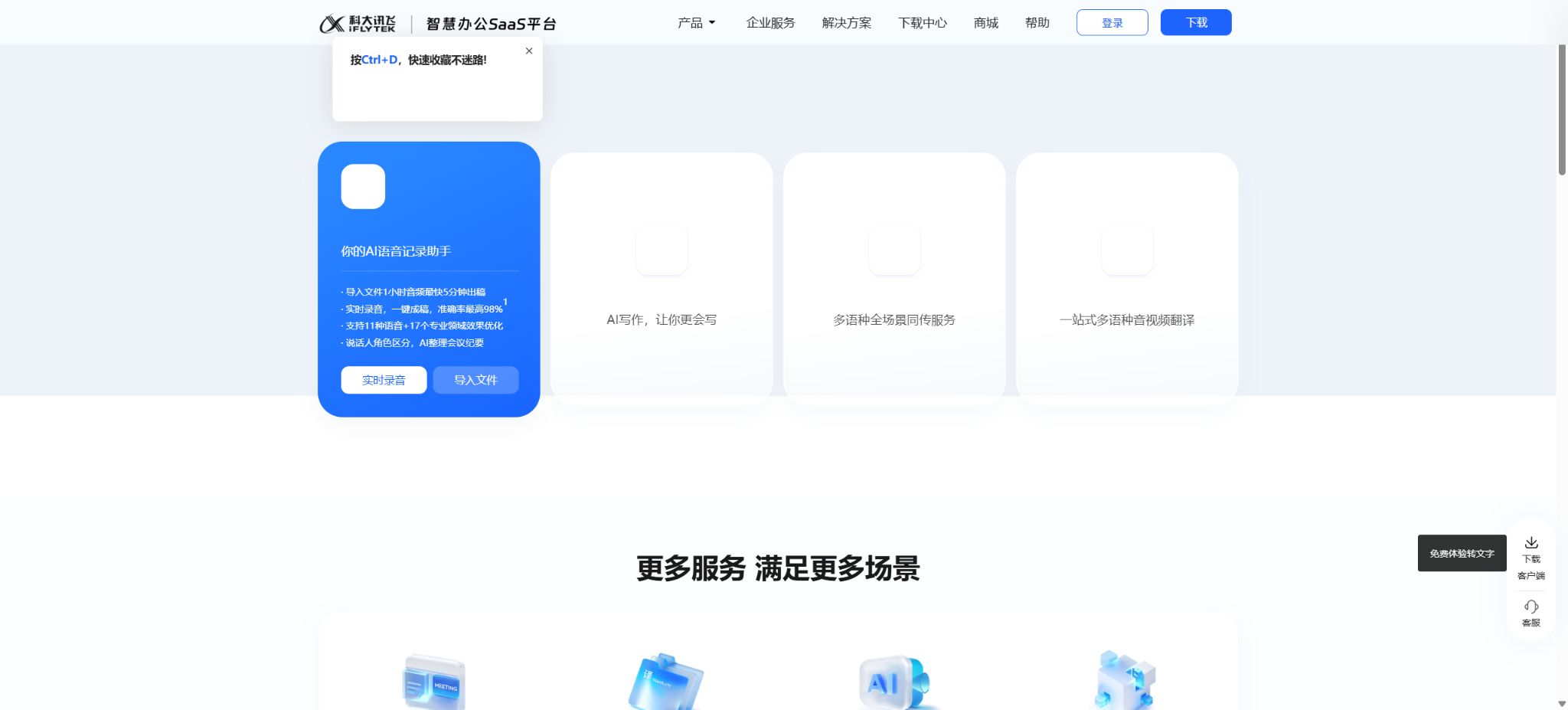
iFlyListen is an AI-based voice recording platform operated by Anhui iFlyListen Technology Co., Ltd.; it makes use of iFlytek’s speech recognition technologies as well as its StarFire cognitive modeling capabilities. This platform can convert meetings, interviews, lectures, training sessions, podcasts, and video materials into text formatted with a timeline, and it can also identify the speakers, organize the text, provide full-text translations, generate AI-generated meeting summaries, create mind maps, and answer questions related to the content.
iFlytek Hearing is part of iFlytek’s Smart Office SaaS platform, and it operates alongside services such as iFlytek Writing, iFlytek Simultaneous Translation, iFlytek Meetings, as well as audio and video translation services. Individual users can access it through web interfaces, desktop clients, mobile apps, and WeChat mini-programs.
Companies can also purchase shared access rights, customized services, or privatization solutions.
Core functions
1. Real-time transcription of audio to text
Users can record audio while viewing the recognized text on a web page, computer, or smartphone; this is suitable for live meetings, lectures, interviews, and personal voice notes. The desktop version allows users to choose between using a microphone, the sound from the computer itself, or a combination of both for recording. The subtitle overlay feature displays the real-time text in a small window, making it easy to keep an eye on the meeting software, presentations, or other pages at the same time.
The accuracy of real-time transcription depends on factors such as the distance of the microphone, background noise, speaking speed, accent, and multiple people speaking at the same time. The 98% accuracy rate for clear Mandarin audio as claimed by manufacturers is achieved under specific testing conditions, and it does not mean that this level of accuracy can be maintained in all situations.
2. Import audio and video transcription
Users can upload recorded audio and video files, and the system processes them in the cloud to generate text. The formats supported by the service include MP3, WAV, PCM, M4A, M4V, AMR, WMA, AAC, MP4, MPG, and 3GP.
A single file can be up to 5 hours long and 2 GB in size; a maximum of 100 files can be uploaded at once.
Under normal network conditions and with a normal volume of tasks, the officials state that an audio file can be produced in about 5 minutes for a 1-hour duration. The actual time required is influenced by factors such as the file size, audio quality, language, and the queue status; therefore, the term “fastest” should not be interpreted as a guarantee of timely delivery.
3. Multilingual and domain optimization
iFlytek Hearing currently supports 11 languages including Chinese, English, Russian, French, German, and more, as well as optimized performance for 17 specialized fields. Users can also make use of features related to dialects and mixed-language speech; the list of supported languages may vary depending on the platform, the package of features available, and the version in use.
Optimization in specialized fields can improve the accuracy of recognizing common terms, but names of people, drugs, model numbers, abbreviations, numbers, and organization names still need to be checked manually. Legal, medical, financial, and academic documents cannot rely solely on automatic transcription.
4. Speaker differentiation
The system can automatically assign the statements made by different people in multi-person recordings to specific roles, thereby making it easier to read the conversation and interview content. Users can modify the role names after transcription to improve the clarity of the summaries.
Multiple people speaking at the same time, recordings taken from a distance, or similar voices can lead to confusion regarding which character is speaking. The speaker tags are merely identification results and do not constitute proof of identity or evidence.
5. Hot keyword optimization
Before uploading, you can add project names, product names, names of people, and industry terms as key words to help the model give priority to recognizing less common terms. The current rules allow for up to 200 Chinese key words; each key word can contain 1 to 16 characters, with a total length limit of 1000 characters.
For hot words, it is advisable to choose those that are prone to misidentification and indeed occur frequently; too many irrelevant words may reduce the effectiveness of this approach. Sensitive customer names or the names of unreleased projects should also be decided whether to upload to the cloud in accordance with the organization’s data policies.
6. AI meeting minutes
Once the transcription is complete, iFlytek Hearing can generate structured meeting minutes from the entire text, identifying key topics, highlights, and action items. Users can review the content by referring to both the original text and the timeline of the recording; this feature is suitable for project meetings, sales discussions, interviews, and post-training reviews.
An AI summary is a generalized version of the model and does not constitute an official record approved by the participants. It may overlook certain conditions, misinterpret negative statements, or present suggestions as decisions; before it is released, it is necessary to confirm the responsible persons, deadlines, figures, and conclusions.
7. Overview of the entire text, textual structure, and AI insights
A summary of the entire text helps users quickly grasp the main theme of a long audio recording; by organizing the text, unnecessary repetitions and filler words are removed, turning spoken language into a more coherent written expression.
AI insights and mind maps transform information into a hierarchical structure, helping to organize ideas, relationships, and decision-making clues.
The structuring of text alters the original wording, which helps improve reading efficiency; however, it cannot replace verbatim statements, news quotes, or legal evidence. When it is necessary to retain the original words, both the unstructured verbatim transcript and the original audio should be kept.
8. Full-text translation and real-time translation
Real-time recording allows the translation results to be viewed, and after the recording is completed it is possible to select a language and save the translated text. According to the official instructions, the real-time translation results are only used for viewing during the recording process and are not saved directly.
The language version generated after ending the recording can be selected and saved.
Machine translation may misinterpret terms, names, numbers, slang, and long sentences. International contracts, external statements, and subtitles should be reviewed by native speakers of the target language.
9. Notes and Remarks
During recording, notes can be added to mark the sections that require further questioning or careful review. When the transcript is exported, these sections are highlighted, which makes it easier to combine immediate judgments with the automatic transcription.
10. Sharing and Downloading
Once recording is complete, it can be shared via a link or QR code; the content may include the original audio, transcribed text, and notes. When downloading, it’s possible to select various elements such as the transcription results, text formatting, speaker information, AI-generated summary, notes, and audio.
Documents that are unlocked by payment allow for batch downloading; a maximum of 50 documents can be downloaded at once, and they are saved in a compressed file.
Sharing links may contain the original audio and sensitive transcript; it is necessary to restrict who can access them and to remove such content on a regular basis. Once the downloaded files are outside the platform’s security framework, it is essential to use organizational cloud storage solutions, encryption, and access controls to protect them.
Recording transcription package and Enjoyment package
Xunfei Hearing currently divides personal rights and interests into two packages: the Recording Transcription Package and the Enjoyment Package. The Recording Transcription Package allows for the transcription of audio recorded via mobile phones or computer clients, as well as podcast links; it includes 3000 minutes of transcription time per month.
The Premium Package adds audio transcription import as an additional feature; it includes 6,000 minutes of service per month, as well as the ability to get real-time transcription in Cantonese, Mandarin, English, and various dialects, thanks to advanced AI voice recognition technologies.
The validity period for both types of benefit packages is 1 month, and they become invalid once that period has elapsed. The same type of benefit cannot be used simultaneously within the validity period of the current package; after purchasing it again, it usually takes effect only after the existing benefits have expired.
For order transcription, the full-payment rule applies: if a single entitlement is not sufficient to cover an entire audio segment, it is not possible to make split payments; however, multiple duration cards can be combined if the rules permit it.
Price details
The official website’s help documentation provides information on the duration of the benefits and the payment rules, while the exact amount due must be checked on the purchase page. On the App Store in China, the monthly price for the package that includes transcription services is 6 yuan for the first month, and 18 yuan from the second month onward; the mobile version offers 30 hours of app recording transcription per month.
This is not the same as the 3,000 or 6,000 minute packages mentioned in the official website’s details of new benefits; they belong to different channels and are not interchangeable.
Members may also be categorized into different tiers based on monthly or annual subscriptions, the duration of fast machine operation, transcription during off-peak times, and coupons. The platform can adjust the fees and benefits offered, and any unused time may be reset once the validity period comes to an end.
Before making a formal purchase, it is necessary to check whether file import is supported, whether recordings are the only option available, how many minutes of content are included, whether additional fees apply for AI-based organization, and what the rules for automatic renewal are.
Artificial transcription service
In addition to machine transcription, iFlytek Hearing also offers manual transcription services; users can choose between transcribed scripts with character labeling, regular scripts, subtitles, subtitles with timestamps, as well as options for organized formatting, word-for-word transcription, or content summarization. The pricing for standard and expedited services is determined based on the audio quality and the complexity of the order.
According to the information available on the current page, the cost for time coding services is 25 yuan per hour. For urgent orders that are approved between 9:00 and 18:00 on weekdays, a surcharge of 30% is applied; for orders processed between 18:00 and 22:00, a surcharge of 50% is applied.
The overall price for manual transcription is indicated on the ordering page, depending on the language, quality requirements, formatting needs, and deadline.
iFlytek’s simultaneous interpretation and conference services
iFlytek’s real-time interpretation service offers multi-language voice transcription, translation, bilingual subtitles, and the export of audio documents; it is suitable for cross-lingual meetings, live broadcasts, and events. iFlytek Meetings adds video conferencing, screen sharing, and multi-person collaboration features.
They are related to iFlytek’s listening account system and the smart office platform, but they represent different products and payment plans; therefore, the transcription packages provided by these services cannot be considered equivalent to membership benefits for simultaneous interpretation or conference services.
Enterprise services and privatization
Companies can purchase shared transcription services for their employees, as well as customized solutions and technical support; they can also inquire about private SaaS options. The official company page indicates that the service is compatible with Windows, macOS, and HarmonyOS on desktops, as well as with web browsers, and it works on Android, iOS, and HarmonyOS devices. Additionally, it supports transcription engines in Chinese, English, Japanese, and Korean.
For private deployment, concurrency, account management, data storage, the languages supported by the models, and service levels, quotes must be provided based on the specific requirements of the enterprise. When making a purchase, it is necessary to determine whether audio data will leave the internal network, as well as the methods for upgrades and maintenance, log auditing, disaster recovery measures, test sets for assessing transcription accuracy, and mechanisms for data deletion.
Developer API
iFlytek’s Open Platform offers an API for transcribing recorded audio files; however, this API is a separate product designed for developers, and it is not part of the benefits available to individual iFlytek Hearing members. The standard audio transcription service supports files with a duration of up to 5 hours and a size of up to 500 MB. The common file formats supported include WAV, FLAC, OPUS, M4A, and MP3. It can recognize Mandarin, English, as well as various minor languages and dialects that can be purchased or tried out.
The old version of the interface followed a process that involved preprocessing, uploading files in chunks, merging them, tracking progress, and retrieving results; the new standard interface allows for direct order creation and result retrieval.
The interface uses application identifiers and signatures for authentication; the standard documentation specifies that each application should submit fewer than 20 requests per second, and the results of completed orders are typically deleted after 72 hours. The older interface documentation mentioned a retention period of 30 days, but development should be carried out in accordance with the actual version of the interface being used.
The iFlytek Open Platform also offers a large-scale model for transcribing recorded audio files; the official standard version page indicates that it supports more dialects and languages. The details regarding free packages, time-based packages, and concurrent usage are determined through the Open Platform console, and the monthly subscription prices of the iFlytek Hear app cannot be applied in this context.
Supported platforms
- Web browser version;
- Windows and macOS desktop clients;
- Android and iOS mobile apps;
- HarmonyOS version;
- WeChat Mini Programs;
- iFLYTEK Open Platform Web API;
- Enterprise privatization and customized access.
The PC client also offers features such as screen recording and floating subtitles; some of these functions are available only on specific systems or in newer versions. Older systems can use compatible versions, but it is necessary to follow the instructions provided in the download center.
Open-source status
iFlytek Listen is a commercial SaaS service, and its core functions such as transcription, AI-generated summaries, translation, and the enterprise platform are not open-source. The official platform does provide API documentation, sample code, and some SDKs, but this does not mean that the iFlytek Listen product can be deployed on one’s own.
When a company needs to be privatized, it should purchase the appropriate solution.
iFlytek Hearing Usage Tutorial
Complete a basic task.
- Verify recordings, audio, music, and participant authorization;
- Upload or enter clear audio into iFlytek Hearing;
- Select settings such as language, speaker, and real-time transcription of audio;
- Use imported audio and video transcriptions to generate transcripts, dubbed versions, or cleaned-up content;
- Check each segment for names, numbers, pauses, volume, and mood;
- Before exporting, verify the format, loudness, copyright, and privacy requirements;
Create reusable professional workflows
- A test set is created using real noise, accents, and multi-person segments;
- Compare the differences in processing between real-time audio-to-text conversion, imported audio/video transcription, as well as multilingual and industry-specific optimizations.
- Retain the original recordings and the unmodified transcripts;
- Arrange for a manual hearing before releasing it to the public;
- Statistically analyze processing time, error rate, and quota consumption;
- Regularly update the glossary, sound licensing, and deletion policies;
Which users is it suitable for?
- A person who organizes recordings of meetings, interviews, courses, and training sessions;
- Teams that need to quickly create word-for-word transcripts and summaries from long-form videos;
- Editors who create subtitles, podcast scripts, and media materials;
- Organizations that need Mandarin, dialects, and multilingual transcription;
- Professional projects that require manual transcription, time codes, and expedited delivery;
- Companies interested in purchasing shared access rights, APIs, or private transcription services.
Product advantages
- Both transcription methods – real-time recording and local audio/video import – are fully supported;
- It supports speaker differentiation, hotword detection, and optimization for specialized fields;
- Integrates AI features for summarization, overview, organization, translation, and mind mapping;
- Support across web, computers, smartphones, HarmonyOS, and mini-programs;
- It also offers machine transcription, manual transcription, simultaneous interpretation, and enterprise solutions.
- iFlytek’s open platform offers a separate API access pathway.
Restrictions and Precautions
- Users must have the legitimate rights to record and upload content, and must obtain the necessary consent before recording meetings, interviews, or calls.
- The platform agreement explicitly requires users to be responsible for the source of the audio and the rights of third parties;
- The accuracy of the promotion is only valid under specific testing conditions.
- Noise, dialects, overlapping speeches, and technical terms can lead to errors. AI-based processing and summarization can further alter the original meaning, so important content should be listened to again for verification.
- Personal packages are categorized based on the entry point and distribution channel; the recording duration may not allow for the import of files, and an AppStore subscription is not equivalent to the package available on the official website.
- The benefits may expire and become null, so it is necessary to check the product details before making a purchase.
Frequently Asked Questions
Is iFlytek Hearing free?
It is possible to register for a trial of some transcription and AI features; for ongoing use, it is necessary to purchase transcription packs, premium packages, time-based cards, or one-time services. The specific amount of free access is indicated on the account page.
Which files are supported by iFlytek Hearing?
The personal platform currently supports MP3, WAV, PCM, M4A, M4V, AMR, WMA, AAC, MP4, MPG, and 3GP; the maximum length for a single file is 5 hours and the maximum size is 2 GB.
What is the difference between the recording transcription package and the Enjoyment package?
The Recording Transcription package covers app recordings, computer recordings, and podcast links, allowing up to 3000 minutes of recording per month; the Premium package also includes the option to import audio files, offering 6000 minutes of recording per month, in addition to features such as multi-dialect mixing.
Can iFlytek Hearing generate meeting minutes?
It is possible to generate AI-generated meeting summaries, overviews, mind maps, and task lists, but manual verification against the original text and audio is required.
Does iFlytek Hearing provide APIs?
iFlytek’s open platform offers APIs for converting independent audio files into text, as well as interfaces for large-scale models; the costs associated with these services are calculated separately from those of the iFlytek Hearing personal membership.
Is iFlytek Hearing Open Source?
It is not open source. It is a commercial cloud service; the API examples and SDKs do not constitute an open access to the source code of the core product.
Tools similar to iFlytek Listen




 Guigong Network Security Registration No. 45132202000164