






Suno
Generate complete songs and musical works through textual prompts.
Tags:AI audio toolsWhat is Suno?
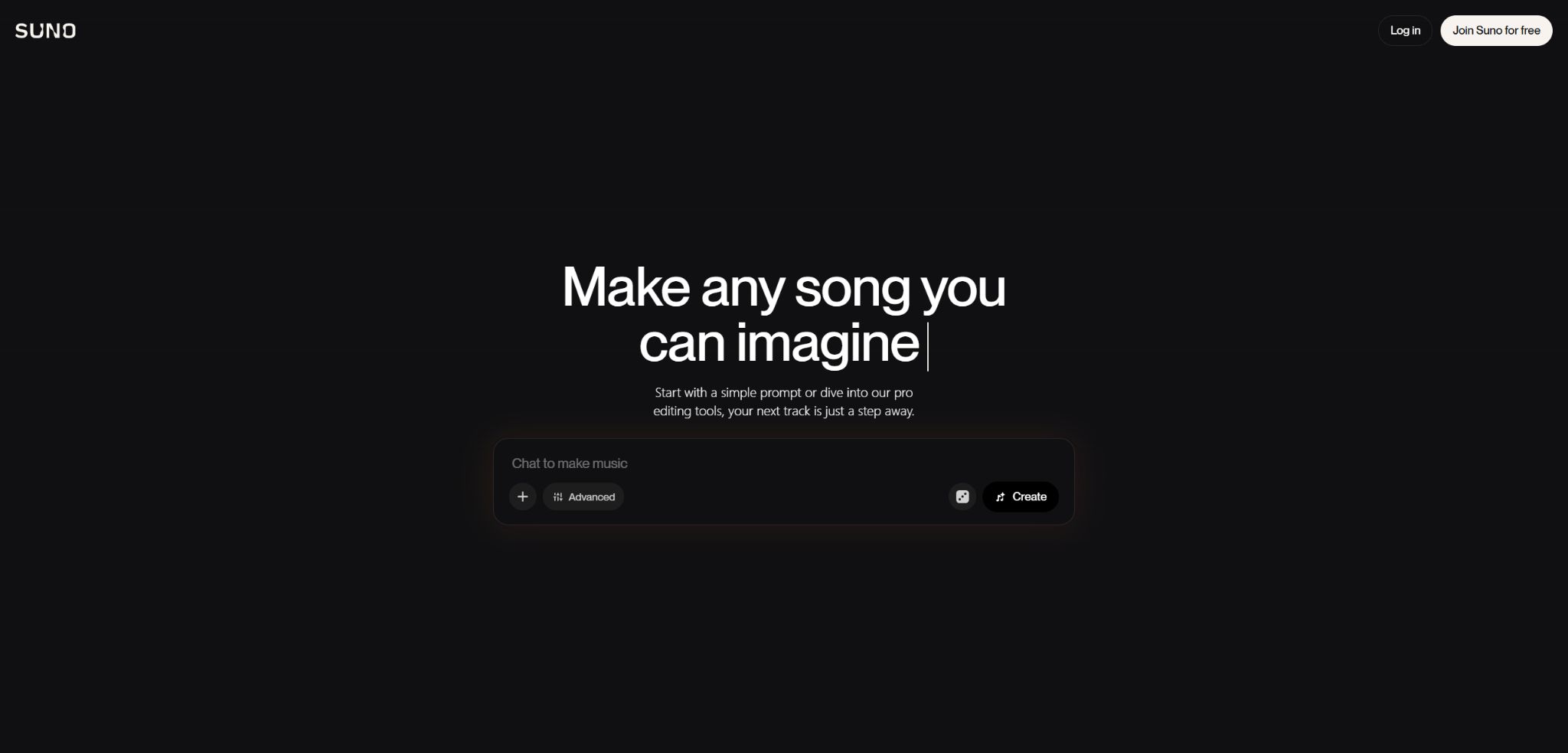
Suno is an AI music platform that can create complete songs based on textual descriptions, lyrics, or audio material. Users only need to specify the style, mood, instruments, and singing approach, and the system will generate an audio file with vocals, accompaniment, and a proper structure.
Suno has evolved from a tool for generating music from text on a one-time basis to one that can also be used for song editing, voice verification, creating personalized models, stem separation, and multi-track studio work. It is suitable for creating creative drafts, song prototypes, video soundtracks, and full-scale music productions; however, human intervention is still required for selection, revision, mixing, and copyright verification.
Suno’s main functions
- Automatically generate lyrics, vocals, and accompaniment based on a brief description;
- Create content using custom lyrics, style tags, and excluded styles;
- Upload or record audio, and then use functions such as Extend, Cover, or create derivative works;
- Replace, add, delete, and rearrange song segments using Song Editor;
- Modify the lyrics, lengthen the song, adjust the speed, and add fades in and out;
- Use Personas to reuse the timbre, style, and atmosphere of a particular piece;
- Through Voices, the proven singing characteristics of the artist are incorporated into new songs;
- Train up to 3 V5.5 Custom Models using original compositions of your own;
- Separate the vocals, drums, bass, and other stems, and export them to a DAW for further editing;
- Edit MIDI, multi-track audio, plugins, automation, and mixing in Suno Studio.
v5.5 Music Model
V5.5 is Suno’s current advanced music model, featuring richer arrangements, clearer vocals, and a broader range of emotional expressions. It works in conjunction with Voices, Custom Models, and the My Taste personalization features; these advanced models are available only to Pro and Premier users.
Simple and Custom creations
The Simple mode is suitable for obtaining the full song in just one sentence, while the Custom mode allows for separate editing of the lyrics, style, title, and various advanced parameters. Structure markers such as verses, choruses, bridges, and instrumental sections can be used in the lyrics, but the AI does not necessarily follow each of these markers strictly.
Audio Upload, Extend, and Covers
Users can upload authorized humming tracks, instrumental pieces, demos, or complete songs, and then have Suno extend their duration or rearrange the music. The current pricing page indicates that the free version allows uploads of up to 8 minutes in length, while the Pro and Premier versions permit uploads of up to 30 minutes; the actual limits are indicated on the account interface.
Cover versions will attempt to retain the melody and basic structure, while altering the style, vocals, and arrangement. Only material that you have created yourself, for which you have permission, or that is in the public domain can be used; commercial songs do not automatically gain authorization just because they are covered by AI.
Song Editor and Advanced Editor
Song Editor allows for editing of the already created songs using a waveform timeline; it enables the replacement or addition of segments, the modification of lyrics, the extension of the ending, as well as cutting, rearranging and applying fades in and out. Each new segment created introduces differences in transitions, timbre or volume, so multiple listens and a final mixing step are necessary.
Personas, Voices, and Custom Models
Personas are used to reuse the vocals, energy, and stylistic atmosphere of a particular song, while Voices relies on recordings or uploads of a user’s own singing done in real time for verification. Voices remains private by default and can only be used by the person who created it.
Custom Models can be adjusted in version 5.5 using the user’s own original materials; Pro and Premier versions allow for up to 3 such models to be created. The training materials must be subject to the user having the necessary permissions regarding recording, lyrics, music, performance, and personality rights.
Stem separation and Suno Studio 2.0
Pro offers two methods for stem separation: Auto and Split from mix, while Premier adds an Advanced split option. Stem separation introduces artifacts such as hum, phase issues, and compression problems, so the resulting stems are not equivalent to the original project tracks.
Premier includes Suno Studio 2.0, which allows for the import, recording, and editing of MIDI files; it enables the use of MIDI snippets to generate new audio, and it offers multi-track functionality, plugins, automation features, as well as advanced Stem processing tools. Studio can export 32-bit/48kHz multi-track files and Stem versions indefinitely, making it suitable for further processing in professional DAWs.
Comparison of Suno’s core creative capabilities
| Functions | Main inputs | Main output | Appropriate stage |
|---|---|---|---|
| Create | Prompt words and lyrics | Complete songs with vocals and accompaniment | Creativity, prototypes, and finished songs |
| Audio Upload | Recorded tracks or original songs | Extend or rearrange | Demo development and renovation |
| Song Editor | The song has been created. | Replacement, word alteration, and rearranged versions | Structural editing and modification |
| Persona / Voice | Song characteristics or verification of vocals | New songs with a consistent style or singing approach | Continuous creation and personalization |
| Stem Extraction | Mixed songs | Separate tracks for vocals, drums, bass, etc. | Remix, mixing, and live performances |
| Studio 2.0 | Audio, MIDI, and AI prompts | Multi-track engineering and high-quality Stem | Professional production and export |
Suno price
Suno offers three plans: Free, Pro, and Premier. The annual payment option provides a 20% discount compared to monthly payment. The table below shows the current prices in dollars as listed on the official website; taxes and fees may vary from those in the App Store.
| Package | Monthly payment | Annual equivalent | Limits and key benefits |
|---|---|---|---|
| Free | $ | $ | 50 points per day, approximately 10 songs; v4.5-all; for non-commercial use; shared queue |
| Pro | 10 dollars | $ | 2,500 points per month, up to about 500 tracks; version 5.5; commercial use rights; advanced editing features and 2 types of stems |
| Premier | 30 dollars | $ | 10,000 points per month, up to about 2,000 tracks; Suno Studio; 3 types of stems and high-quality multi-tracks |
Points included in a subscription are not carried over from one day to another or from one month to another; additional points purchased separately do not expire, but can only be used as long as the subscription remains valid. After using up their monthly points, users on the Pro and Premier plans can still earn up to 50 points per day.
Download rules effective from September 3, 2026
| Plan | Starting from September 3, 2026 | Whether to carry forward | Commercial rights |
|---|---|---|---|
| Free | A maximum of 7 trial downloads per account for life. | Do not reset | No, only for personal use, not for commercial purposes. |
| Pro | 20 songs per month | Do not carry forward | Applicable only to songs created during the paid subscription period. |
| Premier | 60 songs per month | Do not carry forward | Applicable only to songs created during the paid subscription period. |
| Premier Studio | Studio projects and Stem allow unlimited exports. | - | Determined based on the package at the time of creating the work. |
The above are the rules that Suno has announced and which are set to take effect; as of August 19, 2026, they have not yet been implemented. Once in effect, downloading the same song again or downloading its Stem will still be counted as just one download, while failed attempts are not taken into account. Additional downloads can be purchased if needed.
Suno usage tutorial
Create a complete song.
- First, determine the style, mood, tempo, instruments, and type of vocals.
- Decide whether to use automatic lyrics or original lyrics of your own;
- In Custom, organize the lyrics into verses, choruses, and bridges;
- Describe the era, composition, and performance in a concise style.
- Generate a small number of variants at the same time, and first compare the structure with the chorus;
- Select the best version and fix the problematic sections in Song Editor;
- Before downloading, check the lyrics, similarity, loudness, and commercial use rights.
Develop new songs using original demos.
- Only upload recordings that are your own original creation or for which you have full authorization;
- Cut out the segments in which the melody, chords, or rhythm are most distinct;
- After uploading, select Extend, Cover, or add a voice;
- Describe the elements that need to be retained and those that need to be changed;
- Generate multiple continuation versions and check the connection points;
- Use Song Editor to reorganize the structure and replace unstable segments;
- Separate the Stem and carry out editing, re-recording, and mixing in the DAW.
Release a Suno song in compliance with the rules.
- Verify that the song was created during the valid period of Pro or Premier;
- Save subscription records, creation dates, prompt texts, and version history;
- Check whether the lyrics, melody, vocals, and title are too similar to existing works.
- Confirm the rights to upload materials, samples, lyrics, and vocals;
- Manual rewriting, arrangement, performance, or post-production – the creative record must be preserved;
- Read the policies of the target publishing platform regarding AI music and copyright.
- Disclose the involvement of AI accurately in accordance with regional laws and channel requirements.
Which users are suitable for Suno?
- Beginners in music: Turning emotions and lyrics into audible songs quickly;
- Songwriter: Verifies the chorus, arranges the music, and determines the rhythm and style.
- Music producer: Generates material, separates stems, and proceeds to editing in a DAW;
- Video and podcast creators: producing opening sequences, soundtracks, and ambient music;
- Advertising and Gaming Team: Exploring brand songs, background music, and character themes;
- Social media management: quick creation of holiday content, challenges, and short video music;
- Independent musicians: Create their own workflow using Voices, Custom Models, and Studio.
The advantages of Suno
- The speed of transitioning from a descriptive phrase to a full vocal song is fast;
- Supports lyrics, structure, style, exclusions, and reference audio;
- Song Editor allows for making modifications to specific parts of the song, without the need to regenerate the entire track;
- Personas, Voices, and Custom Models offer a consistent personal style;
- Separating the stem facilitates Remixing, mixing, and use in live settings;
- Studio 2.0 integrates AI-generated content, MIDI, plugins, and multi-track production;
- Songs created during the paid period grant commercial rights, which remain in effect even after cancellation.
Usage restrictions and precautions
- Points are consumed each time it is generated, and a refund may not be provided if the result is not satisfactory;
- The human voice may exhibit ambiguity, pronunciation errors, breathing noise, or changes in timbre.
- The markings for lyrics structure, tempo, and instrument instructions are not guaranteed to be followed strictly;
- The stem is extracted from the mix and may contain harmonics and quality loss;
- Unauthorized commercial songs, lyrics, samples, or other people’s voices cannot be used;
- Free songs do not come with commercial licensing, and even when a license is purchased later, it is not automatically granted retroactively.
- The right to commercial use does not guarantee that the work will be subject to legal copyright registration;
- Starting from September 3, 2026, file downloads will be subject to package quotas.
Copyright, commercial use, and voice licensing
For songs created using the Free plan, Suno retains ownership under its terms; users are only allowed to use them for personal, non-commercial purposes. For songs created during a valid Pro or Premier subscription, the user becomes the owner and has the right to use them for commercial purposes, and these rights remain in effect even after the subscription is canceled.
Commercial licenses allow users to attempt to generate revenue from streaming, video, and other commercial applications, but Suno does not guarantee that the resulting content will be protected by copyright. Different countries have varying requirements regarding purely AI-generated content versus content created by humans, and publishers can also establish stricter policies.
- Do not create a commercial final version of the song before making a payment;
- Check the lyrics, music, recording, performance, samples, and vocal rights before uploading;
- Voices can be created without using the voices of public figures or third-party singers;
- Save drafts of lyrics, arrangement projects, recordings, and evidence of manual edits;
- Conduct music similarity and legal reviews for high-value commercial releases.
Data training, APIs, GitHub, and open-source information
Suno reveals that its models are trained using publicly available music, certain user-generated content, and information related to usage patterns; this process is governed by the current privacy policies and terms of service. Before uploading unpublished music or customer materials, it is necessary to assess whether they comply with the contractual and confidentiality requirements.
The core music generation platform Suno does not provide stable, general-purpose APIs or official SDKs to ordinary developers; many so-called Suno APIs available on the Internet are actually unofficial adaptations or intermediary services. Bark, available on the official GitHub, is an independent open-source model for converting text into speech and audio, and it is not an open-source version of the Suno v5.5 song generation model.
Frequently Asked Questions
Is Suno free?
With the free version, 50 points can be earned per day, which is enough to create around 10 songs. The songs available for free can only be used for personal, non-commercial purposes; starting from September 3, 2026, each account will be able to download only 7 songs for lifetime use.
How much are the Suno Pro and Premier?
The Pro plan costs $10 per month, which is equivalent to $8 per month when paid annually; the Premier plan costs $30 per month, or $24 per month on an annual basis.
The two options include 2,500 and 10,000 monthly points, respectively.
Can Suno songs be used for commercial purposes?
Songs created during the valid period of Pro or Premier come with commercial usage rights, and these rights are retained even after the subscription is canceled. Songs created during the free period do not automatically acquire commercial rights retroactively as a result of a subsequent subscription.
Can Suno upload one’s own voice?
The Voices features in Pro and Premier allow users to verify their own singing characteristics through real-time audio or uploaded audio; the Voices that are created are private by default. It is not allowed to upload audio or imitate someone else’s voice without authorization.
Is Suno open source?
The Suno song generation platform and its v5.5 model are not open-source products. The original Bark project developed by the company was indeed open-source, but it is a model for converting text into speech and audio, and it cannot replace the current Suno song service.
Tools similar to Suno




 Guigong Network Security Registration No. 45132202000164