






Wispr Flow
Real-time voice input across applications and AI text refinement tool
Tags:AI audio toolsWhat is Wispr Flow?
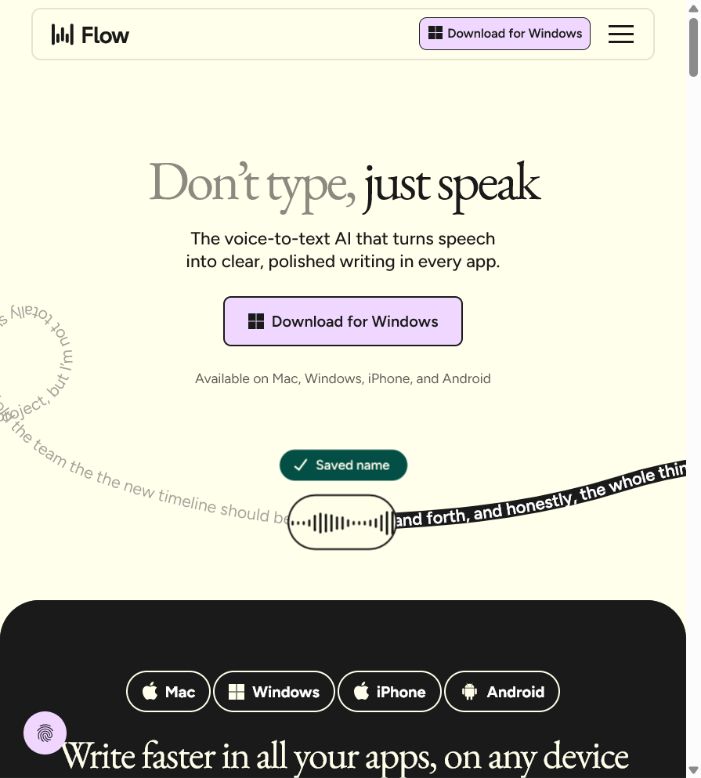
Wispr Flow is an AI-powered voice input tool that works across different applications; users speak by holding down a shortcut key, and the resulting text appears directly in the current text field. It handles colloquial speech, punctuation, lists, and offers real-time corrections, making it suitable for composing emails, documents, messages, and code comments using voice input.
The product is now available for Mac, Windows, iPhone, and Android, and it supports synchronization of languages, personal dictionaries, Snippets, and formatting preferences. On Mac, Flow Notetaker is also available; it enables the creation of meeting transcripts, summaries, and Q&A materials without the need to have a robot present in the meeting.
Main functions of Wispr Flow
- Dictate in the text fields of browsers, office software, messaging apps, and development environments;
- Automatically removes filler words, adds punctuation, and organizes paragraphs and lists;
- Understand verbal corrections such as “Delete the previous sentence” and “Change it to …”.
- It supports over 100 languages as well as regional variants such as Simplified Chinese and Traditional Chinese.
- Learn names, abbreviations, industry terminology, and expressions that users frequently modify;
- Use Dictionary and Snippets to quickly enter proper nouns and fixed text;
- It supports dictation in a soft voice or whisper, making it suitable for shared spaces such as offices;
- Record online meetings, face-to-face conversations, and voice memos on Mac;
- Identify the speakers at a meeting and ask questions related to that specific meeting or to all meetings together;
- Using MCP, tools such as Claude and ChatGPT can read the authorized meeting notes.
Cross-application AI dictation
On Mac, the Fn key must be held by default; on Windows, it’s Ctrl and Win keys that need to be held. Once these keys are released, the text will be inserted at the cursor’s location. Double-clicking on the same shortcut key allows you to enter a mode where no keys need to be held, which is useful for dictating longer texts continuously.
Flow does not merely provide a word-for-word transcription; instead, it adjusts the format based on the current application and the surrounding text. It can transform spoken words into emails, project descriptions, chat replies, or lists, but users still need to check numbers, names, and specialized terms.
Multilingualism and personalization
Users can select their preferred language in the settings; Flow will determine the language to be used each time a dictation session begins. Language recognition is based on each individual session, and errors may occur if the language switches frequently between Chinese and English within the same sentence.
The personal dictionary is suitable for adding product names, customer names, and abbreviations, while Snippets is used to store signatures, common replies, or templates. Languages, dictionaries, and preferences can be synchronized across compatible devices, thereby avoiding the need to configure them repeatedly on each device.
Flow Notetaker
The notetaker is currently available only on Mac; it can record audio from the computer or conversations in person, without the need to use any bots integrated into meetings such as Zoom or Meet. It generates meeting notes with identification of the speakers, and it also supports asking questions across different meetings as well as reviewing projects.
Recordings that are shorter than 5 minutes will not be counted toward the weekly meeting limit; this limit varies depending on the plan and account status. Versions of Notetaker for Windows, iPhone, and Android are still in the planning stage or being introduced gradually, so transcribing audio across all platforms cannot be considered equivalent to recording meetings on all platforms.
Platform and system requirements supported
| Platform | Minimum requirements | Input method | Main limitations |
|---|---|---|---|
| Mac | macOS 12 or later; supports Apple Silicon and Intel. | Fn shortcut key, release-to-fire mode | The meeting notetaker is currently available primarily on Mac. |
| Windows | Windows 10 64-bit or higher | Ctrl+Win shortcut key, release-to-use mode | Notetaker is not yet officially available. |
| iPhone | Some full features require iOS 18.3 or higher. | Flow keyboard, apps, components, and Siri shortcuts | The weekly quota for free dictation is lower than that on the desktop version. |
| Android | Android 13 or higher | Suspended Flow Bubble | It is not displayed in passwords, PINs, and certain sensitive input fields. |
| iPad/Linux/Chromebook | Not supported at the moment. | No official client. | Remote desktops and virtual machines are also not within the scope of support. |
Wispr Flow price
Wispr Flow offers three plans: Free, Pro, and Enterprise. No credit card is required to get started. For the Pro plan, payment can be made on a monthly or annual basis; a 20% discount is available when paying annually.
| Package | Price | Dictation and meetings | Team and Security |
|---|---|---|---|
| Free | $ | Limited weekly dictation; Notetaker for Mac, speaker recognition, Q&A during meetings, and MCP | Standard support is available; Privacy Mode can be activated at any time. |
| Pro monthly plan | $ | Unlimited dictation, higher meeting limits, longer note retention, and advanced AI models | Shared dictionary, Snippets, centralized billing, and basic usage panel |
| Pro annual subscription | That’s equivalent to 12 dollars per user per month. | Same as the core benefits of Pro monthly plan | Settled on an annual basis, suitable for stable long-term use |
| Enterprise | Contact sales | Unlimited dictation; meeting capabilities depend on the enterprise’s online status. | SAML SSO, SCIM, MDM, auditing, domain management, BAA, and dedicated support |
Students and educators can get a 50% discount on Pro by using their educational email addresses; non-profit organizations are also eligible for discounts. Prices may vary depending on the event, taxes, and region, so it is necessary to check the billing page before making a purchase.
Comparison of Free and Pro plans
| Project | Free | Pro | Enterprise |
|---|---|---|---|
| Desktop dictation | 2,000 words per week | Infinity | Infinity |
| iPhone dictation | 1,000 words per week | Infinity | Infinity |
| Android dictation | Currently infinite | Infinity | Infinity |
| Meeting minutes | There is a limit per week. | Higher limit | It is based on the status of the enterprise’s activation. |
| Meeting notes are retained. | Standard deadline | Extend the deadline | Extended period and corporate control |
| Support | Standard | Priority | Exclusive |
Wispr Flow Usage Guide
Setting up desktop dictation for the first time
- Download the Mac or Windows client from the official website and complete the installation;
- Log in using a Google, Apple, Microsoft account or an email account;
- Grant system permissions such as for microphones and accessibility features;
- Select the language you use most often and test the built-in or wired microphone;
- Press the corresponding system shortcut key in any text box to start speaking;
- Release the shortcut key, check the text, and then send or save it.
Improve the accuracy of Chinese dictation.
- In the language settings, only the Chinese variants that are actually used along with a few common languages should be retained;
- Add names, brand names, product models, and abbreviations to the Dictionary;
- Try to use one primary language per session to minimize frequent switching between Chinese and English.
- Speak in natural, short sentences, and pause briefly after numbers, amounts, and dates;
- State the correction instructions directly and check whether the system has replaced it correctly;
- Regularly update the results to enable Smart Formatting to learn individual habits.
Set privacy and meeting records
- Enable Privacy Mode in Data & Privacy;
- Choose between local storage, automatic deletion after 24 hours, or no local storage, depending on your needs;
- Connect the calendar and verify that Notetaker captures only scheduled meetings;
- All participants are informed before the meeting begins, and consent for recording is obtained where applicable;
- After completion, verify the speaker, decisions, figures, and action items;
- MCP is available only to trusted AI clients, and connections that are no longer in use are revoked on a regular basis.
Which users are it suitable for
- Content creators: Draft articles, scripts, and social media content using voice input;
- Managers and sales staff: Respond quickly to emails and organize client meetings;
- Developer: oral documentation, submission instructions, Issues, and code comments;
- Students and teachers: recording ideas, study notes, and class discussions;
- Users with mobility issues: reduce the need for long periods of keyboard input;
- Multilingual team: Uses localized spelling and terminology on different devices;
- Enterprise: Unified dictionary, billing, identity, and data retention policies.
The advantages of Wispr Flow
- It can work in almost all applications where text can be entered;
- It not only transcribes but also cleans up spoken language and automatically formats the text;
- Supports over 100 languages and synchronization of preferences across devices;
- Input is possible in quiet or shared spaces using the whisper mode;
- For meeting notes on the Mac, it is not necessary for a robot to be present in the meeting;
- With the Free plan, it is possible to experience all the core functions without needing a credit card.
- The company offers SSO, SCIM, MDM, and mandatory privacy policies.
Usage restrictions and precautions
- Transcription always takes place in the cloud, so it is not a completely offline voice input method.
- Free Desktop and iPhone have a weekly word limit.
- The notetaker is currently available only on Mac; other platforms still need to wait.
- When Chinese and English are used interchangeably frequently, English words may be converted into Chinese characters.
- The stability of Bluetooth microphones is generally lower than that of built-in or wired microphones.
- Voice input should not be used for passwords, financial information, and sensitive fields.
- Meeting transcripts may misidentify speakers, numbers, and professional names.
Privacy, security, and data processing
The speech transcription in Flow always requires processing in the cloud; Privacy Mode controls whether audio data, transcriptions, and edits can be used to improve the model. Once this mode is enabled, Wispr and third parties will not use these transcription data to train or enhance the model.
Official statements indicate that a zero-data-retention agreement exists with third-party AI service providers; Enterprise administrators can also enforce Privacy Mode and disable Private Cloud Sync. Signing a HIPAA BAA likewise activates Privacy Mode, with the level of compliance still depending on the organization’s settings and workflows.
- Before transcribing confidential information, verify whether the organization permits cloud processing;
- Even when whispering in shared spaces, it is necessary to prevent others from hearing sensitive content;
- Android will automatically hide the Flow Bubble in the identified banking apps.
- Meeting minutes must comply with the local laws regarding recording and notification.
- Companies should establish a minimum retention period as well as a process for revoking rights when members leave the organization.
API, MCP, and open-source details
At present, Wispr Flow does not offer a stable official speech transcription API or SDK for regular developers. The wisprflow-sdk available on the Internet is an unofficial project that results from reverse engineering, and it should not be used as an official interface in real-world applications.
The Flow product itself is not open-source software; most projects with the same name on GitHub are alternatives or clones of it. The MCP provided by the official team is used to grant access to meeting notes to compatible AI tools, but it does not mean that the core transcription models or the source code of the services are made available openly.
Frequently Asked Questions
Is Wispr Flow free?
It can be used for free; the Free plan does not require a credit card. The desktop version allows 2,000 words per week, the iPhone version allows 1,000 words per week, and the Android version seems to offer an unlimited amount of words – though these limits may change in the future.
How much is the Wispr Flow Pro?
The Pro monthly plan costs $15 per user, while the annual plan amounts to $12 per user per month. The annual payment is processed on an annual basis; for Enterprise plans, it is necessary to contact sales.
Does Wispr Flow support Chinese?
Options such as Simplified Chinese, Traditional Chinese, and Cantonese are supported. It is best to use one primary language for each dictation session; too much mixing of Chinese and English can affect accuracy.
Can Wispr Flow be used offline?
Fully offline transcription is not possible; the official documentation specifies that transcription always takes place in the cloud. Users can control local storage as well as whether their data can be used to improve the models.
Is Wispr Flow open source?
No, the core client and cloud services have not been released as complete open-source projects. The SDKs with the same name available on GitHub, as well as alternative software, are not official products.
Tools similar to Wispr Flow




 Guigong Network Security Registration No. 45132202000164