






Chirp
Chirp – makes AI-driven writing more efficient and simpler.
Tags:AI writing toolsWhat is Chirp?
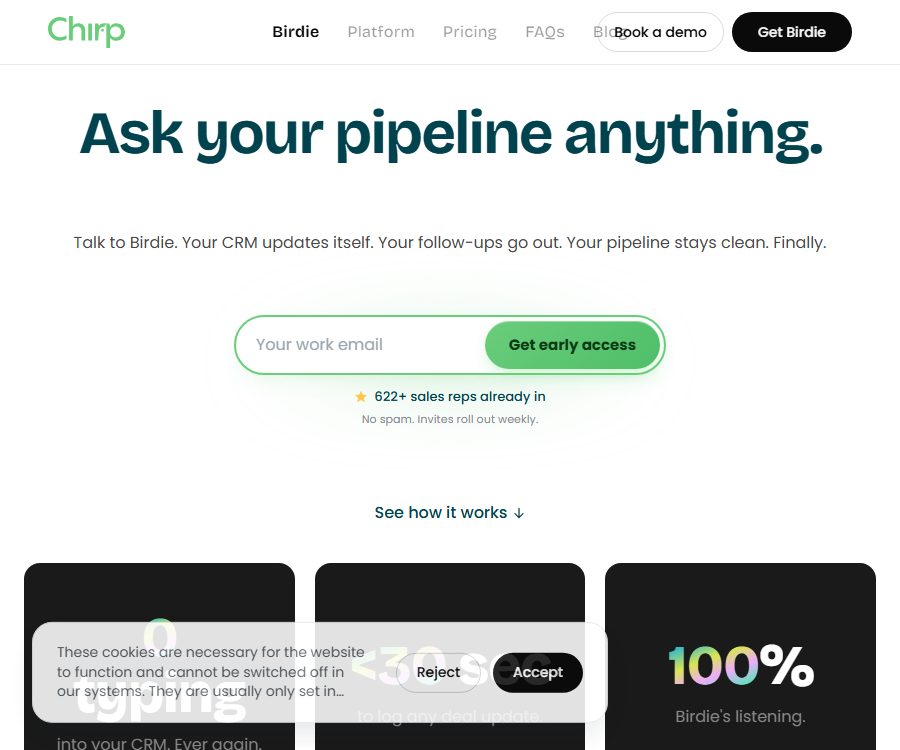
Chirp is an AI-based sales platform operated by Chirp Labs Pty Ltd in Australia, with Birdie serving as its voice-optimized assistant. Sales professionals can state the progress after meetings, raise issues related to leads, or give instructions for follow-up actions; the system then organizes this information and updates the CRM.
The product does not merely convert calls into text; instead, it incorporates voice messages, CRM data, emails, and calendar information into a sales knowledge graph, which is then structured according to contacts, companies, transactions, stages, and tasks.
Current product status
| Project | Current status | Usage meaning |
|---|---|---|
| Operating entity | Chirp Labs Pty Ltd | Registered company in Australia |
| Product name | Birdie by Chirp | Voice assistant for sales staff |
| Open method | The website issues invitations on a weekly basis. | New users may need to wait for their accounts to be activated. |
| iOS apps | It is now available in the official store. | The current voice experience is centered around the iPhone. |
| Web version | Provides login and team management functions. | Used for accounts, graphs, pipelines, seats, and bills |
| Android | Not confirmed yet | No official Google Play page was found. |
The app is available on the App Store, but the official website still emphasizes an invitation-based access system, indicating that the product is being rolled out in stages. Although the app can be downloaded, it is not guaranteed that every new account will be able to access all CRM functions and paid services right away.
Birdie’s three types of voice commands
| Pattern | What does the user say? | What does Birdie do? | Typical value |
|---|---|---|---|
| Problem | Ask about the status of a particular transaction or opportunities that are on hold this week. | Answers compiled from dashboards and CRM. | Get a quick overview of the situation before the meeting. |
| Command | Request a summary of the record, the stage of movement, or an arrangement for follow-up. | Generate structured updates and tasks | Reduce manual CRM tasks |
| Notes | Oral presentation of budget, timeline, key stakeholders, and next steps | Match contacts, companies, and transactions and save them. | Avoid forgetting details after a call. |
- Birdie can recognize names, amounts, transaction stages, closure dates, and subsequent actions, and map them to the sales data structure.
- Voice input is suitable for reviewing tasks while on the go, during breaks in meetings, or after commuting, but it is necessary to abide by local traffic and device usage rules while driving.
- When amounts, contracts, or phase changes are involved, it is necessary to review them before sending the message; the results of speech recognition cannot be considered as the final facts.
Pre-meeting briefing and post-meeting review
Pre-session briefing
- Birdie can read transactions, contacts, companies, recent activities, and historical context to summarize the people involved in a meeting, the key points of interest, and the current stage.
- The shared dashboard in the team version also allows new information entered by other team members to be included in the next briefing, thus preventing that information from remaining only in individual notes.
- The quality of the briefing depends on whether CRM data, emails, calendar entries, and voice recordings are accurate and have been synchronized properly.
Voice review after the meeting
- After the user ends the call and describes what happened, Birdie extracts the budget, timeline, decision-makers, risks, and next steps.
- The system can generate CRM summaries, update transaction fields, record call notes, and create follow-up tasks.
- The App Store page emphasizes structuring insights first, after which users can swipe or click to move them into the CRM, which is useful for verification before writing anything down.
- The privacy policy also states that the service analyzes the tone and cues in sales communications to identify problems and suggest next steps, but the final business decisions are made by the user.
Sales knowledge graph
- Chirp extracts, categorizes voice notes, emails, CRM updates, and other sales signals, and connects them to a continuously updated knowledge graph.
- Each deal uses persistent nodes to accumulate information, rather than just the temporary context of the current session.
- The diagram uses a hierarchy of facts to distinguish between immutable facts, information confirmed by CRM, weighted signals, and inferences, thereby helping to determine which elements are more reliable.
- The system claims to handle conflicting information and assign reliability to signals, but it does not disclose the algorithm, accuracy rates, or any independent evaluations.
- Free allows the storage of a certain number of contacts, companies, and transactions; tasks and notes are not included in this limit.
CRM write-back and governance
- Birdie first converts the voice input into structured actions that need to be carried out, and then writes them back to the CRM using a merging strategy, rather than overwriting fields indiscriminately.
- The platform states that each change is accompanied by records of the data reference, the time it occurred, and the level of confidence, which makes it possible to track who made the updates and on what basis they were made.
- Personal CRM credentials inherit the permissions already held by the salesperson; no service account shared by all users is used.
- Free also retains CRM push; when the record limit is exceeded, new content is temporarily stored and will be added to the diagram only after an upgrade.
- Downgrading will not delete existing records; graphs that exceed the free capacity limit can still be viewed and searched, but no new records can be added, and custom fields will become frozen.
HubSpot connection process
- Ensure that the HubSpot account has the permission to install marketplace applications, and prepare the Chirp app on the iPhone.
- Find Chirp in the HubSpot App Market and check its permissions to read from and write to deals, contacts, companies, and tasks.
- After authorization is completed, use the same email address as that of your HubSpot account to log in to Birdie via Google or Apple.
- Grant microphone and speech recognition permissions in iOS; both of these permissions are used to convert spoken content into structured commands.
- Wait for Birdie to import the open transactions, the transactions that were closed in the last 12 months, and the names of the current pipeline stages.
- First, conduct a review verbally using a test transaction to check whether the close date, stage, note, and follow-up task are mapped correctly.
- Before official use, define write-back review, cancellation, permissions, and exception handling; do not grant extensive CRM permissions to those who do not need them.
The documentation on public connections states that it takes approximately one to two minutes for most pipelines to complete their initial synchronization, while the process may take longer when there are 500 or more active transactions. The synchronization can continue in the background, and the application will notify the user once it is completed.
CRM, email, and calendar integration
| Connection | Public status | Ability | Precautions |
|---|---|---|---|
| HubSpot | There are complete connection tutorials available. | Read and update transactions, contacts, companies, and tasks | Administrator installation permissions are required. |
| Salesforce | Listed on the homepage | Plan or provide fields for transaction updates | No publicly available tutorials of equal detail were found. |
| Pipedrive | Listed on the homepage | Plan or provide fields for transaction updates | No publicly available tutorials of equal detail were found. |
| Calendar | The columns in each row are connected to one another. | Meeting context and follow-up arrangements | The specific support provider needs to be confirmed in the account. |
| The columns in each row are connected to one another. | Sell communications, context, and follow-up recommendations | Involves personal data of customers and potential clients | |
| Zoom | There is an official market page. | Early sales of collaboration integration | It is necessary to verify whether it falls under the current Birdie package. |
Free allows each account to be connected to one CRM, calendar, and email account; Pro and Team offer multiple connections as well as faster CRM synchronization. The account level, permissions, API rate limits, and additional fees of third-party platforms still affect actual usage.
Playbook and sales framework
- Pro allows the import of sales documents and playbooks, enabling Birdie to generate reports and reviews in accordance with the company’s own procedures.
- The platform lists MEDDIC, SPICED, and custom frameworks, which enable the conversion of information such as budgets, pain points, and decision-making processes into structured fields.
- Users can also adjust Birdie’s tone and behavior to make its questions and summaries more in line with the team’s approach.
- The sales framework is used to organize information; it does not automatically guarantee that a deal will be closed, nor should it replace the manager’s judgment or the customer’s confirmation.
Team collaboration feature
- The team submits each salesperson’s conversations to a shared database, so that other team members can benefit from the new insights discovered.
- It provides a team directory, invitation features, role management, shared playbooks, transaction handovers, teammate briefings, and a view of team pipeline activities.
- Centralized billing, seating, and administrator controls facilitate access for sales and operation management.
- SSO is listed as upcoming in price comparisons and cannot be considered a Team benefit that has already been delivered.
- Shared dashboards increase the scope of data visibility; companies must establish minimum permissions based on region, team, and customer.
Price packages
The current pricing page offers three tiers: Free, Pro, and Team. All tiers include Birdie voice sessions, a knowledge graph, and CRM push notifications. The voice session quota is indicated as unlimited, but it is still subject to the fair use rules outlined in the terms of service.
| Package or version | Price | Billing cycle | Core benefits or quota | Suitable for users |
|---|---|---|---|---|
| Free | 0 dollars | Free for a long time | Unlimited voice calls, pre- and post-meeting briefings, up to 200 contacts/company/transaction records, 1 CRM/calendar/email connection, CRM push notifications | Personal experiences and small pipes |
| Pro | 29 dollars | Monthly | Unlimited records, custom fields, playbooks, sales frameworks, Birdie customization, multiple connections, and faster synchronization | High-frequency individual sales |
| Pro | 290 dollars | Prepayment annually | Similar to the Pro monthly plan, the cost is approximately 24 dollars per month. | Long-term personal use |
| Team | 59 dollars per user | At least 2 seats per month | Pro: all permissions, shared roadmap, team roles, handover, team view, and administrator controls | Sales team |
| Team | $ | Payment is due annually, for a minimum of 2 seats. | Similar to the Team monthly plan, the cost is approximately 49 dollars per user per month. | Long-term team deployment |
- The minimum monthly cost for a Team plan is 118 dollars; adding more members beyond the already purchased amount requires purchasing additional seats on a proportional basis.
- The promotion on the annual payment page equates to two months free; it is a discount applied to the annual payment, and it is not equivalent to an additional two months of trial period.
- The Team plan offers a 14-day free trial period once its members accept the invitation; the Pro plan allows for a trial without the need for a credit card, though the number of days available for this trial is not specified on the page.
- No credit card is required to start using Free and the trial version; whether an invitation code is needed ultimately depends on the current phase of rollout.
Price and terms are inconsistent.
| Matters | Current Price Page | Terms for January 2026 | Suggestions |
|---|---|---|---|
| Free limit | Up to 200 contact entries, company records, and transaction records | Up to 4 deals per month | The actual display on the account and the written confirmation serve as the basis for the purchase. |
| Paid tier | Pro and Team | It only generally refers to the Paid Services listed on the site. | Save the settlement page and order benefits |
| Unlimited voice calls | All three gears are unlimited. | Subject to fair and reasonable use restrictions | Verify the boundaries before high-frequency or automated use. |
The pricing page clearly adopts a new recording system, yet the four deal options specified in the terms have not been updated accordingly. It cannot be assumed that the old terms are no longer valid; Free users should check in their accounts to see how the restrictions are applied.
Cancellation, Refunds & Renewal
| Billing method | Cancel activation | Refund or fee |
|---|---|---|
| Monthly payment | The current billing cycle has ended. | All fees for this period need to be paid. |
| Annual payment, within 7 days after purchase | Cancellation during the cooling-off period | Full refund |
| Annual payment, 7 days after purchase | Early termination | 25% of the remaining value of the plan is charged, while the other 75% is refunded. |
| The platform has stopped serving. | Notify at least 30 days in advance | Refund for the unused portion is provided for prepaid ongoing services. |
| Downgrade | Next billing cycle | Existing maps are not deleted; any additional content that exceeds the limits is frozen. |
| Upgrade | Effective immediately | The fee for this period will be adjusted proportionally. |
- Paid services are automatically renewed; any changes to the fees must be notified in advance, and such changes will take effect starting from the next billing cycle that falls within the specified notice period.
- After cancellation, it returns to the Free status by default, unless the user requests to delete the account.
- Early cancellation of an annual subscription does not entail a full refund based on the remaining days; a 25% deduction from the remaining value represents an important cost associated with such purchases.
iOS app and platform support
| Platform | Current status | Explanation |
|---|---|---|
| iPhone | The official app is now available. | iOS 15.1 or higher is required. |
| iPad and iPod touch | Compatibility | The app is designed for the iPad, but its core experience remains centered around the iPhone. |
| Apple silicon Mac | Compatibility | macOS 12.0 or higher is required; the full experience has not been verified by the store. |
| Apple Vision | Compatibility | VisionOS 1.0 or higher is required. |
| Web page | Provide | Account, team mapping, seats, pipeline, and billing management |
| Android | Not confirmed yet | There is no official Google Play page. |
| Language | English | The store only lists English; other voice languages are not available. |
The fact that the App Store lists Birdie as a free download does not mean that all its features are free; the CRM tools, records, team management functions, and playbook options available within the app are still subject to the pricing structure associated with Chirp accounts.
Privacy and data processing
Chirp’s privacy policy was last updated in February 2026; it is governed by Australian privacy regulations, and where applicable, it also complies with the UK and EU GDPR. The service processes data such as names, job titles, companies, email addresses, phone numbers, information related to account usage, payment details, and sales communications.
- With the customer’s permission, Chirp can access emails, messages, phone transcripts, voice messages, as well as WhatsApp messages related to sales activities.
- It analyzes emotions and sales signals in communication, identifies pain points in transactions and suggests next steps, but does not make final business decisions automatically.
- The policy states that the original sales communications are deleted from the system immediately after AI analysis, while the results of that analysis are retained.
- Chirp states that it will not use personally identifiable information to train large language models or other AI systems, nor will it use such identifiable data to test its services.
- The data from Google Calendar and Gmail API is used solely to provide the corresponding functions; it is not utilized for developing, improving, or training AI, and it is subject to restrictions on its use.
- Data may be stored or processed in Australia and the United States, or accessed by employees and suppliers; cross-border transfers are handled in accordance with the applicable mechanisms.
- The App Store’s disclosures may link contact information, user content, emails or texts, audio files, identifiers, as well as usage and diagnostic data to identities.
Data rights and terms of use notes
- The customer retains ownership of Your Data, while granting Chirp the right to access, analyze, back up, copy, store, and transmit such data during the period of use and for a reasonable time thereafter.
- The terms permit the use of Your Data for providing, diagnosing, improving, training, testing, and protecting services, and may allow third-party service providers to process it.
- The privacy policy further restricts the use of personally identifiable data for training AI; organizations should still specify in the DPA the procedures for anonymization, the purposes of improving services, and the responsibilities of the model providers.
- Chirp can generate anonymous statistical data from the data and usage patterns, and it can utilize these statistical results, including for improving AI systems.
- The platform does not guarantee that customer data will be backed up; users should keep independent copies of their CRM data, emails, and important sales records.
- Access may be lost after the account is closed; users can request its deletion through the settings or by sending an email to support, but billing and legal records may remain.
Security and CRM permissions
- The platform claims that different customer datasets are isolated at the architectural level, rather than relying solely on access controls.
- Each sales representative uses their own CRM credentials and retains their existing permissions, thereby avoiding the use of service accounts with high levels of access.
- Each update to the map and CRM includes records of the associated information, the time it was made, and the level of confidence, which facilitates auditing and tracking.
- Speech recognition or entity matching may still produce errors; manual verification should be implemented before amounts, stages, and contacts are written back.
- Administrators should regularly review the connected apps in HubSpot or other CRMs, and revoke Chirp permissions when employees leave the company.
- The DPA has become an integral part of the terms of service; companies that handle data belonging to customers in the EU, the UK, or a large number of clients should review the entire attachment and the subcontractors prior to signing.
API, SDK, and open-source status
- No APIs, SDKs, developer documentation, or official GitHub repository for Chirp that are available to customers were found.
- CRM, email, calendar, and marketplace integrations are part of product integration; they do not mean that customers are allowed to make batch calls to Birdie via public APIs.
- Chirp is a closed-source hosted service for which no open-source license is available; the fact that iOS apps can be downloaded and installed for free does not mean that the product is open source.
- Enterprises that need to customize CRM systems, data warehouses, or automated integration processes must take into account aspects such as interfaces for sales confirmation, permissions, data transfer rates, error handling, and any additional costs involved.
Suitable for users and typical use cases
- Field sales: After completing a client visit, quickly record the budget, current stage, and next steps via voice.
- Account manager: Asks about the full details of the transaction before the meeting, thereby reducing the need to search between CRM systems, emails, and calendars.
- Founder Sales: Use Free or Pro to keep your small pipeline organized, without spending too much time on simple recording tasks.
- Experienced sales team: Use Team to share dashboards, playbooks, handover processes, and team activity views.
- Sales operations: Review fields, stages, permissions, and write-back governance to reduce issues related to the quality of CRM data.
- It is not suitable for users who do not have an iPhone, those who need a native Android experience, or those who must have access to public APIs immediately.
Advantages and limitations
| Aspect | Actual judgment |
|---|---|
| Voice workflow | It provides a clear workflow from the pre-meeting briefing to the post-meeting report, making it suitable for field sales. |
| Data structures | Knowledge graphs, fact hierarchies, and auditing are more suitable for CRM updates than ordinary transcription. |
| Free plan | There are no limits on voice usage and it is possible to connect to CRM, but the maximum number of recordings conflicts with the terms and conditions. |
| Team collaboration | Sharing graphs and handovers are valuable; a minimum of 2 seats are required, and charging is based on the number of users. |
| Platform coverage | The iOS app is available; Android and multi-language versions are not yet confirmed. |
| Integrated transparency | HubSpot’s documentation is detailed, while Salesforce and Pipedrive lack equally comprehensive tutorials. |
| Data sensitivity | It involves CRM, email, calendar, and voice; strict permissions and DPA review are required. |
| Developing openness | There are no public APIs, SDKs, or open-source repositories. |
Summary
Chirp is suitable for iPhone users who wish to reduce the amount of data entry required in CRM systems, to quickly gain an understanding of transactions before meetings, and to share sales information within their teams. Birdie, together with knowledge graphs, write-back queues, and audit mechanisms, provides a more comprehensive sales workflow than ordinary call summaries.
Before making a purchase, it is essential to verify the invitation code, any conflicts regarding the free usage limit, the scope of CRM support, the cost of early cancellation for annual subscriptions, as well as the attachments related to data processing. The team should also implement voice recognition for verification, apply the principle of least privilege, revoke access rights when employees leave the company, and maintain independent backups, in order to prevent errors in sales data resulting from automated data updates.
Tools similar to Chirp




 Guigong Network Security Registration No. 45132202000164