






Bearly Ai
Bearly Ai – makes AI-driven writing more efficient and simpler.
Tags:AI writing toolsWhat is Bearly AI?
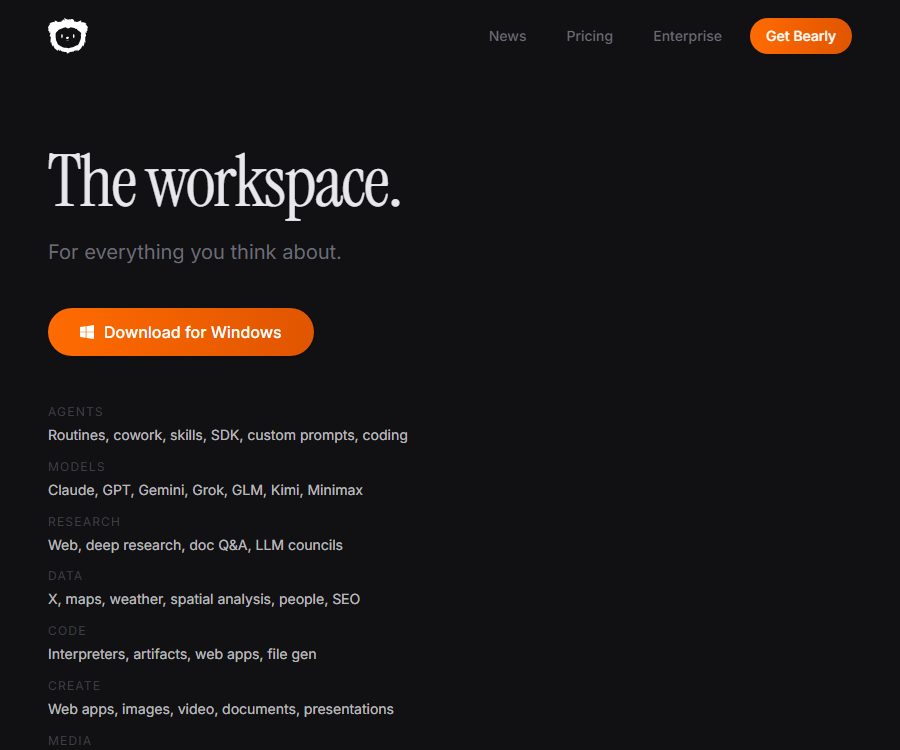
Bearly AI is a workspace that combines various AI models with research, writing, and content creation tools. Users can use Claude, GPT, Gemini, and Grok under the same account, and carry out tasks related to conversations, files, projects, and workflows.
It is not just an AI writing assistant; it also covers web research, document Q&A, code explanation, image and video generation, speech processing, and team collaboration. There is no need for installation on the web version, while the desktop version is available for Windows, macOS, and Linux. There are also versions for iPhone, iPad, and Chrome.
Main functions of Bearly AI
Multi-model chat
Users can employ various mainstream models to carry out tasks such as question answering, writing, analysis, and coding. Different models have different capabilities, costs, and context limitations; it is necessary to reevaluate the quality of the output when switching between them.
Websites and in-depth research
Bearly supports web pages, images, and in-depth research; it enables the collection and organization of public information related to complex issues. The results of such research still require verification of dates, figures, and key conclusions by consulting the original materials.
Document research and citation
Users can upload PDF, Word, Excel, PowerPoint, text, web pages, and various code files. The system is able to search across different files for relevant passages and generate answers that include the document name, page number, and the location of the original text.
In-depth summary
Long documents can be organized into summaries, key points, and structured conclusions, making it easy to grasp the content of a report or paper quickly. PDF files with poor scanning quality and a lack of selectable text may affect the accuracy of the analysis.
Pages and Canvas
Pages is used to create interactive AI outputs, while Canvas offers a more flexible environment for visual creation. Users can iterate on the content and download the results, but complex interactions should still be tested in the target environment.
Code explanation and charts
The code interpreter can carry out analysis tasks and generate charts; it is suitable for working with tables, performing calculations, and exploring data. Before uploading data, any unnecessary personal or confidential business information should be removed.
Image, video, and audio tools
The platform offers image generation and editing, image merging, video creation, text-to-speech conversion, as well as audio and video transcription. The quality of the generated content and the amount of points consumed vary depending on the model selected and the length of the task.
Workflows and skills
Routines, skills, and prompt templates can be reused for repetitive tasks, while the expert committee feature enables multiple roles to work together on analyzing problems. Connectors can also extend AI workflows to external services.
Projects and Teams
The platform allows for the centralized storage of chats, documents, and data, and it supports collaboration as well as password protection. Its enterprise features include custom domain names, SSO, SCIM, audit logs, and the ability to use one’s own infrastructure.
Bearly AI Usage Guide
- Choose the web version or the client for the corresponding system and register an account.
- Create a new chat and specify the goal, background, constraints, and the desired output format.
- Select the appropriate model based on the task; if unsure, start by using short questions to compare the results.
- When analysis data is needed, upload the file and wait for indexing or preprocessing to be completed.
- It is required to indicate the document and page number for each answer, and to check each key reference individually.
- Use in-depth research to complement the publicly available information, and then verify the date of the sources.
- Include long-term tasks within projects and assign clear file names.
- Save repeated steps as Routine, skill, or prompt templates.
- On the billing page, check the points consumed and adjust the plan according to the actual usage.
Ways to achieve better results
- Specify the audience, tone, length, and facts that must not be omitted in the prompt.
- When performing multi-document analysis, upload only the relevant materials and use descriptive file names.
- The model is required to distinguish between facts, speculations, and elements that still need confirmation.
- High-risk content must be reviewed by professionals.
- For expensive tasks, start with testing on a small sample before expanding the scope of processing.
- Download or export backups of important conversations and generated files in a timely manner.
Which users are it suitable for
- Individual users who need to carry out writing, research, and data organization across different models.
- Professionals who regularly analyze papers, reports, contracts, and internal documents.
- Analysts who need code explanation, data calculation, and chart analysis.
- Creators who produce images, videos, narrations, and transcribed content.
- Teams that wish to standardize repetitive tasks using templates and routines.
- Enterprises that require SSO, audit logs, and private infrastructure.
The advantages of Bearly AI
- Multiple mainstream models are available in one workspace.
- Its functions cover research, documentation, writing, coding, and multimedia.
- Document answers can reference file page numbers and specific content.
- The same account covers web pages, desktops, and Apple mobile devices.
- The paid plan does not impose any message rate limits or cooling periods.
- The subscription fee is provided in the form of equivalent AI points, and the billing logic is relatively straightforward.
Usage restrictions and precautions
- “Unlimited speed” does not mean unlimited and free use; tasks still consume points.
- The balance is refreshed at the end of each billing cycle, and no additional charges are generated automatically once it is exhausted.
- The free plan offers only a small number of points per day, and some features are available only to paid users.
- The original cost of different models affects the amount of tasks that can be completed with the same amount of integration.
- Document references help with verification, but they cannot guarantee that the answers are entirely accurate.
- Features that require local files or other desktop applications may be available only on the desktop version.
- Chats with device protection may only be opened on the device on which they were created.
- Private deployment by enterprises, as well as compliance and data retention requirements, need to be confirmed separately.
Bearly AI price
The following are the monthly pricing rates as published on the official website on August 26, 2026. The annual payment page indicates a 17% savings, but the final amount, taxes, currency, and terms of the contract are subject to those shown on the settlement page.
| Plan | Monthly price | Includes integration | Key capabilities |
|---|---|---|---|
| Free | $ | A small number of points per day | All models are available for trial use without the need for a credit card; some functions are limited. |
| Pro | $ | 20 dollars in points per month | All models and tools, Cowork, in-depth research, code – no speed limits |
| Analyst | $ | 60 dollars worth of points per month | It includes all of Pro’s features and is suitable for frequent use throughout the day. |
| Enterprise | Contact sales | Customization | Unlimited users, custom domain names, SSO, SCIM, audit logs, and proprietary infrastructure |
The price page on the official website lists Research and Max as optional payment tiers, but the information available through public searches does not show their prices and points in full. Therefore, no estimates can be given for these missing values; it is necessary to check the details of all tiers on the official website before making a purchase.
Privacy and data security
According to the official price details, user conversations, documents, and files will not be used to train models, nor will these contents be sold or accessed manually; in addition, each chat and file is encrypted separately. Enterprise users should still confirm through contracts the handling of data by third-party systems, the retention period, and the condition of no data retention.
Before uploading confidential data, it is necessary to check the project permissions, device security measures, and the access levels of team members. AI services cannot eliminate risks such as accidental file transmission, incorrect sharing permissions, or leaks from end devices.
Is Bearly AI open source?
The Bearly AI product itself should be regarded as a closed-source commercial service. Its GitHub releases repository is used primarily to distribute installation files for Windows, macOS, and Linux; the automatically generated compressed source code packages do not indicate that the actual source code of the application is available publicly.
The same organization also maintains OpenADE, which is based on the MIT license; it represents an independent open-source development environment designed for Claude Code and Codex, and it is not the same as Bearly AI’s chat and research platform. When evaluating open-source solutions, these two should not be confused with one another.
Frequently Asked Questions
Which models does Bearly AI support?
The price page on the official website lists Claude, GPT, Gemini, and Grok; the specific versions available may change as the platform is updated.
Can Bearly AI be used for free?
Yes. The free plan offers a limited number of points per day and allows for trial use of the models, but some features require payment.
Is there a limit on the frequency of use for Bearly AI?
The paid plan does not impose any limits on the message rate or cooling period, but each task still consumes account credits.
Which platforms does Bearly AI support?
It supports web browsers, Windows, macOS, Linux, iPhone, iPad, and Chrome; some local functions require a desktop client.
Will Bearly AI use user data for training?
The authorities have made it clear that they will not use user conversations, documents, and files to train models, nor will they sell such content.
Is Bearly AI an open-source tool?
No. The repository where the installation packages are available does not mean that the source code is made public; OpenADE, which is licensed under MIT, is a separate product.
Tools similar to Bearly Ai




 Guigong Network Security Registration No. 45132202000164