






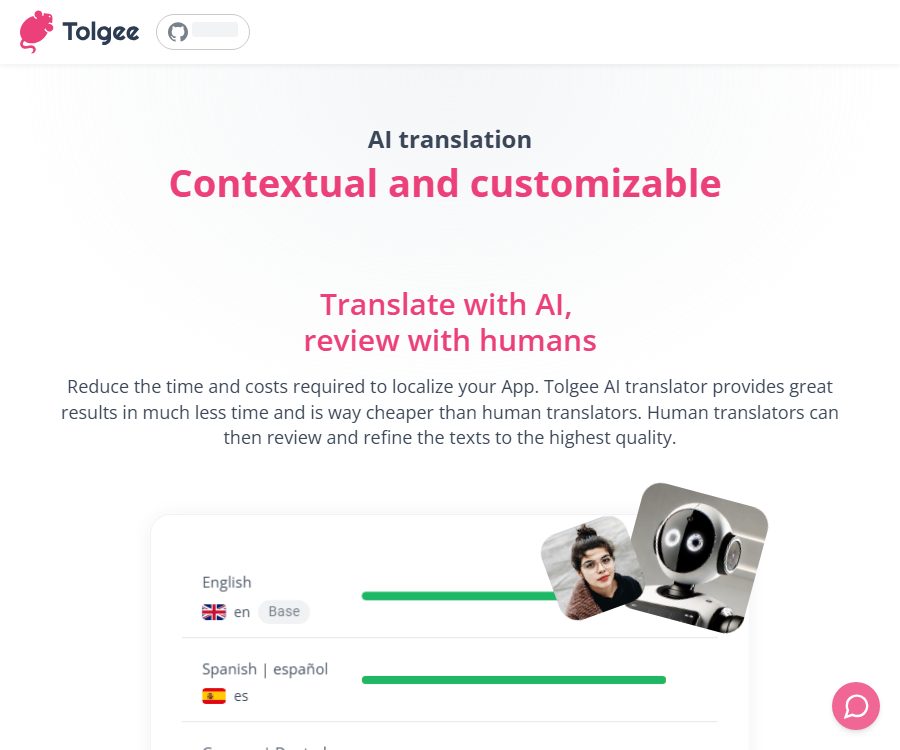
AI translation
AI translation makes AI-driven writing more efficient and simpler.
Tags:AI writing toolsWhat is Tolgee?
Tolgee is a software localization platform designed for web, mobile, and desktop applications. It integrates text translation management, AI translation, machine translation, human review, and development within a single workflow, helping teams to maintain multilingual products on an ongoing basis.
Unlike general web translation tools, Tolgee focuses on processing product-related strings such as buttons, menus, prompts, and error messages. Users can opt for the official cloud service or use the self-hosted version, which offers more control over the location of the data and the deployment environment.
The main functions of Tolgee AI translation
Translate in context with the product
Tolgee AI Translator makes use of string descriptions, project descriptions, language information, screenshots, translation memories, and relevant key-value pairs to help the model understand the context. This is particularly important for short words such as “Save” and “Back”, as the same word may require different translations depending on whether it is used on a button, in a status message, or as an operation instruction.
Multiple models and built-in keys
The official cloud services make use of Anthropic Claude and OpenAI models by default. Organizations can also configure models such as OpenAI, Azure OpenAI, Claude, Google Gemini, as well as those that support the OpenAI interface; self-hosted users can use their own service keys as well.
Custom AI prompt creation
The team can add information about the project’s background, the language style, and terminology rules in the AI settings, and they can test custom prompts in the AI Playground. The advanced mode allows for direct adjustment of the individual elements that make up a prompt, but the requirements for using this feature are specified in the console.
Machine translation and automatic translation
In addition to large-model translation, Tolgee also supports Google Translate, Amazon Translate, DeepL, and Microsoft Azure Translator. Administrators can select the preferred provider for different languages, and the target language version will be generated automatically when new key-value pairs are imported or the source language is updated.
Translation memory and glossary
Translation memory searches for similar text within a project and shows the degree of similarity, thereby helping the team to reuse expressions that have already been approved. A glossary is used to standardize brand names, product concepts, and industry terms, preventing the same word from having multiple translations on different pages.
In-app editing and screenshotting
After developers integrate the Tolgee SDK, translators can locate text on the application interface and edit it directly. By clicking on screenshots and capturing the context, it is possible to link strings to the actual pages, thereby reducing misunderstandings that arise when only looking at the key names.
Tasks and team collaboration
The project manager can assign specific languages or translation tasks to team members, and monitor progress as well as generate reports. Higher-tier packages also offer branching, fine-grained permissions, and enterprise identity management, making them suitable for large localization projects involving multiple people.
Supported development methods
- The JavaScript SDK can be used for translation in mainstream Web front-end frameworks and within applications.
- The Android and iOS SDKs support the localization of native mobile applications.
- Command-line tools can extract, push, and pull translation files.
- The REST API can automatically create projects, manage key-value pairs, and synchronize translations.
- Figma plugins are suitable for collaborating on the management of interface text during the design phase.
- MCP integration enables compatible AI development tools to access localization capabilities.
Which teams are suitable?
- Development teams that continuously release multilingual websites or SaaS products
- Product and content teams that require standardized terminology and brand tone
- Localizers who wish to proofread translations directly within the application interface
- Enterprises with requirements for data residency or on-premises deployment
- Engineering teams that need to automatically synchronize translation resources via interfaces
Tolgee usage guide
- Create organizations and projects, and set the source language and target language.
- Import existing translation files, or extract keys and values from the application using the SDK and command line.
- Add additional uses, target audiences, and brand tone to the project, and provide explanations for short strings that are prone to confusion.
- Enable the desired providers in the machine translation settings and select the primary source for translation.
- Use AI Translator to generate suggestions, by examining screenshots, context, and translation memory results.
- Assign the content to translators or reviewers to verify that terms, variables, and plural forms are correct.
- Synchronize the approved translations to the product via SDK, command line, content delivery, or REST API.
How to improve the quality of AI translation
- Add brief and specific usage scenario descriptions for buttons, menus, and error messages.
- Specify the product’s position in the market, target audience, and brand tone in the project description.
- Set formality levels, regional variants, and prohibited expressions for different languages.
- Maintain the glossary and regularly remove incorrect or outdated translation entries.
- Preserve variables, placeholders, and ICU message formats to avoid damaging the code structure through translation.
- Native speakers conduct random checks on key processes; unreviewed machine-generated results are not released directly.
Price and version
The cloud packages listed below were checked against the official pricing page on August 25, 2026; the prices shown in the table represent the average monthly price in euros when an annual payment is selected. Actual taxes, additional key-value charges, extra seats, and machine translation credits may vary, and the details should be referred to on the subscription billing page.
| Package | Average monthly price for annual payment | Contains key-value pairs | Includes seats | Main positioning |
|---|---|---|---|---|
| Free | 0 euros | 500 | 3 | Standard localization, automation, machine translation, and all common integrations |
| Team | 49 euros | 2000 | 4 | Small products and local teams |
| Business | 179 euros | 5000 | 8 | AI translation, brand context, glossary, tasks, and AI Playground |
| Advanced | 499 euros | 20000 | 20 | Branches, fine-grained permissions, and more complex organizational collaboration |
| Enterprise | Contact sales | Customization | Customization | Single sign-on, dedicated support, training, and compliance with corporate requirements |
The cloud self-service package operates on a pay-as-you-go basis; additional fees may arise once the allocated amount of key-value pairs, seats, or machine translation credits is exceeded. One key-value pair represents a unique text identifier, and it is counted as just one key-value pair regardless of whether it is translated into two or twenty languages.
The self-hosted official version can be run for free, and its basic open-source features are suitable for teams that wish to manage everything on their own. If advanced enterprise features, official support, or the use of pre-configured AI translation through Tolgee Cloud are required, a customized self-hosted commercial license can be chosen; for specific prices, please contact sales.
Open source and license information
The official code repository of the Tolgee Platform is available to the public; most of the code in this repository is licensed under the Apache License 2.0. The enterprise-related functions are covered by the Tolgee EE License, and certain capabilities require a commercial license. Therefore, just because it is an open-source platform does not mean that all enterprise functions can be used freely without any restrictions.
The JavaScript SDK code for Tolgee is also made available publicly, under the MIT license. Cloud hosting services, machine translation credits, enterprise support, and restricted features constitute commercial services; they should not be confused with the open-source license applied to the SDK or the underlying platform code.
Product advantages
- Place AI translation, traditional machine translation, and manual review in the same interface.
- Improve the translation of short texts by using screenshots, key-value explanations, and relevant strings.
- Supports cloud and self-hosted options, offering flexible deployment choices.
- Covers the entire localization process, including design, development, translation, and release.
- SDKs, command-line interfaces, and REST APIs are provided to facilitate automated integration.
- Public code updates are frequent, making it suitable for engineering teams that need scalable solutions.
Usage restrictions and precautions
- AI and machine translation may still misinterpret context, so key pages require manual review.
- Cloud packages have limits on keys, seats, and points; any excess usage may be charged at a rate based on actual consumption.
- The advanced mode of AI Playground and certain collaboration features are available only to higher-tier plans.
- Self-hosting enhances data control, but the user is responsible for server maintenance, upgrades, backups, and security.
- When using external translation services or providers of large language models, the text may be sent to those third parties for processing.
- Different warehouses and directories use different licenses; it is necessary to check the license of each specific file before performing any secondary development.
Frequently Asked Questions
Is Tolgee just an AI translator?
No. AI translation is just one of Tolgee’s capabilities; the platform also offers string management, translation memory, glossaries, task collaboration, in-app editing, content delivery, and development integration.
Can it be used for free?
Yes. The free cloud package offers 500 key-value pairs and 3 seats, and the self-hosted official basic version can also be used for free; AI credits, enterprise features, and official support may incur additional costs.
Which AI models are supported?
The official cloud-native platform uses Claude and OpenAI models, while also allowing organizations to access Azure OpenAI, Gemini, and other models that support the OpenAI interface. The available models vary depending on the deployment method and the settings configured by the administrator.
Is AI translation free after self-hosting?
Not necessarily. With free self-hosting, users usually need to provide their own large models or machine translation service keys, and the associated invocation costs are charged by the provider; using Tolgee’s pre-configured services may result in the consumption of platform credits.
Is Tolgee open source?
Most of the platform’s code and various SDKs are open source, but the enterprise directory is subject to a separate license, and the cloud services constitute commercial products. When conducting an evaluation, it is necessary to consider separately the licensing terms for the platform’s code, the enterprise functions, and the hosting services.
Summary
Tolgee is suitable for product teams that need to maintain multiple language versions of their applications on a continuous basis. Its main advantage lies in the ability to incorporate the context of the actual user interface into AI-driven translation, thereby enabling developers, translators, and reviewers to work together effectively. Small teams can start with the free cloud version; organizations that place a high priority on data control can consider the self-hosted option, while those with specific requirements regarding key values, user quotas, and advanced features can opt for the commercial version.
Tools similar to AI translation




 Guigong Network Security Registration No. 45132202000164