






Hoppy Copy
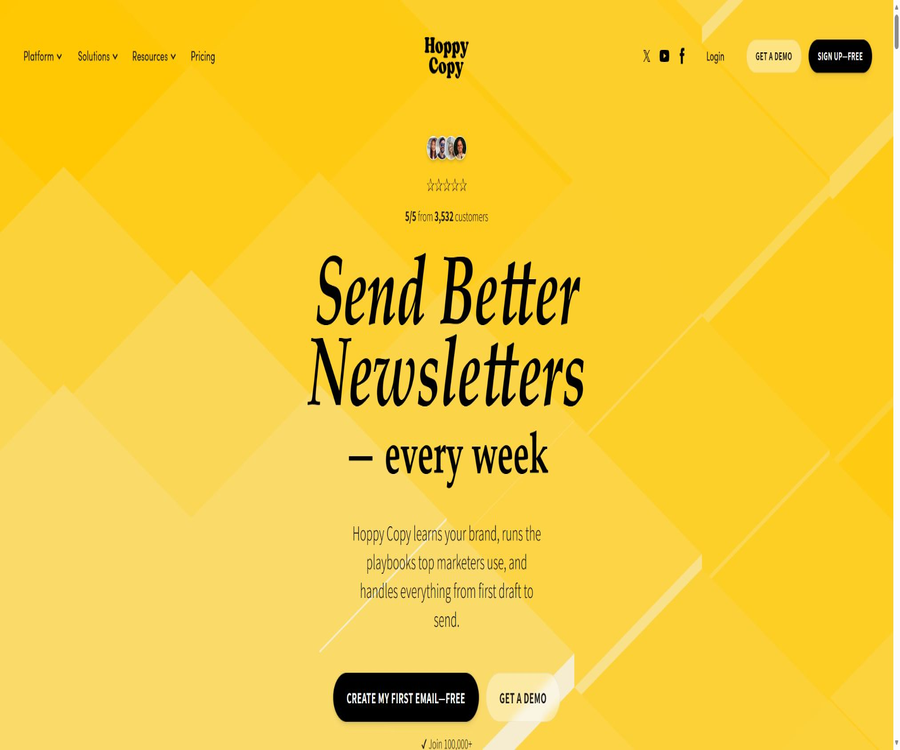
Hoppy Copy, an intelligent tool focused on AI-driven writing.
Tags:AI writing toolsA one-sentence summary
Hoppy Copy is an AI-driven email marketing platform that allows users to carry out various tasks within the same workspace: creating branded emails, planning newsletters, designing them, managing subscribers, sending emails automatically, acquiring leads through forms, conducting data analysis, and studying competitors’ emails.
Tool Introduction
Hoppy Copy first gained attention as an AI tool for creating email content; it has since evolved into a content engine and email service platform. Users can either create content within this platform and export it to existing ESPs, or they can manage contacts directly, send newsletters, and set up automated processes.
By leveraging the brand’s voice, long-term memory, real-time content insights, and various AI models, the platform helps teams avoid having to repeatedly enter brand-related information. It cannot guarantee open rates, click-through rates, or sales results; the sender remains responsible for domain reputation, list quality, authentication, and content compliance.
Overview of Platform Capabilities
| module | Key capabilities | Typical uses | Key constraints |
|---|---|---|---|
| Content Engine | Idea Feed, brand memory, brand voice, and multi-model writing | Ongoing planning of newsletters and marketing content | It is necessary to maintain reliable brand information. |
| AI Copywriter | Email, social media, website, and ad templates | Quickly generate drafts, themes, and calls to action | Automatically generated text must be manually reviewed. |
| Sequence Planner | Sales, welcome, onboarding, shopping cart, and recall sequences | Plan a journey of multiple emails | The sending rhythm and triggers still need to be configured. |
| Designer | Editor, themes, AI images, gallery, and GIFs | Create mobile-friendly emails in dark mode | Complex brand designs may be constrained by templates. |
| Publishing | Contacts, groups, mass sending, scheduled sending, and custom domain names | A substitute for or complement to traditional ESP | The box-entry rate is not guaranteed by a single platform. |
| Automations | Trigger email workflows by list, group, or event | Welcome, cultivation, after purchase, and recall | Before enabling it, check whether the existing contacts will be included. |
| Forms and Landing Pages | Embeds, pop-ups, link pages, and forms | Collect subscribers and trigger subsequent processes | Approval, privacy notice, and anti-spam controls are required. |
| Competitor Monitoring | Keep track of the brand’s emails and campaign schedule | Study discount, theme, and content strategies | New brands may need to wait for processing. |
| Analytics | Open, click, forms, and automated workflows | Compare activity levels and performance across different segments of the audience | Affected by privacy protection and email clients |
Main functions
AI-generated email copy
The platform offers dozens of templates for emails and marketing texts, covering tasks such as product launches, welcome messages, deals for abandoned carts, lead generation, promotions, seasonal sales campaigns, cold emails, educational content, customer recalls, and follow-ups. The generated content typically includes the main body of the message, the subject line, a preview text, and a call to action.
Professional copywriting formula
Users can apply common structures such as AIDA, PAS, storytelling, and creative hooks to quickly change the way information is organized. These formulas only deal with the framework of expression; product evidence, the authenticity of offers, and statements related to specific industries still need to be verified by the business and legal teams.
Advanced Editor
The editor offers a writing experience similar to that of online documents; it allows for formatting of headings, paragraphs, and lists, as well as for rewriting, shortening, expanding, or altering the tone of the selected text. It is important to keep track of different versions during revisions, so as to prevent the AI from deleting price conditions, disclaimers, or essential facts.
Brand voice
Users can submit existing emails, blog posts, or social media content, so that the system can identify the tone, sentence structure, industry-specific expressions, and words that should be avoided. A consistent brand voice helps ensure uniformity, but if the training data includes outdated activities or personal preferences, those elements will also be reflected in new content.
Brand Memory
Brand memory can store information such as product lines, customer pain points, reviews, pricing, formatting styles, and other long-term contextual data, which can then be automatically accessed by AI tools. In the past, emails could be added to this memory via RSS or CSV; however, sensitive customer data and unpublished prices should not be uploaded indiscriminately.
Brand knowledge assets
The current package imposes limits on the number of brand knowledge assets that can be used: Start offers 7 assets, Platform offers 20, while the enterprise version allows for customization. These assets should be categorized by product, target audience, policies, and campaigns, and it is necessary to assign responsible persons as well as set dates for review.
Idea Feed content engine
Idea Feed generates topics for the newsletter by combining user-generated content with current trends, thereby providing the team with ideas to review on a weekly basis. Trends do not necessarily imply relevance to the brand; news-related and factual content still requires verification by consulting the original sources.
Automatic Newsletter Engine
The platform offers several automated newsletter engines that facilitate a continuous process ranging from planning and organizing content to drafting the newsletters. These engines enable automatic generation of newsletters, but approval is still required before they are sent officially, in order to prevent errors, outdated offers, or duplicate content from reaching the entire subscriber list.
Newsletter Creator
Newsletter Creator allows users to create complete newsletters based on themes, links, brand information, and images, while also enabling the use of existing audio and design themes. Users can continue to make edits in the editor, then send the newsletter directly or export it to an external email system.
Email sequence planning
Sequence Planner offers frameworks for recall, post-purchase actions, feedback, cross-selling, VIP management, lead development, add-to-cart options, promotions, events, and abandoned cart handling. Users can also enter product, event, or course pages, allowing the system to generate multiple sequences based on that information.
Personalized one-on-one content
The platform allows for the adaptation of paragraphs based on the target audience, and it offers more advanced options for personalizing newsletters on a one-to-one basis as part of its enterprise features. The personalized fields and behavioral data must be accurate; otherwise, incorrect names, inaccurate identity assessments, and inappropriate recommendations can undermine trust.
Multi-model selection
The current pricing page lists models such as GPT, Perplexity, Claude, and Gemini; users can choose from these models in the content tools to obtain different styles. The availability of models, their versions, and their capacity to handle context vary, and when dealing with sensitive data, it is necessary to follow the terms set by each model provider.
AI Chat
The built-in chat assistant is designed for handling emails and marketing tasks; it can make use of brand information to facilitate research, idea generation, editing, and answering questions. While it is useful for exploration purposes, it should not replace the processes of approving campaigns, selecting target audiences, and conducting pre-send checks.
AI Image and Asset Library
Users can create AI-generated images while writing, or use existing images and GIFs, and maintain a consistent style for brand images. When creating visual content, it is necessary to check the accuracy of text, packaging, characters, trademarks, and products; for images used in emails, attention must also be paid to file size and alternative text.
Design theme
The platform allows users to save colors, logos, footers, and other email styles, and it enables the conversion of ordinary documents into branded layouts. The templates focus on mobile reading and dark mode, but the compatibility of complex interactive emails across different clients still requires practical testing.
Send the email directly.
Hoppy Copy allows for managing subscribers, segmenting audiences, scheduling deliveries, and sending messages from custom domain names. It also supports multiple brands and domain names; teams must ensure that the lists, unsubscribe options, sender identities, and permissions related to different brands are not mixed together.
Email automation
Automation can initiate welcome, onboarding, follow-up for events, and post-purchase processes when contacts are added to a group or meet certain criteria. The documentation states that when automation is enabled, contacts who are already in the group but have never gone through these processes may also be included, so it is necessary to preview the number of people affected before going live.
Forms and landing pages
Users can publish embedded forms, pop-ups, link pages, and landing pages to gather potential customers, and integrate new subscribers into automated systems. The forms should clearly state the details of the subscription service, the frequency of deliveries, the rules regarding data privacy, and the process for cancellation.
Competitor email monitoring
The monitoring module gathers a large number of emails from various brands, enabling users to analyze topics, discounts, sending frequencies, creative elements, and marketing strategies. If a particular brand is not already on the list, a request can be submitted; the support center indicates that processing usually takes no more than 48 hours.
Competitor reminders
Teams can receive monitoring updates on a weekly, biweekly, or monthly basis, and draw inspiration from the activities of competing brands. Monitoring public marketing emails does not mean that one can copy their brand assets; such information should be adapted into one’s own strategies and ideas.
Spam Checker
The spam word checker identifies phrases that might trigger filtering and suggests alternatives. It can only assess certain risks related to the content itself; it is unable to address issues such as domain reputation, the quality of the mailing lists, authentication errors, complaint rates, or problems with the sending infrastructure.
Custom send domain name
The platform allows users to add their own domain names for sending messages and tracking, but corresponding verification is required. SPF, DKIM, and DMARC must be configured properly; new domain names also need to be gradually prepared for use, and it is not advisable to send messages to large lists immediately just because the platform offers such sending services.
Email analysis
Activities, newsletters, forms, and automation features provide statistical pages that allow one to view overall performance metrics, the status of individual deliveries, the distribution of clicks on links, and the journey taken by contacts. Apple’s privacy protections, image blocking, and bot clicks can affect the data related to opens and clicks; these factors should be considered alongside conversion rates and revenue.
HTML download and external export
Emails can be downloaded in HTML format, or exported to systems such as Mailchimp, HubSpot, Constant Contact, and Zapier. After exporting, it is necessary to test the fonts, responsive layout, merged fields, unsubscribe link, and compatibility with different email clients.
Contact synchronization
Zapier connections allow for the creation of dedicated interface keys, as well as the creation or updating of contacts in systems such as HubSpot, Podia, Gmail, Typeform, and others. This interface is primarily used to handle connection processes; no complete public API documentation intended for developers seems to exist.
Teams and workspaces
Different packages impose limits on the number of members and workspaces; members can collaborate on editing content and manage multiple brands. Companies should assign different permissions based on roles – for writing, approval, importing lists, setting domain names, and sending messages – to prevent all members from having access to all subscribers.
Multilingual content
The official website states that it supports more than 35 languages, including Chinese, French, and Spanish. The availability of multiple languages does not mean that localization is complete; users still need to check the regional expressions, currency, time format, legal disclaimers, and cultural sensitivities.
From brand setup to the first send
- Create a trial account and decide whether to use Hoppy Copy for direct sending or merely for creation purposes.
- Create a brand workspace and add products, target audiences, selling points, prohibited expressions, and real evidence.
- Submit representative historical content to create a brand voice, and manually adjust the rules.
- Only include the necessary information in Brand Memory, and remove personal data as well as outdated prices.
- Select an individual email, newsletter, or sequence template to create the first draft.
- In the editor, check facts, links, discounts, topics, preview text, and call-to-actions.
- Apply design themes, and check the mobile version, dark mode, image size, and alternative text.
- Run the spam word check, and at the same time configure SPF, DKIM, DMARC, as well as the sender domain name.
- Import the list of test recipients who have agreed to subscribe, and send messages to them as well as to a small number of active contacts.
- After verifying recipients, handling cancellations, tracking clicks, and measuring conversions, gradually increase the volume of actual shipments.
Establish an automated newsletter process
- Define the audience, objectives, sections, frequency, and success metrics for the newsletter.
- Create an Idea Feed and connect it to approved content, RSS, or brand knowledge.
- Set the brand voice, essential facts, prohibited topics, and the person in charge for each issue.
- Let the content engine suggest topics, but verify each piece of news, data, and citation individually.
- After generating the text and images, check for duplicates, originality, copyright issues, and brand consistency.
- Configure dynamic content, delivery times, and necessary fallback text based on the target audience segments.
- In automation, exclude contacts who have not given consent, who have unsubscribed, who have filed complaints, and those with no interaction for an extended period.
- Before enabling it, check whether the existing group members will proceed to automation immediately.
- Retain the final approval and pause buttons to prevent the unauthorized sending of incorrect content.
- Focus on conversion, cancellation, complaints, and profit analysis, rather than just the open rate.
Prices and packages
At the top of the official page, the options Start, Platform, Managed, and Scale are displayed, along with a 7-day free trial period. At the bottom of the page, the older options Starter, Pro, and Pro+ can still be seen; the pricing shown there is for monthly subscriptions. The actual annual price, any additional fees for subscribers, and taxes will be indicated on the settlement page.
| Package | Current monthly reference price | Main credit limits and services | Suitable for users |
|---|---|---|---|
| Start | $ | Up to 2 users; 1 Idea Feed; 7 pieces of brand knowledge; 3 voices; 10 competitors; up to 3,000 subscribers | Individual creators and small mailing projects |
| Platform | $ | Up to 3 users and 3 workspaces; 3 automatic newsletter engines; 20 pieces of brand knowledge; 5 voices; 50 competitors; up to 3,000 subscribers; one-to-one setup | Enterprises that require automated planning and team collaboration |
| Managed | $ | Platform capabilities; customized newsletter strategies; 2 to 3 professionally edited briefings per month; 1 email workflow; manual review and delivery; quarterly reviews | Brands that hope experts will manage their content engines on their behalf |
| Scale or Enterprise | Custom quote | More engines, memory, members, and workspaces; customizable models and integration; personalized one-on-one service; exclusive management and priority support | Growing brands and large teams |
Annual price
The pricing page states that opting for an annual payment plan can save 20%, and it shows the equivalent monthly price in different page views. Since the same page still displays the old pricing options as well as duplicate cards, buyers should take the total annual cost shown on the payment page as the final figure after switching to the annual payment plan and specifying the number of subscribers.
Subscribers and sending quotas
The current Start and Platform cards display up to 3,000 email subscribers; they mention unlimited emails, automation, and forms, but these features are still subject to reasonable use and sending policies. The cost associated with larger lists is not clearly indicated on the top cards, and it must be specified through a slider or via sales confirmation.
Free trial
The official website offers a 7-day free trial without the need for a credit card. After the trial period ends, it is necessary to reconfirm the available functions, data export options, and automatic upgrade settings at the time of registration; do not rely on the trial workspace as the only source for backing up data.
Conflict in refund information
The current pricing page states that a full refund is available if contact is made within 7 days after the first payment, but the terms of service state that sales are final and no refunds are given for any purchases. There is a clear conflict between these two statements; therefore, it is necessary to obtain written confirmation from customer service regarding the rules applicable to the current order before making the payment.
Remnants of the old package
At the bottom of the page, it still shows that Starter costs $29 per month, Pro costs $49 per month, and Pro+ costs $99 per month, along with the corresponding annual rates; this is old page content that has not been updated. New users should not place orders based solely on this information, but rather should consider the available options for their account and the actual payment amounts.
Comparison of package capabilities
| Ability | Start | Platform | Managed | Scale |
|---|---|---|---|---|
| Users and workspaces | Up to 2 users | 3 users, 3 workspaces | Build upon Platform with expert collaboration | Increase as per the contract |
| Idea Feed | 1 | 3 automatic engines | Included and operated by the team | More or customized |
| Brand knowledge | 7 items | 20 items | Includes Platform | More or customized |
| Brand voice | 3 | 5, including advanced templates | Includes Platform | More or customized |
| Competitor monitoring | 10 | 50 | Includes Platform | More or unlimited |
| Subscribers | Up to 3,000 | Up to 3,000 | Confirmed using the Platform baseline. | In accordance with the contract |
| Expert services | No dedicated operation agency | One-to-one setup | Strategies, manual editing, sending, and quarterly reviews | Dedicated management and priority support |
| Custom models and integration | Not listed | Standard multi-model and integration | Confirm by service | Customization options available |
Which users are it suitable for
- Individual creators who wish to carry out the creation, design, and sending of emails from a single platform.
- Brands and media teams that publish newsletters on a weekly or monthly basis.
- E-commerce businesses that require processes for welcome, onboarding, shopping carts, post-purchase handling, and product recalls.
- Content teams that hope AI will remember products, audiences, and the brand’s voice in the long term.
- Those who need to study competitors’ topics, offers, and the timing of their communications should grow in number.
- Companies that already use Mailchimp or HubSpot but need more advanced AI capabilities for content creation.
- Small businesses that wish to create a closed loop for increasing subscriptions through forms, landing pages, and automation.
- An international marketing team that needs draft emails in languages other than English.
It is not very suitable for which users
- Users who only send an email occasionally and do not require brand recall or sending capabilities.
- Individuals who need to be able to generate and send content completely free of charge, with no limits on the amount over an extended period of time.
- Companies with hundreds of thousands of subscribers that demand transparent and public lists of prices.
- Development teams that require a complete public API, SDK, or fully self-hosted deployment.
- It is unacceptable for the contents of such activities to be used to improve or train sensitive organizations.
- Marketers who wish to send messages in bulk to a cold list without having the consent of legitimate subscribers.
- Large, regulated enterprises that require strict email approval processes, complex permission settings, and thorough auditing.
- It is hoped that the spam detection mechanism will ensure that all emails reach the users’ inboxes.
Product advantages
- An integrated process that extends from email creation to subscribers, automation, forms, and analytics.
- The brand voice and Memory reduce the need to re-explain the business context each time.
- Idea Feed and the automatic newsletter engine are suitable for maintaining a steady pace of content delivery.
- It supports a variety of mainstream AI models, allowing different output styles to be selected depending on the task.
- The sequence templates cover common scenarios such as sales, retention, recall, and post-purchase.
- Competitor monitoring and creation tools are on the same platform; after analysis, they can be modified directly.
- It can be sent directly, or the HTML can be downloaded or exported to existing email platforms.
- It includes a built-in Spam Checker, design themes, AI-generated images, and a mobile preview feature.
- It supports over 35 languages and offers a responsive web interface.
- A 7-day trial is available without a credit card, ideal for testing the entire workflow first.
Usage restrictions and precautions
- The current pricing page shows both the old and new package options; it is necessary to verify the actual plan before making a payment.
- There is a conflict between the information on the pricing page and the terms of service regarding refunds; written confirmation is required.
- Unlimited generation, sending, and automation are still subject to reasonable use guidelines and platform policies.
- AI-generated copy may contain incorrect numbers, fake reviews, and unauthorized promotional statements.
- Outdated information about the Memory brand is repeatedly spread across multiple emails.
- Competitor emails can only be used for research; trademarks, images, and protected text cannot be copied.
- Open rates and click-through rates are affected by privacy protections, image blocking, and bots.
- Keyword filtering cannot replace domain name verification, pre-warming, list cleaning, and complaint management.
- When automation is enabled, existing group members may also immediately start the sending process.
- Using multiple models means that the content may be processed by different external AI providers.
- For the master list, dedicated IPs, complex permissions, and enterprise services, you need to contact sales.
- No complete public API or self-hosted version was found, and the capabilities for in-depth development are limited.
Privacy, AI training, and data governance
Hoppy Copy handles data related to accounts, payments, devices, usage, and marketing activities. Its servers are located in the United States, and users from other countries may have their data transferred across borders. The privacy policy states that personal information is generally not retained for more than 24 months after an account is closed, though exceptions may arise in cases of fraud prevention, investigations, enforcement of terms, or legal requirements.
| Data type | Possible uses | Main risks | It is recommended to exercise control. |
|---|---|---|---|
| Brand Memory | Provide product, audience, and strategic context to generate content. | Unpublished prices, customer information, and trade secrets are reused over time. | Minimize uploads and set up regular reviews. |
| Campaign Data | Send, analyze, recommend, and optimize | The terms permit the use of de-identified data and activity information to improve and train systems. | Sensitive industries should first complete the contract and exit assessment. |
| Subscriber data | Grouping, personalization, automation, and analysis | Incorrect import, unauthorized access, or sending without consent | Record consent, restrict permissions, and carry out deletion. |
| Email interactions | Open, click, form, and journey statistics | Personal behavior profiling and compliance tracking | Provide notifications, consent, and reasonable reservations |
| Payment data | Subscription settlement | Financial information is processed by payment service providers. | Use the corporate card and check billing permissions. |
| Third-party integration | Synchronize contacts and export content | Interface key and cross-system field propagation | Independent key, minimum fields, and periodic revocation |
| Competitor content | Study public marketing strategies | Copyright and unauthorized reproduction | Only extract patterns and recreate them. |
| AI model input | Generate emails, images, and research results | The supplier and model paths may change. | Avoid submitting confidential information and verify the company’s terms. |
Campaign Data Training Terms
The terms of service explicitly allow the platform to use Campaign Data, including de-identified data and details of campaigns, in order to improve its products; it may also be used to train AI systems aimed at enhancing recommendations and campaign optimization. The team responsible for handling sensitive customer communications should verify before proceeding whether it is possible to opt out, what exactly the data includes, how long it will be stored, and who will be involved in its further processing.
Cross-border and retention
The privacy policy states that the servers are located in the United States, and data from other regions may be transferred and processed there. Even after a account is closed, certain records may be retained for tax, accounting, investigative, anti-fraud, or dispute purposes; therefore, closing an account does not mean that all backups are deleted immediately.
Account and social login
Users can log in using magic links via email or Google, and the platform will handle account and authentication details. Teams should use corporate identities, remove departing members promptly, and regularly check external logins and access to the workspace.
Delivery rate and compliance
| Controls | Hoppy Copy capability | Sender’s responsibility |
|---|---|---|
| SPF, DKIM, DMARC | Supports customizing the sending domain and verification process. | Configure DNS correctly and monitor failure reports regularly. |
| Domain name warming up | Provide best practice recommendations | Gradually increase the volume of shipments from a small list of active entities. |
| Spam Checker | Mark risky words and content issues | By combining real-world testing, certification, and complaint data |
| List approval | Provides form and subscription management. | Only import contacts who have given legitimate consent and save the proof. |
| Unsubscribe | Email platforms should support unsubscribing. | Each marketing email provides a clear and effective way to opt out. |
| Sending infrastructure | Use third-party email infrastructure | Monitor bounce emails, complaints, blocks, and domain reputation. |
| Content design | Mobile theme, images, and editor | Maintain a reasonable ratio between text and images, and ensure good readability in plain text. |
| Effect analysis | Provides open, click, and journey data | Judgment is made by combining transformation, revenue, and incremental testing. |
Integration, API, and open-source status
| Ability | Current status | Explanation |
|---|---|---|
| Zapier | Provide | Contacts can be created or updated using a dedicated key. |
| HubSpot | Provide | It is possible to export the content directly, or to synchronize contacts via Zapier. |
| Mailchimp and Constant Contact | Provide | Supports exporting email content |
| Shopify, Beehiiv, ConvertKit and Substack | The pricing page lists the objects for integration or export. | The specific synchronization direction should be determined based on the current connection. |
| HTML export | Provide | Emails can be downloaded and imported into external ESPs. |
| Public API documentation | No complete document was found. | The existing keys are primarily used for Zapier connections. |
| Official SDK | No findings were detected. | No verifiable development packages available. |
| Self-hosting | No findings were detected. | Focused on cloud-based SaaS. |
| Is it open source? | No | There is no verifiable official open-source core repository. |
Basic information
| Project | Content |
|---|---|
| Tool name | Hoppy Copy |
| Tool type | AI-powered email marketing, newsletters, and automation platforms |
| Core functions | Writing, brand memory, sequences, design, sending, forms, automation, and analysis |
| AI models | GPT, Claude, Gemini, and Perplexity, among others |
| Supported languages | Over 35 types |
| Free plan | 7-day trial, no free permanent version available |
| Current starting price | The monthly cost at the start is 49 dollars. |
| Managed | $ |
| Enterprise solutions | Custom quote |
| Web version | Desktop and mobile browsers |
| Send directly | Support |
| Automation and forms | Support |
| Public API | No complete document was found. |
| Is it open source? | No |
Frequently Asked Questions
What is Hoppy Copy?
It is an AI-driven email marketing and content platform that allows for the creation, design, sending, and automation of emails; it also offers features for building brand awareness, monitoring competitors, as well as providing forms and analytics.
Is Hoppy Copy just a copywriting tool?
It is no longer just a copywriting tool. Users can manage subscribers, send newsletters, set up automations, publish forms and landing pages, and view data on campaigns and customer journeys.
Is there a free version?
No long-term free plan has been identified; the official website offers a 7-day free trial without the need for a credit card. During this trial period, it is necessary to verify that exporting, sending, automation, and data retention meet the required standards.
What is the current price?
In the current top-tier packages, the monthly cost for Start and Platform is listed as $49, while the monthly cost for Managed is $79; Scale comes with a customized quote. The old package options are still displayed on the page, so it is necessary to check the actual amount before making a payment.
Can I send an email directly?
Yes. The platform supports subscribers, segmentation, scheduled sending, automation, custom domain names, forms, and analysis; it also allows content to be created and exported to existing ESPs.
Can I learn from past emails?
Yes. Users can add RSS feeds that contain archived emails or CSV files with historical content to Brand Memory, so that the AI can draw on the existing style and content; however, personal information must be removed first.
Can the Spam Checker ensure that messages make it to the inbox?
No. It can only detect certain types of risks; actual delivery depends on SPF, DKIM, DMARC, domain name preprocessing, list consent, user interaction, complaints, and the sending infrastructure.
Is Chinese supported?
Officials claim support for over 35 languages, including Chinese. The marketing team still needs native speakers to review the wording, cultural context, regulations, currency, and call to action.
Are APIs provided?
The platform provides API keys for Zapier connections, allowing contacts to be created or updated; however, no complete public API documentation is available. Teams that need two-way, large-scale integration should first conduct technical verification.
Will Hoppy Copy use emails to train the AI?
The terms permit the use of Campaign Data, anonymized data, and campaign details to improve services, and may also be used to train AI systems. Relevant teams should define the scope, exit procedures, and deletion policies in the contract.
Is Hoppy Copy open source?
It is not open source; no official open-source core repository, model weights, SDKs, or self-hosted versions have been found.
What are the rules for refunds?
The pricing page states a refund within 7 days after the initial payment, but the terms of service say that the sale is final and no refunds are given. Due to this contradiction, it is necessary to confirm this matter with customer service before making the payment and to keep a written record of it.
Summary
Hoppy Copy is suitable for creators and growing teams that want to consolidate brand-based AI writing, newsletter planning, email design, subscriber management, automation, and competitor analysis in one platform. It is more aligned with actual email marketing practices than general AI writing tools, and it can also be used alongside existing ESP solutions.
When making a selection, it is important to test the accuracy of brand recognition, the editing and design experience, domain name verification, automated triggering, contact migration, delivery reliability, and data export capabilities. The various package options available on the pricing page, any issues related to refunds, as well as the terms regarding Campaign Data training need to be confirmed before making a payment or importing customer data.
Tools similar to Hoppy Copy




 Guigong Network Security Registration No. 45132202000164