






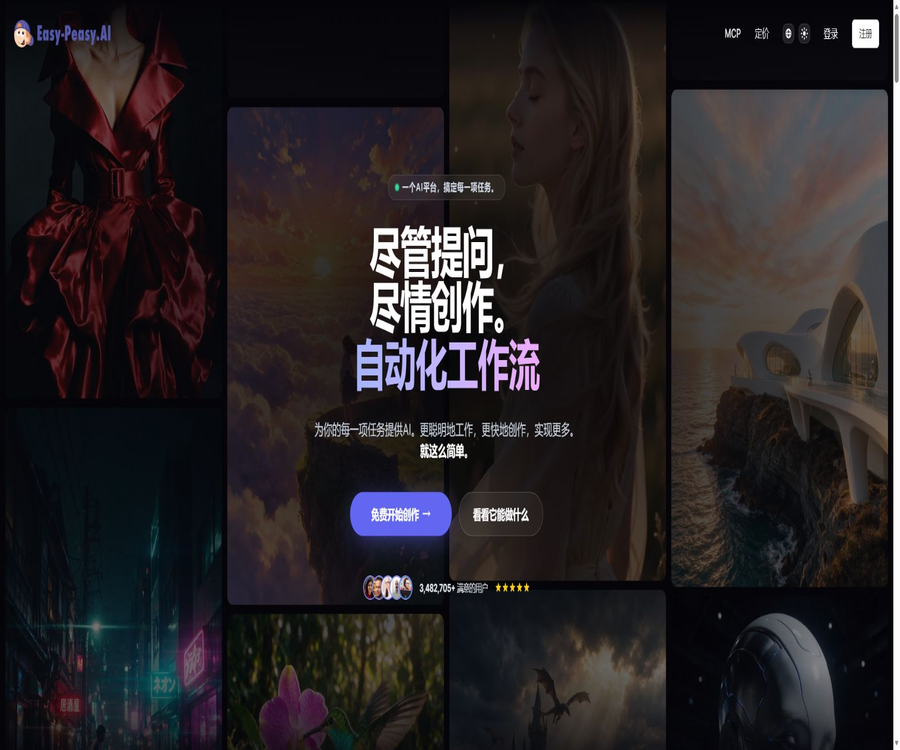
Easy-Peasy.AI
Easy-Peasy.AI: an intelligent tool dedicated to AI-powered writing.
Tags:AI writing toolsA one-sentence summary
Easy-Peasy.AI is a one-stop generative AI platform that integrates text, images, videos, audio, research, file processing, AI Agents, and automated workflows; it also offers REST API and MCP connectivity options.
Tool Introduction
Easy-Peasy.AI is operated by Easy-Peasy.AI Pte. Ltd. in Singapore. Initially it focused on AI writing templates, but it has since expanded to include multi-modal creation tools and an agent platform. Users can utilize multiple models within a single account, while also having centralized control over their generation quotas and assets.
The platform serves ordinary creators, developers, and teams alike. The web interface is suitable for creating content directly, while APIs and MCP enable applications or AI clients to access the same text, media, and Bot functionalities.
Main functions
Marky Universal AI Agent
Marky is a general-purpose task-oriented agent on the platform; it can carry out multi-step tasks related to research, browsing, handling code, data analysis, creating presentations, managing websites, dealing with images, videos, music, and files. Complex tasks are affected by the capabilities of the model, the permissions and quotas of the tools, as well as the status of external services.
- Browse web pages and carry out multi-step research; the results can include citations.
- Run Python in a sandbox to analyze files and generate interactive charts.
- Websites are built and deployed using natural language, with support for databases, authentication, and custom domain names.
- Create slides with visual content, which can be exported as PowerPoint files.
- Read and process PDFs, documents, tables, audio and video files, as well as folders.
- Connect to services such as Gmail, Calendar, Drive, Notion, Canva, and GitHub with the user’s authorization.
- Set up periodic tasks for repetitive processes such as briefings, reports, and monitoring.
Multi-model AI chat
The platform brings together models from OpenAI, Anthropic, Google, DeepSeek, xAI, Meta, and other providers. Different models are suitable for tasks such as inference, writing, coding, retrieval, or multimodal processing, and the available models may change as the platform is updated.
AI writing templates
Content templates are available for blogs, emails, social media, marketing copy, product descriptions, and various other professional texts. The free version offers over 170 templates, while the premium version provides 200 to 300 templates.
Users can fill in fields such as topic, keywords, tone, and others to quickly create a draft, or they can establish a brand tone to ensure consistent expression. The content generated from templates still needs to be checked for accuracy, style, repeated information, and compliance with industry standards.
AI image generation and editing
The image module incorporates over 40 different models, covering uses such as realism, anime style, product photos, avatars, interior design, image editing, and zooming. The available resolution, reference images, as well as text rendering and editing capabilities depend on the model chosen.
AI videos and digital humans
Video capabilities include text-to-video generation, image-to-video generation, talking photos, motion control, image animation, and video editing. The API documentation also provides interfaces for creating regular videos as well as Talking Videos.
Videos are typically generated asynchronously and require image or video credits; different models, durations, resolutions, and audio track settings may entail varying amounts of these credits. It is advisable to test the cost and stability by using short clips before generating videos in bulk.
Text to speech
Text-to-speech conversion allows text to be transformed into natural speech; the official API documentation lists over 150 different voices, while the MCP product page offers a larger range of voices as well as the ability to create customized voices. The actual voices available depend on those listed in the account.
Audio and video transcription
The transcription feature can process audio and offers options for speaker identification and quality enhancement; it is suitable for meetings, interviews, courses, and podcasts. The Unlimited and Team plans provide unlimited transcription, but it is still necessary to check the rules regarding reasonable use and file limits.
Music, sound effects, and voice changes
Audio tools also include music generation, sound effect creation, and AI voice transformation, and can be used for short videos, advertisements, podcasts, and game prototypes. Before using music and sounds commercially, it is necessary to check the license terms, relevant materials, and platform rules.
Custom AI Bots
Users can create custom bots by combining roles, commands, and business-related data to produce reusable chat assistants. The API allows direct communication with these designated bots, while MCP enables external AI clients to invoke the tools available in an account.
AI workflow
Workflows are used to connect models and creation steps into an automated pipeline; for example, text is generated first, followed by the creation of images and audio. Parallel execution is not available in the free plan, and complex workflows also consume multiple types of resources.
Documents and knowledge Q&A
The platform allows for chatting, analysis, or editing of PDFs, scanned documents, DOC files, PPT presentations, CSV files, YouTube videos, and other types of content. The model’s ability to understand the quality of scans, complex tables, and long documents is not always accurate.
Functional category
| Category | Representative capabilities | Common outputs | Main limitations |
|---|---|---|---|
| Text | Chat, templates, brand tone, research, and writing | Articles, emails, social media posts, reports | Measure based on the number of characters in the model or according to the rules of the standard model. |
| Image | Create, edit, profile pictures, product images, interior design, and zoom in | Image files | Use image or video credits according to the model’s requirements. |
| Video | Text-to-video, image-to-video, digital avatars, and motion control | Video files | Generation time, points, and model limitations |
| Voice | Text-to-speech, voice cloning, and voice transformation | Audio files | By character, sound, and package quota |
| transcription | Converting audio and video to text, speaker detection | Transcribed text | File quality and number of packages |
| Agent | Browse, research, code, websites, slides, and periodic tasks | Reports, sites, charts, and files | Tool permissions, external services, and quotas |
| Bots | Custom roles and Q&A on profiles | Chat responses | The number of bots is limited by the package. |
| Developer | REST API, compatible with chat interfaces and MCP | JSON, stream text, and media files | A corresponding package and account credit are required. |
Working principle
- Users can choose from web tools, Marky Agent, templates, bots, workflows, or developer APIs.
- Enter prompts, files, images, audio, video, or structured parameters.
- The platform invokes the appropriate models, tools, or third-party AI services based on the task at hand.
- For text tasks, the deduction is based on the number of characters in the model or according to the standard rules for models, while for media tasks, it is calculated based on points or a dedicated quota.
- The generated results are saved in the user’s account, where they can be further edited, downloaded, shared, or used in subsequent workflows.
- When executed via API or MCP, the results and usage remain associated with the connected Easy-Peasy.AI account.
- Users should check the facts, copyrights, privacy, audio and video quality, as well as model limitations before publishing or using the content for commercial purposes.
Usage tutorial
Generate content using a template.
- Register for a free account and access the template directory.
- Select a template such as a blog, email, product description, or another one that suits the task.
- Fill in the topic, keywords, audience, tone, and output requirements.
- Select a model that fits the quality and budget requirements.
- Generate a version first to check the structure, facts, duplicates, and sensitive content.
- Regenerate after adjusting the prompts or brand tone, rather than simply stacking multiple identical outputs.
- Export or publish after completing the editing and manual verification.
Generate images or videos
- Enter the image or video generator and select the text generation or reference image mode.
- Select a model and view the dimensions, duration, resolution, and input requirements it supports.
- Create prompt words that include subject, scene, composition, lighting, camera angle, and style.
- When uploading reference materials, make sure you have the permission to use them.
- First, create sample versions at a lower cost to examine the characters, text, actions, and brand elements.
- Adjust the prompt or reference images based on the results, and then generate high-quality content.
- Before downloading, check the points consumed, visibility, and commercial licensing.
Create a custom Bot
- Go to the Bots section and create a new Bot.
- Set the name, purpose, role, scope of responses, and rules for denying responses.
- Add only authorized business information, and avoid uploading keys and sensitive personal data.
- Select a model, set the tone, and choose the output format.
- Test using normal questions, unanswered questions, and malicious prompts respectively.
- After correcting the data, system prompts, and permissions, share it with the target users.
- Regularly check responses, quotas, data versions, and conversation data.
Use Marky to complete complex tasks.
- In the chat, describe the ultimate goal, available materials, deadlines, and the desired format of the output.
- View the plan generated by the Agent to determine whether access to browsing, code, files, or external accounts is required.
- Only the connections necessary for the current task are authorized, with manual control maintained prior to logging in, making payments, or publishing.
- Observe the intermediate products at each stage and adjust the direction in a timely manner.
- Separate verification is conducted for research citations, code execution, data computation, and media generation.
- Download the final file and keep the important original materials as well as the records of any manual modifications.
- After the task is completed, remove any third-party connections or periodic tasks that are no longer needed.
REST API
Easy-Peasy.AI provides official API documentation; authentication is typically carried out using the API key generated on the settings page. In addition to the publicly available voice configurations and sound lists, the key must be included in the request headers.
| API category | Main operations | Uses |
|---|---|---|
| Presets | List the templates and read the field requirements. | Dynamically build text generation forms |
| Text Generation | Generate text based on a template | Blogs, emails, and marketing content |
| Image Generation | Call more than 40 image models | Image generation and editing within the app |
| Video Generation | Create videos, Talking Videos, and query results | Asynchronous video workflow |
| Transcription | Create a transcription and obtain the results. | Transcription of meetings, podcasts, and interviews |
| Text-to-Speech | List sounds and generate speech. | Narration, podcasts, and accessible reading |
| Sound Effects | Generate sound effects based on the description. | Videos, games, and creative prototypes |
| Chat Completions | Multimodal chat compatible with the OpenAI format | Migration of existing SDKs and streaming chat |
| Bots | Talk to a custom Bot | Integrate the business assistant into your own products. |
API Integration Tutorial
- Confirm that the account package includes API access, and generate a dedicated API key in Settings.
- First, read the Presets list, and then read the fields and constraints required for the target template.
- Construct the request on the server side, include the key in a secure request header, and do not put it in the browser’s frontend.
- Conduct the first test using minimal text or low-cost media parameters.
- Verification status, return structure, usage amount, empty results, and error messages.
- For asynchronous tasks such as videos, it is necessary to save the task identifiers and retrieve the results at regular intervals.
- Implement rate limiting, timeout mechanisms, backoff retry strategies, content filtering, and key rotation upon going live.
- Monitor the character count, points for images and videos, as well as the limits on transcription and audio characters, to prevent accidental excess usage.
Chat interface compatible with the OpenAI format
The chat interface is compatible with the standard OpenAI message format and supports input in the form of text, image URLs, Base64-encoded images, and audio. It offers regular JSON output as well as server-side event streams; it can be integrated by adjusting the base address using the standard OpenAI SDK.
Compatibility of interfaces merely indicates similar request formats; it does not mean that all model parameters, error semantics, and capabilities are identical to those of OpenAI. When migrating existing applications, it is necessary to retest model names, multi-modal inputs, streaming events, and rate limits.
MCP and ChatGPT plugins
The officially hosted MCP servers make writing templates, images, videos, audio, and transcription capabilities available to ChatGPT, Claude, Claude Code, Cursor, Windsurf, VS Code, and other MCP clients.
| Connection method | Authentication | Costs | Suitable scenarios |
|---|---|---|---|
| ChatGPT plugin | Log in and authorize using OAuth | Use the credit available on your Easy-Peasy.AI account. | Generating text and media within ChatGPT |
| Claude connector | Log in and authorize using OAuth | Use the same account credit limit | Call tools within Claude conversations |
| Claude Code, Cursor, Windsurf, and VS Code | API key or client support methods | Use the same account credit limit | Calling content tools within the development environment |
| Other MCP clients | API key request header | MCP itself does not incur any additional fees. | Agent workflows and custom clients |
Connect to MCP
- Prepare an Easy-Peasy.AI account and check the remaining balance.
- Add Easy-Peasy.AI to the ChatGPT plugin directory, or add the official MCP connector to the supported clients.
- ChatGPT and Claude use OAuth for login authorization, while command-line clients are configured with dedicated API keys.
- After the connection is established, the available templates or tools are listed to verify that the client can read account information.
- Use low-cost text requests for verification, and then try images, videos, audio, or transcriptions.
- Manual confirmation is required for the generation of high-cost media; do not allow agents to make unlimited recursive calls.
- Revoke OAuth authorization or rotate API keys when they are no longer in use.
Individual prices and packages
As of August 22, 2026, the annual payment page on the official website lists four subscription tiers: Free, Starter, Unlimited 50, and Unlimited. The amounts shown in the table represent the average monthly cost when paying annually; the total costs for a full year are 0, 96, 144, and 198 dollars respectively. The final price will be as indicated on the settlement page.
| Package | Average monthly amount for annual payment | Annual amount | Text quota | Media and voice quota | Bots and other rights | Suitable for users |
|---|---|---|---|---|---|---|
| Free | $ | $ | 1,000 words | 1 image point, 1 transcription, 1,000 characters of audio | 1 bot, over 170 templates; images are public. | Experience the basic functions |
| Starter | $ | 96 dollars | 25,000 Opus words or 50,000 Sonnet/GPT-5/Gemini Pro words | 200 points for images and videos, 20 transcription tasks, 25,000 characters of audio | 2 bots, 3 brand tones, over 200 templates | Beginner creators |
| Unlimited 50 | $ | 144 dollars | The standard model is not restricted; 50,000 Opus words or 100,000 words from other advanced dictionaries. | 300 points for images and videos, 30 transcription tasks, 50,000 characters of audio | 3 bots, unlimited brand tones, over 300 templates | Frequent writing and media creation |
| Unlimited | $ | 198 dollars | No restriction on the standard model; 100,000 Opus words or 200,000 words in other advanced languages. | 500 points for pictures and videos, unlimited transcription, 75,000 characters of audio | 4 bots, APIs, new features, and priority support | Developers and power users |
Explanation of quota limits
- Different advanced models use different word-count multipliers, so it is not possible to compare them solely based on the number of words displayed.
- The Standard Model is generally still subject to rules regarding fair use, concurrency, and service resources.
- Pictures and videos share the same points, but the amount consumed per use may vary depending on the model and parameters.
- Images generated by the free version are public and not suitable for confidential projects or unreleased commercial materials.
- API access is explicitly included in the Unlimited and Team plans; it should not be available as a standard feature in lower-tier packages.
- If different discount amounts for various years are displayed on the page, the amount shown for the entire year and that on the settlement page shall prevail.
- The official policy provides a 30-day refund guarantee; the actual eligibility requirements, usage limits, and application conditions can be found in the purchase rules.
Team price
The team plans are also billed on an annual basis and include collaboration features such as shared alerts, chat, documents, brand tone settings, and images. The quotas for different plan tiers are roughly similar; for plans with 20 or 30 seats, the credit available for images and videos is increased to 500.
| Team plan | Average monthly amount for annual payment | Annual amount | Seats | Points for pictures and videos | Joint interest |
|---|---|---|---|---|---|
| Teams | 48 dollars per month | 576 dollars | 3 | 400 | No limits on the standard model; 100,000 words for GPT-5 or 200,000 words for Sonnet; unlimited transcriptions, API access, and priority support. |
| Teams 5 seats | $ | 996 dollars | 5 | 400 | Shared workspaces, unlimited Chat Personas, and brand tone |
| Teams 10 seats | $ | 1,800 dollars | 10 | 400 | The main AI quota, which is the same as that in the team’s basic plan. |
| Teams 20 seats | $ | 3,360 dollars | 20 | 500 | Suitable for collaboration in larger teams |
| Teams 30 seats | 360 dollars per month | 4,320 dollars | 30 | 500 | Suitable for deployment across teams |
| Custom | Contact sales | Customization | Customization | Customization | Configure according to organizational security, quota, and support requirements. |
Which users are it suitable for
- Content creators: Perform writing, adding images, videos, voiceovers, and sound effects within one account.
- Marketing team: Uses the brand’s tone, templates, and team-shared resources to create content for multiple channels.
- Video and podcast team: creates visuals, digital avatars, voiceovers, music, and transcribes audio material.
- Research and data users: Allow Marky to browse and analyze files, run code, and create charts.
- Developer: Access generation capabilities via REST API, compatible chat interfaces, or MCP.
- Small and medium-sized enterprises: Create custom bots, knowledge assistants, and automated workflows.
- Education and individual users: They can use the free version to work with text, images, and audio, but they need to be careful regarding publicly shared images.
Typical use cases
- There is a content production pipeline that ranges from topic selection and research, to article writing, as well as the addition of illustrations and social media captions.
- Transform product photos into ads, short videos, and multilingual voiceovers.
- Upload meeting recordings to generate transcripts and summaries with speaker information.
- Create custom bots based on corporate data, and integrate them with customer service or internal systems via APIs.
- Allow the Agent to read tables, run Python, and generate interactive data charts.
- Directly invoke image, video, and audio tools through MCP in ChatGPT or Claude.
- Create a shared repository for the team’s brand tone, templates, documents, and generated assets.
- Set up periodic research or monitoring tasks, but retain manual confirmation before external publication.
Product advantages
- Text, images, videos, audio, Agents, and automation all share the same platform and account.
- By integrating multiple models, users do not need to register for separate services for each generation task.
- Ranging from simple templates to Marky Agents capable of performing complex tasks, it covers different skill levels.
- It provides a formal REST API, compatibility with chat interfaces, and hosted MCP servers.
- MCP shares the quota and history with the web version, so there is no need to purchase an additional service.
- The prices for individuals and teams are clearly listed, showing the number of characters, media points, transcription options, as well as the quotas for voice and Bot usage.
- The terms for paid users explicitly reserve all commercial rights to the generated output.
- It offers business-related features such as brand tone setting, team collaboration, and priority support.
Usage restrictions and precautions
- The interfaces with multiple models and tools are complex; new users need to understand various metrics such as character count, points, transcription, and voice capabilities.
- The amount of points consumed per time for images and videos depends on the model and parameters, and the points included in a package do not correspond to a fixed number of outputs.
- The free plan provides only 1 image credit and the generated images are made public; it is not suitable for sensitive or commercially sensitive content that is intended for pre-release.
- Third-party models, browsers, connectors, and media services may experience variations in terms of region, speed, and availability.
- Agents may perform incorrect operations when browsing, working with code, logging in, or carrying out periodic tasks; therefore, permissions should be set in place along with human oversight.
- The facts, code, citations, portraits, and copyright status generated by the model all need to be reviewed by the user.
- The so-called unrestricted use may be subject to constraints such as fair use, concurrency, and platform rules.
- The list of models is updated frequently; the specific models mentioned in the text should not replace the list of models currently available to the account.
- The platform may adjust prices, quotas, API policies, and features; long-term projects should allow for room for such changes.
Privacy and data processing
The privacy policy states that user prompts, queries, and other inputs may be transmitted to OpenAI, Anthropic, Google, or other AI and information processing services; these providers will then process, analyze, and potentially retain such data in accordance with their own policies.
Easy-Peasy.AI states that it will not use user-input data to train its own models without explicit consent; the homepage also indicates that prompts, files, and creations will not be used for training AI models. Third-party providers may still retain data in accordance with their own terms, so it is not advisable to upload unnecessary sensitive information.
- The platform collects data on accounts, devices, networks, as well as usage and analysis information.
- Prompts, files, and queries may be sent to the selected third-party AI service provider.
- Do not enter passwords, API keys, health information, unmasked customer data, or trade secrets.
- It is stated that Google Workspace data is not used to train general AI models, and it is encrypted both during transmission and when stored statically.
- When connecting to services such as Gmail, Drive, Calendar, and GitHub, only the permissions necessary for the task are granted.
- After deleting the contents from the account, it is also necessary to check the retention policies of third-party processors and backup systems.
- When making purchases, businesses should verify the Trust Center, sub-processors, data residency, and data processing agreements.
Copyright and Commercial Use
The terms of service specify that subscribers who pay for a subscription own full commercial rights to the outputs generated during the valid period of their subscription, and these rights remain in effect even after the subscription ends. The free version does not have similar provisions, and the images produced free of charge are labeled as public domain.
- Business rights do not guarantee that the output is free from risks related to third-party copyrights, trademarks, or portraits.
- To use reference images, audio, video, and cloned voices, it is necessary to obtain the required permissions.
- When imitating celebrities, artists, or real people, it is necessary to comply with applicable laws and platform policies.
- When creating music, avatars, advertisements, and product images for commercial projects, it is necessary to keep the notes and editing records.
- Before releasing research, reports, or professional advice to the public, it is necessary to verify the facts and ensure proper citation.
Platform support and integration
| Platform or integration | Support status | Explanation |
|---|---|---|
| Web page version | Support | Complete creation, Agents, Bots, workflow, and account management |
| Mobile and tablet browsers | Support | It can be used via responsive web pages; no independent native applications have been verified. |
| REST API | Support | Text, images, videos, transcripts, audio, chats, and bots |
| Compatible with OpenAI SDK | Support | Connect after modifying the base address, API key, and model name. |
| MCP | Support | ChatGPT, Claude, Claude Code, Cursor, Windsurf, VS Code, and others |
| Zapier | Support | The official website provides an integration entry point; the specific procedures are as indicated on Zapier’s current page. |
| Google Workspace | Supports connection to some agents. | OAuth authorization is required, and it is subject to Google’s data policies. |
| Notion, Canva, and GitHub | Marky supports connection. | User authorization is required; the capabilities depend on the account and connector. |
APIs, SDKs, and open-source status
The platform offers REST APIs and a chat interface compatible with OpenAI, as well as hosted MCP servers. The official documentation indicates compatibility with the standard OpenAI SDK; however, there is no custom language SDK from Easy-Peasy.AI nor any official open-source repository available.
| Project | Current status | Explanation |
|---|---|---|
| REST API | Provide | The Unlimited and Team plans explicitly include API access. |
| Compatible chat interface | Provide | Supports text, visual, audio, streaming, and non-streaming responses |
| Host MCP server | Provide | Use OAuth or API keys, and share the account quota. |
| OpenAI SDK | Compatible for use | It belongs to a third-party SDK; it is not an open-source SDK developed by Easy-Peasy.AI itself. |
| Official GitHub | No findings were detected. | The platform’s source code repository could not be located. |
| Is the product open source? | No | It belongs to a commercial SaaS platform. |
Basic information
| field | Content |
|---|---|
| Tool name | Easy-Peasy.AI |
| Development company | Easy-Peasy.AI Pte. Ltd. |
| Location of the company | Singapore |
| Tool type | Multimodal AI creation, agents, workflows, and developer platforms |
| Main functions | Chat, writing, images, videos, voice, transcription, Bots, Agents, and APIs |
| Price pattern | Free version, individual annual or monthly subscriptions, team subscriptions, and custom solutions |
| Minimum annual payment amount | The starter plan costs $8 per month, or $96 for the whole year. |
| Registration requirements | Registration is required. |
| Language support | The individual payment plan lists over 35 languages. |
| API | Yes |
| MCP | Yes |
| Official SDK | No proprietary SDK was found; the OpenAI SDK can be used for compatible interfaces. |
| Is it open source? | No |
| Main platforms | Web, REST API, and MCP clients |
Recommendation score
Its rating is 4.5 out of 5 points. Easy-Peasy.AI combines multiple modeling capabilities such as chat functions, text templates, images and videos, speech transcription, Agents, APIs, and MCP under one pricing structure, making it suitable for creators and development teams that need a variety of generation tools.
The main drawback is the large number of different quota types; it is difficult to determine the actual number of images and videos that can be created solely based on the points available in a package. The information presented on the home page, the pricing page, and the privacy policy also needs to be examined carefully. Special care must still be taken when dealing with highly sensitive data and automatic tasks.
Frequently Asked Questions
Is Easy-Peasy.AI free?
There is a free option that does not require a credit card; it includes 1,000 words, 1 image credit, 1 audio transcription service, text-to-speech conversion for 1,000 characters, 1 bot, and over 170 templates. Images generated for free are made public.
How much is the lowest priced subscription plan?
The Starter plan costs $8 per month on an annual basis, for a total of $96 per year. It includes access to advanced model options, 200 image/video credits, 20 transcription tasks, 25,000 characters of audio content, and 2 bots.
What AI features are available?
It mainly covers multi-model chat, writing templates, image and video generation, digital avatars, voice, transcription, music, sound effects, custom bots, agents, workflows, APIs, and MCP.
Is Chinese supported?
The paid plans offer support for more than 35 languages, and the various models integrated into the platform also support Chinese. Chinese voiceovers, text within images, specialized terms, and long documents still require testing through actual tasks.
Are APIs provided?
Available. The API covers text templates, images, videos, transcription, text-to-speech, sound effects, as well as support for chat functions and custom bots; both the Unlimited plan and the team plans included in the public offerings provide access to this API.
Can I use the OpenAI SDK?
The standard OpenAI SDK can be used through a compatible chat interface; all that is required is to change the base address, keys, and model name. Compatibility does not mean that all parameters and behaviors will remain identical, so retesting is necessary before going live.
Is MCP supported?
It supports officially hosted MCP servers, allowing connections to ChatGPT, Claude, Claude Code, Cursor, Windsurf, VS Code, and other MCP clients. Making calls consumes the quota of the account used for the connection.
Is Easy-Peasy.AI open source?
It is not open source. No official source code repository or open source license has been found; the fact that it is compatible with the OpenAI SDK and supports MCP does not mean that the platform’s source code is available to the public.
Can the generated content be used for commercial purposes?
Paid users enjoy full commercial rights to the outputs generated during the valid subscription period, and these rights remain in effect even after the subscription ends. Users must still verify any licenses related to third-party copyrights, portraits, trademarks, and reference materials.
Will user data be used for training?
Easy-Peasy.AI states that it will not use user input to train its own models without explicit separate consent; the homepage also claims that no prompts, files, or creative content are used for model training. However, such input may be sent to third-party AI providers, where it will be processed or retained in accordance with their policies.
What is the difference between individual packages and team packages?
The individual plan offers limits on characters, media, voice usage, and Bot functionality per account; the team plan starts with 3 seats and includes features such as shared messages, chat, documents, brand voice settings, and images, in addition to API access and priority support.
Why are there different discounts for the annual pricing?
The buttons on the price page and the FAQ section show different percentages for discounts; therefore, it is not appropriate to rely solely on the discount rate. One should refer to the average monthly amount displayed on the page, the total amount for the whole year, and the figures shown on the final settlement page.
Summary
Easy-Peasy.AI has evolved from an AI writing tool into a multi-modal creation and Agent platform, offering comprehensive support for text, images, videos, audio, research materials, files, as well as developer interfaces. REST API and MCP enable these capabilities to be integrated into applications and external AI clients as well.
When selecting a package, it is necessary to make estimates based on the number of characters in the advanced models, the points associated with images and videos, transcription services, audio-to-text conversion, the number of bots, and API requirements. In cases involving customer data, automatic browsing, code execution, or commercial media, it is also essential to establish appropriate permissions, implement manual review processes, and define policies regarding third-party data.
Tools similar to Easy-Peasy.AI




 Guigong Network Security Registration No. 45132202000164