






ChatGPT Writer
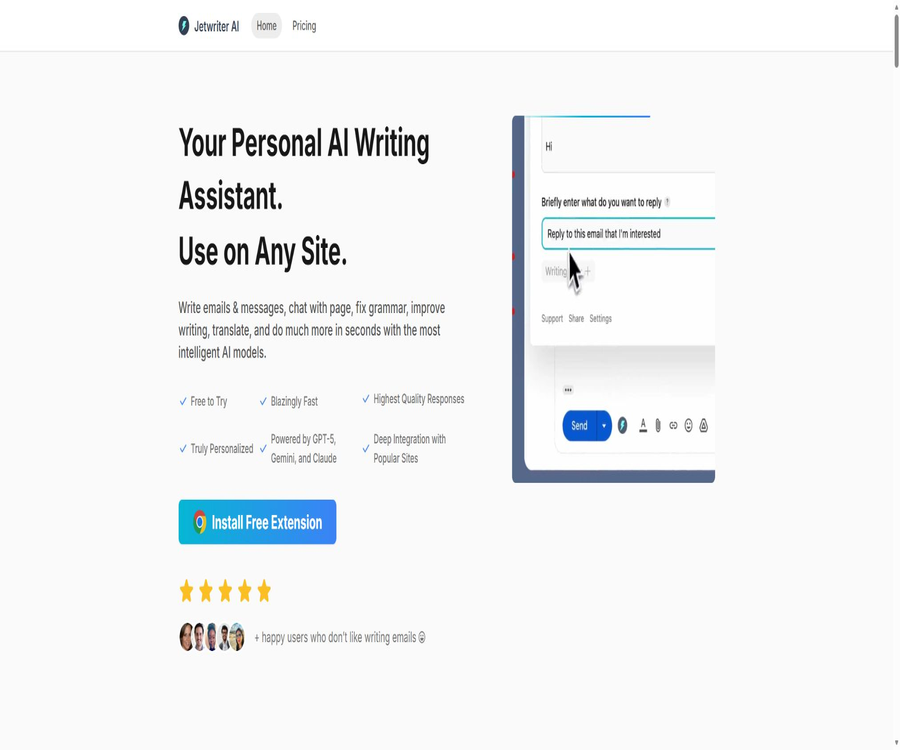
ChatGPT Writer, an intelligent tool focused on AI-driven writing.
Tags:AI writing toolsWhat is ChatGPT Writer called now?
ChatGPT Writer was officially renamed Jetwriter AI in 2025; the original browser extension, accounts, and core products remain in use. The new name is intended to avoid confusion with the ChatGPT brand and to highlight that it has evolved from a tool for responding to emails via Gmail into a multi-model writing assistant.
In the database, the ChatGPT Writer refers to the current Jetwriter AI, and not to other extensions with similar names available in the Chrome Store. When searching for, installing, or subscribing to it, it is necessary to verify the name of Jetwriter AI as well as its original extension identifier.
A one-sentence summary
Jetwriter AI is a personalized AI writing assistant that can be used directly on web pages, in emails, and on mobile devices; it enables the drafting of replies, rewriting of text, reading of pages and files, and adjusts its output based on the user’s profile and writing style.
Main functions
Drafting and responding to emails
The extension adds AI Compose to the Gmail writing window; it can automatically read the context of the current email when replying and generate a draft. Users can adjust the intent of their reply, regenerate the draft, continue editing it, and then insert the final version into the email.
Gmail personalization and automatic drafts
Jetwriter AI can generate replies that better reflect the user’s style, based on their style profile and Gmail connection, and it creates draft messages for review when new emails meeting certain criteria arrive. Elite allows up to 50 automatic Gmail drafts per day, while Ultra allows up to 70 per day.
The official website and help articles mention that one can learn about one’s mailing style by examining past emails, but the privacy policy updated in June 2026 states that Gmail’s automatic draft feature only reads new emails received after it has been enabled, and it does not scan past emails. There is a discrepancy between these two descriptions; users should follow the actual scope indicated in the authorization interface and in written confirmations.
Contextual writing on any website
The extension can be used on pages such as Gmail, Outlook, LinkedIn, WhatsApp Web, Slack, Zoho, Freshdesk, and Zendesk. It generates emails, messages, replies to tickets, and social media posts by utilizing the selected text or the current input.
| Common websites or scenarios | Executable tasks | Usage suggestions |
|---|---|---|
| Gmail | Write new emails, reply, use personalized tone, and create auto drafts | Check the recipient, details, and attachments before sending. |
| Outlook and Zoho | Drafting and replying to emails | Verify the reading range within the context. |
| Private messages, invitations, and follow-ups | Avoid sending large quantities of templated spam messages. | |
| WhatsApp Web and Slack | Quickly draft work messages | Do not enter unnecessary confidential information. |
| Freshdesk and Zendesk | Generate a response to the customer service ticket | Refunds and commitments require manual confirmation. |
| Regular web page | Select text rewriting, page Q&A, and summarization. | Important information: Return to the original page for verification. |
Quick processing of selected text
After selecting text on a webpage, it is possible to correct grammar, translate it, create summaries, provide explanations, rewrite the text, and optimize its style; custom actions can also be created. Users can also disable the one-click functions that they do not need, thereby reducing menu clutter.
Dialog with web pages and files
Chat with Page can summarize the current page, identify its key points, and answer questions related to that page; Chat with Docs is used for asking questions and getting answers regarding documents. The allowed file types and size limits are not specified on the public pricing page, and complex files should first be tested on a sample basis.
Real-time web access
Live Web Access allows users to search for and view the current webpage, thereby providing more up-to-date information for responses. Nevertheless, the results obtained from the internet may still contain incorrect details or lack necessary context; it is therefore advisable to check the original webpage when dealing with prices, policies, and news content.
Personalized profiles, writing style, and memory
Users can create profiles, set different writing styles, save frequently used tips, and enable Memory to draw on information from previous conversations. Memory is active by default; the option to stop using Reference past conversations can be found in the settings.
Multi-model switching
The current pricing page divides the models into two categories: Regular and Advanced, and paid users can switch between them during conversations. The names of the available models may change as the service evolves; the actual versions available should be those displayed in the user’s account.
| Model group | Listed on the current pricing page | Quota method |
|---|---|---|
| Regular AI Models | GPT 5 mini, Gemini 3 Flash | Free: 15 times per month; paid plans offer unlimited usage but are subject to fair use policies. |
| Advanced AI Models | Opus 5, GPT 5.6 Terra, Gemini 3.1 Pro, Sonnet 5 | Elite: about 1,000 times per month; Ultra: about 2,500 times per month |
Length of voice input and response
Voice Input allows for input via voice in multiple languages, and the Response Length option enables control over the length of the responses. Speech recognition can be affected by accent, noise, and specialized terms; therefore, the generated responses still need to be checked.
Built-in model API key
BYOK allows the use of personal API keys to connect to OpenAI, Google Gemini, or Anthropic Claude, with the model providers charging directly based on usage. The documentation states that these keys are stored locally in the browser, and not on the Jetwriter servers.
How does Jetwriter AI work?
- Install the official browser extension or open the web application, and create a free account.
- Fill in your personal role, preferred background, and writing preferences to create a personalized profile.
- Open Jetwriter in an email, message, or webpage and have it read the current context.
- Enter the writing goal, audience, tone, and the information that must be included or avoided.
- Select the Regular or Advanced model based on the task, and set the length of the response.
- Review the generated results, check the facts, tone, privacy aspects, and recipients before inserting or sending them.
- Save the stable versioning as a style, Prompt Template, or custom Action.
Tutorial on replying to Gmail emails
- Open the email that requires a reply, and click the AI Reply button in the reply area.
- Verify that the email context brought in by the tool does not contain any sensitive information that should not be processed.
- Briefly state the purpose of the response, such as confirming a time, rejecting a request, or requesting additional information.
- Choose the appropriate tone and length, then have the AI generate the first version of the response.
- Use the edit or regenerate function to correct omissions, facts, and expressions.
- Click Insert to paste the result into the reply box; after manual verification, send it accordingly.
Tutorial on connecting to Gmail’s automatic draft feature
- In the advanced settings, select Connect Gmail and view the scope of Google’s permissions.
- Authorization is completed only when permissions for reading emails and creating drafts are granted.
- Configure which emails require a response and the behavior for automatic drafts, so that not all notification emails are created as drafts.
- Send several types of messages using a test email to confirm that only drafts are created and no emails are sent automatically.
- Check whether the generated content uses the appropriate titles, historical tone, and corporate facts correctly.
- When it is no longer in use, disconnect it from Jetwriter settings and Google account permissions.
Tutorial on Using Your Own API Key
- First, create separate API keys and consumption limits in your OpenAI, Google, or Anthropic account.
- Go to the Jetwriter extension settings and enable the Use your own API key option.
- Enter the key in the corresponding field provided by the model provider and save it; do not share it via chat or email.
- Select a short section of text that contains no sensitive information and use Fix grammar to verify that the connection is working properly.
- Monitor costs, rate limits, and abnormal requests in the model provider’s backend.
- When it is no longer in use, clear the Jetwriter field and revoke the old key in the provider’s backend.
Which users are it suitable for
- Business professionals: Quickly draft daily emails, confirm meetings, and follow up with clients.
- Customer Service Team: Generate consistent ticket responses in Freshdesk or Zendesk.
- Sales and recruitment staff: Prepare LinkedIn messages, invitations, and follow-up communications.
- Students and researchers: Explaining web page content, summarizing documents, and improving English expression.
- Content creators: Rewrite paragraphs, adjust tone, translate text, and save reminder templates.
- Multilingual users: Correct grammar on different websites and translate messages quickly.
- Users who pay attention to model selection: switch between the GPT, Gemini, and Claude series.
Typical use cases
- Email reply: Generate a concise, polite draft with context, based on the current thread.
- Customer support: Use the product facts and help pages to answer common questions.
- Web reading: Extract the key points of long articles and inquire further about the details on the page.
- Text polishing: Correcting spelling, grammar, clarity, and maintaining a professional tone.
- Interlingual communication: Translation and reorganization of the expression according to the habits of the target audience.
- Social messaging: Generate LinkedIn invitation, reply, and follow-up messages.
- Reuse of personal knowledge: Reduce repeated input by using Memory, documents, and prompt templates.
Product advantages
- It can be directly embedded in popular websites, reducing the need to copy and paste between the AI chat page and the work page.
- Gmail integration covers writing emails, replying, tone learning, and automatic drafts.
- It supports various ways to access content, such as selecting text, using the right-click button, shortcut keys, expanded icons, and buttons on the website.
- Multi-model switching is suitable for choosing between fast tasks and complex reasoning.
- It offers web access, file Q&A, voice input, Memory, and custom Actions.
- The free version does not require a credit card and is suitable for first testing the extension capabilities and the quality of writing.
- BYOK allows users to bear the costs of the models directly and control the provider’s keys.
- The expanded volume is small, and it allows for account synchronization across the Web, browsers, and Android.
Usage restrictions and precautions
- Free offers only 15 responses per month using the Regular model, and this does not include responses from the Advanced model.
- The Unlimited Regular plan in the paid tier is still subject to the fair use policy; extremely frequent or automated use may be restricted.
- Each Unlimited account can only be used by one person; sharing the account may result in its suspension or deletion, with no refund provided.
- The number of responses for Advanced is determined using factors; the actual calculation method for complex tasks can be found in the account instructions.
- Gmail’s features require elevated permissions for reading emails and working with drafts; these permissions must be assessed before being granted.
- The help articles and the latest privacy policy provide conflicting information regarding whether historical emails can be accessed.
- Memory is enabled by default; when working on confidential projects, it is advisable to turn it off and terminate the relevant sessions.
- Web searches and AI-generated text may produce incorrect information; therefore, unverified promises should not be sent directly.
- Safari and Firefox are still marked as upcoming, and cannot be considered to be officially supported.
- The product is not designed to meet the specific compliance requirements of industries such as HIPAA and FISMA; regulated data should not be used directly.
Prices and packages
The prices listed below were verified on August 21, 2026, and are expressed in US dollars. Jetwriter AI offers three individual plans: Free, Elite, and Ultra. Annual plans incur a one-time payment per year, and the final price including taxes will be indicated on the settlement page.
| Package | Monthly price | Annual price | Model quota | Gmail auto drafts |
|---|---|---|---|---|
| Free | Free | Free | 15 regular sessions per month; no responses for Advanced. | Not included |
| Elite | $ | $ | Regular: unlimited; about 1,000 times per month for Advanced. | 50 per day |
| Ultra | 39 dollars per month | $ | Regular: unlimited; about 2,500 times per month for Advanced. | 70 per day |
Common capabilities of the package
| Ability | Free | Elite | Ultra |
|---|---|---|---|
| Browser extensions | Support | Support | Support |
| Web applications | Support | Support | Support |
| Voice input | Support | Support | Support |
| Real-time web access | Support | Support | Support |
| File attachment | Not included | Support | Support |
| Advanced model | Not included | Support | Support |
| The Regular model has no limit on usage. | Not included | Support | Support |
| Priority support | Not included | Support | Support |
There is a 2-day evaluation period available after purchasing a paid subscription for the first time, during which a refund request can be submitted and reviewed by the platform. Refunds are not provided for renewals, nor when cancellation occurs after those first 2 days; the service continues to operate until the end of the current billing cycle.
Supported platforms
| Platform | Support status | Explanation |
|---|---|---|
| Chrome | Support | Official Chrome extensions are available. |
| Microsoft Edge | Support | Provides official Edge extensions |
| Brave, Opera, Vivaldi | Support | Use Chromium extensions |
| Safari | Not officially supported yet | The official website indicates that it is about to be released. |
| Firefox | Not officially supported yet | The official website indicates that it is about to be released. |
| Web applications | Support | It can be used on mobile devices and in browsers that do not support extensions. |
| Android | Support | Provides the official applications released by Devcraft Studio. |
| iPhone and iPad | It has not been confirmed that it is officially available for purchase. | Was included in the product roadmap after the name change |
| Windows and macOS desktops | Use via a browser | No generic native desktop client was found. |
Privacy and Gmail data
Jetwriter AI is operated by Devcraft Studio; its privacy policy was last updated on June 26, 2026. The platform may collect names, email addresses, billing addresses, device information, IP addresses, usage logs, and cookies, while payment data is handled by Stripe.
The services are hosted in the United States, and the data of users outside that country may be transferred to the U.S. as well as to the countries where other service providers are located. Personal information is generally retained for as long as the account remains valid or as long as it is necessary to achieve the intended purposes; backups and legal obligations may require that such data be kept for an extended period.
Current Gmail authorization policy
- Gmail connection is an optional feature that becomes active only when the user actively connects to it.
- Read-only access is used to read new emails that arrive after it is enabled; the privacy policy states that historical emails are not scanned or processed.
- The Compose permission allows only the creation of drafts for review; it does not enable automatic sending of emails on behalf of the user.
- The content of new emails is sent in real time to the AI model service provider to generate a draft.
- The policy states that model service providers are not allowed to retain the content of emails or use it for training models.
- The Jetwriter server does not save the body of the emails; it only retains the OAuth tokens and the limited metadata needed to prevent duplicate drafts.
- Gmail data is not used for advertising, marketing, profiling, or training general AI models.
- Upon disconnection or a request to delete, the platform should remove the token and related metadata.
The official website also states that ordinary user data is not sold nor used for AI training, and that transmission is encrypted using TLS 1.2 or higher versions. Users should still decide whether to connect to Gmail based on the sensitivity of their emails, the provider of the modeling services, and the company’s internal policies.
API, BYOK, and open-source status
Jetwriter AI does not provide any public product APIs or official SDKs for developers; BYOK merely allows extensions to use the user’s own OpenAI, Gemini, or Claude keys. This is not equivalent to allowing developers to create external applications using the Jetwriter service.
The old ChatGPT Writer personal GitHub repository currently contains only a README file and a forum for discussions; it does not have an explicit open-source license nor the complete source code for its extensions. The official Jetwriter Labs organization has made available only one standalone Mac note-taking application under the MIT license, so the Jetwriter AI commercial product should be considered non-open-source.
Basic information
| field | Content |
|---|---|
| Current name | Jetwriter AI |
| Original name | ChatGPT Writer |
| Operating entity | Devcraft Studio |
| Tool type | Personalized AI writing, email response, and web reading assistant |
| Main models | GPT, Gemini, and Claude series |
| Price pattern | Free version, monthly, and annual subscriptions |
| Minimum payment amount | Elite costs $18 per month or $168 per year. |
| Free quota | 15 responses per month using the Regular model |
| Chinese support | Multiple languages are supported; the quality of Chinese translation requires testing using relevant models. |
| Main platforms | Chromium browsers such as Chrome and Edge, as well as Web and Android |
| Gmail integration | Supports writing letters, replying, and automatic drafts. |
| BYOK | Supports OpenAI, Google, and Anthropic keys |
| Public product API | No findings were detected. |
| Official SDK | No findings were detected. |
| Official GitHub | There are organized and historical repositories, but they do not contain the complete source code of the current products. |
| Is it open source? | No |
Recommendation score
It receives a rating of 4.4 out of 5 points. Jetwriter AI offers a complete writing workflow that includes the ability to use it on any webpage, deep integration with Gmail, personalized tone settings, multiple models, the capability to ask questions about webpages and files, and support for BYOK.
The main shortcomings are the limited amount of free storage, the fact that Unlimited plan is still subject to fair use restrictions, document inconsistencies in the descriptions of Gmail’s historical emails, and the absence of a developer API. Companies that need to handle sensitive emails should first conduct assessments of permissions and data compliance.
Frequently Asked Questions
What is the relationship between ChatGPT Writer and Jetwriter AI?
They are the old and new names for the same product. ChatGPT Writer was renamed Jetwriter AI in 2025; the original extensions will have their brand updated, while the accounts and data will remain unchanged.
Is Jetwriter AI free?
There is a free option that does not require a credit card; it provides 15 responses using the Regular model per month. The free version does not include the Advanced model, file attachments, automatic Gmail drafts, or priority support.
How much are Elite and Ultra?
Elite costs $18 per month or $168 per year, while Ultra costs $39 per month or $349 per year. The equivalent monthly amounts on an annual basis are approximately $14 and $29 respectively.
Which AI models are supported?
The current page lists the GPT, Gemini, and Claude series, which are divided into two categories: Regular and Advanced. The specific versions may change, so it is necessary to refer to the information displayed in real time within the account.
Can it send emails via Gmail automatically?
Currently, Gmail’s automatic draft feature only saves replies as drafts; it does not send them automatically. The user must review, edit the message, and then click send manually.
Does Jetwriter AI read historical emails?
The help articles and the website’s promotional materials mention that past emails are processed as part of the learning process, but the updated privacy policy states that only new emails received after activation are read, with no scanning of historical emails. Before granting permission, it is necessary to check Google’s consent page and verify the current settings with support.
Will user data be used to train AI?
The official website states that user data is not used for AI training, and the section dedicated to Gmail further prohibits the use of email data for training general-purpose models. When using BYOK, it is necessary to check the data settings of the OpenAI, Google, or Anthropic accounts separately.
Can I use my own API key?
It is possible to connect to OpenAI, Google Gemini, and Anthropic Claude keys; the associated costs are charged by those providers. The documentation states that the keys are stored only locally in the browser.
Does Jetwriter AI provide an API?
No public product APIs or SDKs have been found. BYOK is used for invoking models, but this does not mean that Jetwriter provides developer interfaces to external parties.
Is Jetwriter AI open source?
It is not open source. The old GitHub repository does not contain the complete source code for these extensions nor a clear license; moreover, the MIT-licensed projects in the new official organization are unrelated to the writing assistant product.
Can multiple people share one paid account?
No, each Unlimited account is intended for use by only one user. Unauthorized sharing or frequent automated use may result in restrictions on the account, its suspension, or even its deletion, with no refund provided.
Can I get a refund?
A refund request can be submitted within 2 days after the first payment, and the platform will review each case on an individual basis. Refunds are generally not provided for renewals or cancellations made after those first 2 days.
Summary
Jetwriter AI has evolved from a simple tool for replying to emails via Gmail to a personal AI assistant that handles tasks such as web content writing, question-answering regarding documents, real-time searching, memory management, support for multiple models, and use on mobile devices. Users who frequently deal with emails and text on websites can significantly reduce the need to copy and paste content.
Before use, test the Chinese language, tone, and additional permissions in the Free version first; then choose between Elite or Ultra based on the number of replies received. When connecting to Gmail or enabling Memory, give priority to privacy policies, permission settings, and company data rules over convenience.
Tools similar to ChatGPT Writer




 Guigong Network Security Registration No. 45132202000164