






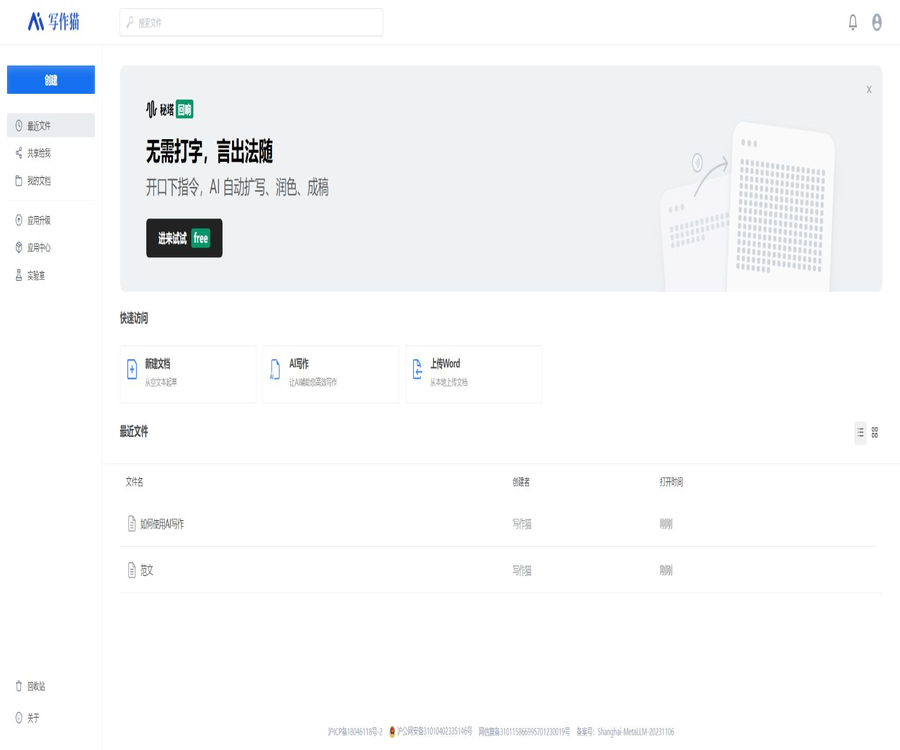
Mita Writing Cat
Mita Writing Cat is an intelligent tool focused on AI-driven writing.
Tags:AI writing toolsWhat is the Mita Writing Cat?
Mita Writing Cat is a tool for assisting with writing in both Chinese and English, developed by Shanghai Mita Network Technology Co., Ltd. It addresses issues such as spelling mistakes, grammatical errors, text improvement, translation, and text continuation. It functions more like an editor and proofreading assistant equipped with AI capabilities, rather than a template tool that generates entire articles based on a single sentence.
The product once integrated AI-powered writing, multi-user collaboration, text proofreading, rewriting and polishing, as well as automatic image insertion into the web-based workspace. The current web version shows “System under upgrade”; therefore, the actual functions available will depend on the version of the site once it is back online and depending on the account used to log in.
Current service status
| Entrance | Verification status | Explanation |
|---|---|---|
| Web version | System upgrade in progress | Both the home page and the agreement page currently display upgrade prompts. |
| iPhone apps | Still available in stores in the Chinese market | The latest public version is 1.0.27, updated on October 30, 2025. |
| Word plugin | The Microsoft App Store still has product pages. | After logging in to the Writing Cat account, use the proofreading features within Word. |
| API documentation | It can still be read. | The document was primarily published in 2022; it is necessary to verify once again the availability of the service before accessing it. |
| Official SDK repository | Currently not accessible | The Java, JavaScript, and Python repositories listed in the old API documentation can no longer be accessed publicly. |
The status of the catalog cannot be simply labeled as “fully operational” or “no longer in use”. A more accurate description would be: the mobile app still has an accessible interface, the web version is currently being upgraded, and the old API functions need to be reviewed by the authorities.
Main functions
- Chinese error correction: Identifying misspelled characters, characters with similar pronunciations, characters that look similar, punctuation issues, and certain grammatical errors.
- English correction: Helps correct spelling, grammar, and expression issues in English.
- Rewriting sentences: Replace words and adjust sentence structure while striving to preserve the original meaning.
- Full text polishing: Provide a smoother, more concise, or more formal expression for paragraphs or articles.
- Chinese-English translation: Convert content between Chinese and English, and the translated text can be further modified.
- Article continuation: Generate subsequent paragraphs based on the existing content to provide ideas for writing.
- AI writing: Generates draft articles based on the title or key information.
- Suggestion for content: Provide hints during editing about areas that may need improvement.
- Collaboration: The historical web page product allows teams to work together on editing and reviewing content.
- Automatic image insertion: The product introductions from history include supplementary images based on the content of the article.
- Word proofreading: Uses Office add-ins to display errors and suggestions for corrections within the document.
- Enterprise interface: The old API documentation offers capabilities for error correction, rewriting, AI-assisted writing, and single sign-on.
Chinese intelligent error correction
The traditional advantage of Writing Cat lies in Chinese proofreading. The system analyzes words, sentence structure, and punctuation in context, and presents potential errors along with suggestions for corrections.
Common types of examinations
- Confusion between homophonic or similar-sounding characters.
- Misuse of characters that look similar.
- Common spelling mistakes and misuses of idioms.
- Issues with punctuation, spaces, and full-width vs. narrow-width characters.
- Abnormalities in dates, amounts, numbers, and sequence numbers.
- Errors in particles, conjunctions, and some phrasings.
- Indications of incorrect word order, semantic redundancy, and grammatical errors.
- Reminders for proper nouns or standard expressions.
- Suggestions for sensitive and compliant words; the specific capabilities depend on the version.
Chinese grammar relies heavily on context; automatic proofreading may miss errors or mark correct expressions as problematic. Names of people, organizations, specialized terms, and literary expressions particularly require the author’s own judgment.
Rewriting and polishing
Intelligent rewriting generates different expressions by replacing words, phrases, and syntactic structures; the old API documentation also offers various levels of rewriting intensity, such as conservative, normal, and aggressive. The goal of rewriting is to improve the way something is expressed, and it should not be seen as a means to automatically create original content or to avoid copyright checks.
Content suitable for processing
- Change the informal expressions to more formal written language.
- Shorten sentences that are repetitive, wordy, or lack clarity.
- Provide alternative phrasings for titles, introductions, and marketing copy.
- Uniform the tone of reports, press releases, and articles on official accounts.
- Localize the translation into Chinese and adjust its fluency.
- Reorganize the paragraphs while retaining the facts.
AI writing and article continuation
AI writing can generate draft content based on the title and key information, while extending existing texts to create further sections of an article. The results produced are suitable as a starting point or draft, but not suitable for publication without verification.
- Generate an article structure or opening based on the theme.
- Add paragraphs, examples, transition sentences, and a conclusion.
- Draft copy for campaigns, products, social media, and internal materials.
- Try different tones and ways of expression around the same theme.
- Organize the separate points into a continuous text.
- Expand or condense the existing draft.
Chinese-English translation
The mobile version of Writing Cat includes a function for bilingual translation; users can carry out translation, error correction, and text polishing within the same writing process. It is suitable for understanding ordinary content and working on drafts, while professional documents still require review by translators or experts in the relevant field.
- After translation, check names, numbers, units, terms, and negative expressions.
- Approved glossaries should be used for technical, legal, medical, and financial texts.
- Marketing copy needs to be re-localized according to the target audience.
- Citations, contracts, and public statements should not rely solely on machine translations.
- In long documents, the consistency of context and terminology should be checked in segments.
How to use Metta to write about cats
- First, check whether it is possible to log in properly via the web version, mobile app, or Word add-in.
- Create a new document or paste the text that needs to be processed.
- Give priority to error correction, and examine each issue along with the corresponding suggestions for modification.
- Choose a conservative or more explicit rephrasing approach depending on the purpose of writing.
- Use continuation writing or AI generation only when more content is needed, to minimize deviations from the theme.
- Verify facts, figures, citations, names, and technical terms.
- Read through it once before exporting or copying, and save a version with manual verification.
The workflow for recommending an article
- List the target audience, the purpose of the article, the key facts, and the information that cannot be changed.
- First, the author develops the structure and key points, without leaving the overall assessment to AI.
- Use the writing function to improve the draft, and then remove any redundant or superfluous content.
- Run the Chinese error correction tool and accept or reject the system’s suggestions one by one.
- Rewrite awkward sentences instead of repeatedly and thoroughly rewriting the entire text.
- Use reliable sources to verify dates, data, citations, and conclusions.
- Finally, check the title, hierarchy, lists, paragraph length, and formatting for publication.
Word plugin
Meita Writing Cat provides an Office plugin that allows users to refresh the review results in Word documents, to see grammar and spelling issues as well as suggestions for corrections. This plugin requires an existing Writing Cat account, and it sends the relevant text to the online service for processing.
Who is the Word add-in suitable for?
- Users who regularly write reports, draft contracts, and research materials in Word.
- For editors who do not want to copy and paste frequently into the browser.
- It is a team that needs to address each proofreading suggestion in the context of the original document.
- An organization that aims to standardize Chinese terminology and basic formatting checks.
The daily character limits for the free version and the team version listed on Microsoft’s website are indicated in the plugin’s specifications, and these limits may differ from those specified in the actual subscription terms. It is necessary to refer to the current benefits outlined in your Writing Cat account before making an upgrade.
Multiple users collaborating and team use
The historical product overview includes multi-user collaboration; the team version also offered a higher character limit as well as a business assistant. During web page upgrades, features related to collaboration, permissions, and historical documents need to be reconfirmed after logging in.
- Assign content responsibilities based on the author, editor, and reviewer.
- Create a team glossary, list of prohibited words, and guidelines for brand expression.
- Maintain a clear distinction between AI suggestions and manual edits.
- Important content requires secondary review and approval before publication.
- Revoke account permissions promptly when members leave or the project comes to an end.
- Confirm the method for exporting team documents, comments, and version history.
API and enterprise integration
The older version of the Writing Cat API documentation offers intelligent error correction, smart rewriting, AI-assisted writing, and single sign-on. Developers need to request a key from the official sources and then integrate it using the APIs or the SDKs available in their respective programming languages.
| Interface | Primary uses | Current precautions |
|---|---|---|
| Intelligent error correction | Check sentences in batches and return suggestions for errors. | First, verify that the interfaces, quotas, and error types are still as specified in the old documentation. |
| Intelligent rewriting | Generate alternative expressions based on intensity. | It is necessary to check for semantic drift and copyright risks. |
| AI writing | Create a generation task and poll for the results. | Old documents use a return field based on word count for entitlements. |
| Single sign-on | Log in to the Writing Cat account from the enterprise system. | Involves user identification, signatures, and account mapping. |
| Official SDK | Examples in Java, JavaScript, and Python | The public repository referenced by the old document is currently inaccessible. |
Steps for enterprises to connect
- Contact the authorities to confirm whether the API is still available for new customers.
- Get the latest API documentation, prices, limits, service commitments, and test accounts.
- Only masked samples are used to verify error correction, rewriting, and generation results.
- Save the key in the server’s secure configuration; writing it to the frontend or making it available in public code is not allowed.
- Set permissions, frequency, timeout, retry options, and usage alerts for the request.
- Implement manual review and error rollback to prevent the generated results from being automatically made public.
- After going live, continuously monitor quality, costs, data processing, and any changes in interfaces.
Free version, Basic version, and Premium version
Writing Cat offers a combination of free access, individual subscriptions, and word count packages. The prices for the basic version, advanced version, and word count packages listed on the App Store in China can serve as a reference for mobile use; prices for the web version, team version, and promotional versions may differ.
| Version or entitlements | Current reference price | Explanation |
|---|---|---|
| Free version | Free | There are limits on the number of functions and characters per day; the actual limit is indicated in the account settings. |
| Individual Basic Version – Monthly | 48 yuan | Prices for in-app purchases of iPhone apps in China |
| Individual Basic Version Quarterly | 108 yuan | Prices for in-app purchases of iPhone apps in China |
| Individual Basic Edition Annual | 288 yuan | Prices for in-app purchases of iPhone apps in China |
| Individual Premium Version – Monthly | 96 yuan | Prices for in-app purchases of iPhone apps in China |
| Individual Premium Edition Quarterly | 218 yuan | Prices for in-app purchases of iPhone apps in China |
| Individual Premium Annual Plan | 498 yuan | Prices for in-app purchases of iPhone apps in China |
| Team Edition | The current unified price is not available. | It is necessary to verify the number of members, the character count, as well as the collaboration and business features. |
Price per word count package
| Word count package | Reference prices for iPhone in China | Notes |
|---|---|---|
| 10,000 characters | 19 yuan | Suitable for temporary credit top-ups |
| 50,000 characters | 88 yuan | The store still lists this item currently. |
| 60,000 characters | 88 yuan | Coexisting with a 50,000-word project; it is necessary to verify the actual rights and benefits before making a purchase. |
| 1.2 million characters | 1599 yuan | Before making a large purchase, it is necessary to check the validity period and the available functions. |
In a store, items with the same price but different lengths of 50,000 characters or 60,000 characters may correspond to different historical products or different sets of benefits. Do not rely solely on the product name; check the detailed instructions within the application before making a purchase.
Free quota and team quota
The Microsoft App Store page states that the free version of the Word plugin allows 10,000 characters per day, while the team version provides 60,000 characters per person per day and includes a business assistant. These details may not reflect the latest membership rules; it is advisable to refer to the information displayed on your account at any given time, especially during upgrades to the web version.
- Verify whether error correction, translation, rewriting, and AI writing share the same character count.
- Confirm whether the unused quota is carried over and what happens after the package expires.
- Verify whether different clients share membership accounts and character packages.
- Confirm whether the team quota is calculated separately for each member or is shared.
- Check whether character counts are deducted in cases of generation failure, duplicate requests, and API errors.
- Confirm the renewal, automatic subscription, and refund policies.
Supported platforms
| Platform | Support status | Usage features |
|---|---|---|
| Web page version | Currently upgrading | Full editing, collaboration, and AI capabilities will need to be verified once recovery is achieved. |
| iPhone | Support | Apps can still be downloaded and in-app purchases available at stores in China. |
| Mac with Apple chip | The iPhone version is available for use. | The store indicates that it has not been specifically tested for macOS. |
| Apple Vision | Compatible with mobile apps | The corresponding system version must be met. |
| Word plugin | Support | Proofread Chinese text in Word |
| Android | There are records in the app market. | Developers and versions should be verified first from reliable official sources. |
| Enterprise API | Old documents are readable. | Check the current availability before making a new connection. |
Which users are it suitable for
- Ordinary writers who need to have their Chinese text checked for spelling mistakes, grammatical errors, and punctuation issues.
- Editor responsible for writing content for official accounts, press releases, marketing materials, and social media posts.
- Professional users who need to rewrite reports, emails, plans, and work summaries.
- Office workers who wish to carry out Chinese language proofreading in Word.
- Users who need drafts for Chinese-English translation as well as post-translation polishing.
- Companies that need team terminology, collaboration, and content review.
- Development teams that wish to incorporate error correction or rewriting capabilities through interfaces.
Typical use cases
- Check for spelling errors, punctuation issues, and grammatical mistakes in the articles of the official account before publishing.
- Compile the key points of the meeting into a well-structured work summary.
- Generate multiple versions for product descriptions, campaign promotions, and short texts.
- Check the language used in papers or reports, but this does not replace academic review.
- Review contract drafts and regulatory texts in Word.
- After translating the English material into a preliminary Chinese version, it is submitted to professionals for review.
- Batchly invoke error correction and rewriting in the enterprise content system.
Product advantages
- It initially focused on error correction and writing assistance in the Chinese context.
- Place error correction, rewriting, translation, and continuation within the same editing process.
- It is suitable for processing single sentences as well as assisting with longer articles.
- It offers mobile apps and Word add-ins to cover common writing scenarios.
- The Personal, Premium, and Word Count packages offer different payment options.
- The old API covers error correction, rewriting, generation, and single sign-on.
- The team can use terminology standards in combination with manual review processes.
- The Chinese interface and local writing conventions are more user-friendly for domestic users.
Usage restrictions and precautions
- The web version is currently under system upgrade, and the available time cannot be determined from the page.
- The old API documentation was published in 2022, and the interfaces as well as the procedures for making requests may have changed.
- The three official SDK repositories mentioned in the old documents are currently not accessible to the public.
- The price on the App Store is not necessarily the same as that on the web version, the Android version, or the team quote.
- AI may misalter proper nouns, literary expressions, and technical terms.
- A forceful rewrite can change facts, positions, tone, and legal implications.
- Continued writing with AI may generate false information or repetitive phrases.
- Translation results cannot replace professional review in fields such as law, medicine, and finance.
- Automatic rewriting does not guarantee a reduction in the repetition rate, nor does it address issues related to copyright and academic integrity.
- Before uploading internal documents, the team needs to confirm the rules for data processing and retention.
- Before purchasing large quantities of character packs, it is necessary to check the validity period, available functions, and refund policies.
Privacy and content security
The iPhone App Store page indicates that the developer claims the app does not collect any data, but this privacy statement has not been independently verified by the store; moreover, the website, plugins, and enterprise interfaces may employ different approaches. Users should rely on the current privacy policy, permission prompts, and relevant agreements.
- Do not enter ID numbers, account passwords, or confidential contracts or business secrets.
- Legal authorization must be obtained before processing others’ personal information.
- Companies should determine whether the text has been saved, used for improvement, or handed over to third parties for processing.
- The Word add-in sends the content of relevant documents to an online service, and this should be taken into account in the data evaluation.
- Check the collaborator’s permissions and the status of the public link before sharing a document.
- Before canceling the account, export the documents and membership credentials that need to be retained.
- The leakage of API keys can result in losses for a company; it is necessary to replace them immediately and review the logs.
GitHub and the open-source status
The Memeta Writing Cat product itself is not an open-source project. The old API documentation listed three official SDKs: Java, JavaScript, and Python; however, the corresponding public repositories are currently inaccessible, so it is not possible to determine whether these SDKs are still being maintained.
| Project | Current status | Conclusion |
|---|---|---|
| Peta Writing Cat web page and mobile app | Commercial products | Not open source |
| Java SDK | Old documents show that the warehouse is currently inaccessible. | Obtain the latest packages and licenses from the official sources before connecting. |
| JavaScript SDK | Old documents show that the warehouse is currently inaccessible. | Production systems cannot be deployed by relying on historical addresses. |
| Python SDK | Old documents show that the warehouse is currently inaccessible. | It is necessary to verify the alternative solutions and the maintenance status. |
| Direct interface call | Old documents remain readable. | Providing an interface does not mean making the product’s source code available. |
Basic information
| field | Content |
|---|---|
| Tool name | Mita Writing Cat |
| Development company | Shanghai Mita Network Technology Co., Ltd. |
| Tool type | AI writing, Chinese grammar correction, rewriting and polishing, and translation |
| Core language | Chinese, with attention to English error correction and Chinese-English translation. |
| Web page status | The system is currently being upgraded. |
| iPhone version | 1.0.27, updated on October 30, 2025 |
| iPhone system requirements | iOS 11.0 or later |
| Price pattern | Free quota, individual subscriptions, word count packages, and team services |
| Is a Word plugin available? | Yes |
| Whether API is provided | There are historical official documents; the current business availability needs to be verified. |
| Is it open source? | The product is not open-source, and the old SDK repository is currently inaccessible. |
Recommendation score
4.1 / 5. Mita Writing Cat still has a clear niche in Chinese error correction, text rewriting, and Word editing; it also provides an option for purchase via mobile devices. However, the lack of updates to the web version, along with the obsoletion of old API documents and SDKs, reduces the reliability of its functionality.
Frequently Asked Questions
Can the Mita Writing Cat still be used?
The iPhone app is still available on the Chinese version of the store, and there is also a dedicated product page for the Word plugin; the web version currently shows that a system upgrade is in progress, and the exact time when it will be back online as well as the functionality of the account will depend on what is displayed on that page.
Is Metta Writing Cat free?
A free access option is provided, but error correction, translation, rewriting, and text generation are usually subject to limits regarding character count or functionality. The current free quota is as indicated in the account.
How much are the basic and premium versions?
For the iPhone app in China, the basic version costs 48 yuan per month, 108 yuan per quarter, and 288 yuan per year; the premium version costs 96 yuan per month, 218 yuan per quarter, and 498 yuan per year.
Can it check papers?
It can assist in assessing language and expression skills, but it cannot verify research methods, data, citations, or the originality of academic work. It is also necessary to comply with those ways of using AI that are prohibited by schools or journals.
Can it automatically reduce redundancy?
Rewriting can produce different expressions, but it does not guarantee that it will pass any checks for similarity levels. It cannot either be used to conceal plagiarism; both citation and rewriting must comply with academic and copyright regulations.
Is Word supported?
Supported. The Word plugin allows the review results to be updated within the document; a Writing Cat account is required for access.
Is it compatible with mobile phones?
It is compatible with iPhone; stores in China require iOS 11.0 or a higher version. For Android, it is necessary to check the developer and the latest version through a trusted app store.
Does Mita Writing Cat provide an API?
There are official API documentation for history management, which includes functions for error correction, text rewriting, AI-assisted writing, and single sign-on. Since these documents are outdated and the SDK repository is no longer functional, new projects should first seek confirmation from the authorities.
Is the Metta Writing Cat open source?
The product itself is not open source. The old API documentation once provided access to the SDK, but the corresponding repository is no longer accessible.
Is writing with Cat the same as using Meta AI for searching?
They are different. Writing Cat focuses on writing, error correction, and rewriting, while Metta AI Search is aimed at information retrieval, citation of sources, and in-depth research; both are separate products developed by Metta Technology.
A tool similar to the Metta writing cat.




 Guigong Network Security Registration No. 45132202000164