






Elegantresume
Elegantresume, an intelligent tool focused on AI-driven writing.
Tags:AI writing toolsWhat is an Elegant Resume?
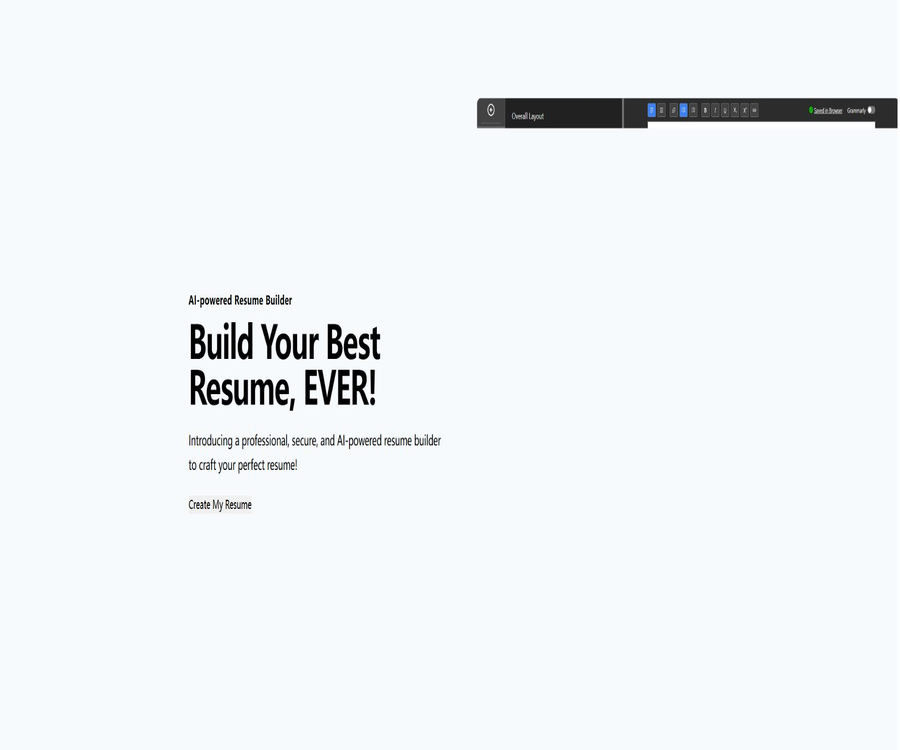
Elegant Resume is an online AI-based tool for creating resumes, offering free templates, a visual editing interface similar to that of Word, and data storage that prioritizes local storage. Users can start filling in their work experience using the templates, or they can use AI to rewrite, review, and customize the content of their resumes.
It is suitable for users who wish to create a resume quickly without having to register and pay in advance. The official website indicates that the platform offers 35 templates, and it supports both single-page and multi-page layouts as well as export in various file formats.
Core functions
Word-style visual editing
The editor features an operation interface similar to that of common document software, allowing users to adjust the font, size, spacing, color, and layout directly. Changes to the resume’s content and formatting are visible throughout the editing process, which reduces the need to download previews repeatedly.
35 resume templates
The official template library offers 35 different design styles, covering common themes such as simplicity, modernity, tradition, and multi-column layouts. Users can choose the appropriate layout based on their industry, length of experience, and the requirements of their recruitment system.
AI resume writing
The platform integrates OpenAI’s capabilities, which can help in creating or revising resumes, work experience details, and project descriptions. AI is suitable for refining existing information, but it cannot replace the user in verifying details such as job positions, dates, skills, and performance metrics.
Resume format and writing review
The tool offers format checks and writing reviews to identify issues related to structure, readability, expression, and content completeness. The results provided are based on automated suggestions and do not correspond to the actual screening criteria used by the hiring companies.
Job customization and ATS screening
Users can adjust the keywords and highlights related to the target position, and use AI to check whether their resumes meet the requirements of that position. The official blog states that the tool integrates OpenAI for ATS resume screening.
Resume translation
The translation feature helps users prepare resumes in different languages. Professional terms, degrees, names of institutions, and job titles need to be checked manually to avoid misunderstandings that may arise from literal translation.
Interview answer generation
The Interview Response Generator can assist in preparing answers for interviews based on the information provided regarding the job application. The content generated should be based on an individual’s actual experiences; it is not allowed to use fictional examples as one’s own achievements.
Save in multiple locations
A resume can be saved in the browser, downloaded to the local hard drive, or saved on Google Drive. Saving it in the browser is convenient, while local files and cloud storage are better suited for long-term backup.
Export in multiple formats
Once completed, it is possible to export in PDF, Word, or JPG format, with support for A4 and Letter page sizes. The official blog states that these exports are available free of charge and without any limit on the number of times they can be done, but the actual formats available depend on the editor being used.
List of main functions
- Start creating quickly using 35 free resume templates.
- Create single-page or multi-page resumes.
- Adjust fonts, styles, and layout through a Word-like interface.
- Use AI to generate, rewrite, and optimize resume content.
- Check the resume format, writing quality, and compatibility with ATS systems.
- Customize keywords and key experiences according to the job description.
- Translate the resume and generate ideas for answering interview questions.
- Save the data in the browser, local hard drive, or Google Drive.
- Export PDF, Word, and JPG files.
- Select A4 or Letter paper size and adjust the content to fit on one page.
- Use Google Fonts and a custom date format.
- Edit on a light or dark interface.
- Manage multiple resumes tailored for different positions.
What use cases are suitable?
- Recent graduates create their first, well-structured resume for job applications.
- Professionals create multiple versions of their resumes for different positions.
- Job seekers from different industries reorganize their transferable skills and project achievements.
- Users seeking jobs or studying abroad need to prepare resumes in different languages and according to various paper formats.
- Freelancers create project-based resumes and attachments for client proposals.
- Users with limited design experience can use templates to achieve a clean layout.
- Temporary tasks that require quick export in PDF, Word, or image format.
- Job seekers who value local data storage and wish to reduce the need to register accounts.
- When preparing for an interview, organize the STAR response framework and the key points of your experiences.
It’s not very suitable for which scenarios
- Teams that require enterprise-level accounts, permissions, audit functions, and centralized management of employee records.
- Job seekers who require a professional counselor to write each sentence manually and provide in-depth guidance.
- Organizations that must ensure that all data remains completely offline and that no third-party AI services are used.
- Development projects that require public APIs to generate large numbers of resumes in bulk.
- It is hoped to automatically ensure that only users who pass a company’s ATS screening are selected.
- Creative positions that require a complex portfolio, a video resume, or an interactive personal website.
- Users who are unwilling to verify on their own the facts generated by AI, as well as the translations and keyword suggestions.
Steps to create a resume
- Go to the resume creation page and view the layout of different templates.
- Select a template that matches the industry and length of experience.
- Fill in the name, contact information, brief profile, and educational and work experience.
- Add items, skills, certificates, languages, and quantifiable achievements.
- Adjust the font, date format, column order, and page spacing.
- Format checks and writing checks revealed obvious issues.
- Verify each element of the AI-generated text and remove any exaggerated or fabricated information.
- Preview paging, line breaking, links, and Chinese font display.
- Export the PDF as the version for delivery, and retain a Word file or local backup.
Steps for customizing a resume for a specific position
- Read the job advertisement in its entirety to identify the job responsibilities, required skills, and preferred qualifications.
- Identify real projects from your own experience that can prove these requirements.
- Move the most relevant experiences to a location where they are easier to see.
- Use the standard terminology specific to the position, but avoid mechanically stuffing in keywords.
- Change the description of responsibilities to actions, tasks, outcomes, and quantitative impacts.
- Invoke resume customization or ATS analysis to obtain additional suggestions.
- Check whether there are facts or works available to support each keyword.
- Save separate versions with the position and company name to avoid sending the wrong file.
Steps to improve ATS readability
- Give preference to templates with a single column or a clear structure and minimal decoration.
- Use common section titles, such as work experience, educational background, and skills.
- Do not put important contact information and keywords only in images.
- Avoid complex tables, excessive icons, and text fields that are difficult to interpret.
- Include the key skills naturally in the profile and relevant work experience.
- After exporting, copy the text from the PDF to check whether it can be read in the correct order.
- Review the matching suggestions provided by AI against the actual recruitment requirements.
- Keep a simple version for systems with strict formatting requirements.
Free rules and prices
As of this verification, the official website presents the provision of templates and resume creation as a free service, stating clearly that there is no need to pay to download these templates. The official blog also describes the export of files in Word, PDF, and image formats as a free service with no limit on the number of times it can be done.
The website does not display the prices for membership subscriptions, point packages, or fixed AI packages; it also does not provide information regarding the number of AI calls that can be made and the associated limits. Prices, quotas, and the rules related to third-party services may change over time, so it is necessary to follow the instructions shown within the editor before using these services.
| Project | Current price or rules | Explanation |
|---|---|---|
| Online resume creation | Free | There is no need to pay for basic editing. |
| 35 templates | Free | Officials state that there is no need to pay to download templates. |
| PDF export | Free and unlimited times | Based on the current export page. |
| Word export | Free and unlimited times | Suitable for further editing |
| JPG export | Free and unlimited times | Ideal for previewing and sharing |
| Browser and local storage | Free | Users are responsible for performing their own backups. |
| Save to Google Drive | The tool is not charged separately. | A Google account is required, and it is subject to the rules of cloud storage. |
| AI features related to OpenAI | An independent price has not been published. | The call limits and data rules should be verified at the time of use. |
Comparison of saving methods
| Saving method | Advantages | It is necessary to pay attention. |
|---|---|---|
| Browser local storage | Open the webpage to continue editing. | Cleaning site data or using privacy mode may result in loss. |
| Local hard drive files | Facilitates offline backup and self-management | It is necessary to ensure proper version naming and device backup. |
| Google Drive | Accessible across devices and utilizes cloud backup. | Data is entered into Google accounts and their storage systems. |
| Export PDF | The layout is stable, making it suitable for formal delivery. | It’s not convenient to make further edits. |
| Export to Word | It facilitates further modifications and adjustments to the recruitment requirements. | Different software may result in variations in fonts and page formatting. |
| Export as JPG | The preview is intuitive, making it suitable for quick sharing. | The text cannot be edited and is not conducive to ATS parsing. |
How to choose the export format
| Format | Recommended uses | Limitations |
|---|---|---|
| Mail delivery, upload to recruitment systems, and printing | It should be checked whether the text can be selected and copied. | |
| Word | The employer requires editable documents or further revisions. | The absence of fonts can alter the layout. |
| JPG | Work preview, social sharing, and quick style confirmation | Not suitable as a primary ATS delivery file. |
| A4 page | China, Europe, and most international regions | It is still necessary to check the job requirements before submitting an application. |
| Letter page | The United States and some locations in North America | When printing on A4 paper, pagination may occur again. |
Privacy and data security
The official website states that it does not collect resume data nor track users, and that resumes are stored by default in the user’s browser rather than on a server. This design reduces the risks associated with mandatory accounts and centralized storage, but it does not mean that all functions are carried out entirely locally.
When Google Drive is selected, the files are stored in Google’s services; when using OpenAI for writing or ATS checks, the selected content may also need to be sent to AI services or intermediate interfaces. The public pages do not provide detailed information regarding the specific models, the fields that are transmitted, the retention period, and the processing workflow.
- Do not include your ID number, passport number, or full home address in your resume.
- Remove passwords, pay slips, and internal system information from the supporting documents.
- Do not enter customer, code, or financial data that was not made public by your previous employer.
- Before using the AI feature, confirm the specific range of text that will be sent.
- Do not rely on the browser’s local storage to save data for long periods on public computers.
- Export local backups regularly to prevent data loss due to cache cleanup.
- When using Google Drive, check the sharing permissions and account security.
- Delete annotations, hidden text, and unnecessary metadata before delivery.
The boundaries of AI-generated content
- AI may fabricate skills, certificates, project scope, and performance figures.
- The automatic ATS scoring is not a guarantee of employment by any recruitment company.
- The keywords for a position must correspond to an individual’s actual skills and experience.
- Translation may misinterpret industry terminology, degrees, and job titles.
- Interview answers should be rewritten as real stories that one can explain in detail.
- AI is unable to determine the labor, privacy, and anti-discrimination requirements in different countries.
- The final resume must be checked sentence by sentence by the user, who is responsible for its accuracy.
Product advantages
- Creating a basic resume and downloading templates are free, making it easy to get started.
- The 35 templates can accommodate a variety of industries and formatting preferences.
- The Word-style editing method is more user-friendly for ordinary office users.
- The three export formats of PDF, Word, and JPG cater to both delivery and editing needs.
- It supports A4 and Letter paper sizes, making it suitable for job hunting in different regions.
- It is possible to manage multiple resumes tailored for different positions.
- Saving in the local browser and on the hard drive gives users more control over their data.
- AI writing, customization, translation, and interview assistance are all integrated within the same process.
- It provides practical typesetting tools such as format checking and one-page adaptation.
Usage restrictions and precautions
- The public page does not specify the exact version of the AI model or the limits on its usage.
- Privacy claims cannot replace a comprehensive description of data flows and retention policies.
- Browser local data may be lost due to cache clearing, device changes, or malfunctions.
- Google Drive and OpenAI’s features involve third-party data processing steps.
- Automatic ATS checks cannot replicate the actual filtering systems used by each company.
- Complex templates and image formats may reduce the efficiency of machine parsing.
- No public developer API, team collaboration, or enterprise management features were found.
- The Chinese template, the quality of Chinese-language AI, and font compatibility need to be tested by users in practice.
- The free policies and features of online services may change as operations evolve.
GitHub and the open-source status
The real-time search did not yield any GitHub repositories that are maintained by Elegant Resume itself and can be verified using the official website domain or product documentation. The resume templates with similar names as well as other AI-based resume tools that appeared in the search results cannot be considered to be the source code for this online product.
Therefore, the catalog should label Elegant Resume as a proprietary online service. Even if certain underlying editors, fonts, or AI SDKs use open-source components, this does not mean that the website’s front end, back end, and data processing processes as a whole are open source.
Platform and compatibility
| Project | Support status | Explanation |
|---|---|---|
| Web page version | Support | Primary mode of use |
| Desktop browser | Support | It is recommended to use a modern browser. |
| Mobile browser | Accessible | Complex formatting is more suitable for use on large screens. |
| Native Windows or macOS applications | No findings were detected. | It can be used through a browser. |
| Native iOS or Android apps | No findings were detected. | Focused on the web interface. |
| Developer API | Not disclosed | Not suitable for direct bulk integration. |
| Offline mode | Not explicitly provided | Saving locally does not mean that the website can operate entirely offline. |
| Open-source deployment | Not supported | There is no verifiable official source code repository. |
Basic information
| field | Content |
|---|---|
| Tool name | Elegant Resume |
| Tool type | AI resume generator and online resume editor |
| Number of templates | 35 models |
| AI capabilities | Writing, proofreading, customization, translation, and interview responses |
| Saving method | Browser, local hard drive, Google Drive |
| Export format | PDF, Word, JPG |
| Page specifications | A4, Letter |
| Price pattern | Basic functions are free. |
| Is registration required? | No mandatory registration is required for the basic creation process. |
| Whether API is provided | Not disclosed |
| Is it open source? | No |
Recommendation score
4.4 / 5. The free templates, multiple export formats, and option to save files locally offered by Elegant Resume are very suitable for individual job seekers; however, the AI processing capabilities, call limits, and ATS validation rules still need to be verified by the user themselves.
Frequently Asked Questions
Is Elegant Resume free?
As of the time of verification, basic editing, 35 templates, as well as export in PDF, Word, and image formats are all described by the official source as being free of charge. Any limits related to AI use or future policies will be specified on the product page.
Is it necessary to register in order to create a resume?
The official website states that data can be saved directly in the browser or on the local hard drive, and that basic creation tasks do not require registration. Using Google Drive necessitates having a corresponding Google account.
Which export formats are supported?
PDF, Word, and JPG are supported, and you can choose between A4 or Letter paper sizes. For formal submissions, PDF files with readable text are generally preferred.
Will the resume be uploaded to the server?
Officials state that resume data is stored locally in the browser, rather than on their servers; however, storage in Google Drive and the use of AI functions related to OpenAI may involve data transmission to third parties.
Can an ATS check ensure successful screening?
No. Automatic checks can only provide general suggestions; they do not take into account the specific models, weights, and judgments of the recruiters in each company.
Is Elegant Resume available in Chinese?
The official website only states that two languages and additional extensions are supported, without providing a complete list of all available languages in its public statements. Chinese input, template fonts, and AI features should be tested in the editor itself.
Is Elegant Resume open source?
No verifiable official source code repository was found; therefore, it should be considered a closed-source online service. Projects with the same name or similar names on GitHub must not be confused with this website.
Tools similar to Elegantresume




 Guigong Network Security Registration No. 45132202000164