






Lex
A concise online text editor that combines real-time collaboration with AI assistance.
Tags:AI writing toolsWhat is Lex?
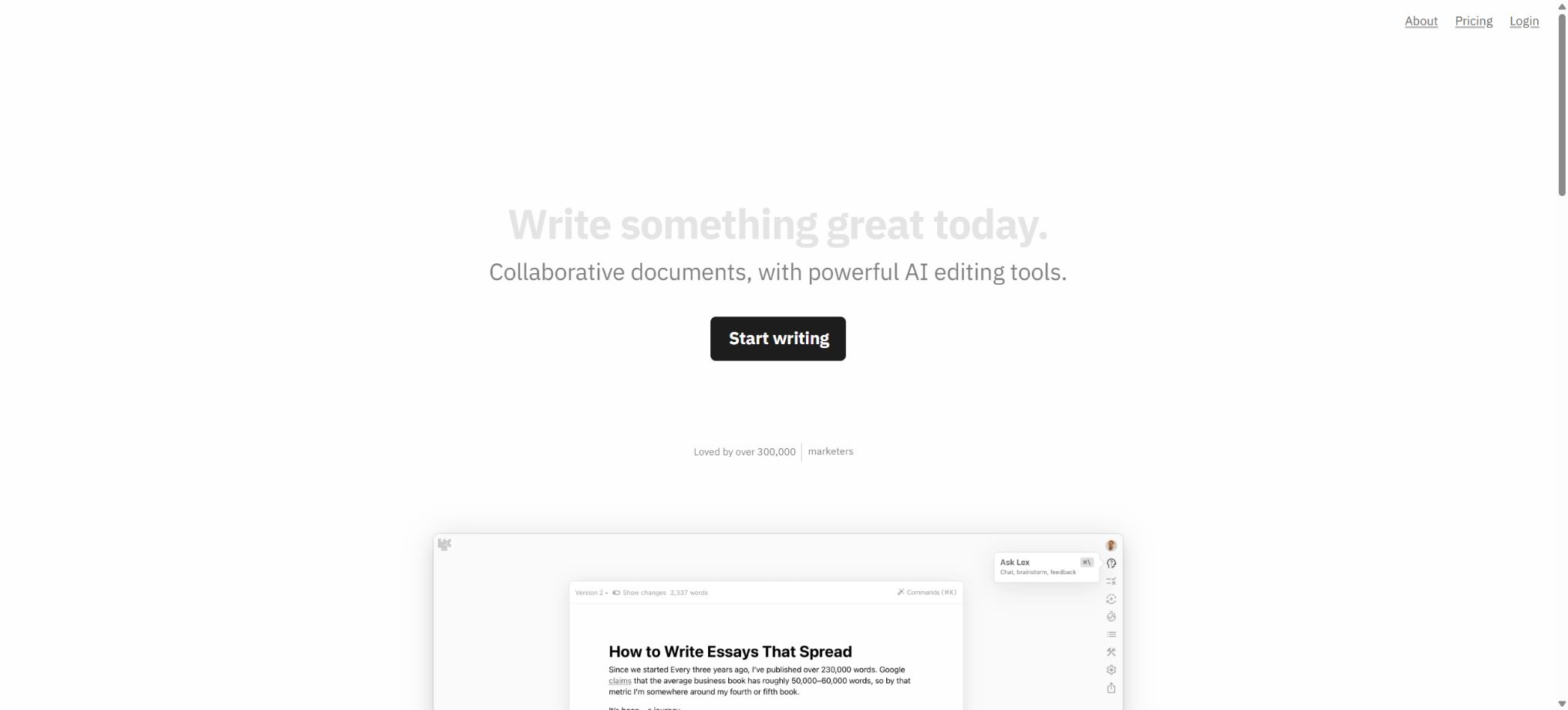
Lex is an online word processor designed for professional writers, operated by Lex, Inc. It integrates AI-driven conversations, line-by-line editing suggestions, style guidelines, contextual information, prompts, and multi-user collaboration within a single writing interface – making it suitable for articles, marketing copy, papers, novels, and important emails that require repeated drafting, review, and finalization.
Lex is not designed for generating an entire piece of content in one go and then publishing it immediately, but rather for involving AI in the processes of ideation, feedback, rewriting, and proofreading, while still allowing the author to maintain control over the document’s structure, wording, and the final version. Basic document sharing and real-time collaboration are available free of charge.
Higher-level models, greater AI usage, and advanced features are provided by Lex Pro, while team folders are managed through Lex Teams.
Ask Lex: Conduct a conversation based on the current document
Ask Lex is an AI assistant built into the editor. Users can ask it to evaluate arguments, suggest titles, complete paragraphs, shorten long texts, change the tone, generate outlines, or answer questions based on the current document.
Since it can understand the writing context, it is usually easier to maintain consistency in characters, themes, and previous content compared to copying snippets into separate messaging tools.
Ask Lex is suitable for providing high-level feedback and for content conversion, but the output remains the result generated by the model. When it comes to data, citations, legal statements, medical information, or real people, manual verification is required.
When writing a longer piece, it is also necessary to check whether there are any overlooked clues, whether the characters are confused, and whether assumptions are presented as facts.
Checks: Identify areas for improvement line by line.
Checks focuses on suggestions for editing at the line level. It identifies in specific parts of the document those expressions that are vague, redundant, inconsistent in tone, poorly paced, or may require clarification, and suggests ways to make improvements.
Unlike Ask Lex, which engages in question-and-answer sessions regarding the entire article, Checks functions more like an editor who reviews the text section by section.
Suggestions do not automatically equate to the correct modifications. Repetition, sentence breaks, and colloquial expressions can be intentional stylistic elements in literary works, while academic and brand-related texts may also have fixed terminology.
The author should accept, ignore, or rewrite each item individually, avoiding the dilution of their own voice in the name of \"greater fluency\".
Style guides and personalized writing
Style Guides allow for the setting of preferences regarding tone, spelling, punctuation, wording, expressions that should be avoided, and brand guidelines, ensuring that Ask Lex and Checks operate according to the same rules. Individual authors can use them to maintain a consistent style in their writing, while teams can reduce differences in tone across different contributors’ submissions.
Style guides are better formulated as clear, actionable rules – such as the target audience, sentence length, the way terms should be written, and whether to use the first person. Specifying only abstract requirements like “write in a sophisticated style” often leads to inconsistent results.
The brand name, compliance statements, and product data should still be ensured through official documents or manual verification.
Knowledge base and context tags
Lex’s Knowledge Bases are used to store the background information needed for writing, enabling the AI to refer to facts about projects, character details, interview records, product information, or research notes when working on documents. Users can also introduce relevant materials, tips, or rules into a particular task using context tags, thereby avoiding the need to repeat explanations each time.
A knowledge base is suitable for use in creating the worldviews of long novels, storing brand-related information for teams, and supporting ongoing research projects. However, it is not a database query system that can guarantee accurate answers. When the information is outdated, contradictory, or lacks a source, AI may still choose incorrect information.
Important facts should be verified against the original sources, and sensitive content should be controlled in accordance with the permissions set for each project.
Prompt library, custom prompts, and Prompt Builder
Lex offers a Prompt Library that distinguishes between prompts suitable for Ask Lex, which are intended for providing overall feedback, performing conversions, and drafting text, and prompts designed for Checks, which are used for line-by-line review. The prompt library covers areas such as business writing, creative writing, fiction, poetry, and editing; it also presents various working methods contributed by writers and the community.
Users can save their own prompts, and using the Prompt Builder they can organize goals, roles, constraints, and output formats into reusable instructions. Once prompts are shared within a team, common review processes can be standardized.
However, custom prompts do not automatically verify the input data, nor can they replace the person in charge of the content, the editor, or legal reviewers.
Advanced AI models
Lex Pro can utilize advanced models such as GPT-4.1, Claude 4 Opus, and Claude 4 Sonnet. Each of these models has its own strengths in terms of understanding long texts, reasoning, creativity, and response speed; users can choose the appropriate model for their tasks, without having to copy the text into multiple different tools.
The model names and available versions may change as the supplier and Lex update their product strategies; therefore, the list shown currently should not be considered permanent. Advanced models may also have restrictions regarding fair use, context, or message limits.
The actual available amount shall be based on the current indication in the account.
Professional writing editor
In addition to its AI features, Lex offers a simple editing environment for everyday writing, including comments, commands, title suggestions, access to web pages on mobile devices, and read-only publishing options. Users can invite others to read or collaborate on documents by sharing links; collaborators do not need to download any separate applications, making it suitable for reviewing texts, receiving customer feedback, and working together remotely.
Read-only publishing is suitable for quick sharing of drafts or previews, but it is not equivalent to a full content management system. Before making something public, it is necessary to check the permissions on documents, as well as any comments and internal notes, in order to prevent the exposure of unapproved content or personal information.
Real-time collaboration and commenting
Lex allows multiple people to edit documents and add comments at the same time. Sharing and collaborating on regular documents is free, making it suitable for co-editing work between authors and editors, as well as between marketers and product developers, and between teachers and students.
The scope of sharing is determined by the document permissions; before sending a link, it is necessary to confirm whether the recipient has only viewing rights or also editing rights.
Lex Teams is different from ordinary sharing. Teams is designed for groups that need to use folders together on a continuous basis, allowing for organized management of team-related content.
If a reviewer is invited only occasionally, it is usually not necessary to purchase team features specifically for document collaboration.
Version, Rewind, and modification history
Rewind allows returning to an earlier state of the document, while Named Versions enables saving versions with names at key stages, such as “Client’s initial review,” “After fact-checking,” or “Final delivery.” This is particularly useful for rewriting long texts, having multiple people review the content, and trying different structures; it helps reduce the risk of losing data due to AI revisions or accidental deletions by humans.
The official trial page still lists full Track Changes as a feature to be released in the future; therefore, Rewind and version naming should not be regarded as mechanisms for making individual edits, just like those found in traditional word processors. For publishing, legal, and compliance tasks that require thorough tracking of changes, it is necessary to first check whether the current account already has the necessary capabilities for change tracking.
Document API
Lex provides developer APIs; users can generate keys in the settings, and through these interfaces they can create documents, list documents, as well as update their titles or HTML content. When creating a document, it is also possible to specify a folder path, which is useful for feeding content management, automated workflow results, or outputs from internal tools into Lex for further manual editing.
API keys should be stored only on the server side or in a secure key management system; they must not be included in web pages, public repositories, or shared documents. When creating content automatically in bulk, it is necessary to take care of issues related to permissions, duplicate documents, error retries, and manual review. The availability of an API does not allow one to bypass the terms of service of Lex or third-party services.
Free use with Lex Pro
Lex allows free use of an editor, as well as document sharing and collaboration; it also provides a limited amount of AI capabilities. The quotas for features such as Ask Lex messages, Checks, and custom prompts in free accounts may change depending on product updates, and the exact limits can be found on the account page after logging in.
Lex Pro offers monthly or annual subscription plans with automatic renewal. These plans provide access to advanced models, additional AI capabilities, early access to new features including those for iOS, as well as priority support. The official price page indicates the structure of the subscriptions and the benefits they entail, but the amount due is not always displayed there. Therefore, it is not appropriate to use quotes from third-party websites to present them as official prices.
The actual monthly/annual fees, taxes, and discounts shall be as displayed in real time on the purchase page.
Lex Teams and educational discounts
Lex Teams is designed for teams that need unrestricted access to shared Lex folders; it represents an alternative to Pro for group collaboration. Before purchasing it, teams should determine the number of seats required, decide on what happens to documents when members leave the team, establish permissions for shared folders, and figure out how billing will be managed.
Officially, it is stated that non-profit organizations, students, and academic staff can contact the team to request a discount. There are no uniform guidelines regarding eligibility, the extent of the discount, the regions where it can be applied, or the required documentation; the decision will depend on the outcome of the review.
Unsubscribe and get a refund
Monthly and annual subscriptions are renewed on a periodic basis. Once canceled, they can usually be used until the end of the current payment cycle.
The official terms of service state that a full refund is available within 10 calendar days after the first purchase; beyond this period, the fee for the current cycle is generally not refundable.
The general customer service statements on the pricing page should not replace the official terms; it is advisable to contact support as early as possible when making a request and to keep the purchase record.
Work ownership and AI training
Users retain ownership of the content they submit. The terms of service grant Lex a limited license to operate and provide the services, but this license does not permit the use of users’ content to train models or to publish those works without permission.
The official price and privacy policies also state that the written content will not be used to train AI.
Lex does not train its own base models; instead, it utilizes the models provided by providers such as OpenAI, Anthropic, and TogetherAI through their enterprise APIs. Cloud-based processing still means that the text passes through their service infrastructure.
Before uploading unpublished novels, customer data, research data, or trade secrets, it is necessary to check the organization’s policies, the data processing procedures for the selected model, and the sharing permissions.
Privacy and data processing
Lex handles account information, documents, reviews, chat content, and usage metadata, and it relies on cloud infrastructure, payment systems, authentication mechanisms, analysis tools, and modeling services to enable its operation. The company states that data is stored securely in Lex’s databases, and the team can access this information only when users explicitly grant permission for technical support.
This is not equivalent to local offline or end-to-end encrypted writing tools. Users who have strict requirements regarding data retention, legal confidentiality, customer contracts, or university research ethics should review the privacy policy, sub-processors, methods of data deletion, and corporate agreements before using such tools, rather than relying solely on the general information provided on the marketing pages.
Support for platforms and open-source status
- Web browser version;
- Mobile web pages;
- iOS features are available first to Pro users; the actual availability depends on the account and the app store.
- Document API, which can be integrated with automation and internal tools.
Lex is a commercial cloud-based product; its complete editor, AI orchestration tools, collaboration features, and backend system source code are not made available to the public, which means it is not an open-source writing software. The availability of APIs does not imply that the product can be deployed in a private environment.
Lex Usage Tutorial
Complete a basic task.
- Identify the audience, purpose, tone, length, and the facts that must be included;
- Enter the topic and the verified reference materials in Lex;
- Use Ask Lex: It generates an outline based on the conversation surrounding the current document, and then Checks is used to identify areas for improvement line by line in order to create a preliminary draft with sections divided accordingly.
- Replace generic content with your own data, examples, and terminology;
- Verify facts, citations, keywords, repetitions, and brand tone;
- It is published only after manual editing, plagiarism checking, and approval have been completed.
Create reusable professional workflows
- Create a brand term list, prohibited expressions, and approved sample texts;
- Transform Ask Lex – which is used for conversations related to the current document – and Checks – which identifies areas for improvement line by line as well as provides guidelines on style and personalized writing – into a structured process.
- Designate responsible persons for research, the first draft, editing, and fact-checking respectively;
- Randomly check whether the model fabricates numbers, sources, or examples;
- Compare readability, conversion rates, search performance, and rework time;
- The templates and rules are continuously updated based on actual outcomes;
Which users is it suitable for?
- Authors and journalists who need AI feedback but wish to maintain their own voice;
- Writers who create full-length novels, develop character designs, and establish the worldviews within those novels;
- A team responsible for writing marketing copy, customer materials, and important emails;
- Editors and reviewers who require comments, real-time collaboration, and the ability to revert to previous versions;
- Teams that wish to standardize the brand’s presentation through style guides;
- Developers who wish to use APIs to send automated drafts into the manual editing process.
Product advantages
- The overall feedback from Ask Lex and the line-by-line suggestions from Checks provide clear division of tasks;
- Style guides, knowledge bases, and prompt templates can be reused for long-term projects;
- AI-powered writing and commenting, collaboration, and version control are all carried out within the same document;
- A variety of advanced models such as GPT and Claude are available for selection;
- Document sharing and collaboration are free, and external reviewers do not need to install any application;
- Provides document API and team folder solutions;
- The authorities have made it clear that the written content is not intended for training AI.
Restrictions and Precautions
- Lex is primarily a cloud-based tool for writing in English; the Chinese interface, localized templates, and line-by-line editing in Chinese require hands-on testing to experience.
- Models may produce factual errors, incorrect references, and excessive rewrites; formal content must be reviewed manually.
- The official website does not always display the current subscription amount in a reliable manner; it is therefore necessary to check the settlement page at the time of purchase, rather than relying on old reviews or prices provided by third parties.
- Advanced models, AI messages, and usage checks may also be adjusted.
- Rewind and NamedVersions allow restoring previous states, but the full TrackChanges feature is still listed on the official page as something that will be released soon;
- In strict audit scenarios, it is first necessary to verify the current functions;
- Knowledge bases, documents, and comments may contain sensitive information;
- Shared links, team folders, API keys, and model calls all require minimal permissions as well as regular verification;
Frequently Asked Questions
Is Lex free?
The basic editor, document sharing, and real-time collaboration can be used for free; however, features such as AI messages, Checks, and custom prompts come with usage limits. For higher capacities and advanced models, Lex Pro is required.
How much is Lex Pro?
The official option is to subscribe on a monthly or annual basis, but the indexed content on the public page does not always display the current amount in real time. The exact price, taxes, and discounts shall be as indicated on the payment page of Lex.
Will Lex use my articles to train the AI?
The authorities have made it clear that they will not use users’ written content to train AI systems. Lex provides its AI capabilities through the enterprise APIs of its model suppliers, and states that it will inform users and offer them an option to withdraw if policies change in the future.
Does Lex support multi-person collaboration?
Supported. Normal document sharing, commenting, and real-time collaboration are available free of charge;
Continuous sharing of team folders requires Lex Teams.
Does Lex have a version history?
There are features such as Rewind and Named Versions, which allow for restoring previous versions or saving key moments. Full Track Changes is still indicated on the official trial page as a feature to be released soon.
Does Lex provide an API?
A document API is provided, which allows for the creation, listing, and updating of documents, as well as the specification of folders. API keys must be stored securely.
Is Lex open source?
It is not open source. Lex is a commercial cloud-based writing and collaboration service; it offers an API for working with documents, but the complete source code of the product is not made available to the public.
Tools similar to Lex




 Guigong Network Security Registration No. 45132202000164