






LanguageTool
A writing assistant that supports multi-language grammar, spelling, and style checks.
Tags:AI writing toolsWhat is LanguageTool?
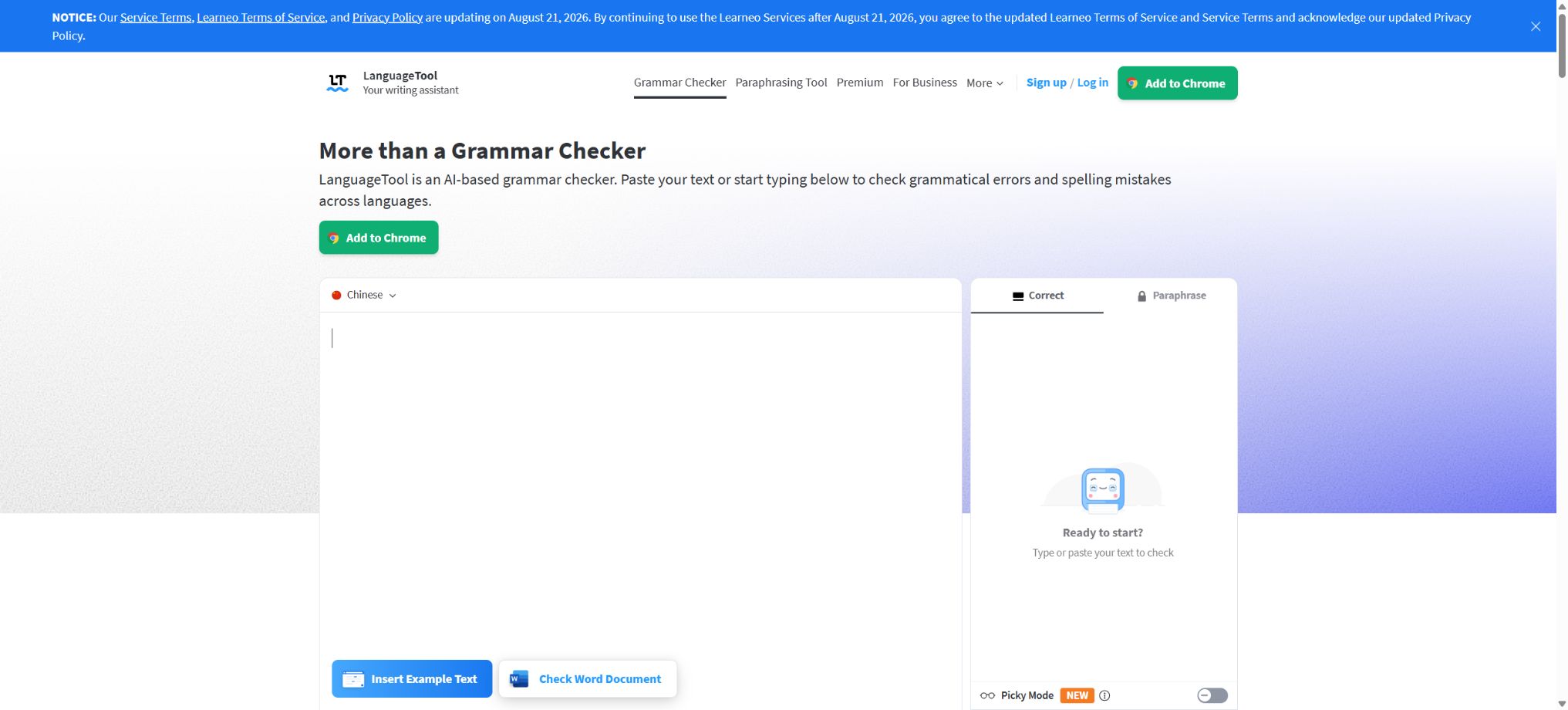
LanguageTool is a tool for checking grammar, spelling, punctuation, and writing style in multiple languages. It can identify issues such as word order, tense, punctuation, repetition, redundant expressions, formatting problems, and semantic errors that are often missed by ordinary spellcheckers, and it provides suggestions for corrections directly as the user types emails, documents, social media content, or longer texts.
LanguageTool offers both an open-source proofreading core and commercial cloud services. Ordinary users can use a web editor, desktop applications, browser extensions, and office plugins;
Developers can call HTTP APIs or deploy open-source servers; teams and enterprises can use shared dictionaries, style guides, management backends, business APIs, and local deployment solutions.
Core functions
1. Spelling, grammar, and punctuation checks
LanguageTool identifies issues such as spelling mistakes, incorrect word forms, subject-verb agreement problems, tense errors, incorrect word order, repeated words, and missing or excessive punctuation, and provides clickable suggestions for replacements. It not only checks individual words but also takes into account the context of the sentence to identify words and expressions that are prone to confusion.
Automatic suggestions are not authoritative sources of language information. Names, brands, professional abbreviations, and innovative expressions may be misidentified, and complex sentences as well as specific contexts might go unnoticed.
Formal contracts, papers, and publications still require manual proofreading.
2. Suggestions on style and clarity
The style check identifies repetitions, redundancies, overused words, informal expressions, foreign words, units of measurement, and unclear sentence structures. Picky Mode applies stricter rules, making it suitable for longer texts and professional communications that require thorough refinement.
Style recommendations depend on the target audience and the type of text. Ads, novels, academic papers, and internal emails require different tones; users can disable rules that are not applicable to them, and it is not necessary to accept all suggestions mechanically.
3. Semantic, formatting, and layout checks
Advanced rules can detect issues such as inconsistent dates and days of the week, double negatives, mismatches between the address and the recipient’s name, mixing of numbers and text, incorrect time formats, improper use of currency symbols, as well as problems with spacing and capitalization. Such checks help to reduce those subtle errors that may appear correct but are actually inconsistent.
Regional formats and institutional standards vary; for example, dates, quotation marks, number formatting, and spelling conventions differ between the UK and the US. It is necessary to select the correct language variant before use, following the organization’s writing guidelines.
4. AI sentence rewriting
LanguageTool includes an AI-based rewriting tool that can transform entire sentences to make them more formal, fluent, concise, or easier to understand. Currently, this rewriting function is available for English, German, French, Dutch, Spanish, and Portuguese; the free version allows for 3 revisions per day.
Rewriting can alter the tone, factual specifics, negative statements, and terminology. Legal texts, medical information, academic citations, and business commitments should not be replaced without verification.
Sensitive text should also have the cloud processing policies assessed first.
5. Automatic language detection and dialects
The editor can automatically detect the language after just a few words are entered, and it allows users to specify the display language, as well as the native and dialect versions. English has variants for the United States, the United Kingdom, Canada, Australia, New Zealand, and South Africa; German and Portuguese also offer regional options.
The combination of different languages, codes, proper nouns, and short phrases can lead to errors in automatic recognition. In multilingual documents, it is necessary to identify the language of each section separately, avoiding the application of rules from one language to another.
Which languages are supported?
LanguageTool currently supports more than 30 languages and dialects, including English, German, Spanish, French, Dutch, Portuguese, Polish, Italian, Russian, Ukrainian, Chinese, Japanese, Arabic, Greek, Swedish, and others.
Support does not mean that the functions of all languages are identical. The additional more than 20,000 checks provided in Premium are primarily aimed at English, German, French, Spanish, Dutch, Polish, and Portuguese.
Chinese, Japanese, Persian, and Tamil currently do not have spell checking.
Catalog users should try it out using the actual language in which they write, rather than focusing only on the number of languages.
Browser extensions and web page editors
Browser extensions are available for Chrome, Edge, Firefox, Safari, and Opera, allowing users to check their text as they type in Gmail, web forms, social media platforms, and various online editors. Users can disable checking for a specific website or add custom words to their personal dictionary.
Official statements say that browser extensions do not store users’ text, but the text must be sent to a proofreading service in order to obtain suggestions. Corporate secrets, passwords, identity information, and regulated data should still be handled in accordance with the organization’s security policies.
Desktop version and office software
- Windows applications support system-level shortcuts and a separate editor;
- macOS apps can be checked in Apple Mail, Notes, Messages, and other compatible apps;
- iOS offers capabilities related to mobile writing and keyboards;
- The Microsoft Word add-in is compatible with Word 2016 and later versions, as well as Office 365;
- Google Docs can be used through browser extensions;
- Apple Pages, LibreOffice, OpenOffice, and Thunderbird all have corresponding ways to integrate;
- Outlook plugins may still be in the testing phase or subject to platform restrictions.
The rule sets and versions used by different plugins can vary. Traditional LibreOffice extensions do not support Premium rules directly, but starting with LibreOffice 7.4 it is possible to configure a remote LanguageTool server.
Compatibility issues may also arise when a document contains revision history.
Price and version comparison
| Package or version | Prices, quotas, and core benefits |
|---|---|
| Differences between the free version and Premium | The free version allows users to check basic spelling, grammar, punctuation, and some style issues without the need for registration. The input field on the website supports up to 2000 characters per entry, and it offers a limited version of Picky Mode as well as 3 AI revisions per day. It is suitable for short emails, social media content, and basic proofreading tasks. The Premium version provides more rules related to grammar, semantics, and style; each editing field can handle up to 150,000 characters, and it includes a personal style guide, text statistics, and more comprehensive writing suggestions. The advanced features are mainly available for the core Premium languages, while improvements for other languages may be limited after upgrading. |
| Individual and team subscription prices | According to the official help center as of March 2026, the monthly fee for the individual Premium plan is 19.90 euros, the quarterly fee is 39.90 euros, the annual fee is 59.89 euros, and the fee for two years is 99.90 euros. Eligible students, teachers, and professors can enjoy an education discount of up to 20%. For teams of up to 20 members, the cost is 56.90 euros per person per year, and this package includes Premium features, a shared team dictionary, a team style guide, as well as centralized user and billing management. Subscription prices may vary depending on value-added tax, country, currency, and ongoing promotions; the final amount to be paid is indicated on the purchase page. |
Differences between the free version and Premium
The free version allows users to check basic spelling, grammar, punctuation, and some style issues without the need for registration. The input field on the website supports up to 2000 characters per entry, and it offers a limited version of Picky Mode as well as 3 AI revisions per day. It is suitable for short emails, social media content, and basic proofreading tasks.
Premium offers more rules regarding grammar, semantics, and style; a single editing field can handle up to 150,000 characters, and it provides a personal style guide, text statistics, as well as more comprehensive writing suggestions. The advanced features are primarily available for the core Premium languages, while the improvements for other languages may be limited after upgrading.
Individual and team subscription prices
According to the official help center, as of March 2026, the monthly fee for the individual Premium plan is 19.90 euros, the quarterly fee is 39.90 euros, the annual fee is 59.89 euros, and the fee for two years is 99.90 euros. Eligible students, teachers, and professors can enjoy an education discount of up to 20%.
For teams of up to 20 members, the cost is 56.90 euros per person per year; this package includes Premium features, a shared team dictionary, a team style guide, as well as centralized user and billing management. The subscription price may vary depending on value-added tax, country, currency, and any ongoing promotions, and the actual amount to be paid is indicated on the purchase page.
Team Style Guide and Dictionary
The team can add product names, names of people, abbreviations, and industry terms to the shared dictionary in order to avoid misinterpretations; style guides are used to standardize the brand’s tone, terminology, prohibited words, and recommended expressions.
Administrators can manage members, roles, and unified rules.
Automated enforcement of style rules can enhance consistency, but it cannot replace content review. Organizations need to determine who is authorized to modify these rules, how exceptions should be handled, and to regularly remove outdated brand names and terms.
Proofreading API
The official HTTP API provides interfaces for text checking, access to a list of languages, and management of personal dictionaries. The default limits specified in the official documentation are: 20 requests per minute for the free API, 75,000 characters per minute, and a maximum of 20,000 characters per request.
The Premium API allows 80 requests per minute, 300,000 characters per minute, with a maximum of 60,000 characters per request.
For higher usage amounts, you should choose the API commercial plan or contact sales.
The commercial API server is located in Germany, and the company claims that it complies with GDPR and does not store the sent text. Developers should rely only on the parameters and response fields specified in the public documentation, and should not use any internal interfaces.
You also need to handle throttling, retries, language selection, user consent, and log anonymization on your own.
Enterprise cloud and on-premises deployment
Companies with 20 or more employees can opt for Business Cloud, which offers team functionality, custom integration APIs, and priority support; for organizations in sectors such as finance, healthcare, and government that have strict privacy requirements, an on-premises commercial version is available, running on the customer’s own servers, so there is no need to transfer data to external services.
For enterprise local deployment, white-labeling, and customized models, a quote is required. The commercial On-Premise version does not offer the same features as the free open-source core available on GitHub; downloading the open-source server does not mean that all Premium features are available.
Open-source version and self-hosted
The official GitHub repository of LanguageTool makes the core proofreading functions available; it is licensed under LGPL 2.1 or a later version, and it allows for the creation of command-line tools, GUI interfaces, server components, as well as components related to LibreOffice. The official repository does not provide a unified Docker image, and the Docker solutions mentioned in the documentation come from the community.
The open-source version allows an HTTP server to be run locally, which reduces the need to send text to third parties and makes it easier to add custom rules. However, large datasets used in cloud environments, the latest rules, and the premium-exclusive checks are not included in the open-source version; as a result, the performance when using this self-hosted version may differ from that of the official version.
LGPL permits use and modification, but it is still required to comply with the license terms when distributing modified versions or when linking to such materials. Companies should verify the license and any permissions related to third-party language data before incorporating them into their products.
Privacy Policy
The official cloud service is hosted in Germany, and it is stated that API text is not stored nor are browser extensions saved with any text. Accounts, personal dictionaries, documents, and usage data may still be handled in accordance with the privacy policy.
Free public APIs should also not be regarded as enterprise-level services with guaranteed service levels.
For text that cannot leave the intranet, open-source self-hosted solutions or commercial on-premises solutions can be considered. When installing a local server, it is still necessary to set up access controls, TLS encryption, log management, as well as mechanisms for updating the software and addressing vulnerabilities; it is not acceptable to expose unauthenticated HTTP ports from within the intranet.
LanguageTool usage guide
Complete a basic task.
- Identify the audience, purpose, tone, length, and the facts that must be included;
- Enter the topic and the verified reference materials in LanguageTool;
- An outline is created using spelling, grammar, and punctuation checks, and a preliminary draft with paragraph breaks is then prepared through suggestions regarding style and clarity.
- Replace generic content with your own data, examples, and terminology;
- Verify facts, citations, keywords, repetitions, and brand tone;
- It is published only after manual editing, plagiarism checking, and approval have been completed.
Create reusable professional workflows
- Create a brand term list, prohibited expressions, and approved sample texts;
- Organize spelling, grammar, and punctuation checks, suggestions regarding style and clarity, as well as checks of semantics, format, and layout into a fixed process.
- Designate responsible persons for research, the first draft, editing, and fact-checking respectively;
- Randomly check whether the model fabricates numbers, sources, or examples;
- Compare readability, conversion rates, search performance, and rework time;
- The templates and rules are continuously updated based on actual outcomes;
Which users is it suitable for?
- Professionals who need to review emails and documents in English or European languages;
- Students who are learning a foreign language and seeking guidance on grammar, spelling, and style;
- Writers and editors who craft papers, blogs, novels, and longer texts;
- International teams that need to standardize brand terminology and tone;
- Users who write frequently in Word, Google Docs, browsers, and email;
- Developers and enterprises that need to debug APIs or those deployed locally.
Product advantages
- Supports over 30 languages and various regional dialects;
- It covers checks for spelling, grammar, punctuation, style, semantics, and format.
- It offers wide integration with browsers, desktops, office software, and email services;
- It offers AI rewriting, a personal dictionary, a team dictionary, and style guides;
- It is an officially core open-source solution that allows for self-hosting and the extension of rules;
- It also offers commercial APIs, enterprise cloud solutions, and on-premises deployment options.
Restrictions and Precautions
- The number of rules for different languages varies greatly, and the checking capabilities of languages such as Chinese and Japanese cannot be compared to those of premium core languages like English and German.
- AI rewriting is also available only for some languages;
- Automatic proofreading may lead to false positives, false negatives, or changes to the original meaning;
- Professional publishing, academic citations, as well as legal and medical documents require review by a native speaker editor or an expert in the relevant field;
- The open-source self-hosted version does not include all Premium rules, and the inspection results for the website, plugins, and local server may vary.
- Free public APIs have strict rate limits, and therefore are not suitable as reliable services for production use;
Frequently Asked Questions
Is LanguageTool free?
There is a free version that allows for basic checks of spelling, grammar, punctuation, and some aspects of style; for longer texts, more advanced rules, and team functionality, Premium is required.
Does LanguageTool support Chinese?
It supports some grammar rules of Chinese, but there is no spelling check for Chinese at the moment; its completeness is lower than that of major languages such as English, German, and French.
Can LanguageTool check Word?
Yes, it is supported in Word 2016 and later versions as well as in Office 365; it can also be used with Google Docs, LibreOffice, Pages, and various email clients, though the capabilities of the plugins vary.
How much is the individual Premium?
The current official prices are 19.90 euros per month, 39.90 euros per quarter, 59.89 euros per year, and 99.90 euros for two years; the actual taxes and fees depend on the details shown on the payment page.
Does LanguageTool have an API?
There are free and Premium HTTP APIs, as well as enterprise-grade APIs available. The free and premium interfaces each have limits on the number of requests, the character rate, and the maximum length of text that can be processed per request.
Is LanguageTool open source?
The core proofreading engine is open-source, governed by LGPL 2.1 or later versions; however, the commercial services offered on the official website, as well as the Premium rules and enterprise solutions, are not all open-source.
Tools similar to LanguageTool




 Guigong Network Security Registration No. 45132202000164